Blog de Gridwise
¡Lee el blog de Gridwise para obtener consejos y sugerencias sobre cómo ganar más dinero mientras conduces para Lyft, Uber, DoorDash, GrubHub y más!

The Gridwise Job Board: Find Your Ideal Job or Gig Work
Gridwise is an essential assistant app created by gig workers for gig workers. Our mission is to support those engaged in gig work in every way possible. We understand how challenging it can be to deal with income instability, a lack of benefits, and job insecurity that often comes with gig work. The Gridwise app tracks and organizes earnings and expenses, and offers a wide array of discounts, deals, and services that make the lives of independent contractors easier and more rewarding.
We firmly believe it’s possible to make a viable living and create a gig experience that offers flexible hours, variety, and excitement. With issues such as consistent earnings and job security in mind, Gridwise is proud to offer a centralized platform that shows you how to find gig work and secure reliable opportunities. We’re proud to introduce the Gridwise Job Board.
[elementor-template id="20891"]
The Gridwise Job Board: Key features
Because Gridwise is dedicated to serving the gig worker community, we’ve filled the Gridwise Job Board with useful features that won’t waste your precious time.
- Comprehensive listings. Find part-time, full-time, temporary, and per-task work. Drive or deliver with your vehicle, utilize an employer’s vehicle, or even find non-driving gig work.
- User-friendly interface. Find the jobs that are right for you with a tap of your screen.
- Verified opportunities. We vet the jobs before they are listed to ensure you’re getting high-quality job postings.
How to get more gig work, seasonal, part-time or full-time jobs with the Gridwise Job Board
Looking specifically for “gig work apps” or “gig jobs near me?” You’re in luck. Our filters and search functions send you directly to the listings you seek.
Here’s how it works.
- Access the Job Board via the Gridwise website.
- Search for jobs by type, location, and more.
- Select the job that interests you, and read all about it.
- Scroll through the description, and if it appeals to you, click “Apply for job.”
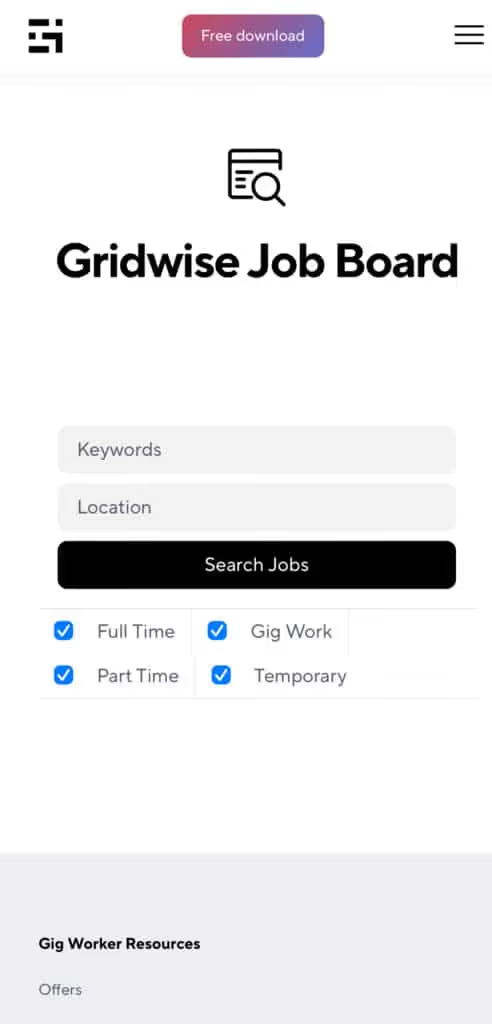
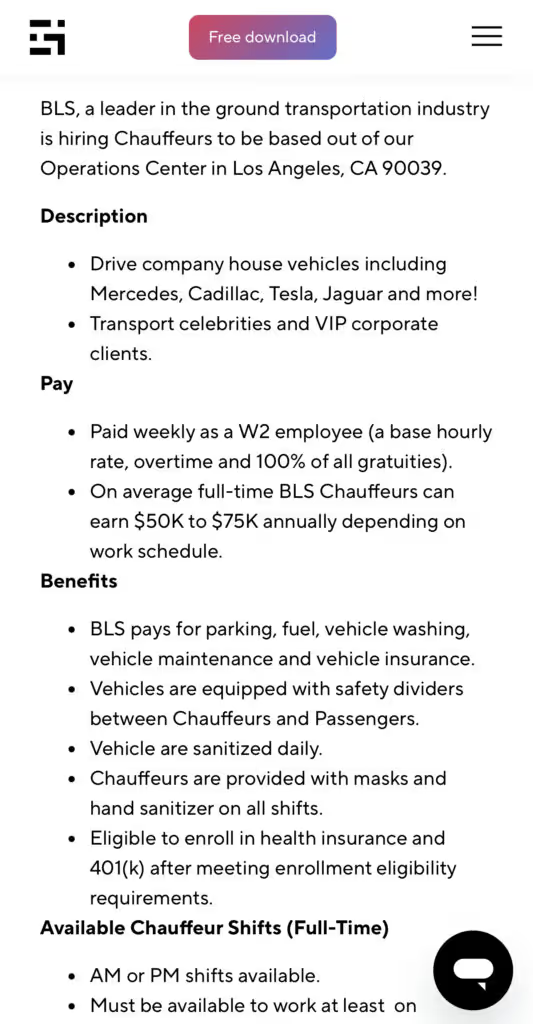
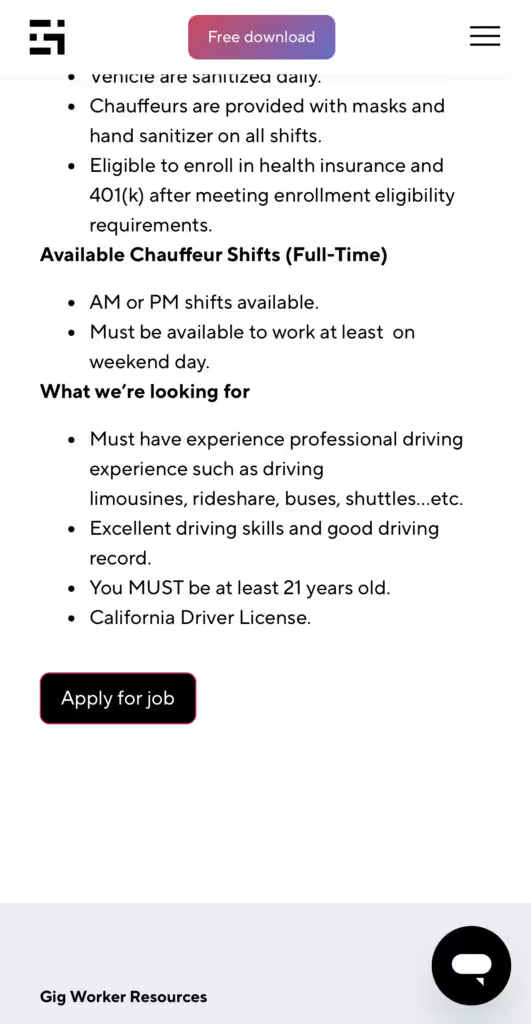
Many types of jobs are available. Adjust the search filter to see the full variety of opportunities that will let you cash in. Deliver food, set up catering, do rideshare driving, get paid for doing package delivery, and much more. You’ll find short-term gigs, long-term contracts, and part-time positions.
Perks of the Gridwise Job Board for gig workers
Gig workers who know how to make extra money will appreciate how the Gridwise Job Board lets you multiply your chances of bringing in big earnings. Here’s how:
- Increased stability. Use the Gridwise Job Board to find part-time or permanent jobs in addition to the part-time gigs you already have. Always keep a steady stream of earning opportunities flowing toward you.
- Flexibility and autonomy. Choose jobs that fit your schedule, work around other jobs and family duties, and still leave room for some fun in your life. Discover side hustles to supplement your full-time job, permanently or just for the season.
- Skill development. Find part-time work that lets you use a skill you already have, or try your hand at something new. It’s a smart way to develop a portfolio to showcase what you can do, or even to find permanent employment.
Get Gridwise and stay up to date on the Gridwise Job Board
Gig workers need plenty of information and assistance, and Gridwise is here to give it to you. Download the app and get essential features such as
- seamless earnings tracking
- mileage tracking
- expense recording, including notes
- low-cost and no-cost insurance benefits
- access to affordable medical, dental, vision, mental health, and alternative care
- professional services including legal and financial help
- deals and discounts
- weather, events, and traffic reports
- inside information on where and when to drive
[elementor-template id="20936"]
More to know about gig work:

5 Best Mileage Trackers For Gig Drivers
Many drivers ask, “Do I really need a mileage tracking app?” The answer is simple: only if you want to have an accurate count of all the miles you can legally deduct from your taxable income! You might think your rideshare or delivery driving app has got you covered. After all, they do quite a good job of logging the miles you drive while you’re on a trip or delivery. But, if you want to have the best app to track mileage for Uber, Lyft, Doordash, Instacart, or the other apps you may use, you need more. Why is that?
Without a separate tracker, you’re missing the miles you drive in between pings. Did you realize that all the miles you drive, from the moment you begin your shift until it’s over (as long as you don’t drive several miles on a break to hang with your friends), are tax deductible! That means you need something besides your driving app to keep an accurate count of your travels. Read this Gridwise post to see how important it is to keep track of every deductible mile.
You won’t be surprised to hear that there’s an app for tracking miles. In fact, there are several of them. Here, we’re going to tell you about five top mileage tracking apps, and help you figure out which one is best for you.
Before we get to the list and identify the best mileage tracker app, let’s clarify what exactly a mileage tracking app is. According to G2.com’s technology glossary, mileage tracking is done for the purpose of keeping a log of mileage that is either reimbursable or tax deductible.
And yes, of course you can track your miles simply by taking readings on your odometer. But are you really prepared to account for how many miles you drove for personal reasons and subtract them from the total to get your business mileage? Even if you can remember all that and do the arithmetic, if you want an accurate reading of the miles you drive for business, and can therefore deduct, a mileage tracking app will save you a lot of trouble and prevent you from making costly errors.
Plus, as a gig driver, you have specific needs when it comes to a mileage tracker. Ideally, you’d be able to handle mileage tracking and several other functions all in one app. It can be maddening enough to deal with driving apps, particularly if you’re an avid multi-apper. You would want your mileage tracker app to help you keep account of other aspects of your business, including income, expenses, and inside information about the art of gig driving.
Not all mileage apps are equal, to be sure! Let’s look at five of the best apps to track mileage and figure out which is the best app to track mileage with Uber and Lyft, or what mileage tracker app is best for DoorDash.
[elementor-template id="20891"]
1. Zoho Expense
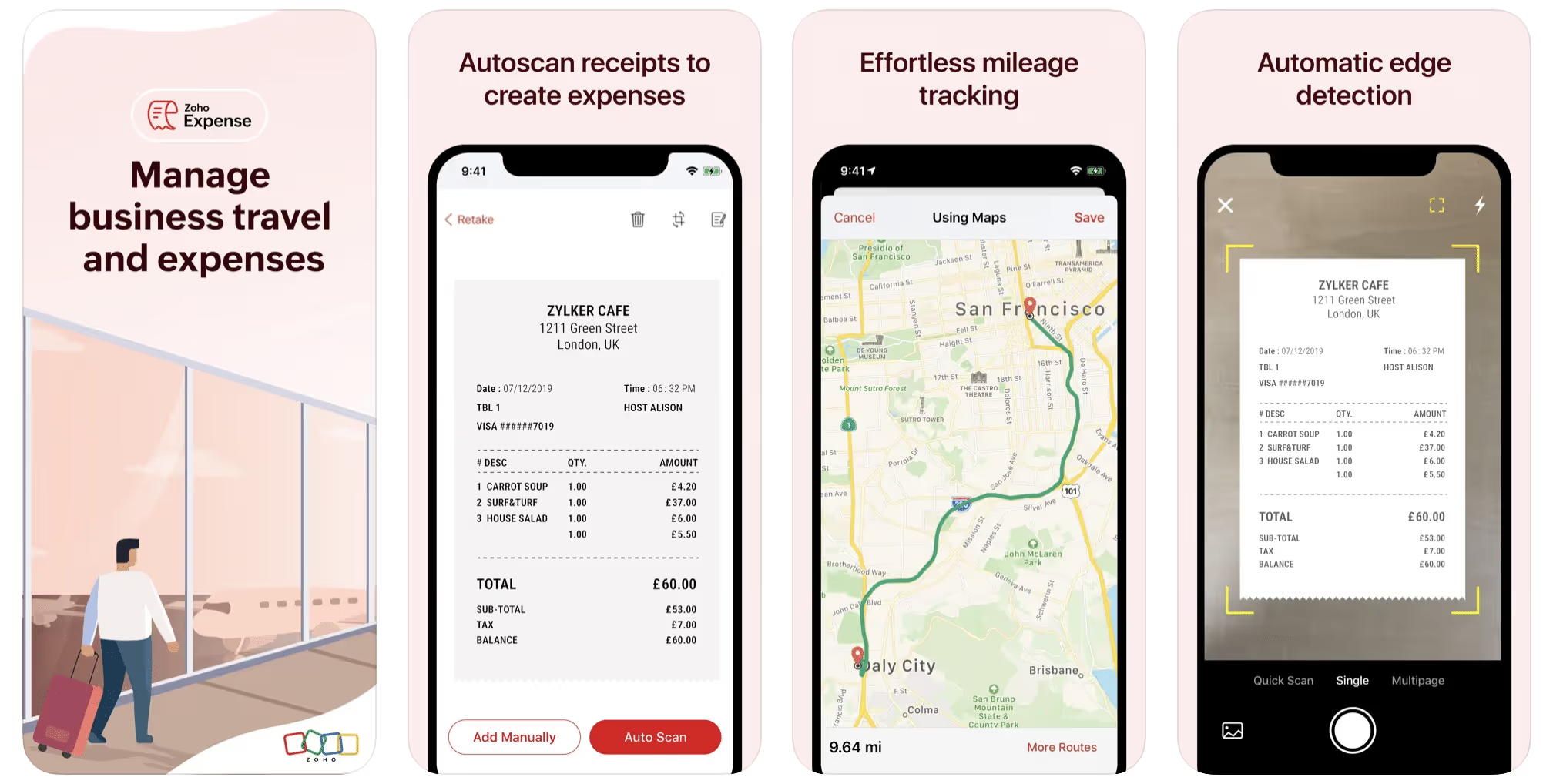
First up is Zoho Expense, which does exactly what its name says. This app is designed to allow companies to give employees a uniform way to create and submit expense reports. It can be used by individuals, including gig drivers, as well.
It includes a mileage tracker, as well as features that let you track other deductible expenses, including the ability to scan and record receipts.
Available on Android and Apple: Yes
Ratings: 4.8 stars on App Store, 4.7 stars on Google Play
Free Version: Yes
Subscription price: $3 per month, billed annually
Created specifically for gig drivers: No
2. Quickbooks Online
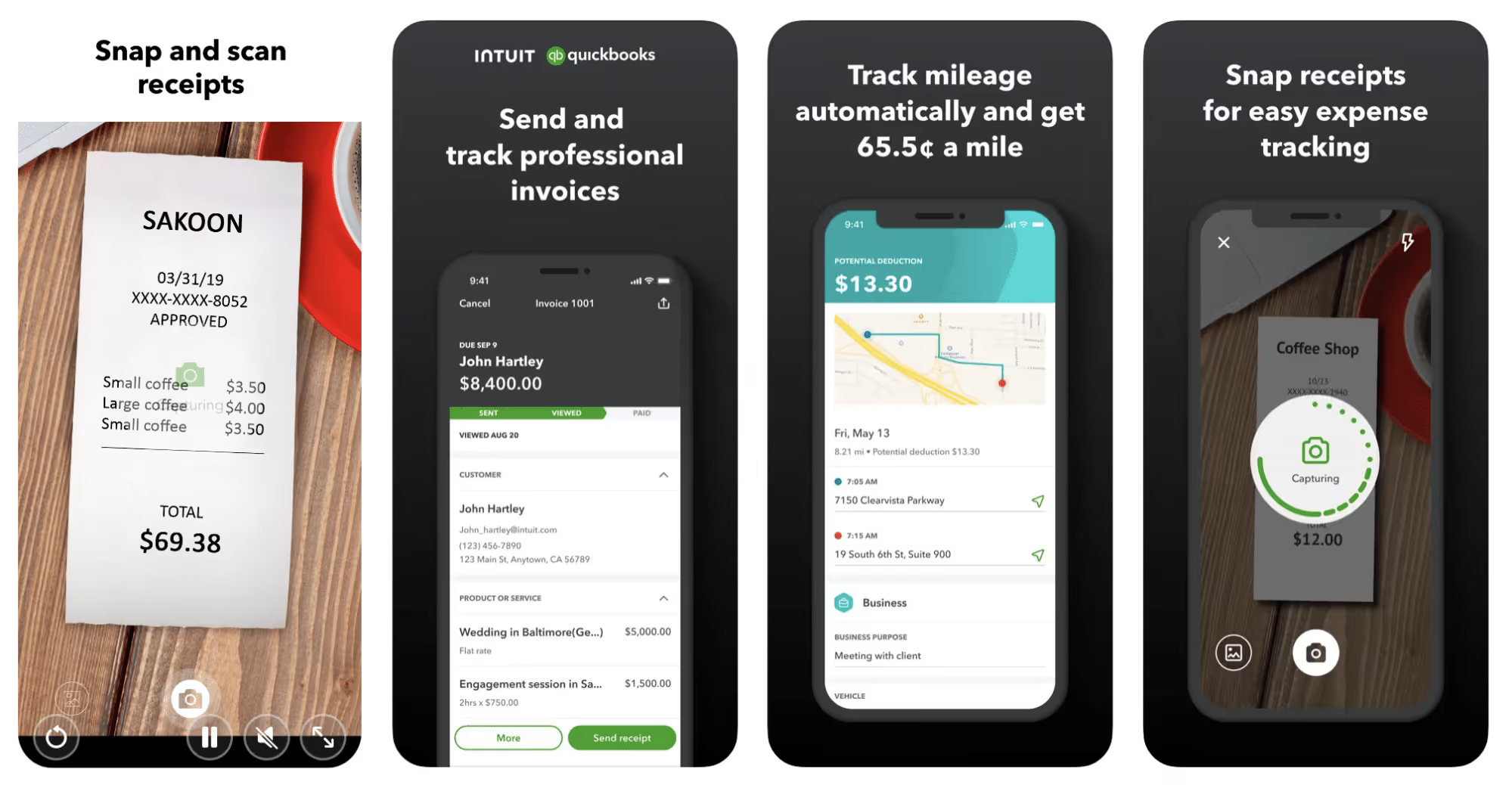
Quickbooks Online is a cloud-based app that allows you to track your mileage, earnings, and expenses. The information you enter can then be used to generate various reports that prepare you for tax time. It also allows you to create graphs that illustrate your cash flow, and includes a receipt scanner so you can instantly record deductible expenses. Quickbooks is popular, highly reliable, and designed mainly to help people keep track of their small businesses.
Available on Android and Apple: Yes
Ratings: 4.7 stars on App Store, 4.4 stars on Google Play
Free version: 30-day free trial
Subscription price: $15 per month for basic version if purchased for 3 months or more
Created specifically for gig drivers: No
Source: quickbooks.intuit.com
3. Shoeboxed
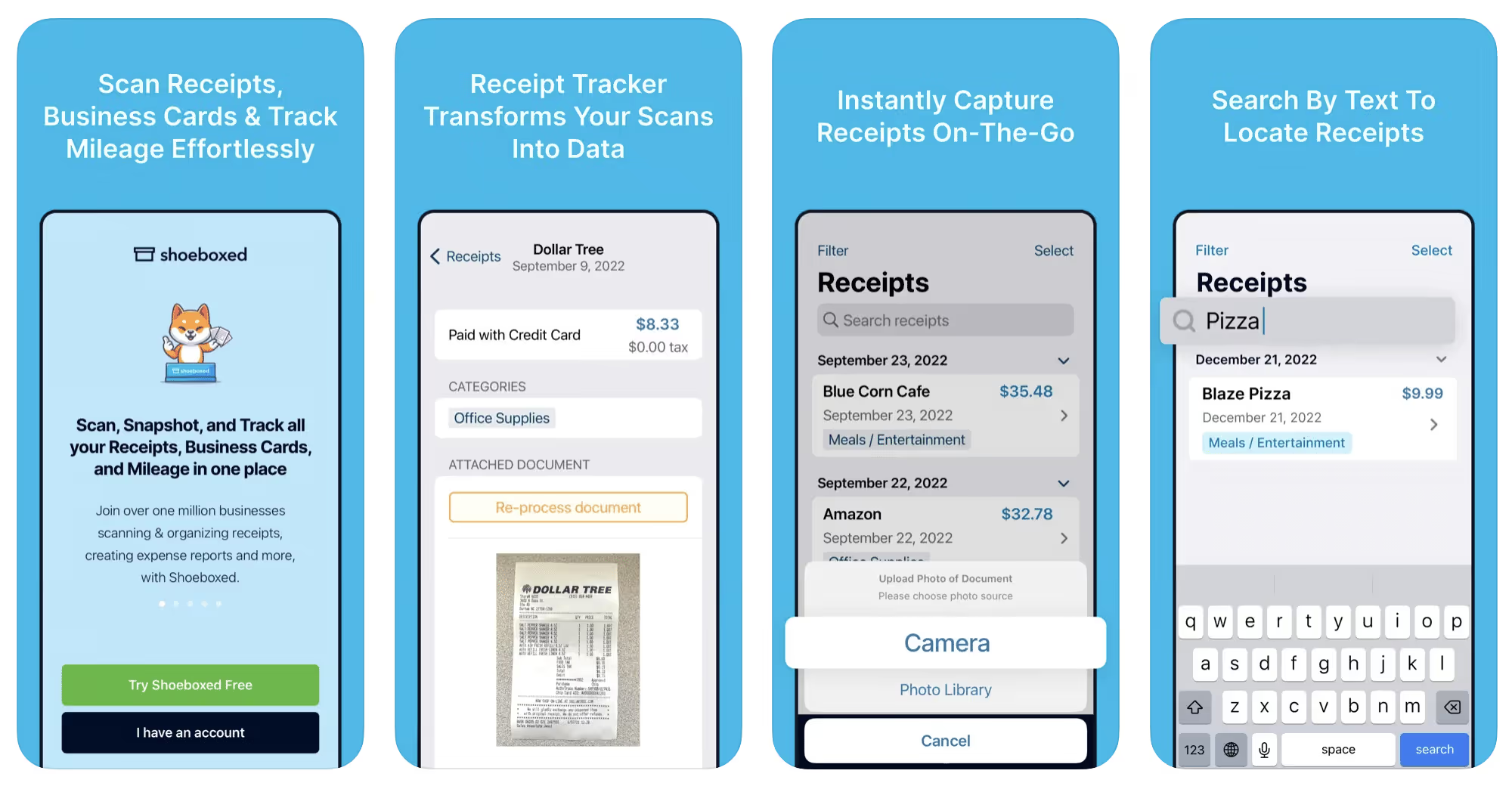
Shoeboxed started in 2007 as a service for scanning paper receipts into digital form. Now the app offers a free mileage tracker and has enabled users to scan receipts directly. It touts itself as the best mileage tracking app for DoorDash, but there are some elements missing that Dashers might like to have. While it provides features that record your expenses and prepare you for tax season, it doesn’t automatically track your earnings. The mileage tracker has a system where you can drop pins along your routes to make the tracking more precise, identifying those legs of a trip that you make for business purposes. The mileage tracker is “free” once you sign up for the basic version.
Available on Android and Apple: Yes
Ratings: 4.5 stars on App Store, 2.3 stars on Google Play
Free version: No
Subscription price: $18 per month for basic version
Created specifically for gig drivers: No
Source: blog.shoeboxed.com
4. Stride
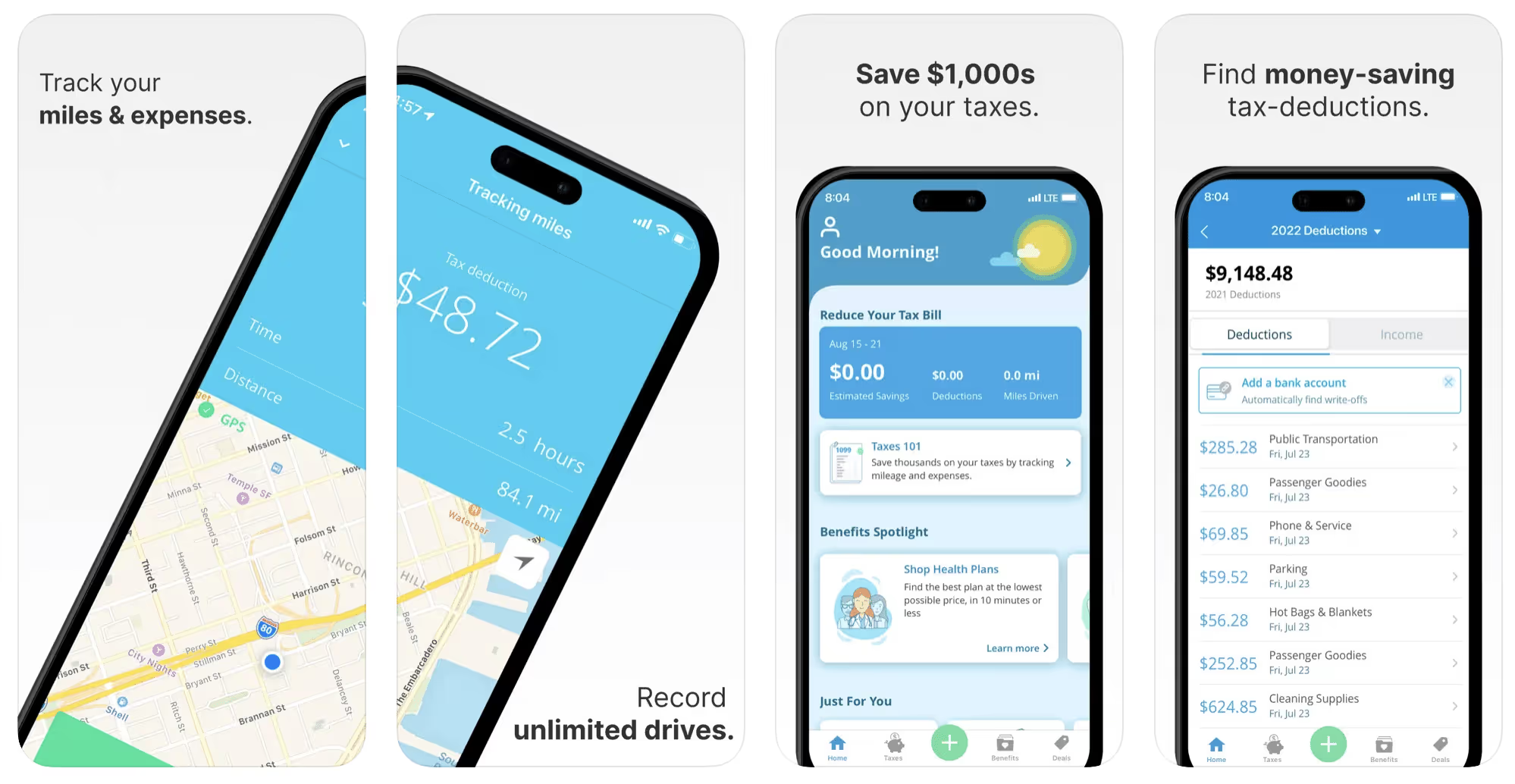
This free mileage tracker does a fair job of keeping track of the distances you rack up while gig driving, but it doesn’t automatically track earnings. It can be a big help, though, in tracking your expenses. You can link Stride to your bank account, and it will automatically scan your expenses to identify items you can potentially deduct. The app is totally free. This could make it the best free mileage tracker app, but there is a small price to pay. The app will persistently push you to consider various insurance plans that they are affiliated with. If you don’t mind that, this is a solid mileage tracker, even if it doesn’t track your earnings.
Available on Android and Apple: Yes
Ratings: 4.8 stars on App Store, 4.6 stars on Google Play
Free version: Yes
Subscription price: None. The app is free.
Created specifically for gig drivers: No
5. Gridwise
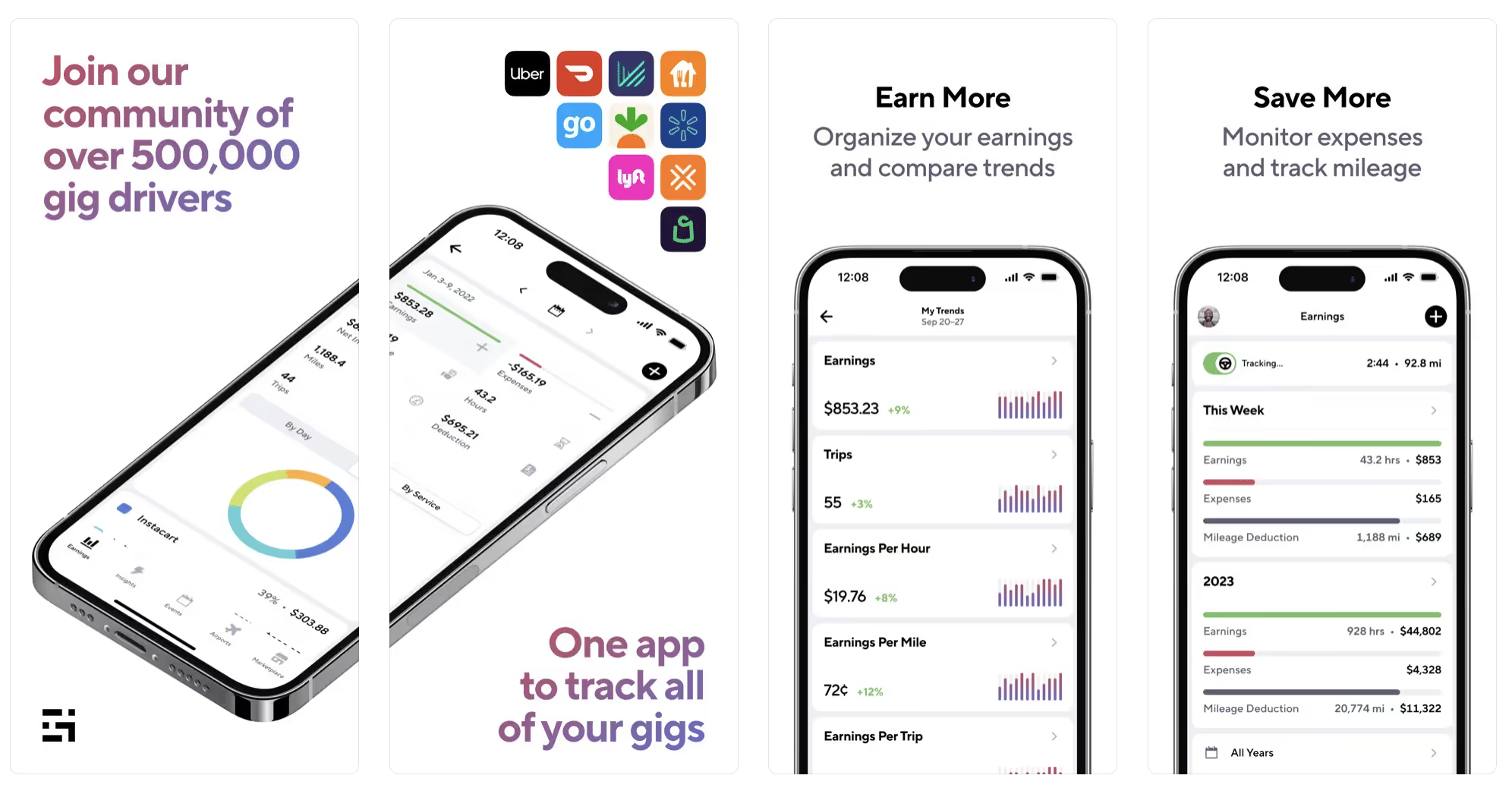
Gridwise has a free mileage tracker and free features that record your income and expenses. It gives you access to insurance and benefits, as well as insights about the best times and places to make the most money while gig driving. The Gridwise mileage tracker captures all the miles you drive while you’re on your driving shift, and it can be used if you have other trips you need to make which qualify as business travel.
Drivers love it because it is geared toward the needs of rideshare and delivery workers, providing free information about airport departures and arrivals, event start and let out times, weather, traffic, and more. The Gridwise Plus subscription adds value by providing additional insights and reports, discounts on benefits, the ability to export data in .csv format,, and more.
Available on Android and Apple: Yes
Ratings: 4.9 stars on App Store, 4.6 stars on Google Play
Free version: Yes
Subscription price: $9.95 per month for Gridwise Plus, or $95.99 per year (a $23.41 savings)
Created specifically for gig drivers: Yes!
What is the best mileage tracking app?
Now that we’ve checked them all out, we’re positive about the answer to that. Hands down, it’s Gridwise. Are we biased? You bet we are! But drivers love it too. Gridwise is the best mileage tracker app—and so much more. So many of the features are free, and the subscription to Gridwise Plus will pay for itself with additional insights to boost your earnings and deeper discounts on products and services.
Most important, Gridwise is designed specifically for gig drivers by experts who were once gig drivers themselves! Knowing what gig drivers need is a crucial step in creating an app that rideshare and delivery drivers can really use! Here are a few of the features, besides mileage tracking:
- seamless earnings tracking
- automatic, on/off toggle and manual mileage tracking
- mileage categorization
- airport, traffic, weather, and events information
- insights into where to drive and when to drive
- reports showing earnings across the platforms you use
- discounts on countless products and services for drivers
- additional resources for finding side gigs
- an informative and comprehensive blog
- affordable benefits, including insurance, medical, dental, and alternative practitioner discounts
- a community of drivers just like you
Don’t settle for just any app. Get the best mileage tracker, and so much more, from Gridwise!
[elementor-template id="21599"]

What Records Do Gig Drivers Need To Keep Track Of For Taxes?
* Gridwise does not provide tax, legal, or accounting advice. This material has been prepared for information purposes only, and is not intended to provide, and should not be relied on for tax, legal, or accounting advice. You should consult your own tax, legal, and accounting advisors before filing your return.
Record keeping? Who signed up for that? As a gig driver, it’s part of what you need to do to keep your business running. Don’t worry. It’s not as complicated as you might have been led to believe. This post will show you what you need to keep track of and the best ways to gather and preserve your tax-related records. We will cover
- How record keeping can help reduce income tax for freelancers
- Taxes and freelance work: Record keeping requirements
- Mileage tracking: Motives and methods
- More deductions and records to keep
- Make tax time easier
How record keeping can reduce income tax for freelancers
Tax time is not “fun time” for rideshare and delivery drivers. It’s easy to get used to watching your earnings pile up and come to believe they are all yours. Unfortunately, that isn’t the case. Gig work taxes can be especially painful because no one takes them out of your earnings for you, until the tax authorities insist that you do it for yourself.
You will need to show the tax authorities your income records, and they will gladly tell you to send them what they determine to be their fair share. Think that’s not fair? You’re not alone, but that doesn’t mean you’re going to get out of paying gig work taxes.
But you can find ways to pay the smallest amount that is legal and possible. The best way to defend yourself against having to pay astronomical amounts when you file your return is to know what expenses you can deduct from your gross income. When you subtract deductible expenses from your gross income, there is less left over to be taxed. This reduces the amount they can hit you with gig worker taxes. and can make your tax bill substantially lower.
While you want to keep good records so as to be in compliance with taxation entities such as the IRS, you also want to ensure you have proof of every last deductible expense you have accrued during the year. There are other records you must keep as well. Let’s look at some of the considerations you have, realizing that you now need to know how to do taxes as a freelancer.
Taxes and freelance work: Record keeping requirements
So many gig drivers fail to understand the responsibilities they have as independent contractors. Those who work part time for very few hours may even believe they don’t have to report the income they get from their driving gig payments. That would be a big mistake!
The company or companies you work for report your income to the IRS and state tax authorities. If you fail to report that income, you will risk some rather painful penalties. The IRS taxing side hustles is as much of a thing as the IRS taxing income from any other job. Your best bet is to report what you’ve earned, honestly and completely, and comply with other record keeping requirements such as
- gross income
- deductions and credits
- purchases (items you purchase and resell, such as snacks or bottled water)
- a log of all your mileage (or vehicle expenses, if greater)
- a list of all expenses and assets, such as utilities and other expenses associated with having a home office and equipment
- machinery and furniture you own, including when it was acquired, how much it cost, whether you previously took deductions on it, and selling price, if applicable (this includes your vehicle)
More things to consider:
- Pay attention to the retention of your records. You’ll need to keep all tax-return-related items— including income, deductions, and any tax credits reported— until the period of limitations runs out (3 years from date you filed, or 2 years from when you paid tax. If you have employees, keep your records for at least 4 years.)
- If you want to avoid paying self-employed taxes, you may want to set up a corporation or Limited Liability Corporation (LLC) for your business. This allows you to separate all your gig driving earnings from personal income, and permits you to take advantage of the additional advantages of working through a corporation. This includes exemption from self-employment taxes. You can learn more about how to pay self-employment taxes, if you opt for that, in this post from Keeper.
- You should always keep a separate checking account for your business, for convenience as well as clarity. While this is not a legal requirement, it is a smart move if you want to have an easier time managing your business.
- You are required, as an independent contractor, to file your taxes quarterly. Check out this Gridwise blog post for more information about quarterly tax payments and other matters that make filing delivery, Lyft and Uber taxes easier.
Mileage tracking: Motives and methods
Why you need to be meticulous about mileage
Mileage deduction, or the costs of operating your vehicle, will be the most important item to account for when you consider how to file taxes as a freelancer. While mileage is an important deduction for all independent contractors, as you might imagine, it’s even more essential for rideshare and delivery drivers.
There are two ways of keeping track of your mileage deduction. One is to use the IRS’ standard mileage deduction, which for 2022 is 58.5 cents per mile. This number takes into account the costs of operating your vehicle, from fuel and maintenance to registration, insurance, and depreciation. Alternatively, you can calculate all your own vehicle operating costs, but only after your first year of using the vehicle. You may discover that this second option allows you to have more money deducted from your taxable income. Learn more about the options for deducting your mileage in this Gridwise post.
No matter which way you decide to calculate the deductions for your mileage, you need to know what mileage you can and cannot deduct.
You can deduct
- miles driven to and from home when you go out to drive or deliver
- miles you accrue during your trips
- miles you drive on any other trips you make that are necessary as part of your business.
Examples:
- driving to return a lost cell phone or to an Uber Hub or another physical location where your company might make driver support available
- driving to pick up supplies, to get gas, or to have your car cleaned, serviced, or detailed, etc.
You cannot deduct
- miles you drive for personal trips
- miles for any trips you take that do not directly affect your business
Note: If imagining yourself becoming the not-so-proud owner of a shoebox filled with paper receipts gives you nightmares, stop worrying. Electronic records of purchases will satisfy reporting requirements. If you use cash, you can scan copies of your receipts, in some cases, right into your recording software or app. Gridwise and Keeper give you a simple to use interface that keeps all your receipts recorded without the messy pile of paper.
Mileage tracking methods
By now, you’re probably convinced that tracking mileage is important, despite all the other things drivers have to do. Now, let’s look at your options for keeping accurate records.
- Manual tracking: You can keep a logbook where you list every trip you make, starting and ending mileage, the date, and purpose of the trip. While this would work, it’s certainly not convenient. Besides, if that logbook gets lost, your plans for having a nice, fat tax deduction will go by the wayside.
- Spreadsheet: This is a bit more convenient and sophisticated way of tracking your business mileage. You’d need to be meticulous about making your entries, though. Even if you keep a spreadsheet app on your phone, it could be time consuming and inconvenient to keep doing it with all the other things going on in a rideshare or delivery driver’s day to day life.
- GPS-based mileage tracking apps: There are a bunch of apps that track mileage based on your GPS location, and most of them are pretty accurate and far more convenient than taking constant readings of your odometer. Your driving apps, such as Uber, Lyft, DoorDash, or Instacart, may also track your mileage, but be careful here. They will only track the miles you drive while you’re on a trip or delivery. They don’t count the miles you drive going to pick up a customer or when you make your move toward a restaurant or store.
Gridwise, on the other hand, will track all the miles you clock while you’re on your shift. All you need to do is make sure you start tracking the minute you leave home, and every gig driving mile will be logged. - OBD-II mileage tracking systems: There are plug-in modules that assess your vehicle’s mechanical health and track your miles. However, many authorities question the ability of OBD-II mileage tracking systems to get get accurate odometer readings. Insurance companies don’t consider them to be accurate enough gauges of odometer readings.
While mileage is a crucial deduction when you’re preparing your Uber, Lyft, or DoorDash taxes, it isn’t the only expense you’ll want to record.
More deductions and records to keep
Expenses you can deduct
You’re entitled to include the cost of other expenses that are directly related to your driving business. These include
- vehicle expenses
- equipment for your car and home office
- extra services and subscriptions
- business tools, including apps and software
You can learn much more about gig driver expenses that are eligible for deduction in this Gridwise article.
Ways to track and preserve deductible expenses
- The manual method: Just like you can with mileage, it’s possible to use a manual method, but in addition to logging each expense into a ledger, you would also need to keep physical receipts.
- Spreadsheets: You can record your expenses on a spreadsheet. This is somewhat less awkward than manually logging mileage, but there still will be plenty of room for failing to remember the case of water you bought for your customers, or losing the receipt from the thermal bag you purchased.
- Accounting software: You can use software that helps you track your expenses. This method usually interfaces well with any tax preparation software you or your tax professional might use.
- Gridwise: There are other apps that help you track your expenses, but Gridwise is designed specifically for gig drivers. It automatically tracks earnings and mileage, and lets you record your expenses the minute they come up. Gridwise’s partnership with Keeper gives you the ability to scan receipts and access a tax professional. This is a seamless way to record your expenses and a big help in learning how to file Uber taxes. Gridwise even provides .csv output, so you can feed your Gridwise data directly into tax preparation software. Check out what Gridwise and Keeper will do to super-charge your tax filing powers.
Organizing and categorizing expenses
Before you even begin to record expenses, you’ll want to set up categories for them. You can start by reviewing the categories listed above and checking out the Gridwise post that lists possible deductions.
If you’d like to learn more about how to categorize expenses, there is additional information available. This article from Motley Fool lists all possible categories any freelancer might use and also gives tips on how to customize them for your driving business.
One last tip
Using Gridwise, particularly for tracking mileage, is the easiest way to be in compliance with the IRS’ rules for deductible mileage. Gridwise tracks all the miles you drive for your gig, beyond what your company’s app might record. At the same time, you can log on and off Gridwise when you start and end your shift, so personal miles won’t be recorded. This eliminates confusion while capturing every deductible mile.
Gridwise Tax Help, a partnership with Keeper, has been created specifically to serve gig drivers. It provides affordable and easy ways to record expenses, scan receipts, and find deductions by analyzing your expenditures. Read about free resources from Keeper you can use to be fully prepared for tax season, and get all your earnings and expenses on the record.
Get the world’s best assistant for rideshare and delivery drivers, and tax help too.
Make tax time easier now!

What Does Uber's Q1 Earnings Report Mean for Rideshare Drivers
Last week, we published a blog post that outlined how Uber and Lyft’s latest IPO will affect rideshare drivers going forward. Well early last month, Uber announced its first financial results as a public company for its first quarter (ending March 31, 2019).
We know we’re a bit late on this one, but we wanted to take a deep dive into the report and understand what this means for drivers.
First, let’s take a look at the Financial and Operational Highlights provided by Uber:

Now let’s look at a few stats that stand out:
17 million trips per day
$59 billion in gross bookings (up 41% year over year when adjusted for currency rate fluctuations)
$3,099,000,000 in revenue (up 20% year over year)
$2,376,000,000 in revenue from Ridesharing
539,000,000 in revenue from Uber Eats
18% Take Rate
There are lots of big numbers here, but let’s take a deeper look at what these numbers mean and how they affect rideshare drivers.
The number to watch: 18% Take Rate
As a rideshare driver, the first number that you should look at every time you read about Uber’s earnings should be the take rate, because that is the amount of money that Uber makes from bookings (AKA takes from drivers). Uber defines take rate as follows:
We define Take Rate as Adjusted Net Revenue as a percentage of Gross Bookings. For purposes of Take Rate, Gross Bookings include the impact of our 2018 Divested Operations.
When Uber files it’s quarterly earnings report, the company doesn’t always explicitly state the take rate, but you can calculate it by simply dividing Adjusted Net Revenue by Gross Bookings.
So if we take a look at the financial results above, we can see that Uber’s Adjusted Net Revenue was 2.616 billion while gross bookings where 14.649 billion in Q1 2019.
So some quick math here looks as follows:
2018 Q1 Take Rate: 2.423/10.893 = 22.24%
2019 Q1 Take Rate: 2.761/14.649= 18.85%
So we have a decrease in take rate of about 4%, which means drivers made more money, right!?

Not so fast friends. Let’s take a deeper look at the numbers in Uber’s income statement by Offering and Segment.

We can see that Uber Eats grew pretty significantly year over year and that platform has a significantly lower take rate, which brought down the company's overall take rate.
So seeing a 4% take rate may appear at first like Uber is taking less from drivers, but in reality that’s not the case.
So What Does This Mean for Drivers?
As a driver, don’t think for a second that Uber’s lower take rate this quarter is a result of them actually taking less from drivers. In reality, I would be surprised to ever see a lower take rate, so what we really want to do is watch how quickly the take rate increases and listen to what Uber tells investors about take rates.
1.55 billion rides given
Despite another quarter of huge bottom line losses, Uber reported that bookings and the number of users active on its platform increased by more than 30%. Both of these factors are signs of growth.
On its quarterly earnings call, executives explained that 2019 would be a year of investment, while not directly addressing the financial losses the company experienced. Instead, the focus was set on all of the ways Uber plans to expand its footprint in the rideshare, food delivery, and freight industries, fresh off the heels of its IPO.
“Our story is simple: We’re the global player,” CEO Khosrowshahi said on the call. “We’re the largest player in personal mobility…Our job is to grow fast at scale and more efficiently for a long, long time.”
In short, Uber is spending money to continue to increase growth across its platforms, while also trying to prove their worth to investors.
So What Does This Mean for Drivers?
The growth across bookings and users are nothing to scoff at, and basically means more passengers and rides for you at the current moment. More rides given means more money in your pocket, but of course it's not that simple.
$1 billion loss
This is certainly the most cringe-worthy part of the report. Uber has certainly suffered an embarrassing debut since going public, after what was meant to be one of the largest initial public offerings in United States history. Uber’s stock plummeted, and then they reported a loss of over $1 billion.
The poor performance of the stock raises questions on whether gig-economy companies that lose this staggering amount of money per year are sustainable - and whether the intense pressure over profits puts a larger squeeze on the drivers themselves.
While this is definitely possible, Uber might first look to cut new driver bonuses/incentives in order to make the company more profitable. However, analysts indicated concern that if the company focuses on turning a profit, fares may go up and consumer incentives to attract riders could go down.
So What Does This Mean for Drivers?
Higher fares, higher turnover, and driver dissatisfaction could negatively affect passenger’s experiences, which will lead to a lower quality of service overall. A negative consumer experience means unhappy riders that look to other apps to meet their transportation needs.
Stronghold on market share
Uber’s hold on the market is strong, sure - but is it in decline?
In the Earnings Report, Uber touted that they had a 69% market share as a positive. However, New data suggests that Lyft has eaten into Uber’s U.S. market share, and continues to do so, so the strength of that statement should be in question.
Studies show that while Uber controls that majority of U.S. ride-hailing, Lyft is growing twice as fast. According to Second Measure, while both Uber and Lyft reported increased revenue as of last year, Lyft’s grew 32 percent, which is twice as fast as Uber did during the timeframe of October 2017 to October 2018. Going along with this, according to a report from The Information, Lyft’s U.S. and Canada revenue more than doubled in the first sixth months of 2018 to $909 million. Data from Second Measure reported Lyft’s U.S.-only revenue increased 71 percent in that period.
So What Does This Mean for Drivers?
The market share question is interesting for drivers because a more fragmented market means less influence from Uber and more competition for drivers.
Theoretically, drivers should be getting paid more in a competitive market, and drivers should be taking advantage of driving for other apps that are out there. Notable companies that are fragmenting the market include Veyo, which focuses on patient transportation to healthcare appointments. Juno and Safr redefine safer ridesharing for women, and Via aims to be eco-friendly with shared rides.
Is UberEats expected to continue to grow quickly?
The report showed that Uber Eats grew at a healthy pace - more than doubling from 2018. The food delivery service is even being expanded to Latin America and Japan. On the earnings call, the CEO said that they expected to remain the largest food delivery service (outside of China), achieved by either holding its position through competition or by the acquisition of a competitor. Uber seems to be confident in its ability to make Uber Eats into a truly successful branch of business.
Despite its inability to make a profit from the Uber Eats platform, Uber wants its drivers to deliver food as well. Uber drivers are often invited to deliver food after they’ve been active on the rideshare platform for a while. If you participate, requests for food delivery will be sent to you in between passenger trips. You are free to ignore these requests while driving or opt out.
So What Does This Mean for Drivers?
Uber desparately wants Uber Eats to be the worlds #1 food delivery service, and will be investing heavily in order to do that. That means they’ll be doing their best to make sure drivers are out there on the roads at peak hours driving for Uber Eats. So keep a look out for more driver bonuses for Uber Eats.
Expansion of drivers reward system
Uber has been long criticized for how it treats its drivers and the expansion of its driver's reward system should be a step toward boosting incentives.
The reward system is called Uber Pro, and the company recently expanded the program to 20 more U.S. cities. Both drivers and UberEats couriers can participate, and the loyalty program rewards low cancellation rates and high ratings with incentives like higher take-home pay and free college tuition.
The expansion of UberPro seems to be timed perfectly with the IPO announcement, as Uber is looking for more ways to hook drivers, despite all of the recent complaints and strikes. Since Uber drivers lack many of the benefits and protections of salaried employees, the company is seemingly looking for every workaround possible to seem like they are making an effort to make drivers happy.
So What Does This Mean for Drivers?
While the incentives sound good on paper, critics claim that this is just another ploy from Uber to keep drivers working longer hours at the mercy of the algorithm and discouraging them from working for other apps.
In the coming weeks we’ll be writing a full breakdown on the benefits of Uber Pro, so keep a look out for that!
Let’s Summarize
Uber’s IPO stands to make a lot of people extremely rich, but its drivers aren’t among them. Let’s review what drivers should be aware of after Uber’s latest financial release.
- Take-rates will continue to increase and transparency will continue to decrease, which means less money in your pocket overall.
- Uber’s new Uber Pro incentives look nice on paper, but it remains to be seen how much they will actually help drivers.
- As the rideshare market fragments and competition increases, drivers should look to use other apps to earn more money.
So now that we've laid out all of the facts, what do you think? Give us your thoughts in the comments below!

Should Uber Drivers Consider Working for Caviar
By nature, rideshare drivers are entrepreneurs and hustlers.
This mean we're resourceful, we know how to get things done, we take advantage of every opportunity that comes our way, and we're always on top of the next big opportunity.
But after talking to a few rideshare driving buddies of mine last week, I realized that not everyone knows about all of the delivery opportunities at our disposal in 2019, which is understandable because there are so many rideshare and delivery services out there, it can be hard to distinguish which one might be the most lucrative and right for you.
Over the last few weeks, I've been digging into a food delivery service called Caviar, which is just one of the many food delivery apps out there, but it comes with an upscale twist.
Available Caviar delivery cities:
- Brooklyn
- Boston
- Chicago
- Dallas
- Fort Worth
- Manhattan
- Los Angeles
- Orange County
- San Diego
- Philadelphia
- Queens
- Sacramento
- San Francisco Bay Area (including the East Bay & Marin)
- Seattle
- Portland
- Washington D.C.
Caviar is similar to other platforms in that customers can order food on-demand, but they lean towards curating higher-end restaurants on its app, which allows for closer partnerships and faster order fulfillment (at least that's what they say).
Since Caviar is growing and quickly becoming a top option for delivery drivers, let’s break down what makes Caviar stand out in the food delivery space, so you can see if it’s right for you.
How Does Caviar Work?
In practice, the Caviar app works just like any other food delivery service currently on the market. Customers open the app, browse a list of restaurants and menus, and place orders.
On the courier side, it’s also very similar to other platforms - once the app is activated, you can choose delivery requests in real-time, and then you pick them up from the designated restaurant. After, you deliver the order to the customer, who then has the option of leaving you a tip.
The Requirements
Anyone who is 18 years or older and has access to a vehicle (car, truck, motorcycle, bike, or scooter) and a smartphone with the mobile courier app is eligible to deliver with Caviar.
In addition, drivers must have two years of driving experience, and past delivery service or retail experience is a bonus, but not explicitly required. All applicants must pass a background check consistent with the San Francisco Fair Chance Ordinance and similar laws.
Pretty standard stuff here. If you're already a rideshare driver then you'll likely meet the requirements.
How to Apply to be a Caviar Driver?
Sign-up can be done from anywhere - simply sign-up with Caviar online to create an account and enter in the required information.
Once your application has been submitted, you’ll receive an email inviting you to an orientation, which you’ll reply back to and select a date and time.
What's the Caviar Orientation Process like?
Next up in the sign-up process is attending an orientation! You'll receive a email right after you finish signing up which will let you choose when your orientation will be.
You can usually schedule your orientation just a few days after your application has been sent.
The orientation consists of general instructions on how to use the app, filling out forms on your smartphone to authorize a background check, and providing them with your bank details so you can get paid.
Make sure to bring your Driver’s License (or equivalent photo ID), the smartphone you plan to use while delivering, a copy of your vehicle insurance policy, and your license plate number. If you’re biking instead of driving, bring a photo of your bike.
This process is generally quick, and after you attend the orientation and agree to the Courier Agreement, you should be ready to set the app to “available” and go out and deliver.
What Are The Pros of Caviar?
Caviar seems to try to make the delivery experience as less stressful as possible for their couriers. Interestingly enough, it seems as if they are building a system that attempts to address many of the pain points that couriers face in this kind of set-up.
The first positive aspect of this app is that the details of the order are shared before you even accept it.
When you receive a request, you will be notified and given two minutes to either accept or reject the order. The request details include where the pickup location is, the general neighborhood where the drop-off location is, and how much you will be paid upon completion of the order. You can use that information to decide whether to accept or reject the order.
The second pro that comes with delivering with Caviar is that they only work with higher-end restaurants they have partnerships with.
Caviar focuses on quality instead of quantity, which means there are fewer restaurants to choose from on the app. Since they only work with specific partners, that means a smoother pick-up process and no dirty looks from the restaurant staff.
Caviar also makes sure to provide high-resolution, accurate photos of every menu item they deliver, which decreases the chance of customer confusion and of you having to hear, “Hey, I didn’t order that!”
Moving along, Caviar has no rating system - which means much less panic for drivers. Postmates requires you to maintain a 4.7 rating to continue working on the platform, while Caviar doesn’t seem to penalize customers or couriers for receiving low ratings. They simply eschew the rating system nonsense, which decreases performance anxiety for couriers.
Lastly, say goodbye to debit cards. Postmates requires you to pay for delivery orders yourself using a PEX card and take a photo of the receipt before the delivery address is released. Caviar does not utilize the payment card method - instead, payment is processed through the app before you are dispatched for delivery. That means no carrying cards and overall, less hassle.
How much can I make with Caviar?
According to Caviar’s website, couriers can earn up to $25 per hour and are compensated for each successful delivery with a task-based fee. While the pay structure isn’t overly transparent, Caviar claims to use an “effort-based algorithm” that calculates pay based on time, size of the order, and distance traveled.
In reality, you're probably looking at making anywhere from $10 - $20 per hour depending on the time of day and the locations where you drive.
Caviar states that you have the flexibility to choose your own delivery hours, and advises that the app is most busy during lunch and dinner. They claim that “the more you work as a courier, the more you’ll earn.”
As far as actually receiving money, Caviar gives you the option of using the Cash App for instant payments, or you can receive payouts deposited into your bank account on a weekly basis.
Is Caviar right for me?
Now that you’ve learned about the basics of Caviar, it’s time to decide if working with them is right for you. Just like all food delivery companies, the potential to make good money depends on how you strategize your delivery jobs and keeping operating costs low. Unlike other delivery apps, you don’t get paid for the time you spend doing the job, so speed is of the essence. The faster you complete the delivery, the better.
While Caviar seems to have a variety of benefits for couriers, you can only know if it’s right for you once you try it out.
Working for Caviar to supplement your ridesharing work might earn you a few more dollars than the other platforms out there. This is because they cater to an affluent demographic and require a minimum order, so your commission will typically be larger. Plus, they have a tipping function as well, so you never know when a customer might be feeling extra generous.
Have you delivered for Caviar before? Let us know about your experience using the app in the comments.
4 Event Driving Strategies Rideshare Drivers Are Using to Maximize Earnings
Nothing drives a crowd, and passenger demand, like a big event.
“Football games, concerts, festivals, they all drive a crowd,” said Josh, a Chicago based rideshare driver “And with that crowd comes big-time earnings opportunities for us drivers.”
Josh is a Gridwiser based in Chicago that fancies himself as the event driving guru. He’s always on top of football games, concerts, and other events that drive passenger demand.
“I’m not an airport guy, so I’m all about the events,” said Josh “You just have to know what’s going on and when.”
Over the past few weeks we’ve been going back and forth with Josh talking event strategies, and he had some great ideas on how drivers can be doing more to maximize their revenue. We wanted to share his insights with the community, so in today’s blog post we’re going to cover the 4 strategies every driver should be using to maximize their earnings at events.
We’ll Cover:
- If targeting events is a good strategy for you
- How to always know what’s going on in your city
- How to plan your day around events
- What to bring in your car when targeting airports
- How to find and pick up your passengers at events
Let’s dig in!
Should you be targeting events?
Not every rideshare driving strategy works for everyone, and it’s up to each individual driver to understand if a strategy will be successful for their unique situation.
That being said, you’d be hard pressed to find a driver that wouldn’t benefit from adding some level of event strategy into their driving strategy. That’s because no matter what time you drive, there are going to be events that you should keep an eye on.
However, there are a few types of drivers that will benefit more from adding events into their strategy.
People that benefit the most from an event-based driving strategy include:
- Drivers with kids which make it difficult to drive rush hour or late nights
- Suburban drivers that need to make the most of their city trips
- Part-time drivers that work during rush hours
- Any driver that commonly works weeknight evenings
However, even if you don’t match the above description you should still consider adding events into your rideshare driving strategy.
Always know what’s going on in your city
“Driving events is all about knowing what’s going on in your city,” said Josh, our resident event driving expert “Once you know what’s going, then things get a lot easier.”
Josh currently lives in Chicago and drives full-time every day, so during those slow hours during weekday afternoons, he has to know what’s going on around his city.
“I used to check a few different websites and try to get intel from passengers. The problem with that is that you don’t know how accurate this makeshift list is,” said Josh.
Josh would try to check out different event websites and talk to drivers to build his own list of events, which was a time consuming and inaccurate method.
But now Josh checks Gridwise everyday to understand what events are going on in his city and plan his day.

Gridwise gives drivers a single place to understand all of the significant events going on in your city and lets drivers understand how many people are attending the event.

This makes it incredibly easy to always know what’s going on in your city.
Plan your day around events
Every rideshare driver should be planning out their day instead of just driving aimlessly. This is even more important for event drivers since you want to make sure that you’re not too far away from the events you want to focus on when they are ending.
After Josh knows what events he wants to focus on, he simply saves them using Gridwise.

He then adds a reminder so that he doesn’t forget about the event.

Now that he has the schedule of events that he knows he wants to focus on, he can plan to drive rush hours or focus on airports and he’ll get an alert when it’s time to focus on an event.

“Once I get a alert, I just turn on my destinate filter so I can pick up a ride heading toward the event. This almost always gives me a few easy trips,” said Josh.
Come prepared when driving events
When you’re driving an event, you want to make sure that you’re ready for the long haul. So stock up on the essentials:
- Fill up your gas tank
- Ensure you have your phone charger
- Bring a phone charger for your passengers. It’s a great way to drive tips
- Snacks and water if that’s something that you bring
- Barf bag and cleaning supplies… events sometimes bring out intoxicated individuals so be prepared
- Water, Gatorade, and snacks for yourself
Also, don’t forget to prepare for the weather! If it’s cold, bring gloves, hot packs, and maybe some hot coffee. If it’s warm then dress appropriately and maybe bring an extra shirt just in case you get sweaty.
Pick up passengers the smart way
Events can get incredibly busy, so it’s usually a bad idea to drive directly into the fray. That’s a great way to lose time in traffic. Instead, make sure that if there are designated areas for rideshare drivers to pick up passengers. If you’re driving at a large venue there is a good chance that there is.
If so, send your passenger a text to that politely reminds them where the passenger pick up area is. That way there is no confusion about where to go.
On the other hand, if there is no designated pick up space, try to text your passenger to let them know you’re on your way and ask them to confirm their location. If they can use landmarks to tell you where they are that will also eliminate confusion.
What’s your event strategy?
That’s Josh’s event strategy! He knows where he is going, plans his day, comes prepared, and picks up passengers the smart way. But what about you? What’s your event driving strategy.
Let us know in the comments below!

Uber and Lyft Driver Instructions for Hartsfield-Jackson Atlanta International Airport (ATL)
Hartsfield-Jackson Atlanta International Airport (ATL) is an epic airport. Not only is ATL the busiest airport in the US, but it has the been the most heavily trafficked airport in the US since 1998. More than 104 million passengers traveled through the airport in 2017 and traffic has just continued to grow since then.
This is great news for rideshare drivers, as this means a TON of opportunity to earn a lot of money by working the airport.
However, you’re not the only person that understands the value of the airport, every rideshare driver does.
So if you’re going to maximize your earnings , you’re going to need to make sure that you are permitted to work at the airport, know how to navigate the airport, and have a solid airport strategy.
Well, we want to make sure every rideshare driver maximizes their earnings when driving at Hartsfield-Jackson Atlanta International, so we’ve put together a guide to help rideshare drivers be successful when driving at ATL.
See the topics covered in this blog post below:
- What do I need to know or do before arriving at Hartsfield-Jackson Atlanta International
- Do you need any permits to drive at Jacksonville Hartsfield-Jackson Atlanta Internationall?
- Where is the rideshare waiting area at Hartsfield-Jackson Atlanta International?
- What are the passenger pick up rules at Hartsfield-Jackson Atlanta International?
- What are the passenger drop off rules at Hartsfield-Jackson Atlanta International?
- When is the best time to drive at Hartsfield-Jackson Atlanta International?
- What is the best Hartsfield-Jackson Atlanta International driving strategy?
Let’s dive in!
What do I need to do before I arrive at Hartsfield-Jackson Atlanta International and enter the airport queue?
Step #1: Get your trade dress
If you’re driving anywhere in Atlanta, you need your trade dress and that goes double for the airport. If you are seen picking up passengers with no trade dress, be prepared to receive a ticket!
So before you do anything you must make sure that you have your Uber or Lyft decals. You can easily pick these up from one of the rideshare companies.
To get your Uber Decal you can visit the local Greenlight Hub.
To get your Lyft Decal you can place an order on your dashboard. You can also print a temporary decal if you lose yours or are waiting for one to come in the mail.
Step #2: Get your free airport vehicle decal:
At ATL, not only do you need your trade dress, but you also need a permit to be able to pick up passengers. Luckily, it’s very easy to obtain. All you need to do is contact your local Uber Greenlight Hub or Lyft Hub to receive a ATL airport placard.
Once you obtain your placard, you should hang it from your rear view mirror.

Where is the Uber/Lyft waiting area at Hartsfield-Jackson Atlanta International Airport?
There is one major staging area at ATL where rideshare drivers from all TNC’s can wait. This lot is located at 1586 Sullivan Rd, College Park, GA 30337.
For directions, simply click on this map of the Hartsfield-Jackson Atlanta airport and you’ll be routed to Google Maps.
Once you get the staging lot you’ll automatically be entered into the airport queue. It will be up to you to find a spot to wait.
How should Uber and Lyft drivers pick up passengers at Hartsfield-Jackson Atlanta International Airport (ATL)?
Each terminal at Hartsfield-Jackson Atlanta International Airport (ATL) has a designated zone where rideshare drivers should pick up their passengers. When you receive your ride request, you’ll be directed to go to the correct designated area depending on your terminal where your passengers will meet you.
Check the map below to see where these designated areas are located.
The Uber/Lyft app will automatically direct the rider to go to the designated area depending on their terminal. It is a good idea to send your passenger a text confirming their location before you leave the waiting area.
How should Uber and Lyft drivers drop off passengers at Hartsfield-Jackson Atlanta International Airport (ATL)?
Dropping off passengers at Hartsfield-Jackson Atlanta International Airport (ATL) is easy as can be. You can simply drop passengers off at their requested carrier and that’s it! No special rules here.
Uber does offer rematch at ATL, which means that if you are dropping a passenger at the airport you could receive a request without having to go wait in the staging lot. This improves pickup times for Uber while also helping drivers avoid a long queue.
But remember, you cannot wait at any time at the airport, even for a rematch. So once you’ve dropped off a passenger, begin to head to the waiting area to see if you get rematched.
When is the best time to drive at Hartsfield-Jackson Atlanta International Airport (ATL)?
As we said at the beginning of our guide Hartsfield-Jackson Atlanta International Airport (ATL) is the busiest in the world and there are thousands of passengers traveling through every single day no matter the season. However, you’re not the only driver that knows that. So there is also usually a ton of drivers at the airport.
So the best time to drive at ATL is right when bigger flights are arriving/departing..
To understand when these times are approaching, check your Gridwise app and see the best times for flights coming in and out of the airport.
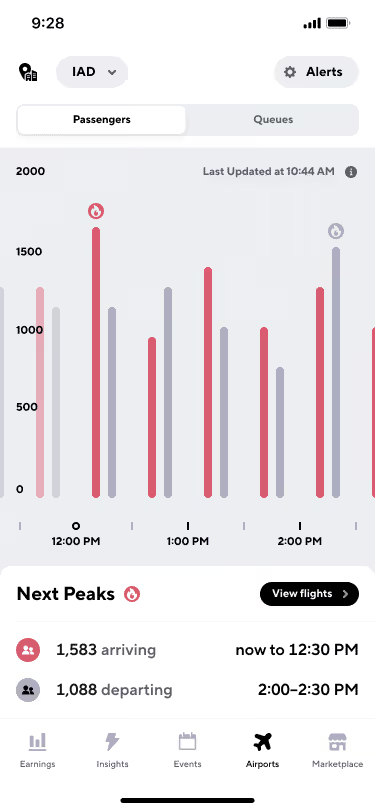
There are of course certain times of year that receive more passengers like Christmas, Thanksgiving, New Years, and the Saturday before big basketball games (Go Hawks!!), however, the best way to understand rider demand at your airport is with Gridwise.
You can also use Gridwise airport alerts to remind you when rider demand is increasing. You can simply set up alerts that will remind you when demand at the airport is at a certain level so you don’t need to continuously check.
What airport strategies should I use?
Pick up a passenger on the way to the airport!
Don’t just be a driver that picks up passengers at the airport! Also pick them up when they are heading to the airport. Gridwise does a great job of telling you when there is also a peak in airport departures, so you can hang around near hotels at that time to maximize your chances of an airport ride.
Do not cancel on a passenger after you’ve accepted a fare
If you do, you will be bumped to the bottom of the queue and your wait starts all over again. The good news is that if it’s a short ride, some companies let you jump back in line after you’ve dropped that passenger off.
Look out for your short ride bump
After waiting for some time at the airport for a passenger, there is nothing worse than getting a ride that’s 5-minutes away. That’s why the major rideshare companies have some form of a short ride bump that allows you to jump back into the front of the line if you get a very short ride request.
To take advantage of a short ride bump, simply complete your short ride and look out for a text message or in-app message that gives you the option to head back to the TNC lot for a preferred spot in the queue.
Always be prepared
You never know when law enforcement will show up, so always keep your driver’s license, insurance card, and registration handy. And don’t forget to have your placard displayed.
Now you should be ready to make that drive to ATL and actually earn money instead of snacking on candy from Sunoco. I’m not the only one who does that, right?
Uber and Lyft Driver Instructions for San Jose International Airport (SJC)
As a rideshare driver in the San Jose area, you cannot forget about San Jose International airport. No matter what you do, you’re going to end up at SJC either picking up or dropping off a passenger.
That’s because there are over 13.5 million passengers traveling through the airport, and many of them will need rides from rideshare drivers. This means a ton of opportunity for smart rideshare drivers to make money if you know what you’re doing.
To maximize your earnings as a rideshare driver at San Jose International you’re going to need to understand the ins and outs of the airport, understand how to navigate the airport, and develop a solid airport strategy.
At Gridwise, we want to make sure that you are maximizing your earnings no matter where you drive, so the Gridwise team and I have put together this instructional guide to help Uber and Lyft drivers be successful when driving SJC.
See the topics covered in this blog post below:
- What do I need to know or do before arriving at San Jose International Airport (SJC)?
- Do you need any permits to drive at San Jose International Airport (SJC)?
- Where is the rideshare waiting area at San Jose International Airport (SJC)?
- What are the passenger pick up rules at San Jose International Airport (SJC)?
- What are the passenger drop off rules at San Jose International Airport (SJC)?
- When is the best time to drive at San Jose International Airport (SJC)?
- What is the best San Jose International Airport (SJC) driving strategy?
What do I need to do before I arrive at San Jose International Airport (SJC) and enter the airport queue?
Step #1: Get your trade dress
Every rideshare driver needs to have a the sticker or decal of Uber, Lyft, or whatever rideshare company that you drive with. This goes double for picking up passengers at the airport because if you’re seen picking up a passenger with no trade dress then thre is a high likely hood that you’ll receive a ticket.
So before you do anything you must make sure that you have your Uber or Lyft decals. You can easily pick these up from one of the rideshare companies.
To get your Uber Decal you can visit the local Greenlight Hub.
To get your Lyft Decal you can place an order on your dashboard. You can also print a temporary decal if you lose yours or are waiting for one to come in the mail.
Step #2: Know the airport regulations
It’s not unusual for airports to require rideshare drivers to have a specific airport decal or permit to drive there, luckily San Jose International Airport is not one of them. You do however need to follow a few key rules and regulations that you must follow.
- Always keep one of your rideshare apps on at all times while on airport property
- Don’t wait in any other areas except the designated staging areas (see the map below). Not only is this against regulations but you also won’t be added to the queue. So if there is no room in the staging lot you must leave.
- Abide by the terminal and parking lot speed limit of 20 MPH
- Keep the staging lot clean! Don’t do any maintenance on your car here or dump trash on the ground
- Be prepared to show your waybill. You can access it through your Uber, Lyft, or other rideshare app.
- All independent contractor working in San Jose must register and hold a tax registration certificate. You can contact the City of San Jose Office of Finance for more info.
Where is the Uber/Lyft waiting area at San Jose International Airport (SJC)?
All rideshare at SJC are required to wait in one staging lot that is located right in between the Bayshore (101) and Guadalupe (87) freeways.
Drivers are not allowed to wait in commercial parking lots for airport requests.
Click the blue area of the map for directions to the lot.
Once you get the staging lot you’ll automatically be entered into the airport queue. It will be up to you to find a spot to wait.
How should Uber and Lyft drivers pick up passengers at San Jose International Airport (SJC)?
Pickups at SJC are pretty easy.
There are two pick up points for the two terminals at SJC.
The pick up area for Terminal A is right where the old taxi pick up spot used to be. Just stay to the left of the island and move through baggage claim.
The pickup area for Terminal B is just past baggage claim at stop 9.
See the pink area in the map below for directions.
Also, please note that Lyft has launched their “pre-dispatch” feature at San Jose International Airport that basically tells drivers to start heading toward the pickup area before you have actually received a ride request.
A pre-dispatch message looks like this:

If you receive this message, head towards your pick up point but keep an eye on your app as you may not receive a request. I know, that’s annoying, but just drive back to the TNC staging lot and you’ll keep your place in line.
Please also note that Lyft has been turning this off at airports around the country, so this feature may disappear at any time.
How should Uber and Lyft drivers drop off passengers at San Jose International Airport (SJC)?
Dropping off passengers at SJC is easy. You can simply drop passengers off at their requested terminal outside of ticketing.
When is the best time to drive at San Jose International Airport (SJC)?
There isn’t a time of year when San Jose Airport isn’t busy and a absolute gold mine for rideshare drivers in the San Jose.
But… you aren’t the only driver that knows how many passengers are traveling through SJC. So you will see many drivers in the airport queue at SJC regularly.
So the best time to work at SJU is when the ratio of passengers to drivers is at its absolute highest.
To understand when this ratio is highest, check your Gridwise app and compare queue times to passenger arrival times.

Now, there are certainly different holidays and events that drive more passengers like Christmas, Thanksgiving, and big sporting events. But on a day to day basis, you just need to track passenger demand and driver supply with a tool like Gridwise.
What airport strategy to use at San Jose International Airport (SJC)?
Pick up a passenger on the way to the airport!
Don’t just be a driver that picks up passengers at the airport! Also pick them up when they are heading to the airport. Gridwise does a great job of telling you when there is also a peak in airport departures, so you can hang around near hotels at that time to maximize your chances of an airport ride.

Do not cancel on a passenger after you’ve accepted a fare
If you do, you will be bumped to the bottom of the queue and your wait starts all over again. The good news is that if it’s a short ride, some companies let you jump back in line after you’ve dropped that passenger off.
Look out for your short ride bump
After waiting for some time at the airport for a passenger, there is nothing worse than getting a ride that’s 5-minutes away. That’s why the major rideshare companies have some form of a short ride bump that allows you to jump back into the front of the line if you get a very short ride request.
To take advantage of a short ride bump, simply complete your short ride and look out for a text message or in-app message that gives you the option to head back to the TNC lot for a preferred spot in the queue.
Always be prepared
You never know when law enforcement will show up, so always keep your driver’s license, insurance card, and registration handy. And don’t forget to have your placard displayed.
Now you should be ready to make that drive to SJC and actually earn money instead of sitting in your car for hours, on hours, and hours!
Uber and Lyft Driver Instructions for Raleigh-Durham International Airport (RDU)
When you talk to rideshare drivers in the Raleigh-Durham area, you can’t go more than a few minutes without at least mentioning Raleigh-Durham International Airport, and it’s obvious why. Over 12.8 million passengers move through RDU every year, and many of them need rides to and from the airport. This means opportunity for rideshare drivers.
But, if you’re going to make the most out RDU as a rideshare driver, you’re going to need to understand the ins and outs of the airport, understand how to navigate the airport, and develop a solid airport strategy.
I want to make sure that you are making as much as possible while working at Raleigh-Durham International Airport, so the Gridwise team and I have put together this instructional guide to help Uber and Lyft drivers be successful when driving RDU.
See the topics covered in this blog post below:
- What do I need to know or do before arriving at Raleigh-Durham International Airport (RDU)?
- Do you need any permits to drive at Raleigh-Durham International Airport (RDU)?
- Where is the rideshare waiting area at Raleigh-Durham International Airport (RDU)?
- What are the passenger pick up rules at Raleigh-Durham International Airport (RDU)?
- What are the passenger drop off rules at Raleigh-Durham International Airport (RDU)?
- When is the best time to drive at Raleigh-Durham International Airport (RDU)?
- What is the best Raleigh-Durham International Airport (RDU) driving strategy?
What do I need to do before I arrive at Raleigh-Durham International Airport (RDU) and enter the airport queue?
Step #1: Get your trade dress
If you’re going to be a rideshare driver in the Raleigh-Durham area, you’re going to need your trade dress, and if you’re going to dress at RDU, you’re REALLY going to need your trade dress! If you are seen picking up passengers with no trade dress, be prepared to receive a ticket!
So before you do anything you must make sure that you have your Uber or Lyft decals. You can easily pick these up from one of the rideshare companies.
To get your Uber Decal you can visit the local Greenlight Hub.
To get your Lyft Decal you can place an order on your dashboard. You can also print a temporary decal if you lose yours or are waiting for one to come in the mail.
Step #2: Know the airport regulations
One of the nice things about RDU is that you don’t need a specific airport decal to drive there, however, there are a few key rules and regulations that you must follow.
- Always keep one of your rideshare apps on at all times while on airport property
- Don’t wait in any other areas except the designated staging areas (see the map below). Not only is this against regulations but you also won’t be added to the queue. So if there is no room in the staging lot you must leave. This means NO WAITING ON AIRPORT PROPERTY!!!
- Abide by the terminal and parking lot speed limit of 20 MPH
- Keep the staging lot clean! Don’t do any maintenance on your car here or dump trash on the ground
- Be prepared to show your waybill. You can access it through your Uber, Lyft, or other rideshare app.
Where is the Uber/Lyft waiting area at Raleigh-Durham International Airport (RDU)?
All rideshare drivers are expected to wait at the TNC staging lot that is located just off of Departure Drive (which is just off of airport BLVD). See the blue section on the map below for driving directions.
Also note, that you’ll need a code to enter the lot. You can enter either LYFT (5938) or UBER (8237).
Once you get the staging lot you’ll automatically be entered into the airport queue. It will be up to you to find a spot to wait.
How should Uber and Lyft drivers pick up passengers at Raleigh-Durham International Airport (RDU)?
Pickups at RDU are very easy.
You have two options, pick up your passenger at Zone 1 in terminal 1, or pick up your passenger at Zone 17 in terminal 2.
You’ll be directed to the right pick up location by your respective rideshare app. See the pink section of the below map for driving instructions.
The Uber/Lyft app will automatically direct the rider to go to the designated area depending on their terminal.
You should also note that Lyft has launched their “pre-dispatch” feature at SAT that basically tells drivers to start heading toward the pickup area before you have actually received a ride request.
A pre-dispatch message looks like this:
If you receive this message, head towards your pick up point but keep an eye on your app as you may not receive a request. I know, that’s annoying, but just drive back to the TNC staging lot and you’ll keep your place in line.
Please also note that Lyft has been turning this off at airports around the country, so this feature may disappear at any time.
How should Uber and Lyft drivers drop off passengers at Raleigh-Durham International Airport (RDU)?
Dropping off passengers at RDU is simple. At Terminal 1, drop passengers off near ticketing office. At Terminal #2, drop passengers on the departures level.
When is the best time to drive at Raleigh-Durham International Airport (RDU)?
As we said at the beginning of our guide Raleigh-Durham International Airport can be a gold mine for rideshare drivers in the Raleigh-Durham area as there are tons of passengers traveling through the airport every single day no matter what time of the year it is.
But… you aren’t the only driver that knows that. So you will see many drivers in the airport queue at RDU regularly.
So the best time to work at RDU is when the ratio of passengers to drivers is at its absolute highest.
To understand when this ratio is highest, check your Gridwise app and compare queue times to passenger arrival times.

Now, there are certainly different holidays and events that drive more passengers like Christmas, Thanksgiving, and big sporting events. But on a day to day basis, you just need to track passenger demand and driver supply with a tool like Gridwise.
What airport strategy to use at Raleigh-Durham International Airport (RDU)?
Pick up a passenger on the way to the airport!
Don’t just be a driver that picks up passengers at the airport! Also pick them up when they are heading to the airport. Gridwise does a great job of telling you when there is also a peak in airport departures, so you can hang around near hotels at that time to maximize your chances of an airport ride.

Do not cancel on a passenger after you’ve accepted a fare
If you do, you will be bumped to the bottom of the queue and your wait starts all over again. The good news is that if it’s a short ride, some companies let you jump back in line after you’ve dropped that passenger off.
Look out for your short ride bump
After waiting for some time at the airport for a passenger, there is nothing worse than getting a ride that’s 5-minutes away. That’s why the major rideshare companies have some form of a short ride bump that allows you to jump back into the front of the line if you get a very short ride request.
To take advantage of a short ride bump, simply complete your short ride and look out for a text message or in-app message that gives you the option to head back to the TNC lot for a preferred spot in the queue.
Always be prepared
You never know when law enforcement will show up, so always keep your driver’s license, insurance card, and registration handy. And don’t forget to have your placard displayed.
Now you should be ready to make that drive to RDU and actually earn money instead of sitting in your car for hours, on hours, and hours!

Uber and Lyft Driver Instructions for John Glenn Columbus International Airport (CMH)
In 2018, John Glenn International Airport saw more than 8 million people travel through its doors, up 7.5% from 2017. That means there are millions of opportunities for smart rideshare drivers to find long, profitable rides.
But if you’re going to maximize your earnings at airports, you’re going to need to know how to navigate CMH and you’ll need to have a solid airport strategy.
Well at Gridwise we want to ensure that all rideshare drivers in the Columbus area maximize their earnings, so we put together this instructional guide to help Uber and Lyft drivers be successful when driving John Glenn Columbus International Airport.
See the topics covered in this blog post below:
- What do I need to know or do before arriving at John Glenn International Airport?
- Do you need any permits to drive at John Glenn International Airport?
- Where is the rideshare waiting area at John Glenn International Airport?
- What are the passenger pick up rules at John Glenn International Airport?
- What are the passenger drop off rules at John Glenn International Airport?
- When is the best time to drive at John Glenn International Airport?
- What is the best John Glenn International Airport driving strategy?
Let’s dive in!
What do I need to do before I arrive at John Glenn Columbus International Airport (CMH) and enter the airport queue?
Step #1: Get your trade dress
First things first. Gt your trade dress.
Every rideshare driver in the Columbus area needs to have the decal or sticker of Uber, Lyft, or another rideshare company displayed on your windowshiled at all times. Especially when driving at John Glenn Columbus. If you are seen picking up passengers with no trade dress, be prepared to receive a ticket!
So before you do anything you must make sure that you have your Uber or Lyft decals. You can easily pick these up from one of the rideshare companies.
To get your Uber Decal you can visit the local Greenlight Hub.
To get your Lyft Decal you can place an order on your dashboard. You can also print a temporary decal if you lose yours or are waiting for one to come in the mail.
Step #2: Know the airport regulations
One of the nice things about CMH is that you don’t need a specific airport decal to drive there, however, there are a few key rules and regulations that you must follow.
- Always keep one of your rideshare apps on at all times while on airport property
- Don’t wait in any other areas except the designated staging areas (see the map below). Not only is this against regulations but you also won’t be added to the queue. So if there is no room in the staging lot you must leave.
- Keep the staging lot clean! Don’t do any maintenance on your car here or dump trash on the ground
- Be prepared to show your waybill. You can access it through your Uber, Lyft, or other rideshare app
- There is a one hour wait time in the staging area at CMH. Drivers dwelling in the staging area for more than an hour risk a citation.
Where is the Uber/Lyft waiting area at John Glenn Columbus International Airport (CMH)?
Currently, all rideshare drivers share the staging lot that is located at 3156 E. 17th Avenue. This is NOT the cell phone lot. Click on the blue area on the map below for instructions.
Once you get the staging lot you’ll automatically be entered into the airport queue. It will be up to you to find a spot to wait.
How should Uber and Lyft drivers pick up passengers at John Glenn Columbus International Airport (CMH)?
Picking up passengers at CMH is incredibly easy.
When you receive and accept a trip request, you just need to head to the middle aisle of the terminal roadway to find your passenger.
See the pink section of the map below for directions.
The Uber/Lyft app will automatically direct the rider to go to the designated area.
You should also note that Lyft has launched their “pre-dispatch” feature at CMH that basically tells drivers to start heading toward the pickup area before you have actually received a ride request.
A pre-dispatch message looks like this:
If you receive this message, head towards your pick up point but keep an eye on your app as you may not receive a request. I know, that’s annoying, but just drive back to the TNC staging lot and you’ll keep your place in line.
Please also note that Lyft has been turning this off at airports around the country, so this feature may disappear at any time.
How should Uber and Lyft drivers drop off passengers at John Glenn Columbus International Airport (CMH)?
Dropping off passengers at John Glenn Columbus International Airport is simple. Simply drop your passengers off at their requested area on the departures level.
When is the best time to drive at John Glenn Columbus International Airport (CMH)?
As we said at the beginning of our guide John Glenn Columbus International Airport is one of the busiest in the world and there are tons of passengers traveling through every single day no matter the season. However, you’re not the only driver that knows that. So there is also usually a ton of drivers at the airport.
So the best time to drive at CMH is when the ratio of passengers to drivers is at its absolute highest.
To understand when this ratio is highest, check your Gridwise app and compare queue times to passenger arrival times.

There are of course certain times of year that receive more passengers like Christmas, Thanksgiving, New Years, and the Saturday before big basketball games (Go Buckeyes!), however, the best way to understand rider demand at your airport is with Gridwise.
What airport strategy to use at John Glenn Columbus International Airport (CMH)?
Pick up a passenger on the way to the airport!
Don’t just be a driver that picks up passengers at the airport! Also pick them up when they are heading to the airport. Gridwise does a great job of telling you when there is also a peak in airport departures, so you can hang around near hotels at that time to maximize your chances of an airport ride.

Do not cancel on a passenger after you’ve accepted a fare
If you do, you will be bumped to the bottom of the queue and your wait starts all over again. The good news is that if it’s a short ride, some companies let you jump back in line after you’ve dropped that passenger off.
Look out for your short ride bump
After waiting for some time at the airport for a passenger, there is nothing worse than getting a ride that’s 5-minutes away. That’s why the major rideshare companies have some form of a short ride bump that allows you to jump back into the front of the line if you get a very short ride request.
To take advantage of a short ride bump, simply complete your short ride and look out for a text message or in-app message that gives you the option to head back to the TNC lot for a preferred spot in the queue.
Always be prepared
You never know when law enforcement will show up, so always keep your driver’s license, insurance card, and registration handy. And don’t forget to have your placard displayed.
Now you should be ready to make that drive to CMH and actually earn money instead of snacking on candy from Sunoco. I’m not the only one who does that, right?
Uber and Lyft Driver Instructions for Indianapolis International Airport (IND)
Indianapolis International Airport is one of the most important hotpsots for rideshare drivers in Indy. Whether you want to or not, you’re almost guaranteed to spend some time dropping off or picking up passengers here.
Luckily for Indianapolis drivers, IND is also one of the best ways to maximize your earnings as a Uber or Lyft driver because of the more than 10 million rideshare drivers that travel through the airport each and every year. That means millions of opportunities for rideshare drivers.
However, you’re going to need to have a great airport strategy and know the ins and outs of Indianapolis International airport in order to maximize your earnings.
Well that’s where we come in.
We’ve put together this driver instructional guide to help Uber and Lyft drivers in Indianapolis be successful when driving IND.
See the topics covered in this blog post below:
- What do I need to know or do before arriving at Indianapolis International Airport?
- Do you need any permits to drive at Indianapolis International Airport?
- Where is the rideshare waiting area at Indianapolis International Airport?
- What are the passenger pick up rules at Indianapolis International Airport?
- What are the passenger drop off rules at Indianapolis International Airport?
- When is the best time to drive at Indianapolis International Airport?
- What is the best Indianapolis International Airport driving strategy?
Let’s dig in!
What do I need to do before I arrive at Indianapolis International Airport and enter the airport queue?
Step #1: Get your trade dress
Listen, if you don’t have your trade dress by now then you need to stop everything and go get it! Every rideshare driver in Indianapolis needs a sticker or decal from their rideshare company on their car at all times. This goes double for the airport as it’s easy to pick up a hefty fine by picking up passengers without your trade dress.
So before you do anything you must make sure that you have your Uber or Lyft decals. You can easily pick these up from one of the rideshare companies.
To get your Uber Decal you can visit the local Greenlight Hub.
To get your Lyft Decal you can place an order on your dashboard. You can also print a temporary decal if you lose yours or are waiting for one to come in the mail.
Step #2: Know the airport regulations
More than a few airports require some sort of special permit in order to pick up passengers. Not Indianapolis International! You do however need to follow a few key rules and regulations.
- Always keep one of your rideshare apps on at all times while on airport property
- Airport personnel can and will ask you to provide a Waybill. Don’t stress, just check your Uber or Lyft app for this
- Don’t wait in any other areas except the designated staging areas (see the map below). Not only is this against regulations but you also won’t be added to the queue. So if there is no room in the staging lot you must leave.
Where is the Uber/Lyft waiting area at Indianapolis International Airport?
Uber and Lyft have a few staging areas for rideshare drivers, but the main lot is located off of S McDonnell Rd. See the areas in blue below for instructions to the rideshare waiting areas.
Once you get the staging lot you’ll automatically be entered into the airport queue. It will be up to you to find a spot to wait.
How should Uber and Lyft drivers pick up passengers at Indianapolis International Airport?
Pickups at IND are super easy.
There is only one terminal which means only one pick up area which is inside the Ground Transportation at Zone A.
See the pink area on the map below for directions.
How should Uber and Lyft drivers drop off passengers at Indianapolis International Airport?
There are no bells and whistles for dropping passengers off at IND. You simply drop your rider off at their requested carrier and take off!
Remember, don’t hangout at the drop off point for a ride. This is a easy way to get a ticket!
When is the best time to drive at Indianapolis International Airport?
Indianapolis International Airport can absolutely be big money maker for rideshare drivers every day, all year long because of the millions of passengers coming in and out of the airport. But every rideshare driver knows this.
So there you can usually find quite a few drivers at the airport.
So the best time to drive at IND is when the ratio of passengers to drivers is at its absolute highest.
To understand when this ratio is highest, check your Gridwise app and compare queue times to passenger arrival times.

Now, there will be certain times of the year that the airport is busier like holidays and before big sporting events. But remember, you’re not the only one with the great idea to hang in the airport queue around Christmas. So you still need to make sure your Gridwise app to understand driver supply and rider demand.
What airport strategy to use at Indianapolis International Airport?
Pick up a passenger on the way to the airport!
Don’t just be a driver that picks up passengers at the airport! Also pick them up when they are heading to the airport. Gridwise does a great job of telling you when there is also a peak in airport departures, so you can hang around near hotels at that time to maximize your chances of an airport ride.

Do not cancel on a passenger after you’ve accepted a fare
If you do, you will be bumped to the bottom of the queue and your wait starts all over again. The good news is that if it’s a short ride, some companies let you jump back in line after you’ve dropped that passenger off.
Look out for your short ride bump
After waiting for some time at the airport for a passenger, there is nothing worse than getting a ride that’s 5-minutes away. That’s why the major rideshare companies have some form of a short ride bump that allows you to jump back into the front of the line if you get a very short ride request.
To take advantage of a short ride bump, simply complete your short ride and look out for a text message or in-app message that gives you the option to head back to the TNC lot for a preferred spot in the queue.
Always be prepared
You never know when law enforcement will show up, so always keep your driver’s license, insurance card, and registration handy. And don’t forget to have your placard displayed.
Now you should be ready to make that drive to IND and actually earn money instead of snacking on candy from Sunoco. I’m not the only one who does that, right?
Trabaje de forma más inteligente. Gane más.
Ya sea que conduzcas, entregues o recojas turnos, Gridwise te ayuda a hacer un seguimiento de las ganancias, el kilometraje y el rendimiento para que puedas mantener el control de tu trabajo. Descarga la aplicación y toma las riendas hoy mismo.
