Blog de Gridwise
¡Lee el blog de Gridwise para obtener consejos y sugerencias sobre cómo ganar más dinero mientras conduces para Lyft, Uber, DoorDash, GrubHub y más!

The Gridwise Job Board: Find Your Ideal Job or Gig Work
Gridwise is an essential assistant app created by gig workers for gig workers. Our mission is to support those engaged in gig work in every way possible. We understand how challenging it can be to deal with income instability, a lack of benefits, and job insecurity that often comes with gig work. The Gridwise app tracks and organizes earnings and expenses, and offers a wide array of discounts, deals, and services that make the lives of independent contractors easier and more rewarding.
We firmly believe it’s possible to make a viable living and create a gig experience that offers flexible hours, variety, and excitement. With issues such as consistent earnings and job security in mind, Gridwise is proud to offer a centralized platform that shows you how to find gig work and secure reliable opportunities. We’re proud to introduce the Gridwise Job Board.
[elementor-template id="20891"]
The Gridwise Job Board: Key features
Because Gridwise is dedicated to serving the gig worker community, we’ve filled the Gridwise Job Board with useful features that won’t waste your precious time.
- Comprehensive listings. Find part-time, full-time, temporary, and per-task work. Drive or deliver with your vehicle, utilize an employer’s vehicle, or even find non-driving gig work.
- User-friendly interface. Find the jobs that are right for you with a tap of your screen.
- Verified opportunities. We vet the jobs before they are listed to ensure you’re getting high-quality job postings.
How to get more gig work, seasonal, part-time or full-time jobs with the Gridwise Job Board
Looking specifically for “gig work apps” or “gig jobs near me?” You’re in luck. Our filters and search functions send you directly to the listings you seek.
Here’s how it works.
- Access the Job Board via the Gridwise website.
- Search for jobs by type, location, and more.
- Select the job that interests you, and read all about it.
- Scroll through the description, and if it appeals to you, click “Apply for job.”
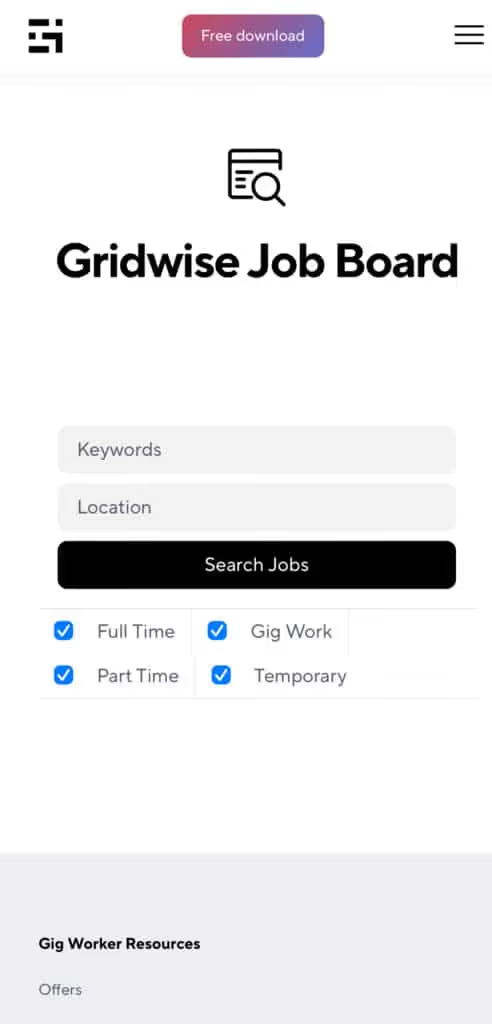
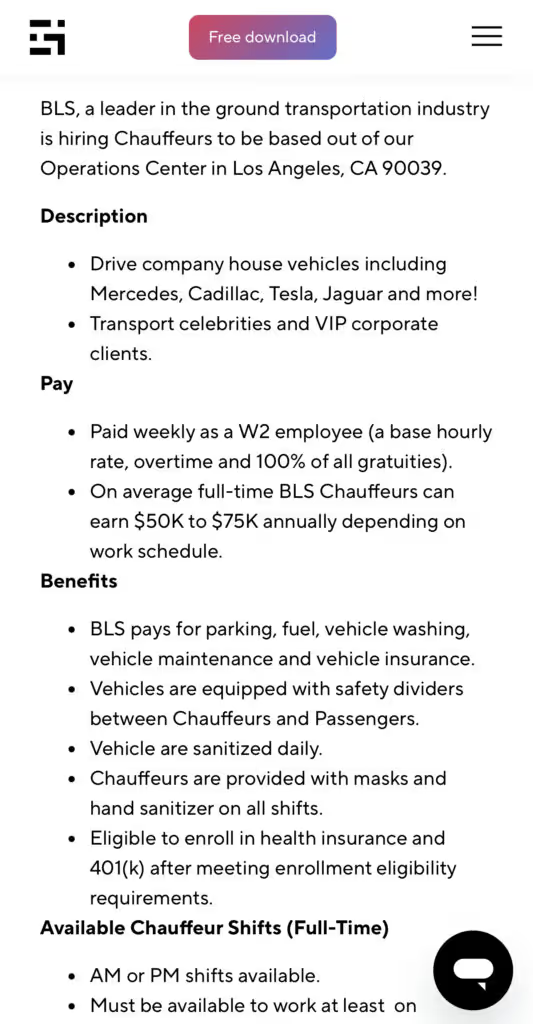
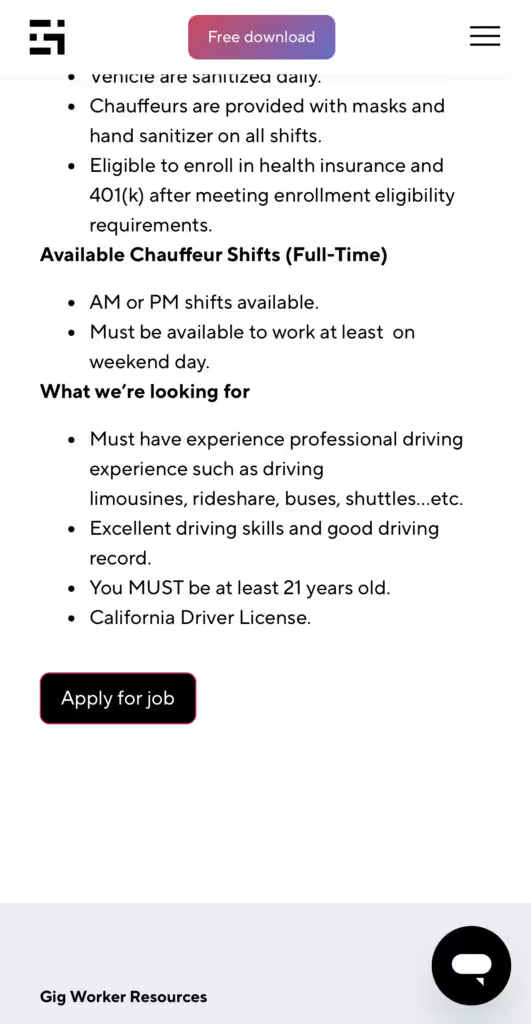
Many types of jobs are available. Adjust the search filter to see the full variety of opportunities that will let you cash in. Deliver food, set up catering, do rideshare driving, get paid for doing package delivery, and much more. You’ll find short-term gigs, long-term contracts, and part-time positions.
Perks of the Gridwise Job Board for gig workers
Gig workers who know how to make extra money will appreciate how the Gridwise Job Board lets you multiply your chances of bringing in big earnings. Here’s how:
- Increased stability. Use the Gridwise Job Board to find part-time or permanent jobs in addition to the part-time gigs you already have. Always keep a steady stream of earning opportunities flowing toward you.
- Flexibility and autonomy. Choose jobs that fit your schedule, work around other jobs and family duties, and still leave room for some fun in your life. Discover side hustles to supplement your full-time job, permanently or just for the season.
- Skill development. Find part-time work that lets you use a skill you already have, or try your hand at something new. It’s a smart way to develop a portfolio to showcase what you can do, or even to find permanent employment.
Get Gridwise and stay up to date on the Gridwise Job Board
Gig workers need plenty of information and assistance, and Gridwise is here to give it to you. Download the app and get essential features such as
- seamless earnings tracking
- mileage tracking
- expense recording, including notes
- low-cost and no-cost insurance benefits
- access to affordable medical, dental, vision, mental health, and alternative care
- professional services including legal and financial help
- deals and discounts
- weather, events, and traffic reports
- inside information on where and when to drive
[elementor-template id="20936"]
More to know about gig work:

5 Best Mileage Trackers For Gig Drivers
Many drivers ask, “Do I really need a mileage tracking app?” The answer is simple: only if you want to have an accurate count of all the miles you can legally deduct from your taxable income! You might think your rideshare or delivery driving app has got you covered. After all, they do quite a good job of logging the miles you drive while you’re on a trip or delivery. But, if you want to have the best app to track mileage for Uber, Lyft, Doordash, Instacart, or the other apps you may use, you need more. Why is that?
Without a separate tracker, you’re missing the miles you drive in between pings. Did you realize that all the miles you drive, from the moment you begin your shift until it’s over (as long as you don’t drive several miles on a break to hang with your friends), are tax deductible! That means you need something besides your driving app to keep an accurate count of your travels. Read this Gridwise post to see how important it is to keep track of every deductible mile.
You won’t be surprised to hear that there’s an app for tracking miles. In fact, there are several of them. Here, we’re going to tell you about five top mileage tracking apps, and help you figure out which one is best for you.
Before we get to the list and identify the best mileage tracker app, let’s clarify what exactly a mileage tracking app is. According to G2.com’s technology glossary, mileage tracking is done for the purpose of keeping a log of mileage that is either reimbursable or tax deductible.
And yes, of course you can track your miles simply by taking readings on your odometer. But are you really prepared to account for how many miles you drove for personal reasons and subtract them from the total to get your business mileage? Even if you can remember all that and do the arithmetic, if you want an accurate reading of the miles you drive for business, and can therefore deduct, a mileage tracking app will save you a lot of trouble and prevent you from making costly errors.
Plus, as a gig driver, you have specific needs when it comes to a mileage tracker. Ideally, you’d be able to handle mileage tracking and several other functions all in one app. It can be maddening enough to deal with driving apps, particularly if you’re an avid multi-apper. You would want your mileage tracker app to help you keep account of other aspects of your business, including income, expenses, and inside information about the art of gig driving.
Not all mileage apps are equal, to be sure! Let’s look at five of the best apps to track mileage and figure out which is the best app to track mileage with Uber and Lyft, or what mileage tracker app is best for DoorDash.
[elementor-template id="20891"]
1. Zoho Expense
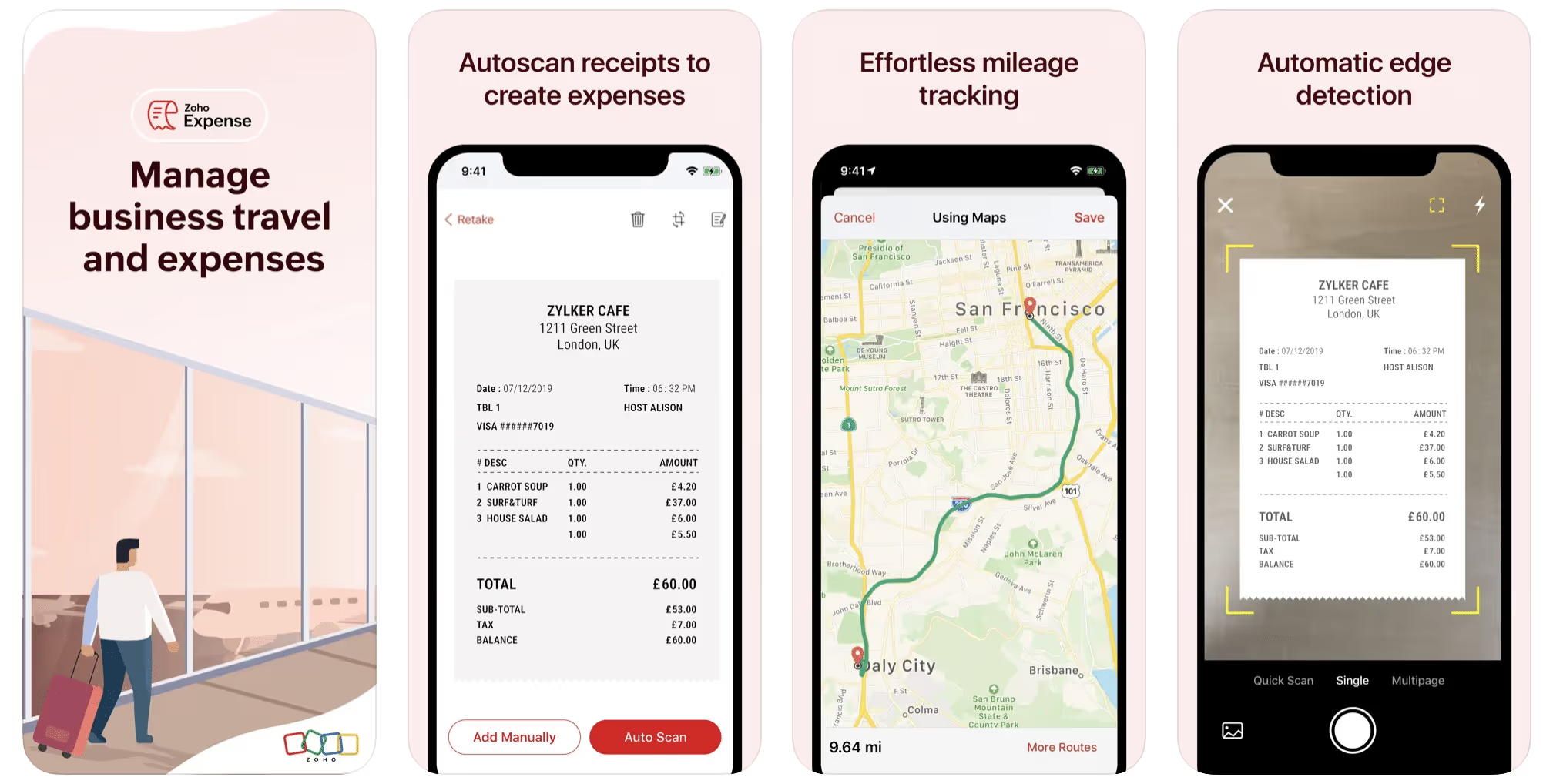
First up is Zoho Expense, which does exactly what its name says. This app is designed to allow companies to give employees a uniform way to create and submit expense reports. It can be used by individuals, including gig drivers, as well.
It includes a mileage tracker, as well as features that let you track other deductible expenses, including the ability to scan and record receipts.
Available on Android and Apple: Yes
Ratings: 4.8 stars on App Store, 4.7 stars on Google Play
Free Version: Yes
Subscription price: $3 per month, billed annually
Created specifically for gig drivers: No
2. Quickbooks Online
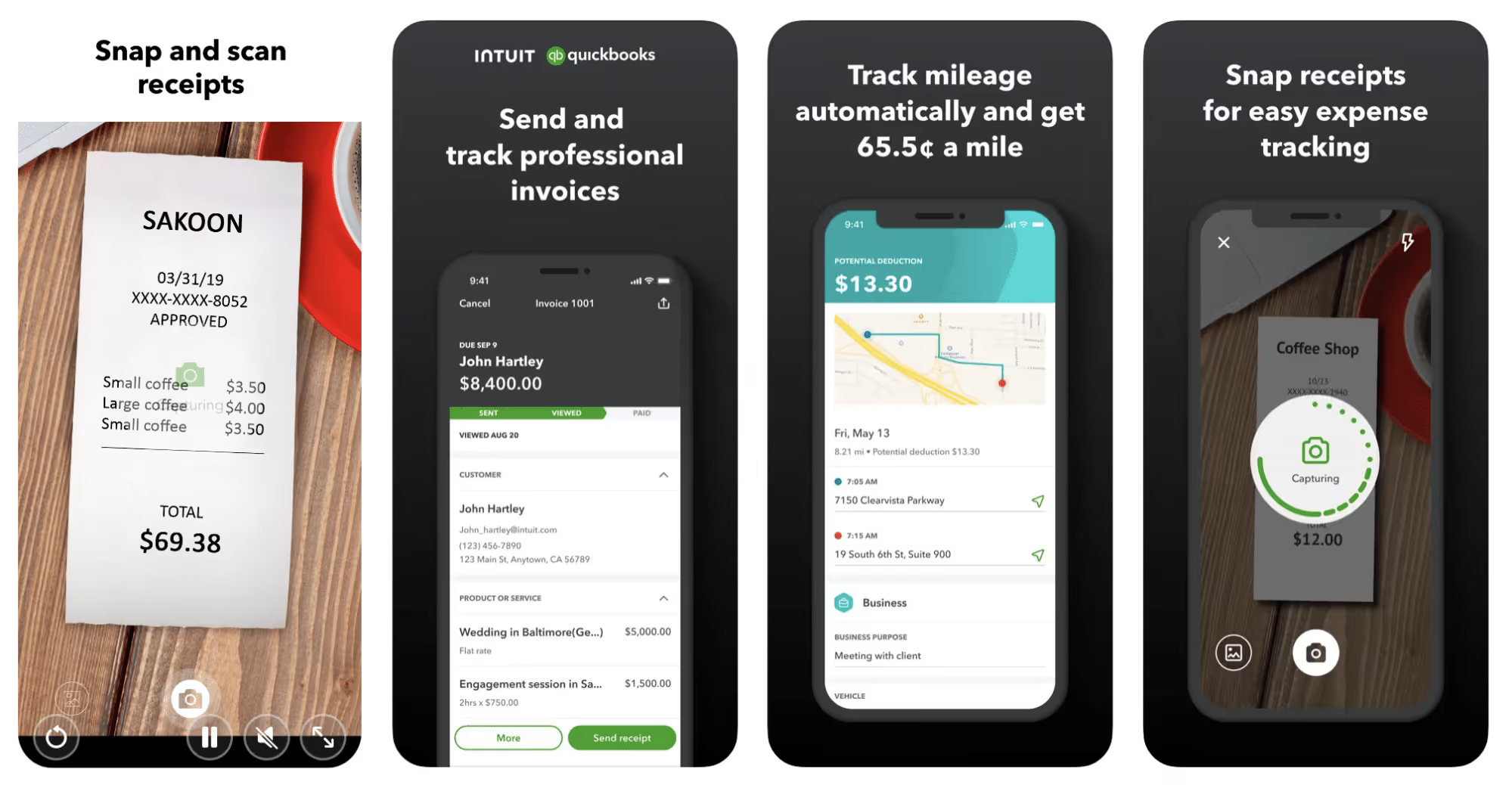
Quickbooks Online is a cloud-based app that allows you to track your mileage, earnings, and expenses. The information you enter can then be used to generate various reports that prepare you for tax time. It also allows you to create graphs that illustrate your cash flow, and includes a receipt scanner so you can instantly record deductible expenses. Quickbooks is popular, highly reliable, and designed mainly to help people keep track of their small businesses.
Available on Android and Apple: Yes
Ratings: 4.7 stars on App Store, 4.4 stars on Google Play
Free version: 30-day free trial
Subscription price: $15 per month for basic version if purchased for 3 months or more
Created specifically for gig drivers: No
Source: quickbooks.intuit.com
3. Shoeboxed
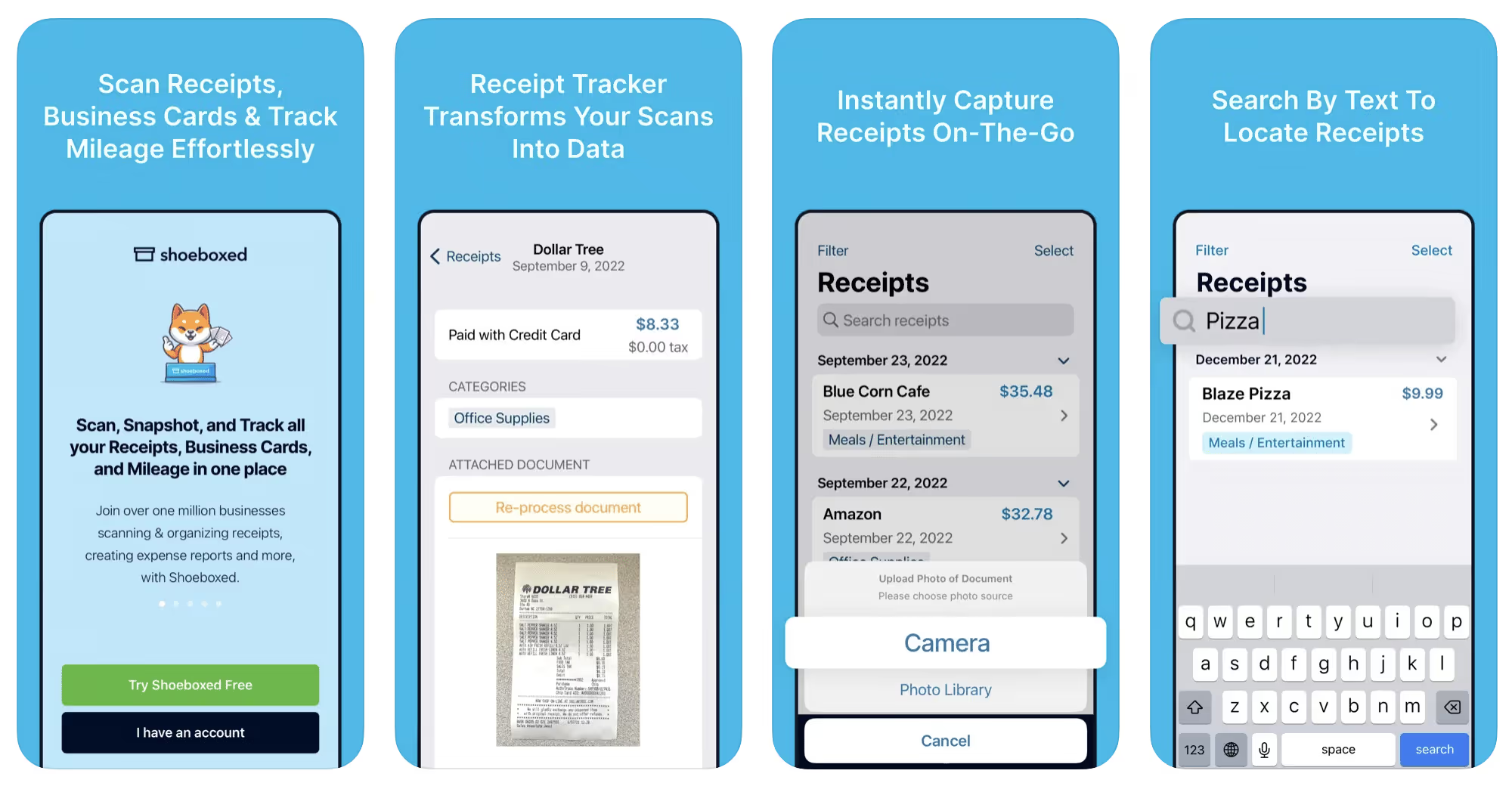
Shoeboxed started in 2007 as a service for scanning paper receipts into digital form. Now the app offers a free mileage tracker and has enabled users to scan receipts directly. It touts itself as the best mileage tracking app for DoorDash, but there are some elements missing that Dashers might like to have. While it provides features that record your expenses and prepare you for tax season, it doesn’t automatically track your earnings. The mileage tracker has a system where you can drop pins along your routes to make the tracking more precise, identifying those legs of a trip that you make for business purposes. The mileage tracker is “free” once you sign up for the basic version.
Available on Android and Apple: Yes
Ratings: 4.5 stars on App Store, 2.3 stars on Google Play
Free version: No
Subscription price: $18 per month for basic version
Created specifically for gig drivers: No
Source: blog.shoeboxed.com
4. Stride
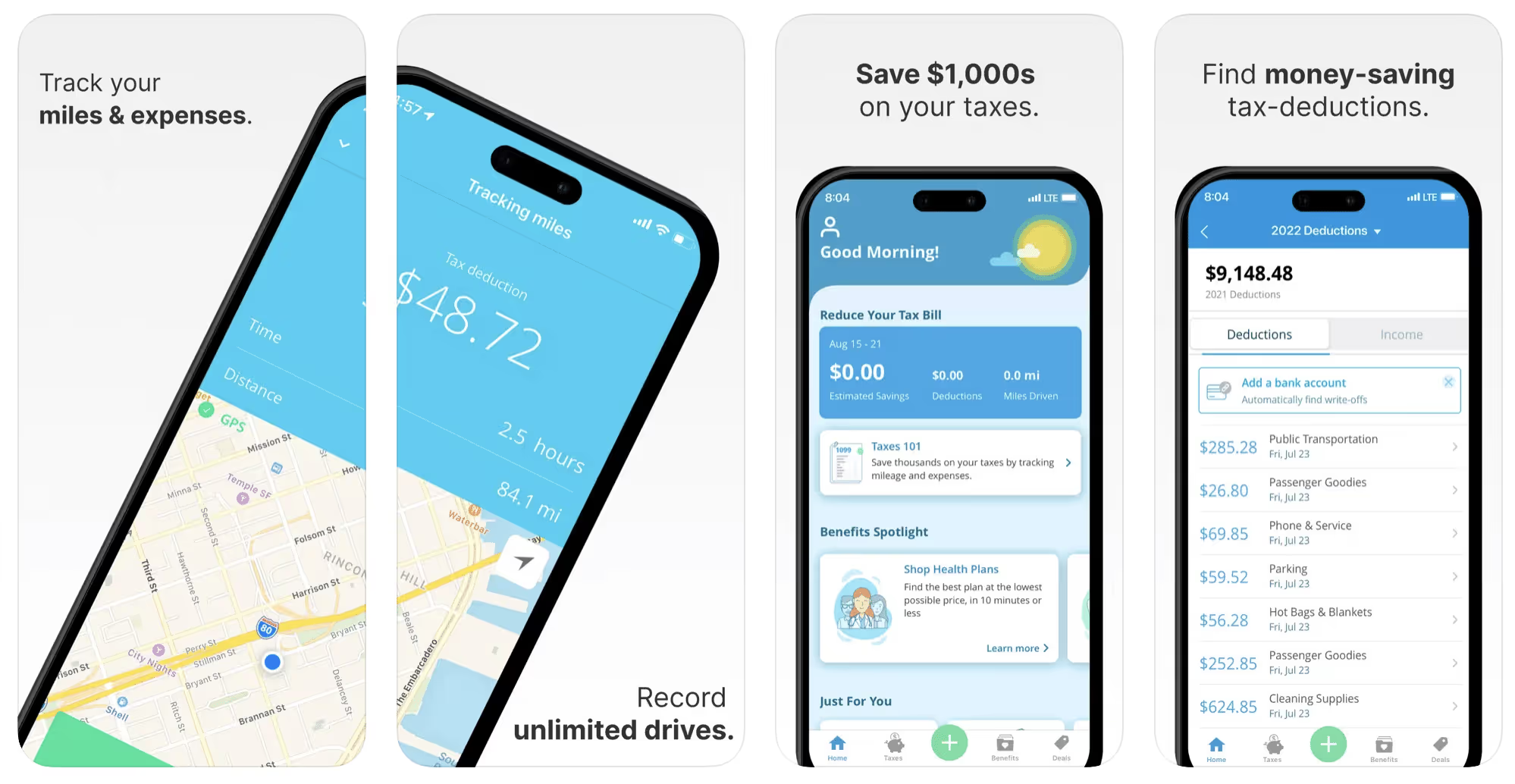
This free mileage tracker does a fair job of keeping track of the distances you rack up while gig driving, but it doesn’t automatically track earnings. It can be a big help, though, in tracking your expenses. You can link Stride to your bank account, and it will automatically scan your expenses to identify items you can potentially deduct. The app is totally free. This could make it the best free mileage tracker app, but there is a small price to pay. The app will persistently push you to consider various insurance plans that they are affiliated with. If you don’t mind that, this is a solid mileage tracker, even if it doesn’t track your earnings.
Available on Android and Apple: Yes
Ratings: 4.8 stars on App Store, 4.6 stars on Google Play
Free version: Yes
Subscription price: None. The app is free.
Created specifically for gig drivers: No
5. Gridwise
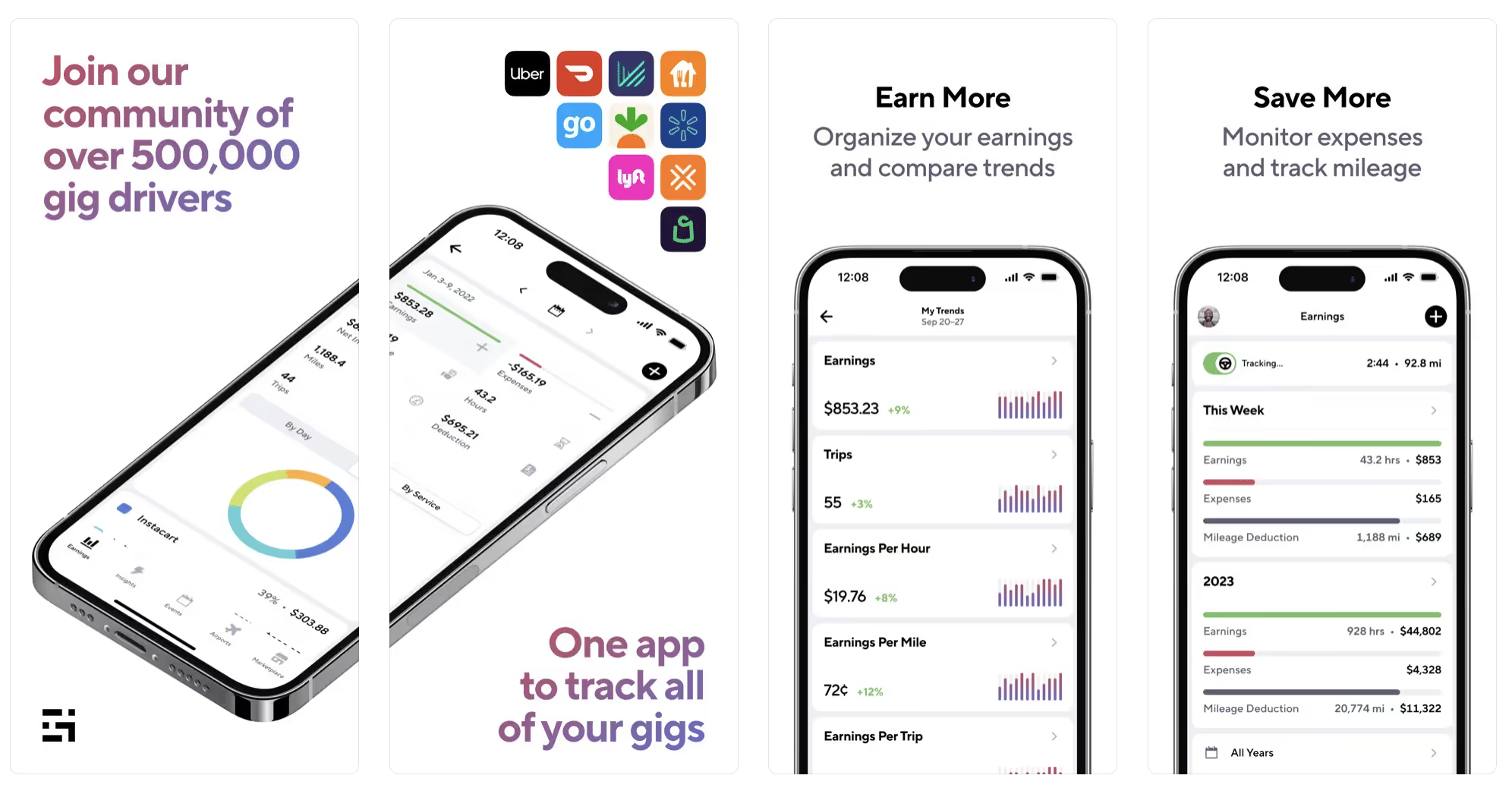
Gridwise has a free mileage tracker and free features that record your income and expenses. It gives you access to insurance and benefits, as well as insights about the best times and places to make the most money while gig driving. The Gridwise mileage tracker captures all the miles you drive while you’re on your driving shift, and it can be used if you have other trips you need to make which qualify as business travel.
Drivers love it because it is geared toward the needs of rideshare and delivery workers, providing free information about airport departures and arrivals, event start and let out times, weather, traffic, and more. The Gridwise Plus subscription adds value by providing additional insights and reports, discounts on benefits, the ability to export data in .csv format,, and more.
Available on Android and Apple: Yes
Ratings: 4.9 stars on App Store, 4.6 stars on Google Play
Free version: Yes
Subscription price: $9.95 per month for Gridwise Plus, or $95.99 per year (a $23.41 savings)
Created specifically for gig drivers: Yes!
What is the best mileage tracking app?
Now that we’ve checked them all out, we’re positive about the answer to that. Hands down, it’s Gridwise. Are we biased? You bet we are! But drivers love it too. Gridwise is the best mileage tracker app—and so much more. So many of the features are free, and the subscription to Gridwise Plus will pay for itself with additional insights to boost your earnings and deeper discounts on products and services.
Most important, Gridwise is designed specifically for gig drivers by experts who were once gig drivers themselves! Knowing what gig drivers need is a crucial step in creating an app that rideshare and delivery drivers can really use! Here are a few of the features, besides mileage tracking:
- seamless earnings tracking
- automatic, on/off toggle and manual mileage tracking
- mileage categorization
- airport, traffic, weather, and events information
- insights into where to drive and when to drive
- reports showing earnings across the platforms you use
- discounts on countless products and services for drivers
- additional resources for finding side gigs
- an informative and comprehensive blog
- affordable benefits, including insurance, medical, dental, and alternative practitioner discounts
- a community of drivers just like you
Don’t settle for just any app. Get the best mileage tracker, and so much more, from Gridwise!
[elementor-template id="21599"]

What Records Do Gig Drivers Need To Keep Track Of For Taxes?
* Gridwise does not provide tax, legal, or accounting advice. This material has been prepared for information purposes only, and is not intended to provide, and should not be relied on for tax, legal, or accounting advice. You should consult your own tax, legal, and accounting advisors before filing your return.
Record keeping? Who signed up for that? As a gig driver, it’s part of what you need to do to keep your business running. Don’t worry. It’s not as complicated as you might have been led to believe. This post will show you what you need to keep track of and the best ways to gather and preserve your tax-related records. We will cover
- How record keeping can help reduce income tax for freelancers
- Taxes and freelance work: Record keeping requirements
- Mileage tracking: Motives and methods
- More deductions and records to keep
- Make tax time easier
How record keeping can reduce income tax for freelancers
Tax time is not “fun time” for rideshare and delivery drivers. It’s easy to get used to watching your earnings pile up and come to believe they are all yours. Unfortunately, that isn’t the case. Gig work taxes can be especially painful because no one takes them out of your earnings for you, until the tax authorities insist that you do it for yourself.
You will need to show the tax authorities your income records, and they will gladly tell you to send them what they determine to be their fair share. Think that’s not fair? You’re not alone, but that doesn’t mean you’re going to get out of paying gig work taxes.
But you can find ways to pay the smallest amount that is legal and possible. The best way to defend yourself against having to pay astronomical amounts when you file your return is to know what expenses you can deduct from your gross income. When you subtract deductible expenses from your gross income, there is less left over to be taxed. This reduces the amount they can hit you with gig worker taxes. and can make your tax bill substantially lower.
While you want to keep good records so as to be in compliance with taxation entities such as the IRS, you also want to ensure you have proof of every last deductible expense you have accrued during the year. There are other records you must keep as well. Let’s look at some of the considerations you have, realizing that you now need to know how to do taxes as a freelancer.
Taxes and freelance work: Record keeping requirements
So many gig drivers fail to understand the responsibilities they have as independent contractors. Those who work part time for very few hours may even believe they don’t have to report the income they get from their driving gig payments. That would be a big mistake!
The company or companies you work for report your income to the IRS and state tax authorities. If you fail to report that income, you will risk some rather painful penalties. The IRS taxing side hustles is as much of a thing as the IRS taxing income from any other job. Your best bet is to report what you’ve earned, honestly and completely, and comply with other record keeping requirements such as
- gross income
- deductions and credits
- purchases (items you purchase and resell, such as snacks or bottled water)
- a log of all your mileage (or vehicle expenses, if greater)
- a list of all expenses and assets, such as utilities and other expenses associated with having a home office and equipment
- machinery and furniture you own, including when it was acquired, how much it cost, whether you previously took deductions on it, and selling price, if applicable (this includes your vehicle)
More things to consider:
- Pay attention to the retention of your records. You’ll need to keep all tax-return-related items— including income, deductions, and any tax credits reported— until the period of limitations runs out (3 years from date you filed, or 2 years from when you paid tax. If you have employees, keep your records for at least 4 years.)
- If you want to avoid paying self-employed taxes, you may want to set up a corporation or Limited Liability Corporation (LLC) for your business. This allows you to separate all your gig driving earnings from personal income, and permits you to take advantage of the additional advantages of working through a corporation. This includes exemption from self-employment taxes. You can learn more about how to pay self-employment taxes, if you opt for that, in this post from Keeper.
- You should always keep a separate checking account for your business, for convenience as well as clarity. While this is not a legal requirement, it is a smart move if you want to have an easier time managing your business.
- You are required, as an independent contractor, to file your taxes quarterly. Check out this Gridwise blog post for more information about quarterly tax payments and other matters that make filing delivery, Lyft and Uber taxes easier.
Mileage tracking: Motives and methods
Why you need to be meticulous about mileage
Mileage deduction, or the costs of operating your vehicle, will be the most important item to account for when you consider how to file taxes as a freelancer. While mileage is an important deduction for all independent contractors, as you might imagine, it’s even more essential for rideshare and delivery drivers.
There are two ways of keeping track of your mileage deduction. One is to use the IRS’ standard mileage deduction, which for 2022 is 58.5 cents per mile. This number takes into account the costs of operating your vehicle, from fuel and maintenance to registration, insurance, and depreciation. Alternatively, you can calculate all your own vehicle operating costs, but only after your first year of using the vehicle. You may discover that this second option allows you to have more money deducted from your taxable income. Learn more about the options for deducting your mileage in this Gridwise post.
No matter which way you decide to calculate the deductions for your mileage, you need to know what mileage you can and cannot deduct.
You can deduct
- miles driven to and from home when you go out to drive or deliver
- miles you accrue during your trips
- miles you drive on any other trips you make that are necessary as part of your business.
Examples:
- driving to return a lost cell phone or to an Uber Hub or another physical location where your company might make driver support available
- driving to pick up supplies, to get gas, or to have your car cleaned, serviced, or detailed, etc.
You cannot deduct
- miles you drive for personal trips
- miles for any trips you take that do not directly affect your business
Note: If imagining yourself becoming the not-so-proud owner of a shoebox filled with paper receipts gives you nightmares, stop worrying. Electronic records of purchases will satisfy reporting requirements. If you use cash, you can scan copies of your receipts, in some cases, right into your recording software or app. Gridwise and Keeper give you a simple to use interface that keeps all your receipts recorded without the messy pile of paper.
Mileage tracking methods
By now, you’re probably convinced that tracking mileage is important, despite all the other things drivers have to do. Now, let’s look at your options for keeping accurate records.
- Manual tracking: You can keep a logbook where you list every trip you make, starting and ending mileage, the date, and purpose of the trip. While this would work, it’s certainly not convenient. Besides, if that logbook gets lost, your plans for having a nice, fat tax deduction will go by the wayside.
- Spreadsheet: This is a bit more convenient and sophisticated way of tracking your business mileage. You’d need to be meticulous about making your entries, though. Even if you keep a spreadsheet app on your phone, it could be time consuming and inconvenient to keep doing it with all the other things going on in a rideshare or delivery driver’s day to day life.
- GPS-based mileage tracking apps: There are a bunch of apps that track mileage based on your GPS location, and most of them are pretty accurate and far more convenient than taking constant readings of your odometer. Your driving apps, such as Uber, Lyft, DoorDash, or Instacart, may also track your mileage, but be careful here. They will only track the miles you drive while you’re on a trip or delivery. They don’t count the miles you drive going to pick up a customer or when you make your move toward a restaurant or store.
Gridwise, on the other hand, will track all the miles you clock while you’re on your shift. All you need to do is make sure you start tracking the minute you leave home, and every gig driving mile will be logged. - OBD-II mileage tracking systems: There are plug-in modules that assess your vehicle’s mechanical health and track your miles. However, many authorities question the ability of OBD-II mileage tracking systems to get get accurate odometer readings. Insurance companies don’t consider them to be accurate enough gauges of odometer readings.
While mileage is a crucial deduction when you’re preparing your Uber, Lyft, or DoorDash taxes, it isn’t the only expense you’ll want to record.
More deductions and records to keep
Expenses you can deduct
You’re entitled to include the cost of other expenses that are directly related to your driving business. These include
- vehicle expenses
- equipment for your car and home office
- extra services and subscriptions
- business tools, including apps and software
You can learn much more about gig driver expenses that are eligible for deduction in this Gridwise article.
Ways to track and preserve deductible expenses
- The manual method: Just like you can with mileage, it’s possible to use a manual method, but in addition to logging each expense into a ledger, you would also need to keep physical receipts.
- Spreadsheets: You can record your expenses on a spreadsheet. This is somewhat less awkward than manually logging mileage, but there still will be plenty of room for failing to remember the case of water you bought for your customers, or losing the receipt from the thermal bag you purchased.
- Accounting software: You can use software that helps you track your expenses. This method usually interfaces well with any tax preparation software you or your tax professional might use.
- Gridwise: There are other apps that help you track your expenses, but Gridwise is designed specifically for gig drivers. It automatically tracks earnings and mileage, and lets you record your expenses the minute they come up. Gridwise’s partnership with Keeper gives you the ability to scan receipts and access a tax professional. This is a seamless way to record your expenses and a big help in learning how to file Uber taxes. Gridwise even provides .csv output, so you can feed your Gridwise data directly into tax preparation software. Check out what Gridwise and Keeper will do to super-charge your tax filing powers.
Organizing and categorizing expenses
Before you even begin to record expenses, you’ll want to set up categories for them. You can start by reviewing the categories listed above and checking out the Gridwise post that lists possible deductions.
If you’d like to learn more about how to categorize expenses, there is additional information available. This article from Motley Fool lists all possible categories any freelancer might use and also gives tips on how to customize them for your driving business.
One last tip
Using Gridwise, particularly for tracking mileage, is the easiest way to be in compliance with the IRS’ rules for deductible mileage. Gridwise tracks all the miles you drive for your gig, beyond what your company’s app might record. At the same time, you can log on and off Gridwise when you start and end your shift, so personal miles won’t be recorded. This eliminates confusion while capturing every deductible mile.
Gridwise Tax Help, a partnership with Keeper, has been created specifically to serve gig drivers. It provides affordable and easy ways to record expenses, scan receipts, and find deductions by analyzing your expenditures. Read about free resources from Keeper you can use to be fully prepared for tax season, and get all your earnings and expenses on the record.
Get the world’s best assistant for rideshare and delivery drivers, and tax help too.
Make tax time easier now!
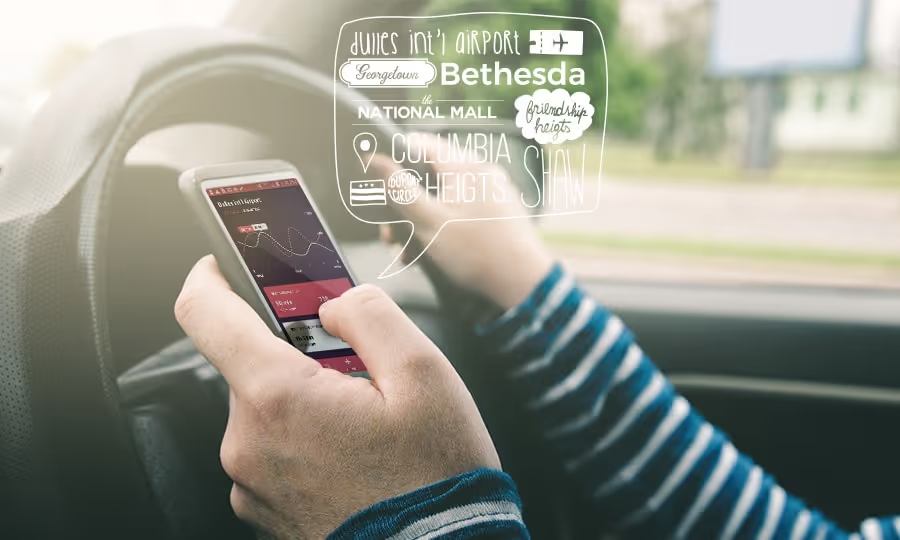
Gridwise is Now Available in DC
Navigating through Washington DC as a rideshare driver is now easier than it has ever been. Following the successful launch campaign and integration into Pittsburgh, Gridwise is now available for users in the DC market. With further growth on the horizon, the team at Gridwise hopes to eliminate driver inefficiency in the nation’s capital.
About Gridwise
Gridwise is an intelligence platform specifically designed for use by rideshare drivers. Pertinent information for drivers is easily accessible through the user-friendly platform. The intention is to improve driver efficiency (and earnings) by giving you access to demand-based insights. With this wealth of information, you are enabled to increase your awareness of high-demand opportunities, resulting in increased performance over time. Whether you drive for Uber, Lyft, Curb, or some other transportation network company (TNC), Gridwise is an incredible resource to make your rideshare driving experience more meaningful and fruitful.
Features
These are the key Gridwise features you can use right from launch that can help you to become a more efficient rideshare driver:
Driver Dashboard
This is the first thing you see when you open the app. The driver dashboard conveniently places relevant driver information at your fingertips. This information is ever-evolving with continuous updates on where the demand for rideshare drivers will be.
DC is a densely-populated city, full to the brim with new events happening frequently. The Gridwise interface within the driver dashboard displays the market insight you need in a convenient and useful fashion.
Events Calendar
Events tend to attract high value fares, especially if there’s a large number of people present. It seems natural, then, that there may be a surge from larger clusters of demand. For many of the relevant events in the DC and Baltimore metro areas, Gridwise provides a 7-day calendar with start/end times and the location for any event in question. No need to scour the internet for clues on where and when to be anymore!
Airport Traffic
Just like you don’t have to go through the entire internet to find event info, you also don’t need to search through airport-specific mobile apps to look up individual airline traffic. With Gridwise, airport traffic information is all available in one centralized location.
Arrival and departure peaks are central to great airport driver strategies, because they dictate when the highest rideshare demand will be. Gridwise gives you insight into passenger peaks up to 6 hours in advance, making it extremely beneficial to those who do not wish to wait in long Uber and Lyft queues.
Real Time Alerts
Distracted driving, including talking on the phone, texting, or simply reaching for your phone while your hand is on the wheel, is an extremely dangerous practice. More than 8 people a day are killed in accidents that involve a distracted driver, and around 1160 more are injured. As a rideshare driver, you have to be alert to the road. Just the same, a non-trivial part of being a rideshare driver involves looking at your phone and responding to passenger requests.
Gridwise takes driver safety seriously. With real-time alerts around airport demand, events, road conditions, etc., you can receive pertinent information in a hands-free fashion while out on a shift.
Driver Taskbar
Do you drive for more than one rideshare company, like both Uber and Lyft? You likely use Google Maps or Apple Maps to help you navigate when you’re on shift, at least.
The driver taskbar capability lets the user conveniently bounce back and forth between different driver tools, like navigation, driver services and the rideshare apps themselves. This feature is available for drivers with an Android device.
How Gridwise Helps DC Drivers
DC rideshare drivers work in some of the most inconvenient driving conditions compared with other American cities. As a rideshare driver, have you ever just driven around Georgetown aimlessly to look for surges? Perhaps you’ve been stuck in traffic while driving to pick up a passenger from a concert (the DC metro area has the most traffic congestion nationwide) and wished that you could’ve avoided all of the stress. Then there are the road closures that happen around the city for special events, such as the Presidential inauguration. There are frequent marches and rallies that back up roads and make certain areas inaccessible by car. Even if you are completely up-to-date with local events, you could’ve benefitted from having the surge, event and traffic information ahead of time.
That’s where Gridwise comes in. Use the features and tools available through Gridwise to obtain demand-specific information like where the highest surges are at that moment and better prepare yourself for upcoming event opportunities while receiving traffic alerts in real time.
How to Start Using Gridwise
Make sure to download from either google play (for android users) or the ios app store (for apple users).


General Rules and Regulations for Rideshare Drivers in DC
Cities across the country have been using the same taxi system for years; it’s the same system with the same rules and the same everything since 1985. The regulations and rules - those that govern income, availability, and accessibility of taxis cabs - have remained largely insulated and untouched. Saying that this system was archaic would be putting it mildly. Most taxis in DC didn’t even accept credit cards until 2013! It’s only recently that some more major reforms have begun, including deregulation efforts that set taxi prices closer to free market forces (i.e. surge pricing during peak hours).
Then came Uber and Lyft, which completely disrupted the taxi system and made rideshare apps the norm. Gone suddenly were the days of physically having to hail a cab. The ease and accessibility of mobile rideshare options have, since their introduction into the market, shifted the paradigm. As key contributors to the “collaborative consumption” economy that has pervaded this decade, Uber and Lyft make it so that your own vehicle is capital for sharing. In the past, you would need to own a taxi, apply for a special medallion, work with a dispatcher, etc. Now rideshare services provide virtually anyone (who owns a car) with the ability to earn some extra income.
With this newly discovered driver freedom also came legal uncertainty. For the most part, Uber and Lyft drivers were operating without definitive backing from the law up until 2012. The “Public Vehicle-for-hire Innovation Amendment Act” enacted in 2014 allowed for the beginnings of regulation and acceptance of digital dispatch rideshare companies in DC. Legality aside, there’s still a lot of work to be done in creating comprehensive regulation in this newly budding industry.
Basic Vehicle Requirements in DC
Although the system has increased accessibility, there are still baseline standards for rideshare drivers and their vehicles. With a few exceptions (i.e. vehicle age), the vehicle requirements are streamlined. Focusing on Uber and Lyft (excluding specialty vehicles such as UberX):
Uber
Lyft
Model Year 2007 or NewerModel Year 2006 or Newer4-door car or minivan4-door car, 5-8 seats (including driver)Good condition with no cosmetic damagePass vehicle inspectionPass DMV check and background checkDriver’s License Required (>21 years old)Driver’s License Required (>21 years old)Current official (or temporary) registrationCurrent official (or temporary) registrationState/locally-accepted vehicle insuranceState/locally-accepted vehicle insuranceNo commercial branding
DC Legislative Regulations (according to the Public Vehicle-for-hire Innovation Act)
Disclaimer - this is not a comprehensive list of rules and regulations, but is an aggregate created for simplicity and is subject to change in the upcoming years.
- Privately owned vehicles may be used for public transportation, so long as the drivers are notified electronically or through an app
- Along the same lines, rideshare drivers may not pick up passengers that hail them from the street
- Rideshare drivers with companies such as Uber and Lyft may not solicit fares at taxi stands specified for DC taxi services
- If there is suspicion of illegal street hailing, the rideshare operator must provide law enforcement with access to their electronic trip records.
- Background checks and minimal levels of insurance are required for all drivers before they begin driving for the TNC (transportation network company)
- Companies must provide passengers with photographic access of the vehicle driver and the vehicle license plate before pickup
- Drivers must successfully pass a criminal background check, sex offender database check, and driver history check
- App-based services must provide primary insurance coverage of minimum $50,000 per person per accident, with up to $100,000 available to all and $25,000 available for property damage
- A private rideshare vehicle operator may affiliate with more than one rideshare service (unless specified by the company)
Common Criticisms of the Rideshare Legislation
Many taxi drivers in DC are upset about the legislation. A large percentage of drivers that were interviewed claim that the popularity of Uber, Lyft and Sidecar with consumers legitimized the services in a way that was not only above the law, but was also demeaning to veteran DC taxi drivers. They assert that the hurdles they had to go through when first applying to become taxi drivers were significantly more restrictive than those created for the current TNC drivers. Uber and Lyft drivers still do not require the same stringent screening that DC taxis have to go through. Rideshare drivers also do not face the same costs when it comes to licensing or insurance.
Then there’s the question of fair competition in the ride hailing market. Free-market rideshare apps were illegal at some point, and yet still operated and thrived. Uber and Lyft rates go up with demand-based surge pricing, whereas taxi services had to work with a fixed, regulated rate. Taxi companies have succeeded in reforms which create similar pricing options for digital dispatch taxi services. It’s still a long way to go before DC taxis can be competitive with rideshare apps.

How to Incorporate Gridwise's Airport Demand Feature into your Driving Strategy
Why even accept the ride?
If rides to and from airports are long, time-consuming and sometimes require you to sit in annoying traffic, then why do drivers even bother taking them? Well, for one, the rides you accept will be relatively pricey. Each drive you make is pricier than the average fare. With Uber and Lyft, fares from the airport to downtown Pittsburgh vary between $26-$35. With the premium options offered by these two transportation networking companies (TNCs), a typical driver could earn as much as $80 for the same trip! And depending on the amount of traffic between a passenger's destination and the airport, the drive could be as short as 25 minutes long. That’s both extra money earned and car mileage saved compared with in-city pings!
Demand for rides (and consequently fares) are high for airport rides. Thus, with the typical Uber driver averaging $15 per hour and the typical Lyft driver averaging $11 per hour, rideshare drivers across platforms might be inclined to stick to the higher guarantees.
Pittsburgh International Airport
It can be tough driving into or out of Pittsburgh. This is especially true during the morning and evening rush hours, but inconvenient roadblocks and frequent bridge reconstruction could make any time traffic time. Even if you grew up in the area and already have a good understanding of what the traffic is like, it can be stressful at times to be on the road.
Having to take a trip to the airport on top of all that is not at all ideal. Airport rideshare drivers navigate to and from the airport during the good times and the bad times. You can be the type of driver who avoids these trips entirely - which is completely understandable. If you need to average more than one trip per hour, then driving to and from the airport shouldn’t be your primary focus.There are, however, always going to be people who need to catch a ride to and from Pittsburgh International during peak rush hours. For those drivers who are looking for fares to and from the airport , understanding airport traffic patterns is crucial to your driver strategy.
Thanks to Gridwise, drivers now have access to airport traffic information that can help you increase your workflow efficiency Gridwise provides relevant airport arrival and departure information to help you identify the peaks of demand for fares to and from the airport.
Airport Demand

A lot of the airport driving experience is wasted time, both on the passenger side and the driver side. You drive to
the airport terminal, believing that you’ll catch at least one of the recently arriving passengers. As it turns out, there are no flights arriving when you get to the terminal because of traffic on the runway. The airport queue for Uber drivers is 45 minutes, and the one for Lyft cars is even higher at 70 minutes. You then just wait around, wishing that you knew all of this information sooner.
With the Gridwise mobile app, being prepared and methodical with your airport driving is now easier than ever. Drivers can now see real-time information on rider demand at the Pittsburgh International Airport.
Gridwise brings you the ability to monitor airport arrivals and departures. The airport supply & demand feature shows the arrival and departure peaks, how long you’d have to wait until the next one, and the number of passengers that are in a particular wave of arrivals and departures. This is obviously great for picking up passengers because you’ll know when the largest amount of people are arriving at the terminal. Having departure information at your fingertips can be great for locations within the city or immediately surrounding the city, such as hotels and the suburbs.
So instead of spending time idling at the airport, you could instead be making better use of your time by fulfilling rides across the city and returning to the airport when the app notifies you of a lower driver supply at the airport.
It's not driving more, it's driving smarter.

Use road reporting to maximize your airport strategy
Road Reports from Gridwise are great for supplementing your airport driving strategy. You can now have real-time information on road conditions around Pittsburgh, as congestion headaches like construction zones, pop-up accidents are readily posted to better inform you of when and where to drive around the city. This information is valuable to airport drivers as it provides insights into the best time periods of day to drive to avoid as much road traffic congestion as possible. In addition, you could make micro-adjustments to your day’s drive depending on what road conditions are like!
Try out Gridwise’s Airport Demand feature today and watch your earnings stack up!

Through the Lens of a Pittsburgh Rideshare Driver- Bill Scott
Background
Name: Bill Scott
Driving for: 5 months
TNC Services: Uber X and Uber Premium
Driving Commitment: Full-time
Important Metrics:
“I usually go by a per hour basis. I do it full time, so I actually treat it like a business. I make sure I’m making at least $25+/hr.”
Don’t drive for Uber yet? By signing up through Bill you will receive $150 after completing the required trips-- in addition to Pittsburgh's median earnings per hour of $18.80.

A Unique Story from the Driver’s Seat
I had this one young individual request a ride back in January. I picked him and his brother up from Downtown Pittsburgh when I was completing a trip from the airport. I was coming along on Liberty when I got the request.
They came over with a box of long-stemmed roses. Now, before I let anyone get in the vehicle, I confirm that they’re the right person. I started the trip knowing that these two guys were going to the airport. We got to talking, and I learned that the two of them both went to school here in Pittsburgh, but that they were separated from their parents because they didn’t have their visas. That means they hadn’t seen their parents in over a year. Basically, I was getting them to the airport where they were meeting their parents for the first time in a long time. I got to bring them all back home too, so I got a nice two-for-one service trip out of it as well.
It was a really nice experience because I got to see those two people reconnected with their family.
Experience and Strategy
What are some strategies you try to use?
Priority number 1 is to treat it like your own operation. The average Uber driver gets into business because the service offers flexibility and a free schedule. Personally, I’m up and running by 7:30 each morning. You know what they say: the early bird catches the worm.
At that point, I get a couple of local trips in. Usually, one of these trips leads me to the airport. From there, I have a nice strategy that allows me to conduct my main business. This includes following trends for when students are coming in and out from vacations and spring breaks - things of that nature.
Do you try to keep track of things like traffic patterns at the airport, or when events are going on?
It’s pretty easy for me because I was born and raised in Pittsburgh - I kind of know when things are taking place. But with Gridwise, it actually aids my ability to know a lot of the little things that are going on around the city. This allows me to strategically place myself in areas, helping me to maximize my time and earnings.
You do put an emphasis on events, generally speaking?
I deal with the events so I know where not to be stuck. For example, Steelers games are huge for a lot of folks. Me personally, I might get 1 or 2 rides out of that. I figure my daily system would have me be a lot more profitable if I stick to my plan instead of jumping back and forth when the next big thing comes in. With congestion and traffic, it’s not really worth it.
I will do the Penguins games because I live only 2 minutes from the arena. It works very nicely for me. I know there’s a lot of construction going on in the area, but I know the two ways that traffic will be going from an exit standpoint.
How do you keep up with construction in the city?
Construction is very visible because of the Hill District, which that area is connected to, has a lot of development. You just have to use your driver smarts. Be safe when you’re driving, and don’t let the excitement and anxiety of the customer get you off kilter.
Would you say that driving has been pretty profitable for you? Do you keep track of costs (maintenance, fuel, etc.)?
Absolutely - I have a degree in accounting and use what I know to keep track of costs. You read a lot of blogs where folks feel that it’s not really profitable and you’re making something like $0.30 to the dollar. I look at it more as an opportunity. I can earn my own income and set my own schedule. It lets me do a lot of other things that I feel passionate about.
What’s the best trip you’ve ever had, revenue-wise?
I had a trip in November that took me out to Nemacolin. In January, I had two young ladies that were coming home from Spring Break and they were going to Allegheny College. Both of those trips netted me well in excess of $100.
Have experiences of your own which you would like to share? Then reach out to Gridwise at info@gridwise.io.

Pittsburgh Sports Stadiums and Arenas
Heinz Field & PNC Park
If you’re a rideshare driver in Pittsburgh looking to capitalize on surge pricing, then you’re looking for the pickup/dropoff spots that will maximize your regular income. A few spots that should come to mind right away are the big sports arenas, such as Heinz Field during football season and PNC Park during baseball season. Both of these hotspots draw enormous crowds, often numbering in the tens of thousands. Imagine, too, how many more people are in the north shore area when the two seasons overlap! That’s a whole lot of potential clients.
Since a lot of the fandom for the Pirates and Steelers is local, you’ll get customers who prefer a ridesharing service over driving into and out of stadium traffic. Ridesharing options help to discourage drunk driving and to facilitate the vehicle influx throughout the night. Through Uber and Lyft, the tailgate can go on without worries (and without a car?). But, the sheer number of tailgaters presents some challenges for the drivers coming into the stadium areas. Uber has a few key tips and tricks that can help you navigate the commotion as effectively as possible. To elaborate:
- Try to be ready at the pickup spot before the game actually ends. This is a great time to pull up the Gridwise mobile app. You can monitor the game’s endtime and make sure that you’re using your time wisely. For example, if you learn that a game is going into overtime, then maybe it’s in your best interest to put in a couple of extra rides elsewhere before the game ends. Rideshare requests increase significantly toward the end of the game and after the game is over. You can easily reposition yourself into a demand hotspot.
- Make sure that you’re as accessible as possible. There will be a large volume of vehicles, vendors, and foot traffic as the game comes to a close. Figuring out a good place for pickup in that chaos becomes an artform. There are now designated spaces for Uber and Lyft drivers, with signs at gates A, B and C. Scope out some places that aren’t heavily encumbered by the foot traffic coming out of the stadium/baseball field. At the same time, these locations need to be recognizable, especially for the folks who aren’t super familiar with the north shore. Keep your Uber/Lyft trade dress visible to maximize recognizability.
- Give your client a call as you’re coming into position. This gets rid of any confusion that there may be about pickup location or estimated time of arrival. You will also want to know where the rider is in order to minimize wait time. The faster you and your rider reach each other the better, so a bit of communication on your part goes a long way.
- It can be stressful to be in an environment with so many people and cars moving in and out. Be calm and be flexible. One or more of your rides may not pan out. One or more of you riders may have been drinking heavily during the game, making it more difficult to maintain communication. Realistically, there is an overabundance of opportunity for you to accept a ride request during these sporting events. With enough patience, you’ll have another request in moments.
PPG Arena
Most of what was said about the previous two stadiums holds true for PPG Arena. It’s still a high volume, stressful environment full of crazy sports fans and even crazier drivers on the road. If you’re up for the challenge, it can be just as lucrative as a ride request from the other side of the river. Driving downtown means there are a couple of differences to think about before you arrive:
- Downtown/Uptown already has some consistent traffic, especially during rush hour and evenings when the cultural district holds events. Since traffic is consistently heavy during those peak times, it is crucial for you to have a good route that bypasses the most traffic possible. Know where you’re coming from and know where you want to go. Keep that in mind and always plan ahead!
- The standing area immediately outside of the arena is guaranteed to be packed with taxis and rideshare vehicles by the time the event is over. Come early if you want to secure a spot at the beginning of the line. If you’re coming just after the event is over (perhaps you completed a ride for folks who left the event early) and you still want to capitalize on surge pricing, it could be beneficial to arrive a block or two away from the stadium. Don’t forget to let your client know where you’re going to be!
Don't forget to track your mileage and earnings. And check out the Gridwise platform to help you circumvent the challenges of event ridesharing and ride more efficiently!
The best and easiest way to generate HTML tags for your website is using HTML cheatsheet.

Rideshare Driver Rental Options in Washington DC
Why should I try a rideshare rental program?
If you’ve ever been a vehicle owner, you have no doubt experienced the financial responsibility of maintaining the car. In Washington DC, it costs an average person $392/year for repairs/maintenance, $1273/year for car insurance, and $618/year for gas. That’s a total of $2283 every year going toward just having the vehicle, not including what the car actually costs or what you’re paying in financing. If any of your income comes from driving, you’re putting more money into your car than majority of drivers on the road. Whatever commutes you make outside of work affect the total number of miles on your car just as much as those you make on the clock.
To take some of the financial burden away from the drivers, rideshare companies like Uber and Lyft are providing opportunities in Washington D.C. and other major cities to make driving more affordable and accessible to anyone looking to become a driver. There are now programs that offer low-cost rental options for interested drivers who don’t wish to use their personal vehicles for rideshare.
Lyft’s Express Drive Program
This is a worthwhile option if you’re looking to drive full-time for Lyft. Your rental fee could be waived entirely with a sufficient number of drives every week. Currently, providing 75 or more rides every week offsets the rental price. You are incentivized to give as many rides as possible when choosing this option. With a full-time work schedule, that averages to about one ride every 32 minutes. It’s manageable with an average of 2 rides each hour, although any number of conditions (i.e. weather, congestion, road conditions, etc.) could make it harder to keep up with that average. If you’re not interested in driving full time, then you’ll need to pay a weekly fee. For the lowest payment option, choose a compact or mid-size sedan rather than an SUV. Any personal miles cost $0.25 each, regardless of how many trips you take every week.
Uber’s Rental Programs & Incentives
Enterprise has partnered with Uber in D.C. to allow Uber driver partners to rent out their mid sized-sedans for rideshare. A weekly fee of $245/week (plus fees) affords the driver unlimited miles and liability coverage. It requires that the driver put down $350, with flexibility and no-notice returns to their Falls Church, VA location after the first week. The reservation must be for at least a week in order to be eligible.The driver must be an approved Uber partner with a current, valid driver’s license. He or she must also be at least 25 years of age.
Hertz offers a similar rental program, but with a few more restrictions and alternative features. The vehicle can only be taken out for 7-28 days, as opposed to the Enterprise program which incentivizes having the vehicle for long periods of time.
This program is less for the full time driver and more for the folks who wish to drive while on an extended trip into the city. As in, you already had a need for a rental car when you got Washington D.C. If you have the free time during your stay, this could be a simple way to make extra cash or perhaps simply offset the costs of renting the vehicle in the first place.
On the other hand, this program may not make much sense for you financially. You need to pay $245 per week to rent the car with Enterprise, for instance, plus the $350 down payment you would need to make at the start of the rental. The average trip pays out at $12.87, so you’ll need to make close to 20 trips just to pay back the weekly fee. If you’re dependent on the income you obtain as a driver, and you can set aside 20+ hours of the week toward driving for Uber, then this is a net positive investment.
HyreCar
HyreCar is exactly the service for personalized driver rental. People with unused, dust-collecting, rideshare-eligible vehicles can list their vehicles out for rent. Rideshare drivers can then take their pick of the cars listed and take it out for however long they would like. Hyrecar takes care of insuring the vehicle for you, and you can take off without a hitch within 24 hours of signing up. You can rent out on an hourly, weekly or monthly basis, with most of the discounts applied at the monthly level. The average users are earning $12,000/year from loaning out their cars to Uber and Lyft partners.
The choice of daily, weekly or monthly payments give you options if you’re taking a shorter trip into the city. Hyrecar can be an expensive if you’re looking to rent long-term, especially compared with owning or leasing a car. On the other hand, the service covers insurance and removes the burdens of maintenance.
Did we miss anything that you can think of? Let us know-- and check out a more national, updated list here.
Trabaje de forma más inteligente. Gane más.
Ya sea que conduzcas, entregues o recojas turnos, Gridwise te ayuda a hacer un seguimiento de las ganancias, el kilometraje y el rendimiento para que puedas mantener el control de tu trabajo. Descarga la aplicación y toma las riendas hoy mismo.
