Blog de Gridwise
¡Lee el blog de Gridwise para obtener consejos y sugerencias sobre cómo ganar más dinero mientras conduces para Lyft, Uber, DoorDash, GrubHub y más!

The Gridwise Job Board: Find Your Ideal Job or Gig Work
Gridwise is an essential assistant app created by gig workers for gig workers. Our mission is to support those engaged in gig work in every way possible. We understand how challenging it can be to deal with income instability, a lack of benefits, and job insecurity that often comes with gig work. The Gridwise app tracks and organizes earnings and expenses, and offers a wide array of discounts, deals, and services that make the lives of independent contractors easier and more rewarding.
We firmly believe it’s possible to make a viable living and create a gig experience that offers flexible hours, variety, and excitement. With issues such as consistent earnings and job security in mind, Gridwise is proud to offer a centralized platform that shows you how to find gig work and secure reliable opportunities. We’re proud to introduce the Gridwise Job Board.
[elementor-template id="20891"]
The Gridwise Job Board: Key features
Because Gridwise is dedicated to serving the gig worker community, we’ve filled the Gridwise Job Board with useful features that won’t waste your precious time.
- Comprehensive listings. Find part-time, full-time, temporary, and per-task work. Drive or deliver with your vehicle, utilize an employer’s vehicle, or even find non-driving gig work.
- User-friendly interface. Find the jobs that are right for you with a tap of your screen.
- Verified opportunities. We vet the jobs before they are listed to ensure you’re getting high-quality job postings.
How to get more gig work, seasonal, part-time or full-time jobs with the Gridwise Job Board
Looking specifically for “gig work apps” or “gig jobs near me?” You’re in luck. Our filters and search functions send you directly to the listings you seek.
Here’s how it works.
- Access the Job Board via the Gridwise website.
- Search for jobs by type, location, and more.
- Select the job that interests you, and read all about it.
- Scroll through the description, and if it appeals to you, click “Apply for job.”
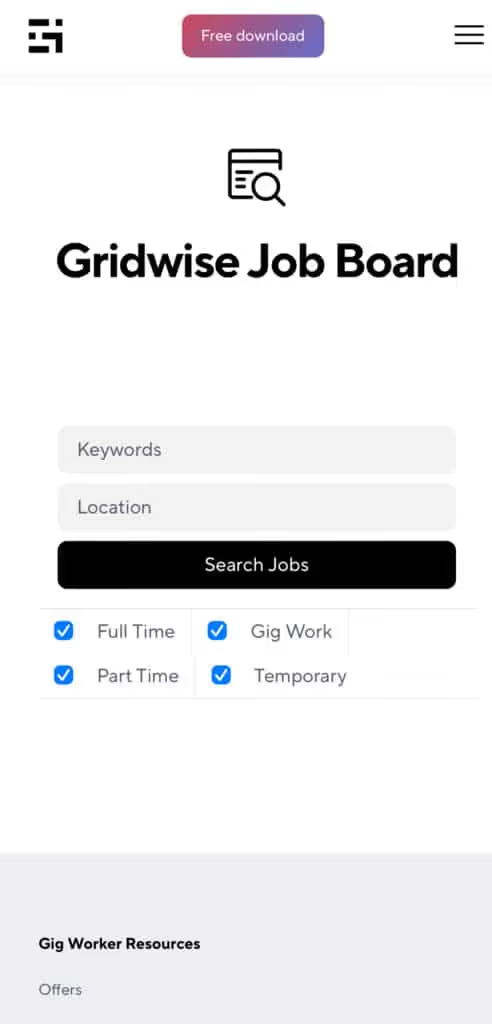
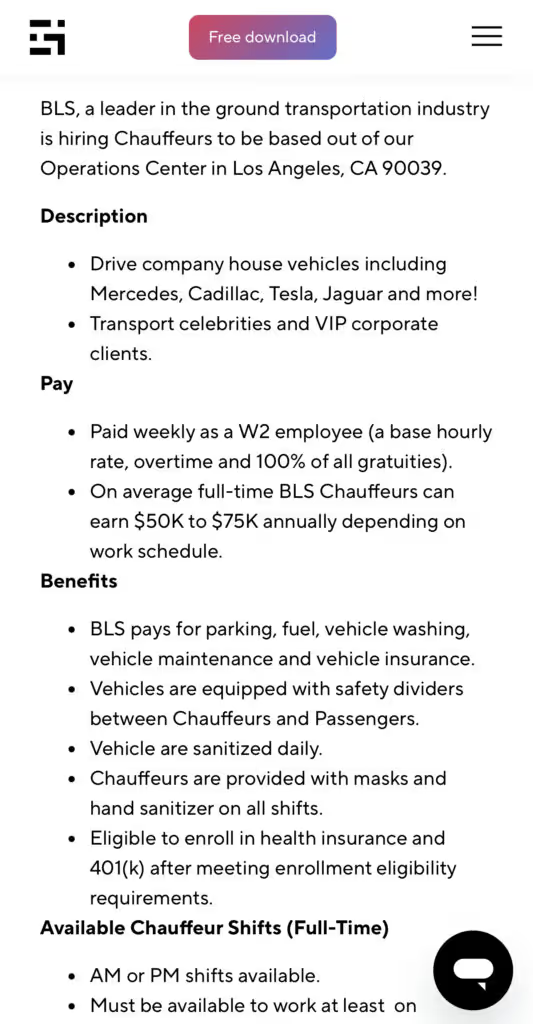
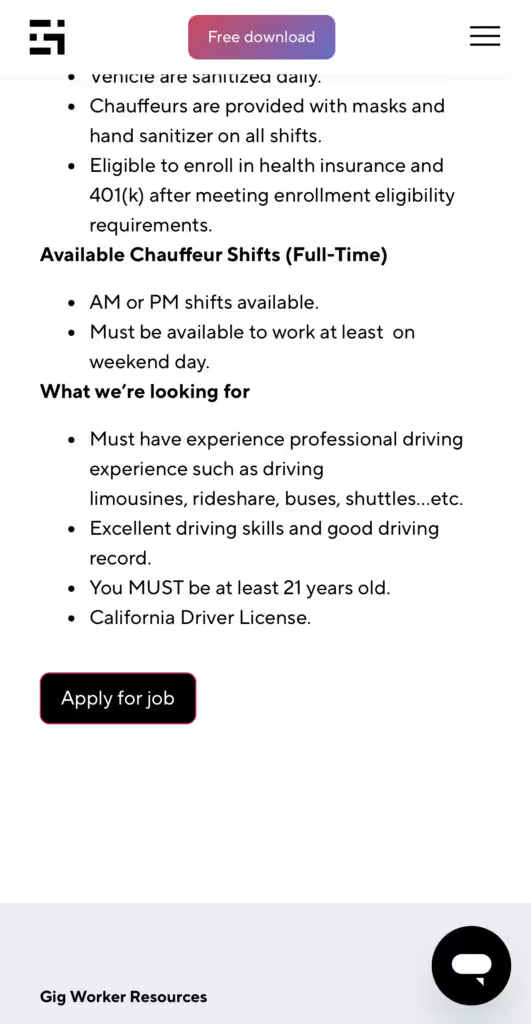
Many types of jobs are available. Adjust the search filter to see the full variety of opportunities that will let you cash in. Deliver food, set up catering, do rideshare driving, get paid for doing package delivery, and much more. You’ll find short-term gigs, long-term contracts, and part-time positions.
Perks of the Gridwise Job Board for gig workers
Gig workers who know how to make extra money will appreciate how the Gridwise Job Board lets you multiply your chances of bringing in big earnings. Here’s how:
- Increased stability. Use the Gridwise Job Board to find part-time or permanent jobs in addition to the part-time gigs you already have. Always keep a steady stream of earning opportunities flowing toward you.
- Flexibility and autonomy. Choose jobs that fit your schedule, work around other jobs and family duties, and still leave room for some fun in your life. Discover side hustles to supplement your full-time job, permanently or just for the season.
- Skill development. Find part-time work that lets you use a skill you already have, or try your hand at something new. It’s a smart way to develop a portfolio to showcase what you can do, or even to find permanent employment.
Get Gridwise and stay up to date on the Gridwise Job Board
Gig workers need plenty of information and assistance, and Gridwise is here to give it to you. Download the app and get essential features such as
- seamless earnings tracking
- mileage tracking
- expense recording, including notes
- low-cost and no-cost insurance benefits
- access to affordable medical, dental, vision, mental health, and alternative care
- professional services including legal and financial help
- deals and discounts
- weather, events, and traffic reports
- inside information on where and when to drive
[elementor-template id="20936"]
More to know about gig work:

5 Best Mileage Trackers For Gig Drivers
Many drivers ask, “Do I really need a mileage tracking app?” The answer is simple: only if you want to have an accurate count of all the miles you can legally deduct from your taxable income! You might think your rideshare or delivery driving app has got you covered. After all, they do quite a good job of logging the miles you drive while you’re on a trip or delivery. But, if you want to have the best app to track mileage for Uber, Lyft, Doordash, Instacart, or the other apps you may use, you need more. Why is that?
Without a separate tracker, you’re missing the miles you drive in between pings. Did you realize that all the miles you drive, from the moment you begin your shift until it’s over (as long as you don’t drive several miles on a break to hang with your friends), are tax deductible! That means you need something besides your driving app to keep an accurate count of your travels. Read this Gridwise post to see how important it is to keep track of every deductible mile.
You won’t be surprised to hear that there’s an app for tracking miles. In fact, there are several of them. Here, we’re going to tell you about five top mileage tracking apps, and help you figure out which one is best for you.
Before we get to the list and identify the best mileage tracker app, let’s clarify what exactly a mileage tracking app is. According to G2.com’s technology glossary, mileage tracking is done for the purpose of keeping a log of mileage that is either reimbursable or tax deductible.
And yes, of course you can track your miles simply by taking readings on your odometer. But are you really prepared to account for how many miles you drove for personal reasons and subtract them from the total to get your business mileage? Even if you can remember all that and do the arithmetic, if you want an accurate reading of the miles you drive for business, and can therefore deduct, a mileage tracking app will save you a lot of trouble and prevent you from making costly errors.
Plus, as a gig driver, you have specific needs when it comes to a mileage tracker. Ideally, you’d be able to handle mileage tracking and several other functions all in one app. It can be maddening enough to deal with driving apps, particularly if you’re an avid multi-apper. You would want your mileage tracker app to help you keep account of other aspects of your business, including income, expenses, and inside information about the art of gig driving.
Not all mileage apps are equal, to be sure! Let’s look at five of the best apps to track mileage and figure out which is the best app to track mileage with Uber and Lyft, or what mileage tracker app is best for DoorDash.
[elementor-template id="20891"]
1. Zoho Expense
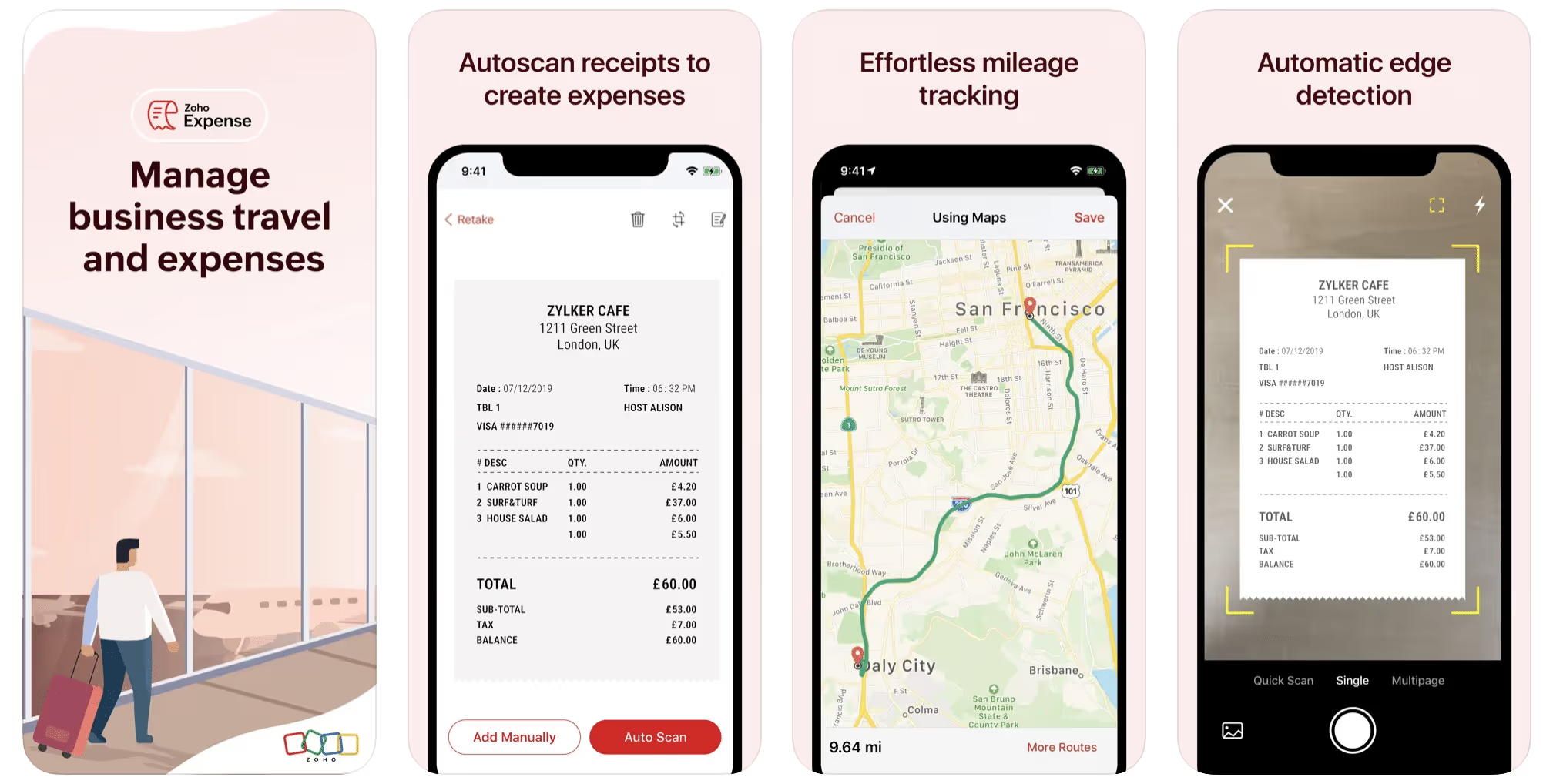
First up is Zoho Expense, which does exactly what its name says. This app is designed to allow companies to give employees a uniform way to create and submit expense reports. It can be used by individuals, including gig drivers, as well.
It includes a mileage tracker, as well as features that let you track other deductible expenses, including the ability to scan and record receipts.
Available on Android and Apple: Yes
Ratings: 4.8 stars on App Store, 4.7 stars on Google Play
Free Version: Yes
Subscription price: $3 per month, billed annually
Created specifically for gig drivers: No
2. Quickbooks Online
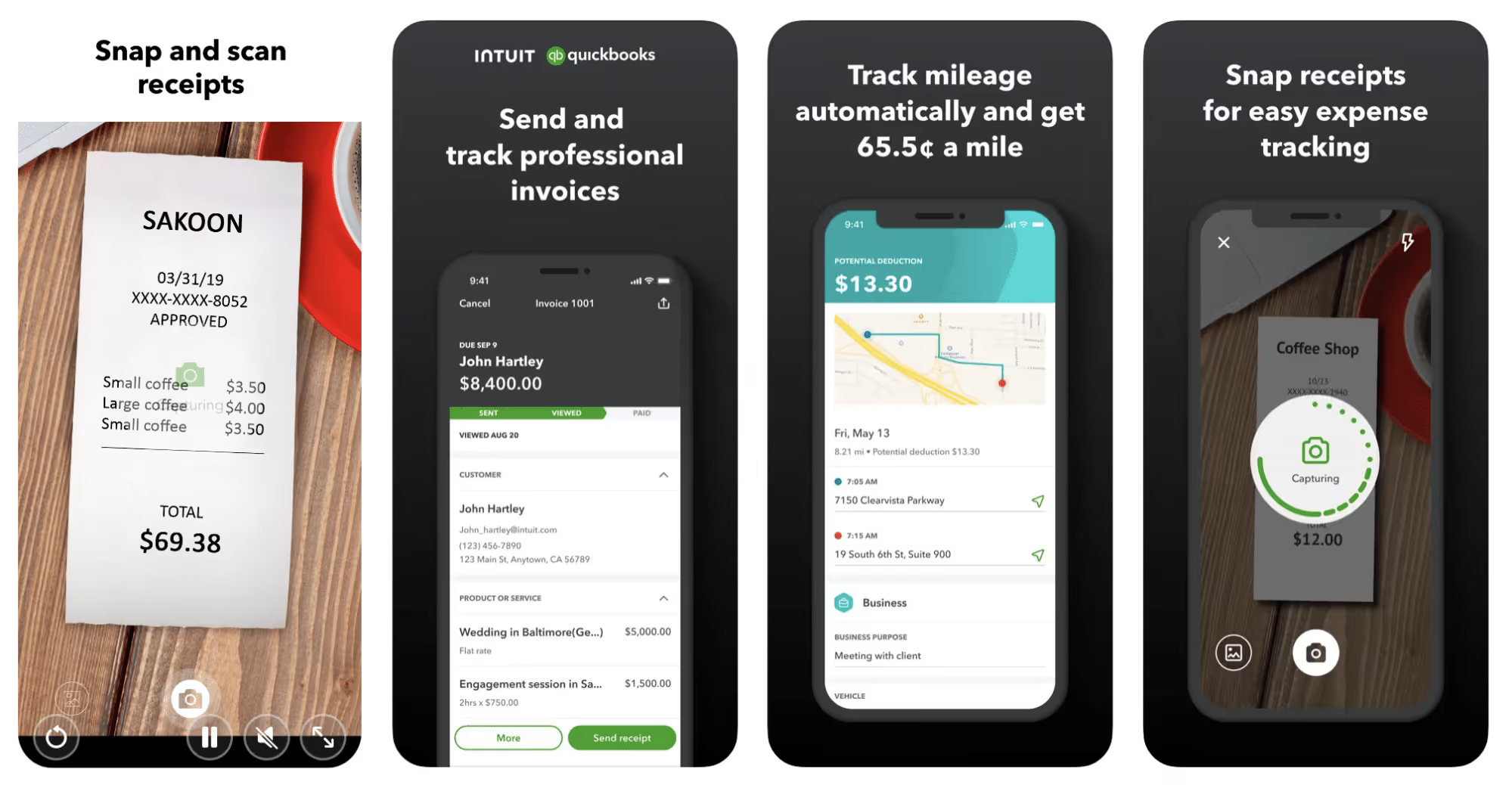
Quickbooks Online is a cloud-based app that allows you to track your mileage, earnings, and expenses. The information you enter can then be used to generate various reports that prepare you for tax time. It also allows you to create graphs that illustrate your cash flow, and includes a receipt scanner so you can instantly record deductible expenses. Quickbooks is popular, highly reliable, and designed mainly to help people keep track of their small businesses.
Available on Android and Apple: Yes
Ratings: 4.7 stars on App Store, 4.4 stars on Google Play
Free version: 30-day free trial
Subscription price: $15 per month for basic version if purchased for 3 months or more
Created specifically for gig drivers: No
Source: quickbooks.intuit.com
3. Shoeboxed
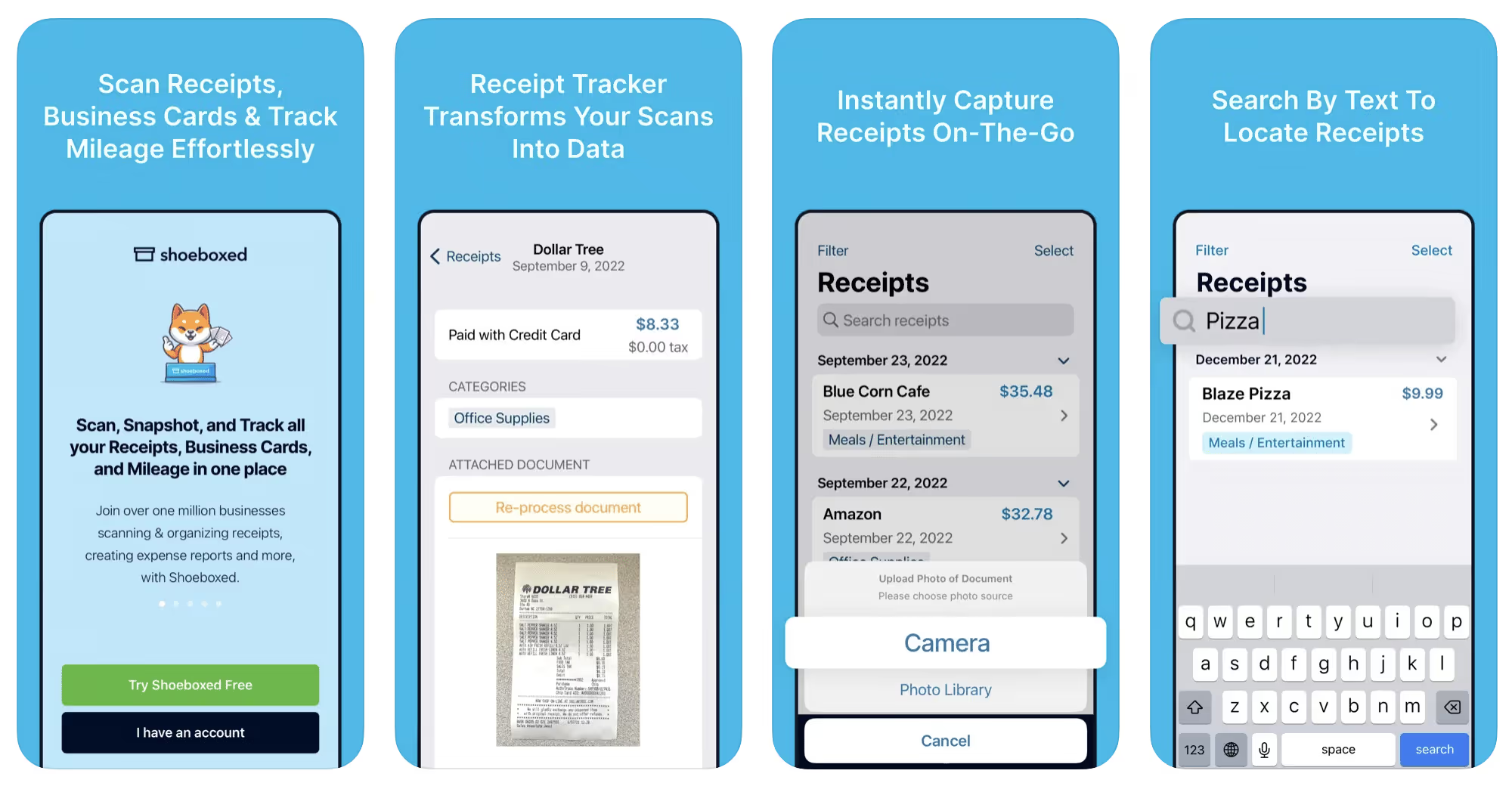
Shoeboxed started in 2007 as a service for scanning paper receipts into digital form. Now the app offers a free mileage tracker and has enabled users to scan receipts directly. It touts itself as the best mileage tracking app for DoorDash, but there are some elements missing that Dashers might like to have. While it provides features that record your expenses and prepare you for tax season, it doesn’t automatically track your earnings. The mileage tracker has a system where you can drop pins along your routes to make the tracking more precise, identifying those legs of a trip that you make for business purposes. The mileage tracker is “free” once you sign up for the basic version.
Available on Android and Apple: Yes
Ratings: 4.5 stars on App Store, 2.3 stars on Google Play
Free version: No
Subscription price: $18 per month for basic version
Created specifically for gig drivers: No
Source: blog.shoeboxed.com
4. Stride
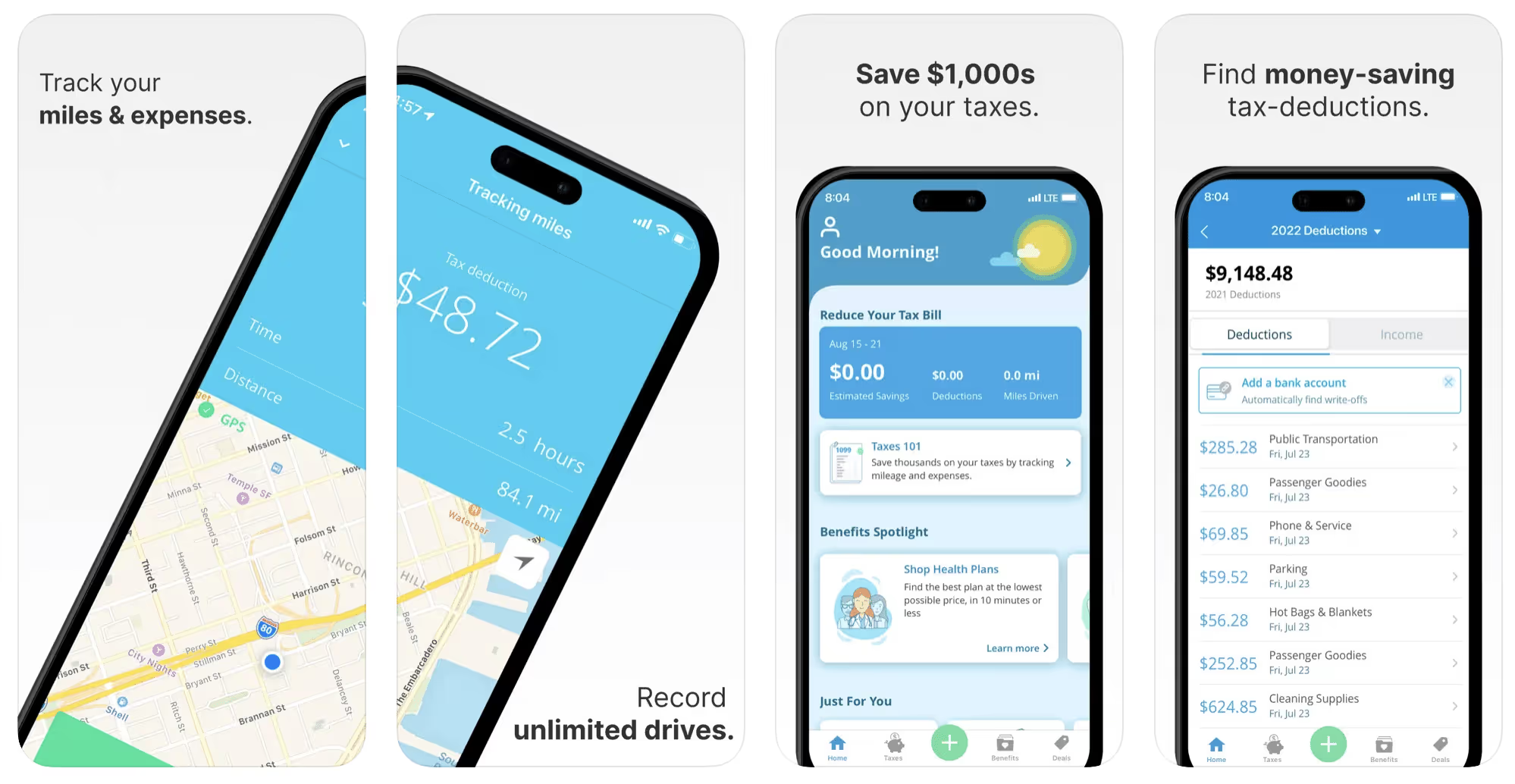
This free mileage tracker does a fair job of keeping track of the distances you rack up while gig driving, but it doesn’t automatically track earnings. It can be a big help, though, in tracking your expenses. You can link Stride to your bank account, and it will automatically scan your expenses to identify items you can potentially deduct. The app is totally free. This could make it the best free mileage tracker app, but there is a small price to pay. The app will persistently push you to consider various insurance plans that they are affiliated with. If you don’t mind that, this is a solid mileage tracker, even if it doesn’t track your earnings.
Available on Android and Apple: Yes
Ratings: 4.8 stars on App Store, 4.6 stars on Google Play
Free version: Yes
Subscription price: None. The app is free.
Created specifically for gig drivers: No
5. Gridwise
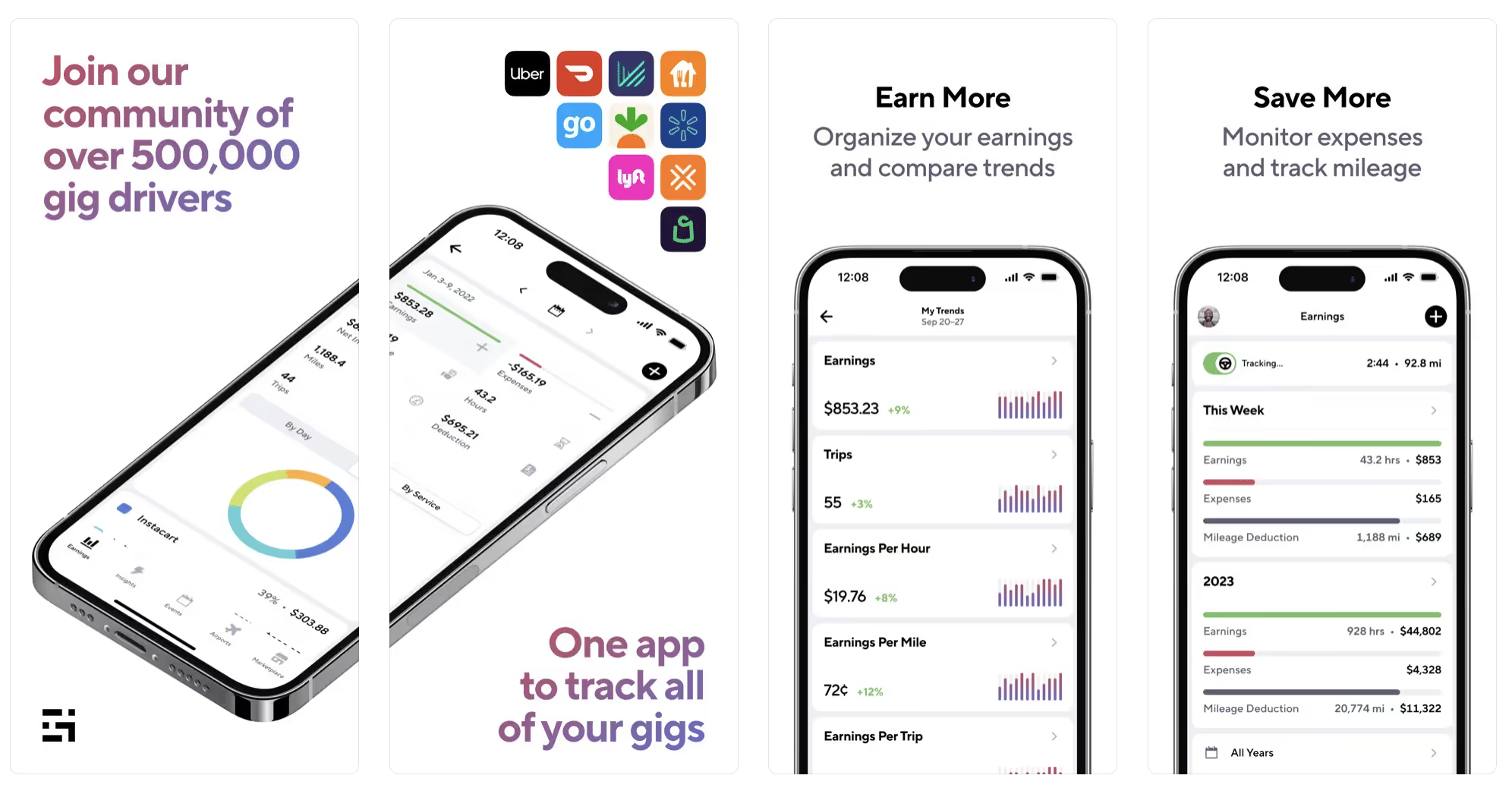
Gridwise has a free mileage tracker and free features that record your income and expenses. It gives you access to insurance and benefits, as well as insights about the best times and places to make the most money while gig driving. The Gridwise mileage tracker captures all the miles you drive while you’re on your driving shift, and it can be used if you have other trips you need to make which qualify as business travel.
Drivers love it because it is geared toward the needs of rideshare and delivery workers, providing free information about airport departures and arrivals, event start and let out times, weather, traffic, and more. The Gridwise Plus subscription adds value by providing additional insights and reports, discounts on benefits, the ability to export data in .csv format,, and more.
Available on Android and Apple: Yes
Ratings: 4.9 stars on App Store, 4.6 stars on Google Play
Free version: Yes
Subscription price: $9.95 per month for Gridwise Plus, or $95.99 per year (a $23.41 savings)
Created specifically for gig drivers: Yes!
What is the best mileage tracking app?
Now that we’ve checked them all out, we’re positive about the answer to that. Hands down, it’s Gridwise. Are we biased? You bet we are! But drivers love it too. Gridwise is the best mileage tracker app—and so much more. So many of the features are free, and the subscription to Gridwise Plus will pay for itself with additional insights to boost your earnings and deeper discounts on products and services.
Most important, Gridwise is designed specifically for gig drivers by experts who were once gig drivers themselves! Knowing what gig drivers need is a crucial step in creating an app that rideshare and delivery drivers can really use! Here are a few of the features, besides mileage tracking:
- seamless earnings tracking
- automatic, on/off toggle and manual mileage tracking
- mileage categorization
- airport, traffic, weather, and events information
- insights into where to drive and when to drive
- reports showing earnings across the platforms you use
- discounts on countless products and services for drivers
- additional resources for finding side gigs
- an informative and comprehensive blog
- affordable benefits, including insurance, medical, dental, and alternative practitioner discounts
- a community of drivers just like you
Don’t settle for just any app. Get the best mileage tracker, and so much more, from Gridwise!
[elementor-template id="21599"]

What Records Do Gig Drivers Need To Keep Track Of For Taxes?
* Gridwise does not provide tax, legal, or accounting advice. This material has been prepared for information purposes only, and is not intended to provide, and should not be relied on for tax, legal, or accounting advice. You should consult your own tax, legal, and accounting advisors before filing your return.
Record keeping? Who signed up for that? As a gig driver, it’s part of what you need to do to keep your business running. Don’t worry. It’s not as complicated as you might have been led to believe. This post will show you what you need to keep track of and the best ways to gather and preserve your tax-related records. We will cover
- How record keeping can help reduce income tax for freelancers
- Taxes and freelance work: Record keeping requirements
- Mileage tracking: Motives and methods
- More deductions and records to keep
- Make tax time easier
How record keeping can reduce income tax for freelancers
Tax time is not “fun time” for rideshare and delivery drivers. It’s easy to get used to watching your earnings pile up and come to believe they are all yours. Unfortunately, that isn’t the case. Gig work taxes can be especially painful because no one takes them out of your earnings for you, until the tax authorities insist that you do it for yourself.
You will need to show the tax authorities your income records, and they will gladly tell you to send them what they determine to be their fair share. Think that’s not fair? You’re not alone, but that doesn’t mean you’re going to get out of paying gig work taxes.
But you can find ways to pay the smallest amount that is legal and possible. The best way to defend yourself against having to pay astronomical amounts when you file your return is to know what expenses you can deduct from your gross income. When you subtract deductible expenses from your gross income, there is less left over to be taxed. This reduces the amount they can hit you with gig worker taxes. and can make your tax bill substantially lower.
While you want to keep good records so as to be in compliance with taxation entities such as the IRS, you also want to ensure you have proof of every last deductible expense you have accrued during the year. There are other records you must keep as well. Let’s look at some of the considerations you have, realizing that you now need to know how to do taxes as a freelancer.
Taxes and freelance work: Record keeping requirements
So many gig drivers fail to understand the responsibilities they have as independent contractors. Those who work part time for very few hours may even believe they don’t have to report the income they get from their driving gig payments. That would be a big mistake!
The company or companies you work for report your income to the IRS and state tax authorities. If you fail to report that income, you will risk some rather painful penalties. The IRS taxing side hustles is as much of a thing as the IRS taxing income from any other job. Your best bet is to report what you’ve earned, honestly and completely, and comply with other record keeping requirements such as
- gross income
- deductions and credits
- purchases (items you purchase and resell, such as snacks or bottled water)
- a log of all your mileage (or vehicle expenses, if greater)
- a list of all expenses and assets, such as utilities and other expenses associated with having a home office and equipment
- machinery and furniture you own, including when it was acquired, how much it cost, whether you previously took deductions on it, and selling price, if applicable (this includes your vehicle)
More things to consider:
- Pay attention to the retention of your records. You’ll need to keep all tax-return-related items— including income, deductions, and any tax credits reported— until the period of limitations runs out (3 years from date you filed, or 2 years from when you paid tax. If you have employees, keep your records for at least 4 years.)
- If you want to avoid paying self-employed taxes, you may want to set up a corporation or Limited Liability Corporation (LLC) for your business. This allows you to separate all your gig driving earnings from personal income, and permits you to take advantage of the additional advantages of working through a corporation. This includes exemption from self-employment taxes. You can learn more about how to pay self-employment taxes, if you opt for that, in this post from Keeper.
- You should always keep a separate checking account for your business, for convenience as well as clarity. While this is not a legal requirement, it is a smart move if you want to have an easier time managing your business.
- You are required, as an independent contractor, to file your taxes quarterly. Check out this Gridwise blog post for more information about quarterly tax payments and other matters that make filing delivery, Lyft and Uber taxes easier.
Mileage tracking: Motives and methods
Why you need to be meticulous about mileage
Mileage deduction, or the costs of operating your vehicle, will be the most important item to account for when you consider how to file taxes as a freelancer. While mileage is an important deduction for all independent contractors, as you might imagine, it’s even more essential for rideshare and delivery drivers.
There are two ways of keeping track of your mileage deduction. One is to use the IRS’ standard mileage deduction, which for 2022 is 58.5 cents per mile. This number takes into account the costs of operating your vehicle, from fuel and maintenance to registration, insurance, and depreciation. Alternatively, you can calculate all your own vehicle operating costs, but only after your first year of using the vehicle. You may discover that this second option allows you to have more money deducted from your taxable income. Learn more about the options for deducting your mileage in this Gridwise post.
No matter which way you decide to calculate the deductions for your mileage, you need to know what mileage you can and cannot deduct.
You can deduct
- miles driven to and from home when you go out to drive or deliver
- miles you accrue during your trips
- miles you drive on any other trips you make that are necessary as part of your business.
Examples:
- driving to return a lost cell phone or to an Uber Hub or another physical location where your company might make driver support available
- driving to pick up supplies, to get gas, or to have your car cleaned, serviced, or detailed, etc.
You cannot deduct
- miles you drive for personal trips
- miles for any trips you take that do not directly affect your business
Note: If imagining yourself becoming the not-so-proud owner of a shoebox filled with paper receipts gives you nightmares, stop worrying. Electronic records of purchases will satisfy reporting requirements. If you use cash, you can scan copies of your receipts, in some cases, right into your recording software or app. Gridwise and Keeper give you a simple to use interface that keeps all your receipts recorded without the messy pile of paper.
Mileage tracking methods
By now, you’re probably convinced that tracking mileage is important, despite all the other things drivers have to do. Now, let’s look at your options for keeping accurate records.
- Manual tracking: You can keep a logbook where you list every trip you make, starting and ending mileage, the date, and purpose of the trip. While this would work, it’s certainly not convenient. Besides, if that logbook gets lost, your plans for having a nice, fat tax deduction will go by the wayside.
- Spreadsheet: This is a bit more convenient and sophisticated way of tracking your business mileage. You’d need to be meticulous about making your entries, though. Even if you keep a spreadsheet app on your phone, it could be time consuming and inconvenient to keep doing it with all the other things going on in a rideshare or delivery driver’s day to day life.
- GPS-based mileage tracking apps: There are a bunch of apps that track mileage based on your GPS location, and most of them are pretty accurate and far more convenient than taking constant readings of your odometer. Your driving apps, such as Uber, Lyft, DoorDash, or Instacart, may also track your mileage, but be careful here. They will only track the miles you drive while you’re on a trip or delivery. They don’t count the miles you drive going to pick up a customer or when you make your move toward a restaurant or store.
Gridwise, on the other hand, will track all the miles you clock while you’re on your shift. All you need to do is make sure you start tracking the minute you leave home, and every gig driving mile will be logged. - OBD-II mileage tracking systems: There are plug-in modules that assess your vehicle’s mechanical health and track your miles. However, many authorities question the ability of OBD-II mileage tracking systems to get get accurate odometer readings. Insurance companies don’t consider them to be accurate enough gauges of odometer readings.
While mileage is a crucial deduction when you’re preparing your Uber, Lyft, or DoorDash taxes, it isn’t the only expense you’ll want to record.
More deductions and records to keep
Expenses you can deduct
You’re entitled to include the cost of other expenses that are directly related to your driving business. These include
- vehicle expenses
- equipment for your car and home office
- extra services and subscriptions
- business tools, including apps and software
You can learn much more about gig driver expenses that are eligible for deduction in this Gridwise article.
Ways to track and preserve deductible expenses
- The manual method: Just like you can with mileage, it’s possible to use a manual method, but in addition to logging each expense into a ledger, you would also need to keep physical receipts.
- Spreadsheets: You can record your expenses on a spreadsheet. This is somewhat less awkward than manually logging mileage, but there still will be plenty of room for failing to remember the case of water you bought for your customers, or losing the receipt from the thermal bag you purchased.
- Accounting software: You can use software that helps you track your expenses. This method usually interfaces well with any tax preparation software you or your tax professional might use.
- Gridwise: There are other apps that help you track your expenses, but Gridwise is designed specifically for gig drivers. It automatically tracks earnings and mileage, and lets you record your expenses the minute they come up. Gridwise’s partnership with Keeper gives you the ability to scan receipts and access a tax professional. This is a seamless way to record your expenses and a big help in learning how to file Uber taxes. Gridwise even provides .csv output, so you can feed your Gridwise data directly into tax preparation software. Check out what Gridwise and Keeper will do to super-charge your tax filing powers.
Organizing and categorizing expenses
Before you even begin to record expenses, you’ll want to set up categories for them. You can start by reviewing the categories listed above and checking out the Gridwise post that lists possible deductions.
If you’d like to learn more about how to categorize expenses, there is additional information available. This article from Motley Fool lists all possible categories any freelancer might use and also gives tips on how to customize them for your driving business.
One last tip
Using Gridwise, particularly for tracking mileage, is the easiest way to be in compliance with the IRS’ rules for deductible mileage. Gridwise tracks all the miles you drive for your gig, beyond what your company’s app might record. At the same time, you can log on and off Gridwise when you start and end your shift, so personal miles won’t be recorded. This eliminates confusion while capturing every deductible mile.
Gridwise Tax Help, a partnership with Keeper, has been created specifically to serve gig drivers. It provides affordable and easy ways to record expenses, scan receipts, and find deductions by analyzing your expenditures. Read about free resources from Keeper you can use to be fully prepared for tax season, and get all your earnings and expenses on the record.
Get the world’s best assistant for rideshare and delivery drivers, and tax help too.
Make tax time easier now!

Considerations for Choosing Your Rideshare Vehicle
The vehicle you choose to drive as a rideshare driver can make a world of difference in your day-to-day work. Depending on the luxury rideshare service and the clientele that you choose to work with, your vehicle needs to be tailored to the work. Certain vehicles are better than others in terms of fuel efficiency and profitability. On the other hand, luxury passengers may require larger, spacious cars just for the prestige. There are many reasons why you might have chosen to drive for a transportation network company (TNC), so it’s important to keep certain considerations in mind when choosing your working vehicle.
If You’re Just Getting into the Business
When you’re starting out fresh as a part-time rideshare driver, you have a host of options. You can use your own current personal vehicle, depending on whether or not they are compliant with the regulations for the rideshare company you’re contracted under. To be an UberX driver in most cities, your car needs to be a 4-door vehicle that is at least 2002 or newer in order to qualify (the requirements change from city to city). For Lyft, the requirements are more stringent at 2005 or newer (again, this may vary in other cities). Other restrictions also apply, such as being above the age of 21 and riding with a Lyft mentor to train you on becoming a full-fledged driver.
If you’re looking to commit yourself to driving full-time as a rideshare driver, then perhaps you should consider buying a new vehicle. While any new 4-door vehicle would fulfill your needs, it’s useful to entertain the idea of purchasing a hybrid vehicle. The premier vehicle for rideshare drivers is the Toyota Prius, primarily because of its 51 MPG EPA rating. Other popular hybrid vehicles include the Ford Fusion Hybrid, Toyota Camry hybrid, Volkswagen Jetta hybrid and Subaru XV crosstrek hybrid.
If you’re simply not interested in owning a hybrid car, most of the vehicles listed above are great 4-door sedans without the hybrid sensibilities. Sportiness doesn’t necessarily need to go by the wayside to become a rideshare driver. You could easily pick affordable vehicles like a Honda Civic or a Toyota Corolla and make great use of them without losing too much on fuel efficiency. It’s really up to you to determine what sort of car you’d like to drive, so find something that works for you and fits your driver personality best.
Not at all interested in owning your own vehicle for rideshare? No worries! Try leasing a vehicle instead. It takes a lot of the maintenance pressure off of you if you can maintain within a set mileage per year. Uber even has their own program for leasing called Xchange Leasing, which works with local dealerships to offer special rates to rideshare drivers (including eliminating the mileage caps).
If You’re Looking to Drive Multiple Passengers
The most important and straightforward consideration, in this case, is that you’ll need a larger vehicle. With UberXL (or alternatively Lyft Plus) your vehicle needs to be able to seat at least 6 passengers, although you don’t necessarily need to fill up all of the seats every time you give a ride.
Whether you’re in a smaller vehicle or in a larger vehicle, be prepared to receive pings from rideshare carpooling if you’re signed up with Uber and/or Lyft. Although you cannot pick up more than 2 passengers at a time, you will likely need to lend your time to rideshare carpooling as time moves forward. Larger vehicles like a Nissan Quest or a Honda Odyssey with more space are prime selections for carpooling services, so be advised and ready to take on many passengers.
Another consideration is that you can choose what types of drives to take if you drive for Uber XL or Uber Plus. That is, you can choose to accept exclusively XL or Plus rides, rather than having to receive pings from UberX or plain Lyft. This gives you better control over your own driving and makes the choice of vehicle that much simpler.
If You’re a Luxury Driver
Only the cream of the crop have the opportunity to drive for UberBlack or Lyft Premier. Not only does your car or SUV have to be pristine, but you also need to maintain a high average rating just to keep the luxury driver status. If your own personal vehicle is a Jaguar, Lexus, BMW, or something similar, then definitely consider providing rides through the luxury service rideshare options. You’ll need sharp black leather interior in the case of UberBlack, so make sure your vehicle and your driving capabilities are up to the standards of your TNC.
If You’re Used To Driving a Taxi
If you’re used to driving a yellow cab, then, by all means, keep it around! There are plenty of professional drivers with CDLs who wish to continue driving the vehicles that they are used to. Rideshare companies like Ztrip and Curb allow you to continue to drive your taxi using an on-demand mobile platform. Technology options for current taxi drivers are out there and vary from city to city. Experiment with a few (including Gridwise) to see what works best for you.
Have any thoughts on rideshare vehicles? Talk to us about them in the comments section

The Pros and Cons of Rideshare Carpooling in Washington DC
Ridesharing started off with the concept of actually driving shared vehicles. The initial idea was that you, the owner of a vehicle in good standing, could essentially lend your vehicle out through a transportation network company (TNC) and have its use shared through the TNC’s services. Companies like Uber and Sidecar pioneered the accessibility of peer-to-peer car rides via the bubbling sharing economy. The more that people were able to share vehicles, the fewer vehicles would be on the road. Fewer vehicles means fewer greenhouse gas emissions and less congestion on the extremely dense metropolitan DC roads. Furthermore, those who take advantage of carsharing and ridesourcing opportunities find themselves spending considerably less on travel and end up using more public transportation.
In this day and age of awareness and conscientiousness about environmental impact, consumers in the sharing economy rely on bikesharing, carsharing and ridesharing via apps to get around. One of the ridesharing trends to surface within the last few years is carpooling via TNCs. Although carpooling itself is not new, the idea of using rideshare services as a means for a carpool commute is recent. Now, if you drive for rideshare companies in DC and in markets all across the country, you’ll have the opportunity to be a part of this new transportation development.
Let’s examine the different avenues available for rideshare carpooling in Washington DC to figure out both the benefits and disadvantages:
uberPOOL
As Uber’s premier carpooling service, uberPOOL came onto the scene in DC shortly after its San Francisco launch in late 2014. Potential passengers select uberPOOL on the Uber app. You, the driver, then end up picking up multiple passengers for similarly-distanced destinations. A maximum of two passengers can be picked up from the same location at once, but you can pick up as many passengers as can comfortably sit in your vehicle.
Pros: Drivers using uberPOOL spend considerably less dead time between rides. That means that you spend as much time as possible on the road actually driving folks from one place to the next, rather than waiting for the next ping. In essence, you’re getting paid for transporting a rider to their destination while you’re driving to the next pickup location. That’s payment for travel to and from passengers!
Cons: uberPOOL works with some glaring flaws.
For one, refusing to pick up passengers who selected uberPOOL could result in your app being locked out for 4-15 minutes. Since the coverage area for uberPOOL in DC extends from the District through to the airports, it’s extremely difficult to avoid being hailed for one of these shared rides. Not only does the mandatory pause halt driver momentum, but it is essentially a slap on the wrist for opting out of a service that you didn’t necessarily sign up for.
In addition, rideshare drivers who participate in uberPOOL generate fewer profits from the carpooling rides. The wages are significantly lower for rideshare carpooling in comparison to regular rides. Drivers also end up spending more time stopping to pick up new passengers, which ultimately reduces the time they spend on the road actually earning money.
Lyft Line
As is common practice between Uber and Lyft, Lyft provided Lyft Line services as direct competition to uberPOOL. The services provided from drivers through Lyft Line are similar to uberPOOL. Drivers are still allowed to pick up only two passengers at one location to ensure that there is enough space in the vehicle. A notable difference is in the ride request system for passengers, but that would rarely affect the driver. Although Lyft has a smaller pool of users than Uber at the moment, their share of rideshare passengers is steadily increasing.
Pros: Since Lyft is trying to grow their user base to be competitive with Uber, the company works to subsidize the rides for passengers and increase the pay for drivers. The base charge to passengers is less, but drivers make a few cents more per mile and in base fees with Lyft Line.
Cons: The smaller user base is certainly a negative point when comparing Lyft Line to the nearly-identical Uber service. Drivers are much less likely to get that second passenger than they would be with uberPOOL. Outside of the current market, Lyft’s trajectory as a company has it expanding considerably in the near future in response to Uber’s recent public favor. If you don’t mind the fewer passengers to start, sticking with Lyft could prove beneficial in the long haul.
Via
Similarly to both uberPOOL and Lyft Line, this New York-based ride-sharing app has been taking hold of some of the market share for commute drivers in DC. Via essentially makes you, the driver, work as a small public transit car, moving along popular commuter lines like the Red Line. It only operates from 6am-10am and from 4pm-8pm, but commuters are now provided with a safe, comfortable and affordable alternative to the Metro within district limits.
Pros: You get guaranteed rates when you drive for Via. The payout for Via during rush hour is considerably higher than with most other rideshare apps. Since the folks who use the app are professionals and business people on their commutes, the customer interactions are easier and generally happier. The commission is also lower than that of both Uber and Lyft, meaning you keep a lot more of the money you earn while driving.
Cons: You still don’t have the sheer number of users that Uber does. Other than that, you do not have the flexibility to drive whenever you’d like as you would with other rideshare services.
Have any opinions on uberPOOL, Lyft Line or Via? Let us know with a comment!
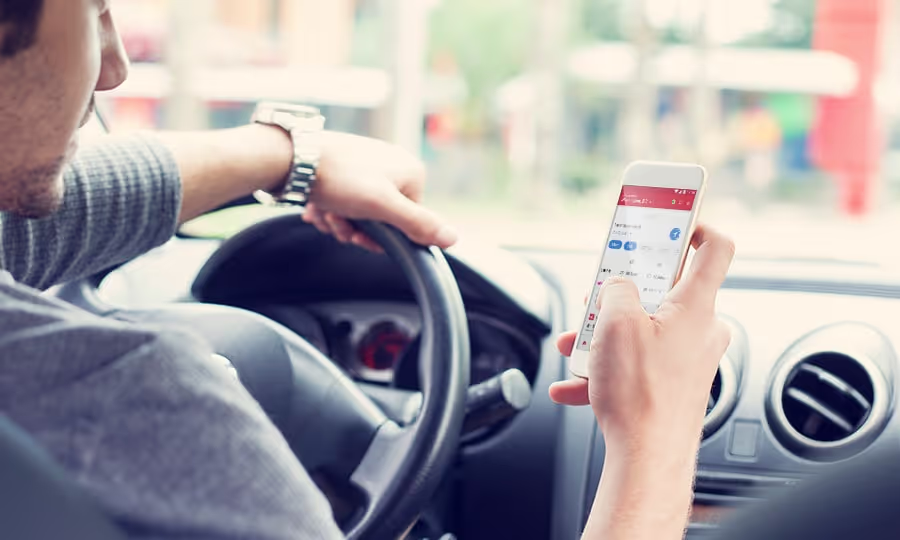
Taking Advantage of Gridwise Real-Time Alerts
As a key innovation of Gridwise, real-time alerts give you the power to make the right decisions as a driver.
Often when you’re driving, you may be totally unaware of what’s happening in the surrounding area. It’s not your fault; your focus is on getting your passenger from point A to point B in a timely manner. It takes time out of your driving schedule to plan ahead and prepare. In addition, sometimes you simply cannot be prepared for something that happens in your area during a drive. That unknown factor in your driving route or plan could spontaneously change your day and completely waste your time/money.
How Does Gridwise Help?
Using the Gridwise real-time alert feature, a driver can receive notices about Pittsburgh area road closures, airport demand and event traffic conditions on the go. After just a few notifications, the value of the alerts feature speaks for itself. In one centralized app location, you’ll receive the information you need to coordinate your driving schedule and avoid wasted time. To understand the advantages of this feature, let’s take a look at some of its uses and how they apply to drivers on the road:
Airport Demand
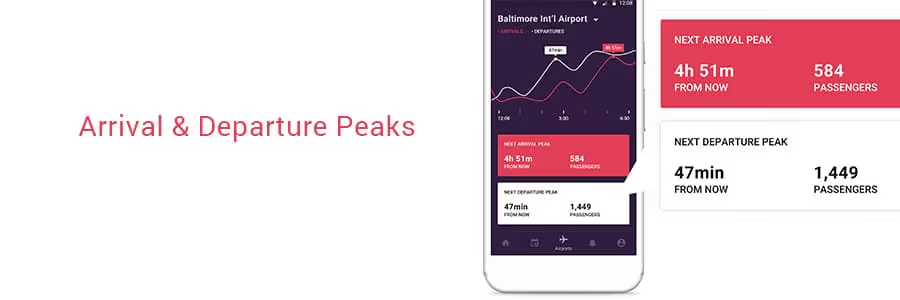
Gridwise has you covered when it comes to driving at the airport. You can use the app’s airport demand feature on its own to track airport traffic in real time. This feature gives you information about how many passengers will be arriving at any given time. The information on departure and arrival peaks is super helpful because it keeps the guesswork out of how much time you should dedicate to driving.
With real-time alerts, you learn about changes to flight schedules at Pittsburgh International as they come. Rather than having to keep tabs on individual airlines and flights, Gridwise becomes your one-stop shop for airport-specific information. The app gives you an indicator if any major changes occur with rider demand. With this information, you won't waste a trip to the airport chasing down fares only to find out flights are delayed. In the same vein, when delays and changes cause driver supply to be too low, Gridwise sends you an alert letting you know where the money making opportunities lie.
Events
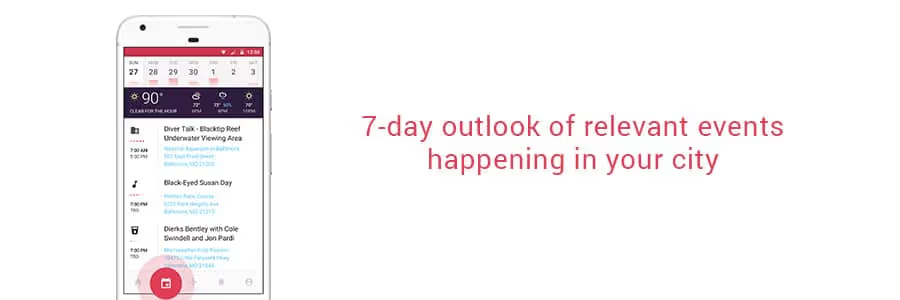
Driving for Pittsburgh events can be hectic, stressful and at times painfully slow. Congestion on the North Shore is heavily gameday dependent, changing from free-flowing to stop-and-go as early as 2 hours before the Steelers kickoff and as late as 2 hours after the final buzzer. For downtown events, the roads become backed up during the week from commuters and event goers alike. You could potentially make a lot of money from surge pricing, but what if you could avoid wasting time in the congestion?
Real-time alerts come in handy for coordinating around event driving. Rideshare drivers who specialize in going to and from local Pittsburgh events may know the congestion patterns pretty well through experience. However, if a game is going into overtime or is experiencing weather delays, Gridwise lets you know as it’s happening. This gives you the freedom to fit in an extra ride or 2 before you make your way to the event destination. When something lets out ahead of time, you’ll know when to rush over to the event for the surge pricing.
Road Conditions
Pittsburgh weather is at times unpredictable. Regardless of what the weather report says earlier in the morning when you first check, the weather can change dramatically as the day goes by. It can be beautiful and sunny one hour, change over to gloomy and cold for 30 minutes, come back to being nice for a moment and revert back to an ugly storm for the rest of the evening. As a Pittsburgh driver, your whole plan for the day could be disrupted by a flash flood or snow on the streets.
That’s where Gridwise offers an advantage. In order to prevent unproductive driving and to keep rideshare drivers safe, Gridwise sends you a notice telling you where and when the weather has impacted road conditions. You can know to tread carefully along these streets, or simply avoid them if your travel routes allow it.
Traffic
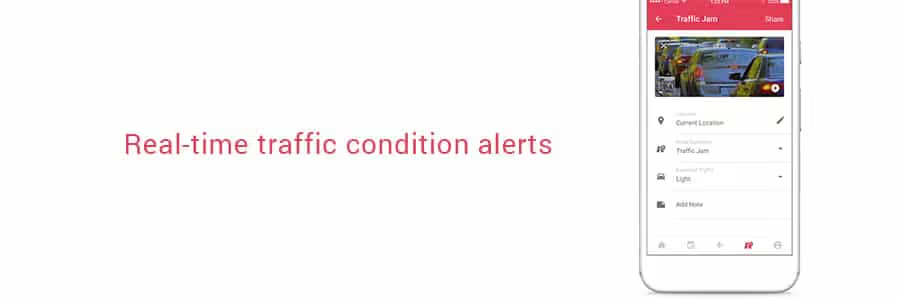
As a rideshare driver in Pittsburgh, you know what it means to sit in traffic for too long. Even if you know the general traffic patterns (i.e. heavy traffic on the Liberty Bridge during the morning rush or I-376 backing up before the Squirrel Hill Tunnel during evening rush hour), an accident can change everything. You end up with your time sucked up in traffic for much too long, where a simple change in route could have helped you avoid the congestion altogether. Gridwise alerts you when an accident has occurred on major roads, giving you the chance to plan an alternate route ahead of time. You could spend considerably less time stuck in traffic, and way more time making drives to earn more money.
Click here to download the Gridwise mobile app and start optimizing your driver potential

Top 6 Rideshare Services that Drivers are Using (and Why)
Check out our updated version of this blog post: Top Rideshare Services That Drivers Use and Why
The marketplace for rideshare services is fragmented. As a potential rideshare driver in 2009, your options were relatively limited because they mostly didn’t yet exist. The more normalized the app-based ride sharing trend became, the more transportation network companies (TNCs) began to appear in the tech sector.
There are, of course, key players that have dominated the ride hailing economy since the industry’s start-up and beyond. In order to weave through the best of them, let’s examine the top rideshare services and why the drivers are choosing these platforms.
Uber
Uber is by and large the most popular and widespread rideshare service. It was the first contender in the market, and has been working to disrupt a system that hadn’t seen any major changes since the 1930s. With brand recognition and a host of premium vehicle choices, full-time and part-time drivers sign up to drive for Uber for the options it creates.
Drivers are also attracted to Uber for its large user base. Many drivers who use rideshare apps maintain Uber as an option. The rideshare industry is slowly outmatching taxi services with the number of active drivers, with no small part of that due to Uber. The demand for Uber rides is highest in cities, but the company continues to grow and the market continues to expand.
Lyft
Lyft is Uber’s fiercest competitor. Although its user base is smaller, Lyft can be just as useful to have in your driver’s arsenal as Uber. Maybe you won’t be getting back-to-back pings, but there is still significance to having Lyft. Many drivers even prefer using this service over the other competition.
For one, it can be less overwhelming to the rookie driver. You can turn the app on and pick up passengers at a more leisurely rate, giving you time to take breaks and hone your driving practices. The sign-up bonuses vary from city to city, but Lyft (as well as most other rideshare services) does reward you for starting an account with them. There’s a lump sum after you’ve made your first 25-100 rides, but the benefits don’t stop there. Riders are allowed to tip you through the app on Lyft, and the express pay option gives you the chance to deposit the money you’ve earned on the same day.
Via
Via is about actually sharing rides. At only $5 for shared rides in premium vehicles, it may seem as though the money for drivers isn’t there. However, Via automatically gives you a 5-20% boost in pay for accepting other riders along your route, depending on how many passengers you pick up and how many “matches” you obtain. They operate in spaces where there is a lot of driver demand, putting fewer miles on your vehicle and eliminating the need for long-distance trips. The low 10% commission doesn’t hurt your wallet as much as Uber and Lyft, either. You’ll likely develop regulars and be able to build a relationship with your passengers. Since you typically work during commuter hours, your passengers are also easier to handle than night-time riders.
Gett
Gett’s major claim to fame is its worldwide accessibility. They’re dedicated to reducing harmful emissions in the the atmosphere through minimizing wasted time between fares. With the recent acquisition of Juno, a New York City-based ride hailing app whose driver-friendly culture gave Uber and Lyft a run for their money, the Volkswagen-backed Gett is set to make a huge impact on the rideshare economy.
Gett is currently available in many European cities, but has expanded to New York City and plans to take its business to other American cities. You need a higher level of driving expertise to be considered as a Gett driver, but the benefits rack up soon afterward. Sedans get $0.70/min net plus tip where SUV’s get about $0.85/min. With that and generous referral bonuses, the money you make is substantially higher with Gett than with driving for Uber or Lyft.
Curb
Curb is bringing professional taxi drivers into the 21st century. Rather than isolate CDL drivers from the ramp up of the rideshare economy, it caters to the long-time driving professionals. Passengers can hail yellow cabs in advance, and they can be tracked easily through the app. You as a taxi driver are fully covered under insurance and are paid based on how long the meter is running. Since your drives are metered, it’s easy enough to take detours at the passenger’s request. There’s no surge pricing option, but the fares are slightly higher and there’s a service fee up front to help recover costs.
Ztrip
Z-trip is an app-based taxi service that allows for customizable pickup options, sedan or professional vehicle options and up-front pricing. They are in over 30 cities operating with either a city-wide or airport only presence. It lets pre-existing taxicab drivers work through ride hailing and is available in many major cities throughout the US. Drivers can either use the Yellow Z service, which allows them to use their own car or they can lease a Ztrip car to prevent wear and tear on their personal vehicles.
Honorable Mentions
Summon gives you all of the benefits and amenities of driving for other rideshare companies, but has no surge pricing. Instead, it has flat rates for busy times with heavy congestion such as events and rush hour.
Bridj is an amped-up version of Via. Instead of a large host of SUVs and sedans for transporting multiple passengers, Bridj operates mass-transit 14-seat luxury shuttles complete with Wi-Fi. Average pickup times are under 10 minutes, and you make a guaranteed $15 per hour as an employee rather than a contractor.
Have any more rideshare apps you find useful as a driver? Let us know in the comments!
You might enjoy these articles too!
Where Should a Full-Time Rideshare Driver Live in DC
Realistically, the answer to this question is “anywhere in DC.” You are mobile as a rideshare driver; you can be anywhere you need to be given enough time. There are neighborhoods and locales, however, that might be more beneficial to live in depending on your needs. Every rideshare driver is different, with their own unique idea for an ideal living space. Whether it’s providing for a family or sustaining your DC socialite lifestyle, you need to choose the best place to start your driving. Proximity to your work eliminates some commuter hassle, but what if you’re the one providing the commutes?
All things considered, what are the best places to live if you work as a full-time rideshare driver in DC?
Deanwood
This is one of the least expensive neighborhoods in Washington DC and a real up-and-comer. Deanwood is a two-square-mile neighborhood is host to many single-story households in the northeast corner of the city. It has a quaint feel, with all of the amenities of the city without all of the hustle and bustle. Drivers could live here with relative ease, and even buy a home on the cheap. You can pick up passengers going to and from the eastern Maryland suburbs, as well as provide rides throughout the city with a short commute.
Columbia Heights
Columbia Heights is the bang-for-your-buck neighborhood in DC. It’s still somewhat affordable (compared with other rapidly up-and-coming neighborhoods) and full of young folks. The neighborhood oozes personality, and is often lauded as DC’s most diverse neighborhood. It’s central to many of the most vibrant neighborhoods in the capital, so you can count on a higher driver demand during the evenings. During the day, people are looking to go to the monuments and see the cultural sites nearby. All in all, consider living here if you’d like to stay close to all of the action.
Capitol Hill
On the other end, for those of you who aren’t sweating the living/parking expenses too much, staying in Capitol Hill may be the move for you. It’s still pretty residential like Deanwood, but that’s where the similarities end really. The historic neighborhood is full of high-profile congressmen. There are also plenty of recent college grads, small families and that make this place a prime location to pick up clientele. Since the neighborhood is full of historic icons, tourists flock to Capitol Hill. The nearby Eastern Market is also a popular spot for fresh produce, so you’ll attract a lot of riders who are shopping. If you’re looking to cash in on high driver demand, then this is a sweet spot.
Del Rey, VA
This neighborhood in Aletxandria is well-known for it’s small town feel with big city surroundings. Del Rey works well for the drivers who wish to be around for all of the action but can’t stand the noise and business of it all. Many of the residents bike to work, so it may not be an ideal place to actually pick up rides. Instead, this is for the drivers with families who would still like to live central to DC. Since you’re so close to the heart of downtown DC, however, it’s not a very far or congested commute to get in on the action.
Arlington, VA
Located across the Potomac river from Washington DC, Arlington has become a diversity hub for millennials and families. It’s right next to the capital, which makes it a very popular (and expensive) place to live. It’s trendy restaurants, thriving bar culture and airport proximity also make it a prime location for rideshare drivers. Traffic in and around Arlington can be a mess, though. The Woodrow Wilson Bridge, which takes you across state lines into DC, backs up consistently. Try to keep the majority of your drives during off hours, where demand is still high but trip duration is shorter.
Silver Spring, MD
For drivers who are looking to pick up Maryland suburb commutes, this is the place to be. It’s vibrant, diverse and affordable. Silver Spring is cheaper than living in DC proper, and parking your vehicle isn't as much of a pain. Your range of customers is all over the place, from students attending Howard University to families to yuppies getting to the metro. You can still go to DC and pick up fares in the city proper, but without many of the associated expenses.
Vienna, VA
For those of you who choose to accept airport trips, you may want to consider living closer to the airports if possible. Vienna is a good halfway point between the Dulles International Airport and the capital. It’s a mixed income neighborhood, with plenty of amenities without losing the standard of easy living. You’ll get a healthy amount of commuters who are trying to get to the city and its surrounding neighborhoods if you choose to go that route.
Are you a new DC driver and looking for a place to live? Let us know if this guide was helpful in the comments section!
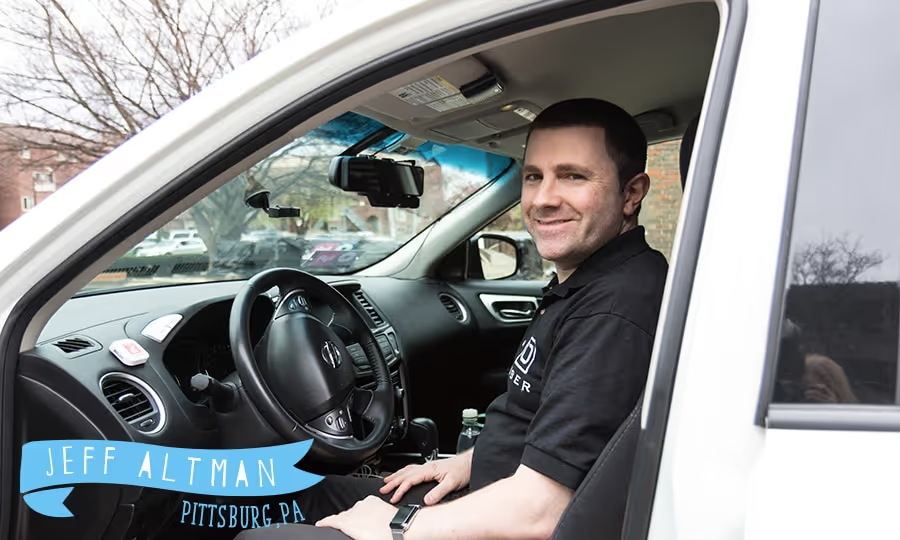
Through the Lens of Pittsburgh Rideshare Drivers - Jeff Altman
Background
Name: Jeff Altman
Driving for: 6 months
TNC Services: Uber (X and XL) and Lyft
Driving Commitment: Full-time (40-50 hrs/week)
Important Metrics: “I base my driving mainly off of earnings. In order to pay the bills, I usually have to put in at least 40 hours.”
Don’t drive for Uber yet? By signing up through Jeff you will earn a driving bonus after completing the required trips-- in addition to Pittsburgh's median earnings per hour of $18.80.

Experience and Strategy
What are some strategies you try to use?
I was experimenting at first with different strategies - working late and working long hours. Lately, I’ve been focusing on early mornings for rush hour, late afternoon and early evening. This is mainly for during the week/ during the weekends, I drive pretty much anytime. Of course, evening and bar closing are the busiest. To be honest, I’ve been trying to avoid bar closing hours a bit and instead focus on [fares] during the day.
The areas I drive are pretty much wherever [Uber] takes me. I live in East Liberty, so a lot of times I’ll start there. It’ll sometimes even surge in the mornings right outside of my apartment, which is nice because I can usually get a ride from there. I do a lot of drives in Oakland and just around town, but sometimes Uber or Lyft will take me out to the airport. It can even take me as far as Whitehall sometimes.
What’s the longest drive you’ve had to make?
I haven’t really gone too far; I haven’t really been driving for too long. The farthest I’ve gone is Pittsburgh to Cranberry or the airport. Sometimes I go to the south of Pittsburgh, like around Bridgeville or Crafton. I haven’t gotten anything like 3 or 4 hours long or anything like that.
When it takes you out to someplace random, do you usually try to get back to an area of focus?
When I started, I would stress a lot about being in [high demand] areas and trying to catch surges. Lately, I’ve been taking fares in a little bit more of a relaxed way. A lot of times, if I end up somewhere random, I’ll maybe just turn off the car and rest for a few minutes while I’m waiting for a ping. Then if I still don’t get anything, then I’ll head back in toward town. It really just depends on the situation and how long I’ve been driving.
Would you say you follow general trends for different times of day?
During the week, the afternoons in town aren’t really busy. Thursdays and Fridays are better than Monday-Wednesday, but I still think the weekends are better for afternoons. Sometimes I’ll even go home for a couple of hours to relax before going back out. I’ll usually start a little early, like 6 or 6:30 in the morning when all of the surges begin. Ideally, I’d like to start a bit earlier than that, but I tend to sleep in.
Are you on your own when you’re working, or are you a part of a driver group?
I have done some participation in driver groups, but then I took a few weeks when I wasn’t driving at all. I do have a couple of friends who drive; sometimes I’ll text them, but I haven’t done that lately.
I was in a group on Zello for a while. I’m thinking about getting back into that. Drivers will get on there, and mention the things that they’re seeing if there’s an accident on the road or something. Some of them will get on and just briefly say where they’re doing pickup and where they’re headed. I think that’s pretty helpful because otherwise, you’re in a vacuum. It’s better to know what’s going on from other drivers.
Pittsburgh Driver Resources
Do you use Gridwise?
Yes. I found out, I believe, on Facebook through one of the posts on a Pittsburgh [rideshare driver] group.
What Gridwise features do you use most at this time?
Right now I get the text alerts for when the games are getting close to over and stuff like that. I get the emails, and I’ll usually look through them to put events on my calendar. I’m looking forward to receiving more stats for when I do go out to the Airport. I want to have that sort of real-time information.
The text alerts are helpful. I like getting reminders that the game’s about to end or if it’s going into overtime. It’s also great for knowing when concerts are getting out.
Any other resources that you use?
[Rideshare driving] is kind of a process of trial and error, but I’ve learned too from other drivers. The one guy in Atlanta, who runs The Simple Driver. I find that he has a lot of very detailed videos and such on his website, so I learn a lot from them. I also use a bunch of other resources, of course, but I like how detail-oriented The Simple Driver is.
Do you have an interesting story share as a driver? Reach out to us at info@gridwise.io and share it!
How To Be a More Profitable Rideshare Driver
Let’s face it: as much as you may be interested in working as a professional driver, you’re also doing it for the money. Whether you’re a casual rideshare driver or consider it your full-time career, you’re working for an income.
Not all driving hours are created equal. Whatever the actual number of hours you put into this work, there will no doubt be some wasted time (and wasted money). In order to become a more profitable rideshare driver, consider a few of these tips to get you started:
Use the Tools Available at Your Fingertips
There are plenty of tools and apps out in the ether that can be used to minimize wasted driving. Resources like rideshare video training courses are chock full of proven techniques that will maximize your rideshare profits and make every mile you drive count. Scour the internet and see what resources make sense for your driving experience.
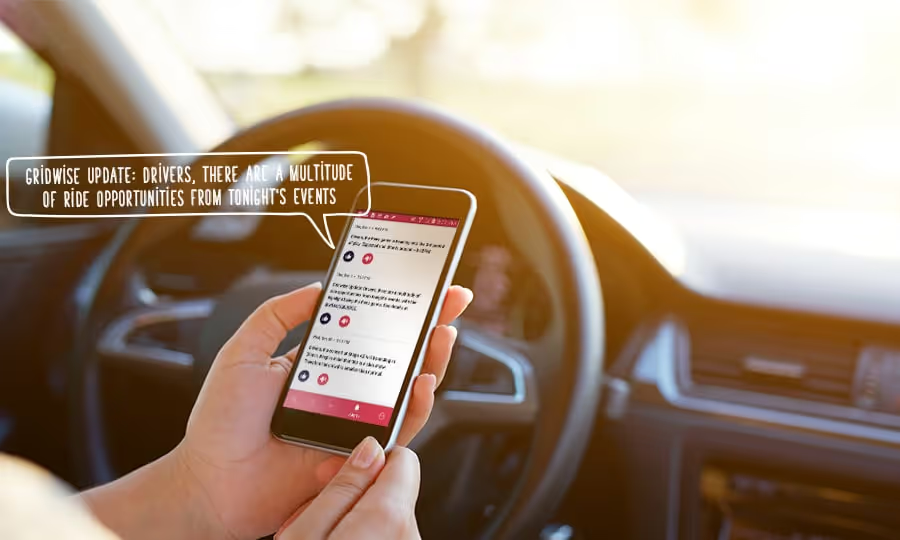
The Gridwise mobile app can be used to gauge driver demand at airports and give you real-time updates on pertinent events. Using Gridwise, you not only have access to the right info, but you also have it all displayed in a convenient fashion. You can even manage multiple rideshare driver apps at once with the Gridwise driver taskbar. That sort of readily available information gives you the ability to map out your rides in a way that makes sense for your schedule and for your pocket.
It’s the Little Things
Higher driver ratings mean more potential passengers. Aside from the negative impact on your driver account from poor ratings, riders are more likely to pick the option with the higher star count when given a choice. It’s basic survival of the fittest; the best service providers thrive while the lower-tier drivers (ratings below 4.5/5.0 are potential red flags for Uber) can get kicked off the system.
It’s not enough to just get the passenger from point A to point B. Try having a case of small water bottles or a few individually packaged snacks available for your customers. Play some cool music that makes sense for your audience (unless the rider specifically requests silence or something different). Clean out your car and dust your dashboard frequently. Cosmetics really do help bring in the extra cash!
Have a Plan to Maximize Your Time
This may seem obvious, but don’t drive around aimlessly looking for passengers. It increases your costs because you’re wasting gas and adding wear and tear to your vehicle. Work at minimizing unnecessary costs in order to increase your overall profits.
Plan ahead for the week. Go as far as planning day-to-day if you can. Give yourself the chance to be as efficient a driver as humanly possible. The more awareness you have of what’s happening in your driving areas, the better prepared you are to go into the areas that your passengers may take you. Being well-informed is your key to success.
Know Where the Surges Will Occur and When
Surges occur when there is a high demand for drivers, but the supply of drivers in that area is low. The price of the trip is then multiplied according to the estimated waiting time for a car. The results: drivers are incentivized to hit the road during the times with the highest multipliers.
Driving during these peak times always means you get more money per trip than you would receive without the surges. The multipliers do vary, and they change frequently as driver supply and demand fluctuates. It may not always be worth it for you to go the extra mile (literally) just to pick up a few extra cents on a small drive. Be methodical about your driving schedule to have surge pricing work out in your wallet’s favor.
Open Yourself Up to Rideshare Variety
“Uber” and “Lyft” have essentially become verbs. Riders will often have arguments about whether they are “lyfting” or “ubering” to their destinations. As rideshare technologies from various TNCs penetrate the mainstream, multiple ride-hailing options are now common in metropolitan areas. Although Uber still controls the majority of the rideshare market in most cities, Lyft has slowly been creeping in on their territory. In certain cities, like San Francisco and L.A., Lyft rides make up more than 40% of the ride-sharing market by volume. Other TNCs, like Gett and Curb, have also been making a market impact.
Rideshare passengers can be biased toward one TNC rather than another one. Some have no preference on the actual service provider but are instead more concerned with pricing or how fast the vehicle will arrive for pickup. As a driver, you could potentially increase profitable ride opportunities if you drive with more than one service. It opens you up to getting more pings, and sometimes even rewards you with some referral incentives.
Were these tips helpful to you? Let us know in the comments section!

3 Tips for Maneuvering Through Pittsburgh Roads
The city of Pittsburgh isn’t known for its perfect infrastructure. That’s because the problems with the city’s roads, power grids, and structures border on terrifying. Many of the systems and roads in place are extremely old, dating as far back as the early 20th century. This city of bridges, with 446 total within city limits, has at least 20 of those bridges labeled as “structurally deficient. One of the most iconic bridges, The Liberty Bridge, which carries an estimated 54,000 vehicles each day, is in a frequent state of disrepair. For drivers coming in and out of the city through the Liberty Tunnel, this means delays and congestion are almost guaranteed.
This is just the tip of the proverbial iceberg for Pittsburgh infrastructure. To be a rideshare driver in this city, you need to be able to maneuver through the best and the worst of roads. To help you overcome some of the anxieties of driving on Pittsburgh roads, here are some thoughts and suggestions:
Avoid Potholes Like a Pro
Potholes are everywhere and in every city. Although they’re not specific to Pittsburgh, they’re especially dangerous here. This has become such a problem over time that the current mayor Bill Peduto began implementing pothole blitzes to organize damage control. As a rideshare driver, you want to minimize any potential damage to your vehicle by properly navigating through potholes. Not only does this reduce costs, but it also helps maintain a smooth, comfortable ride for passengers (and higher ratings for you).
If you cannot avoid the heavily pothole-ridden roads, AAA suggests the following to best drive through them:
- Pay attention to how traffic behaves in front of you. If cars are slowing down, moving quickly, or switching lanes, then there’s a chance that something is hazardous ahead on the road.
- Be careful when there’s snow, ice or water on the ground. They could be hiding a giant pothole.
- Don’t swerve! Approach the road damage calmly and make as few sudden movements as possible.
- Take it nice and slow to avoid sharp impact.
- Roll through the potholes with as little forward momentum as possible.
- Maintain optimal tire pressure.
The city doesn’t automatically know when there’s a pothole on the street. If you see road damage on a street that you frequently drive on for rideshare (or otherwise), report it. Call the City Public Works Department if the damage is local to Pittsburgh. Report potholes on major highways or state routes to PennDOT.
Deal with Cyclists (even the bad ones) the Right Way
It’s true that many folks who ride their bikes in Pittsburgh follow the law (as it should be). Just the same, there are a dangerous few who ride around with complete disregard for road safety. They ride through stop lights, weave in and out of traffic, and pass vehicles without a passing lane. As a rideshare driver, this behavior from cyclists can be either frustrating to deal with or potentially harmful to everyone’s safety.
The city of Pittsburgh is not yet equipped with proper bicycle infrastructure. Even when you’re dealing with competent and law-abiding cyclists, it’s important to understand the rules to be as safe as possible. When on the road with folks on bicycles:
- Don’t try to beat a forward-moving cyclist to a turn, especially if it means you’re cutting them off or changing lanes
- When passing a bicycle, leave at least 4 feet of clearance and reduce your driving speed
- It is okay (and legal) to drive on or past the center double yellow lines when passing a bicycle in order to give the required 4 feet of clearance. Just be mindful of the vehicles that are coming toward you and act safely
Make Sense of Traffic Conditions
Be mindful of the weather conditions throughout the city. As you likely already know, excess snow and freezing temperatures could cause the roads to become increasingly dangerous. Rain downpours could cause flooding and slippery roads. These weather-induced conditions can increase the risk of accidents among all vehicles on the road. Replace your tires regularly to decrease the risk of hydroplaning or sliding on black ice. Use snow tires if necessary when the roads are snowy or unplowed.
It’s important to drive carefully and be fully aware what the roads are like. Use local weather and news outlets during poor weather conditions to plan ahead as best you can for your day’s drives. It’ll prepare you to avoid as much headache as possible with accident traffic and congestion.
But dismal conditions don't have to mean dismal earnings! According to our data, Pittsburgh drivers are earning a median of $18.80/hour. Keep track of your trips and earnings in Gridwise, and use Gridwise as a centralized location for road alerts.
Using Gridwise-generated reports, rideshare drivers can learn about road conditions while on the go. That way, you can eliminate the risk of being blindsided while you’re on the job.
Have any other suggestions for driving on Pittsburgh roads? Let us know in the comments section
Trabaje de forma más inteligente. Gane más.
Ya sea que conduzcas, entregues o recojas turnos, Gridwise te ayuda a hacer un seguimiento de las ganancias, el kilometraje y el rendimiento para que puedas mantener el control de tu trabajo. Descarga la aplicación y toma las riendas hoy mismo.
