Here's what we cover:
6 Delivery Companies For Bicycle Delivery Jobs
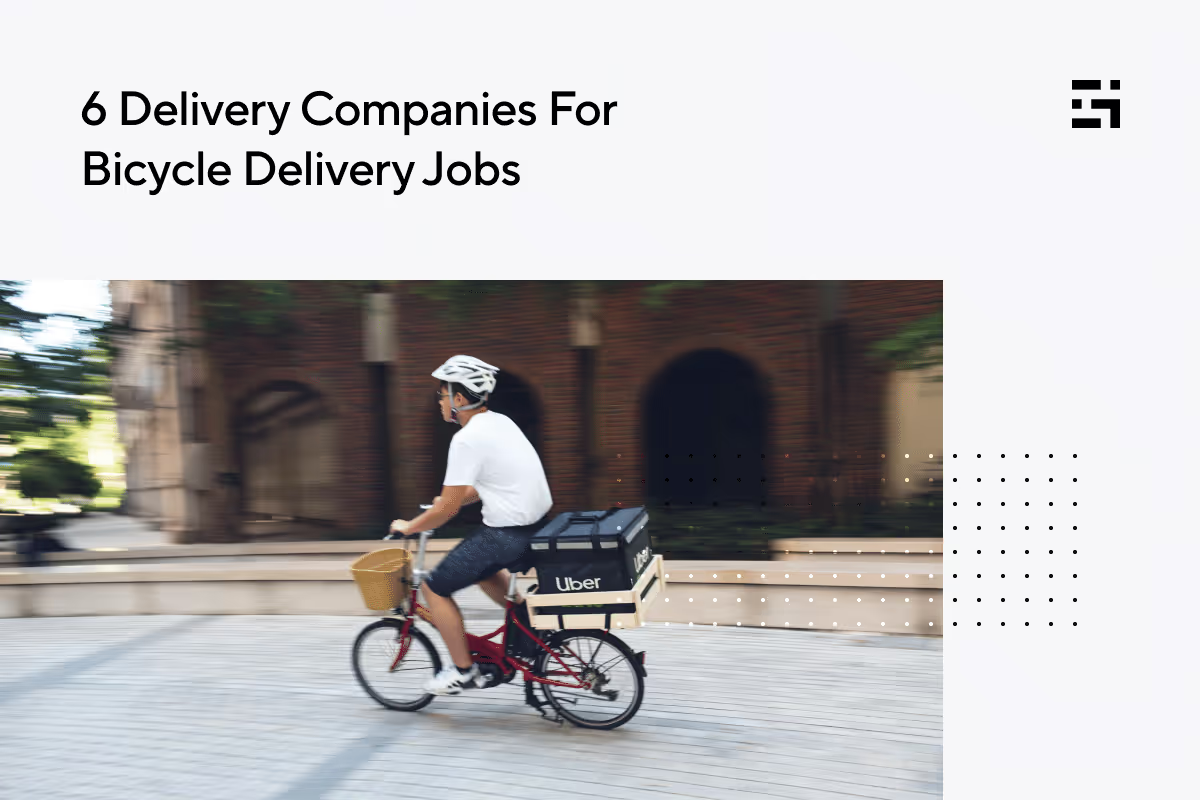
Food delivery can be a convenient, easy, and profitable way to earn money—but what if you don’t have a car? You can still stay in the game. Tons of delivery workers are mounting delivery bicycles and e-bikes to reap the rewards of these savory gigs! Bicycle delivery jobs have a lot to offer. They give you an environmentally friendly way to maneuver through densely populated cities, allow you to park in a snap, and exercise—while you make money. You avoid the responsibilities and expenses that come with owning and insuring a car, and best of all, you’ll never have to worry about the price of gas!
If you live in a place where bicycle delivery is practical, as it is in most major cities, you can work with a wide variety of apps.
[elementor-template id="20891"]
Uber Eats
Big-city customers love Uber Eats. With a 23% share of the delivery market, this service has plenty of work for bicycle riders. Download the Uber Driver app or use the website to apply, and. indicate that you will be delivering by bicycle.
If you’re at least 18 years old, can produce a government ID, and pass a background check, you’ll be able to start delivering just a few days after submitting your application. Are you already an Uber driver? Be sure to note that you’ll be using your bicycle for food delivery. Orders for car drivers could involve more distance than anyone would want to cover on a bike!
One big advantage of working with a huge company like Uber is the quality of the driver app. It’s flexible and easy to use. You can choose to accept shop and pay orders as well as deliver food, simply by selecting your preferences in the app.

Source: Uber Driver App
DoorDash
As the most popular food delivery service by far, DoorDash commands 67% of the food delivery market. Because the app is so widely used, DoorDash often has more delivery people than they need in certain areas. Some cities can have a waitlist, but it usually isn’t all that long. Most delivery people agree that DoorDash’s popularity makes it easy to earn with the app.
The company refers to its delivery people as Dashers, and it’s fairly simple to qualify to become one. Prove that you’re at least 18, upload a photo of a government-issued ID, and submit to a background screening. You can start delivering as soon as DoorDash notifies you that your application has been approved.
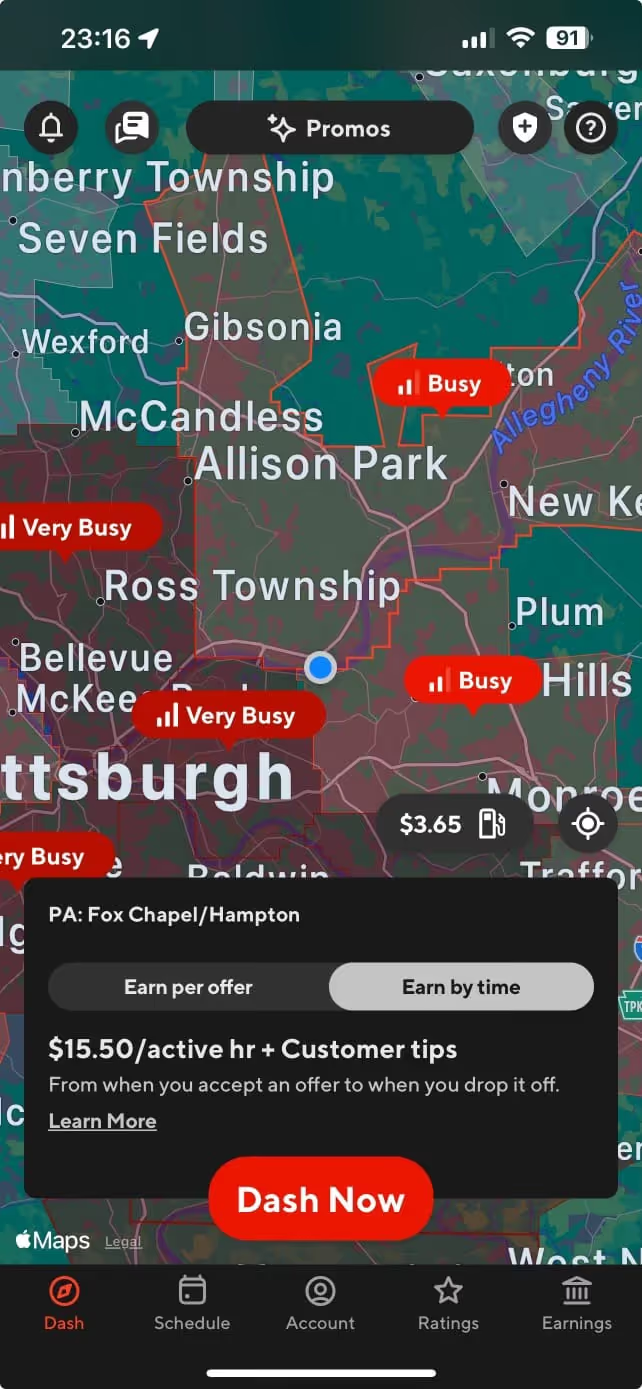
Bicycle food delivery is an option in most large cities. Check the map on the Dasher app to make sure it’s possible to deliver by bicycle where you live. Be selective about the orders you accept, though! DoorDash makes an effort to issue only those orders that can be easily transported by bicycle delivery people, but mistakes can be made. Without the proper gear, carrying a huge pizza or hot beverages could present a problem.
DoorDash offers discounts on e-bikes in some locations. You can receive price breaks to rent or buy one of your own. Riding an e-bike could increase your delivery range, allow you to dash for longer time periods, and boost your earnings. You and DoorDash win when you deliver on an e-bike.
Instacart
Shopping for groceries and delivering them can be rewarding, but with a bike, there are limitations. Specialized equipment is needed that would allow your bike to transport large and heavy items, which is likely to be more costly than it’s worth.
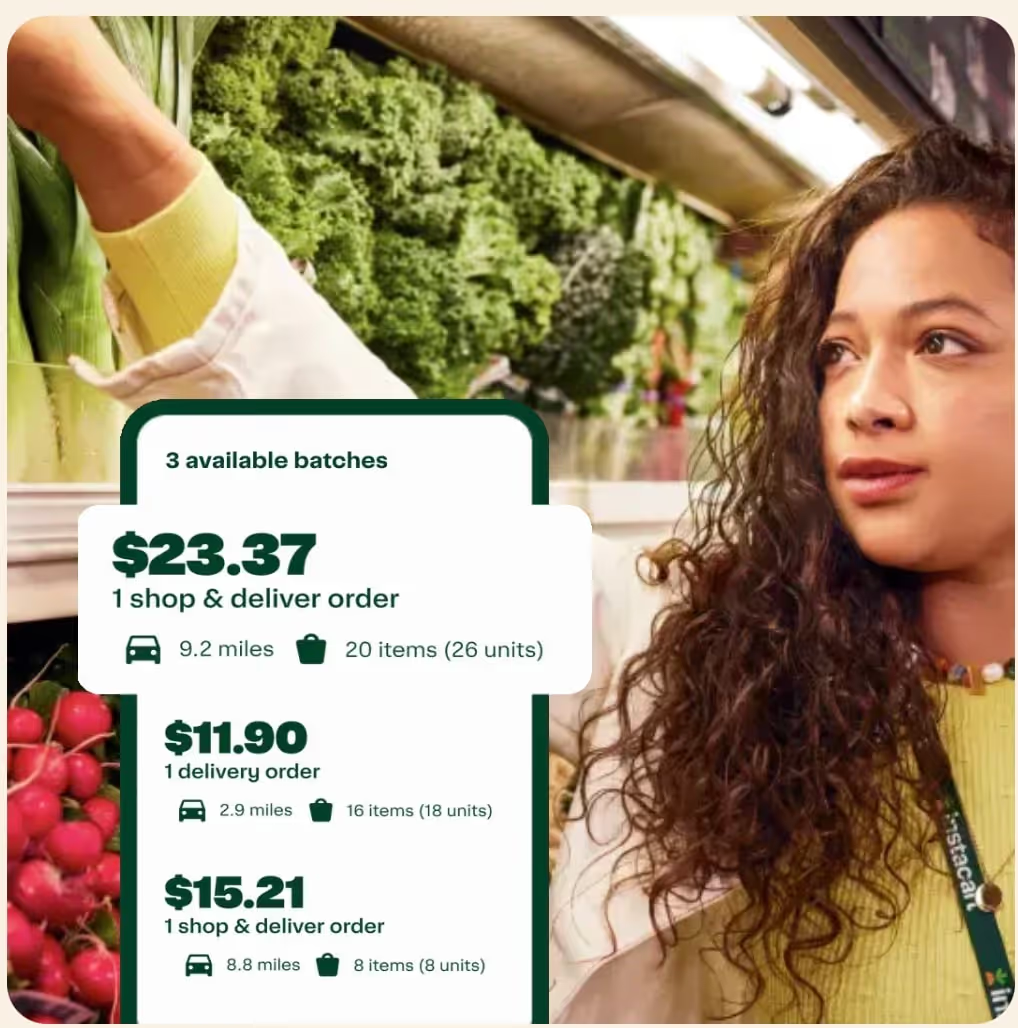
Instacart’s requirements for shoppers clearly state that you will need a car, and they do not officially allow delivery by non-motorized bike. If you were to try, you’d have to stick to smaller orders that can be handled on a pedal bike, and that can’t be easy! In 2022, Instacart stated they were open to allowing people to shop and deliver on e-bikes, but to this date, Instacart requirements stipulate the need for a car. The one exception is in New York City, where it is possible to deliver for Instacart on foot.
Another way for people without a car to create an Instacart side hustle is to work as an in-store shopper. Go to a partner store, receive orders on your phone, and choose the items needed to complete the orders, preparing them for delivery by a driver.
Source: shoppers.instacart.com
Grubhub
Bicycle delivery is a way of life for Grubhub gig workers in large urban areas. Prepared food is Grubhub’s specialty, and although the company only holds an 8% share of the delivery market these days, it’s still hanging in there. Cities such as Chicago and New York are Grubhub’s biggest fans, and let’s face it, they are really big markets.
The Grubhub bicycle delivery gig is a good bet in those two cities and is available in other select areas, as well. If your city’s market allows bicycle delivery, it will pop up in the app when you sign up. Grubhub is more likely to be looking for drivers than other prepared food delivery platforms, most notably, DoorDash.
Meet Grubhub requirements by being 18 or older, except in Las Vegas, where you must be 21. Provide your social security number, have a checking account available for direct deposit, and own a current model smartphone. Grubhub might not be the biggest player in the food delivery game, but if you live in the right area, it could be one of the best bicycle delivery jobs.
Source: driver-support.grubhub.com
Gopuff
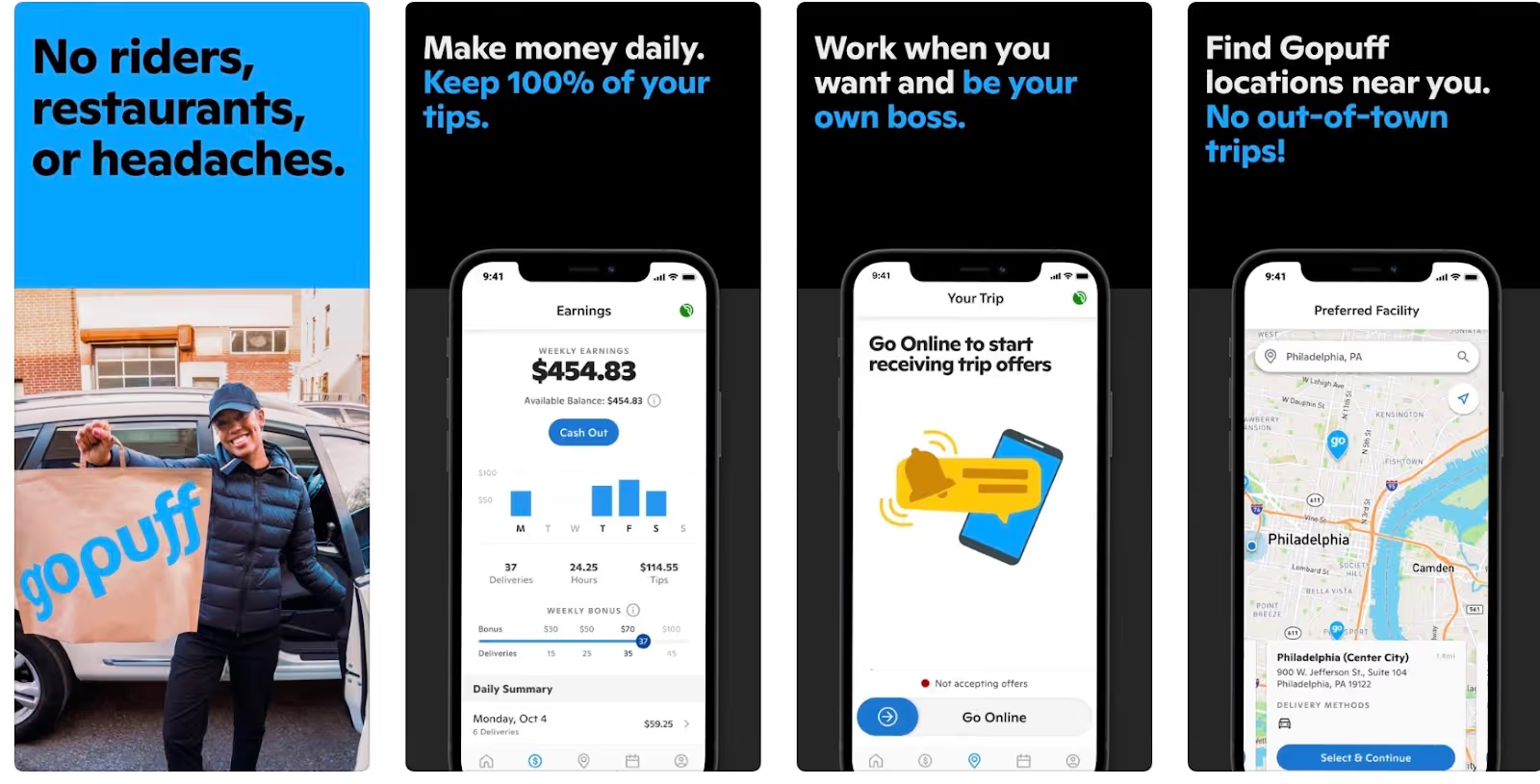
You don’t need a car to drive for Gopuff. This company operates by procuring convenience items for customers in their hub stores. Delivery people pick up the orders and deliver them, often without a car. Many Gopuff delivery people use electric or gas-motorized bikes, and, in some densely populated areas, you can use a regular bicycle.
Gopuff is a very popular service for people who want to have snack foods, drinks, and alcohol delivered to them. You must be at least 21 to deliver for Gopuff, and in many areas, pass an alcohol delivery course, which is prepaid by the company. You’ll also need to present a driver’s license or state issued ID and clear their background check.
Popularity is a good thing for a delivery company, but it also might cause delays in your application. Gopuff limits the number of delivery people they use in a given area so there will be enough work to go around—also a good policy for a company to have. If you live in an urban area, and don’t mind a possible wait to be onboarded, Gopuff could be a very good fit for you.
Source: App Store
Getir
You’ve got to love a grocery delivery company that provides you with an e-bike and a smartphone to use for your gig. Getir is committed to making this job into more than a simple side hustle. Getir requires delivery people to commit 20–28 hours per week for part-time work, and 36–40 for full-time employment.
In addition to use of an e-bike and a company phone, riders receive a guaranteed wage per hour and some benefits. Team spirit is so big with Getir, it’s listed as a requirement as well as being 18 or older, able to work in the US, experienced riding an e-bike, and willing to represent the company’s values in the community.
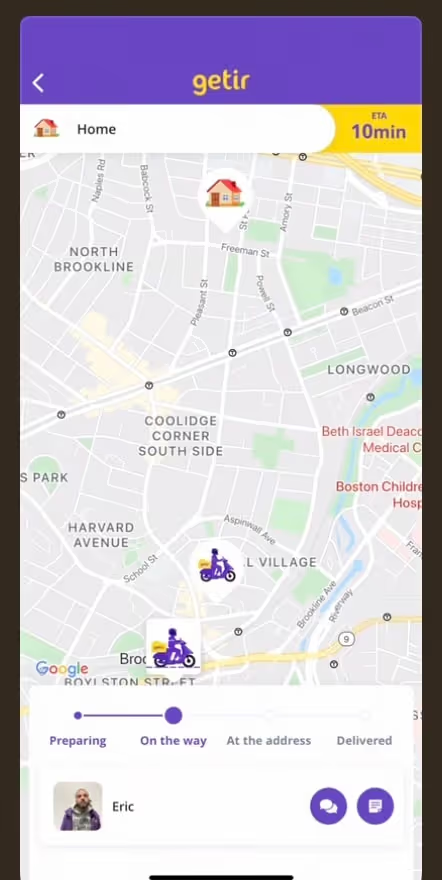
Fast deliveries—completed in as few as ten minutes—separate Getir from most other grocery delivery platforms. While this is a desirable feature for customers, it can be stressful, and even dangerous, for delivery people. Know before you sign up with Getir that you’ll have to move fast!
If riding around town and against the clock isn’t for you, you could work in a Getir store, selecting and packing goods to fill customers’ orders. The only traveling you’d need to do is to the store and back home. You’ll have to be speedy at picking and packing those items since the company is known for its efficiency, which will set you up for success.
Source: App store
Make any side hustle easier with Gridwise
Being your own boss has its perks, but there are responsibilities, too! Running a business can be daunting when you don’t know how to manage deductible expenses or how to report your earnings.
Benefits are another issue you’ll have to deal with as an independent contractor. Not many gig companies offer insurance or healthcare plans. Discounts and deals become more important when you’re running your own business, and you’ll want to use them to the max.
Where can you find a way to manage your earnings and expenses, get useful information to do better at your gig, and find affordable benefits and helpful deals that cut your bills? Gridwise does all these things and more.
Gridwise helps you
- track your earnings
- record expenses
- get connected with tax, financial, and legal advisors
- obtain no-cost and low-cost insurance and benefits
- grab up deals and discounts you need
You’ll also get updates on traffic, weather, and events that help you manage your time so you make the most money possible. When to Drive and Where to Drive features show you where the most activity is in your area at different times of the day.

Download Gridwise for free, or get Gridwise Plus to receive the full suite of features designed for gig workers, by gig workers!
[elementor-template id="21599"]
More about great delivery gigs:
Share article:
Related posts

Protect Your Uber Driver Earnings When Gas Prices Rise
It's Tuesday at 2pm in Jacksonville. Gas is $3.89. You're sitting in your car, app closed, trying to decide whether it's even worth going online. You just filled up for $68, and the math doesn't feel like it's working in your favor.
Here's what most drivers do next: they obsess over the pump price. They check GasBuddy. They drive an extra four miles to save seven cents per gallon. They post in driver forums asking if anyone else is getting killed out there.
None of that moves your uber driver earnings in a meaningful direction.
What actually moves the number is something different: not the price of gas, but the percentage of your hourly earnings that gas is consuming. Drivers who understand that distinction don't stop driving when prices spike. They adjust how they drive. There's a specific metric for this, and once you start tracking it, your whole relationship with the pump changes.
This post breaks down the Jacksonville approach: a practical playbook built around gas drag, smarter scheduling, and a few specific moves that lower your cost-per-mile without requiring you to find cheaper gas.
In this post:
- What gas drag is and how to calculate it for your own driving
- Why your working hours matter more than the price on the sign
- How to eliminate dead miles before they kill your margins
- The right way to evaluate long trips and avoid dead zones
- How to stack fuel programs without much effort
A Jacksonville-based driver breaks down the gas drag concept and how shifting your schedule — not hunting for cheaper gas — is what actually protects your take-home. The written breakdown below goes deeper on the math and the Jacksonville-specific strategy.
Gas Drag Is the Metric That Actually Measures Fuel's Impact on Your Earnings
Gas drag is the percentage of your hourly earnings consumed by fuel costs. That's the whole definition, and it changes everything about how you think about a $3.89 fill-up.
Here's a simple version of the math. Say gas costs you $12 per hour of driving. That's a rough estimate based on fuel consumption at typical rideshare speeds. If your uber driver earnings that hour come out to $18, your gas drag is around 67%. Most of that hour went to the gas station.
Now take the same $12 fuel cost in an hour where you earned $32 because you were working a Friday evening surge near the stadium. Gas drag drops to 37%. Same gas price. Same car. Completely different outcome.
That's why watching the pump price alone misses the point. A day with $4.20 gas but high demand and tight positioning can have lower gas drag than a day with $3.50 gas spent circling dead zones waiting for requests that never come. The fuel cost didn't change. Your earnings changed, and that's what you can actually control.
To calculate your own gas drag: take your average fuel spend per driving hour and divide it by your average earnings per hour. If you don't have those numbers handy, tracking your drives in the Gridwise app gives you a real earnings-per-hour figure across your platforms, which makes this calculation something you can actually run instead of estimate.
Your Uber Driver Earnings Per Hour Depend More on When You Drive Than How Much You Drive
Long hours at low-demand times produce a double loss: lower earnings per hour and the same (or higher) fuel cost per hour because stop-and-go traffic burns more gas than steady driving. The result is maximum gas drag.
The Jacksonville market has predictable high-demand windows: weekday mornings around the airport, evening surges Thursday through Saturday, and Sunday afternoon ride volume tied to flight schedules and events. Drivers who time their availability to those windows consistently earn more per hour than drivers who grind full days hoping volume shows up.
This is not about driving fewer hours for the sake of it. It's about being intentional with the hours you work. A four-hour block during an active evening surge produces better uber driver earnings per hour than eight hours that include a dead Tuesday afternoon. And when your earnings-per-hour goes up, your gas drag percentage goes down, even if the price at the pump stays exactly where it is.
Reviewing your earnings data week over week makes this more concrete. Look at which day-of-week and time-of-day windows consistently produce your highest earnings per hour. Drive those windows. Treat the slow windows as time you get back.
Dead Miles Are a Hidden Tax on Every Trip You Take
A dead mile is any mile you drive without a passenger or an active delivery. It costs fuel. It adds wear. It produces zero income. And it compounds: one 8-mile repositioning trip to a bad pickup area can require three or four decent rides just to break even on the fuel and time you spent getting there.
The Jacksonville geography makes this especially relevant. The airport queue generates solid fares, but the return trip from some destinations on the south side can leave you 12 miles from the next meaningful request. If your next ride doesn't generate enough to offset that positioning cost, the trip was profitable on paper and unprofitable in practice.
Before you accept a repositioning move, ask one question: is there a reason to believe the next request will come from where I'm going? If the answer is based on a hunch rather than what you know about demand patterns in that area, the dead miles probably aren't worth it. Staying near areas with consistent pickup volume, and not chasing isolated requests that pull you away from them, is one of the lowest-effort ways to lower your cost-per-mile without changing anything about how you drive.
Trips That End in Dead Zones Cost You Twice
A long trip looks attractive in the moment. The fare is high, the surge bonus pops, and the estimated earnings show up in the notification before you've decided to accept. What doesn't show up is where the trip ends and what that means for your next 20 minutes.
If a trip terminates in an area with low request density, you absorb the fuel cost of getting back to productive territory before you earn another dollar. That return cost doesn't appear anywhere in the ride's summary. It gets counted against whatever comes next, or gets lost entirely if you go offline and head home.
The way to evaluate a long trip is not just the fare. It's the fare minus the repositioning cost you'll likely pay after. A $28 trip that drops you 14 miles from anywhere useful may net out to less than a $19 trip that keeps you in a busy corridor.
This calculus shifts when a surge bonus is involved, or when you know from experience that the destination area generates its own requests at that time of day. A drop-off at the Jacksonville airport almost always produces a return trip or a short queue wait. A drop-off at a residential area 12 miles south of downtown almost never does. Knowing the difference before you accept is what separates drivers who manage gas drag from drivers who are managed by it.
Stack Fuel Programs to Lower Your Cost Per Mile Without Chasing Deals
Gas will never be free, but your effective cost per gallon can be meaningfully lower than the sticker price if you're using the programs available to you. The key word is "stack": using one program is fine, but using two or three together on the same fill-up is where the savings become significant.
The basic combination most Jacksonville drivers can access: a fuel rewards card tied to a grocery loyalty program (Publix BonusCash pairs with Shell, for example), a cash-back credit card with a fuel category bonus, and whatever current platform promotion is live. Uber Pro and Lyft Rewards both offer periodic fuel discounts or cash-back bonuses for drivers who hit activity thresholds. These programs run independently and can be combined with retail fuel rewards.
The practical ceiling for most drivers stacking two or three programs is somewhere in the range of 25 to 40 cents off per gallon. On a 12-gallon fill-up, that's $3 to $5 per tank. That's not transformational on a single fill, but across 52 weeks it's a meaningful reduction in your annual fuel spend, without requiring you to do anything differently except use the programs you've already qualified for.
One thing worth watching: some platform fuel programs include conditions that make them worth less than they appear at signup. Read what the per-gallon discount actually requires before building it into your projections.
Gas Prices Don't Beat Drivers Who Plan Their Week
The drivers who get hurt most when gas prices spike are the ones treating rideshare like a vending machine: insert hours, receive money. When fuel costs rise, that model breaks down fast because there's no feedback loop telling you which hours are actually productive.
The drivers who absorb fuel cost increases without much drama tend to be the ones who already know their numbers. They know their average earnings per hour on a Thursday night versus a Tuesday afternoon. They know which areas consistently produce back-to-back requests. They know which long trips are worth taking and which ones leave them stranded. That knowledge doesn't cost anything to develop. It just requires tracking what you actually earn, not what the completed trip summary says.
Gas drag is a useful concept because it turns a passive complaint ("gas is so expensive") into an active variable ("my gas drag is 42% and I want it under 30%"). Once you're thinking in those terms, the pump price becomes one input among several, not the headline number that makes or breaks your week.
Track your hours, know your windows, cut the dead miles, and evaluate long trips honestly. Gas prices will keep moving. Your earnings don't have to move with them.
Keep Reading
- How to Make $1,000 a Week With Uber
- UberX vs Uber Comfort vs Uber Black: Which Service Tier Pays More?
- Uber Driver Car Rental: What You Need to Know
Want to see your actual earnings per hour across platforms in one place? Download Gridwise free and track your real take-home, fuel spend, and mileage all in one dashboard, so you always know your gas drag before you go online.
Driver Pay in 2026: How to Benchmark Your Earnings and Drive Smarter
Rider prices per trip are up 9.6% this year. Driver pay per trip is up 3.6%. Those numbers come from the Gridwise Annual Gig Mobility Report -- and they're worth knowing, but not because of what they say about the industry. They're worth knowing because they give you a benchmark. If your per-trip earnings are up more than 3.6% in your market, you're outperforming the national average. If they're flat, you're falling behind it. That's the question worth asking.
Uber and Lyft give drivers consistent demand, built-in payment infrastructure, and a steady flow of riders without you having to find them yourself. Working those platforms well means knowing where your numbers stand and making deliberate decisions about when and where you drive.
Your trip receipts give you one side of that picture. The data you build over time gives you the other. Here's how to read both.
In this post:
- What your receipts show you and how to use them
- How to benchmark your numbers against the national average
- The three levers that actually move your earnings
- How Gridwise shows you where to focus your hours
A Gridwise driver walks through actual airport trip receipts -- a black ride and two XL runs -- and uses the numbers to think through what each trip was actually worth. The breakdown below adds the framework for how to apply that same thinking to your own data.
What Your Trip Receipts Actually Tell You
When you get paid on a trip, you see the upfront fare, any promotions applied to your side, and whatever the rider tipped. That's your side of the transaction -- and for benchmarking purposes, it's what matters, because your take-home is what determines whether a trip was worth your time.
The tip is your clearest signal for how the rider experienced the trip. Most riders tip 10 to 20% of their total. A $15 tip on an airport black ride tells you the passenger spent real money and valued the service. A $12 tip on an XL run tells you the same. That matters when you're deciding which trip types to prioritize.
Promotions on the driver side are part of your actual payout too. An $11.27 promo on a $42.67 XL fare brings your total for that trip to $53.94. Track the full number -- upfront fare plus promotions plus tip -- as your per-trip income. That's what goes into your hourly calculation, and per hour is the number worth watching.
The Benchmark That Actually Matters
The Gridwise Annual Gig Mobility Report puts national driver pay growth at 3.6% year-over-year. Your own number is what tells you whether your market and your driving pattern are performing above or below that.
If you drove similar hours this year as last and your per-trip average is flat, you're running below the national trend. If it's up 5 or 6%, you're ahead of it. Neither outcome is final -- it's information. And information is what lets you make a different decision next week than you made last week.
Rider prices in your market may be moving at a different rate than the national 9.6% average. Your city, the service tiers you focus on, and the hours you drive all shape what those numbers actually look like for you. National data gives you context. Your own trip history gives you the answer.
The Three Levers That Move Your Earnings
You can't set your own rates, but you're not without options. The variables that actually move your earnings are when you drive, where you drive, and which service tier you focus on.
When you drive determines what demand looks like. Morning airport runs in a business-travel market behave differently than weekend evening rides in a nightlife area. The earnings profile of each pattern varies by city and by season. National averages tell you the trend -- your own trip history tells you which pattern is working in your specific market right now.
Where you drive shapes the trip types that come to you. Positioning near an airport, a stadium, or a high-density neighborhood changes the mix of trips you see. Different zones carry different per-trip averages, and those averages shift based on time of day. Drivers who earn above the national average are usually the ones who have figured out which zone-and-time combinations consistently work in their area.
Which service tier you focus on changes the math on every single trip. Black and XL typically pay more per trip but require more vehicle investment. Standard is higher volume with smaller per-trip numbers. The right answer depends on your costs, your vehicle, and what demand looks like in your area at the times you drive.
How Gridwise Shows You Where to Focus
Gridwise tracks your real take-home per trip and per hour across all the platforms you drive for. That's the baseline -- you can see whether your numbers are trending up, flat, or down week over week without doing the math yourself.
The when-and-where data is where it gets more useful. Gridwise shows you which hours and zones are performing best in your market, so instead of guessing whether a Wednesday morning airport run beats a Friday night downtown loop, you can see it directly in your own trip history. Over time that pattern becomes a scheduling tool -- you put your hours where the math has consistently worked, and you stop guessing.
The national benchmarks from the Gridwise Annual Gig Mobility Report give you something to orient against. Your own Gridwise data shows you how your market compares. If your numbers are running flat while rider prices in your area are climbing, that's worth responding to -- a shift in hours, a different zone, a change in your service mix. The data gives you the information. What you do with it is yours to decide.
Your Numbers Are the Tool
The 3.6% national driver pay growth figure is useful context. But the number that determines how this year goes for you isn't the national average -- it's your per-trip average in your market on the days and in the zones you actually work.
Drivers who consistently earn above the trend aren't doing anything secret. They know which hours work in their area, which zones produce the trip types that fit their vehicle and service level, and they check their numbers often enough to know when something has shifted. That's a discipline worth building -- and it starts with tracking the right data.
Keep Reading
- How to Make $1,000 a Week with Uber
- UberX vs Uber Comfort vs Uber Black: Which Pays More?
- How to Make $1,000 a Week with Uber Eats
Want to see how your per-trip earnings compare to the national trends? Download Gridwise free and track your real take-home per trip and per hour across every platform you drive for.
Are Airport Queues Worth It for Rideshare Drivers in 2026?
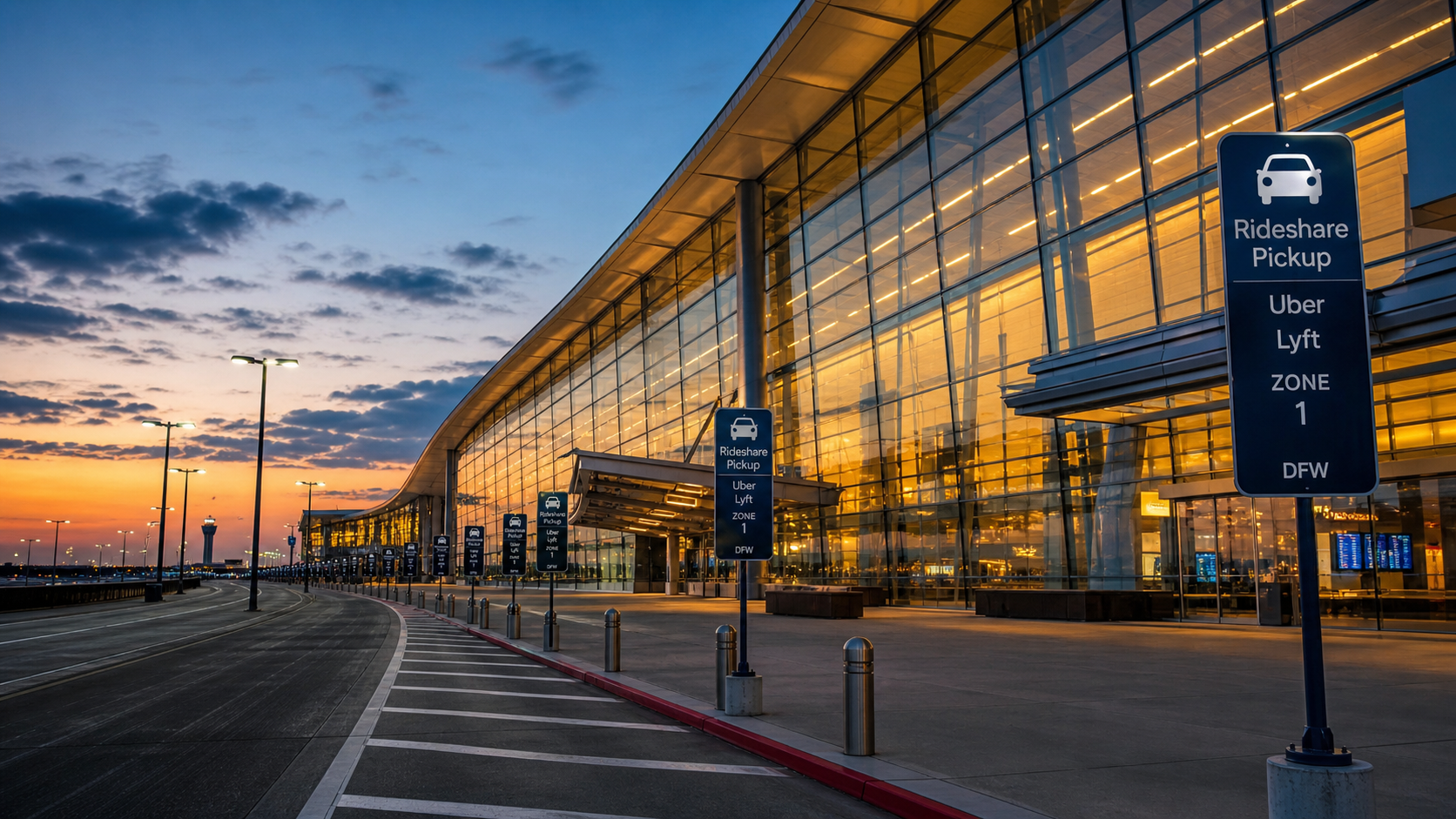
You pull into the waiting lot. There are 40 cars ahead of you. The Uber app says "short wait, high earnings." You settle in, check your phone, and wait. Twenty minutes pass. Then thirty. Then forty. When you finally get dispatched, it's one ride.
Was that worth it?
The honest answer depends on numbers the app isn't showing you. Wait time isn't free. Every minute parked in that lot is an unpaid minute. And when you stack enough of those minutes against the fare you eventually earn, the math can turn ugly fast. At a small airport like Jacksonville International with 40-50 cars in the queue, the calculation is already close. At a major hub like Miami, Orlando, or Atlanta, where 150-200 drivers are competing for the same rides, it can get worse.
That doesn't mean airport queues are always a bad play. Done right, with real flight data and an honest read on queue depth, they can deliver two solid hours of back-to-back airport pickups and a paycheck to match. The difference between a good airport session and a wasted afternoon comes down to knowing when to stay and knowing when to leave.
This post breaks down the real math on airport queues, what the apps are and aren't telling you, and how to use actual flight data to make smarter decisions every time you consider pulling into a waiting lot.
In this post:
- Why smaller airports can work better than major hubs for queue waits
- The real cost of unpaid wait time on your effective hourly rate
- What "short wait, high earnings" actually means (and what it doesn't)
- How $148 in two hours is possible and when it isn't
- Using flight arrival data to decide whether to stay or go
An active rideshare driver put Jacksonville International Airport's queue to a live test, showing real wait times, actual fares, and effective hourly earnings on screen. The written breakdown below goes deeper on the math and what to actually do with it.
Smaller Airports Give You a Better Shot at a Fast Turnaround
There's a reason a 50-car queue at Jacksonville hits differently than a 200-car queue at Hartsfield-Jackson. Queue depth is the single biggest variable in whether the wait is worth it.
At a smaller regional airport, flights arrive in clusters. When a wave lands, the queue moves fast. A well-timed session at Jacksonville can have you picking up, dropping off, circling back, and picking up again in rapid succession, with only a few minutes of unpaid downtime between rides. When it works, it works well. Two hours, multiple rides, steady fares: the kind of session that makes airport queues look like the obvious move.
At a major airport, the calculus flips. With 150-200 drivers competing for the same flights, the queue clears slower. More drivers are waiting per passenger. The odds that you're near the front when a big wave lands shrink. And the time you've already sunk into the lot is already eroding your hourly rate before you've earned a dollar.
This doesn't mean you should avoid major airports entirely. But it does mean the bar for "worth it" is higher there. You need a bigger wave, better timing, and a shorter queue to make the numbers work.
The App Only Pays You When You're Moving, and That Changes Everything
Here's the thing the queue never tells you: the app doesn't care how long you waited. It pays you from the moment you're dispatched to the moment you drop off. The 40 minutes you spent parked in the lot? That's your time, not Uber's problem.
This is why effective hourly rate matters more than fare size. A $25 airport ride sounds solid. But if you waited 45 minutes unpaid to get it, and the ride itself took 20 minutes, you just earned $25 across 65 minutes of your time. That's around $23 an hour before expenses. You can do better than that driving in most active markets without ever touching a waiting lot.
The math only works in your favor when rides come fast enough to keep your unpaid time low. A session where you pick up, drop off, return to the queue, and pick up again within a few minutes is a completely different equation than one where you sit for an hour, get one ride, and drive home. Both sessions might produce the same fare. Only one of them was worth your time.
Uber's "Short Wait, High Earnings" Push Is Designed to Fill the Lot, Not to Help You
The in-app notifications that push drivers toward airport queues are not neutral information. When Uber tells you "short wait, high earnings," it is trying to ensure there are enough drivers in the lot to fulfill incoming requests quickly. That's good for the platform. It's not always good for you.
In practice, those notifications can fire even when conditions aren't favorable. Flights might be delayed. The queue might be long. A notification that was accurate when it sent might be outdated by the time you arrive. The app has no way of knowing how long you'll actually wait. It just knows there's demand and not enough drivers nearby.
The live test at Jacksonville caught this directly: during one stretch, the app was showing short wait times while all incoming flights had been delayed for at least another hour. Drivers already in the lot had no way of knowing this from the app alone. The ones who checked real flight data knew to leave. The ones relying only on the app kept waiting.
What $148 in Two Hours Actually Looks Like, and When You Can Replicate It
The best airport sessions happen when you catch the right flight wave at the right time. At Jacksonville, a two-hour window from 3:00 to 5:00 p.m. produced $148 across multiple back-to-back pickups. The key was a large batch of arrivals in the early afternoon that kept the queue moving. Rides stacked on top of each other with minimal gaps between drop-off and the next dispatch.
That kind of session is real. But it's not guaranteed, and it requires conditions that don't always line up: a meaningful wave of arrivals, a manageable queue depth, and enough passengers ordering rides to clear the lot before it backs up again.
When those conditions are present, airport queues deliver. When flights are delayed, staggered, or the lot is oversaturated, the same amount of time spent working a busy nearby area, a downtown corridor, a stadium district, a dense neighborhood at peak hour, will often produce more. The question is always whether the airport represents the best use of your time right now, not whether airport rides are good in the abstract.
Use Flight Arrival Data to Decide When to Stay and When to Leave
The single most useful thing you can do before pulling into an airport lot is check real-time flight arrivals. Not what the app says. Not the airport's general reputation. Actual incoming flights, actual estimated arrival times, and a read on how many people are likely to be requesting rides in the next 20-30 minutes.
Gridwise shows airport arrivals and departures directly in the app, so you can see whether a real wave is incoming before you commit your time to the lot. If a cluster of flights is landing in the next 15 minutes with a manageable queue, that's a green light. If flights are delayed across the board and the queue is already backed up with drivers, that's your signal to work a different area.
The same logic applies once you're already in the lot. Set a hard time limit for yourself before you arrive: 20 minutes, 30 minutes, whatever your personal threshold is. If you hit that limit without a dispatch and the arrival data isn't improving, leave. The opportunity cost of staying is real and it compounds fast.
The Queue Pays When You Work It Smart
Airport queues aren't a guaranteed win or a guaranteed waste. They're a calculation, and the driver who does the math before pulling in is the one who comes out ahead. Smaller airports with manageable queue depths give you a real shot at back-to-back rides and a productive two-hour session. Major hubs with 150-200 drivers competing for the same arrivals flip those odds fast.
In-app notifications don't do that math for you. "Short wait, high earnings" is designed to fill the lot, not to tell you whether the wait will actually be worth it by the time you get dispatched. Every unpaid minute in the waiting lot counts against your real hourly rate, whether the app acknowledges it or not.
Check actual flight arrivals before you commit. Set a hard time limit before you even pull in. If a real wave is incoming and the queue is short, stay. If flights are delayed and drivers are stacking up, go find a better place to work. The data makes the call obvious — you just have to look at it before the waiting lot makes it for you.
Keep Reading
- How to Make $1,000 a Week with Uber
- UberX vs Uber Comfort vs Uber Black: Which Pays More?
- How Much Do Uber Black Drivers Make?
Want to see real-time flight arrivals at airports near you before you decide to wait? Download Gridwise free and get the data you need to make smarter decisions about where your time is actually worth the most.
Work smarter. Earn more.
Whether you drive, deliver, or pick up shifts — Gridwise helps you track earnings, mileage, and performance so you stay in control of your work. Download the app and take charge today.
