Blog de Gridwise
¡Lee el blog de Gridwise para obtener consejos y sugerencias sobre cómo ganar más dinero mientras conduces para Lyft, Uber, DoorDash, GrubHub y más!

The Gridwise Job Board: Find Your Ideal Job or Gig Work
Gridwise is an essential assistant app created by gig workers for gig workers. Our mission is to support those engaged in gig work in every way possible. We understand how challenging it can be to deal with income instability, a lack of benefits, and job insecurity that often comes with gig work. The Gridwise app tracks and organizes earnings and expenses, and offers a wide array of discounts, deals, and services that make the lives of independent contractors easier and more rewarding.
We firmly believe it’s possible to make a viable living and create a gig experience that offers flexible hours, variety, and excitement. With issues such as consistent earnings and job security in mind, Gridwise is proud to offer a centralized platform that shows you how to find gig work and secure reliable opportunities. We’re proud to introduce the Gridwise Job Board.
[elementor-template id="20891"]
The Gridwise Job Board: Key features
Because Gridwise is dedicated to serving the gig worker community, we’ve filled the Gridwise Job Board with useful features that won’t waste your precious time.
- Comprehensive listings. Find part-time, full-time, temporary, and per-task work. Drive or deliver with your vehicle, utilize an employer’s vehicle, or even find non-driving gig work.
- User-friendly interface. Find the jobs that are right for you with a tap of your screen.
- Verified opportunities. We vet the jobs before they are listed to ensure you’re getting high-quality job postings.
How to get more gig work, seasonal, part-time or full-time jobs with the Gridwise Job Board
Looking specifically for “gig work apps” or “gig jobs near me?” You’re in luck. Our filters and search functions send you directly to the listings you seek.
Here’s how it works.
- Access the Job Board via the Gridwise website.
- Search for jobs by type, location, and more.
- Select the job that interests you, and read all about it.
- Scroll through the description, and if it appeals to you, click “Apply for job.”
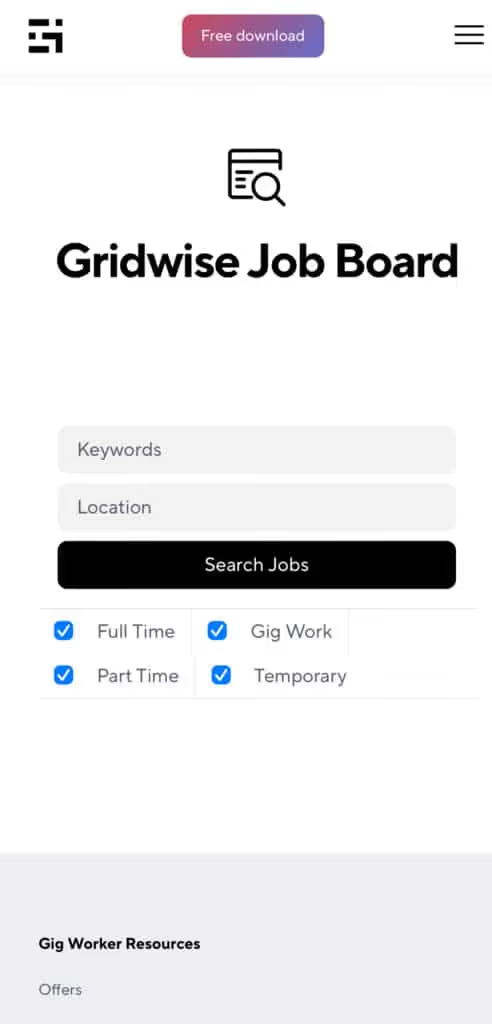
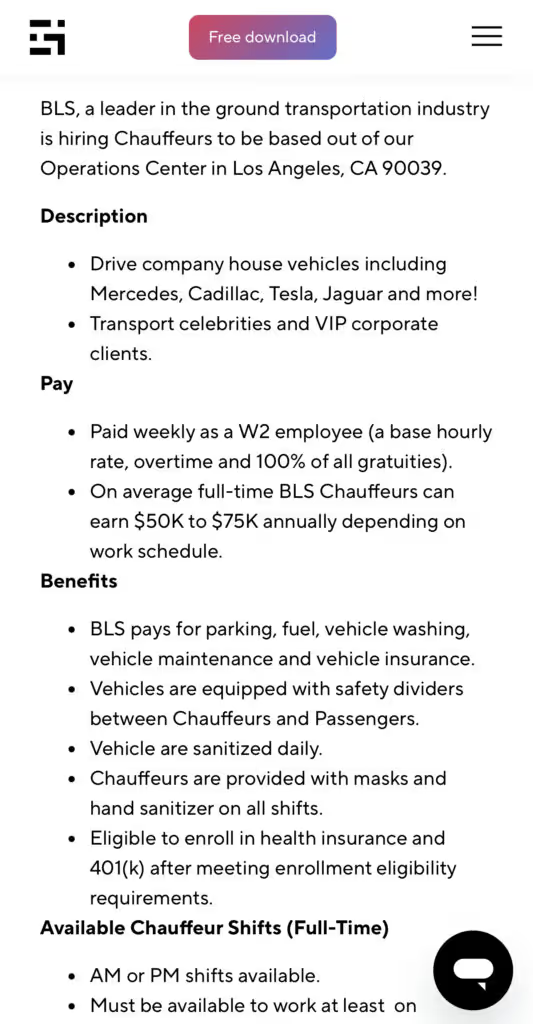
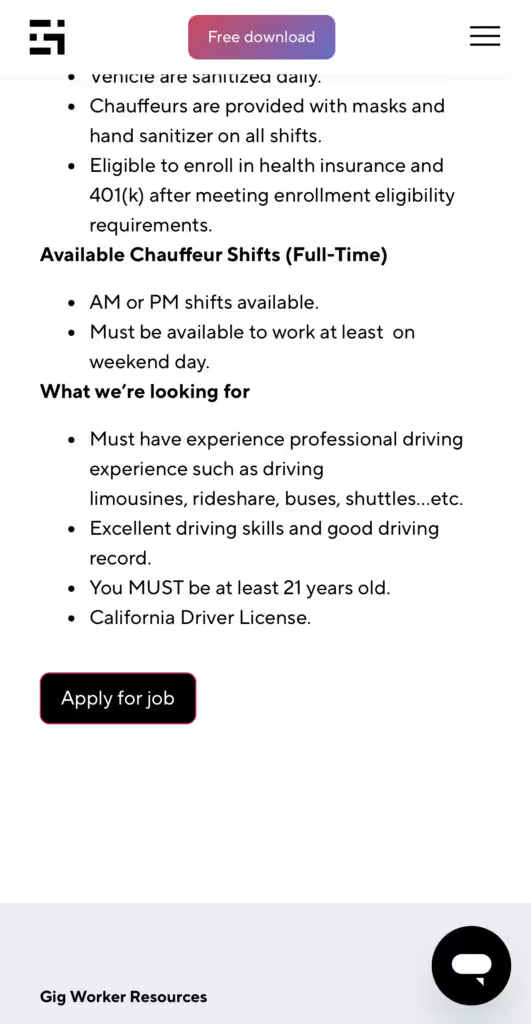
Many types of jobs are available. Adjust the search filter to see the full variety of opportunities that will let you cash in. Deliver food, set up catering, do rideshare driving, get paid for doing package delivery, and much more. You’ll find short-term gigs, long-term contracts, and part-time positions.
Perks of the Gridwise Job Board for gig workers
Gig workers who know how to make extra money will appreciate how the Gridwise Job Board lets you multiply your chances of bringing in big earnings. Here’s how:
- Increased stability. Use the Gridwise Job Board to find part-time or permanent jobs in addition to the part-time gigs you already have. Always keep a steady stream of earning opportunities flowing toward you.
- Flexibility and autonomy. Choose jobs that fit your schedule, work around other jobs and family duties, and still leave room for some fun in your life. Discover side hustles to supplement your full-time job, permanently or just for the season.
- Skill development. Find part-time work that lets you use a skill you already have, or try your hand at something new. It’s a smart way to develop a portfolio to showcase what you can do, or even to find permanent employment.
Get Gridwise and stay up to date on the Gridwise Job Board
Gig workers need plenty of information and assistance, and Gridwise is here to give it to you. Download the app and get essential features such as
- seamless earnings tracking
- mileage tracking
- expense recording, including notes
- low-cost and no-cost insurance benefits
- access to affordable medical, dental, vision, mental health, and alternative care
- professional services including legal and financial help
- deals and discounts
- weather, events, and traffic reports
- inside information on where and when to drive
[elementor-template id="20936"]
More to know about gig work:

5 Best Mileage Trackers For Gig Drivers
Many drivers ask, “Do I really need a mileage tracking app?” The answer is simple: only if you want to have an accurate count of all the miles you can legally deduct from your taxable income! You might think your rideshare or delivery driving app has got you covered. After all, they do quite a good job of logging the miles you drive while you’re on a trip or delivery. But, if you want to have the best app to track mileage for Uber, Lyft, Doordash, Instacart, or the other apps you may use, you need more. Why is that?
Without a separate tracker, you’re missing the miles you drive in between pings. Did you realize that all the miles you drive, from the moment you begin your shift until it’s over (as long as you don’t drive several miles on a break to hang with your friends), are tax deductible! That means you need something besides your driving app to keep an accurate count of your travels. Read this Gridwise post to see how important it is to keep track of every deductible mile.
You won’t be surprised to hear that there’s an app for tracking miles. In fact, there are several of them. Here, we’re going to tell you about five top mileage tracking apps, and help you figure out which one is best for you.
Before we get to the list and identify the best mileage tracker app, let’s clarify what exactly a mileage tracking app is. According to G2.com’s technology glossary, mileage tracking is done for the purpose of keeping a log of mileage that is either reimbursable or tax deductible.
And yes, of course you can track your miles simply by taking readings on your odometer. But are you really prepared to account for how many miles you drove for personal reasons and subtract them from the total to get your business mileage? Even if you can remember all that and do the arithmetic, if you want an accurate reading of the miles you drive for business, and can therefore deduct, a mileage tracking app will save you a lot of trouble and prevent you from making costly errors.
Plus, as a gig driver, you have specific needs when it comes to a mileage tracker. Ideally, you’d be able to handle mileage tracking and several other functions all in one app. It can be maddening enough to deal with driving apps, particularly if you’re an avid multi-apper. You would want your mileage tracker app to help you keep account of other aspects of your business, including income, expenses, and inside information about the art of gig driving.
Not all mileage apps are equal, to be sure! Let’s look at five of the best apps to track mileage and figure out which is the best app to track mileage with Uber and Lyft, or what mileage tracker app is best for DoorDash.
[elementor-template id="20891"]
1. Zoho Expense
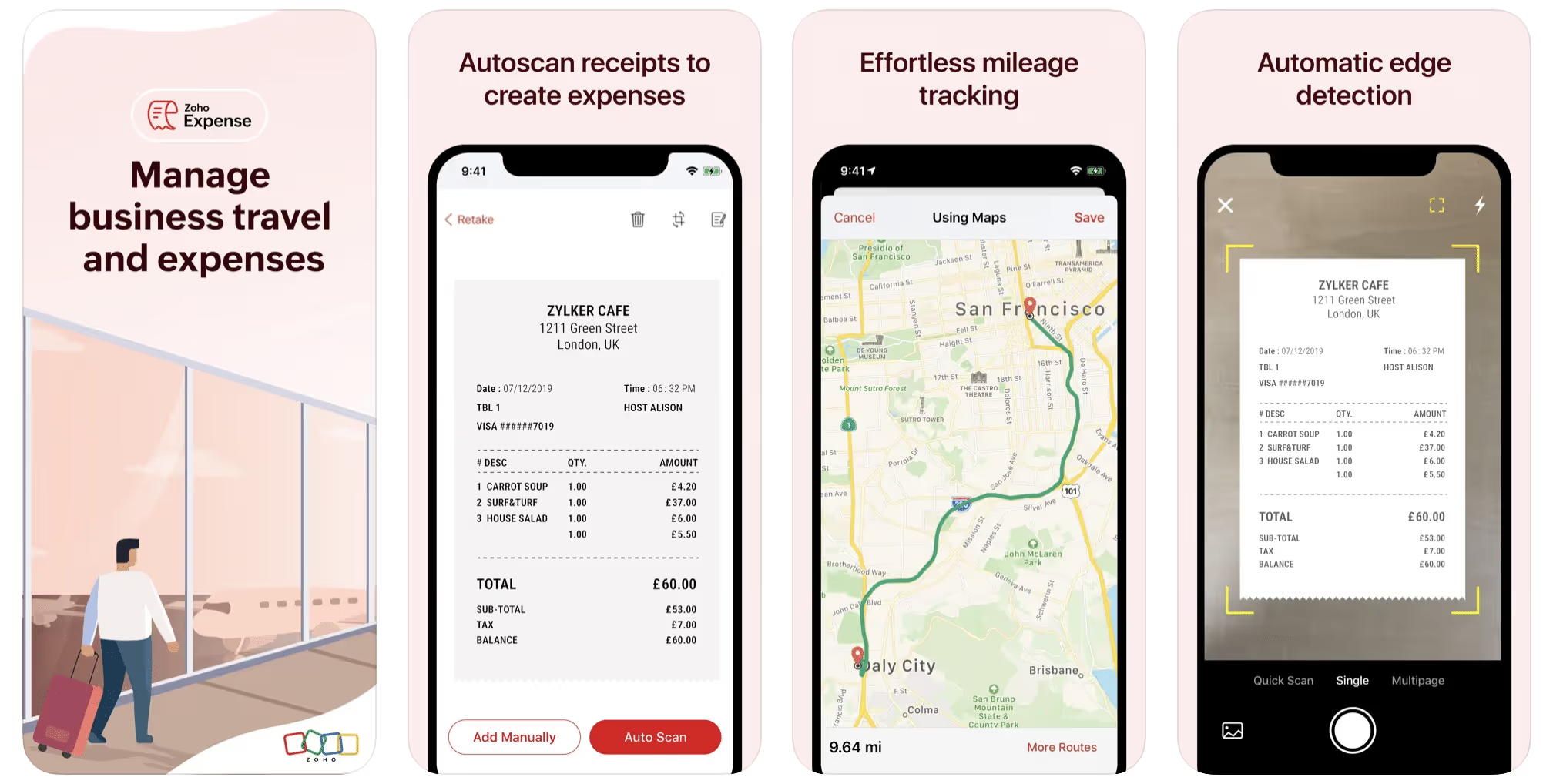
First up is Zoho Expense, which does exactly what its name says. This app is designed to allow companies to give employees a uniform way to create and submit expense reports. It can be used by individuals, including gig drivers, as well.
It includes a mileage tracker, as well as features that let you track other deductible expenses, including the ability to scan and record receipts.
Available on Android and Apple: Yes
Ratings: 4.8 stars on App Store, 4.7 stars on Google Play
Free Version: Yes
Subscription price: $3 per month, billed annually
Created specifically for gig drivers: No
2. Quickbooks Online
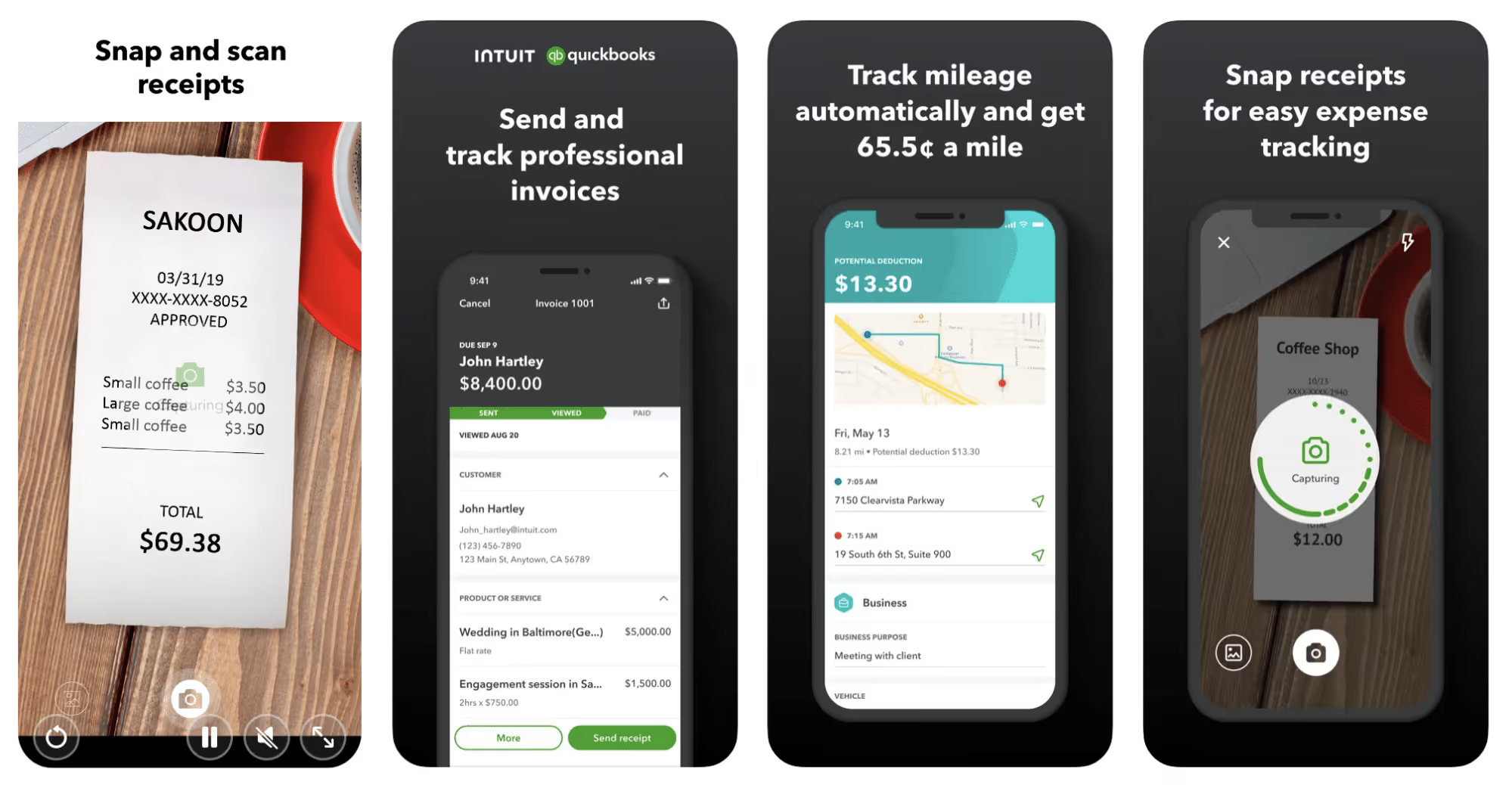
Quickbooks Online is a cloud-based app that allows you to track your mileage, earnings, and expenses. The information you enter can then be used to generate various reports that prepare you for tax time. It also allows you to create graphs that illustrate your cash flow, and includes a receipt scanner so you can instantly record deductible expenses. Quickbooks is popular, highly reliable, and designed mainly to help people keep track of their small businesses.
Available on Android and Apple: Yes
Ratings: 4.7 stars on App Store, 4.4 stars on Google Play
Free version: 30-day free trial
Subscription price: $15 per month for basic version if purchased for 3 months or more
Created specifically for gig drivers: No
Source: quickbooks.intuit.com
3. Shoeboxed
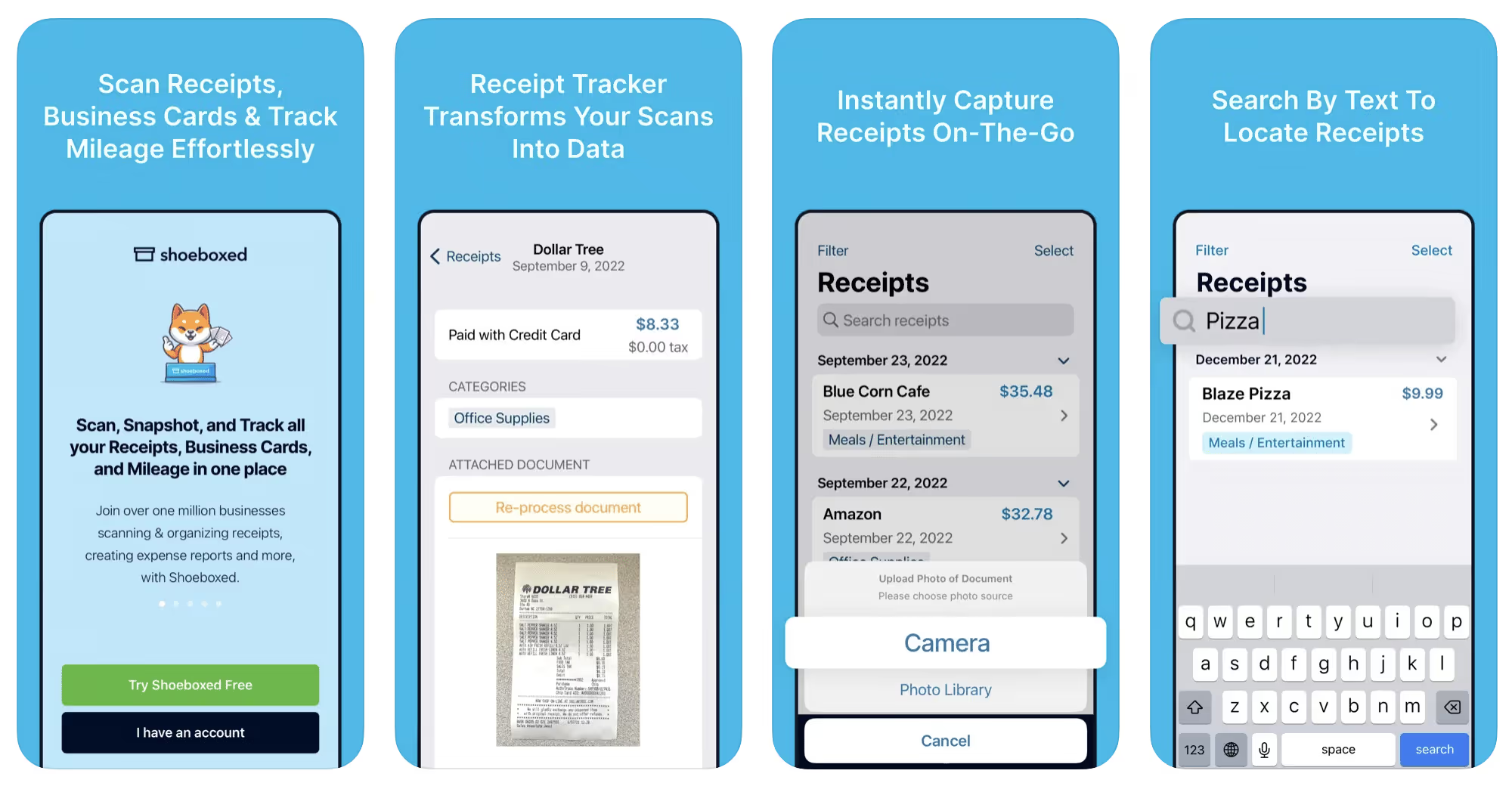
Shoeboxed started in 2007 as a service for scanning paper receipts into digital form. Now the app offers a free mileage tracker and has enabled users to scan receipts directly. It touts itself as the best mileage tracking app for DoorDash, but there are some elements missing that Dashers might like to have. While it provides features that record your expenses and prepare you for tax season, it doesn’t automatically track your earnings. The mileage tracker has a system where you can drop pins along your routes to make the tracking more precise, identifying those legs of a trip that you make for business purposes. The mileage tracker is “free” once you sign up for the basic version.
Available on Android and Apple: Yes
Ratings: 4.5 stars on App Store, 2.3 stars on Google Play
Free version: No
Subscription price: $18 per month for basic version
Created specifically for gig drivers: No
Source: blog.shoeboxed.com
4. Stride
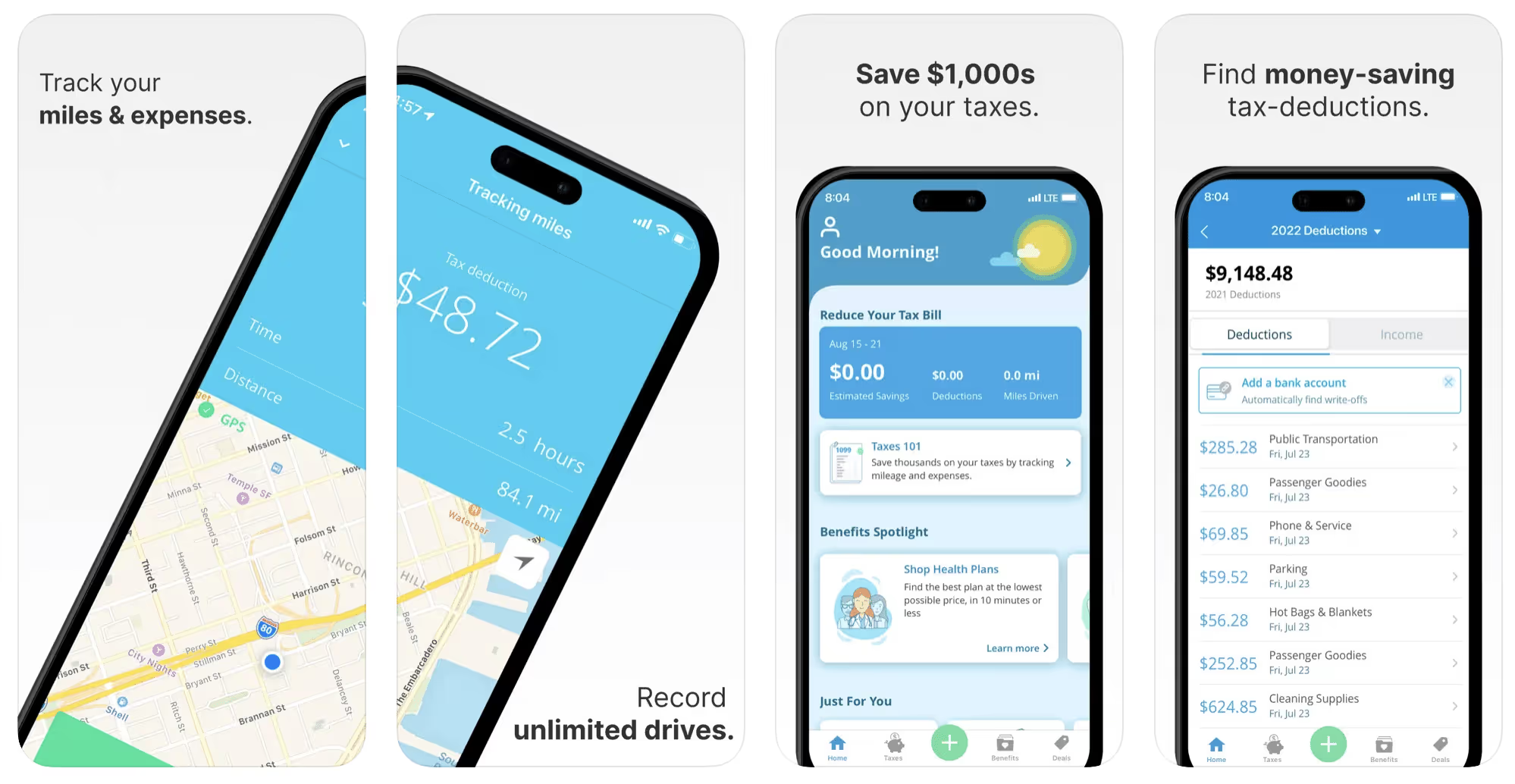
This free mileage tracker does a fair job of keeping track of the distances you rack up while gig driving, but it doesn’t automatically track earnings. It can be a big help, though, in tracking your expenses. You can link Stride to your bank account, and it will automatically scan your expenses to identify items you can potentially deduct. The app is totally free. This could make it the best free mileage tracker app, but there is a small price to pay. The app will persistently push you to consider various insurance plans that they are affiliated with. If you don’t mind that, this is a solid mileage tracker, even if it doesn’t track your earnings.
Available on Android and Apple: Yes
Ratings: 4.8 stars on App Store, 4.6 stars on Google Play
Free version: Yes
Subscription price: None. The app is free.
Created specifically for gig drivers: No
5. Gridwise
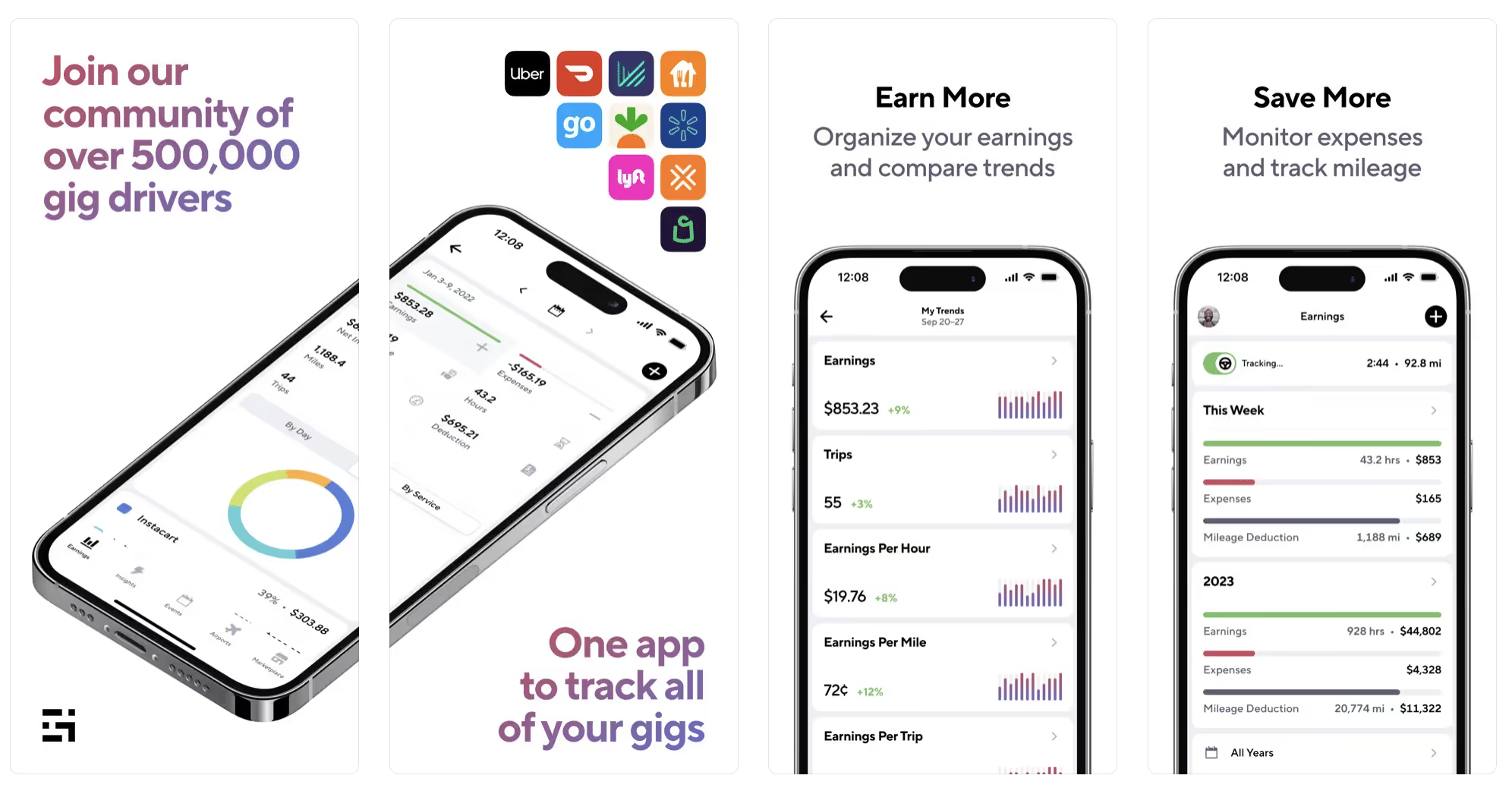
Gridwise has a free mileage tracker and free features that record your income and expenses. It gives you access to insurance and benefits, as well as insights about the best times and places to make the most money while gig driving. The Gridwise mileage tracker captures all the miles you drive while you’re on your driving shift, and it can be used if you have other trips you need to make which qualify as business travel.
Drivers love it because it is geared toward the needs of rideshare and delivery workers, providing free information about airport departures and arrivals, event start and let out times, weather, traffic, and more. The Gridwise Plus subscription adds value by providing additional insights and reports, discounts on benefits, the ability to export data in .csv format,, and more.
Available on Android and Apple: Yes
Ratings: 4.9 stars on App Store, 4.6 stars on Google Play
Free version: Yes
Subscription price: $9.95 per month for Gridwise Plus, or $95.99 per year (a $23.41 savings)
Created specifically for gig drivers: Yes!
What is the best mileage tracking app?
Now that we’ve checked them all out, we’re positive about the answer to that. Hands down, it’s Gridwise. Are we biased? You bet we are! But drivers love it too. Gridwise is the best mileage tracker app—and so much more. So many of the features are free, and the subscription to Gridwise Plus will pay for itself with additional insights to boost your earnings and deeper discounts on products and services.
Most important, Gridwise is designed specifically for gig drivers by experts who were once gig drivers themselves! Knowing what gig drivers need is a crucial step in creating an app that rideshare and delivery drivers can really use! Here are a few of the features, besides mileage tracking:
- seamless earnings tracking
- automatic, on/off toggle and manual mileage tracking
- mileage categorization
- airport, traffic, weather, and events information
- insights into where to drive and when to drive
- reports showing earnings across the platforms you use
- discounts on countless products and services for drivers
- additional resources for finding side gigs
- an informative and comprehensive blog
- affordable benefits, including insurance, medical, dental, and alternative practitioner discounts
- a community of drivers just like you
Don’t settle for just any app. Get the best mileage tracker, and so much more, from Gridwise!
[elementor-template id="21599"]

What Records Do Gig Drivers Need To Keep Track Of For Taxes?
* Gridwise does not provide tax, legal, or accounting advice. This material has been prepared for information purposes only, and is not intended to provide, and should not be relied on for tax, legal, or accounting advice. You should consult your own tax, legal, and accounting advisors before filing your return.
Record keeping? Who signed up for that? As a gig driver, it’s part of what you need to do to keep your business running. Don’t worry. It’s not as complicated as you might have been led to believe. This post will show you what you need to keep track of and the best ways to gather and preserve your tax-related records. We will cover
- How record keeping can help reduce income tax for freelancers
- Taxes and freelance work: Record keeping requirements
- Mileage tracking: Motives and methods
- More deductions and records to keep
- Make tax time easier
How record keeping can reduce income tax for freelancers
Tax time is not “fun time” for rideshare and delivery drivers. It’s easy to get used to watching your earnings pile up and come to believe they are all yours. Unfortunately, that isn’t the case. Gig work taxes can be especially painful because no one takes them out of your earnings for you, until the tax authorities insist that you do it for yourself.
You will need to show the tax authorities your income records, and they will gladly tell you to send them what they determine to be their fair share. Think that’s not fair? You’re not alone, but that doesn’t mean you’re going to get out of paying gig work taxes.
But you can find ways to pay the smallest amount that is legal and possible. The best way to defend yourself against having to pay astronomical amounts when you file your return is to know what expenses you can deduct from your gross income. When you subtract deductible expenses from your gross income, there is less left over to be taxed. This reduces the amount they can hit you with gig worker taxes. and can make your tax bill substantially lower.
While you want to keep good records so as to be in compliance with taxation entities such as the IRS, you also want to ensure you have proof of every last deductible expense you have accrued during the year. There are other records you must keep as well. Let’s look at some of the considerations you have, realizing that you now need to know how to do taxes as a freelancer.
Taxes and freelance work: Record keeping requirements
So many gig drivers fail to understand the responsibilities they have as independent contractors. Those who work part time for very few hours may even believe they don’t have to report the income they get from their driving gig payments. That would be a big mistake!
The company or companies you work for report your income to the IRS and state tax authorities. If you fail to report that income, you will risk some rather painful penalties. The IRS taxing side hustles is as much of a thing as the IRS taxing income from any other job. Your best bet is to report what you’ve earned, honestly and completely, and comply with other record keeping requirements such as
- gross income
- deductions and credits
- purchases (items you purchase and resell, such as snacks or bottled water)
- a log of all your mileage (or vehicle expenses, if greater)
- a list of all expenses and assets, such as utilities and other expenses associated with having a home office and equipment
- machinery and furniture you own, including when it was acquired, how much it cost, whether you previously took deductions on it, and selling price, if applicable (this includes your vehicle)
More things to consider:
- Pay attention to the retention of your records. You’ll need to keep all tax-return-related items— including income, deductions, and any tax credits reported— until the period of limitations runs out (3 years from date you filed, or 2 years from when you paid tax. If you have employees, keep your records for at least 4 years.)
- If you want to avoid paying self-employed taxes, you may want to set up a corporation or Limited Liability Corporation (LLC) for your business. This allows you to separate all your gig driving earnings from personal income, and permits you to take advantage of the additional advantages of working through a corporation. This includes exemption from self-employment taxes. You can learn more about how to pay self-employment taxes, if you opt for that, in this post from Keeper.
- You should always keep a separate checking account for your business, for convenience as well as clarity. While this is not a legal requirement, it is a smart move if you want to have an easier time managing your business.
- You are required, as an independent contractor, to file your taxes quarterly. Check out this Gridwise blog post for more information about quarterly tax payments and other matters that make filing delivery, Lyft and Uber taxes easier.
Mileage tracking: Motives and methods
Why you need to be meticulous about mileage
Mileage deduction, or the costs of operating your vehicle, will be the most important item to account for when you consider how to file taxes as a freelancer. While mileage is an important deduction for all independent contractors, as you might imagine, it’s even more essential for rideshare and delivery drivers.
There are two ways of keeping track of your mileage deduction. One is to use the IRS’ standard mileage deduction, which for 2022 is 58.5 cents per mile. This number takes into account the costs of operating your vehicle, from fuel and maintenance to registration, insurance, and depreciation. Alternatively, you can calculate all your own vehicle operating costs, but only after your first year of using the vehicle. You may discover that this second option allows you to have more money deducted from your taxable income. Learn more about the options for deducting your mileage in this Gridwise post.
No matter which way you decide to calculate the deductions for your mileage, you need to know what mileage you can and cannot deduct.
You can deduct
- miles driven to and from home when you go out to drive or deliver
- miles you accrue during your trips
- miles you drive on any other trips you make that are necessary as part of your business.
Examples:
- driving to return a lost cell phone or to an Uber Hub or another physical location where your company might make driver support available
- driving to pick up supplies, to get gas, or to have your car cleaned, serviced, or detailed, etc.
You cannot deduct
- miles you drive for personal trips
- miles for any trips you take that do not directly affect your business
Note: If imagining yourself becoming the not-so-proud owner of a shoebox filled with paper receipts gives you nightmares, stop worrying. Electronic records of purchases will satisfy reporting requirements. If you use cash, you can scan copies of your receipts, in some cases, right into your recording software or app. Gridwise and Keeper give you a simple to use interface that keeps all your receipts recorded without the messy pile of paper.
Mileage tracking methods
By now, you’re probably convinced that tracking mileage is important, despite all the other things drivers have to do. Now, let’s look at your options for keeping accurate records.
- Manual tracking: You can keep a logbook where you list every trip you make, starting and ending mileage, the date, and purpose of the trip. While this would work, it’s certainly not convenient. Besides, if that logbook gets lost, your plans for having a nice, fat tax deduction will go by the wayside.
- Spreadsheet: This is a bit more convenient and sophisticated way of tracking your business mileage. You’d need to be meticulous about making your entries, though. Even if you keep a spreadsheet app on your phone, it could be time consuming and inconvenient to keep doing it with all the other things going on in a rideshare or delivery driver’s day to day life.
- GPS-based mileage tracking apps: There are a bunch of apps that track mileage based on your GPS location, and most of them are pretty accurate and far more convenient than taking constant readings of your odometer. Your driving apps, such as Uber, Lyft, DoorDash, or Instacart, may also track your mileage, but be careful here. They will only track the miles you drive while you’re on a trip or delivery. They don’t count the miles you drive going to pick up a customer or when you make your move toward a restaurant or store.
Gridwise, on the other hand, will track all the miles you clock while you’re on your shift. All you need to do is make sure you start tracking the minute you leave home, and every gig driving mile will be logged. - OBD-II mileage tracking systems: There are plug-in modules that assess your vehicle’s mechanical health and track your miles. However, many authorities question the ability of OBD-II mileage tracking systems to get get accurate odometer readings. Insurance companies don’t consider them to be accurate enough gauges of odometer readings.
While mileage is a crucial deduction when you’re preparing your Uber, Lyft, or DoorDash taxes, it isn’t the only expense you’ll want to record.
More deductions and records to keep
Expenses you can deduct
You’re entitled to include the cost of other expenses that are directly related to your driving business. These include
- vehicle expenses
- equipment for your car and home office
- extra services and subscriptions
- business tools, including apps and software
You can learn much more about gig driver expenses that are eligible for deduction in this Gridwise article.
Ways to track and preserve deductible expenses
- The manual method: Just like you can with mileage, it’s possible to use a manual method, but in addition to logging each expense into a ledger, you would also need to keep physical receipts.
- Spreadsheets: You can record your expenses on a spreadsheet. This is somewhat less awkward than manually logging mileage, but there still will be plenty of room for failing to remember the case of water you bought for your customers, or losing the receipt from the thermal bag you purchased.
- Accounting software: You can use software that helps you track your expenses. This method usually interfaces well with any tax preparation software you or your tax professional might use.
- Gridwise: There are other apps that help you track your expenses, but Gridwise is designed specifically for gig drivers. It automatically tracks earnings and mileage, and lets you record your expenses the minute they come up. Gridwise’s partnership with Keeper gives you the ability to scan receipts and access a tax professional. This is a seamless way to record your expenses and a big help in learning how to file Uber taxes. Gridwise even provides .csv output, so you can feed your Gridwise data directly into tax preparation software. Check out what Gridwise and Keeper will do to super-charge your tax filing powers.
Organizing and categorizing expenses
Before you even begin to record expenses, you’ll want to set up categories for them. You can start by reviewing the categories listed above and checking out the Gridwise post that lists possible deductions.
If you’d like to learn more about how to categorize expenses, there is additional information available. This article from Motley Fool lists all possible categories any freelancer might use and also gives tips on how to customize them for your driving business.
One last tip
Using Gridwise, particularly for tracking mileage, is the easiest way to be in compliance with the IRS’ rules for deductible mileage. Gridwise tracks all the miles you drive for your gig, beyond what your company’s app might record. At the same time, you can log on and off Gridwise when you start and end your shift, so personal miles won’t be recorded. This eliminates confusion while capturing every deductible mile.
Gridwise Tax Help, a partnership with Keeper, has been created specifically to serve gig drivers. It provides affordable and easy ways to record expenses, scan receipts, and find deductions by analyzing your expenditures. Read about free resources from Keeper you can use to be fully prepared for tax season, and get all your earnings and expenses on the record.
Get the world’s best assistant for rideshare and delivery drivers, and tax help too.
Make tax time easier now!
Sudden Account Deactivations on Delivery Platforms: What Can You Do?
Sudden account deactivations are a gig driver’s nightmare. It means that you're no longer authorized to work on that app. You cannot receive orders. Due to a recent article in Business Insider, there’s been a renewed focus on app deactivation.
Gridwise is devoted to bringing gig drivers services, benefits, and information that help them do their job better and avoid unfair account deactivations. In this blog post, Gridwise reviews unexplained deactivations of food and grocery delivery gig drivers and what, if anything, you can do to fight deactivation.
[elementor-template id="20891"]
There are many legitimate reasons for gig work termination, but many drivers have reported unfair and unexplained deactivations. Sometimes, reinstatement is simple. Other times, it's almost impossible to appeal delivery app deactivations, even if you think it’s unfair. Some drivers claim it was for minor issues; others say it was for nothing, especially after putting in years of flawless service as gig drivers.
How account deactivations happen
They happen for small reasons and big reasons. One Southern California rideshare driver (yes, rideshare drivers are subject to sudden deactivation, too) tells how he was picking up a carload of music fans at an Airbnb in a gated community during the Coachella Music Festival. They buzzed him in, but the barrier at the gate unexpectedly came down on his windshield, cracking it badly. Even though he had it repaired the following day, when he logged back onto the app, he found he was deactivated. A passenger from the previous night had reported it.
The message that came with the deactivation asked him for evidence of repair. He sent the receipt and several photos he had taken of the repair in progress. The rideshare company reactivated him three hours later.
There are other reasons for a delivery app deactivation, and they are much more serious than a cracked windshield. According to Circuit, a last-mile tech company, 79% of food delivery drivers admitted to sampling customer food (you should know that other surveys have that number much lower). If the customer’s porch-mounted video camera caught you eating French fries from their order, expect swift delivery contractor termination.
Why drivers get sudden deactivations
A quick Google search reveals this sampling of transgressions most often cited that prompt account deactivations:
- high cancellation rates
- low acceptance rates
- late deliveries
- failed background checks
- providing incorrect information
- poor reviews
- theft (including eating food)
- fraud
- under the influence of drugs or alcohol
- violating contract terms
- criminal activity
- rude behavior or harassing customers
You might also find it interesting to know that FedEx will deactivate drivers caught using bots to reserve delivery blocks.
The difficulty comes when these allegations, typically made by a customer or restaurant, are untrue or unwarranted, at least from the driver’s perspective. Some of these complaints are legitimate, while others are customers trying to get free food.
Know the rules per platform
It's essential to know the reasons you can get a sudden deactivation. Below are links to the major food and grocery delivery companies and why they deactivate drivers, or how to get reactivated. Most of the reasons for deactivation are in the fine print of the agreement you signed as a driver, often referred to as terms of use (TOU)—something drivers typically don’t familiarize themselves with.
Some platforms have set multi-apping rules
Some food delivery companies, especially DoorDash and Grubhub, require drivers to select blocks of time in advance. They consider it a commitment. You could get deactivated if you have reserved a block but are not accepting deliveries. This often happens because drivers are multi-apping. Some food delivery TOU agreements forbid you from working other apps while you're working theirs
DoorDash deactivation: DoorDash does not appear to have a web page specifically related to reasons for deactivation. A Gridwise blog post, Why Rideshare and Delivery Drivers Get Deactivated, and How to Get Reactivated, reports that DoorDash watches your completion rate and overall driver ratings. You can also check out the DoorDash web page on how to get reactivated.
Uber Eats deactivation: Uber gives a thorough explanation of driver deactivations on their website. Read it here.
Grubhub deactivation: Grubhub is another food delivery app that does not explicitly list reasons for deactivation. Read Grubhub’s TOU carefully.
Instacart deactivation: Some report that Instacart is notoriously heavy-handed in their deactivations. Like other gig companies, however, they do not post reasons for deactivation on their website. You have to read the Instacart terms and conditions carefully.
Shipt deactivation: According to blogpost Shipt Shopper Account Deactivated? 7 Reasons Why It Happens from ThisOnlineWorld.com, Shipt is especially sensitive to the following issues: low ratings, rude or threatening behavior toward customers, not scanning IDs, shopping with other people, canceling too many orders, late deliveries, and purchasing items for yourself and billing it to the customer (which seems pretty obvious, but drivers have been caught doing it). Read Shipt’s terms of service here.
Appealing account deactivation?
What if you're deactivated and you think it's for vague termination reasons, a minor issue violation, or just wholly unfounded? Unfortunately, gig workers are at the mercy of account deactivation procedures that are primarily conducted via email. Many drivers report never getting a response or spending hours on the phone, most of it on hold. At some point, you will have to complete an online form or perhaps speak to a real person. Here are a few pointers:
- Completely fill out the form, even if you have to enter “does not apply.” Blank fields will sometimes make it an incomplete form.
- Tell the story as briefly as possible. Some people perceive over-explanations as covering the truth.
- Stick to the facts, and don’t complain about unfair policies.
- Stay calm and don’t threaten people with, “I’ll sue you,” or “Wait until I tell your supervisor.”
Sometimes, things work out in ways you did not imagine. The aforementioned Business Insider story tells of an Uber Eats worker in Oregon who received a sudden deactivation and grew tired of arguing with the company and moved on. In early January of this year, he decided to try installing the app again, and to his surprise, it worked, and his application to deliver food was accepted. Afterward, he received a letter from Uber apologizing for the time it took to resolve his issue.
Sometimes, appealing a deactivation is a dead-end effort. You’re better moving on to another app. In that case, check out Gridwise for the best way to earn in a specific food-delivery app. Read here about How to Make $1000 a Week with Uber Eats.
Other ways to avoid unexplained deactivations
The food and grocery delivery companies don’t go into much detail about their procedures. Still, given that they rely on AI for many functions, they might be leaving the decision to terminate a driver up to an algorithm. The goal of drivers is to avoid getting into situations that can affect their livelihood.
Here are some suggestions:
- Always provide top-drawer service. Consider including pre-written thank-you notes with your food or grocery deliveries.
- Being well-dressed and having a cheerful, polite attitude prevents lots of problems.
- An in-car camera or body cam is a good idea. This way, you can send video files that prove your side. Be careful, though; depending on your state or municipal ordinances, filming another person without their knowledge may be an infraction. Forward-facing cameras are a good idea to record your side of a traffic collision.
- Remember that lots of folks have porch cameras now. Consider yourself always on camera.
- Take good photos of groceries and food left on the porch. Adjust your camera settings so that a date and time stamp appears.
- Watch the cash register in stores and restaurants. Many drivers getting a gig delivery contractor termination report it was because the employee inadvertently charged them for something they did not intend to purchase, passing the charge on to the customer.
- Check your orders. Restaurants are hectic work environments. Getting the wrong order or missing items can be an issue. When was the last time a restaurant messed up your order? It happens.
- If you anticipate a problem with a customer or think a customer is trying to scam a free meal by fabricating a complaint, immediately report it through the app. If you tell your story first, you might get more of a sympathetic ear.
Consider multi-apping
Yes, we’ve already discussed multi-apping and how some food delivery companies will deactivate gig workers for doing it. The trick is, don’t multi-app when working on their app.
While only about 31% of gig drivers multi-app, and only about 21% multi-app across platforms (meaning they do both food delivery and rideshare, or package delivery), multi-apping makes sense. As a driver things happen all the time that are out of your control, and you may get a sudden deactivation on your favorite app. You need to have another app that you can immediately fall back on to avoid a dip in your income. You might get reinstated, but that can take time.
Smart gig workers multi-app across multiple platforms so that they always have work. You don’t necessarily have to run two or three apps simultaneously, but you should be familiar with the apps so that you can switch back and forth when needed.
Multi-apping ensures that you have options. For more information on how to effectively multi-app, check out this Gridwise blog post, The Art of Multi-apping: How-Tos and Strategies for Gig Drivers.
Are there other measures to avoid unexplained deactivations?
A recent Seattle gig worker law is designed to reduce unwarranted delivery contractor termination, according to the Business Insider article and also as reported in an online article at GeekWire. It's the first law of its kind in the US. Features of the law, enacted this past August, include
- Drivers must receive a 14-day notice of deactivation. An instant termination clause exists if the behavior is “egregious.”
- Gig companies are required to provide records to back up their decision, eliminating vague termination reasons.
- The decision to activate has to be made by a human, and an appeal has to be ruled on by a human. You can’t get terminated by artificial intelligence.
The law takes effect January 1, 2025. Expect to see other cities and states follow suit.
In a world of sudden deactivations, how can Gridwise help?
Gridwise champions the continued success of gig workers. The Gridwise blog delivers the latest news on strategies and tactics for more profitable gig driving. We also keep you current on gig company policies that affect you, including information that might prevent you from getting an unexplained deactivation.
The Gridwise app includes features such as When to Drive and Where to Drive, providing real-time information on when and where rideshare and food delivery demand is most profitable for you.

You can also access a host of benefits through Gridwise, including roadside assistance, telemedicine, dental insurance, and more. Track miles with the Gridwise Mileage Tracker and save yourself thousands of dollars at tax time. Visit the Gridwise website.
[elementor-template id="20936"]
Looking for more resources? Be sure to check out:
- 10 Ways To Stay Safe As A Delivery Or Rideshare Driver
- How To Improve Your Lyft Driver Rating
- Does Your Uber Acceptance Rate Matter?
- Looking for a different gig, part-time or full time job? Check out the Gridwise Job board.
The Best Times to Drive for Lyft
Your income as a Lyft driver depends on a sound strategy, and knowing when to drive is a key part of any effective plan. You can use your common sense to guess at the most profitable hours for rideshare work; you could also consult with any number of sources that have their best estimates laid out for you.
Here we will cover these ways of choosing the best times to drive, and introduce you to the most powerful tool for knowing when the most profitable driving shifts are for you, right where you live.
[elementor-template id="20891"]
Best times to drive for Lyft: Opinions and speculations
Ask any driver and you’ll hear a different theory about the best times to drive. Lyft suggests that you check your app for their ride demand graph. This might clue you in on where there are a lot of riders, but does it give you all the information you need?
There are the usual peak times: rush hour(s), weekend evenings, brunch times, event start and let out times, late nights on weekends, and those hours when certain demographic groups, such as students or hospital workers might be moving around. It’s certainly possible to experiment with these driving times and discover how well they work for you, but who has time for that?
Are the best times to drive for Lyft always the same?
While all the ideas you hear might make a lot of sense, there are other things to consider. The peaks and valleys in customer demand are not the same in every locality. Plus, what good does it do you to focus on the usual peak times if your schedule doesn’t allow you to drive during those hours?
People who live in highly concentrated urban areas are likely to have more variations in their busiest driving times than people who stay in the suburbs. Rush hour in an office-oriented city might differ from peak times where there are more stay-at-home workers.
When it comes to events, suburban drivers may find more riders an hour or more before the rush begins because they’ll have to leave early to get to the big game or concert on time. Once back in the “burbs,” drivers may also experience earlier closing times for restaurants and bars than their urban counterparts. Working with a focus on rides to and from airports will also create different demand patterns.
Even with Lyft’s ride demand graph, you may not come out ahead of the game. It’s possible that the place(s) they send you will be so crowded, you have to inch your way along and waste a huge chunk of your shift. And since you’re likely not the only one who will see the ride demand graph, you can bet a flood of other drivers will flock to the busy areas, and possibly gobble up all those passengers first.
As you’re starting to realize, it’s not always helpful to rely on what we might think are “normal patterns” in order to predict the best times to drive. You need real data based on the experience of actual drivers. Don’t worry. There’s help you can count on, and you can have it with you on every shift.
When to Drive from Gridwise: Accurate data that boosts your earnings
Gridwise is the tool you need to push your pay up to the levels you desire and deserve. The Gridwise When to Drive feature is specifically designed for drivers, by people who used to be drivers! They know exactly what you need, and deliver it in a form that’s easy to understand and put to good use.
Take the “maybe” factor out of rider demand patterns with actual data from real drivers who work in your area. With When to Drive, you’ll know right away what the best times to drive for Lyft are and get insight into how much you can make with other apps, too.
How to use Gridwise When to Drive features
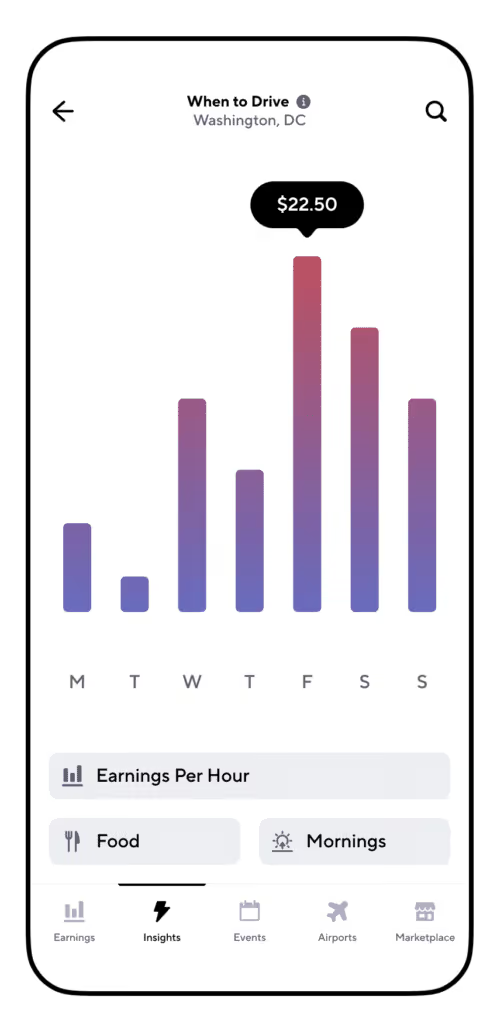
Tap on the When to Drive card to discover the optimal times for driving and maximizing your earnings. At the bottom, you'll find different data types to filter.
Gridwise has different statistics you can look at:
Earnings Per Hour - Shows you the median earnings drivers make per hour for each day of the week. This helps you identify the most profitable days.
Trips Per Hour* - Shows you can see the median number of trips drivers make per hour each day. This helps you understand the busiest days for drivers.
Earnings Per Trip* - This shows you the median earnings drivers make per trip per day. This helps you understand which days are best to earn more per trip.
*indicates a plus-only feature
Nationwide and Nearest Markets
When to Drive allows you to access both nationwide statistics and data from your preferred market.
To change the location, tap on the search icon in the upper right corner and enter a different city or select "nationwide".
Filter by Service Type
You can also filter by the following service types to view the most relevant data:
- Rideshare
- Food
- Grocery
- Package
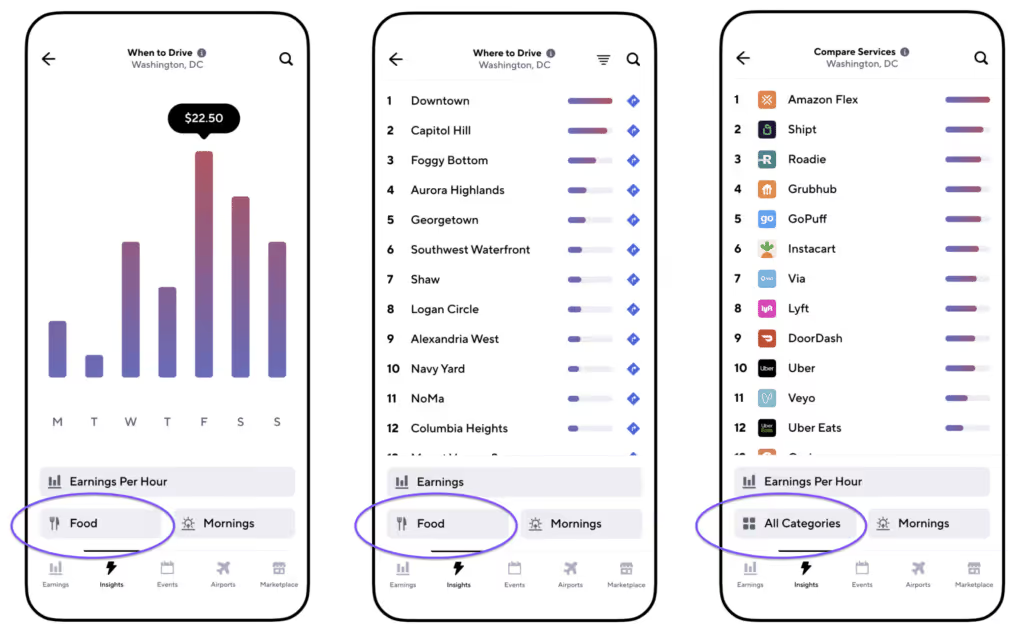
Gridwise also offers insights and updates on Events and Airports so you can pick the best times to drive for or around those times (depending on your strategy). Gridwise also allows you to set alerts.

Gridwise is the very best source for information about the best times to drive. Don’t miss out on this valuable resource!
Download the Gridwise App and get When to Drive, along with tons of other features to boost your earnings.
[elementor-template id="20936"]
Learn more about When to Drive and the best times to drive for other services:
Gridwise: The Best Mileage Tracking App
Mileage is, by far, the largest deduction you can claim for your taxes as a gig worker or gig driver. But just as important, you need to ensure that you're recording all the miles you're entitled to claim. The question for gig drivers is, What is the best mileage tracking app?
Gridwise offers the best mileage tracking app, allowing you to track every mile you drive as a gig driver. Better yet, it’s free and is instantly available when you download the Gridwise app.
[elementor-template id="20891"]
* Gridwise does not provide tax, legal, or accounting advice. This material has been prepared for information purposes only, and is not intended to provide, and should not be relied on for tax, legal, or accounting advice. You should consult your own tax, legal, and accounting advisors before filing your return.
What miles can you track as a gig driver or gig worker, and why use a mileage tracker?
If you’ve been a gig driver long enough to get your tax information at the end of the year, you see that most gig companies provide the mileage you drove while on their app. But is that the mileage you should claim as a tax deduction? No.
The gig platforms track your mileage only from the time you receive your pickup order for your ride or food delivery order until the time you complete it. That’s your time on the clock with the app.
The truth is every mile you drive from the time you pull out of your driveway until your return is tax deductible. That includes the miles you drive on your way to your first ride or order, the miles you drive between rideshares or orders, and the miles you go to get home at the end of your shift. These miles are all tax-deductible.
For example, let’s say that your various gig driving apps total 55,832 miles in 2023. But those additional miles between passengers and deliveries added as much as 30,000 miles to your total (a conservative number). Deducting those miles using the standard mileage deduction of 67 cents a mile comes to a whopping $20,100 in additional write-offs on your Schedule C. Now you’re in a lower tax bracket, paying far less in taxes.*
Not long ago, tracking your mileage meant keeping a handwritten log, a cumbersome and tedious task. After a week or two of being diligent about it, you probably slacked off and forgot. Then, at tax time, you simply made up a figure or went by the report from the gig platform. That was money lost and a problem should you get audited by the IRS.
It’s essential that you track your miles and that you use the best app for tracking mileage.
Download the app now. You can start by going to the Gridwise home page.
Is Gridwise really the best app for tracking mileage?
Experienced gig drivers founded Gridwise, and when they developed the Gridwise mileage tracking app, they did it with gig drivers in mind. It has all the features a gig driver wants and needs in the best mileage tracking app, with many of its functions automatic.
- Easily paired to your existing gig apps. After downloading the Gridwise app, open it and connect it to the gig platforms you work on. It takes only minutes.
The Gridwise app can even be programmed to remind you to turn on the mileage tracker when you start driving.
- Reminds you to turn it on. Should you forget, an easy-to-find option on the Gridwise app reminds you to turn on the mileage tracker. Switch it on, and the app senses when you’re driving and sends a message through your phone.
- Plus subscribers have access to automated mileage tracking (no need to turn it on or off!)
- Records all your miles. The Gridwise mileage tracker taps into your phone’s GPS. You’re tracking those miles wherever you go and keeping a record.
- Records your mileage into a downloadable file. The Gridwise mileage app records your mileage into a file you can easily download into a Microsoft Excel file for tax purposes. What used to take you an entire day to figure out with a clunky calculator is now accomplished in minutes.
With these features, it’s no wonder the Gridwise app is popular and regarded as the best mileage tracking app.
Features of the Gridwise app

Gridwise includes features that will get you more ride requests, more food orders, and maybe even fewer miles driven for the earnings you bring in.
The following table looks at premium features available on the paid Gridwise app.
FeaturesGridwiseGoogle score4.6Apple score4.9Cost$9 monthly, if paid annually, or $14.99 on monthly plan.Plan scopeOne plan includes all benefits and services. Ability to link gig accountsYesAssigns earning categoriesYesEarnings trendsYesMileage tracker (automatic, on/off and manual)YesEarnings trackerYesExpense trackerYesWhen to driveYesWhere to driveYesLive activities infoYesMessaging of special events and opportunitiesYesProvides wage earning info based on real-time analytics of more than 500K driversYesShows typical earnings in the areaYesAirport statusYesLife insuranceYesTraffic alertsYes
Watch this YouTube video to learn about the Gridwise mileage tracker. The next time you hear a gig driver ask, ”What is the best app for tracking mileage?” you can tell them it’s the Gridwise mileage tracker.
Mileage Tracking and Tax Auditing FAQs
What about all the miles I’ve driven so far this year if I’m only just starting to track miles?
There is an option. The IRS calls it “sampling,” and they'll accept it if you have thorough records. Suppose you did not accurately track your mileage for Q1 2024. Then you realize your oversight and start using the Gridwise mileage tracking app. Now you’re keeping diligent records. At the end of the year, figure out what you drove for each quarter (it’ll be a breeze because you're using the Gridwise mileage tracker). Take the average of those three quarters, and you can safely use it for the first quarter. Review Publication 463 (2021), Travel, Gift, and Car Expenses for a full explanation of sampling. Look under Section 5, Record Keeping.
Don’t I need an odometer reading for my taxes?
IRS guidelines do not explicitly say you need odometer readings as part of your mileage record, only that you have to keep records. However, taking a photo of your odometer with your cell phone on the first day and the last day of the year is a good idea. This provides backup proof in the event of an IRS audit.
Will the IRS accept mileage from a mileage tracker?
The key with the IRS is that you keep consistent records. Using the Gridwise mileage tracker is about as consistent as you can get. We have heard of no cases where the IRS disallowed mileage records using a mileage tracker.
What are my chances of being audited and having to produce a mileage record?
The gig industry is new to IRS auditors, something different and fascinating beyond the humdrum boredom of a regular audit. The IRS is also still trying to figure out all its policies pertaining to gig workers. It’s an excellent opportunity for an ambitious auditor to make a name for themselves, landing you a better-than-average chance that you’ll end up a guinea pig audit.
Additionally, as a gig driver, you're self-employed and already using mileage as a tax deduction. Those two factors alone are sufficient audit triggers.
Will the Gridwise mileage tracker work with my phone?
The Gridwise mileage tracker will work with any phone you use for gig driving. It’s also the best free mileage tracking app for iPhone and Android phones.
Can you round off your mileage numbers?
This is another reason you should be using the Gridwise mileage tracker: you get exact numbers. Rounded numbers are a red flag for an auditor. It looks as if you’re making things up. The more precise you can be in your information, the better you look should you find yourself getting audited. Gridwise allows you to be exact.
How can I get my free Gridwise mileage tracker?
The Gridwise mileage tracker is part of the Gridwise app and is available from the Play Store (Android) or the Apple Store (iPhone). You can also get more information about the Gridwise mileage tracker on the Gridwise website.
[elementor-template id="20949"]
What are the other features of the Gridwise app?
Gridwise isn’t just a mileage tracker. It’s an entire app dedicated to helping you drive smarter and make more money as a gig driver. Here are just a few of the features.
- Expense tracker. The Gridwise expense tracker allows you to photograph receipts and enter the information in the app’s expense log. You have copies of all your receipts at your fingertips, ready to print in electronic or hard copy.
- Earning trends. Gridwise allows you to link all your gig platforms. You can convert your earnings information into easy-to-understand graphs to see which platforms earn you the most.
- When to drive. Look on the When to Drive tab for the most profitable times to drive any platform.
- Where to drive. You know that every neighborhood has specific rideshare and food delivery needs, but sometimes there’s more information you can keep in mind. Gridwise can always recommend Where to Drive to earn the maximum dollars.
- Live activities. From sporting events to concerts to trade shows, you’ll find the most current information for your region on the Gridwise app.
- Messaging. New developments and special events in your area bring a constant wave of opportunities for gig drivers. Learn about them through the Gridwise messaging function.
- Airport status. With Gridwise you’ll know when flights are arriving with passengers needing to go somewhere. Take the guesswork out of the airport game.
- Weather info. Know when to expect the next storm with the Gridwise app. Adverse weather is enough to make some drivers stay in, but others know to cash in on the extra demand for rideshare or food delivery in their region.
- Traffic alerts. Traffic conditions can change rapidly, even before Waze or Google Maps detects them. Rely on Gridwise traffic alerts to keep you informed.
Rely on Gridwise for the best mileage tracking app
Gridwise is the best mileage tracking app because it was developed for gig workers, by gig workers. It incorporates all the tools you need to succeed on your chosen gig platforms. Download your free app now. Start by going to the Gridwise home page.
[elementor-template id="21599"]
Check out these Gridwise pages to learn more about the Gridwise mileage tracker:
- Download the Gridwise app for free (includes the Gridwise mileage tracker).
- The best mileage tracking app for DoorDash
- The best business mileage tracking app
- The best mileage tracking app for delivery drivers
* Gridwise does not provide tax, legal, or accounting advice. This material has been prepared for information purposes only, and is not intended to provide, and should not be relied on for tax, legal, or accounting advice. You should consult your own tax, legal, and accounting advisors before filing your return.

Gig Drivers: Get Serious About Your Insurance & Meet Voom
If you’re a serious gig driver, you can’t afford to play around when it comes to rideshare and delivery insurance coverage. Sometimes drivers try to skip telling their insurers that they’re using their vehicles for business, to save money on premiums.
Many auto insurance providers will drop you the moment they discover you’re using your car for gig driving. Furthermore, if you don’t disclose you’re using your car for business, and the company finds out, any claim you submit might get rejected. You don’t want to take risks like that!
Some insurers offer a rideshare endorsement, which will allow you to keep your regular insurance and be covered for your gig work as well. Others simply don’t want to take the risk and won’t issue a suitable policy to you. And, even when they do, the rideshare endorsement they offer can be very costly.
Why is getting insurance for gig driving such a problem? Simply put, most of the insurance industry hasn’t fully caught up to the needs of the gig economy. Traditional insurance companies fail to understand what drivers need, and they overcharge for the risks of covering gig drivers. They aren’t very flexible about what they offer, so often drivers find themselves with more insurance—and higher premiums—than they actually need or care to pay for.
[elementor-template id="20891"]
What gig drivers need from insurers
As you know, your driving platform(s) will cover you while you’re on the way to a ride or delivery, as well as during the time you’re transporting passengers or goods to their destinations. The rest of the time, including the periods in between rides and deliveries, you are not fully covered by the driving platform. You have to rely on your personal auto insurance, at least until a request comes in from your driving app and you accept it.
Almost every state requires drivers to have auto insurance, and all of the driving platform companies insist that you show proof of insurance before they will allow you to drive or deliver for them. That’s another reason why you can’t rely on the gig platform’s coverage alone.
Obviously, you also need to be covered when you’re not using your car for business. You won’t want to be without insurance if someone hits your car while it’s parked on the street or in a lot at the grocery store, for example.
If your car is damaged while you’re on the app and your gig company provides full coverage, another problem arises.The high deductibles they require you to pay can create real financial setbacks.
If you’re involved in an accident, even while your gig platform’s insurance is in full effect, you could be charged as much as $2,500 before their coverage will kick in. It would certainly be helpful to have a policy that protects you from that kind of exposure.
Once your claim is filed, what will happen while you’re waiting for your car to be repaired? If you expect to maintain your income, you’ll have to rent a vehicle. The price of vehicle rentals is substantial, and chances are you’ll need lots of financial assistance.
Plus, if you are injured, or if for some reason you have to wait to rent a car, you will lose income. As an independent contractor, you have to keep money coming in, and the right insurance policy should help with that, too.
To summarize the unique needs of gig drivers, here’s a list of what the right insurance policy would provide.
- a way to get personal auto insurance without being overcharged
- reasonably priced premiums, based on driving record and mileage
- some way to cushion the cost of those high deductibles
- coverage for vehicle rental
- protection from loss of income
- customer service that is helpful and professional
VOOM: Replace your traditional coverage and save up to 60% on your insurance
VOOM is an insurance company that has caught up with the gig economy. In fact, VOOM is way ahead of the game. VOOM’s policies are designed to be flexible enough to suit gig drivers, and are set up to support drivers who use their vehicles for rideshare and/or delivery most of the time. VOOM rideshare insurance gives rideshare drivers a much more affordable and customizable insurance policy to make ridesharing and delivery driving more profitable. Since rideshare drivers cover all their own expenses, having a way to cut costs on such a major expense can be life-changing.
Here are some of Voom’s unique features:
- VOOM offers insurance made for Uber and Lyft drivers. By switching their current personal auto policy, they can potentially save up to 60% and avoid insurance gaps.
- VOOM is Tailored specifically for rideshare drivers, covering unique risks with customizable policies.
- VOOM Provides essential coverage during all phases of rideshare work, including waiting for rides.
- VOOM replaces your current coverage, it doesn’t just add on top of your existing insurance.
- Forget the “One size fits all” coverage - VOOM is a hybrid rideshare insurance policy that only charges you for miles driven for personal use rather than traditional insurance companies’ one-size-fits-all approach.
- Instead of paying for coverage you don’t need, you only pay for the miles you drive while not working for a gig app. Rideshare drivers can keep more money in their pockets by reducing costs.
- VOOM is completely customizable, allowing you to determine the coverage needed when not on the clock. This ensures you only pay for what you need, keeping more money in your pocket.
VOOM has designed insurance services for serious gig drivers who use their vehicles for business a majority of the time. Why pay for a full-blown personal use coverage when you only need it for part of the time? With VOOM, you have coverage when and where you need it, at a greatly reduced cost.
Gridwise and VOOM have something very important in common. We are focused on solving the specific problems gig drivers face. Stop letting traditional insurance overcharge and short-change you. Get serious about your insurance, and start using VOOM Insurance.
Gridwise vs. Solo: A Look at Two Gig Worker Expense Tracking Apps
Successful gig drivers judge their earnings, in part, based on how much they save at tax time. There are a lot of savings out there, and not all drivers take advantage of every tax write-off.
This is why expense-tracking apps for Uber and Lyft drivers and food delivery drivers are so important. They allow you to track everything and track it accurately.
In this blog post, we look at two of the more popular: Gridwise vs. Solo expense trackers. The bottom line is that Gridwise is dedicated to helping gig drivers be successful. A key part of achieving success is providing you with vital knowledge about the best available tools.
[elementor-template id="20891"]
The section which addresses Solo’s Pay Guarantee feature is an important one. The app analyzes the rideshare, food, and package delivery apps that you drive for and produces a plan of how to work those apps for maximum return. While Solo promise an hourly wage guarantee and compensation for underperformance, Solo's Pay Guarantee feature may not deliver on its promises. We will explore this further.
Gridwise and Solo apps: What are they?
Gridwise and Solo both offer a companion app used by gig drivers. Along with a handful of other gig driver apps, these are some of the most popular on the market. They help gig drivers earn more, and they allow more of that money to stick to you. Using these apps, drivers can
- monitor earnings across all platforms
- see patterns that result in greater profits
- connect mileage tracking to tax software like TurboTax
- import CSV files from multiple gig platforms into Gridwise or Solo
- download expense reports in CSV format from Gridwise or Solo
Drivers are freed from the mundane, time-consuming tasks of recording expenses to do what they do best: transport passengers, food, and packages from point A to point B.
Why are apps for gig economy independent contractors so important?
As a gig driver, you're self-employed, and that means many things—independence, control, freedom, flexibility. It also means you pay quarterly taxes. Therefore, you must track expenses so that your tax deductions at the end of the year are well-documented and as all-inclusive as possible. Every dollar you avoid paying the government because of a legitimate deduction is a dollar in your pocket. Rideshare expense tracker apps and delivery driver expense management apps are essential because they allow you to save the maximum amount of money.
As Gridwise pointed out in a recent blogpost, What Records Do Gig Drivers Need to Keep Track of for Taxes?, tracking expenses is vital, and can save gig drivers hundreds, if not thousands, of dollars in taxes.
Strategies and tactics. Whether they provide rideshare or deliver food, the best gig drivers rely on strategies and tactics to maximize their income. Where are the rides? When will they peak and surge? What food orders should you take, and which don’t fit your earning plan? A good companion app helps you answer these questions.
Mileage. Many gig drivers wonder why it's crucial to track mileage. At first glance, it appears as if the gig companies do that for you. The truth is that the gig companies don’t track every mile you cover as a gig driver. The rideshare companies track your mileage only when you're en route to a pickup or have a passenger in the car.
The mileage you incur when you're on your way to where you drive, all the miles you cover between rides, and the miles you travel when you go home at night are also deductible. This is also true for food and package delivery. Yet the gig companies don’t record these miles.
Mileage tracker apps designed for independent gig-driving contractors log these miles. Better yet, as an app on your phone, they do it passively, using your phone’s GPS or triangulation and pinging software. When you turn on your app at the beginning of your shift, you also turn on your mileage tracking app. The best mileage trackers for gig workers allow you to download the reports into a database file so that you can present the IRS with a copy if requested.
Expenses. At first glance, tracking expenses as a gig driver is simple. Everything you purchase for your gig driving is deductible. That part is easy. Keeping track of the soup of receipts is not, and having to make sure all those receipts get recorded is also a chore.
The best expense tracking features allow you to photograph the receipt. Then you can enter the information manually in the app’s expense log. Again, you have copies of all your receipts ready to print out in electronic format for hard copy. For more information, refer to this explanation by the IRS. One area of expenses that gig drivers need to pay particular attention to is the depreciation of their cars. Are you depreciating yours properly? Check out the Gridwise blog post Car Depreciation Tax and Gig Driving: How Does It Work?
What is Solo?
A quick look at Solo:

App Store Rating: 4.7
Google Play Store Rating: 4.4
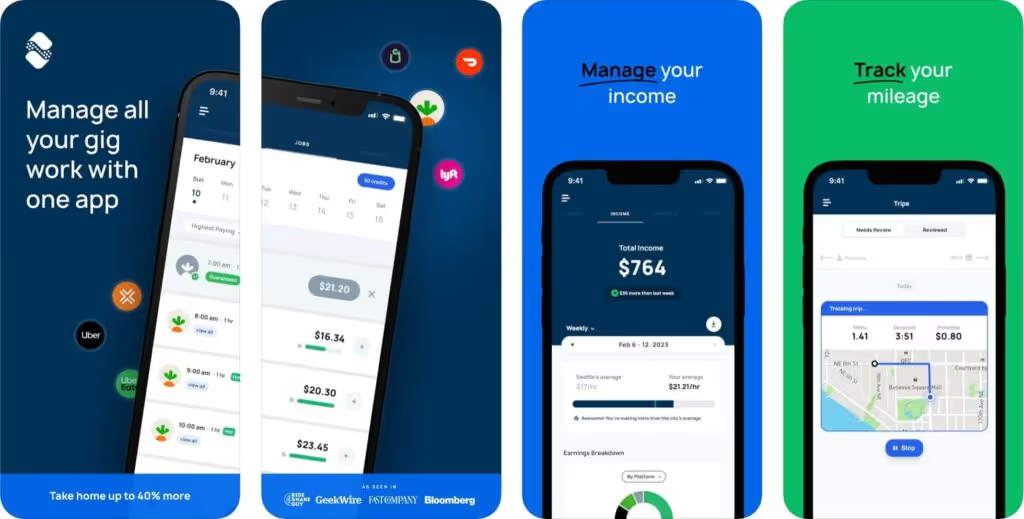
A quick look at Solo:
Solo is a companion app for gig drivers to use in unison with the various apps or platforms they drive, including rideshare, food and grocery delivery, and package delivery. What’s included in the app?
- Solo expense tracking features
- mileage tracking
- ability to download reports as CSV files for tax purposes and review
- driving plans (known as Pay Guarantee) based on driver history and data points
- income tax projection
Solo designed their app for all gig workers and freelancers, not just gig drivers. You can also add income from non-app sources, such as dog walking, website building, freelance writing, freelance caretaking, or other income streams. That’s a nice feature, given that so many gig workers engage in multiple gigs to meet their income goals.
A post by Entrecourier.com, a blog for self-employed workers, includes a Solo mileage tracker review. According to the review, the Solo app has problems with missing trips and doesn’t provide all the trip information required by the IRS. Those are two major sticking points. In a test conducted by Entrcourier, Solo missed 51% of trips.
What is Gridwise?
A quick look at Gridwise:

App Store Rating: 4.9
Google Play Store Rating: 4.6
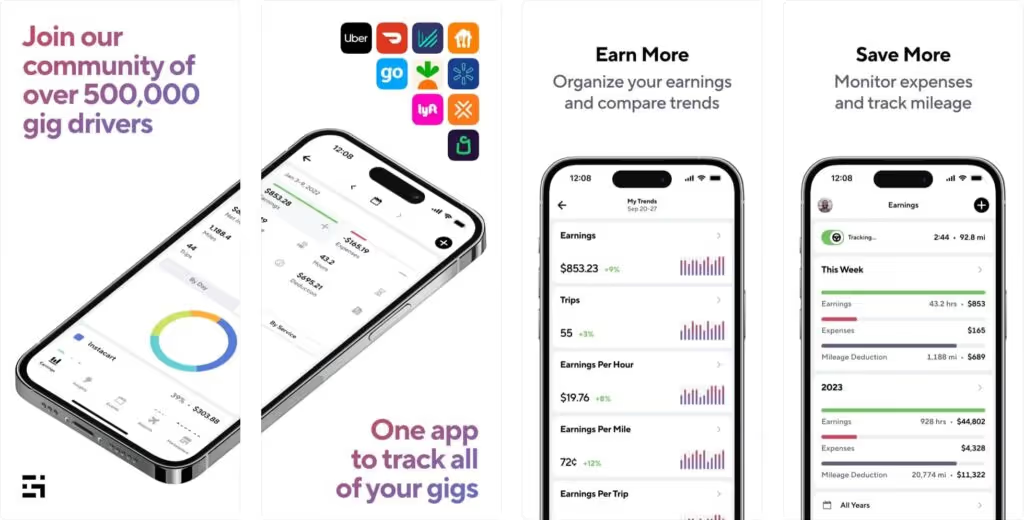
Gridwise is a gig driver app, designed by gig drivers for gig drivers. Gig drivers are getting an app designed exclusively by people who understand their challenges. Highlights include
- Gridwise expense tracking features
- Gridwise mileage tracking
- Where to Drive
- When to Drive
- Airport information
- Gridwise My Trends
- Gridwise messaging
- Gridwise benefits
Gridwise mileage tracker. Any Gridwise mileage tracker review includes high praise for this feature. You simply turn on the tracker when you turn on your rideshare app. You can also use the tracker to record mileage for other business-related driving that’s not gig-related.
Many drivers consider it the best mileage tracker for gig workers.
Gridwise messaging. Gridwise communicates to drivers in real-time about local events, concerts, sporting events, and other factors. If a baseball game goes into extra innings, you know that you don’t need to head to the rideshare area just yet. If a musician makes multiple encores, Gridwise can give you that information.
My Trends. Gridwise’s My Trends feature lets you link all your gig activities—rideshare, food delivery, grocery delivery, and package delivery. Drivers can view their earnings in their entirety or compare activities and see which ones are more profitable. As a gig driver, the Gridwise app lets you know what is working best for you, allowing you to assemble a custom work schedule based on what you know works for your market.
Taxes made easy for Gridwise. Gridwise expense tracking features and the Gridwise mileage tracker make paying the government easier because you can maximize your deductions. You also rest more easily knowing your records are complete and that you have taken advantage of every deduction. Gridwise has a relationship with KeeperTax, allowing you to get income tax projections throughout the year and helping you forecast quarterly payments so you don’t encounter a huge surprise on April 15.
Gridwise benefits. Gridwise’s goal is to provide gig workers with benefits that are difficult to come by when they’re self-employed as gig workers. A quick review of the Gridwise benefits page reveals a host of services that are either free or low cost. These include
- health insurance
- dental insurance
- vision insurance
- life insurance
- disability insurance
- disability coverage
- accident coverage
- tax help
- auto insurance marketplace
- no-cost and low-cost life coverage
- accidental death coverage
- identity theft protection
- chiropractic and alternative medicine benefits
- telemedicine and teletherapy
- credit and debt counseling services
Gig workers of all types can use The Gridwise mileage trackers
Gridwise is genuinely committed to gig drivers and gig workers of all types. You can see it in the benefits we offer, and we are developing new ones daily.
Many gig drivers, motivated by the success and freedom they found as rideshare drivers or in food delivery, have also developed other streams of income. They have found their voice and passion in producing YouTube videos, guest blog posts, and scores of other entrepreneurial pursuits.
The Gridwise mileage tracker, and the other expense tracking features of the Gridwise app, have allowed them to better track their finances without making these tasks complicated. For an in-depth look at how Gridwise compares to other industry tools, read our analysis of the top gig worker apps.
We compare Gridwise vs. Solo apps side by side
The following table looks at premium features available on paid Gridwise vs. Solo apps.

Why don't more drivers use Solo’s Pay Guarantee feature exclusively?
One of the significant features of Solo is their Pay Guarantee. Solo collects data points from your gig driving history, including the times you drive and the platforms you use, and develops a schedule, indicating which apps and times are optimum for you. Drivers who adhere to that schedule receive a pay guarantee or hourly rate they should make (visit the Solo website for specific details). If you stick to the plan and come up short, Solo will make up the rest.
There are several challenges when drivers adhere to a predetermined regimen from Solo:
- Different platforms offer incentives, bonuses, and surges, depending on demand and other factors. Solo’s Pay Guarantee doesn’t always consider these factors when developing a driving plan. Drivers may want to choose one platform over another based on these variables and their potential earnings.
- Some events generate an inordinate number of rides, but they fly under the radar. Downtown Los Angeles, for example, often surges because of unpredictable events at after-hours establishments. Knowledgeable drivers see the heat overlays on the app and recognize the opportunity, but the Solo app may not pick up on this chance for greater earnings.
- An oversaturation of drivers, often unpredictable, leads to increased competition for rides and orders, potentially lowering earnings.
- Drivers may choose to work for platforms that offer better benefits or are driver-friendly, even if it means potentially lower earnings.
- The Solo app does not always understand the strategy a rideshare or food delivery driver uses. On a Reddit post, one food delivery driver explained it this way: “You end up being forced to take all the dozens of low offers [for] every hour you scheduled [on Solo], at which point you will easily make more than the measly $15 or so per hour they ‘guarantee.’”
- New drivers can become over-reliant on Solo and fail to develop the knowledge and instincts experienced drivers use to earn substantial money.
These are examples of why a pay guarantee feature might work against drivers. There are undoubtedly others. While Solo’s pay guarantee feature is available in most major metro areas, it is not available everywhere.
Why Gridwise comes out on top
The big difference between Gridwise and Solo is that Gridwise is an app developed by gig drivers for gig drivers. Gridwise recognizes that there is a learning curve involved in becoming a high-performing gig driver. Many new drivers never get past this learning curve, quitting before they learn the lessons, or continuing to drive and earn substandard wages. With the support they find in the the Gridwise app, they quickly start earning more, and keeping more of it in their pocket.
Gridwise features such as Where to Drive, When to Drive, airport reporting, special event notifications, messaging, and other perks of the Gridwise app help rideshare and food delivery drivers find areas where demand is the greatest. They also prevent aimless driving, limiting unneeded miles on your car and saving on gas. In addition, regular visitors can access the Gridwise blog, featuring some of the best tips for profitable gig driving.
[elementor-template id="20936"]
Check out these Gridwise articles to learn more about the Gridwise mileage tracker:
- Discover how Gridwise ranks among the top gig worker apps by exploring our detailed comparison
- 8 Strategies for Maximizing Rideshare and Delivery Tax Deductions
- 9 Must Have Apps for Gig Drivers
- Gig Car Rental: A Guide to Car Rentals for Gig Workers
- Download the Gridwise app for free!
[elementor-template id="21599"]
How Much Do DoorDash Drivers Make Per Delivery?
While some food delivery drivers prefer to look at hourly earnings as their primary gauge of performance, others prefer to look at how much DoorDash drivers make per delivery. They figure, rightfully so, that if they can squeeze in extra deliveries, they earn more money. This is especially true with DoorDash drivers, which we will discuss later in this blog post.
To provide you with an answer to how much does DoorDash pay per delivery, we consulted Gridwise Analytics. Gridwise Analytics takes its numbers from the more than 500,000 gig drivers who have downloaded the free Gridwise app to improve their gig driver earnings. Using drivers’ feedback, Gridwise has aggregated and anonymized the numbers. The result is the best picture of how much you can make doing DoorDash and other gig driving jobs.
You can also get a good sense of all the essential DoorDash earnings numbers by looking at another Gridwise blog post, 2023 Doordash Earnings Report. Glean another perspective on DoorDash earnings from DoorDash Driver Pay: What Did Drivers Earn in 2022. For now, though, let’s look at how much DoorDash drivers make per delivery.
[elementor-template id="20891"]
A breakdown of DoorDash driver base pay
Top Dashers (that’s what DoorDash calls their drivers) look for at least a dollar a mile in base pay. Some will only accept orders that are closer to two dollars. When an order appears on your app, you see the base pay, which is computed by time, the distance you need to travel, and the desirability of the order.
But other factors can increase this dollar amount.
How to maximize your DoorDash driver earnings
Additional ways exist to increase how much DoorDash drivers make within the DoorDash framework beyond the base pay.
Peak Pay. When things get busy, DoorDash will institute Peak Pay. This is an add-on to the payment you see on the app when the order appears.
Challenges. Challenges are a way DoorDash tries to keep its drivers loyal to the app. You will see a Challenge on your app, offering a bonus for a set number of deliveries completed in a certain amount of time. You might also receive Challenge offers through SMS or email. Challenges also appear as an add-on.
How much do DoorDash drivers make per delivery?
Source: Gridwise Analytics. Graph also appears in 2023 Doordash Earnings Report.
Over the last seven quarters, ending in Q3 2023, DoorDash drivers earned between $8.25 and $8.50 per delivery.
The best DoorDash drivers, however, try to look at their earnings from as many perspectives as possible. For a quick look at this multifaceted perspective on DoorDash earnings, see Gridwise’s recent blog post, 2023 Doordash Earnings Report.
While this blog post focuses on how much DoorDash drivers make per delivery, it is important to understand and appreciate all aspects of Dasher earnings.
Tips for maximizing DoorDash driver earnings per delivery
There are things drivers can do to increase earnings per delivery.
Squeezing in extra deliveries
Work those DoorDash double orders, where you get two orders from the same restaurant, going in the same general direction Double orders are key to increasing earnings. Some drivers will go so far as to take their time after receiving the first delivery, creating extra time for another delivery to get tracked onto the first. You can read more about DoorDash double orders on the DoorDash website.
Get to know the restaurants
Take note of ordering patterns. Some restaurants might be more apt to attract DoorDash double orders. You want to become familiar with them.
Learn about ghost kitchens
Third-party delivery services like DoorDash have revolutionized the restaurant industry. They have also given birth to ghost kitchens. These are kitchen-only operations that target the delivery market. Learn more about ghost kitchens at TheFoodCorridor.com. If there is a ghost kitchen in your area, it can make a big difference in your business.
Try to find your ideal trip distance
Veteran DoorDash drivers will tell you to shy away from the longer distance trips that are more likely to steer you away from the vicinity of restaurants and additional deliveries. You might get an order from a downtown restaurant to a home 20 minutes away. You’ll get good money for that delivery, but you might have to drive 20 minutes back to an area where you’ll pick up another delivery. Find the ideal distance for your region that provides good earnings and allows you to increase your trips per hour.
Work those tips
DoorDash passes on 100% of driver tips through the app. This is a great way to increase your per-delivery income. Carry an extra thermal back for large orders to ensure everything is warm. You don’t have to wear a tie, but dress nicely. Don’t forget to smile. Your parents paid a lot of money for those orthodontics. Show off those pearly whites.
Pay attention to the hours you deliver food
In a recent Gridwise blog post, How Much Do DoorDash Drivers Make per Hour, you can see that prime delivery hours revolve around lunch (11:30 am to 1:30 pm) and dinner (5:00 pm to 9:00 pm). Working outside of those times might prove unproductive and drive numbers down if you're looking at earnings from a per-delivery basis.
Does your market lend itself to a bicycle?
DoorDash accommodates bicycle delivery in markets amenable to that mode of transportation. These are generally dense inner-city areas where bikes are more maneuverable than cars, and you don’t have to worry about parking. Check out a recent Gridwise blog post, The Ultimate Guide to Gigs You Can Do on a Bicycle or Scooter. It just might work for you.
Look at your DoorDash earnings from different perspectives
As we said earlier, the best DoorDash drivers look for every earnings insight possible. Per-delivery earnings are significant, but so are hourly earnings, daily earnings, and seeing how tips fit into the equation. For a complete perspective on DoorDash earnings, see the recent Gridwise blog post, 2023 Doordash Earnings Report.
[elementor-template id="21599"]
Get more DoorDash Dasher earnings insights from Gridwise
Check out these Gridwise articles to learn more about Uber Eats earnings:

How To Make $1000 A Week With Walmart Spark
Casi todo el mundo compra al menos algo de Walmart o Sam’s Club, ya sea alimentos, suministros o artículos novedosos, y son muchos a los que les gusta que le envíen sus pedidos. Es por esto que los conductores de Walmart Spark siempre están ocupados, y el pago por ser conductor de entregas de Walmart Spark es tan alto.
En esta publicación, te mostraremos qué tan bien puedes ganar como conductor de entregas de Walmart Spark y cómo puedes facturar $1000 por semana.
[elementor-template id="20891"]
Que tanto Walmart Spark por realizar entregas?
Spark realmente está cobrando fuerza este 2023. Al triplicar el número de áreas de recogida este año en comparación con el año pasado, la aplicación Spark ahora cubre el 84% de los hogares estadounidenses a través de 15,000 puntos de pick-up. Además de las tiendas Walmart y Sam's Club, estos puntos incluyen ubicaciones de clientes de Walmart GoLocal, que brindan servicios de entrega para empresas de todo tipo.
Obviamente, hay muchas oportunidades para los conductores de entrega de Spark, y los datos de Gridwise muestran que no solo pueden contar con un negocio sólido, sino que también un buen salario.
Aquí está el resumen:
Datos Sobre Ganancias de Conductores de Walmart Spark
Diciembre de 2022–Febrero de 2023
Ganancias promedio por hora$24.10Ganancias medias por hora$23.70Ganancias por hora en el percentil 90$24.50Ganancias promedio por semana$323.00 (promedio de 13 horas de trabajo/semana)
Fuente: Gridwise
El pago por entrega de Walmart Spark es bastante alto en comparación con la mayoría de los otros servicios de viajes compartidos y entregas. Cabe destacar, que las ganancias de $323 por semana se basan en solo 13 horas de trabajo. Los conductores en el percentil 90, que ganaron un promedio de $755 por semana, trabajaron aproximadamente 31 horas.
Cuando consideras ese tipo de retorno de inversión sobre el tiempo y trabajo que un conductor hace, se vuelve fácil ver como la cifra de $1000 a la semana puede ser más que un sueño lejano. Antes de analizar algunas de las estrategias que te ayudarán a lograr ganancias súper altas con Walmart Spark, veamos algunos aspectos sobre como opera el sistema de pago de conductores de Walmart Spark.
Cómo paga Walmart Spark?
Walmart Spark le paga a sus conductores por cada entrega que completen. Hay diferentes opciones con Spark, que incluyen recoger en las áreas externas de Walmart y Sam's Club y en puntos GoLocal, ingresar a la tienda para hacer las recogidas, o en ciertos pedidos comprar y entregar. El pago de cada pedido se mostrará en la pantalla de tu aplicación Spark cuando la orden llegue.
Es importante tener en cuenta que cuando recibes una solicitud de la aplicación Spark, las entregas pueden acumularse. Es decir, una única solicitud podría abarcar una entrega con sólo dos artículos y otra con ochenta cosas para hacerle llegar al cliente. Aunque vayan a destinos diferentes, el pago representa lo que obtendrás por realizar ambas entregas en un solo paquete. En la mayoría de los casos, las entregas van en la misma dirección, pero no siempre es así. Tendrás que examinar detenidamente las opciones antes de decidir aceptar cualquier oferta.
Si bien a muchos conductores no les importa recibir pedidos acumulados, porque podrían ganar más, esto hace que cada pedido tarde más en entregarse. Lo cual podría convertirse en un problema si el conductor busca completar una determinada cantidad de pedidos dentro de un período de tiempo determinado para calificar para los programas de incentivos que Spark le ofrece a sus conductores de vez en cuando.
Esto nos lleva exactamente a lo que se incluye dentro del sistema de pago de Walmart Spark. Existe una tarifa de pago básica por pedido, pero también hay más. Los conductores de Walmart Spark también pueden contar con
- propinas: La mayoría de los comentarios de conductores de Walmart Spark nos dicen que los clientes dan buenas propinas. Los datos recopilados de los conductores de Gridwise corroboran esto, indicando las siguientes tasas de propinas:
- mediana: 29% sobre el salario base
- promedio: 32% sobre el pago base
- Percentil 90: 34% sobre el salario base
Esta es una tasa de propinas considerable! Los conductores de Spark pueden contar con ingresos superiores a su tarifa base, gracias a la gran tendencia que tienen los clientes de dar propinas.
- incentivos totales: El conductor gana una suma fija además de sus ganancias básicas por completar un cierto número de entregas. Aquí es donde esos pedidos acumulados pueden llegar a ser problemáticos.
- incentivos escalonados: Es un incentivo que recompensa a los conductores que desean lograr más viajes. Podría haber una oferta de $20 adicionales por 4 viajes, $30 adicionales por 8 viajes y $40 adicionales por 12 viajes.
- incentivos por pagos confirmados: Estos se ofrecen ocasionalmente para incentivar a los conductores a hacer más entregas. Por ejemplo, se les garantiza a los conductores $400 si completan 25 o más viajes durante un periodo determinado de tiempo, normalmente unos pocos días. Si ganan menos, la aplicación de Spark cubrirá la diferencia.
- incentivos por viaje: Estos suelen ofrecerse como incentivo para conseguir que los conductores entreguen fuera de horario, como por ejemplo en las horas pico o por la noche. A los conductores se les da dinero extra por cada viaje que completen.
- aumentos repentinos: Cuando la demanda es extremadamente alta y no hay suficientes conductores para manejarla, la aplicación aumentará las ganancias de las ofertas para incentivar a los conductores a aceptarlas.
Lee más sobre los programas de incentivos Walmart Spark en su sitio web.
- referidos: Después de completar un número determinado de pedidos, los conductores son elegibles para referir a amigos y que estos se conviertan en conductores también. Si el amigo referido cumple con los requisitos de volumen de pedidos en un periodo de tiempo determinado, ambas partes son recompensadas. Aprende más sobre el Programa de Conductores Referidos en el sitio web de Walmart Spark.
Estrategias para ganar $1000 a la semana con Walmart Spark
Como habrás podido ver con los $755 a la semana por 31 horas de trabajo (reportados por los conductores de Gridwise Spark que están en el percentil 90), si es posible ganar mucho con Spark. Pero para llegar a los $1000 por semana, tendrás que esforzarte solo un poco más.
Una mujer en New México ganó $100,000 en un año conduciendo para Spark, según un video en YouTube de "Your Driver Mike’s" . Sin embargo, trabajó de 10 a 12 horas al día y era extremadamente perceptiva. También aprendió a trabajar de tal manera que optimizó sus posibilidades de ganar hasta $400 por día. Aquí hay algunas de las estrategias que pudo haber utilizado.
- Dedicarle tiempo. Si quieres ganancias altas, tendrás que trabajar más de 10 horas a la semana. Podrías no tardar mucho en alcanzar los $1000 por semana si trabajas al menos 40 horas o un poco más.
- Crea ingresos pasivos. Refiere a tus amigos para trabajar con Walmart Spark y utiliza tu enlace de referido en tantos lugares como te sea posible. Tu firma de correo electrónico, un sitio web o un canal de YouTube podrían atraer personas a las que puedes referir para luego cobrar cuando se unan y conduzcan para Walmart Spark.
- Ubícate correctamente. Averigua dónde se encuentran las sucursales de Walmart y Sam's Club en tu área y conduce hasta un lugar donde cualquiera de ellos (o ambos) puedan localizarte para realizar pedidos. Estar cerca de una posible ubicación de pick-up reducirá las millas que necesitarás conducir para completar las entregas.
- Apuesta por los incentivos. Mantente alerta de los incentivos que van apareciendo en tu aplicación Spark y participa en tantos como te sea posible.
- No rechaces muchas órdenes. Si bien puede tener sentido rechazar un pedido, al hacerlo podrían haber consecuencias. Podría pasar que cuando la siguiente orden entre no te notifique la aplicación, y te quedes esperando a que te entre una siguiente mucho rato.
- Familiarízate con los patrones de tiempo y ubicación. Presta atención a cuándo parece haber el mayor número de pedidos y de dónde tienden a provenir. Si bien puedes hacer esto mediante prueba y error, también hay mejores formas de hacerlo. Gridwise, como ves aquí abajo, te da exactamente lo que necesitas!
- Considera usar varias aplicaciones. Gana dinero entre horas pico conduciendo para otras aplicaciones. Echa un vistazo como usar múltiples aplicaciones puede hacerte ganar más en este artículo del blog de Gridwise.
Trabaja de forma inteligente y usando los recursos correctos
Si quieres conocer los mejores momentos para conducir para Spark, y conseguir un montón de herramientas increíblemente útiles, necesitas a Gridwise!
Gridwise te permite:
Darle seguimiento a las millas que realizas en tu trabajo. No olvides las millas que puedes deducir mientras conduces desde y hacia cada entrega. Gridwise registra tus millas desde el segundo en el que se registra al comienzo de cada turno.
Mantente informado sobre la demanda de entregas. Cuándo Conducir y Dónde Conducir de Gridwise te muestran datos de conductores indicando donde y cuando es más probable que consigas más pedidos, y la mayores ganancias.
Registra tus ganancias. Ve observando tu progreso mientras recorres tu camino a los $1000 a la semana! Puedes sincronizar tu aplicación Walmart Spark con Gridwise, y dejar que Gridwise mantenga tus datos. Luego podrás ver cuánto estás ganando, en función de distintos factores. Gridwise te lo muestra todo en gráficos visualmente agradables y fáciles de entender.
Infórmate sobre tráfico, eventos y clima. Gridwise te mantiene informado de lo que sucede en tu ciudad, para que puedas conducir y saber qué esperar mientras realizas tus rutas de entrega.
Obtén beneficios, ofertas y descuentos para conductores. Como trabajador independiente, la falta de seguro y otros beneficios que podrías obtener como empleado pasan a ser una preocupación. Estarás encantado de saber que Beneficios Gridwise te tiene cubierto! Desde seguros de vida gratuitos o de bajo costo hasta consultas por videollamada, salud mental, visual y dental, podrás cubrir todas estas necesidades para ti y tu familia.
Asegúrate de descargar la aplicación y echarle un vistazo a las ofertas y descuentos que Gridwise tiene para los conductores.
Ahora que sabes cómo ganar $1000 con Walmart Spark, no querrás hacerlo sin Gridwise!
[elementor-template id="20949"]
Ahora que sabes cómo ganar $1000 con Walmart Spark, no querrás hacerlo sin Gridwise!
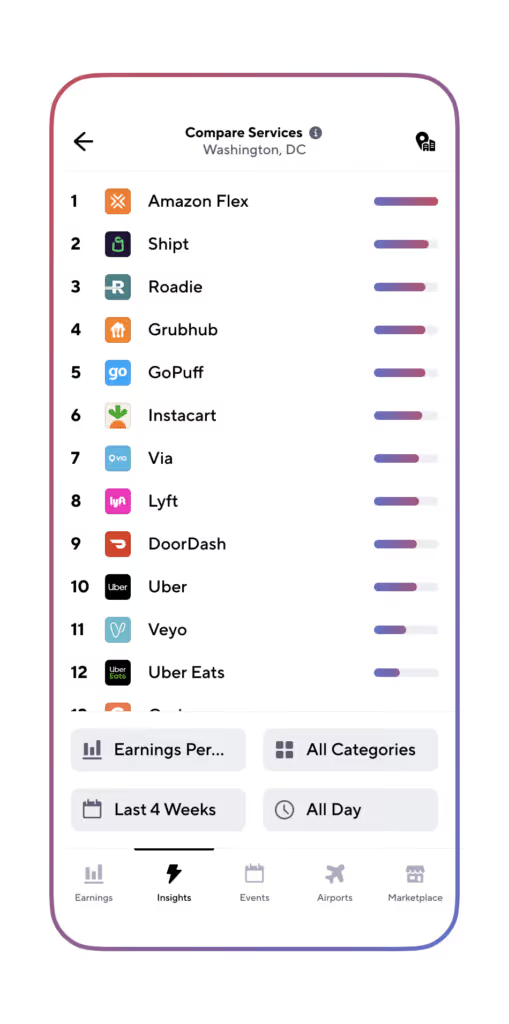


[elementor-template id="21599"]
Repasa tus conocimientos sobre trabajar como conductor de Walmart Spark
- Viajes compartidos vs Entregas: Cuánto Ganaron los Conductores en 2022?
- Cómo Ser Conductor de Entregas: Una Guía de Gridwise para Conductores
- 5 Mejores Rastreadores de Millas Para Socios Conductores
- Buscas un trabajo extra, a tiempo parcial o completo? Echa un vistazo a la Bolsa de Trabajo Gridwise.
- Cuánto puedes ganar con Instacart?
Which Is the Better Gig Driver Tracking App? Gridwise vs. Everlance
Gridwise and Everlance are two popular apps designed to assist gig drivers by tracking mileage and optimizing earnings. Unsure of which one to choose? Look no further than this blog post for a detailed comparison.
The key to a great mileage app for rideshare or food delivery is its ability to alleviate the burden on gig drivers. Gone are the days of labor-intensive, easily forgotten, handwritten mileage logbooks. App-based mileage trackers are the way to go. However, with so many options available, it's natural to wonder, "Which mileage tracker is the best for gig drivers?" There are numerous possibilities, most of which can be downloaded onto your phone.
You might be wondering, "What features should I look for in a mileage tracker? Which miles incurred during my gig driving are tax deductible? What other factors should I consider? And why is one tracker superior to the others?"
This blog post provides a side-by-side comparison of Gridwise and Everlance mileage trackers. By outlining the reasons, you will discover why Gridwise stands out as the premier tool for gig drivers.
You can also jump to the Gridwise website to explore how their mileage tracker fares against other major competitors.
[elementor-template id="20891"]
Why do gig drivers need a mileage tracker?
Rideshare, food delivery, and many parcel delivery drivers are contract workers for gig platforms. They are solely responsible for paying federal and state taxes on their income. Rideshare companies don’t withhold taxes for you. It's incumbent upon gig drivers to minimize that tax liability as much as possible. As gig drivers, your most significant tax deduction is the mileage you put on your car every time you gig drive.
The IRS increased the standard deduction for business mileage in 2024 to 67 cents a mile. That means for every 10,000 miles of gig driving you put on your car, you can reduce your taxable income by $6,700. Gig drivers in metropolitan areas commonly put between 50,000 to 60,000 miles a year on their vehicles. Deducting accurate mileage makes a big difference in the money you’ll owe the IRS.
Why not use the mileage figure the gig company gives me?
We’re glad you asked that question. At the end of the year, you get an earnings statement from the gig platforms with a mileage figure. That figure reflects the miles you traveled from when you received your order or ride request to when you picked up the passenger or order and then concluded when you dropped off the passenger or delivered the order.
It does not include the miles you traveled before receiving your first assignment, the miles you traveled between assignments, and the miles you traveled at the end of your shift on your way home. Those are all tax deductible because they are business-related. The Gridwise mileage tracker records these additional tax deductible miles for you.
For a complete look at how Gridwise performs against some of the most popular mileage trackers in addition to Everlance, check out this Gridwise page.
What if I get audited?
You can download the electronic mileage records from the Gridewise app. They are Excel-compatible so that you can make computations in minutes. You can also have a hard copy that serves as proof of your miles. Gridwise programmers carefully researched the IRS requirements for mileage reporting, and the Gridwise mileage tracker meets them.
What are the features you need to look for in a mileage tracker?
When evaluating mileage trackers for gig drivers, the chief thing to remember is whether the mileage tracker is designed primarily for gig driving. Gridwise was founded by gig drivers for gig drivers. The founders realized there had to be a better way to track mileage. The Gridwise mileage tracker is part of the Gridwise app, a companion app designed for gig drivers. Now let’s look at the features you need as a gig driver.
- An accurate tracker. As a gig driver, you want to track every mile to ensure an accurate record for tax preparation. Gridwise links to your cell phone's GPS.
- Automatic turn-on/turn-off reminder. If you forget to turn on the Gridwise mileage tracker, it senses that you’re driving and sends a message to your phone asking you if you want to activate it. The same thing happens at the end of your shift: if when you stop driving you forget to turn off the tracker, Gridwise sends you another message.
- Syncs all your gig platforms. High-performing gig drivers work on multiple platforms. Synchronizing them on the Gridwise app is simple, and you can easily pull up a collective report, showing in real-time which apps are the most profitable for you.
- Tracks your expenses. You might have bought a flashlight to see addresses or gum and mints for your rideshare passengers. Those are all deductible. The Gridwise mileage tracker includes a feature that allows you to quickly photograph receipts and enter a brief description.
- Downloadable reports. You can quickly and easily download your mileage into an Excel file for easy handling. Print it out for a hard copy. Drop in an easy-to-use Excel formula to add up a year’s mileage in seconds.
- Audit acceptable. IRS audits are always a possibility, especially for the self-employed. An orderly printout detailing your mileage will satisfy any tax examiner.
While this blog post compares Gridwise to Everlance, you can also see how Gridwise matches up to all the best mileage tracking apps.
A closer look at Gridwise vs. Everlance
Everlance review
Google score: 4.4
Apple score: 4.8
Versions: free, $10, and $33
An overview of Everlance reveals that it aims to attract gig drivers. However, if you dig deeper, you will find features aimed at companies with multiple employees and mileage payments. Everlance wants to be all things to all businesspeople rather than specifically focusing on the needs of gig drivers or gig workers. The result is an app cluttered with many features that can lead you down a confusing rabbit hole.
You can manually enter your earnings into the Everlance app, but that's time-consuming when you consider that Gridwise automatically tracks income from all your platforms and then presents it in an easy-to-understand format. Gig drivers need to see all their earnings at a glance, simplifying the analysis process.
There are paid versions of Everlance, but most drivers can get by on the free version. Even so, gig drivers will be left looking for the additional features that are so important to them.
The Gridwise review
Google score: 4.7
Apple score: 4.9
Versions: free and paid ($9.99 a month with a 20% discount if paid annually)
The Gridwise mileage tracker was designed and intended for gig drivers as well as gig workers. Its features relieve the administration burden so gig drivers can concentrate on building their earnings. Every tab and button has a purpose for the gig driver, all based on efficiency, saving time, and increasing profits.
The Gridwise mileage tracker features a reminder that detects when you begin to drive and sends a message asking if you want to track your miles. The only miles you track are gig-related ones. That’s a powerful point to make to an IRS auditor.
Gridwise, like Everlance, has an expense tracking function, but Gridwise lets you take receipt photos and place them in a report and a brief description. Compute mileage and expense reports in minutes at tax time.
Where the Gridwise mileage tracker really shines, though, is in the unique features that make you a more productive gig driver. These include:
- Trends at a glance. The Gridwise mileage tracker quickly displays earnings and history to show you where you make the most money.
- Where to drive. The Where to Drive tab monitors all the platforms you drive, letting you know in real time where the greatest demand is for rideshare, food, and grocery delivery.
- When to drive. The When to Drive tab on the Gridewise app provides a mix of historical and real-time data on when demand is the greatest.
- Gridwise messaging. With Gridwise messaging, you’ll receive the latest information on when and where a concert, sporting event, or other activity is happening, ensuring you won’t miss out.
- The Gridwise blog. The Gridwise blog, updated regularly, provides you with rideshare, food delivery, and grocery delivery information. Learn the latest strategies and secrets, helping you save time and boost earnings.
- Airport features. Unravel the mystery of airports with Gridwise. Know when flights are arriving so you can be ready for passengers.
- Traffic and weather reports. Weather and traffic can change in minutes. Gridwise monitors the reporting sources and lets you know when these factors affect your productivity.
Side-by-side comparison: Everlance vs. Gridwise
There is much confusion about the best mileage app, but Gridwise cuts through the clutter. The following table looks at premium features available on paid Gridwise vs. Everlance apps.
Benefits of Gridwise membership
Gridwise offers benefits that gig drivers find difficult to locate anywhere else. Here are just a few:
- health insurance
- dental insurance
- vision insurance
- life insurance
- disability insurance
- disability coverage
- accident coverage
- tax help
- auto insurance marketplace
- no-cost and low-cost life insurance coverage
- accidental death coverage
- identity theft protection
- chiropractic and alternative medicine benefits
- telemedicine and teletherapy
- credit and debt counseling services
Gridwise is always adding benefits. Subscribe to Gridwise today for the deepest discounts on these services. Learn why Gridwise stands out in our comprehensive guide to the top 5 gig worker apps.
Gridwise comes out on top
Many apps claim to be for gig drivers, but they are often an afterthought. Everlance ranks well as a financial app for freelancers and self-employed professionals, but it lacks the services that top-earning gig drivers need to maintain their productivity.
When it comes to gig drivers, Gridwise has the most complete selection of features to make your work more profitable and keep your tax liabilities at a minimum.
[elementor-template id="21599"]
Check out these Gridwise articles to learn more about the Gridwise mileage tracker:
- Discover how Gridwise ranks among the top gig worker apps by exploring our detailed comparison
- Gridwise vs. Stride: Which works better for you?
- What’s the best rideshare assistant/mileage tracking app?
- Gridwise is the all-in-one assistant for gig workers
- Gridwise vs. Solo: A look at gig worker expense tracking apps
Trabaje de forma más inteligente. Gane más.
Ya sea que conduzcas, entregues o recojas turnos, Gridwise te ayuda a hacer un seguimiento de las ganancias, el kilometraje y el rendimiento para que puedas mantener el control de tu trabajo. Descarga la aplicación y toma las riendas hoy mismo.
