Blog de Gridwise
¡Lee el blog de Gridwise para obtener consejos y sugerencias sobre cómo ganar más dinero mientras conduces para Lyft, Uber, DoorDash, GrubHub y más!

The Gridwise Job Board: Find Your Ideal Job or Gig Work
Gridwise is an essential assistant app created by gig workers for gig workers. Our mission is to support those engaged in gig work in every way possible. We understand how challenging it can be to deal with income instability, a lack of benefits, and job insecurity that often comes with gig work. The Gridwise app tracks and organizes earnings and expenses, and offers a wide array of discounts, deals, and services that make the lives of independent contractors easier and more rewarding.
We firmly believe it’s possible to make a viable living and create a gig experience that offers flexible hours, variety, and excitement. With issues such as consistent earnings and job security in mind, Gridwise is proud to offer a centralized platform that shows you how to find gig work and secure reliable opportunities. We’re proud to introduce the Gridwise Job Board.
[elementor-template id="20891"]
The Gridwise Job Board: Key features
Because Gridwise is dedicated to serving the gig worker community, we’ve filled the Gridwise Job Board with useful features that won’t waste your precious time.
- Comprehensive listings. Find part-time, full-time, temporary, and per-task work. Drive or deliver with your vehicle, utilize an employer’s vehicle, or even find non-driving gig work.
- User-friendly interface. Find the jobs that are right for you with a tap of your screen.
- Verified opportunities. We vet the jobs before they are listed to ensure you’re getting high-quality job postings.
How to get more gig work, seasonal, part-time or full-time jobs with the Gridwise Job Board
Looking specifically for “gig work apps” or “gig jobs near me?” You’re in luck. Our filters and search functions send you directly to the listings you seek.
Here’s how it works.
- Access the Job Board via the Gridwise website.
- Search for jobs by type, location, and more.
- Select the job that interests you, and read all about it.
- Scroll through the description, and if it appeals to you, click “Apply for job.”
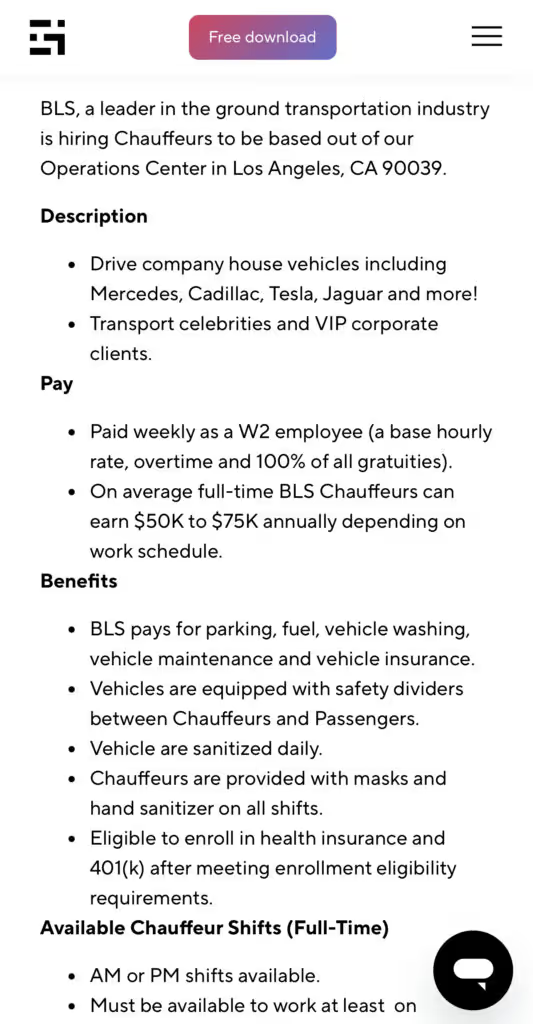
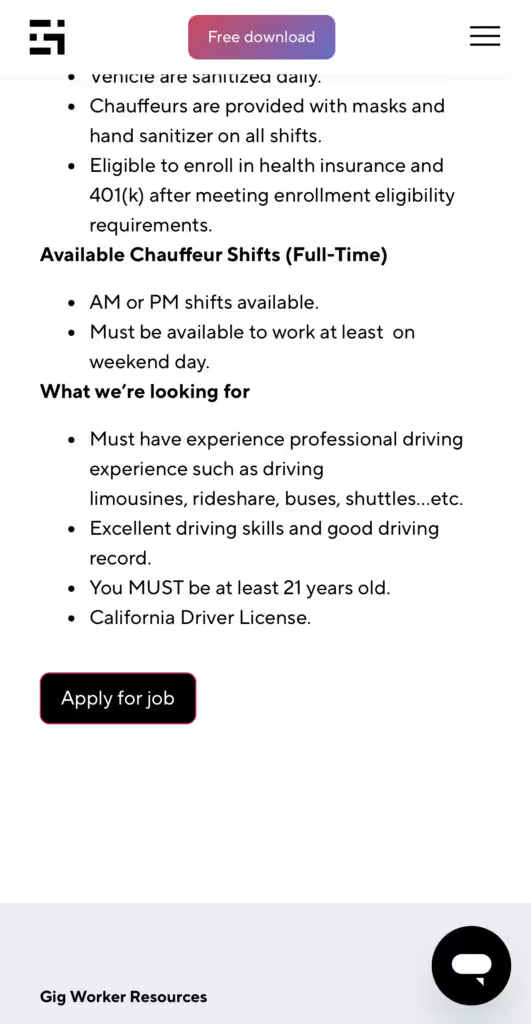
Many types of jobs are available. Adjust the search filter to see the full variety of opportunities that will let you cash in. Deliver food, set up catering, do rideshare driving, get paid for doing package delivery, and much more. You’ll find short-term gigs, long-term contracts, and part-time positions.
Perks of the Gridwise Job Board for gig workers
Gig workers who know how to make extra money will appreciate how the Gridwise Job Board lets you multiply your chances of bringing in big earnings. Here’s how:
- Increased stability. Use the Gridwise Job Board to find part-time or permanent jobs in addition to the part-time gigs you already have. Always keep a steady stream of earning opportunities flowing toward you.
- Flexibility and autonomy. Choose jobs that fit your schedule, work around other jobs and family duties, and still leave room for some fun in your life. Discover side hustles to supplement your full-time job, permanently or just for the season.
- Skill development. Find part-time work that lets you use a skill you already have, or try your hand at something new. It’s a smart way to develop a portfolio to showcase what you can do, or even to find permanent employment.
Get Gridwise and stay up to date on the Gridwise Job Board
Gig workers need plenty of information and assistance, and Gridwise is here to give it to you. Download the app and get essential features such as
- seamless earnings tracking
- mileage tracking
- expense recording, including notes
- low-cost and no-cost insurance benefits
- access to affordable medical, dental, vision, mental health, and alternative care
- professional services including legal and financial help
- deals and discounts
- weather, events, and traffic reports
- inside information on where and when to drive
[elementor-template id="20936"]
More to know about gig work:

5 Best Mileage Trackers For Gig Drivers
Many drivers ask, “Do I really need a mileage tracking app?” The answer is simple: only if you want to have an accurate count of all the miles you can legally deduct from your taxable income! You might think your rideshare or delivery driving app has got you covered. After all, they do quite a good job of logging the miles you drive while you’re on a trip or delivery. But, if you want to have the best app to track mileage for Uber, Lyft, Doordash, Instacart, or the other apps you may use, you need more. Why is that?
Without a separate tracker, you’re missing the miles you drive in between pings. Did you realize that all the miles you drive, from the moment you begin your shift until it’s over (as long as you don’t drive several miles on a break to hang with your friends), are tax deductible! That means you need something besides your driving app to keep an accurate count of your travels. Read this Gridwise post to see how important it is to keep track of every deductible mile.
You won’t be surprised to hear that there’s an app for tracking miles. In fact, there are several of them. Here, we’re going to tell you about five top mileage tracking apps, and help you figure out which one is best for you.
Before we get to the list and identify the best mileage tracker app, let’s clarify what exactly a mileage tracking app is. According to G2.com’s technology glossary, mileage tracking is done for the purpose of keeping a log of mileage that is either reimbursable or tax deductible.
And yes, of course you can track your miles simply by taking readings on your odometer. But are you really prepared to account for how many miles you drove for personal reasons and subtract them from the total to get your business mileage? Even if you can remember all that and do the arithmetic, if you want an accurate reading of the miles you drive for business, and can therefore deduct, a mileage tracking app will save you a lot of trouble and prevent you from making costly errors.
Plus, as a gig driver, you have specific needs when it comes to a mileage tracker. Ideally, you’d be able to handle mileage tracking and several other functions all in one app. It can be maddening enough to deal with driving apps, particularly if you’re an avid multi-apper. You would want your mileage tracker app to help you keep account of other aspects of your business, including income, expenses, and inside information about the art of gig driving.
Not all mileage apps are equal, to be sure! Let’s look at five of the best apps to track mileage and figure out which is the best app to track mileage with Uber and Lyft, or what mileage tracker app is best for DoorDash.
[elementor-template id="20891"]
1. Zoho Expense
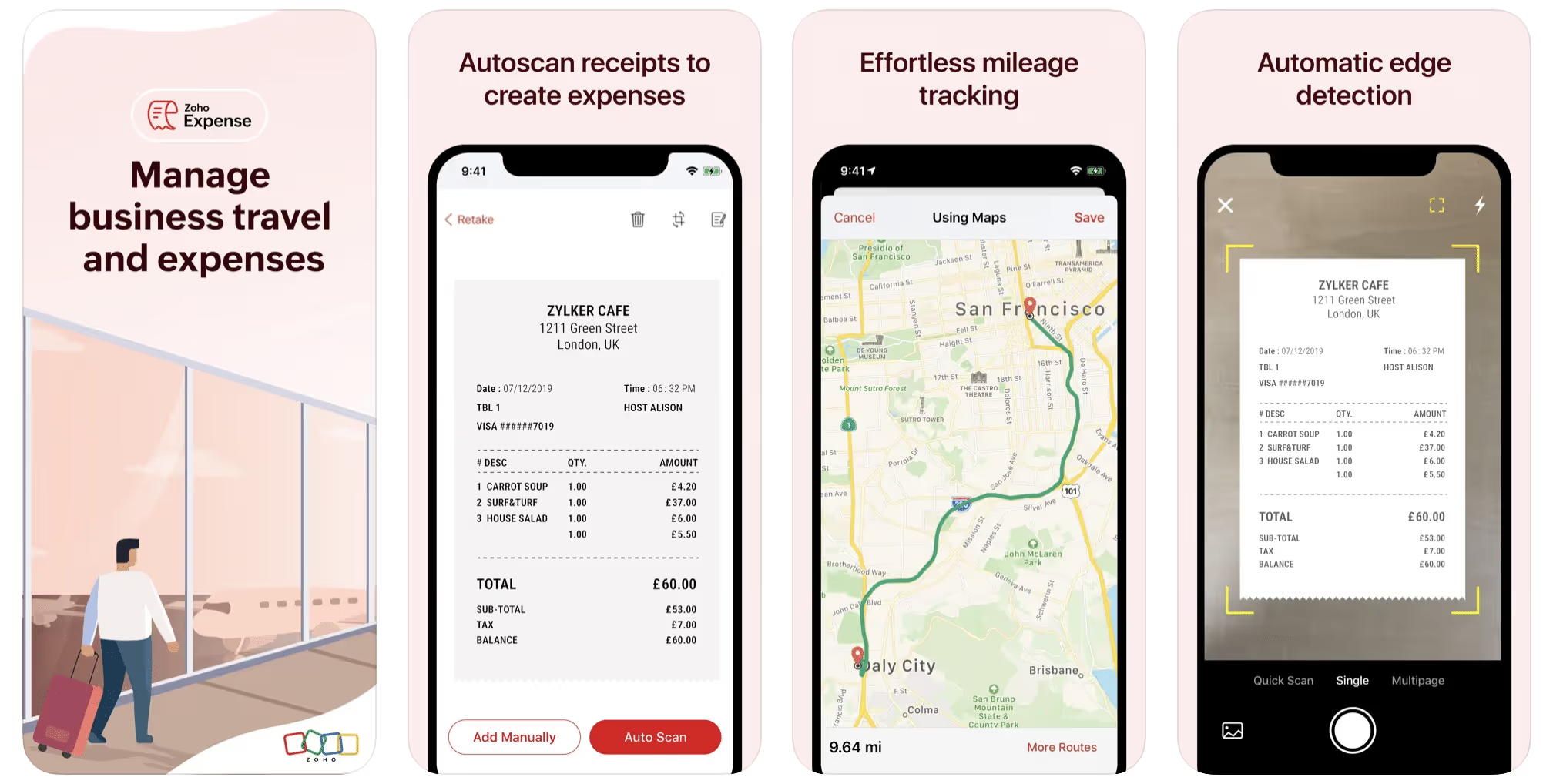
First up is Zoho Expense, which does exactly what its name says. This app is designed to allow companies to give employees a uniform way to create and submit expense reports. It can be used by individuals, including gig drivers, as well.
It includes a mileage tracker, as well as features that let you track other deductible expenses, including the ability to scan and record receipts.
Available on Android and Apple: Yes
Ratings: 4.8 stars on App Store, 4.7 stars on Google Play
Free Version: Yes
Subscription price: $3 per month, billed annually
Created specifically for gig drivers: No
2. Quickbooks Online
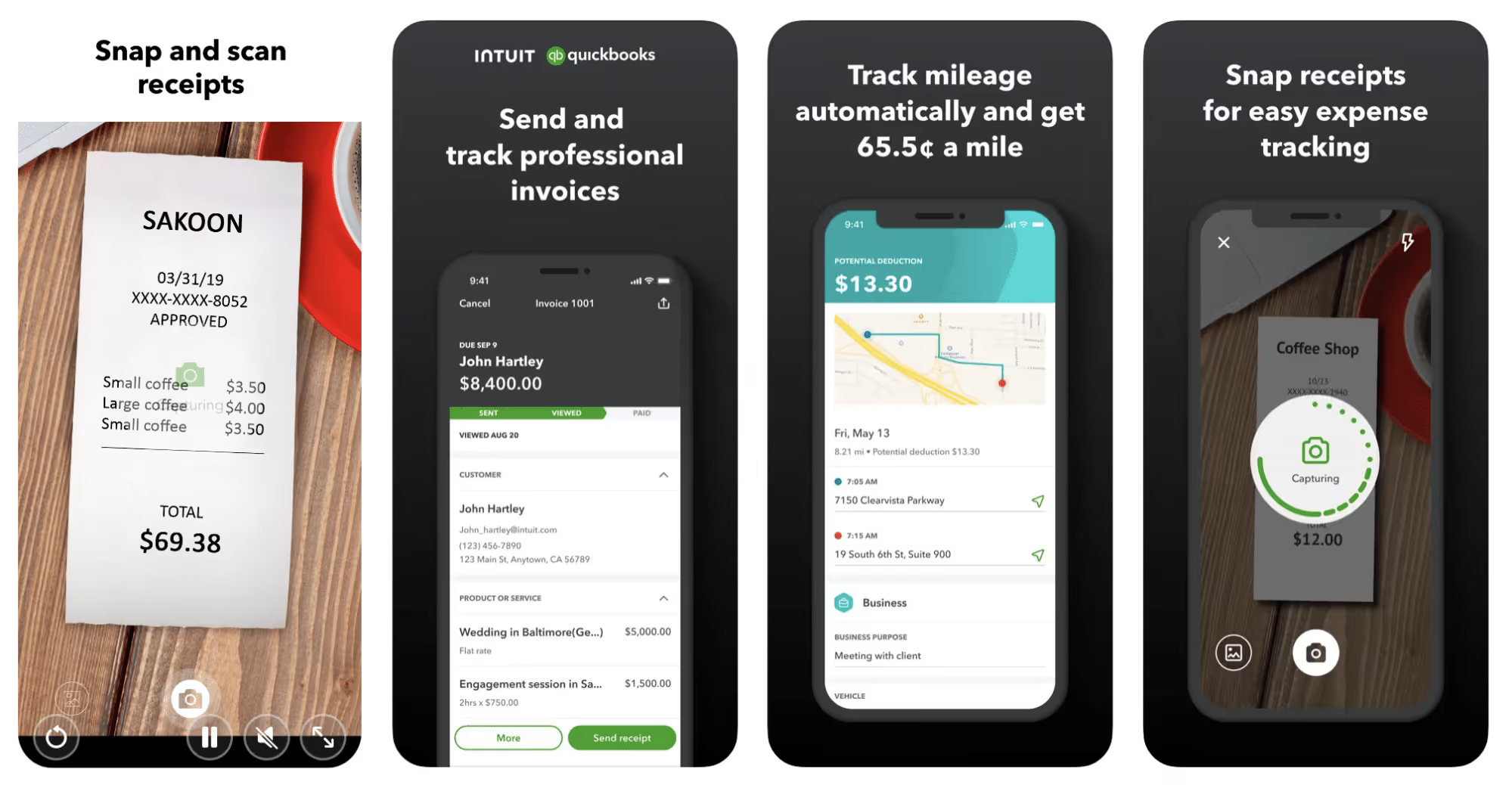
Quickbooks Online is a cloud-based app that allows you to track your mileage, earnings, and expenses. The information you enter can then be used to generate various reports that prepare you for tax time. It also allows you to create graphs that illustrate your cash flow, and includes a receipt scanner so you can instantly record deductible expenses. Quickbooks is popular, highly reliable, and designed mainly to help people keep track of their small businesses.
Available on Android and Apple: Yes
Ratings: 4.7 stars on App Store, 4.4 stars on Google Play
Free version: 30-day free trial
Subscription price: $15 per month for basic version if purchased for 3 months or more
Created specifically for gig drivers: No
Source: quickbooks.intuit.com
3. Shoeboxed
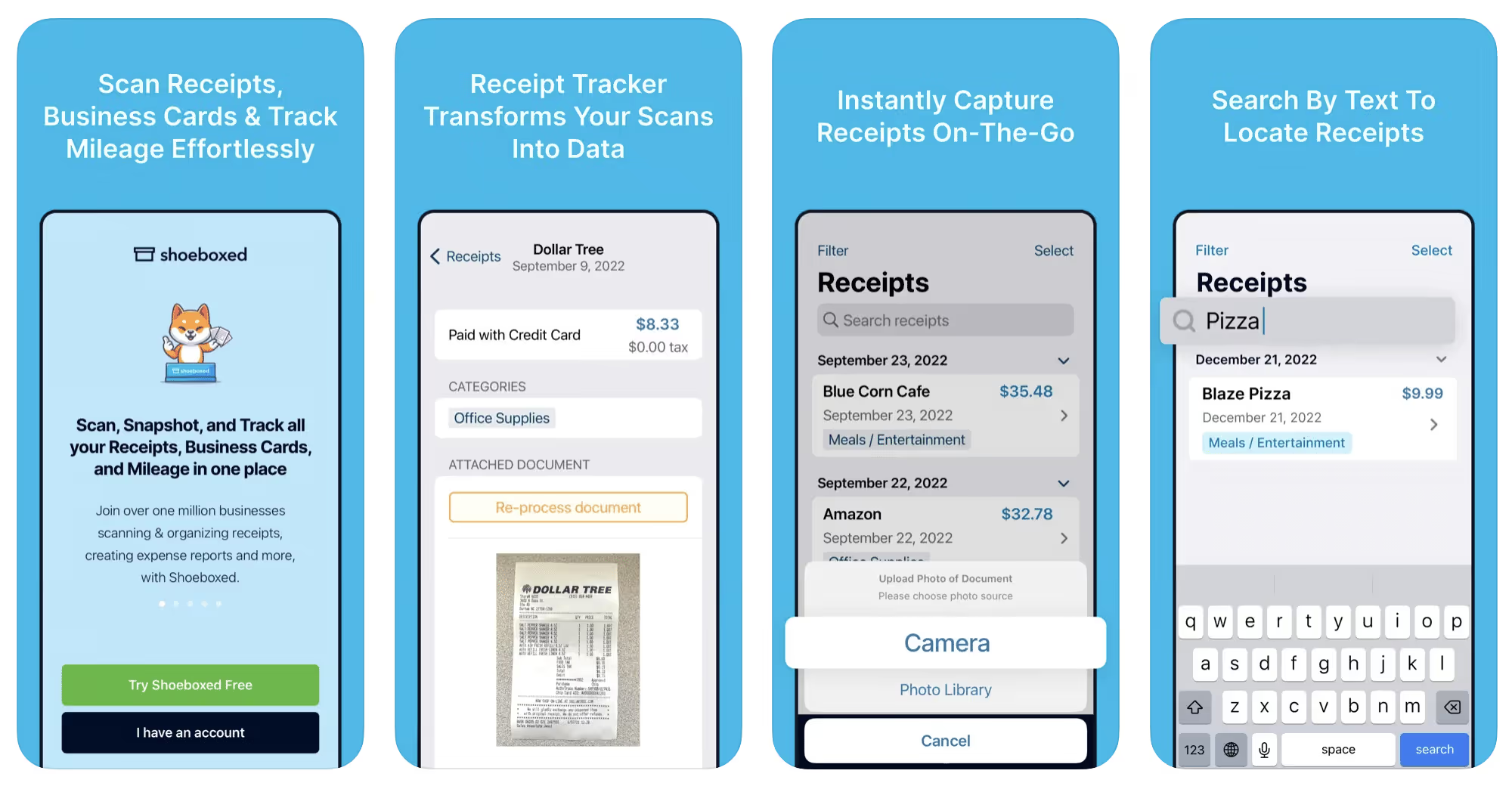
Shoeboxed started in 2007 as a service for scanning paper receipts into digital form. Now the app offers a free mileage tracker and has enabled users to scan receipts directly. It touts itself as the best mileage tracking app for DoorDash, but there are some elements missing that Dashers might like to have. While it provides features that record your expenses and prepare you for tax season, it doesn’t automatically track your earnings. The mileage tracker has a system where you can drop pins along your routes to make the tracking more precise, identifying those legs of a trip that you make for business purposes. The mileage tracker is “free” once you sign up for the basic version.
Available on Android and Apple: Yes
Ratings: 4.5 stars on App Store, 2.3 stars on Google Play
Free version: No
Subscription price: $18 per month for basic version
Created specifically for gig drivers: No
Source: blog.shoeboxed.com
4. Stride
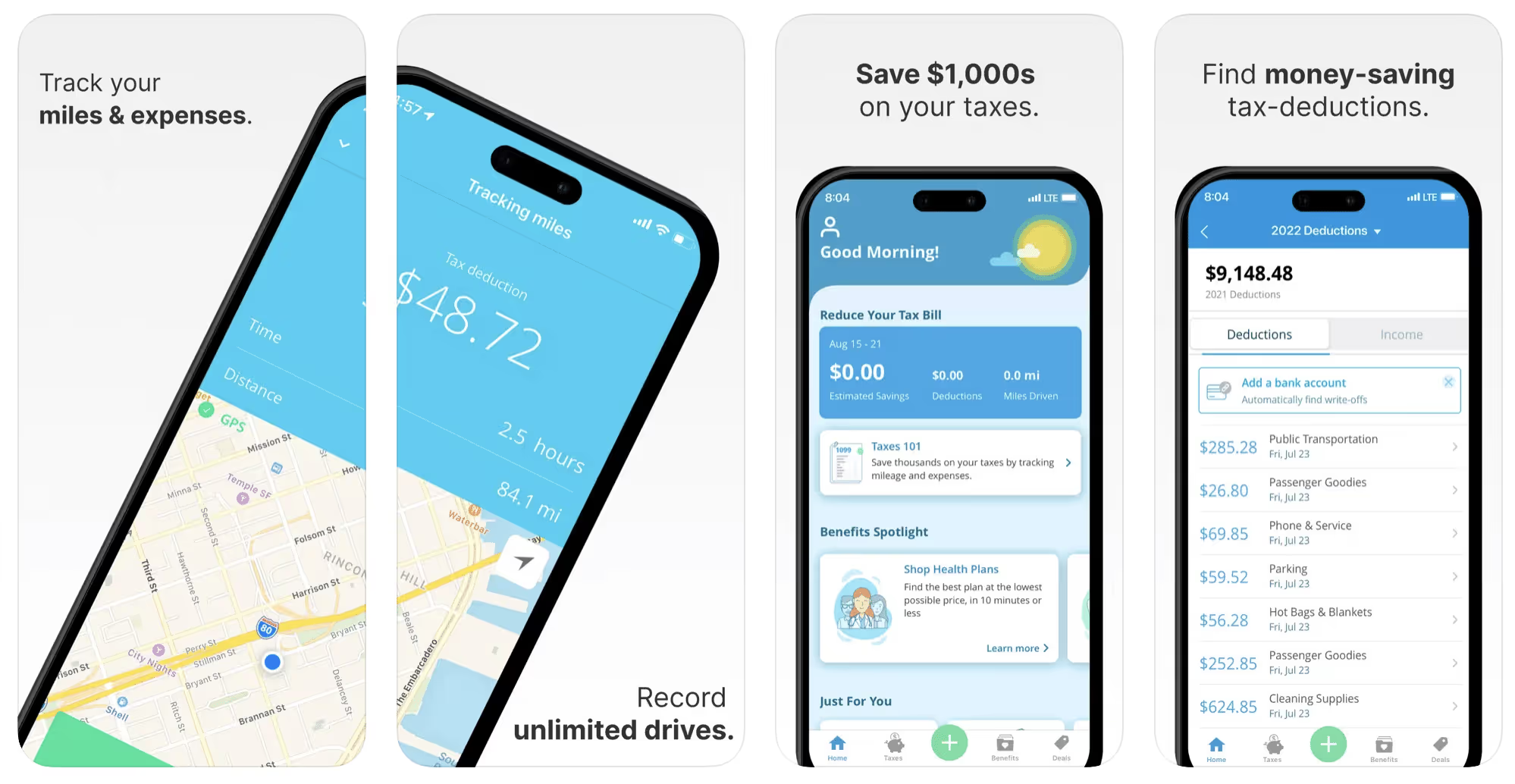
This free mileage tracker does a fair job of keeping track of the distances you rack up while gig driving, but it doesn’t automatically track earnings. It can be a big help, though, in tracking your expenses. You can link Stride to your bank account, and it will automatically scan your expenses to identify items you can potentially deduct. The app is totally free. This could make it the best free mileage tracker app, but there is a small price to pay. The app will persistently push you to consider various insurance plans that they are affiliated with. If you don’t mind that, this is a solid mileage tracker, even if it doesn’t track your earnings.
Available on Android and Apple: Yes
Ratings: 4.8 stars on App Store, 4.6 stars on Google Play
Free version: Yes
Subscription price: None. The app is free.
Created specifically for gig drivers: No
5. Gridwise
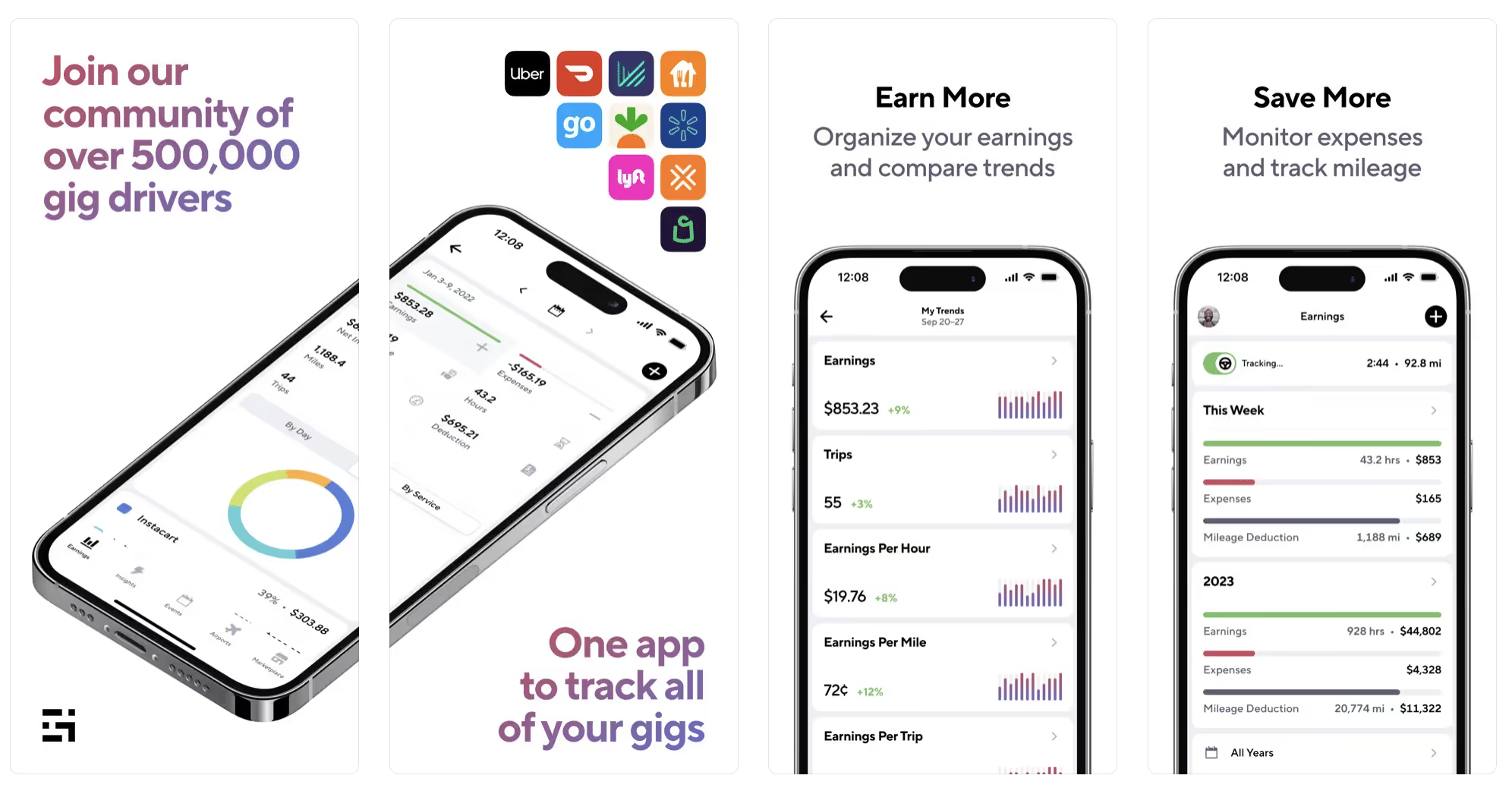
Gridwise has a free mileage tracker and free features that record your income and expenses. It gives you access to insurance and benefits, as well as insights about the best times and places to make the most money while gig driving. The Gridwise mileage tracker captures all the miles you drive while you’re on your driving shift, and it can be used if you have other trips you need to make which qualify as business travel.
Drivers love it because it is geared toward the needs of rideshare and delivery workers, providing free information about airport departures and arrivals, event start and let out times, weather, traffic, and more. The Gridwise Plus subscription adds value by providing additional insights and reports, discounts on benefits, the ability to export data in .csv format,, and more.
Available on Android and Apple: Yes
Ratings: 4.9 stars on App Store, 4.6 stars on Google Play
Free version: Yes
Subscription price: $9.95 per month for Gridwise Plus, or $95.99 per year (a $23.41 savings)
Created specifically for gig drivers: Yes!
What is the best mileage tracking app?
Now that we’ve checked them all out, we’re positive about the answer to that. Hands down, it’s Gridwise. Are we biased? You bet we are! But drivers love it too. Gridwise is the best mileage tracker app—and so much more. So many of the features are free, and the subscription to Gridwise Plus will pay for itself with additional insights to boost your earnings and deeper discounts on products and services.
Most important, Gridwise is designed specifically for gig drivers by experts who were once gig drivers themselves! Knowing what gig drivers need is a crucial step in creating an app that rideshare and delivery drivers can really use! Here are a few of the features, besides mileage tracking:
- seamless earnings tracking
- automatic, on/off toggle and manual mileage tracking
- mileage categorization
- airport, traffic, weather, and events information
- insights into where to drive and when to drive
- reports showing earnings across the platforms you use
- discounts on countless products and services for drivers
- additional resources for finding side gigs
- an informative and comprehensive blog
- affordable benefits, including insurance, medical, dental, and alternative practitioner discounts
- a community of drivers just like you
Don’t settle for just any app. Get the best mileage tracker, and so much more, from Gridwise!
[elementor-template id="21599"]

What Records Do Gig Drivers Need To Keep Track Of For Taxes?
* Gridwise does not provide tax, legal, or accounting advice. This material has been prepared for information purposes only, and is not intended to provide, and should not be relied on for tax, legal, or accounting advice. You should consult your own tax, legal, and accounting advisors before filing your return.
Record keeping? Who signed up for that? As a gig driver, it’s part of what you need to do to keep your business running. Don’t worry. It’s not as complicated as you might have been led to believe. This post will show you what you need to keep track of and the best ways to gather and preserve your tax-related records. We will cover
- How record keeping can help reduce income tax for freelancers
- Taxes and freelance work: Record keeping requirements
- Mileage tracking: Motives and methods
- More deductions and records to keep
- Make tax time easier
How record keeping can reduce income tax for freelancers
Tax time is not “fun time” for rideshare and delivery drivers. It’s easy to get used to watching your earnings pile up and come to believe they are all yours. Unfortunately, that isn’t the case. Gig work taxes can be especially painful because no one takes them out of your earnings for you, until the tax authorities insist that you do it for yourself.
You will need to show the tax authorities your income records, and they will gladly tell you to send them what they determine to be their fair share. Think that’s not fair? You’re not alone, but that doesn’t mean you’re going to get out of paying gig work taxes.
But you can find ways to pay the smallest amount that is legal and possible. The best way to defend yourself against having to pay astronomical amounts when you file your return is to know what expenses you can deduct from your gross income. When you subtract deductible expenses from your gross income, there is less left over to be taxed. This reduces the amount they can hit you with gig worker taxes. and can make your tax bill substantially lower.
While you want to keep good records so as to be in compliance with taxation entities such as the IRS, you also want to ensure you have proof of every last deductible expense you have accrued during the year. There are other records you must keep as well. Let’s look at some of the considerations you have, realizing that you now need to know how to do taxes as a freelancer.
Taxes and freelance work: Record keeping requirements
So many gig drivers fail to understand the responsibilities they have as independent contractors. Those who work part time for very few hours may even believe they don’t have to report the income they get from their driving gig payments. That would be a big mistake!
The company or companies you work for report your income to the IRS and state tax authorities. If you fail to report that income, you will risk some rather painful penalties. The IRS taxing side hustles is as much of a thing as the IRS taxing income from any other job. Your best bet is to report what you’ve earned, honestly and completely, and comply with other record keeping requirements such as
- gross income
- deductions and credits
- purchases (items you purchase and resell, such as snacks or bottled water)
- a log of all your mileage (or vehicle expenses, if greater)
- a list of all expenses and assets, such as utilities and other expenses associated with having a home office and equipment
- machinery and furniture you own, including when it was acquired, how much it cost, whether you previously took deductions on it, and selling price, if applicable (this includes your vehicle)
More things to consider:
- Pay attention to the retention of your records. You’ll need to keep all tax-return-related items— including income, deductions, and any tax credits reported— until the period of limitations runs out (3 years from date you filed, or 2 years from when you paid tax. If you have employees, keep your records for at least 4 years.)
- If you want to avoid paying self-employed taxes, you may want to set up a corporation or Limited Liability Corporation (LLC) for your business. This allows you to separate all your gig driving earnings from personal income, and permits you to take advantage of the additional advantages of working through a corporation. This includes exemption from self-employment taxes. You can learn more about how to pay self-employment taxes, if you opt for that, in this post from Keeper.
- You should always keep a separate checking account for your business, for convenience as well as clarity. While this is not a legal requirement, it is a smart move if you want to have an easier time managing your business.
- You are required, as an independent contractor, to file your taxes quarterly. Check out this Gridwise blog post for more information about quarterly tax payments and other matters that make filing delivery, Lyft and Uber taxes easier.
Mileage tracking: Motives and methods
Why you need to be meticulous about mileage
Mileage deduction, or the costs of operating your vehicle, will be the most important item to account for when you consider how to file taxes as a freelancer. While mileage is an important deduction for all independent contractors, as you might imagine, it’s even more essential for rideshare and delivery drivers.
There are two ways of keeping track of your mileage deduction. One is to use the IRS’ standard mileage deduction, which for 2022 is 58.5 cents per mile. This number takes into account the costs of operating your vehicle, from fuel and maintenance to registration, insurance, and depreciation. Alternatively, you can calculate all your own vehicle operating costs, but only after your first year of using the vehicle. You may discover that this second option allows you to have more money deducted from your taxable income. Learn more about the options for deducting your mileage in this Gridwise post.
No matter which way you decide to calculate the deductions for your mileage, you need to know what mileage you can and cannot deduct.
You can deduct
- miles driven to and from home when you go out to drive or deliver
- miles you accrue during your trips
- miles you drive on any other trips you make that are necessary as part of your business.
Examples:
- driving to return a lost cell phone or to an Uber Hub or another physical location where your company might make driver support available
- driving to pick up supplies, to get gas, or to have your car cleaned, serviced, or detailed, etc.
You cannot deduct
- miles you drive for personal trips
- miles for any trips you take that do not directly affect your business
Note: If imagining yourself becoming the not-so-proud owner of a shoebox filled with paper receipts gives you nightmares, stop worrying. Electronic records of purchases will satisfy reporting requirements. If you use cash, you can scan copies of your receipts, in some cases, right into your recording software or app. Gridwise and Keeper give you a simple to use interface that keeps all your receipts recorded without the messy pile of paper.
Mileage tracking methods
By now, you’re probably convinced that tracking mileage is important, despite all the other things drivers have to do. Now, let’s look at your options for keeping accurate records.
- Manual tracking: You can keep a logbook where you list every trip you make, starting and ending mileage, the date, and purpose of the trip. While this would work, it’s certainly not convenient. Besides, if that logbook gets lost, your plans for having a nice, fat tax deduction will go by the wayside.
- Spreadsheet: This is a bit more convenient and sophisticated way of tracking your business mileage. You’d need to be meticulous about making your entries, though. Even if you keep a spreadsheet app on your phone, it could be time consuming and inconvenient to keep doing it with all the other things going on in a rideshare or delivery driver’s day to day life.
- GPS-based mileage tracking apps: There are a bunch of apps that track mileage based on your GPS location, and most of them are pretty accurate and far more convenient than taking constant readings of your odometer. Your driving apps, such as Uber, Lyft, DoorDash, or Instacart, may also track your mileage, but be careful here. They will only track the miles you drive while you’re on a trip or delivery. They don’t count the miles you drive going to pick up a customer or when you make your move toward a restaurant or store.
Gridwise, on the other hand, will track all the miles you clock while you’re on your shift. All you need to do is make sure you start tracking the minute you leave home, and every gig driving mile will be logged. - OBD-II mileage tracking systems: There are plug-in modules that assess your vehicle’s mechanical health and track your miles. However, many authorities question the ability of OBD-II mileage tracking systems to get get accurate odometer readings. Insurance companies don’t consider them to be accurate enough gauges of odometer readings.
While mileage is a crucial deduction when you’re preparing your Uber, Lyft, or DoorDash taxes, it isn’t the only expense you’ll want to record.
More deductions and records to keep
Expenses you can deduct
You’re entitled to include the cost of other expenses that are directly related to your driving business. These include
- vehicle expenses
- equipment for your car and home office
- extra services and subscriptions
- business tools, including apps and software
You can learn much more about gig driver expenses that are eligible for deduction in this Gridwise article.
Ways to track and preserve deductible expenses
- The manual method: Just like you can with mileage, it’s possible to use a manual method, but in addition to logging each expense into a ledger, you would also need to keep physical receipts.
- Spreadsheets: You can record your expenses on a spreadsheet. This is somewhat less awkward than manually logging mileage, but there still will be plenty of room for failing to remember the case of water you bought for your customers, or losing the receipt from the thermal bag you purchased.
- Accounting software: You can use software that helps you track your expenses. This method usually interfaces well with any tax preparation software you or your tax professional might use.
- Gridwise: There are other apps that help you track your expenses, but Gridwise is designed specifically for gig drivers. It automatically tracks earnings and mileage, and lets you record your expenses the minute they come up. Gridwise’s partnership with Keeper gives you the ability to scan receipts and access a tax professional. This is a seamless way to record your expenses and a big help in learning how to file Uber taxes. Gridwise even provides .csv output, so you can feed your Gridwise data directly into tax preparation software. Check out what Gridwise and Keeper will do to super-charge your tax filing powers.
Organizing and categorizing expenses
Before you even begin to record expenses, you’ll want to set up categories for them. You can start by reviewing the categories listed above and checking out the Gridwise post that lists possible deductions.
If you’d like to learn more about how to categorize expenses, there is additional information available. This article from Motley Fool lists all possible categories any freelancer might use and also gives tips on how to customize them for your driving business.
One last tip
Using Gridwise, particularly for tracking mileage, is the easiest way to be in compliance with the IRS’ rules for deductible mileage. Gridwise tracks all the miles you drive for your gig, beyond what your company’s app might record. At the same time, you can log on and off Gridwise when you start and end your shift, so personal miles won’t be recorded. This eliminates confusion while capturing every deductible mile.
Gridwise Tax Help, a partnership with Keeper, has been created specifically to serve gig drivers. It provides affordable and easy ways to record expenses, scan receipts, and find deductions by analyzing your expenditures. Read about free resources from Keeper you can use to be fully prepared for tax season, and get all your earnings and expenses on the record.
Get the world’s best assistant for rideshare and delivery drivers, and tax help too.
Make tax time easier now!
Why rideshare and delivery drivers get deactivated and how to get reactivated
We understand that the money you make from rideshare and/or delivery driving is important to you. This applies whether you’re saving for a vacation or your wedding, or if you drive full time to pay all your bills. You certainly want that money to keep coming in.
That’s why deactivation, a company’s decision to remove your access to their app so you can no longer get work, can be devastating. Suddenly, and sometimes with little or no warning, your lifeline to the money you need can be severed.
Occasionally you’ll come across customers who want to pull a scam, such as claiming you did something objectionable, so they can get a free ride or delivery. The consistency with which they lie about drivers to get breaks from the companies makes us wonder: Is this some kind of weird coincidence, or do they have secret social media groups or Reddit threads that give them such audacious ideas?
In any event, deactivation is something every driver dreads, but still needs to be aware of. We now live in a world where the companies are charging more for rides and deliveries, and the customers feel ripped-off. Some of them will go to a lot of trouble to get back at the companies. And … It’s terribly unfair when innocent drivers get caught in the crossfire. But it can, and does, happen, and it’s becoming more common.
Over the last few months, we’ve been hearing from drivers who got deactivated for what sounds like utterly unfair reasons. These incidents led us to do some digging and put this blog post together, so we can share information with you about:
- Deactivation: policies for the major companies
- Protective measures: what you can do to avoid being deactivated
- Fighting back: the best ways to get your account reactivated
Why drivers get deactivated
There are numerous reasons why a company can deactivate you.
Some happen to be justifiable, at least from the company’s point of view. As a representative of their business, you embody a way for them to be held responsible (specifically, sued) for making a customer suffer any kind of loss, be it financial, physical, or emotional. Therefore, they’re going to be totally unwilling to take certain risks.
Risk aversion is most likely at the root of the following incidents that can cause you to lose access to a platform:
- Failure to pass a background check (remember, the companies periodically re-do these checks)
- Unsafe driving, including being stopped and ticketed by police while on the app
- Carrying a weapon
- Threatening a customer
- Driving under the influence
- Committing any other kind of crime while you’re on the app
Some of these grounds for deactivation might be controversial, but they are universally accepted by the companies. (By the way, you also accepted them when you agreed to the terms of service.) We can see how any of them could potentially harm the company as well as the driver, so they really do make sense.
Now, given that we can tacitly agree to the above-listed actions as grounds for deactivation, there are other violations you may or may not be aware of. Here’s a rundown of the major rideshare and food delivery players, and their grounds for deactivation.
Rideshare Companies
Why Uber deactivates drivers
Uber’s rules are fairly clear and easily understood. Still, you need to know them just in case you haven’t read the fine print—which we recommend you do as soon as possible.
- Low star ratings. Yours must be at 4.6 or above to drive Uber X. The other classifications may require even higher star ratings.
- Lack of activity. If you haven’t driven for 90 days, Uber may deactivate your account.
- Serious customer complaints. If a customer reports you for sexual harassment or driving under the influence, you have a problem. The company has a zero-tolerance policy for these behaviors.
- Other customer complaints. Violations of community guidelines such as exclusion due to race, gender, disability, size, age (except in the case of unaccompanied minors), or other obviously heinous acts are definite grounds for deactivation.
- Contacting riders after you drop them off. Known as “post-ride contact,” this is at best creepy, and often very close to stalking.
- Expired documents: If you fail to keep your driver’s license, registration, insurance, and any other required documents (this varies by area) up to date, you could be suspended until you present current credentials.
- Bending the rules: Uber’s terms of service make it clear that actions such as having someone else in the car with you when you’re driving, promoting a competing service, or driving someone who is obviously under the age of 18 without an accompanying adult (among others), are sufficient cause for action by the company.
Why Lyft deactivates drivers
Lyft is more explicit about its grounds for deactivation, adding other criteria along with those listed for Uber:
- Low driver rating. Lyft’s standards are based on the average rate in your city. You’ll want to keep your rating as high as possible (of course).
- Your aging vehicle. There are limits on how old your vehicle can be. If it passes the timeline, Lyft’s system will pick up on that and deactivate your account.
- Substance-related rule breaking. You let a passenger ride with an open container of alcohol, or you allowed the person to use drugs in your car. This falls under “committing crimes while on the app,” but Lyft is explicit about these particular acts.
- Refusal to transport a service animal. Lyft, quite rightfully, makes a big deal about this issue. If you fear what damage an animal might do, carry a protective cover for your seat and use it when you have a fur (or feathered) baby on board.
- Texting while driving. Along with being a violation of Lyft’s rules, it’s an incredibly careless thing to do. How safe would you feel if your driver was typing while attempting to drive?
- Accepting rides off the app. There may be times when people on the street try to flag you down for rides. Lyft specifically prohibits this—and it’s also not the smartest thing you can do. Didn’t you sign up with the app because personal safety was one of your concerns? Leave those rides for the cabbies with bulletproof glass between them and their “wild card” riders.
- Falsifying documents or information. Tell the truth and know that you could be asked to prove it at any time.
- Smoking. Yes, it’s your car, but as far as Lyft is concerned it’s also a reflection of their standards. Passengers will notice the smell of tobacco smoke in your vehicle because it seeps into the upholstery. Marijuana, even if it’s legal where you drive, is not an okay smell to have in your car if you don’t want to be nailed for DUI. Avoid smoking anything in your vehicle if you’re going to use it for Lyft.
Restaurant Delivery
Like the rideshare companies, delivery companies have basic standards. The general ones, such as documentation for your vehicle, your license, and so forth, are the same. Be sure to read the fine print in your company’s terms of service so you’re aware of what’s expected of you.
In many cases, though, details such as vehicle age and condition are less important to delivery companies. And there are some matters that are unique to delivery, including:
Lateness. Remember that delivery companies are all about time. If it’s been proven that you took excessive amounts of time to complete a delivery, your access to the app could be on the chopping block, depending on which company you work for.
Card abuse. This seems like a relatively obvious infarction: abuse of the charge cards some companies give drivers to pay for customers’ meals and groceries. You’re not allowed to buy anything for yourself with that card—period.
Fraud. A sure path to deactivation by delivery companies, fraud could entail not following through with a delivery, eating all or some of the food in a delivery, or using two delivery apps at the same time. In the third scheme, the driver can make out on two deliveries, but it will also entail the customers having an extra wait for their delivery - and winding up on the receiving end of a cold meal that was supposed to be hot. That’s definitely not good for business.
Here are some additional criteria for deactivation that are specific to the delivery companies:
Why Grubhub drivers get deactivated
Accepting too few orders. Grubhub works with blocks of time. If you’re a driver, and you have time blocked out that could be used by someone else, and you’re not accepting deliveries, you could be deactivated. The fairness of this may be disputed, but it’s still happening. Grubhub is just following the rather dubious lead of other companies who push drivers into taking more work than they might really want.
Why Doordash drivers get deactivated
Violation of the terms of your contract. Lately Doordash has become more aggressive about this, possibly in an effort to outdo Grubhub when it comes to bullying drivers. In addition to the items previously listed, such as abuse of the charge card and not fulfilling deliveries, this encompasses a deceptive trick many drivers were playing: In an attempt to get many quick, local deliveries, and rack up enough deliveries for certain promotions, they falsely reported using a bicycle for delivery.
Completion rate. Doordash drivers must maintain a completion rate of 80%.
Driver rating. Doordash drivers must maintain a rating of at least 4.2.
Why Postmates drivers get deactivated
Failure to abide by the Fleet Agreement. You really need to read the fine print here. Part of the agreement states that you may not use an arbiter in any dispute with the company, nor can you engage in a class action suit. Convenient for them … not so convenient for you.
Negative customer complaints. The good news is, there is no star rating for Postmates, so you can’t be docked for not making a certain number. Customers enter a basic thumbs-up or thumbs-down on your performance. Postmates claims the customer’s choice won’t affect you, but serious complaints that customers write or call in can result in deactivation.
Grocery shopping and delivery
Why Instacart shoppers drivers get deactivated
This side of the delivery business can be more complicated than the others we’ve discussed so far. Not only are you responsible for delivering the goods; in this case, you also have to do the shopping. That leaves you exposed to all kinds of customer reactions.
The big name here is Instacart—which unfortunately has a not-so-great reputation when it comes to deactivation. It can come without warning, and it can be difficult to appeal. Shoppers have complained that the company is extremely difficult to contact, as well.
Check out this video discussing a recent Instacart deactivation:
Here are some reasons why Instacart might deactivate you:
- Misuse of the card. This is the same deal as the food delivery companies. With food, it can be more complicated, though. Prices might be different than indicated when you get to the store, or there could be other elements (club memberships, etc.) that might need to be verified - or even paid for.
- Failure to document that a delivery of alcohol of prescription drugs was carried out as directed. This could quickly become a nightmare.
The overdub would go something like...“Hey- that Instacart driver never delivered my oxy, and probably just stole the pills. Now I have to get another refill…”
- Discrepancies with receipts. Yes, they do happen. “Holding on” to receipts can be cumbersome. Therefore, you may want to scan them (or just snap a shot of them with your phone).
Protective measures: What you can do to avoid deactivation
Deactivation can happen to anyone. Unfortunately, it often happens because drivers fail to protect themselves from certain factors.
By far, the most common source of being falsely accused is an unwarranted customer complaint. You’ll want to be on the lookout for those customers who are trying to get something for nothing—at your expense. You’ll also want to be able to defend yourself against the company if their app sees or interprets something that simply isn’t true.
Here are some steps you can take to improve your chances of avoiding deactivation.
- Read the fine print. Do more than just click “I agree” on the terms of service: Read the document. Take notes. Know what’s in it and how it affects you. You can look the document up on your company’s website.
- Ask questions. If a situation arises that makes you question what an appropriate response might be, ask. If you can’t get in touch with your company right away (and that happens a lot), send out a lifeline in a social media group or Reddit thread.
- Invest in one or more recording devices. You could use a dashcam and/or a bodycam, especially if you’re delivering prescriptions, cannabis, or alcohol. Taking this measure is a sad statement about our inability to trust the human race, but it’s necessary to have absolute proof of what happens on the scene of any kind of incident, and when.
- Use photo documentation. In addition to scanning any receipts, you can also make sure your delivery photos are clear. You can take an extra shot of those bags in front of the customer’s door for your own records too.
- Document correspondence with your company. Although it doesn’t do much to create instant gratification, email is better than a phone call because you have the exchange in writing.
- Respond promptly to company notifications. If your company sends you an email or other notice of a complaint, pull over and get back to them immediately. It could make the difference between you working and you getting deactivated.
- Hedge your bets. Sign up with more than one service, or create a hybrid driving gig (rideshare and delivery) to make sure you’re covered. If one company deactivates you (as long as it wasn’t for committing a crime), you can still work for another.
Fighting back: the best ways to get your account reactivated
The first thing you should know about the appeal process is that it can be a long, drawn-out series of actions that can take a week or two, and maybe longer.
- In most cases, you’re going to start by responding to the notice the company sends you. They all give you a place to send in your appeal. Do this in writing. If you don’t feel confident in your writing ability, ask someone to help you.
- Ask for the specific reasons you were deactivated. The companies don’t always tell you until you ask.
- Do not admit guilt. Always listen to what the charges are, then tell your side of the story.
- Offer to provide evidence (that dashcam/body cam footage could be a lifesaver here)
- Ask if there’s an opportunity for arbitration. In New York, New Jersey, and Connecticut, the Independent Drivers Guild has worked out agreements with Uber and Lyft to form deactivation appeals panels, composed of drivers and representatives from the companies.
These boards listen to both sides of the complaint and make a determination about your deactivation or reactivation. So far this is the only organization we know of that’s been able to negotiate this service with the companies, but their good work gives us hope for the future.
- If all else fails, MAKE NOISE. Contact the companies on social media constantly, continue to call/message support channels, even go to the press about your situation. One driver even emailed Uber’s CEO directly to get his account reactivated.
Always ride with Gridwise
The tough reality is, deactivation is more common these days, and it can come without warning. We don’t ever want it to happen to you, and that’s why we’ve provided this post on the ins and outs, what to know, what to watch out for, and the games some companies play.
Keep reading our blog posts! And now that you know how smart it is to use more than one app, download Gridwise to track your earnings and mileage on each. You’ll also get info on weather, airport traffic, and events in your town, plus easy access to deals for drivers and a quick link to J. and Brandon’s thought-provoking podcast.
Be safe out there. And remember, we at Gridwise have got your back.

Cómo los Conductores de Rideshare Pueden Ganar Más Tocando Música
Me encanta ser conductor de rideshare, me encanta la música nueva, y también me encanta que me paguen.
Estas son tres pasiones mías con las que creo que muchos de ustedes se pueden identificar. Así que cuando escuché sobre una nueva empresa llamada Steereo que de alguna manera ha combinado mis tres amores en un solo servicio, tenía que compartirlo con la comunidad de Gridwise.
Conoce a Steereo, la aplicación de rideshare que literalmente le paga a los conductores por tocar nueva música para sus pasajeros.
¿Cómo funciona Steereo?
La idea de Steereo es simple.
Los nuevos artistas necesitan que su música sea escuchada por la mayor cantidad de personas posible, y los conductores de rideshare tienen docenas de pasajeros en una semana o incluso en un día que escuchan música en sus autos.
Steereo simplemente proporciona una aplicación que los conductores de rideshare pueden usar para reproducir música de estos artistas emergentes mientras los compensa por reproducir la música. Como conductor, todo lo que tienes que hacer es registrarte y descargar la aplicación, elegir una lista de reproducción que quieras usar, y la aplicación rastreará cuándo estás reproduciendo música para los pasajeros.
¿Cómo están ganando dinero los conductores?
Con Steereo, los conductores ganan dinero basado en la cantidad de música que reproduces para los pasajeros. Así que cuanto más manejes y más música de Steereo toques para los pasajeros, más ganas.
La mayoría de los conductores gana alrededor de $120 extra por mes... ¡Por hacer exactamente lo que estarías haciendo de todas formas!
Pero espera... ¿Cómo gana dinero Steereo?
Steereo es una aplicación gratuita para conductores de rideshare, pero cobra a los creadores de música una tarifa mensual para ser incluidos en la lista de reproducción que estás usando para los pasajeros.
¡Así que son los artistas quienes pagan para que conductores como tú reciban su compensación!
¿Cuál es la mejor manera de tener éxito con Steereo?
Lo mejor de Steereo es que es una decisión obvia para los conductores en mercados donde Steereo está activo. No necesitas construir una estrategia alrededor de Steereo, nada que planificar. Solo recoge pasajeros, dale play, y maneja.
Así que si quieres ganar $120 extra al mes por casi ningún esfuerzo adicional, ¡regístrate en Steereo y comienza a tocar música hoy!
Which TNCs Provide the Most Driver Friendly Features
Being a rideshare driver can be tough. Sometimes you have to deal with drunk, obnoxious passengers. Other times you’ll be sitting in awkward silence with a single passenger as the time creeps slowly by. And anyone who has ever taken a long road trip will agree that being behind the wheel for extended periods of time can be hard on your back. At the end of the day, though, it’s a career that offers excellent flexibility as well as earnings potential.
To balance out the challenges of being a rideshare driver, our goal at Gridwise is to provide you with the best resources, insights, and advice to help make your time on the road more efficient and less stressful. In addition to the unique features offered through the Gridwise app, we want to help you understand which TNCs provide the most driver friendly features. Keep reading to learn the ins and outs of driver features provided by Via, Uber, and Lyft.
Via
Via is one of the few rideshare services that is actually about sharing rides. Drivers find Via appealing due to their guaranteed hourly rates. Plus, Via only operates in spaces where there is a lot of driver demand, which means fewer miles on your vehicle and no long-distance trips. But does this TNC provide driver friendly features?
The Via app has standard driver features, such as the ability to set a pickup location, rider feedback, and GPS. But where Via really shines is their live support team available by phone or text. The Rideshare Guy explains that if you ever come across a problem on the road, contacting their support team will get you a live person who works for Via in real-time. This driver friendly feature is unique to Via; most other TNCs only provide support through email.
Uber
As you might expect, the Uber app has the most features available for both passengers and drivers out of all TNCs. Since its inception in 2009, Uber has come a long way in regard to the features it provides. The Ridesharing Driver has an entire article explaining all of the driver features in detail, but it seems as though they aren’t all driver friendly features.
For example, one Uber feature for drivers is a map that shows your location along with where the surge areas are. Those that drive for Uber don’t consider this a driver friendly feature because it fails to show the location of other drivers. This is important to know because if you head toward a surge area and there is already a cluster of drivers in the area, it could turn into a nightmare.
Another feature that Uber offers its drivers is the destination filter, which allows you to set an address and only get ride requests that are heading towards that destination. Sounds like a pretty useful driver friendly feature, right? Yes, but there’s a catch: Uber limits you to only using this feature two times per day.
The features that drivers seem to like the most are all of the information the Uber driver app provides about your earnings. Upon opening the earnings tab, the main feature is a bar graph that shows you how much you have earned each day of the week. You can tap each bar in the graph to see how much you earned that day, and if you tap the number above the graph, you’ll get a detailed breakdown of the day. At the bottom of the graph is an estimated payout for the week.
The Ridesharing Driver concludes that while the Uber driver app is an impressively comprehensive resource with tons of features, it isn’t very well organized. Even though Uber has the most driver features out of all of the TNCs, they aren’t necessarily features that are going to make your rides more efficient and less stressful.
Lastly, Uber offers a driver friendly feature called Earnings Boost, which guarantees surge pricing on fares that originate from a certain area at a certain time while charging the passenger regular prices. In order to take advantage of this feature, look for an email or alert in the app that will convey the times when Uber Earnings Boost will be available. According to The Rideshare Guy, Earnings Boosts are typically offered during the times when they’re trying to incentivize drivers to get out on the road: rush hour/commuting hours and Friday/Saturday night party hours. Additionally, the boost amounts are higher during the times of higher demand.
Lyft
The Lyft app is pretty straightforward, but this TNC does not provide as many features as Uber. The app is limited when it comes to viewing details on your pay, your profile, and your vehicle. All of these detailed reports and features are available on Lyft.com, but not through the app.
However, the company recently released a new app (Lyft Driver) which is solely dedicated to drivers. Lyft is still in the process of adding resources and other driver friendly features, but a recent blog post from Lyft assures drivers to “stay tuned” and that they will be gradually introducing drivers to the app over the summer.
Under the home tab in the Lyft app you’ll see the GPS service, which also shows Prime Time surge areas. Similar to Uber Earnings Boost, Prime Time is one of the best driver friendly features that Lyft offers. According to the Lyft website, guaranteed Prime Time is a way for drivers to boost earnings while providing rides for passengers during the busiest times, such as major holidays, promotions, or events in certain markets. During these times, rides will include Prime Time earnings at or above the promotional amount. For example, drivers will receive either a text message or email that during a time range (i.e. 8AM to 11AM) driving in a specific area will allow them to receive a multiplier of their earnings (i.e. 1.5x). The Lyft GPS feature will color code the Prime Time areas: the darker the pink color, the higher the Prime Time rate is.
As a rideshare driver, which TNC do you think provides the most driver friendly features? Is Uber at the top of your list or does an underdog take the win? Share your thoughts in the comments below!

Rideshare Income in Pittsburgh Uber vs Lyft vs zTrip
If you are considering a career as a rideshare driver in Pittsburgh, knowing the income of rideshare drivers for various TNCs can be helpful. According to The Pittsburgh Post-Gazette, a survey of rideshare drivers in 20 cities across the United States found that drivers in Pittsburgh are roughly in the middle of the pack when it comes to how much they earn per trip. But does income vary between the different transportation network companies (TNCs)? To answer this question, we’re comparing the rideshare driver income in Pittsburgh between Uber, Lyft, and zTrip.
Uber driver income in Pittsburgh
The income of Uber drivers in Pittsburgh is predictable thanks to the driver salary projections Uber Fare Estimator, which is updated frequently.
The fare for UberX in Pittsburgh is currently $0.15 per minute plus $1.1 per mile. On top of that, there is a $1.3 base fare plus a $1.8 booking fee. Thus, according to the fare estimator, the average Pittsburgh trip pay out for an UberX driver is $14.93. Since Uber drivers on average make about 2 rides per hour, the hourly UberX rideshare income equates to approximately $29.85. Assuming an average Uber driver dedicates to work about 30 hours per week, the overall per-week earnings would be $896 — making annual income for a Pittsburgh UberX driver equal to $46,566.
However, this estimation does not include driving during a time when surge pricing is available. Surge pricing means that Uber increases the fare prices during certain times of higher demand, making these hours more attractive for drivers. Uber refers to surge pricing as “Earnings Boost”, which guarantees surge pricing on fares that originate from a certain area at a certain time while charging the passenger regular prices. Driving during these times will subject the entire fare to a multiplier (i.e. 1.8x), which can have a significant impact on rideshare income.
Uber often advertises that they only charge a 25% commission of the fares. According to The Rideshare Guy, however, these figures ignore the “Booking Fee” that the company adds on top of each ride, which goes solely to the TNC. The booking fee amount varies from city to city. The resulting effects of this fee and the 25% commission mean that when passengers end their Uber ride and only see a $5 charge, the driver will get around half of that.
Lyft driver income in Pittsburgh
Lyft also provides a breakdown of fares and fees that go into calculating rideshare income on their website. According to Lyft, driver pay includes time spent waiting, starting one minute after you’ve confirmed your arrival. The ride fare includes base fare, cost per mile, and cost per minute. In Pittsburgh, the base fare is $1.30, the cost per mile is $1.10, and the cost per minute is $0.15.
Alvia.com shares methodology for calculating the total rideshare income of a Lyft driver in Pittsburgh based on the following:
An average trip for a Lyft driver pays out approximately $11.66 in the Pittsburgh area, and Lyft drivers are able to complete about two full trips per hour (i.e., a total of $23.32). Since an average Lyft driver works about 30 hours per week, the total per-week earnings are $699.60 per week — making a year’s salary for a driver $36,379.
Similar to Uber’s Surge Pricing, these salary projections don’t include the Prime Time multiplier that Lyft offers during times of high demand. According to the Lyft website, guaranteed Prime Time is a way for drivers to boost earnings while providing rides for passengers during the busiest times, such as major holidays, promotions, or events in certain markets. During these times, rides will include Prime Time earnings at or above the promotional amount. For example, drivers will receive either a text message or email that during a time range (i.e. 8AM to 11AM) driving in a specific area will allow them to receive a multiplier of their earnings (i.e. 1.5x).
zTrip driver income in Pittsburgh
zTrip does not publish figures of driver income like Uber and Lyft, but they do advertise that drivers keep 100% of their fares and tips. Since zTrip was developed for the taxi company Yellow Cab, we can estimate the rideshare income by looking at salary reports for the average Pittsburgh taxi driver. According to Salary.com, as of May 2017 the median annual salary for taxi drivers in Pittsburgh is $33,048, with a range usually between $27,451 - $40,335.
Uber vs. Lyft vs. zTrip
After comparing the rideshare income for these three TNCs in Pittsburgh, it appears that Uber offers the highest income for drivers with an annual salary estimation of $46,566. However, it’s important to keep in mind that all of these projections do not include external factors that could impact base pay. For example, Uber and Lyft both offer the incentive of surge pricing for drivers during certain times, while zTrip does not. On the other hand, zTrip gives drivers the option to rent a company car, which would reduce the costs of vehicle maintenance and repair when compared to Uber and Lyft. Overall, all three TNCs provide an opportunity for Pittsburgh residents to earn a decent income as either a part-time or full-time career.

Should Rideshare Drivers Work for Shipt
We previously wrote about what it’s like to work as an Instacart shopper, and now we’ll discuss what working as a shopper for Shipt is all about.
Launched in the summer of 2014 in Birmingham, Alabama, Shipt is a same-day grocery delivery company that was sold in December 2017 to retail behemoth Target for $550 million. Like other grocery delivery startups, Shipt uses a smartphone app and a local network of shoppers to carry out its business.
Let’s get into what shopping for Shipt is like so you can see if it’s right for you.
Overview
Shipt operates as a same-day, next-hour shopping service to deliver fresh groceries and everyday essentials for a fee of $99 a year (or $14 a month). Delivery is free for orders over $35. The company operates in more than 260 cities throughout the United States, and has quickly expanded since the Target deal went through. Learn more about Shipt available cities.
Shipt relies on a network of vetted shoppers who shop for groceries and deliver them to customers’ homes. Shoppers are able to set their own schedules and are rated by customers for their performance. Shipt partners with various retailers in each location, which helps expedite the process .
According to Shipt CEO Bill Smith, there’s something special about the company that makes it stand out from the competition. As he explained during an August 2018 interview with CNBC: “The fact that [the shoppers] go above and beyond is really the key to this. For example, a member will order a children’s cough syrup, or some item that indicates the customer has a sick child at home, and our shopper will pick up a balloon for their child and deliver it with the order.”
How Does It Work?
To work as a Shipt shopper, you set your availability on the schedule up to five days in advance. By doing so, you have marked yourself as available to shop orders in your area. You can either limit your shopping to a single zone (meaning a several-mile zone with at least one retailer), or you can choose to shop in multiple zones.
Once you’ve set your availability, you’ll start to see shopping gigs coming though. For each gig the shopper app will notify you of important information such as the store where you’ll shop, the size of the order, and the delivery destination address. You don’t have to accept every shopping gig that comes through, but Shipt does measure your acceptance rate. If you reject too many, you could lose your ability to work with the company.
After accepting a shopping order, you will drive to the specified grocery store, pick up the requested items, pay with a Shipt debit card at a register, and deliver the groceries to the customer. You’re allowed to shop multiple orders at one time--but be sure to stay organized and not mix them up!
Requirements
Shipt’s requirements for shoppers, as stated on its website, are as follows:
- At least 18 years of age
- Valid U.S. driver's license and auto insurance
- A reliable vehicle, 1997 or newer
- Knowledge of produce selection
- Insulated cooler bags
- Ability to lift 40 pounds with or without assistance
- A smartphone: iPhone (iOS 10 or newer) or Android (5.1 or newer)
How Do You Sign Up?
You can apply to be a shopper on the Shipt website. The application asks for basic information such as name, email address, mailing address, phone number, and the area where you prefer to shop. You’ll also indicate your availability to shop on Sundays and Mondays, which are peak shopping days.
Once approved, you’ll receive an email with an invitation to join the Shipt Shopper Hub, an online resource that provides lots of information about getting started and what being a Shipt shopper entails. You’ll also receive a link to an optional online course that provides additional information about using the Shipt Shopper app. Finally, you’ll receive a Shipt-branded tee shirt in the mail that you’ll be expected to wear while working.
How Much Can You Make?
Shipt shoppers are independent contractors and don’t have a minimum amount of orders they need to complete. How much you make is directly correlated with how much you work.
You’ll be paid per order by commission. Currently, the commision equals $5 plus 7.5 percent of the order amount. Each order that comes in has an estimated pay that is based on how long it will take to complete the order. The majority of orders take about an hour to complete.
According to Glassdoor, Shipt shoppers make an average of $11 per hour. Since Shipt is adamant about providing amazing customer service, shoppers report that customers tip well and often, which will help increase your hourly rate.
Completing orders on time is of utmost importance when being a Shipt shopper. After you have completed several successful shopping assignments, you can start claiming multiple orders at the same time, which will help increase your income.
Even if you’re not on the Shipt schedule, you can occasionally log on to the app to check for orders with “bounties” on them. These are orders that remain unclaimed, and Shipt entices shoppers to grab them by adding bonuses on top of the normal shopping rate. The closer you are to delivery time, the higher the bounty, so it’s a good way to earn some pretty sizeable cash in your free time.
According to the Shipt website, shoppers are paid via direct deposit every Friday for the work completed the previous week (Monday through Sunday).
Is Shipt Right for Me?
Whether being a Shipt shopper is right for you is a highly personal decision. Here are some things to consider.
One positive aspect of shopping for Shipt is that tipping is highly encouraged. If you are customer service-minded and willing to go the extra mile, you might end up with some pretty nice tips. Simple gestures such as checking with a customer to see if they need to add anything to their order, or bringing groceries inside and setting them on the countertop can go a long way.
Working on Sundays and Mondays is also a great way to maximize your earnings, as they are the most delivery-heavy days. If you schedule yourself for these days ahead of time, you can maximize your ability to claim orders.
Shopping for Shipt is a relatively easy side hustle to add to your rideshare schedule, especially when it’s a slow driving day. As long as you don’t mind grocery shopping and have a knack for interacting with customers, it might be a good addition to your gig selection.
Have you ever delivered for Shipt? Tell us about your experience in the comments.
Should Rideshare Drivers Work for Instacart
If you’re a rideshare driver looking for a side gig that offers plenty of flexibility and you enjoy grocery shopping, Instacart may be a good option.
Instacart, which is valued at nearly $8 billion, is a same-day grocery delivery service that operates from a smartphone app or desktop computer. Customers can shop for groceries picked from over 300 national, regional, and local retail partners.
The gig works like this: Instacart shoppers make money by shopping for groceries and delivering the items to customers’ homes. The orders come through Instacart’s shopper app, and the hours shoppers work are flexible. Let’s dive into what working as an Instacart shopper is like.
Overview
Instacart currently operates in more than 1,200 cities in 38 states, as well as Washington, D.C. The company serves communities of all sizes, from large urban cities such as New York and Los Angeles to smaller cities like Chevy Chase, Maryland and Lannon, Wisconsin. This link shows the full list of communities where Instacart operates.
Instacart offers two options for workers: part-time employee or independent contractor. Let’s get into the details of what each status entails.
- Part-Time Employee
- Role: In-store shopper (fills orders only, so a vehicle is not required)
- Can work up to 29 hours per week
- Access to a 401(k) retirement account
- Commuter benefit, which offers pre-tax dollars to be used for public transit
- Independent Contractor
- Role: Full-service shopper (grocery shopping and delivering)
- Can work an unlimited number of hours per week
- Positions are always available anywhere Instacart operates
Note: If you see your city of residence listed on the Instacart site, there’s a good chance you can work as an independent contractor. To check for available part-time positions, start the sign-up process here.
How Does It Work?
If you’re an independent contractor, you can learn when gigs or shifts are available by checking the Instacart shopper app. Delivery windows typically begin at 9:00 a.m. and can run as late as midnight, depending on what city you’re working in. There is no minimum or maximum number of hours you need to hit as an independent contractor. You can choose your available time slots in the app, and update your availability as often as you’d like.
After indicating your available time slots, you’ll receive a notification via the app 30 minutes before your availability window opens. You can accept or reject the offer, but do it quickly--or the gig will go to another shopper.
Once you accept an order, you’ll go to the specified grocery store the customer chose and start shopping. Customers can track their orders through the app. During your shopping mission, you’ll be required to update the customer on your progress through the shopper, noting any changes and asking if they need anything else. To check out, you’ll use a preloaded debit card provided by Instacart and then you’ll be on your way to deliver the items to the customer.
Requirements
There are some basic requirements you’ll need to meet in order to work as an Instacart shopper:
- Be at least 18 years of age. If you’d like to deliver alcohol (which usually results in higher tips), you need to be at least 21.
- Have the ability to lift 40+ pounds. Shoppers are expected to lift at least this much with or without assistance.
- Own a smartphone. You need to have an iPhone 4s or newer, or an Android 4.0 or newer.
- Pass a background check. According to Instacart, background checks are cleared within 72 hours of account activation, but this can vary by city.
- Two years of driving experience. This is only applicable to independent contractors, who need to pass a DMV or vehicle check to assess things like driving records and minimum insurance coverage.
How Do You Sign Up?
Getting started on Instacart is a fairly simple process that is done online and works as follows:
- Sign up for an account at shoppers.instacart.com. Fill out the requested information, including name, location, phone number, and so forth. This is also where you’ll grant Instacart permission to run a background check on you.
- Attend an in-person orientation (part-time workers only). This is where you’ll spend two hours learning about the responsibilities of the job and getting a feel for what it entails.
- Fill out the necessary paperwork. Part-time employees will sign a W-4 tax form and an offer letter. Independent contractors will sign a W-9 tax form and a contractor agreement.
- Download the shopper app on your smartphone. From the app, you’ll set your available time slots, pick up shopping gigs, communicate with Instacart support, and track your payments.
- Buy insulated food-delivery bags (independent contractors only). You can purchase bags from Instacart that cost $20 for 3 bags, or you can buy them elsewhere.
How Much Can You Make?
Part-time employees earn a fixed, hourly wage that varies by city. Independent contractors get paid on a commission basis that is dependent on the number of items in each grocery order and the number of deliveries completed. According to user-reported data on Glassdoor.com, full-service Instacart shoppers are currently making between $7 and $20 per hour, or an average of $11 per hour.
As previously started, independent contractors are paid on commission, so larger orders (which tend to be heavier) receive a higher commission. Commissions are typically larger when more customers than usual are placing orders. So working on weekends and during popular events such as the Super Bowl will yield more cash for a shopper. Shoppers also have the ability to earn tips.
Both part-time employees and independent contractors are paid via direct deposit on a weekly basis. Independent contractors be aware that they may have to make estimated quarterly tax payments.
Is Instacart Right for Me?
Shopping for groceries and delivering them to customer’s homes may be an acquired taste as far as side gigs go. The struggles are definitely real -- substitutions do happen, and when a grocery store is out of a requested item, you’ll need to find a replacement, scan it, and send it to the customer for approval. You can also use the messaging feature on the app to talk to customers directly, but you still have to wait for a response. Time is money! If you get stuck in this situation, you’ll be losing money.
You’ll also have to scan every single item on the customer’s list to make sure you’re matching exactly what he or she asked for. In the app, a clock is ticking to compare how long you’ve been shopping with an estimate of how long Instacart thinks it should take you. This can be stressful if you get stuck replacing items -- but it can feel great if you’re rushing through a list with no trouble!
Shopping for Instacart isn’t a bad idea for those days when rideshares are slow, or during a major holiday when most people stay home and want groceries delivered. Since you can work whenever you want with no minimums to complete, tacking this job onto your gig economy repertoire might be a good way for you to make some extra money.
Have you shopped for Instacart before? Tell us about your experience in the comments.

Things to Know About the Lyft Background Check
If you get into a car with a driver you’ve never met before, you want to know that you can trust the person—right? That’s why all drivers must undergo a criminal background check before they can drive for Lyft. Once you’re cleared, the company and its customers can feel confident that they’re safe.
What are they looking for?
Lyft will not allow drivers to be part of their service if they are …
- listed in the National Sex Offender Registry;
or if at any time they have been convicted of ...
- a violent crime
- a sexual offense
- an act of terror
- driving under the influence of alcohol or drugs (DUI) within the last seven years
- fraud within the last seven years
- drug-related offense within the last seven years
- theft or property damage within the last seven years
It is important to note that the seven-year timeframe mentioned in this list is only an average. The amount of time an offense stays on a person’s record will vary from one jurisdiction to the next. If you are concerned about your circumstances, check the laws in the location where you are applying to drive for Lyft.
Also, the laws that designate a conviction as a disqualification for driving with Lyft can vary from one jurisdiction to another. Look into local laws on your own, or ask Lyft about policies specific to your area.
Who conducts the Lyft background check?
According to Lyft, Checkr is the company used to run background checks on most drivers. The one exception is for drivers in New York City, where the Taxi and Limousine Commission (TLC) runs its own check prior to issuing or renewing a TLC license. Lyft requires all drivers working in New York City to hold a TLC license.
You can monitor the progress of your background check, and dispute it if necessary, by calling Checkr’s support team at (844) 824-3257; by using the Checkr Candidate Portal; or by snail-mailing your dispute along with any supporting documents to: Checkr Inc. 1 Montgomery St. Suite 2400, San Francisco, California 94104.
Whatever means of contact you choose, you’ll need to provide your Social Security number at the time you submit your request, as well as anytime you want to check on your status.
What’s involved in the process?
First, you’ll have to consent to the background check. There will be an opportunity to do so when you fill out your application to drive. Because the background check is covered by the Fair Credit Reporting Act, your profile will be protected and will remain confidential.
The company performing the background check (whether Checkr or TLC) will start with searches of county and federal courthouses. They will consult multi-state criminal records, the DMV, and the National Sex Offender Registry to ensure a potential Lyft driver has not been involved in any activities that would threaten the safety of Lyft’s customers. Any outstanding issues, such as a criminal charge that is still pending, will turn up during the check as well.
Some felony offenses may or may not cause Lyft to reject your application. These will vary depending on the seriousness of the charge(s), local laws concerning what makes someone a “safe” driver, and Lyft’s policies in your location.
How long does it take?
It can take anywhere from two to four days for the average background check to go through the full procedure. In some cases, according to Lyft, the lack of electronic records at the county level can prolong the process.
Also, if you have lived in many different states, they will each have to be checked, which can cause further delay. And if you’ve been a victim of identity theft, you’ll have to wait even longer, since some extra cross-checking of records may be necessary.
Even with these exceptions, the process shouldn’t take longer than ten days. If it does, contact Checkr or Lyft to find out if your status is available yet.
Usually, if something is holding up the background check or you notice that it’s marked “suspended,” you’ll receive an email from a Checkr “no-reply” address giving you instructions. If you don’t receive an email, go to the Checkr Candidate Portal to request current information.
Do I have to pay for the Lyft background check?
No. The cost of the background check is covered by Lyft, and is included as part of your free in-app or online application. The only things you have to “give” are your consent and your personal information.
What if I don’t pass the background check?
If you don’t pass, the background check results will be emailed to you at the address you provided. Look over the report, and if it’s accurate you’ll probably see why you were rejected.
If you believe none of the offenses listed should disqualify you from driving, you can contact Lyft support to voice your concerns and provide additional information.
If there is an error on your background check, such as a charge for an offense that is false, or other information that is inaccurate or incomplete, you can contact Checkr to dispute your report.
Although there is no time limit on how long you can take to dispute the report, you should do it as soon as possible.
Remember, standards vary from state to state regarding the number of years that must elapse from the time an offense occurred and the time when you’ll be qualified to drive for Lyft. Even if you’re already a driver in one state, you might not pass the background check and be able to drive in a new one. Bottom line is, always check the state requirements when you move from one place to another so you don’t get any unpleasant surprises.
How often does Lyft run a background check on me?
You already know you’ll be put through a background check when you first apply, but Lyft has reasons for repeating the process. For example, if you move and drive in a new location, you’ll have to comply with the local laws that are in effect there.
From time to time, usually about once a year, Lyft will repeat the background check for everyone. You might, one day, find that you can’t gain access to the app because you need to consent to another background check.
This will ordinarily appear as a pop-up in the app. If you don’t see the pop-up, but aren’t able to drive because you need to have a new background check done, click on your notifications tab to link to the consent form.
Lyft is sensitive to public concerns about the safety of its drivers, so the company is instituting a program of continuous—as in daily—monitoring of its active drivers for criminal charges and convictions. While this might seem like overreach, it’s easy to see why they do it. When your riders feel safe, they use Lyft more often. That works for you, too, doesn’t it?
What about my driving record?
In addition to the background check, Lyft runs a check on your driving record. Another third-party company will produce this report, and depending on what your record shows Lyft may or may not disqualify you.
After you become a driver, your DMV record will be monitored continuously, so Lyft will keep track of any violations and citations you might receive.
Your best bet, always, is to act responsibly and drive carefully.

Rideshare Insurance: How It Works What It Costs and Where to Buy It
The last thing any rideshare driver wants is an accident. But it’s impossible, as well as short-sighted, to ignore the fact that the more you drive, the more likely you are to be involved in one. Even the best, most alert, and adroit drivers can be hit by another driver who’s not so skilled or alert—like someone who’s texting and driving at the same time. How will you pay for damages, injuries, lost time, and lost income?
Does my personal auto insurance cover me as a rideshare driver?
You already have insurance, right? Of course you do.
When you submit your application to Uber or Lyft, you must show proof that your car is covered by at least the minimum amount of insurance your state requires. While such policies protect you, they are typically in effect only when you’re driving for personal use and not when you’re driving for a rideshare company.
Once your vehicle goes into use for the purpose of earning money while driving, such as when you pick up a paying passenger, you become a “driver for hire.” In many cases, this will invalidate your individual insurance policy.
How do Uber and Lyft cover drivers?
The good news is, even when your personal insurance policy isn’t in effect, both Uber and Lyft offer coverage for you while you’re driving for them. Here’s a rundown of the kinds of insurance you need as a rideshare driver, followed by a comparison of what Uber and Lyft have to offer.
First, there’s third-party liability insurance. This covers anyone besides you and your car in the event of an accident. While it’s unfortunate enough to damage your own car or to suffer an injury yourself, it can be especially painful to learn that you’re responsible for injuries or damage to the other people and vehicles involved—and your insurance won’t cover you.
Also essential is uninsured/underinsured motorist bodily injury insurance. This type of policy covers you and your riders if the other party in the accident is at fault and lacks adequate insurance. Such policies also provide protection if you’re the victim of a “hit and run” accident.
Contingent collision and comprehensive insurance covers you as long as you maintain comprehensive and collision coverage on your personal auto insurance policy. It will help cover physical damage to your car up to its actual cash value, no matter whose fault the accident might be.
Now, based on different driving scenarios, we’ll look at the coverage offered by Uber and Lyft.
When you’re offline and the Driver app is off, you’re covered by your private insurance policy. Neither Lyft nor Uber will cover you when you’re not using their apps.
When the Driver app is on and you’re waiting for a ride request ...
Uber offers third-party liability in these amounts:
- $50,000 in bodily injury per person
- $100,000 in bodily injury per accident
- $25,000 in property damage per accident
Lyft’s primary liability coverage is similar to Uber’s:
- $50,000 maximum limit per person
- $100,000 per accident
- $ 25,000 limit for property damage
Note: Both companies offer third-party liability insurance only when your personal policy is not in effect.
When you’re on your way to pick up riders and/or while riders are in your car,
Uber’s coverage includes:
- $1,000,000 third-party liability
- Uninsured/underinsured motorist bodily injury (coverage varies by state)
- Contingent comprehensive and collision up to the cash value of your car with a $1,000 deductible
Lyft provides
- $1,000,000 per accident
- Uninsured/underinsured motorist bodily injury (coverage varies by state)
- Contingent comprehensive and collision up to the cash value of your car with a $2,500 deductible.
Note: If you are a Taxi and Limousine Commission (TLC)-licensed driver in New York City, or if you drive in California or Maine, you’re responsible for obtaining your own commercial insurance policy.
Is the insurance offered by Uber and Lyft enough?
You’ll have to answer this question for yourself, of course. But to help you do so, let’s examine the risks you take as a rideshare driver, and then look at some options for making sure you’re totally covered.
Do you need to beef up your policy?
If you don’t divulge to your personal insurance carrier that you’re a rideshare driver, you’re taking a huge gamble. Although premiums can increase substantially when you purchase a rideshare endorsement, it still might be worth it.
Talk to your insurance agent to find out what your options are. Remember, the insurance carrier has every right to cancel your policy if they discover you’re using your vehicle for commercial purposes. If you lose your private policy, you’ll no longer qualify to be a rideshare driver.
Can you fill in the gap?
It’s comforting to know that Uber or Lyft will pay for damage to your car up to its cash value—but would that be enough if your car was totaled in an accident? That depends on how much you owe on your car.
Ridesharing adds a lot of mileage and wear and tear on a vehicle. As a result, your car is likely to depreciate much more quickly than it otherwise would.
Let’s say you need $10,000 to pay off your car loan. If the value of the car was reduced due to extra wear and tear (measured by its mileage), it might only be worth $5,000.
How easy would it be for you to come up with the remaining $5,000?
Gap insurance is designed to help you in that situation. Gap coverage protects you in the event of theft or total damage to your vehicle, up to the amount that you owe on it. It fills in that $5,000 space—or gap—between what you’ll get from regular insurance and what you need to pay off the car loan.
What about medical bills?
You can add a medical payments enhancement to your car insurance policy, which will help you pay the deductibles and out-of-pocket expenses you’re likely to incur should you get injured in an accident. If, like many people in the gig economy world, you don’t have your own health insurance, you really need to think about adding this to your policy.
Are there other options for rideshare drivers?
There are a few ways to add on to your coverage without watching your costs go sky-high.
- For a few cents on each ride, Uber Optional Injury Protection (through Aon) covers disability payments, deductibles on medical expenses, and survivor benefits. You can sign up within the app.
- All-in-one is a service offered by GEICO and Lyft. It takes the place of your personal insurance policy, and offers lower deductibles ($250 instead of $2,500) when you’re driving your car for Lyft. You can even earn extra money (up to $500) per year as you drive. Rates vary.
- optON lets you pay for insurance as you go. It’s an app-based policy that offers a variety of coverages, which you select each time you drive for four hours or more. Rates vary by location.
Insurance can be a complex concern. It’s well worth the time you spend to review your options and consult with an insurance professional to make sure you’re safe, secure, and totally covered every time you drive.
Trabaje de forma más inteligente. Gane más.
Ya sea que conduzcas, entregues o recojas turnos, Gridwise te ayuda a hacer un seguimiento de las ganancias, el kilometraje y el rendimiento para que puedas mantener el control de tu trabajo. Descarga la aplicación y toma las riendas hoy mismo.
