Gridwise blog
Tips, insights, and advice to help you earn more and work smarter, whether you do gig work, hourly, or shift work.

How to Make $1,000 a Week With Uber Eats in 2026 (Tips + Hourly Data)
In this blog, we'll explore the strategies and techniques that can show you how to earn $1000 per week as an Uber Eats delivery driver. We'll cover everything from optimizing your delivery zones and schedules to maximizing your tips and customer satisfaction. Whether you're a seasoned Uber Eats driver or just starting out, this guide will provide you with the insights and actionable steps to take your Uber Eats driver earnings to the next level.
Becoming an Uber Eats delivery partner can be a lucrative opportunity, especially if you're able to consistently earn $1000 a week. By understanding the platform, optimizing your delivery strategies, and focusing on customer satisfaction, you can maximize your earnings and turn Uber Eats into a reliable source of income.
We’ll cover the following topics to provide coaching and ideas to help you push your earnings up to that $1000 per week level:
What do Uber Eats drivers do?
Uber Eats drivers deliver prepared food most of the time, but they also might shop for and deliver goods from convenience outlets and grocery stores. The job is pretty simple. You get a request for an order, you drive to the restaurant or store to pick it up, and then you deliver it to the customer. If you already drive for Uber, you can choose to take orders for Uber Eats delivery any time.
If you’re not an Uber Eats driver yet, it’s pretty easy to become one. This Gridwise post tells you what you need to do if you want to sign up and start making money Uber Eats style. Many rideshare drivers welcome the chance to deliver food rather than people. This article from Nerdwallet covers the Uber Eats gig from that angle.
There are some sweet advantages to working with Uber Eats. In lots of cities you don’t even need to have a car. You can use a bike or a scooter, or even walk, to make your rounds. If you do use a car, Uber Eats’ requirements are a lot easier to meet than they are for Uber rideshare driving.
You also have a lot of flexibility. You can shop and deliver convenience items and groceries, but you don’t have to. And, like most driving gigs, you can choose your own hours, and map out the locations where you want to work.
Use Gridwise features When to Drive and Where to Drive to help you figure out what work hours and which specific areas will be the most profitable for you. Real data from real delivery people will show you earning patterns for drivers in your town.
How much can you earn doing Uber Eats?
The honest answer to this question is: basically, as much as you want! It all depends on how many hours you put in and how strategic you are about your gig. Earnings vary from one area to another, as this article from Entrepreneur points out. To give you a baseline, let’s look at the earnings of Uber Eats drivers who tracked their earnings with Gridwise.
Remember that these numbers show us only average earnings. To make $1,000 a week with Uber Eats, you’re going to have to be better than average, and we’ll show you how. For now, though, it’s good to have these figures so you get a ballpark number of where to start.
How much do Uber Eats drivers make?
Gridwise data tell us the following:
- Monthly earnings average around $444.00 per month.
- Gross earnings per trip are between $9.00 and $10.00.
- Tips make up about 50% of most Uber Eats drivers’ income, which amounts to about $225.00 per month.
Is Uber Eats good money? It can be. While there are other gigs that pay more per trip, if you drive for Uber Eats, you’ll always be pretty busy.
https://datawrapper.dwcdn.net/HPAz8/3
You can also see that, unlike many other gigs, tips play a huge role in Uber Eats earnings.

With these numbers as a baseline, what can we say about how to earn $1,000 a week with Uber Eats? As we said in the introduction, it’s going to be a hustle, but it’s really possible. To figure out how to make the most money with Uber Eats, let’s start by looking at how many trips these “average” drivers made each month.
We know that average gross earnings were $444.00 per month, and drivers got around $10.00 per trip. That means they took 44 or 45 trips per month, which breaks down to 11 trips per week. That’s not a lot of Uber Eats delivery, is it?
The fact that Uber Eats drivers averaged so few trips shows us that many drivers use more than one app at the same time. This is called multi-apping, and you can learn more about it in this Gridwise post. If you want to answer the question of how much you can make with Uber Eats, then you need to stick with the app and keep plugging away at those orders. You also need solid strategies, as well as some inside tips and tricks.
How to make the most money on Uber Eats: Delivery driving tactics
Getting to that $1,000 a week with Uber Eats isn’t so hard when you remember that the drivers we saw making about $111 a week were only taking around 11 trips in the same time period. That’s not much at all! If you work the Uber Eats app like a boss, you’ll soon have many more trips than that, easily reaching the number needed to get you to $1,000 a week. Now, let’s get to some tactics you’ll need to make that kind of bank.
- Stay with the Uber Eats app, and track your earnings. Gridwise can easily do that for you. Simply sync your Uber Eats app with Gridwise, and you’ll be able to see how much you’ve earned with Uber Eats, what times were most profitable, and your average hourly pay. Racking up trips with Uber Eats has other benefits, including perks and bonuses that are awarded to top drivers.
- Leverage surge pricing and promotions. Surge pricing is applied when there is a lot of demand. When surge pricing is in effect, many of the trips you make will pay more than usual. Promotions are offered to drivers who complete a given number of trips in a certain time period. High traffic volume days, nights, and times give you these chances to get extra earnings. Challenging yourself to complete the right number of trips for promotions will add to the number of trips you can count on for big bucks, too. Learn more about Uber Eats surge pay, boosts, and promotions in this Gridwise blog post.
- Say yes to doubling up on orders. With Uber Eats, you can get back-to-back orders or receive batched orders. Back-to-back orders happen when you receive a new request while you’re on the way to deliver an original order. The Uber Eats app routes these trips automatically, so you won’t be sent out of your way.
Batched orders are Uber Eats’ way of bundling together orders from either the same restaurant, or two nearby eating establishments. You get money, and trip count credit, for all the orders you complete, plus customer tips, without having to make a bunch of separate trips.
- Turn on the charm and get bigger tips. Being nice really is part of the Uber Eats driver’s job, and getting tips is one way people who drive for Uber Eats make money beyond their basic pay.. Bring along those extra napkins and condiments, use equipment that keeps food and drinks at the right temperatures and prevents spilling, and consider your customers’ needs. If you deliver groceries, be extra careful with delicate items such as bread and eggs.
And, most important, follow your customers’ directions, and stay in communication with them if you are going to be delayed, or if you have questions about their order. This Gridwise post will tell how to get bigger tips as a delivery driver.
- Use even more charm to keep your ratings high. As an Uber Eats driver, you will be rated by the restaurant or store where you pick up the orders as well as the customers who are waiting for the deliveries. This two-way rating system is designed to keep you on your toes, so Uber can keep people satisfied with your service. Don’t worry, you get to rate them, too.
There’s another reason why your rating as a driver is important. It not only keeps you in good standing with Uber; it helps you to qualify for the Uber Eats Pro incentive program. To learn more about Uber Eats Pro, and what it takes to earn perks such as preferred services, discounts, and deals, check out this Gridwise blog post.
Smart business moves that seal the deal
Now that you know how to gobble up the deliveries you need to make $1,000 a week with Uber Eats, it’s going to be a breeze to get there. Let’s make it even easier, with business moves that boost your earnings and shrink your expenses. If you use these, it will also be easy to say yes when people ask, “Can you make good money with Uber Eats?”
Minimize expenses. Avoid racking up big fast-food bills by bringing your own food and beverages. You might not think you’re hungry when you first start your Uber Eats run, but once the aroma of pepperoni pizza, premium cheeseburgers, and piping hot fries start wafting through your car, that might change. Bring a sandwich or other healthy food from home, and buy bottled water in bulk to save tons of cash compared to what it costs to buy single servings.
Maximize tax deductions. Another way to minimize your expenses is to maximize your tax deductions. Start by tracking mileage with Gridwise.

Gridwise App
Gridwise captures every deductible mile you drive, including the distance you cover between the trips your driving app records. Know what expenses you can deduct, and put them to work for you when tax time comes. Learn more about tax deduction strategies in the Gridwise Tax Guide for drivers.
Boost earnings with referrals
As an independent contractor, you’re probably looking for ways to make even more money than you can with Uber Eats. And most gig workers like you enjoy getting passive income. With Uber Eats, there’s a really easy way to do that, referrals!
All you need to do is find friends and encourage them to deliver for Uber Eats. If they make a certain number of deliveries within a specified time, you will get paid for doing nothing more than having them sign up under your referral code! Rates of pay vary by city, so check your Uber Eats app to find out what the current deal might be, and learn more about the referral program on the Uber Eats website.
Also remember: “friends” don’t have to be your best buds. Many delivery people carry cards with a QR code linking to their referral information, so just about anyone you encounter can join Uber Eats and boost your earnings. You could meet a source of passive income at the gas station, on social media, or at your high school reunion. The more you hustle, the more there is to gain, right?
Master the art of self-employment
As an Uber Eats driver, you’re an independent contractor. That means the company isn’t going to withhold your taxes, provide insurance, keep track of your earnings, or tell you about tax deductions. You’ll have to do all these things for yourself.
If you want to maximize your tax advantages, open an official business entity. You can incorporate (create a corporation) or you can work as a limited liability corporation (LLC). You can also work with a DBA (Doing Business As) arrangement, but the corporation or LLC will do a better job of protecting you from liability.
Establishing a corporation or LLC offers better tax advantages than being a sole proprietor. For instance, if you simply collect your earnings into your private account, you’ll be charged self-employment taxes in most states. And paying extra taxes is something we all want to avoid, within legal limits, as much as possible.
Every Uber Eats driver needs to learn about self-employment, and there are some great resources you can review. Check out the CareerOneStop website about self employment which will help explain the basics. You can also check with a professional tax accountant, or look other websites to learn more about actually creating a business.
Scope out your market
Look at the area around you to see where you’re likely to get the most deliveries. Where are all the restaurants? Where might people be more inclined to order deliveries? What hours do you want to drive? What activities might be going on around those times? Think about late-night and after-school times as well as breakfast, lunch, and dinner times.
Be realistic about the potential for your area and aware of new services opening up. For example, in New York, there is already a tab on the Uber Eats app that allows customers to order groceries. In our article about the best food delivery service to work for you’ll see that Uber Eats stacks up well against other delivery companies, mainly because of its potential for expanded opportunities for drivers to earn.
So, is Uber Eats good money? As we said, it isn’t an automatic guarantee that everyone will make $1,000 a week with Uber Eats. Trying out the suggestions we give you here, though, should put you on the right track! Go out there and start stacking up those orders and raking in some impressive earnings!
Get more inside information on Uber Eats in these posts from the Gridwise blog:
- The delivery driver guide: Using the Uber Eats app
- Everything you need to know about driving for Uber Eats
- Uber Eats Pro: What drivers need to know
- Looking for a different gig, part-time or full time job? Check out the Gridwise Job board.
Uber Eats FAQ
How does the Uber Eats platform work for drivers?
Uber Eats is a food delivery service that connects customers with local restaurants and independent delivery partners. As an Uber Eats driver, you'll receive notifications of nearby delivery requests, which you can accept and complete. The platform provides flexibility, allowing you to work on your own schedule and earn money based on the number of deliveries you complete.
What are the requirements to become an Uber Eats delivery partner?
To become an Uber Eats delivery partner, you'll need to meet certain requirements, such as having a valid driver's license, a registered vehicle, and passing a background check.
How can I choose the right delivery zone to maximize my earnings?
Selecting the right delivery zone can significantly impact your earnings, as some areas may have higher demand and better-paying orders. It's important to research and identify the zones in your area that tend to have the most consistent and lucrative delivery opportunities.
How can I take advantage of peak delivery hours and surge pricing?
Understanding peak delivery hours, such as mealtimes and weekends, and taking advantage of surge pricing can boost your earnings. Be aware of when demand is highest in your area and adjust your schedule accordingly to capitalize on these peak periods.
What are some tips for maximizing tips and customer satisfaction?
Providing excellent customer service and going the extra mile to ensure a positive experience can lead to more tips and repeat business. Prioritize communication, timeliness, and attention to detail to keep your customers happy and satisfied.
How can I set realistic weekly goals to reach my $1000 target?
To make $1000 a week with Uber Eats, it's essential to set realistic weekly goals and track your earnings and expenses. Start by determining your target earnings and breaking it down into achievable daily or weekly goals. This will help you stay on track and make adjustments as needed.
What are some strategies for efficient route planning and navigation?
Effective route planning and navigation can save you time and fuel, allowing you to complete more deliveries. Utilize mapping apps and take advantage of features like real-time traffic updates and turn-by-turn directions to find the quickest routes.
How can I balance my Uber Eats deliveries with other commitments?
Develop a schedule that allows you to capitalize on peak delivery hours while still maintaining a healthy work-life balance. Consider using tools like calendar apps to plan your availability and track your hours to ensure you're maximizing your earning potential without sacrificing your personal life.
What are the key considerations for maintaining my vehicle as an Uber Eats driver?
Keeping your car clean and well-maintained is crucial for maximizing your Uber Eats earnings. Regularly scheduled oil changes, tire rotations, and other preventive maintenance can help extend the life of your vehicle and minimize downtime. Additionally, budgeting for vehicle-related expenses, such as fuel, insurance, and repairs, will ensure you're accounting for these costs and maximizing your net earnings.
What are the tax obligations and legal considerations for Uber Eats drivers?
As an Uber Eats delivery driver, it's essential to understand the tax obligations and legal considerations that come with being an independent contractor. This includes properly reporting your earnings, deducting eligible business expenses, and making quarterly estimated tax payments. Additionally, you'll need to ensure you have the appropriate insurance coverage, such as personal auto insurance and possibly commercial auto insurance, to protect yourself and your vehicle while on the road making deliveries.

The Gridwise Job Board: Find Your Ideal Job or Gig Work
Gridwise is an essential assistant app created by gig workers for gig workers. Our mission is to support those engaged in gig work in every way possible. We understand how challenging it can be to deal with income instability, a lack of benefits, and job insecurity that often comes with gig work. The Gridwise app tracks and organizes earnings and expenses, and offers a wide array of discounts, deals, and services that make the lives of independent contractors easier and more rewarding.
We firmly believe it’s possible to make a viable living and create a gig experience that offers flexible hours, variety, and excitement. With issues such as consistent earnings and job security in mind, Gridwise is proud to offer a centralized platform that shows you how to find gig work and secure reliable opportunities. We’re proud to introduce the Gridwise Job Board.
The Gridwise Job Board: Key features
Because Gridwise is dedicated to serving the gig worker community, we’ve filled the Gridwise Job Board with useful features that won’t waste your precious time.
- Comprehensive listings. Find part-time, full-time, temporary, and per-task work. Drive or deliver with your vehicle, utilize an employer’s vehicle, or even find non-driving gig work.
- User-friendly interface. Find the jobs that are right for you with a tap of your screen.
- Verified opportunities. We vet the jobs before they are listed to ensure you’re getting high-quality job postings.
How to get more gig work, seasonal, part-time or full-time jobs with the Gridwise Job Board
Looking specifically for “gig work apps” or “gig jobs near me?” You’re in luck. Our filters and search functions send you directly to the listings you seek.
Here’s how it works.
- Access the Job Board via the Gridwise website.
- Search for jobs by type, location, and more.
- Select the job that interests you, and read all about it.
- Scroll through the description, and if it appeals to you, click “Apply for job.”



Many types of jobs are available. Adjust the search filter to see the full variety of opportunities that will let you cash in. Deliver food, set up catering, do rideshare driving, get paid for doing package delivery, and much more. You’ll find short-term gigs, long-term contracts, and part-time positions.
Perks of the Gridwise Job Board for gig workers
Gig workers who know how to make extra money will appreciate how the Gridwise Job Board lets you multiply your chances of bringing in big earnings. Here’s how:
- Increased stability. Use the Gridwise Job Board to find part-time or permanent jobs in addition to the part-time gigs you already have. Always keep a steady stream of earning opportunities flowing toward you.
- Flexibility and autonomy. Choose jobs that fit your schedule, work around other jobs and family duties, and still leave room for some fun in your life. Discover side hustles to supplement your full-time job, permanently or just for the season.
- Skill development. Find part-time work that lets you use a skill you already have, or try your hand at something new. It’s a smart way to develop a portfolio to showcase what you can do, or even to find permanent employment.
Get Gridwise and stay up to date on the Gridwise Job Board
Gig workers need plenty of information and assistance, and Gridwise is here to give it to you. Download the app and get essential features such as
- seamless earnings tracking
- mileage tracking
- expense recording, including notes
- low-cost and no-cost insurance benefits
- access to affordable medical, dental, vision, mental health, and alternative care
- professional services including legal and financial help
- deals and discounts
- weather, events, and traffic reports
- inside information on where and when to drive
More to know about gig work:

5 Best Mileage Trackers For Gig Drivers
Many drivers ask, “Do I really need a mileage tracking app?” The answer is simple: only if you want to have an accurate count of all the miles you can legally deduct from your taxable income! You might think your rideshare or delivery driving app has got you covered. After all, they do quite a good job of logging the miles you drive while you’re on a trip or delivery. But, if you want to have the best app to track mileage for Uber, Lyft, Doordash, Instacart, or the other apps you may use, you need more. Why is that?
Without a separate tracker, you’re missing the miles you drive in between pings. Did you realize that all the miles you drive, from the moment you begin your shift until it’s over (as long as you don’t drive several miles on a break to hang with your friends), are tax deductible! That means you need something besides your driving app to keep an accurate count of your travels. Read this Gridwise post to see how important it is to keep track of every deductible mile.
You won’t be surprised to hear that there’s an app for tracking miles. In fact, there are several of them. Here, we’re going to tell you about five top mileage tracking apps, and help you figure out which one is best for you.
Before we get to the list and identify the best mileage tracker app, let’s clarify what exactly a mileage tracking app is. According to G2.com’s technology glossary, mileage tracking is done for the purpose of keeping a log of mileage that is either reimbursable or tax deductible.
And yes, of course you can track your miles simply by taking readings on your odometer. But are you really prepared to account for how many miles you drove for personal reasons and subtract them from the total to get your business mileage? Even if you can remember all that and do the arithmetic, if you want an accurate reading of the miles you drive for business, and can therefore deduct, a mileage tracking app will save you a lot of trouble and prevent you from making costly errors.
Plus, as a gig driver, you have specific needs when it comes to a mileage tracker. Ideally, you’d be able to handle mileage tracking and several other functions all in one app. It can be maddening enough to deal with driving apps, particularly if you’re an avid multi-apper. You would want your mileage tracker app to help you keep account of other aspects of your business, including income, expenses, and inside information about the art of gig driving.
Not all mileage apps are equal, to be sure! Let’s look at five of the best apps to track mileage and figure out which is the best app to track mileage with Uber and Lyft, or what mileage tracker app is best for DoorDash.
1. Zoho Expense

First up is Zoho Expense, which does exactly what its name says. This app is designed to allow companies to give employees a uniform way to create and submit expense reports. It can be used by individuals, including gig drivers, as well.
It includes a mileage tracker, as well as features that let you track other deductible expenses, including the ability to scan and record receipts.
Available on Android and Apple: Yes
Ratings: 4.8 stars on App Store, 4.7 stars on Google Play
Free Version: Yes
Subscription price: $3 per month, billed annually
Created specifically for gig drivers: No
2. Quickbooks Online

Quickbooks Online is a cloud-based app that allows you to track your mileage, earnings, and expenses. The information you enter can then be used to generate various reports that prepare you for tax time. It also allows you to create graphs that illustrate your cash flow, and includes a receipt scanner so you can instantly record deductible expenses. Quickbooks is popular, highly reliable, and designed mainly to help people keep track of their small businesses.
Available on Android and Apple: Yes
Ratings: 4.7 stars on App Store, 4.4 stars on Google Play
Free version: 30-day free trial
Subscription price: $15 per month for basic version if purchased for 3 months or more
Created specifically for gig drivers: No
Source: quickbooks.intuit.com
3. Shoeboxed

Shoeboxed started in 2007 as a service for scanning paper receipts into digital form. Now the app offers a free mileage tracker and has enabled users to scan receipts directly. It touts itself as the best mileage tracking app for DoorDash, but there are some elements missing that Dashers might like to have. While it provides features that record your expenses and prepare you for tax season, it doesn’t automatically track your earnings. The mileage tracker has a system where you can drop pins along your routes to make the tracking more precise, identifying those legs of a trip that you make for business purposes. The mileage tracker is “free” once you sign up for the basic version.
Available on Android and Apple: Yes
Ratings: 4.5 stars on App Store, 2.3 stars on Google Play
Free version: No
Subscription price: $18 per month for basic version
Created specifically for gig drivers: No
Source: blog.shoeboxed.com
4. Stride

This free mileage tracker does a fair job of keeping track of the distances you rack up while gig driving, but it doesn’t automatically track earnings. It can be a big help, though, in tracking your expenses. You can link Stride to your bank account, and it will automatically scan your expenses to identify items you can potentially deduct. The app is totally free. This could make it the best free mileage tracker app, but there is a small price to pay. The app will persistently push you to consider various insurance plans that they are affiliated with. If you don’t mind that, this is a solid mileage tracker, even if it doesn’t track your earnings.
Available on Android and Apple: Yes
Ratings: 4.8 stars on App Store, 4.6 stars on Google Play
Free version: Yes
Subscription price: None. The app is free.
Created specifically for gig drivers: No
5. Gridwise

Gridwise has a free mileage tracker and free features that record your income and expenses. It gives you access to insurance and benefits, as well as insights about the best times and places to make the most money while gig driving. The Gridwise mileage tracker captures all the miles you drive while you’re on your driving shift, and it can be used if you have other trips you need to make which qualify as business travel.
Drivers love it because it is geared toward the needs of rideshare and delivery workers, providing free information about airport departures and arrivals, event start and let out times, weather, traffic, and more. The Gridwise Plus subscription adds value by providing additional insights and reports, discounts on benefits, the ability to export data in .csv format,, and more.
Available on Android and Apple: Yes
Ratings: 4.9 stars on App Store, 4.6 stars on Google Play
Free version: Yes
Subscription price: $9.95 per month for Gridwise Plus, or $95.99 per year (a $23.41 savings)
Created specifically for gig drivers: Yes!
What is the best mileage tracking app?
Now that we’ve checked them all out, we’re positive about the answer to that. Hands down, it’s Gridwise. Are we biased? You bet we are! But drivers love it too. Gridwise is the best mileage tracker app, and so much more. So many of the features are free, and the subscription to Gridwise Plus will pay for itself with additional insights to boost your earnings and deeper discounts on products and services.
Most important, Gridwise is designed specifically for gig drivers by experts who were once gig drivers themselves! Knowing what gig drivers need is a crucial step in creating an app that rideshare and delivery drivers can really use! Here are a few of the features, besides mileage tracking:
- seamless earnings tracking
- automatic, on/off toggle and manual mileage tracking
- mileage categorization
- airport, traffic, weather, and events information
- insights into where to drive and when to drive
- reports showing earnings across the platforms you use
- discounts on countless products and services for drivers
- additional resources for finding side gigs
- an informative and comprehensive blog
- affordable benefits, including insurance, medical, dental, and alternative practitioner discounts
- a community of drivers just like you
Don’t settle for just any app. Get the best mileage tracker, and so much more, from Gridwise!

4 Ways That Pittsburgh Drivers Can Increase Their Earnings
According to The Pittsburgh Post-Gazette, a survey of rideshare drivers in 20 cities across the United States found that drivers in Pittsburgh are roughly in the middle of the pack when it comes to how much they earn per trip. So what can you do to start being a more profitable rideshare driver? Whether you’re a casual rideshare driver or consider it your full-time career, below we have 4 ways that drivers in Pittsburgh can increase their earnings.
1. Know the Pittsburgh hotspots
If you want to increase your earnings (which we all do) you’ll have to know the times and locations for the Pittsburgh hotspots. So what exactly is a “hotspot”? Hotspots are geographic areas which experience extremely high passenger demand at certain times of the week. Below are some of the top Pittsburgh hotspots that rideshare drivers should become familiar with.
Southside
Take one look at East Carson Street on a Friday or Saturday night and you’ll understand why Southside is definitely a Pittsburgh hotspot. With 3 major colleges all within close proximity to the Southside along with the slew of bars and restaurants on East Carson Street, this location is definitely one to become familiar with as a rideshare driver, especially on weekend nights.
Shadyside
The primary riders in this centrally located neighborhood are the college students and young professionals that inhabit the area. In contrast to Southside, however, there’s a greater likelihood of getting ride requests during the week from commuters.
North Shore
Located in downtown Pittsburgh along the Allegheny and Ohio Rivers, the North Shore is most famous for its iconic sports venues: Heinz Field and PNC Park. This hotspot is a must for rideshare drivers who want to take advantage of potential surge pricing after Steelers games at Heinz Field and Pirates games at PNC Park.
2. Drive for more than one TNC
If you’re currently driving for one TNC and enjoy the income, you may want to consider how driving for a second company can increase your earnings. Driving for two different services at the same time opens you up to getting more requests and diversifies your income stream. Ultimately, this will lead to more money in your pocket. TNCs in the Pittsburgh area include Uber, Lyft, zTrip, and Cabby Go.
Another way that working for more than one TNC can help drivers in Pittsburgh increase their earnings is through the sign-up bonuses that different companies offer. According to Rideshare Connection, the current sign-up bonuses for drivers in Pittsburgh are $300 for Uber and $100 for Lyft. While Lyft publishes sign-up bonuses on their website, Uber does not. Blogs and websites like Rideshare Connection use feedback from readers and partners to create their list of offers, but you can always contact the TNC directly to verify the current bonus offer for the Pittsburgh area.
3. Always plan ahead
When it comes to rideshare driving amongst all of the one-way streets and hundreds of bridges that make up the City of Pittsburgh, planning ahead is necessary to use your time most efficiently and increase your earning potential.
Even though rush hour downtown and late weekend nights in the South Side may seem like the best places to be in order to take advantage of the surge, driving during these busy times without a plan will get you nowhere fast. In fact, experienced rideshare drivers often recommend to avoid chasing the surge. While it may seem tempting, many veterans say it rarely pays off. Aimlessly chasing the surge is not only a waste of time, but also a waste of gas along with the addition of wear and tear to your vehicle.
A better course of action is to plan your days ahead of time so you can be in the hotspot areas just before the surge begins. Driving efficiently during these peak times is a great way for drivers in Pittsburgh to increase their earnings because they are able to take advantage of surge pricing.
4. Use the Gridwise app to drive more efficiently
Gridwise is a service-agnostic platform created to increase rideshare drivers’ performance, thus resulting in increased earnings. No matter which rideshare service you drive for, the Gridwise app provides you with features that enable you to drive more efficiently.
For example, the Gridwise mobile app offers a Airport Demand Data feature that can be used to gauge driver demand at the Pittsburgh International Airport.
Additionally, the Gridwise app provides a 7-day outlook on events and end time updates from the major events. You’ll be updated if the Steelers head into overtime and you’ll know exactly when the Katy Perry concert ends at PPG Arena. This way you won’t have to waste time waiting outside these venues, estimating when events will end.
Don’t just take our word for it, though - download the Gridwise app now to see all the features and resources you’ll have available right at your fingertips!
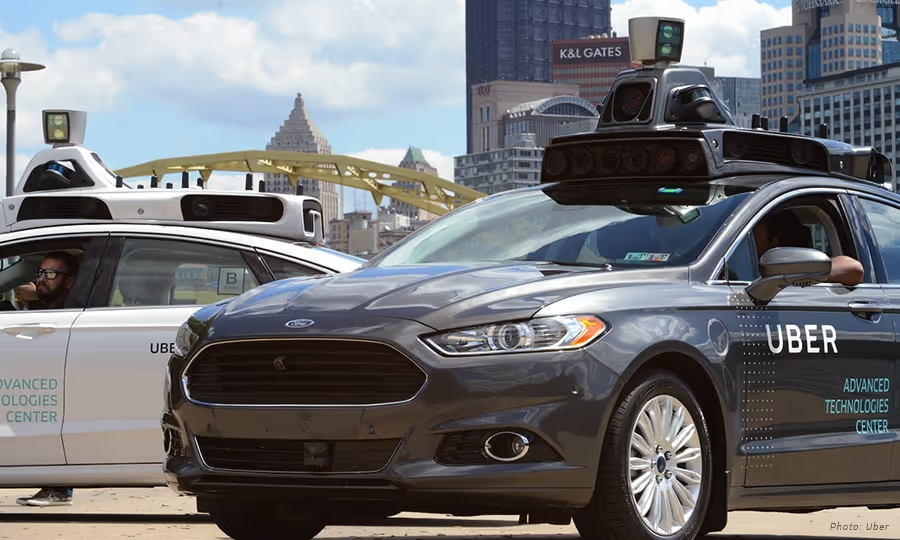
Spotlight on Uber's Self-Driving Cars in Pittsburgh
In September of 2016, the City of Pittsburgh became the host for Uber’s latest endeavor: self-driving cars. At this time, Bill Peduto, the Mayor of Pittsburgh, demonstrated enthusiasm for the experiment by saying, “You can either put up red tape or roll out the red carpet. If you want to be a 21st-century laboratory for technology, you put out the carpet.” (New York Times) It was seen as an opportunity to transform their urban transportation system as well as boost the city’s reputation as a tech economy.
Just nine months later, however, Mayor Peduto along with the residents of Pittsburgh have quite a different outlook on Uber’s presence in their city. Are the self-driving cars in Pittsburgh not performing adequately? What is the future of autonomous vehicles in Pittsburgh? Read on to find out the answers to these questions and more that surround the presence of self-driving cars in Pittsburgh.
Uber’s self-driving cars in Pittsburgh
The tension between Uber and the city of Pittsburgh is based on a clash of private-versus-public interests, rather than problems with self-driving cars themselves. In fact, during the time Uber’s self-driving cars navigated the narrow roads, steep hills, and hundreds of bridges of Pittsburgh there were no major accidents.
Of note, while these cars do drive autonomously, they still require two Uber drivers to be present in the vehicle. One is prepared to grab the wheel and apply a foot to the brake pedal if necessary. The person in the passenger seat monitors a computer screen that shows the view from the car’s rooftop LIDAR, a laser-bouncing radar. (NPR)
It turns out that having the Uber drivers present in the self-driving cars was a necessity. Earlier in 2017, Recode reported that Uber’s self-driving cars only drove an average of close to 0.8 miles before the safety driver had to take over for one reason or another.
While Uber’s self-driving cars are not fully autonomous yet, they are using information learned from these trials through the streets of Pittsburgh to make improvements. However, Mayor Peduto has said that he does not think that Uber is sharing what it’s learning, which is just one factor contributing to the controversy between Uber and the City of Pittsburgh.
In addition to the insufficient data from Uber, The New York Times reports that the company has not lived up to its end of the bargain with Pittsburgh based on the following perceived infringements:
- Uber began charging for driverless rides that were initially pitched as free
- The company withdrew support from Pittsburgh’s application for a $50 million federal grant to revamp transportation
- Uber has not created the jobs it proposed in a struggling Pittsburgh neighborhood that houses its autonomous car testing track
Linda Bailey, the executive director of the National Association of City Transportation Officials, states that Uber “is a business, and they want to make money. With Pittsburgh, we learned we need to present the city’s needs upfront.” (New York Times)
What is the future of autonomous vehicles?
Of course, while Uber is one of the top rideshare services that drivers are using, it isn’t the only company pursuing the development of self-driving cars. Apple, Google, Lyft, Tesla, Ford, GM, Toyota, and Chevrolet are some of the big names pursuing this new technology, along with many other companies across the globe.
While major strides have been made in the development of self-driving cars, the predictions for vehicles that are fully autonomous is pretty far off. For example, Tesla estimates that its autonomous vehicles will reach the market around 2023, and Uber doesn’t expect its self-driving cars until at least 2030.
In regards to the future of self-driving cars in Pittsburgh, Mayor Peduto states that he is now talking to Ford about signing commitments on data sharing and workforce development. (The NY Times) Ford is investing $1 billion in a Pittsburgh-based driverless technology company, Argo AI.
Raj Rajkumar, a Carnegie Mellon electrical and computer engineering professor, says that a world where such cars are the norm is a long way off. "It turns out that driving is a very complex activity. In fact, it may be the most complex activity that most adults on the planet engage in," Rajkumar explains. (NPR) Plus, when you add in local driving quirks, such as The Pittsburgh Left, driving can become even more complicated. Overall, the technology and engineering that go into developing these vehicles is impressive, but seeing autonomous vehicles take over the road is not in the foreseeable future.
Have you seen Uber’s self-driving cars in Pittsburgh? What are your thoughts on the future of autonomous vehicles in the rideshare industry? Leave us a comment below!

4 Ways DC Rideshare Drivers Can Increase Their Earnings
Did you know that Washington DC was named the best city in the country for rideshare drivers? An article from The Washington Post describes a study which examined factors like the number of rich young people in a city and the population’s reliance on public transit to determine the places most ripe for rideshare drivers, with Washington DC coming out on top.
Albeit, these results were from 2015, but with the hundreds of thousands of drivers and millions of users across the US, it is safe to say that this new industry is still exploding. So as a DC rideshare driver, how can you stay ahead of the competition and increase your earnings?
1. Drive for more than one TNC
The primary TNCs that currently have a presence in the District include Uber, Lyft, Via, and Curb. If you already drive for one of these companies and enjoy the income, you may want to consider signing up for another company as well. Driving for two different services at the same time opens you up to getting more requests and diversifies your income stream. Ultimately, this will lead to more money in your pocket.
If the increased earning potential from driving for more than one rideshare service sounds enticing, you may want to also keep in mind the sign-up bonuses that different companies offer. According to Rideshare Connection, the current sign-up bonuses for drivers in Washington DC are $300 for Uber and $200 for Lyft. While Lyft publishes sign-up bonuses on their website, Uber does not. Blogs and websites like Rideshare Connection use feedback from readers and partners to create their list of offers, but you can always contact the TNC directly to verify the current bonus offer for the DC area.
2. Know the DC hotspots
If you want to increase your earnings (which we all do) you’ll have to know the times and locations for the DC hotspots. So what exactly is a “hotspot”? Hotspots are geographic areas which experience extremely high passenger demand at certain times of the week.
In Washington DC, the local hotspots currently include the following areas:
- Georgetown - The primary riders in this historic neighborhood are the young professionals that inhabit the area as well as tourists who are interested in getting a ride to destinations such as Tudor Palace and the Chesapeake & Ohio Canal.
- Arlington - The metro access and lower prices for rent draw a younger crowd to this area, so you can expect your typical drive to head to and from U Street as well as commuter trips.
- Bethesda and Silver Spring - These two suburban cities that surround the capital are popular for those that want the city life but not the city hassles. You can expect passengers to be either commuters or those who want to be a part of DC nightlife.
- Southern Maryland & Northern Virginia Suburbs - Most commonly passengers from these two areas will need a ride to or from the airport. However, more and more commuters are originating from these areas due to the population increase in the DC metro area.
3. Always plan ahead
When it comes to rideshare driving, making a plan before you start driving is necessary to use your time most efficiently and increase your earning potential.
Even though rush hour in downtown and weekend late nights on 14th St. may seem like the best places to be in order to take advantage of the surge, driving during these busy times without a plan will get you nowhere fast.
In fact, experienced rideshare drivers recommend to newbies to never chase the surge. While it may be tempting, many veterans say it rarely pays off. Aimlessly chasing the surge is not only a waste of time, but also a waste of gas along with the addition of wear and tear to your vehicle.
A better course of action is to plan your days ahead of time so you can be in the hotspot areas just before the surge begins. Driving during these peak times increases your earnings per trip compared to what you would receive without the surges.
4. Use the Gridwise app to drive more efficiently
Gridwise is a service-agnostic platform created to increase rideshare drivers’ performance, thus resulting in increased earnings. No matter which rideshare service you drive for, the Gridwise app provides you with features that enable you to drive more efficiently.
For example, the Gridwise mobile app offers an Airport Demand Data feature that can be used to gauge driver demand at the three major airports in the DC area. Additionally, the Gridwise app provides a 7-day outlook on events. The end time updates from the major events, like when the Redskins go into overtime with the Bengals or when Kanye West is going to end at the Verizon Center, will help you be in the right place at the right time.
Don’t just take our word for it, though - download the Gridwise app now to see all the features and resources you’ll have available right at your fingertips!
What Pittsburgh Drivers Do That Other Drivers Don't
Pittsburgh drivers are a unique breed. Mostly because they have to be in order to navigate Pittsburgh’s infamous one-lane streets, crazy steep hills, narrow tunnels that seem more like neverending black holes, and hundreds of bridges. Yes, there are hundreds of bridges in Pittsburgh, 446 to be exact. They didn’t name it “The City of Bridges” for nothing, right?
Whether you are new to the Pittsburgh area or just passing through, it’s helpful to know what Pittsburgh drivers do that other drivers don’t. To prepare for your travels through the city-- and to keep your earnings up-- keep scrolling to learn more about the local quirks of Pittsburgh drivers.
The Infamous “Pittsburgh Left”
As mentioned above, much of Pittsburgh, especially the downtown area, is made up of narrow, one-lane streets. And even if the street does have two lanes, one lane is guaranteed to be lined with parked cars since driveways and parking lots were not in the plans when Pittsburgh was built. Subsequently, most intersections are lacking left-turn-only lanes, which can hold up traffic when a car is attempting to turn left since the cars behind it cannot proceed through the intersection. Thus the “Pittsburgh Left” developed.
The Pittsburgh Left starts with two cars facing one another at a red traffic light: one driver is turning left (and is in a lane without a protected left turn) and the other driver is going straight. The left-turning driver is attentively awaiting the change of light from red to green because once the light turns green, the driver is ready to quickly proceed left before the opposing traffic begins driving straight. If the left-turning car can accomplish this they have saved themselves as well as the drivers behind them from waiting for an entire light cycle to turn left.
Some may read this and think it is simply the left-turning driver’s way of cutting someone off, but the Pittsburgh Left is a known driving practice in this city. So much so that often the driver that plans to proceed straight through the intersection will often expect the opposing car to perform a Pittsburgh Left. The driver will wave them on or flash their lights to indicate the anticipation of the Pittsburgh Left. (CMU) Furthermore, the oncoming cars will typically accelerate slowly enough to allow the turn to be completed without anyone slowing down or being delayed at all.
The Pittsburgh Turn Signal
The Pittsburgh Turn Signal (or lack thereof) is another practice that Pittsburgh drivers do that other drivers don’t. It involves delaying activation of a turn signal until just beginning to make the turn. Picture this: you’re sitting behind a car at a red light, but it’s not until the light turns green and the car in front of you starts to move that you’ll see the turn signal start flashing. Gregg Podnar of CMU explains, “It has been suggested this custom originated with thrifty drivers trying to save the turn signal lamps.” Whether this habit is due to thrifty drivers or just something Pittsburgh drivers have been accustomed to, this driving practice is something to keep in mind when driving the streets of Pittsburgh.
Poor Pittsburgh Driving Habits
While The Pittsburgh Left and The Pittsburgh Turn Signal are two customs that most likely originated many years ago as more and more cars came into the city, a report from April of 2017 revealed a few negative habits of Pittsburgh drivers.
EverQuote Inc., an online insurance marketplace, examined the driving habits of 150,000 drivers who used the company’s EverDrive cellphone app over the course of 11 months. During this time, 20 million trips were recorded by the app, which categorized rankings based on five driving activities: speeding, cellphone use, excess acceleration, hard braking, and hard turning.
According to the Pittsburgh Post-Gazette, Pittsburgh drivers tied with New York City residents for the worst drivers in the country. Out of the five ranking categories, the app found that Pittsburgh drivers use their cell phones while driving and drive too fast. Specifically, the data revealed that drivers in Pennsylvania were found to be using their cell phones 37 percent of their driving time and speeding during 47 percent of their trips.
It may be tempting to watch the Pens playoff game during your bumper to bumper drive home on the Parkway, but to ditch the poor reputation and start driving more safely, Pittsburgh drivers will need to put down their cell phones.
In summary
It’s easy to see that Pittsburgh drivers do many unique things during their commutes that other drivers don’t. If you aren’t a Pittsburgh native, being aware of these driving characteristics can make travelling through the City of Bridges more pleasant and less stressful. And it can help prevent some of the road rage you may feel when you are faced with an unexpected Pittsburgh Left. You can’t say we never warned you!
Using the Gridwise Driver Taskbar to Your Advantage
According to emarketer.com, a 2015 survey conducted by Research Now found that 49 percent of US residents with smartphones use between six and ten different apps each week. While the survey didn’t share which specific apps were most popular among smartphone users, a more recent statistic from March 2017 revealed that some of the most popular app categories are games, business, lifestyle, utilities, and travel.
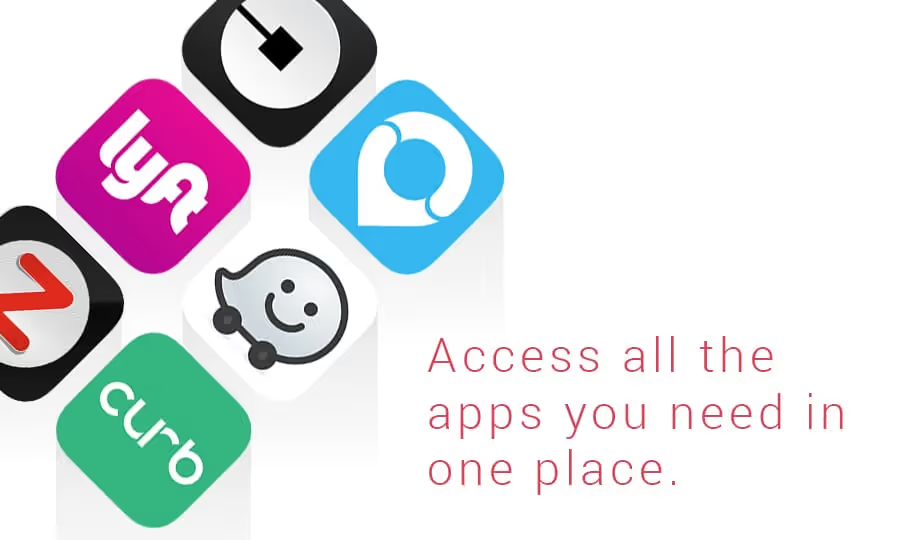
At Gridwise, we understand that while using multiple resourceful apps as a rideshare driver is necessary, it can also be a pain in the you know what. Switching between different apps, such as Uber, Lyft, and navigation apps, can lead to a lot of wasted time. And as a rideshare driver you know that wasted time can mean missed opportunities to earn money. Which is why Gridwise created the Driver Taskbar feature. This feature improves your efficiency, minimizes distractions, and increases profitability. So how do you start using Gridwise Driver Taskbar to your advantage?
The Driver Taskbar will improve your efficiency
As app-based ride sharing becomes the norm in the ride hailing economy, making a career out of driving for a rideshare service can be a great source of income. If you do it right, that is.
Most successful rideshare drivers know that driving for more than one service provider can help to maximize profits. However, time can be wasted trying to bounce between all the different apps for rideshare services as well as the apps for navigation.
That’s where the Gridwise Driver Taskbar feature is extremely beneficial. This feature allows you to experience the convenience of using just one app while still working for the various rideshare service providers. With a simple tap of a finger you can bounce back and forth between different driver tools like navigation, driver services, and the rideshare apps themselves.
Cutting the time typically wasted bouncing between different services improves your efficiency by bundling individual apps into just the one.
The Driver Taskbar will help to minimize distractions
Let’s face it, the platforms for rideshare services are not designed with drivers in mind. Distractions come in many forms: communicating with potential riders while simultaneously checking navigation to see which turn to make next, then switching apps to search for your next rider is just one of the many multitasking scenarios that drivers face everyday.
When you download the Gridwise app, you’ll instantly see that the Driver Taskbar feature helps to minimize distractions. Instead of bouncing back and forth between apps while attempting to follow the navigation to your next pickup, a single tap on the Driver Taskbar takes you to what you need at the moment.
By minimizing distractions, your riders will be happy to see that safety is your top priority. Happy passengers means higher driver ratings which ultimately increases your likelihood of getting new passengers in the future. When you don’t have anyone in the car, however, fewer distractions means more focused time to find potential riders, thus helping you to make more money!
The Driver Taskbar will help you to be more profitable
In order to be more profitable as a rideshare driver, you need to have a strategy in place. Daily driving strategies vary based on location and time of day, but staying organized, efficient, and on track is an essential ongoing strategy for any profitable business.
Real-time Alerts, Events and Endtime Updates, and Airport Demand Data features will help you craft your specific day-to-day strategy. It’s the Gridwise Driver Taskbar feature that will help you to perfect your overall strategy, however.
For example, let’s say you already drive for Uber but want to also start driving for Lyft so you can increase your earnings. The Driver Taskbar enables you to use both of these rideshare services in one app. Therefore, as you expand your reach by working for multiple rideshare services, the Gridwise Driver Taskbar can keep all of your important information organized in one place. Simplicity combined with efficiency helps you to be more profitable!
Download the Gridwise app to start using the Gridwise Driver Taskbar feature to your advantage today!
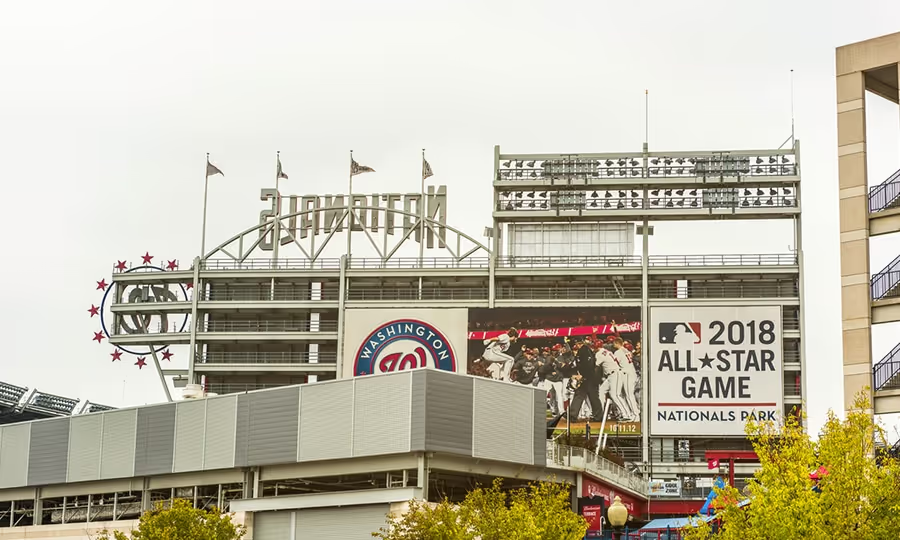
DC Sports Stadiums and Arenas
As a rideshare driver, understanding the ins and outs of DC sports stadiums and arenas can help you to capitalize on surge pricing and ultimately bring in more money at the end of the day.
While the large DC venues like FedEx Field, Nationals Park, RFK Stadium, and the Verizon Center that host thousands of people may seem like an easy way to find passengers, big events can often be an enigma for many rideshare drivers. See, with major events like concerts or a Washington Redskins game, The Rideshare Guy explains that it can become difficult to locate passengers as thousands of people drunkenly attempt to locate their drivers.
What’s even more frustrating for rideshare drivers is the number of potential customers that will request a driver from the middle of the Verizon Center, for example. The Wizards just claimed victory and in all of the excitement, people will request a driver right then and there. Of course, they expect you to predict where they will exit from the venue and to arrive there promptly in order to escort them to the after party. Plus, with all of the other drivers hoping to profit from the crowds at DC sports stadiums and arenas, there’s bound to be traffic. Quite honestly, this can all lead to a headache if you don’t have the right strategy in place.
To make driving passengers to and from DC sports stadiums and arenas less of a headache and more profitable, we’ve outlined some simple tips you can follow during your next drive:
- Take advantage of tailgating and pre-game functions that will start a few hours before the game.Redskins fans, along with most other sports fans, enjoy a cold beer and good barbecue to kick off their game day. During the pregame hours, rides will originate from a wider area with people trying to get closer to the game. Many potential clients will be coming from house parties, bars, hotels, and popular areas. Even though the demand is more spread out, you can still use this time to make some extra money.
- Use the Gridwise app to receive real-time alerts on game updates and end times.Upon downloading the Gridwise app, you’ll be able to easily navigate the Events and End time Updates feature in the bottom menu of the app. This feature lists all local events along with their start/end times and a status that tells you if the event is in progress. Plus, this feature can notify you if a game goes into overtime, for example, giving you the opportunity to squeeze in a few extra rides before heading to the stadium or arena. By monitoring this list, you can be ready at the pickup spot before the event actually ends.
- Determine if your service has designated pickup locations.Another aspect of being ready to pick up your passengers outside DC sports stadiums and arenas is to determine if your service has designated pickup locations. Uber offers tips for drivers on how to beat the traffic at popular DC venues, including the Verizon Center, FedEx Field, and Nationals Park. For example, since Uber has partnered with the Washington Redskins to make it easy to catch a ride to and from games at FedExField, there are specific locations called Uber Zones for all dropoffs and pickups to occur. This makes it easier for both the driver and the rider because the areas are clearly marked and easy to locate. Similarly, Uber has suggested pickup points for the Verizon Center and Nationals Park.
- Call your passengers to coordinate your exit strategy.It is not recommended to wait at the entrance before the event ends. While you will benefit from the surge priced trip, you may become trapped by the flood of pedestrians exiting the event. Try to park a few blocks away in an area where you will still get a request from the stadium or arena, but where you can avoid much of the traffic. Then, once you have arrived at your pickup position, call your client to coordinate your exit strategy. This is crucial because people will often make a request and then start walking away from the event, which can lead to confusion. By calling your potential passengers, you can figure out their current location and coordinate the best place for pickup.
Along with implementing these tips for your drives to and from DC sports stadiums and arenas, it’s always important to remain calm, patient, and flexible amidst the chaos of these large events. You’ll most likely have to deal with passengers that have been drinking, which can make communication a challenge. Try to be patient and remember that if a ride falls through there will still be a plethora of other riders exiting the game and searching for a driver.
Plus, by using the Gridwise platform you can have an edge over the competition by staying updated on the game’s end time along with real-time traffic and weather alerts.
Download the Gridwise app to get ready for gameday and start making your drives to and from DC sports stadiums and arenas more profitable!

4 Driver Personas of Rideshare Drivers
As rideshare increases in popularity around the globe, more and more people are getting involved as drivers. Those folks who meet the rideshare driving qualifications can get started pretty quickly. Due to the low barriers to entry, many different types of people decide to take on this line of work. Drivers start working with Uber, Lyft, Curb, Via etc. from any and all possible backgrounds.
Each rideshare driver exhibits a persona that reflects their level of experience and the scope of their work. These aren’t exclusive in any way, but for the most part rideshare drivers typically fall into one of these 4 categories:
Know-It-All
You might think that being a know-it-all is associated with being annoying or bothersome in some way. But in this case, the know-it-alls are the people who are literally the most knowledgeable. These are the rideshare drivers who have spent a significant amount of time as a professional driver.
Most are veteran drivers who have spent 3 years or more driving professionally before moving into working rideshare. Former taxi drivers also fit into this rideshare description if they’ve switched over to driving for Uber/Lyft/other TNCs. These drivers are efficient and completely capable when seeking the information they need to make a drive.
For some professional drivers, this became a chance for a brand new start. There are options now for people who are trying to breach the ridesharing industry, and further opportunities for those who are experienced and have their CDL. Those ex-taxi drivers who choose to venture into the world of rideshare come in already fully prepared with all of the tools. They are disciplined in their approach to driving and are essentially experts in their craft.
In Transition
Not all full-time drivers are created equal. While there are a number of drivers who chose this life from the get go, many come to it from another career. These people might have gone through a rough patch in their career and need a reset. Others were simply tired of the work they were doing before and looking for a fresh opportunity or change of pace.
Either way, the rideshare industry has full-on created an avenue for the people who come into driving from doing something else. These newly minted Uber and Lyft partners see driving as an opportunity to start their own business. The amount they earn is entirely up to them as a rideshare contractor, so they end up working as many or as few hours as they need. To earn a living from it, full-time drivers (including in transition drivers) typically drive over 40 hours a week.
Supplemental
When their main gig isn’t enough to keep them afloat financially, people seek out other means to bring in extra cash. Or, if they’re looking for a bit of spending cash or travel money, driving for a rideshare TNC could be an attractive option. Outside their regular work hours, folks take the free time they would have had and turn it into money by driving. They may be creative types relying on freelance work to satisfy their creative thirst, while others might work at a restaurant/bar or another nighttime establishment. Extra income from driving is just as viable an option as any other.
Rideshare drivers seeking supplemental income are in the business either because they need to be or because they like the freedoms that come with supplemental income earned at their own pace. There will always be folks who truly enjoy the work, but often, driving is just a means to an end. That’s nobody’s fault; the need for a sustainable income is universal. Everyone has something that they need to support, whether it’s a family, a dog or a lifestyle.
Part-time drivers may work in the rideshare industry because they need the flexibility. Freelancers, entrepreneurs, and all sorts of creatives work best without a stringent 9-5 sort of job. In this way, setting a personally-optimized schedule for supplemental income allows people to do things they couldn’t otherwise accomplish in restricted time frames.
Pin Money
These people don’t really need the money. They work as a rideshare driver to make pocket change and have a little extra cash flow. They may drive a few hours each week whenever they decide to make the time. Since their livelihood isn’t affected by how much they drive, pin money rideshare drivers work without real obligations and may not project any sense of urgency.
Reliability is not the mantra with pin money drivers. They tend to be fickle, changing their level of commitment based on whether they feel a “need” for the money at the moment. For these part-time drivers, their freedom to decide when and where to drive is more important than having a set schedule.There’s also some element of preparation that you tend to miss with these Uber and Lyft drivers. Since this income is disposable to the driver, the work they do requires less strategy and considerably less effort (as is the nature of a side job).
Which one of these categories do you fall under? Let us know in the comments below!
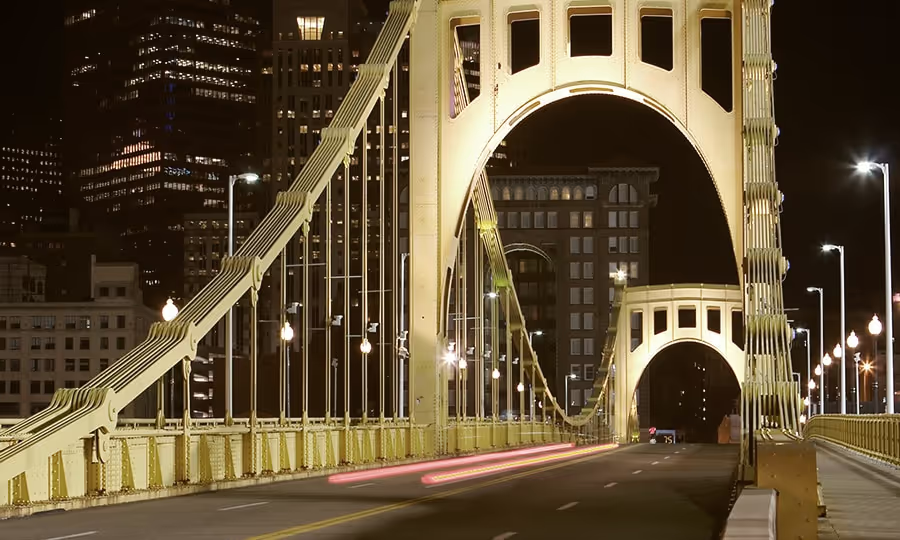
General Rules and Regulations for Rideshare Drivers in Pittsburgh
Rideshare services and companies hold Pittsburgh to a certain standard. Uber chose this city to become the flagship for testing its innovative self-driving car, and even poached a number of Carnegie Mellon University robotics PhD students to work for Uber. With the industry frontrunners taking an invested interest in the city, Pittsburgh is a key location for professional and casual drivers seeking work.
As the rideshare driver population continues to increase and new innovations appear, it’s more important than ever that regulations follow suit. Many of the same rules and issues from other cities also apply to drivers in Pittsburgh.
Basic Vehicle Requirements in Pittsburgh
The vehicle requirements vary only slightly between the two major services Uber and Lyft, with the majority of the difference being the required age for your rideshare car. The vehicle age could also vary according to the city you’re working in. For Pittsburgh:
Uber
Lyft
zTrip
Model Year 2006 or Newer (hybrids 2004 or newer)Model Year 2007 or NewerVehicle is Provided4-door car or minivan4-door car, 5-8 seats (including driver)Taxicab or 4-door black sedanGood condition with no cosmetic damage Vehicle maintenance includedPass vehicle inspectionPass DMV check and background checkPass DMV check and background checkDriver’s License Required (>21 years old)Driver’s License Required (>21 years old)Driver’s License Required (>21 years old)Current official (or temporary) registrationCurrent official (or temporary) registrationCurrent official (or temporary) registrationState/locally-accepted vehicle insuranceState/locally-accepted vehicle insuranceState/locally-accepted vehicle insuranceNo commercial branding
Legislative Regulations (according to the Public Vehicle-for-hire Innovation Act)
For a time, both Lyft and Uber were deemed illegal by the state of Pennsylvania and asked to pay fines as reparations. In an ongoing fight to remedy this, Uber and Lyft operate under a two-year experimental license agreement granted by the Public Utility Commission. For current legislation (from PIT rules in the above Innovation Act):
Disclaimer – this is not a comprehensive list of rules and regulations, but is an aggregate created for simplicity and is subject to change in the upcoming years.
- Privately owned vehicles may be used for public transportation, so long as the drivers are notified electronically or through an app.
- Along the same lines, rideshare drivers may not pick up passengers that hail them from the street.
- Rideshare drivers with companies such as Uber and Lyft may not solicit fares at taxi stands specified for Pittsburgh taxi services.
- If there is suspicion of illegal street hailing, the rideshare operator must provide law enforcement with access to their electronic trip records.
- Background checks and minimal levels of insurance are required for all drivers before they begin driving for the TNC (transportation network company).
- Companies must provide passengers with photographic access of the vehicle driver and the vehicle license plate before pickup.
- Drivers must successfully pass a criminal background check, sex offender database check, and driver history check.
- App-based services must provide primary insurance coverage of minimum $50,000 per person per accident, with up to $100,000 available to all and $25,000 available for property damage
- A private rideshare vehicle operator may affiliate with more than one rideshare service (unless specified by the company)
PIT (Pittsburgh International Airport) Regulations
As a rideshare driver in Pittsburgh, you’re likely going to make a few trips to and from the airport (unless you specifically choose to avoid these rides). So that you don’t make any mistakes or jeopardize the integrity of the ride, here’s a combined set of rules described by both Uber and Lyft:
- All ride pickups happen at the specified “Uber Loading Zone.” Without halting or disrupting any traffic, head toward Door 4 of the commercial curb to the designated area. Be courteous and pull up to the furthest available space to allow other drivers the opportunity for easy access to a space.
- To wait for a ride, you must do so in the designated Cell Phone Lot staging area. If the lot is full, then you can’t wait around and need to leave the property. Note also that parking is only free for an hour, so adjust your driver schedule accordingly.
- Drivers are required to display the TNC trade dress on the passenger side of your windshield
- Rider cancellations do not affect your place in line through Lyft. Driver cancellations, however, take you off of the queue and back to the end of the line. The Same rule applies for leaving the airport property, missing a passenger request, or going offline on the app.
- The queue works on a first come first served basis. The driver who has been in line the longest is also the one who will be given the next available ride.
Work smarter. Earn more.
Whether you drive, deliver, or pick up shifts — Gridwise helps you track earnings, mileage, and performance so you stay in control of your work. Download the app and take charge today.
