Gridwise blog
Tips, insights, and advice to help you earn more and work smarter, whether you do gig work, hourly, or shift work.

How to Make $1,000 a Week With Uber Eats in 2026 (Tips + Hourly Data)
In this blog, we'll explore the strategies and techniques that can show you how to earn $1000 per week as an Uber Eats delivery driver. We'll cover everything from optimizing your delivery zones and schedules to maximizing your tips and customer satisfaction. Whether you're a seasoned Uber Eats driver or just starting out, this guide will provide you with the insights and actionable steps to take your Uber Eats driver earnings to the next level.
Becoming an Uber Eats delivery partner can be a lucrative opportunity, especially if you're able to consistently earn $1000 a week. By understanding the platform, optimizing your delivery strategies, and focusing on customer satisfaction, you can maximize your earnings and turn Uber Eats into a reliable source of income.
We’ll cover the following topics to provide coaching and ideas to help you push your earnings up to that $1000 per week level:
What do Uber Eats drivers do?
Uber Eats drivers deliver prepared food most of the time, but they also might shop for and deliver goods from convenience outlets and grocery stores. The job is pretty simple. You get a request for an order, you drive to the restaurant or store to pick it up, and then you deliver it to the customer. If you already drive for Uber, you can choose to take orders for Uber Eats delivery any time.
If you’re not an Uber Eats driver yet, it’s pretty easy to become one. This Gridwise post tells you what you need to do if you want to sign up and start making money Uber Eats style. Many rideshare drivers welcome the chance to deliver food rather than people. This article from Nerdwallet covers the Uber Eats gig from that angle.
There are some sweet advantages to working with Uber Eats. In lots of cities you don’t even need to have a car. You can use a bike or a scooter, or even walk, to make your rounds. If you do use a car, Uber Eats’ requirements are a lot easier to meet than they are for Uber rideshare driving.
You also have a lot of flexibility. You can shop and deliver convenience items and groceries, but you don’t have to. And, like most driving gigs, you can choose your own hours, and map out the locations where you want to work.
Use Gridwise features When to Drive and Where to Drive to help you figure out what work hours and which specific areas will be the most profitable for you. Real data from real delivery people will show you earning patterns for drivers in your town.
How much can you earn doing Uber Eats?
The honest answer to this question is: basically, as much as you want! It all depends on how many hours you put in and how strategic you are about your gig. Earnings vary from one area to another, as this article from Entrepreneur points out. To give you a baseline, let’s look at the earnings of Uber Eats drivers who tracked their earnings with Gridwise.
Remember that these numbers show us only average earnings. To make $1,000 a week with Uber Eats, you’re going to have to be better than average, and we’ll show you how. For now, though, it’s good to have these figures so you get a ballpark number of where to start.
How much do Uber Eats drivers make?
Gridwise data tell us the following:
- Monthly earnings average around $444.00 per month.
- Gross earnings per trip are between $9.00 and $10.00.
- Tips make up about 50% of most Uber Eats drivers’ income, which amounts to about $225.00 per month.
Is Uber Eats good money? It can be. While there are other gigs that pay more per trip, if you drive for Uber Eats, you’ll always be pretty busy.
https://datawrapper.dwcdn.net/HPAz8/3
You can also see that, unlike many other gigs, tips play a huge role in Uber Eats earnings.

With these numbers as a baseline, what can we say about how to earn $1,000 a week with Uber Eats? As we said in the introduction, it’s going to be a hustle, but it’s really possible. To figure out how to make the most money with Uber Eats, let’s start by looking at how many trips these “average” drivers made each month.
We know that average gross earnings were $444.00 per month, and drivers got around $10.00 per trip. That means they took 44 or 45 trips per month, which breaks down to 11 trips per week. That’s not a lot of Uber Eats delivery, is it?
The fact that Uber Eats drivers averaged so few trips shows us that many drivers use more than one app at the same time. This is called multi-apping, and you can learn more about it in this Gridwise post. If you want to answer the question of how much you can make with Uber Eats, then you need to stick with the app and keep plugging away at those orders. You also need solid strategies, as well as some inside tips and tricks.
How to make the most money on Uber Eats: Delivery driving tactics
Getting to that $1,000 a week with Uber Eats isn’t so hard when you remember that the drivers we saw making about $111 a week were only taking around 11 trips in the same time period. That’s not much at all! If you work the Uber Eats app like a boss, you’ll soon have many more trips than that, easily reaching the number needed to get you to $1,000 a week. Now, let’s get to some tactics you’ll need to make that kind of bank.
- Stay with the Uber Eats app, and track your earnings. Gridwise can easily do that for you. Simply sync your Uber Eats app with Gridwise, and you’ll be able to see how much you’ve earned with Uber Eats, what times were most profitable, and your average hourly pay. Racking up trips with Uber Eats has other benefits, including perks and bonuses that are awarded to top drivers.
- Leverage surge pricing and promotions. Surge pricing is applied when there is a lot of demand. When surge pricing is in effect, many of the trips you make will pay more than usual. Promotions are offered to drivers who complete a given number of trips in a certain time period. High traffic volume days, nights, and times give you these chances to get extra earnings. Challenging yourself to complete the right number of trips for promotions will add to the number of trips you can count on for big bucks, too. Learn more about Uber Eats surge pay, boosts, and promotions in this Gridwise blog post.
- Say yes to doubling up on orders. With Uber Eats, you can get back-to-back orders or receive batched orders. Back-to-back orders happen when you receive a new request while you’re on the way to deliver an original order. The Uber Eats app routes these trips automatically, so you won’t be sent out of your way.
Batched orders are Uber Eats’ way of bundling together orders from either the same restaurant, or two nearby eating establishments. You get money, and trip count credit, for all the orders you complete, plus customer tips, without having to make a bunch of separate trips.
- Turn on the charm and get bigger tips. Being nice really is part of the Uber Eats driver’s job, and getting tips is one way people who drive for Uber Eats make money beyond their basic pay.. Bring along those extra napkins and condiments, use equipment that keeps food and drinks at the right temperatures and prevents spilling, and consider your customers’ needs. If you deliver groceries, be extra careful with delicate items such as bread and eggs.
And, most important, follow your customers’ directions, and stay in communication with them if you are going to be delayed, or if you have questions about their order. This Gridwise post will tell how to get bigger tips as a delivery driver.
- Use even more charm to keep your ratings high. As an Uber Eats driver, you will be rated by the restaurant or store where you pick up the orders as well as the customers who are waiting for the deliveries. This two-way rating system is designed to keep you on your toes, so Uber can keep people satisfied with your service. Don’t worry, you get to rate them, too.
There’s another reason why your rating as a driver is important. It not only keeps you in good standing with Uber; it helps you to qualify for the Uber Eats Pro incentive program. To learn more about Uber Eats Pro, and what it takes to earn perks such as preferred services, discounts, and deals, check out this Gridwise blog post.
Smart business moves that seal the deal
Now that you know how to gobble up the deliveries you need to make $1,000 a week with Uber Eats, it’s going to be a breeze to get there. Let’s make it even easier, with business moves that boost your earnings and shrink your expenses. If you use these, it will also be easy to say yes when people ask, “Can you make good money with Uber Eats?”
Minimize expenses. Avoid racking up big fast-food bills by bringing your own food and beverages. You might not think you’re hungry when you first start your Uber Eats run, but once the aroma of pepperoni pizza, premium cheeseburgers, and piping hot fries start wafting through your car, that might change. Bring a sandwich or other healthy food from home, and buy bottled water in bulk to save tons of cash compared to what it costs to buy single servings.
Maximize tax deductions. Another way to minimize your expenses is to maximize your tax deductions. Start by tracking mileage with Gridwise.

Gridwise App
Gridwise captures every deductible mile you drive, including the distance you cover between the trips your driving app records. Know what expenses you can deduct, and put them to work for you when tax time comes. Learn more about tax deduction strategies in the Gridwise Tax Guide for drivers.
Boost earnings with referrals
As an independent contractor, you’re probably looking for ways to make even more money than you can with Uber Eats. And most gig workers like you enjoy getting passive income. With Uber Eats, there’s a really easy way to do that, referrals!
All you need to do is find friends and encourage them to deliver for Uber Eats. If they make a certain number of deliveries within a specified time, you will get paid for doing nothing more than having them sign up under your referral code! Rates of pay vary by city, so check your Uber Eats app to find out what the current deal might be, and learn more about the referral program on the Uber Eats website.
Also remember: “friends” don’t have to be your best buds. Many delivery people carry cards with a QR code linking to their referral information, so just about anyone you encounter can join Uber Eats and boost your earnings. You could meet a source of passive income at the gas station, on social media, or at your high school reunion. The more you hustle, the more there is to gain, right?
Master the art of self-employment
As an Uber Eats driver, you’re an independent contractor. That means the company isn’t going to withhold your taxes, provide insurance, keep track of your earnings, or tell you about tax deductions. You’ll have to do all these things for yourself.
If you want to maximize your tax advantages, open an official business entity. You can incorporate (create a corporation) or you can work as a limited liability corporation (LLC). You can also work with a DBA (Doing Business As) arrangement, but the corporation or LLC will do a better job of protecting you from liability.
Establishing a corporation or LLC offers better tax advantages than being a sole proprietor. For instance, if you simply collect your earnings into your private account, you’ll be charged self-employment taxes in most states. And paying extra taxes is something we all want to avoid, within legal limits, as much as possible.
Every Uber Eats driver needs to learn about self-employment, and there are some great resources you can review. Check out the CareerOneStop website about self employment which will help explain the basics. You can also check with a professional tax accountant, or look other websites to learn more about actually creating a business.
Scope out your market
Look at the area around you to see where you’re likely to get the most deliveries. Where are all the restaurants? Where might people be more inclined to order deliveries? What hours do you want to drive? What activities might be going on around those times? Think about late-night and after-school times as well as breakfast, lunch, and dinner times.
Be realistic about the potential for your area and aware of new services opening up. For example, in New York, there is already a tab on the Uber Eats app that allows customers to order groceries. In our article about the best food delivery service to work for you’ll see that Uber Eats stacks up well against other delivery companies, mainly because of its potential for expanded opportunities for drivers to earn.
So, is Uber Eats good money? As we said, it isn’t an automatic guarantee that everyone will make $1,000 a week with Uber Eats. Trying out the suggestions we give you here, though, should put you on the right track! Go out there and start stacking up those orders and raking in some impressive earnings!
Get more inside information on Uber Eats in these posts from the Gridwise blog:
- The delivery driver guide: Using the Uber Eats app
- Everything you need to know about driving for Uber Eats
- Uber Eats Pro: What drivers need to know
- Looking for a different gig, part-time or full time job? Check out the Gridwise Job board.
Uber Eats FAQ
How does the Uber Eats platform work for drivers?
Uber Eats is a food delivery service that connects customers with local restaurants and independent delivery partners. As an Uber Eats driver, you'll receive notifications of nearby delivery requests, which you can accept and complete. The platform provides flexibility, allowing you to work on your own schedule and earn money based on the number of deliveries you complete.
What are the requirements to become an Uber Eats delivery partner?
To become an Uber Eats delivery partner, you'll need to meet certain requirements, such as having a valid driver's license, a registered vehicle, and passing a background check.
How can I choose the right delivery zone to maximize my earnings?
Selecting the right delivery zone can significantly impact your earnings, as some areas may have higher demand and better-paying orders. It's important to research and identify the zones in your area that tend to have the most consistent and lucrative delivery opportunities.
How can I take advantage of peak delivery hours and surge pricing?
Understanding peak delivery hours, such as mealtimes and weekends, and taking advantage of surge pricing can boost your earnings. Be aware of when demand is highest in your area and adjust your schedule accordingly to capitalize on these peak periods.
What are some tips for maximizing tips and customer satisfaction?
Providing excellent customer service and going the extra mile to ensure a positive experience can lead to more tips and repeat business. Prioritize communication, timeliness, and attention to detail to keep your customers happy and satisfied.
How can I set realistic weekly goals to reach my $1000 target?
To make $1000 a week with Uber Eats, it's essential to set realistic weekly goals and track your earnings and expenses. Start by determining your target earnings and breaking it down into achievable daily or weekly goals. This will help you stay on track and make adjustments as needed.
What are some strategies for efficient route planning and navigation?
Effective route planning and navigation can save you time and fuel, allowing you to complete more deliveries. Utilize mapping apps and take advantage of features like real-time traffic updates and turn-by-turn directions to find the quickest routes.
How can I balance my Uber Eats deliveries with other commitments?
Develop a schedule that allows you to capitalize on peak delivery hours while still maintaining a healthy work-life balance. Consider using tools like calendar apps to plan your availability and track your hours to ensure you're maximizing your earning potential without sacrificing your personal life.
What are the key considerations for maintaining my vehicle as an Uber Eats driver?
Keeping your car clean and well-maintained is crucial for maximizing your Uber Eats earnings. Regularly scheduled oil changes, tire rotations, and other preventive maintenance can help extend the life of your vehicle and minimize downtime. Additionally, budgeting for vehicle-related expenses, such as fuel, insurance, and repairs, will ensure you're accounting for these costs and maximizing your net earnings.
What are the tax obligations and legal considerations for Uber Eats drivers?
As an Uber Eats delivery driver, it's essential to understand the tax obligations and legal considerations that come with being an independent contractor. This includes properly reporting your earnings, deducting eligible business expenses, and making quarterly estimated tax payments. Additionally, you'll need to ensure you have the appropriate insurance coverage, such as personal auto insurance and possibly commercial auto insurance, to protect yourself and your vehicle while on the road making deliveries.

The Gridwise Job Board: Find Your Ideal Job or Gig Work
Gridwise is an essential assistant app created by gig workers for gig workers. Our mission is to support those engaged in gig work in every way possible. We understand how challenging it can be to deal with income instability, a lack of benefits, and job insecurity that often comes with gig work. The Gridwise app tracks and organizes earnings and expenses, and offers a wide array of discounts, deals, and services that make the lives of independent contractors easier and more rewarding.
We firmly believe it’s possible to make a viable living and create a gig experience that offers flexible hours, variety, and excitement. With issues such as consistent earnings and job security in mind, Gridwise is proud to offer a centralized platform that shows you how to find gig work and secure reliable opportunities. We’re proud to introduce the Gridwise Job Board.
The Gridwise Job Board: Key features
Because Gridwise is dedicated to serving the gig worker community, we’ve filled the Gridwise Job Board with useful features that won’t waste your precious time.
- Comprehensive listings. Find part-time, full-time, temporary, and per-task work. Drive or deliver with your vehicle, utilize an employer’s vehicle, or even find non-driving gig work.
- User-friendly interface. Find the jobs that are right for you with a tap of your screen.
- Verified opportunities. We vet the jobs before they are listed to ensure you’re getting high-quality job postings.
How to get more gig work, seasonal, part-time or full-time jobs with the Gridwise Job Board
Looking specifically for “gig work apps” or “gig jobs near me?” You’re in luck. Our filters and search functions send you directly to the listings you seek.
Here’s how it works.
- Access the Job Board via the Gridwise website.
- Search for jobs by type, location, and more.
- Select the job that interests you, and read all about it.
- Scroll through the description, and if it appeals to you, click “Apply for job.”



Many types of jobs are available. Adjust the search filter to see the full variety of opportunities that will let you cash in. Deliver food, set up catering, do rideshare driving, get paid for doing package delivery, and much more. You’ll find short-term gigs, long-term contracts, and part-time positions.
Perks of the Gridwise Job Board for gig workers
Gig workers who know how to make extra money will appreciate how the Gridwise Job Board lets you multiply your chances of bringing in big earnings. Here’s how:
- Increased stability. Use the Gridwise Job Board to find part-time or permanent jobs in addition to the part-time gigs you already have. Always keep a steady stream of earning opportunities flowing toward you.
- Flexibility and autonomy. Choose jobs that fit your schedule, work around other jobs and family duties, and still leave room for some fun in your life. Discover side hustles to supplement your full-time job, permanently or just for the season.
- Skill development. Find part-time work that lets you use a skill you already have, or try your hand at something new. It’s a smart way to develop a portfolio to showcase what you can do, or even to find permanent employment.
Get Gridwise and stay up to date on the Gridwise Job Board
Gig workers need plenty of information and assistance, and Gridwise is here to give it to you. Download the app and get essential features such as
- seamless earnings tracking
- mileage tracking
- expense recording, including notes
- low-cost and no-cost insurance benefits
- access to affordable medical, dental, vision, mental health, and alternative care
- professional services including legal and financial help
- deals and discounts
- weather, events, and traffic reports
- inside information on where and when to drive
More to know about gig work:

5 Best Mileage Trackers For Gig Drivers
Many drivers ask, “Do I really need a mileage tracking app?” The answer is simple: only if you want to have an accurate count of all the miles you can legally deduct from your taxable income! You might think your rideshare or delivery driving app has got you covered. After all, they do quite a good job of logging the miles you drive while you’re on a trip or delivery. But, if you want to have the best app to track mileage for Uber, Lyft, Doordash, Instacart, or the other apps you may use, you need more. Why is that?
Without a separate tracker, you’re missing the miles you drive in between pings. Did you realize that all the miles you drive, from the moment you begin your shift until it’s over (as long as you don’t drive several miles on a break to hang with your friends), are tax deductible! That means you need something besides your driving app to keep an accurate count of your travels. Read this Gridwise post to see how important it is to keep track of every deductible mile.
You won’t be surprised to hear that there’s an app for tracking miles. In fact, there are several of them. Here, we’re going to tell you about five top mileage tracking apps, and help you figure out which one is best for you.
Before we get to the list and identify the best mileage tracker app, let’s clarify what exactly a mileage tracking app is. According to G2.com’s technology glossary, mileage tracking is done for the purpose of keeping a log of mileage that is either reimbursable or tax deductible.
And yes, of course you can track your miles simply by taking readings on your odometer. But are you really prepared to account for how many miles you drove for personal reasons and subtract them from the total to get your business mileage? Even if you can remember all that and do the arithmetic, if you want an accurate reading of the miles you drive for business, and can therefore deduct, a mileage tracking app will save you a lot of trouble and prevent you from making costly errors.
Plus, as a gig driver, you have specific needs when it comes to a mileage tracker. Ideally, you’d be able to handle mileage tracking and several other functions all in one app. It can be maddening enough to deal with driving apps, particularly if you’re an avid multi-apper. You would want your mileage tracker app to help you keep account of other aspects of your business, including income, expenses, and inside information about the art of gig driving.
Not all mileage apps are equal, to be sure! Let’s look at five of the best apps to track mileage and figure out which is the best app to track mileage with Uber and Lyft, or what mileage tracker app is best for DoorDash.
1. Zoho Expense

First up is Zoho Expense, which does exactly what its name says. This app is designed to allow companies to give employees a uniform way to create and submit expense reports. It can be used by individuals, including gig drivers, as well.
It includes a mileage tracker, as well as features that let you track other deductible expenses, including the ability to scan and record receipts.
Available on Android and Apple: Yes
Ratings: 4.8 stars on App Store, 4.7 stars on Google Play
Free Version: Yes
Subscription price: $3 per month, billed annually
Created specifically for gig drivers: No
2. Quickbooks Online

Quickbooks Online is a cloud-based app that allows you to track your mileage, earnings, and expenses. The information you enter can then be used to generate various reports that prepare you for tax time. It also allows you to create graphs that illustrate your cash flow, and includes a receipt scanner so you can instantly record deductible expenses. Quickbooks is popular, highly reliable, and designed mainly to help people keep track of their small businesses.
Available on Android and Apple: Yes
Ratings: 4.7 stars on App Store, 4.4 stars on Google Play
Free version: 30-day free trial
Subscription price: $15 per month for basic version if purchased for 3 months or more
Created specifically for gig drivers: No
Source: quickbooks.intuit.com
3. Shoeboxed

Shoeboxed started in 2007 as a service for scanning paper receipts into digital form. Now the app offers a free mileage tracker and has enabled users to scan receipts directly. It touts itself as the best mileage tracking app for DoorDash, but there are some elements missing that Dashers might like to have. While it provides features that record your expenses and prepare you for tax season, it doesn’t automatically track your earnings. The mileage tracker has a system where you can drop pins along your routes to make the tracking more precise, identifying those legs of a trip that you make for business purposes. The mileage tracker is “free” once you sign up for the basic version.
Available on Android and Apple: Yes
Ratings: 4.5 stars on App Store, 2.3 stars on Google Play
Free version: No
Subscription price: $18 per month for basic version
Created specifically for gig drivers: No
Source: blog.shoeboxed.com
4. Stride

This free mileage tracker does a fair job of keeping track of the distances you rack up while gig driving, but it doesn’t automatically track earnings. It can be a big help, though, in tracking your expenses. You can link Stride to your bank account, and it will automatically scan your expenses to identify items you can potentially deduct. The app is totally free. This could make it the best free mileage tracker app, but there is a small price to pay. The app will persistently push you to consider various insurance plans that they are affiliated with. If you don’t mind that, this is a solid mileage tracker, even if it doesn’t track your earnings.
Available on Android and Apple: Yes
Ratings: 4.8 stars on App Store, 4.6 stars on Google Play
Free version: Yes
Subscription price: None. The app is free.
Created specifically for gig drivers: No
5. Gridwise

Gridwise has a free mileage tracker and free features that record your income and expenses. It gives you access to insurance and benefits, as well as insights about the best times and places to make the most money while gig driving. The Gridwise mileage tracker captures all the miles you drive while you’re on your driving shift, and it can be used if you have other trips you need to make which qualify as business travel.
Drivers love it because it is geared toward the needs of rideshare and delivery workers, providing free information about airport departures and arrivals, event start and let out times, weather, traffic, and more. The Gridwise Plus subscription adds value by providing additional insights and reports, discounts on benefits, the ability to export data in .csv format,, and more.
Available on Android and Apple: Yes
Ratings: 4.9 stars on App Store, 4.6 stars on Google Play
Free version: Yes
Subscription price: $9.95 per month for Gridwise Plus, or $95.99 per year (a $23.41 savings)
Created specifically for gig drivers: Yes!
What is the best mileage tracking app?
Now that we’ve checked them all out, we’re positive about the answer to that. Hands down, it’s Gridwise. Are we biased? You bet we are! But drivers love it too. Gridwise is the best mileage tracker app, and so much more. So many of the features are free, and the subscription to Gridwise Plus will pay for itself with additional insights to boost your earnings and deeper discounts on products and services.
Most important, Gridwise is designed specifically for gig drivers by experts who were once gig drivers themselves! Knowing what gig drivers need is a crucial step in creating an app that rideshare and delivery drivers can really use! Here are a few of the features, besides mileage tracking:
- seamless earnings tracking
- automatic, on/off toggle and manual mileage tracking
- mileage categorization
- airport, traffic, weather, and events information
- insights into where to drive and when to drive
- reports showing earnings across the platforms you use
- discounts on countless products and services for drivers
- additional resources for finding side gigs
- an informative and comprehensive blog
- affordable benefits, including insurance, medical, dental, and alternative practitioner discounts
- a community of drivers just like you
Don’t settle for just any app. Get the best mileage tracker, and so much more, from Gridwise!

Qualities of a Great DC Rideshare Driver
Driving professionally is an acquired skill. With rideshare industry breakouts like Uber and Lyft, it is now easier than ever to get started. Gone is the need for a CDL or in-depth driver training. Owning a new-enough vehicle affords you the chance to earn a living from driving. Just because it’s that easy to get started, doesn’t mean it’s as easy to do well. Anything worth doing is worth doing well; driving for a rideshare company requires some forethought in order to be great. The best rideshare drivers have some of the same shared qualities, which include the following:
They Know the Best Way Around
The best DC rideshare drivers know what roads to take and which ones are best avoided. Congestion is so bad that most of the infrastructure projects strive to make travel bearable rather than creating actual improvements. A driver’s experience living in the city gives insight into the roads that most frequently give the worst traffic headaches.
Within the city borders, the Key Bridge has the highest congestion index, with typical speeds of only about 8 miles per hour. Depending on the time of day, the Southeast Freeway could have traffic just as bad. Commuter roads like the Chain Bridge and New York Avenue tend to build up during the morning and evening rushes. Understanding when traffic will get in the way of rideshare driving and steering clear of these roads is a good strategy.
During busy travel seasons, such as the summer or during elections, it's best to avoid I-95 when possible. The parkway almost always backs up on Friday afternoons and Monday mornings, so great drivers will steer clear especially during those times. They will consider alternate routes if they need to leave the city via I-295.
You can actually use Gridwise for up to date traffic & road conditions around Washington DC. With the easy-to-use alerts tab, you can immediately familiarize yourself with what the roads look like in your driving radius.
They Strategically Plan Ahead of Local Events
Navigating a city becomes markedly different when taking large crowds into consideration.
Redskins home games can bring in an average of about 78,000 people. Although the numbers aren’t the same across all major sports in DC, the idea here is that there are a lot of people centralized in one place. Other events with large volumes of people (although likely not all have as high attendance) include bar crawls, food/music festivals and public city events like parades.
Many of the folks who live within the DC metro area use ridesharing to go to and from stadiums and events. With so much local traffic already, great DC rideshare drivers know when to arrive at events and what the best departure strategies are. They keep up-to-date with any scheduling changes that might occur, such as game delays or overtime (see Identifying Hotspots: Knowing Where and When to Drive to learn how to use Gridwise for event tracking).
Use Gridwise to centralize all of the event information into one convenient app. That way, you won’t waste any time waiting when you could be driving! It’s highly efficient and will typically generate more money for you in the long run.
They Provide Great Customer Service
In some of these more populated and metropolitan U.S. cities, people can come across as somewhat rude to one another. It’s not as much a personality tic as it is a consequence of the fast-paced lifestyle. Everyone has somewhere to be and everyone else is in their way.
While Washington DC certainly has its fair share of rude passengers, it also has a number of happy-go-lucky riders who are easy to work with. The best drivers know how to cater to any sort of rider who comes into their vehicle. This isn’t to say that a driver must always go above and beyond to please a customer. It may be more appropriate to leave the passenger alone rather than speaking to them or trying to help. The best DC rideshare drivers read their situations well and choose what they do accordingly.
Always try to be as helpful as you can. Holding doors open, placing luggage in the trunk, and greeting passengers promptly can go a long way.
They Keep Up with Current Events
There's always something noteworthy happening in the nation’s capital. It’s literally where the country’s politicians work. From Capitol Hill to the White House, there’s a lot of relevant news and information flying around DC. At the very least, this information is a great way to spark conversation. A great driver will interact appropriately with their passengers.
If politics are not of interest, just being knowledgeable in current media is incredibly useful. Not only does it provide information useful to your day-to-day, but it also provides avenues to be a more well-rounded driver. The more you know about what’s happening locally and in the country, the easier it is to tailor your drives to the customer’s needs.
What other traits can you think of for great rideshare drivers that aren’t already on the list? Write us a comment below.
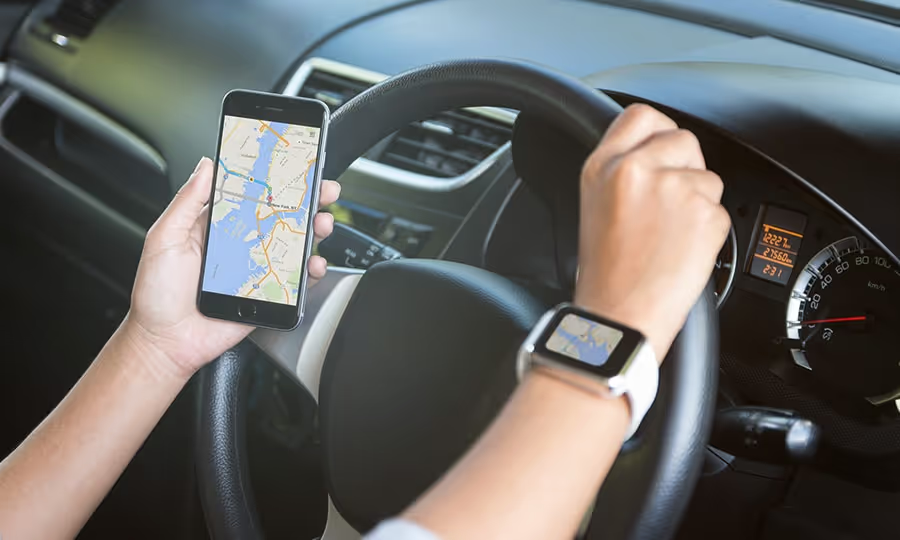
Google Maps vs. Waze: Which Should You Use as a Rideshare Driver
Utilizing a GPS navigation service is essential when it comes to being a successful rideshare driver. Even for drivers who were born and raised in the city where they find passengers can benefit from the new technology and features offered by many navigation services.
While Uber does provide its drivers with in-app navigation, this mapping system has been described as “severely lacking when compared to these two third party options.” Subsequently, drivers usually choose between the two biggest players in the field of third-party navigation apps: Google Maps and Waze.
Lifehacker shares that Google Maps is more akin to a traditional map whereas Waze is a turn-by-turn navigation app that focuses on a social network where drivers provide the traffic information.
Interestingly, Google purchased Waze back in 2013 for $1.1 billion, but has kept the two apps completely separate. Both have different functions and capabilities, which leads some drivers to prefer one app over the other. Thus, the debate has been created between Google Maps vs Waze. So which should you use as a rideshare driver?
Google Maps vs. Waze: How do the apps differ?
First, the two apps differ in how they calculate the best route based on the driver’s destination, although they both use real-time traffic data.
Google obtains its real-time traffic data through road sensors and speed data from drivers using the app. On the other hand, Waze relies on its users (like you and me) to provide information based on what is witnessed on the road during daily commutes.
The Waze app allows users to report accidents, police activity, and other obstructions by placing a pin exactly where the incident was seen. This gives other drivers the heads up so they can find alternative routes in order to avoid the traffic. With Google Maps, however, there are limited route customization options, which include avoiding tolls, highways, and ferries.
When it comes to navigation options, Google Maps provides information for driving, biking, walking, and using public transportation, while Waze is solely for driving.
How Google Maps can benefit a Rideshare Driver
When it comes down to navigation and interface, makeuseof.com describes Google Maps as “the cleanest and most professional” out of all the navigation apps currently available. The article continues by saying, “The interface is minimal, routes are easy to set up and navigate, and it’s quite intuitive to use.”
The minimal interface of Google Maps presents traffic data in three easy-to-read colors: green (cars are moving), yellow (traffic is starting to slow), and red (you’re going to be stuck here for a while). Additionally, users also find Google Maps less distracting than Waze because it is free from advertising. Conversely, Waze has quite a few ways of trying to grab your attention with an ad, such as businesses pinned with logos and banners that pop up while you’re at a red light.
If your goal is to have the least amount of distractions while driving, Google Maps takes the cake over Waze.
How Waze can benefit a Rideshare Driver
Waze has many unique features for drivers that can help save time and money. In addition to the turn-by-turn navigation, Waze offers “reports” on traffic jams, police sightings, crashes or hazards on route, map chat, saved locations, and gas prices.
Out of those reports, one that can particularly help rideshare drivers to save some money is the gas price report, which enables you to quickly search for the cheapest gas on a route. We all know that even ten cents extra per gallon can add up over time, so being able to easily locate the cheapest gas is ideal for rideshare drivers. Or if you use a different gas type (i.e. Midgrade, Premium, Diesel), the app lets you store your preferred gas type.
Additionally, the reports for traffic jams, construction zones, crashes, and hazards in the road (like those potholes the size of small children) can be updated by any user. Although Google has similar real-time traffic updates, makeuseof.com describes Waze as more aggressive and explains that, “Google Maps will try to take the fastest path using main roads, Waze won’t hesitate to take you through back routes. As such, driving with Waze can be a bit hectic, but it often saves more time than Google Maps.” For rideshare drivers, saving time means improved efficiency, and thus, the potential for making a greater profit.
Which app should you use as a rideshare driver?
When comparing Google Maps and Waze, it’s clear that each app has unique features and perks on top of the real-time road information that both provide. What’s not so clear, however, is which is better for rideshare drivers. Ultimately, it comes down to personal preference and what kind of navigation experience you’re looking for. If you can’t decide between the two, don’t worry, here at Gridwise we give you the ability to use either one!
Let us know which navigation app you prefer, and why, in the comments section below.
6 Tips for New Rideshare Drivers
Everyone has to start somewhere. Within the ridesharing economy, anyone who meets the baseline qualifications can start earning money through driving. Additionally, driving for Uber, Lyft, or any other transportation network company (TNC) can be something you decide to do on a whim. You may have jumped right into the ridesharing business without any prior experience or true knowledge of what you were getting into. There isn’t an in-depth orientation; there isn’t any real training. You could easily start this new job and suddenly be bogged down; as rookie mistakes can cause you to earn less-than-spectacular reviews or below par earnings. Just the same, there are lessons you can learn ahead of time that would make your life as a driver that much easier. If you’d like to avoid making some of the classic mistakes that rookie drivers make, let’s go ahead and talk about 5 tips/tricks to get you started as a new rideshare driver.
Have Patience
Recognize that, even if you’ve been driving for many years, driving professionally is its own skill. You’re thrown into the fire quickly, so it may be helpful to keep things simple as you start to get the hang of rideshare driving.
Learn your best practices for driving by completing a bunch of drives. Do not be afraid to let a passenger know that you’re new to the practice; they’re more likely to be forgiving of any mistakes you might make. Understand that, depending on when you choose to drive, customers could be either drunk enough to puke or tired enough to spill coffee all over the back seat. You’ll know, after your first few drives, what to keep with you as you move around. Drive often and reflect on what works for you and what doesn’t.
Don’t Chase Surges
The biggest rookie mistake that drivers make is to chase down surges. Although it may seem like a better idea in the short run because of the higher multipliers, chasing down surge prices will lead to disappointment if there’s no strategy involved. When you sporadically chase surges, it’s possible that the multiplier will disappear as you arrive. TNC surge algorithms are dynamically changing each minute, so chasing multipliers one-by-one isn’t going to help you earn money.
This isn’t to say that surges aren’t good for making you money; they’re clearly more worthwhile financially than driving without surges. However, instead of chasing them, you should plan ahead and position yourself in areas where surges are likely to occur during a given time frame. This strategy maximizes your time by putting you in the right place at the right time to boost your earnings in the long run.
Plan Out Your Drives
The best rideshare drivers have an outline of what they’re doing in advance. One of the most eye-catching benefits of rideshare driving is having the ability to set your own schedule. It’s best to know when your best and worst times to drive are so that you can plan around anything else you have going on in your life.
Some people plan just a few hours in advance. Every city is different, so it’s important that you know when traffic is heavy and when surge prices are at their peaks.
Others take the time to plan a bit further ahead. Platforms like our own Gridwise centralize the information you need to be a successful driver into one location, with useful information like road conditions, airport demand, and event information. Taking the time to know where and when you’ll be driving saves you both money and time in the long run.
Join Driver Communities
Drivers who communicate with one another usually have the upper hand over a driver who is isolated from other drivers. By leveraging the power of the crowd, you can learn at a quicker pace and have a better pulse for what is going on in the city.
Join Facebook groups and other online communities. There are over 150 driver groups nationwide on Facebook, including both US groups and city-specific groups. Text groups in apps like whats app and groupme can also prove useful to new and veteran rideshare drivers alike. Walkie Talkie apps like zello and voxer work well to actively put drivers in contact with one another in real time. Online forums such as uber people are a great place to seek answers to most of your rideshare questions. You should also engage with some blogs and vlogs, including the rideshare guy, the simple driver and our very own blog at Gridwise.
Invest in Your Phone
Your phone is your one-stop shop for everything rideshare. In fact, outside of the face-to-face, you get with your customers inside of the car, every other interaction you’re a part of during your drives is connected to your phone.
Everything that has to do with your phone has to be set up optimally for driving. First off, ensure that your phone is reliable. It’s part of your job to have a communication channel open, so poor equipment can result in issues that you really can’t afford to have happen. Your drives become considerably easier if you have a phone mount for your dashboard or your windshield. You have full visibility of what’s happening on the road, on the GPS and on your driver resources. Invest in a phone charger; a dead phone battery is a nightmare when you’re in the middle of a pickup. Have everything you need to drive successfully at the ready.
Keep Your Vehicle as Clean as Possible
A clean car goes a long way. Riders expect the vehicle they ping to be basically pristine, or at least close to. Hold yourself to a certain standard of cleanliness when handling your rideshare vehicle. Don’t roll out of bed and into your vehicle looking like a mess. Give your riders the comfort of knowing that they’re working with a professional. If there’s trash left on your floor, pick it up as soon as you have the time and throw it away.
Keep the interior of your car spotless. That means wiping down the door interiors and windows (outside and inside) as well as vacuuming the seats and floors. Get regular car washes to keep the exterior of your vehicle presentable. During the winter months, when city streets are covered in snow and salt, riders may be more forgiving of a slightly dirty exterior. Don’t let that make you lazy, though! Have your vehicle’s cleanliness be a priority during the hours when you’re driving.
Have any more tips? Talk to us in the comments section!

Considerations for Choosing Your Rideshare Vehicle
The vehicle you choose to drive as a rideshare driver can make a world of difference in your day-to-day work. Depending on the luxury rideshare service and the clientele that you choose to work with, your vehicle needs to be tailored to the work. Certain vehicles are better than others in terms of fuel efficiency and profitability. On the other hand, luxury passengers may require larger, spacious cars just for the prestige. There are many reasons why you might have chosen to drive for a transportation network company (TNC), so it’s important to keep certain considerations in mind when choosing your working vehicle.
If You’re Just Getting into the Business
When you’re starting out fresh as a part-time rideshare driver, you have a host of options. You can use your own current personal vehicle, depending on whether or not they are compliant with the regulations for the rideshare company you’re contracted under. To be an UberX driver in most cities, your car needs to be a 4-door vehicle that is at least 2002 or newer in order to qualify (the requirements change from city to city). For Lyft, the requirements are more stringent at 2005 or newer (again, this may vary in other cities). Other restrictions also apply, such as being above the age of 21 and riding with a Lyft mentor to train you on becoming a full-fledged driver.
If you’re looking to commit yourself to driving full-time as a rideshare driver, then perhaps you should consider buying a new vehicle. While any new 4-door vehicle would fulfill your needs, it’s useful to entertain the idea of purchasing a hybrid vehicle. The premier vehicle for rideshare drivers is the Toyota Prius, primarily because of its 51 MPG EPA rating. Other popular hybrid vehicles include the Ford Fusion Hybrid, Toyota Camry hybrid, Volkswagen Jetta hybrid and Subaru XV crosstrek hybrid.
If you’re simply not interested in owning a hybrid car, most of the vehicles listed above are great 4-door sedans without the hybrid sensibilities. Sportiness doesn’t necessarily need to go by the wayside to become a rideshare driver. You could easily pick affordable vehicles like a Honda Civic or a Toyota Corolla and make great use of them without losing too much on fuel efficiency. It’s really up to you to determine what sort of car you’d like to drive, so find something that works for you and fits your driver personality best.
Not at all interested in owning your own vehicle for rideshare? No worries! Try leasing a vehicle instead. It takes a lot of the maintenance pressure off of you if you can maintain within a set mileage per year. Uber even has their own program for leasing called Xchange Leasing, which works with local dealerships to offer special rates to rideshare drivers (including eliminating the mileage caps).
If You’re Looking to Drive Multiple Passengers
The most important and straightforward consideration, in this case, is that you’ll need a larger vehicle. With UberXL (or alternatively Lyft Plus) your vehicle needs to be able to seat at least 6 passengers, although you don’t necessarily need to fill up all of the seats every time you give a ride.
Whether you’re in a smaller vehicle or in a larger vehicle, be prepared to receive pings from rideshare carpooling if you’re signed up with Uber and/or Lyft. Although you cannot pick up more than 2 passengers at a time, you will likely need to lend your time to rideshare carpooling as time moves forward. Larger vehicles like a Nissan Quest or a Honda Odyssey with more space are prime selections for carpooling services, so be advised and ready to take on many passengers.
Another consideration is that you can choose what types of drives to take if you drive for Uber XL or Uber Plus. That is, you can choose to accept exclusively XL or Plus rides, rather than having to receive pings from UberX or plain Lyft. This gives you better control over your own driving and makes the choice of vehicle that much simpler.
If You’re a Luxury Driver
Only the cream of the crop have the opportunity to drive for UberBlack or Lyft Premier. Not only does your car or SUV have to be pristine, but you also need to maintain a high average rating just to keep the luxury driver status. If your own personal vehicle is a Jaguar, Lexus, BMW, or something similar, then definitely consider providing rides through the luxury service rideshare options. You’ll need sharp black leather interior in the case of UberBlack, so make sure your vehicle and your driving capabilities are up to the standards of your TNC.
If You’re Used To Driving a Taxi
If you’re used to driving a yellow cab, then, by all means, keep it around! There are plenty of professional drivers with CDLs who wish to continue driving the vehicles that they are used to. Rideshare companies like Ztrip and Curb allow you to continue to drive your taxi using an on-demand mobile platform. Technology options for current taxi drivers are out there and vary from city to city. Experiment with a few (including Gridwise) to see what works best for you.
Have any thoughts on rideshare vehicles? Talk to us about them in the comments section

The Pros and Cons of Rideshare Carpooling in Washington DC
Ridesharing started off with the concept of actually driving shared vehicles. The initial idea was that you, the owner of a vehicle in good standing, could essentially lend your vehicle out through a transportation network company (TNC) and have its use shared through the TNC’s services. Companies like Uber and Sidecar pioneered the accessibility of peer-to-peer car rides via the bubbling sharing economy. The more that people were able to share vehicles, the fewer vehicles would be on the road. Fewer vehicles means fewer greenhouse gas emissions and less congestion on the extremely dense metropolitan DC roads. Furthermore, those who take advantage of carsharing and ridesourcing opportunities find themselves spending considerably less on travel and end up using more public transportation.
In this day and age of awareness and conscientiousness about environmental impact, consumers in the sharing economy rely on bikesharing, carsharing and ridesharing via apps to get around. One of the ridesharing trends to surface within the last few years is carpooling via TNCs. Although carpooling itself is not new, the idea of using rideshare services as a means for a carpool commute is recent. Now, if you drive for rideshare companies in DC and in markets all across the country, you’ll have the opportunity to be a part of this new transportation development.
Let’s examine the different avenues available for rideshare carpooling in Washington DC to figure out both the benefits and disadvantages:
uberPOOL
As Uber’s premier carpooling service, uberPOOL came onto the scene in DC shortly after its San Francisco launch in late 2014. Potential passengers select uberPOOL on the Uber app. You, the driver, then end up picking up multiple passengers for similarly-distanced destinations. A maximum of two passengers can be picked up from the same location at once, but you can pick up as many passengers as can comfortably sit in your vehicle.
Pros: Drivers using uberPOOL spend considerably less dead time between rides. That means that you spend as much time as possible on the road actually driving folks from one place to the next, rather than waiting for the next ping. In essence, you’re getting paid for transporting a rider to their destination while you’re driving to the next pickup location. That’s payment for travel to and from passengers!
Cons: uberPOOL works with some glaring flaws.
For one, refusing to pick up passengers who selected uberPOOL could result in your app being locked out for 4-15 minutes. Since the coverage area for uberPOOL in DC extends from the District through to the airports, it’s extremely difficult to avoid being hailed for one of these shared rides. Not only does the mandatory pause halt driver momentum, but it is essentially a slap on the wrist for opting out of a service that you didn’t necessarily sign up for.
In addition, rideshare drivers who participate in uberPOOL generate fewer profits from the carpooling rides. The wages are significantly lower for rideshare carpooling in comparison to regular rides. Drivers also end up spending more time stopping to pick up new passengers, which ultimately reduces the time they spend on the road actually earning money.
Lyft Line
As is common practice between Uber and Lyft, Lyft provided Lyft Line services as direct competition to uberPOOL. The services provided from drivers through Lyft Line are similar to uberPOOL. Drivers are still allowed to pick up only two passengers at one location to ensure that there is enough space in the vehicle. A notable difference is in the ride request system for passengers, but that would rarely affect the driver. Although Lyft has a smaller pool of users than Uber at the moment, their share of rideshare passengers is steadily increasing.
Pros: Since Lyft is trying to grow their user base to be competitive with Uber, the company works to subsidize the rides for passengers and increase the pay for drivers. The base charge to passengers is less, but drivers make a few cents more per mile and in base fees with Lyft Line.
Cons: The smaller user base is certainly a negative point when comparing Lyft Line to the nearly-identical Uber service. Drivers are much less likely to get that second passenger than they would be with uberPOOL. Outside of the current market, Lyft’s trajectory as a company has it expanding considerably in the near future in response to Uber’s recent public favor. If you don’t mind the fewer passengers to start, sticking with Lyft could prove beneficial in the long haul.
Via
Similarly to both uberPOOL and Lyft Line, this New York-based ride-sharing app has been taking hold of some of the market share for commute drivers in DC. Via essentially makes you, the driver, work as a small public transit car, moving along popular commuter lines like the Red Line. It only operates from 6am-10am and from 4pm-8pm, but commuters are now provided with a safe, comfortable and affordable alternative to the Metro within district limits.
Pros: You get guaranteed rates when you drive for Via. The payout for Via during rush hour is considerably higher than with most other rideshare apps. Since the folks who use the app are professionals and business people on their commutes, the customer interactions are easier and generally happier. The commission is also lower than that of both Uber and Lyft, meaning you keep a lot more of the money you earn while driving.
Cons: You still don’t have the sheer number of users that Uber does. Other than that, you do not have the flexibility to drive whenever you’d like as you would with other rideshare services.
Have any opinions on uberPOOL, Lyft Line or Via? Let us know with a comment!
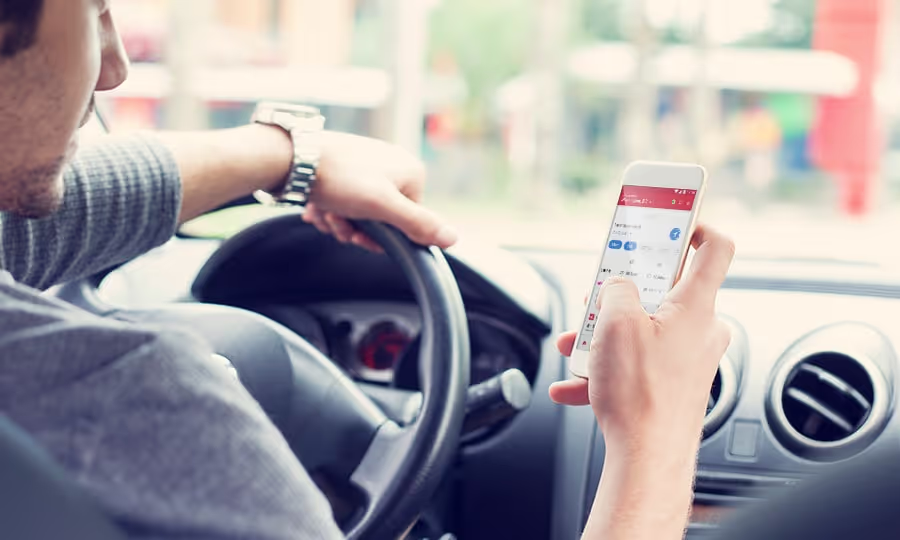
Taking Advantage of Gridwise Real-Time Alerts
As a key innovation of Gridwise, real-time alerts give you the power to make the right decisions as a driver.
Often when you’re driving, you may be totally unaware of what’s happening in the surrounding area. It’s not your fault; your focus is on getting your passenger from point A to point B in a timely manner. It takes time out of your driving schedule to plan ahead and prepare. In addition, sometimes you simply cannot be prepared for something that happens in your area during a drive. That unknown factor in your driving route or plan could spontaneously change your day and completely waste your time/money.
How Does Gridwise Help?
Using the Gridwise real-time alert feature, a driver can receive notices about Pittsburgh area road closures, airport demand and event traffic conditions on the go. After just a few notifications, the value of the alerts feature speaks for itself. In one centralized app location, you’ll receive the information you need to coordinate your driving schedule and avoid wasted time. To understand the advantages of this feature, let’s take a look at some of its uses and how they apply to drivers on the road:
Airport Demand
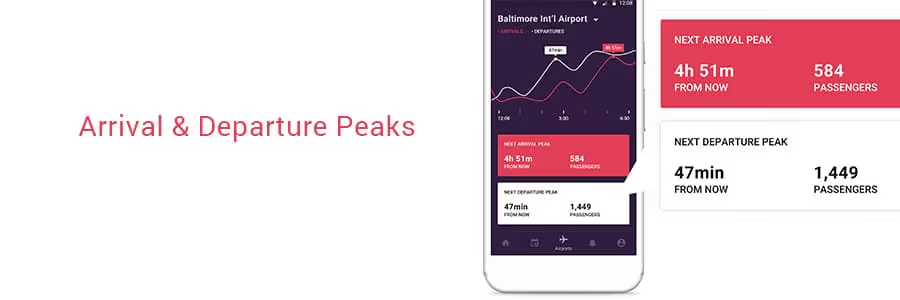
Gridwise has you covered when it comes to driving at the airport. You can use the app’s airport demand feature on its own to track airport traffic in real time. This feature gives you information about how many passengers will be arriving at any given time. The information on departure and arrival peaks is super helpful because it keeps the guesswork out of how much time you should dedicate to driving.
With real-time alerts, you learn about changes to flight schedules at Pittsburgh International as they come. Rather than having to keep tabs on individual airlines and flights, Gridwise becomes your one-stop shop for airport-specific information. The app gives you an indicator if any major changes occur with rider demand. With this information, you won't waste a trip to the airport chasing down fares only to find out flights are delayed. In the same vein, when delays and changes cause driver supply to be too low, Gridwise sends you an alert letting you know where the money making opportunities lie.
Events
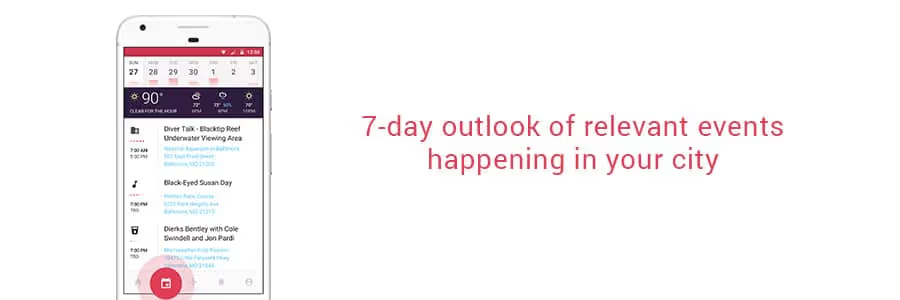
Driving for Pittsburgh events can be hectic, stressful and at times painfully slow. Congestion on the North Shore is heavily gameday dependent, changing from free-flowing to stop-and-go as early as 2 hours before the Steelers kickoff and as late as 2 hours after the final buzzer. For downtown events, the roads become backed up during the week from commuters and event goers alike. You could potentially make a lot of money from surge pricing, but what if you could avoid wasting time in the congestion?
Real-time alerts come in handy for coordinating around event driving. Rideshare drivers who specialize in going to and from local Pittsburgh events may know the congestion patterns pretty well through experience. However, if a game is going into overtime or is experiencing weather delays, Gridwise lets you know as it’s happening. This gives you the freedom to fit in an extra ride or 2 before you make your way to the event destination. When something lets out ahead of time, you’ll know when to rush over to the event for the surge pricing.
Road Conditions
Pittsburgh weather is at times unpredictable. Regardless of what the weather report says earlier in the morning when you first check, the weather can change dramatically as the day goes by. It can be beautiful and sunny one hour, change over to gloomy and cold for 30 minutes, come back to being nice for a moment and revert back to an ugly storm for the rest of the evening. As a Pittsburgh driver, your whole plan for the day could be disrupted by a flash flood or snow on the streets.
That’s where Gridwise offers an advantage. In order to prevent unproductive driving and to keep rideshare drivers safe, Gridwise sends you a notice telling you where and when the weather has impacted road conditions. You can know to tread carefully along these streets, or simply avoid them if your travel routes allow it.
Traffic
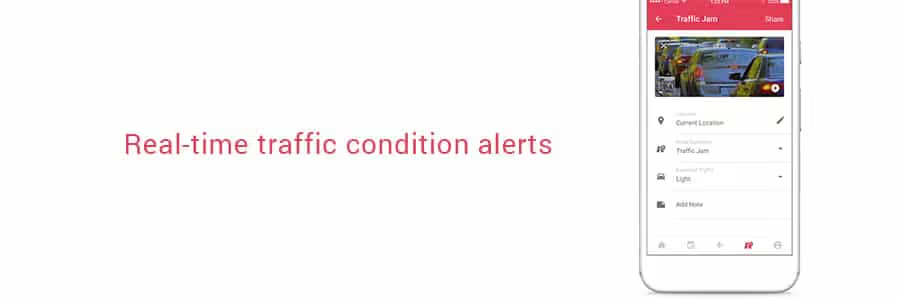
As a rideshare driver in Pittsburgh, you know what it means to sit in traffic for too long. Even if you know the general traffic patterns (i.e. heavy traffic on the Liberty Bridge during the morning rush or I-376 backing up before the Squirrel Hill Tunnel during evening rush hour), an accident can change everything. You end up with your time sucked up in traffic for much too long, where a simple change in route could have helped you avoid the congestion altogether. Gridwise alerts you when an accident has occurred on major roads, giving you the chance to plan an alternate route ahead of time. You could spend considerably less time stuck in traffic, and way more time making drives to earn more money.
Click here to download the Gridwise mobile app and start optimizing your driver potential
Top 6 Rideshare Services that Drivers are Using (and Why)
Check out our updated version of this blog post: Top Rideshare Services That Drivers Use and Why
The marketplace for rideshare services is fragmented. As a potential rideshare driver in 2009, your options were relatively limited because they mostly didn’t yet exist. The more normalized the app-based ride sharing trend became, the more transportation network companies (TNCs) began to appear in the tech sector.
There are, of course, key players that have dominated the ride hailing economy since the industry’s start-up and beyond. In order to weave through the best of them, let’s examine the top rideshare services and why the drivers are choosing these platforms.
Uber
Uber is by and large the most popular and widespread rideshare service. It was the first contender in the market, and has been working to disrupt a system that hadn’t seen any major changes since the 1930s. With brand recognition and a host of premium vehicle choices, full-time and part-time drivers sign up to drive for Uber for the options it creates.
Drivers are also attracted to Uber for its large user base. Many drivers who use rideshare apps maintain Uber as an option. The rideshare industry is slowly outmatching taxi services with the number of active drivers, with no small part of that due to Uber. The demand for Uber rides is highest in cities, but the company continues to grow and the market continues to expand.
Lyft
Lyft is Uber’s fiercest competitor. Although its user base is smaller, Lyft can be just as useful to have in your driver’s arsenal as Uber. Maybe you won’t be getting back-to-back pings, but there is still significance to having Lyft. Many drivers even prefer using this service over the other competition.
For one, it can be less overwhelming to the rookie driver. You can turn the app on and pick up passengers at a more leisurely rate, giving you time to take breaks and hone your driving practices. The sign-up bonuses vary from city to city, but Lyft (as well as most other rideshare services) does reward you for starting an account with them. There’s a lump sum after you’ve made your first 25-100 rides, but the benefits don’t stop there. Riders are allowed to tip you through the app on Lyft, and the express pay option gives you the chance to deposit the money you’ve earned on the same day.
Via
Via is about actually sharing rides. At only $5 for shared rides in premium vehicles, it may seem as though the money for drivers isn’t there. However, Via automatically gives you a 5-20% boost in pay for accepting other riders along your route, depending on how many passengers you pick up and how many “matches” you obtain. They operate in spaces where there is a lot of driver demand, putting fewer miles on your vehicle and eliminating the need for long-distance trips. The low 10% commission doesn’t hurt your wallet as much as Uber and Lyft, either. You’ll likely develop regulars and be able to build a relationship with your passengers. Since you typically work during commuter hours, your passengers are also easier to handle than night-time riders.
Gett
Gett’s major claim to fame is its worldwide accessibility. They’re dedicated to reducing harmful emissions in the the atmosphere through minimizing wasted time between fares. With the recent acquisition of Juno, a New York City-based ride hailing app whose driver-friendly culture gave Uber and Lyft a run for their money, the Volkswagen-backed Gett is set to make a huge impact on the rideshare economy.
Gett is currently available in many European cities, but has expanded to New York City and plans to take its business to other American cities. You need a higher level of driving expertise to be considered as a Gett driver, but the benefits rack up soon afterward. Sedans get $0.70/min net plus tip where SUV’s get about $0.85/min. With that and generous referral bonuses, the money you make is substantially higher with Gett than with driving for Uber or Lyft.
Curb
Curb is bringing professional taxi drivers into the 21st century. Rather than isolate CDL drivers from the ramp up of the rideshare economy, it caters to the long-time driving professionals. Passengers can hail yellow cabs in advance, and they can be tracked easily through the app. You as a taxi driver are fully covered under insurance and are paid based on how long the meter is running. Since your drives are metered, it’s easy enough to take detours at the passenger’s request. There’s no surge pricing option, but the fares are slightly higher and there’s a service fee up front to help recover costs.
Ztrip
Z-trip is an app-based taxi service that allows for customizable pickup options, sedan or professional vehicle options and up-front pricing. They are in over 30 cities operating with either a city-wide or airport only presence. It lets pre-existing taxicab drivers work through ride hailing and is available in many major cities throughout the US. Drivers can either use the Yellow Z service, which allows them to use their own car or they can lease a Ztrip car to prevent wear and tear on their personal vehicles.
Honorable Mentions
Summon gives you all of the benefits and amenities of driving for other rideshare companies, but has no surge pricing. Instead, it has flat rates for busy times with heavy congestion such as events and rush hour.
Bridj is an amped-up version of Via. Instead of a large host of SUVs and sedans for transporting multiple passengers, Bridj operates mass-transit 14-seat luxury shuttles complete with Wi-Fi. Average pickup times are under 10 minutes, and you make a guaranteed $15 per hour as an employee rather than a contractor.
Have any more rideshare apps you find useful as a driver? Let us know in the comments!
You might enjoy these articles too!
Where Should a Full-Time Rideshare Driver Live in DC
Realistically, the answer to this question is “anywhere in DC.” You are mobile as a rideshare driver; you can be anywhere you need to be given enough time. There are neighborhoods and locales, however, that might be more beneficial to live in depending on your needs. Every rideshare driver is different, with their own unique idea for an ideal living space. Whether it’s providing for a family or sustaining your DC socialite lifestyle, you need to choose the best place to start your driving. Proximity to your work eliminates some commuter hassle, but what if you’re the one providing the commutes?
All things considered, what are the best places to live if you work as a full-time rideshare driver in DC?
Deanwood
This is one of the least expensive neighborhoods in Washington DC and a real up-and-comer. Deanwood is a two-square-mile neighborhood is host to many single-story households in the northeast corner of the city. It has a quaint feel, with all of the amenities of the city without all of the hustle and bustle. Drivers could live here with relative ease, and even buy a home on the cheap. You can pick up passengers going to and from the eastern Maryland suburbs, as well as provide rides throughout the city with a short commute.
Columbia Heights
Columbia Heights is the bang-for-your-buck neighborhood in DC. It’s still somewhat affordable (compared with other rapidly up-and-coming neighborhoods) and full of young folks. The neighborhood oozes personality, and is often lauded as DC’s most diverse neighborhood. It’s central to many of the most vibrant neighborhoods in the capital, so you can count on a higher driver demand during the evenings. During the day, people are looking to go to the monuments and see the cultural sites nearby. All in all, consider living here if you’d like to stay close to all of the action.
Capitol Hill
On the other end, for those of you who aren’t sweating the living/parking expenses too much, staying in Capitol Hill may be the move for you. It’s still pretty residential like Deanwood, but that’s where the similarities end really. The historic neighborhood is full of high-profile congressmen. There are also plenty of recent college grads, small families and that make this place a prime location to pick up clientele. Since the neighborhood is full of historic icons, tourists flock to Capitol Hill. The nearby Eastern Market is also a popular spot for fresh produce, so you’ll attract a lot of riders who are shopping. If you’re looking to cash in on high driver demand, then this is a sweet spot.
Del Rey, VA
This neighborhood in Aletxandria is well-known for it’s small town feel with big city surroundings. Del Rey works well for the drivers who wish to be around for all of the action but can’t stand the noise and business of it all. Many of the residents bike to work, so it may not be an ideal place to actually pick up rides. Instead, this is for the drivers with families who would still like to live central to DC. Since you’re so close to the heart of downtown DC, however, it’s not a very far or congested commute to get in on the action.
Arlington, VA
Located across the Potomac river from Washington DC, Arlington has become a diversity hub for millennials and families. It’s right next to the capital, which makes it a very popular (and expensive) place to live. It’s trendy restaurants, thriving bar culture and airport proximity also make it a prime location for rideshare drivers. Traffic in and around Arlington can be a mess, though. The Woodrow Wilson Bridge, which takes you across state lines into DC, backs up consistently. Try to keep the majority of your drives during off hours, where demand is still high but trip duration is shorter.
Silver Spring, MD
For drivers who are looking to pick up Maryland suburb commutes, this is the place to be. It’s vibrant, diverse and affordable. Silver Spring is cheaper than living in DC proper, and parking your vehicle isn't as much of a pain. Your range of customers is all over the place, from students attending Howard University to families to yuppies getting to the metro. You can still go to DC and pick up fares in the city proper, but without many of the associated expenses.
Vienna, VA
For those of you who choose to accept airport trips, you may want to consider living closer to the airports if possible. Vienna is a good halfway point between the Dulles International Airport and the capital. It’s a mixed income neighborhood, with plenty of amenities without losing the standard of easy living. You’ll get a healthy amount of commuters who are trying to get to the city and its surrounding neighborhoods if you choose to go that route.
Are you a new DC driver and looking for a place to live? Let us know if this guide was helpful in the comments section!
Work smarter. Earn more.
Whether you drive, deliver, or pick up shifts — Gridwise helps you track earnings, mileage, and performance so you stay in control of your work. Download the app and take charge today.
