Blog de Gridwise
¡Lee el blog de Gridwise para obtener consejos y sugerencias sobre cómo ganar más dinero mientras conduces para Lyft, Uber, DoorDash, GrubHub y más!

The Gridwise Job Board: Find Your Ideal Job or Gig Work
Gridwise is an essential assistant app created by gig workers for gig workers. Our mission is to support those engaged in gig work in every way possible. We understand how challenging it can be to deal with income instability, a lack of benefits, and job insecurity that often comes with gig work. The Gridwise app tracks and organizes earnings and expenses, and offers a wide array of discounts, deals, and services that make the lives of independent contractors easier and more rewarding.
We firmly believe it’s possible to make a viable living and create a gig experience that offers flexible hours, variety, and excitement. With issues such as consistent earnings and job security in mind, Gridwise is proud to offer a centralized platform that shows you how to find gig work and secure reliable opportunities. We’re proud to introduce the Gridwise Job Board.
[elementor-template id="20891"]
The Gridwise Job Board: Key features
Because Gridwise is dedicated to serving the gig worker community, we’ve filled the Gridwise Job Board with useful features that won’t waste your precious time.
- Comprehensive listings. Find part-time, full-time, temporary, and per-task work. Drive or deliver with your vehicle, utilize an employer’s vehicle, or even find non-driving gig work.
- User-friendly interface. Find the jobs that are right for you with a tap of your screen.
- Verified opportunities. We vet the jobs before they are listed to ensure you’re getting high-quality job postings.
How to get more gig work, seasonal, part-time or full-time jobs with the Gridwise Job Board
Looking specifically for “gig work apps” or “gig jobs near me?” You’re in luck. Our filters and search functions send you directly to the listings you seek.
Here’s how it works.
- Access the Job Board via the Gridwise website.
- Search for jobs by type, location, and more.
- Select the job that interests you, and read all about it.
- Scroll through the description, and if it appeals to you, click “Apply for job.”
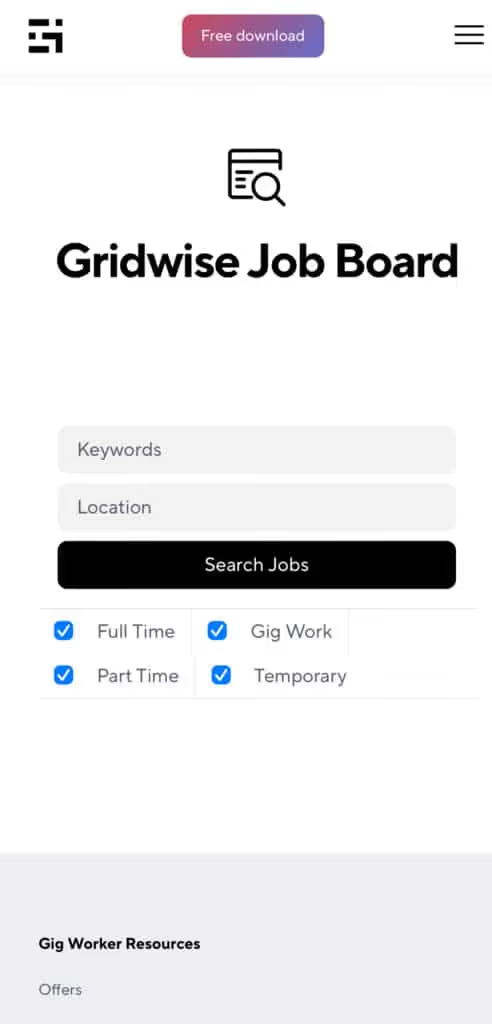
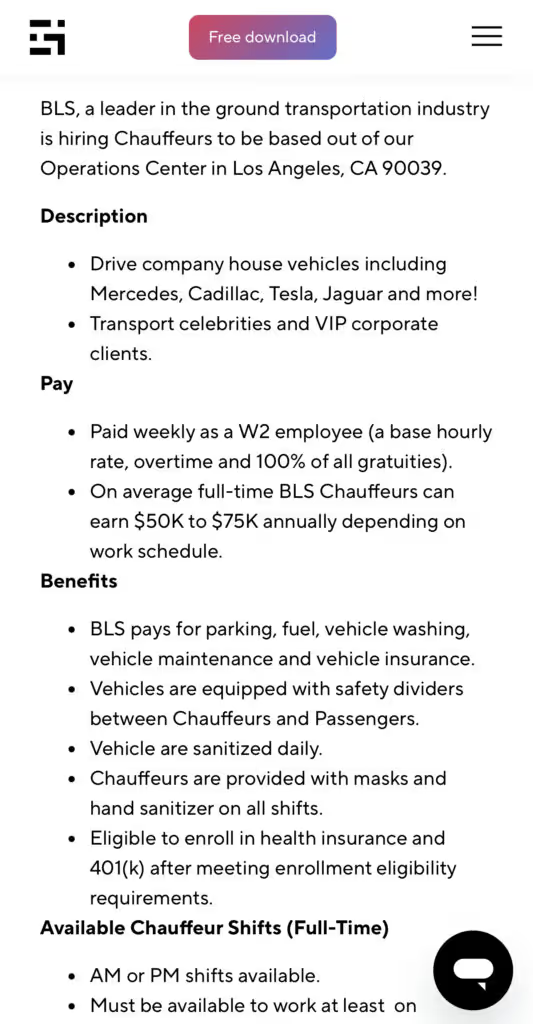
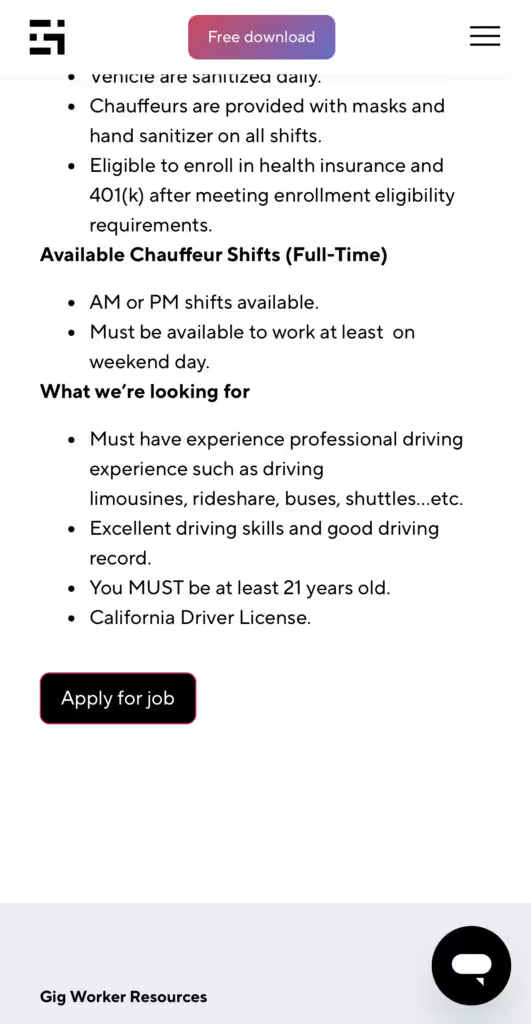
Many types of jobs are available. Adjust the search filter to see the full variety of opportunities that will let you cash in. Deliver food, set up catering, do rideshare driving, get paid for doing package delivery, and much more. You’ll find short-term gigs, long-term contracts, and part-time positions.
Perks of the Gridwise Job Board for gig workers
Gig workers who know how to make extra money will appreciate how the Gridwise Job Board lets you multiply your chances of bringing in big earnings. Here’s how:
- Increased stability. Use the Gridwise Job Board to find part-time or permanent jobs in addition to the part-time gigs you already have. Always keep a steady stream of earning opportunities flowing toward you.
- Flexibility and autonomy. Choose jobs that fit your schedule, work around other jobs and family duties, and still leave room for some fun in your life. Discover side hustles to supplement your full-time job, permanently or just for the season.
- Skill development. Find part-time work that lets you use a skill you already have, or try your hand at something new. It’s a smart way to develop a portfolio to showcase what you can do, or even to find permanent employment.
Get Gridwise and stay up to date on the Gridwise Job Board
Gig workers need plenty of information and assistance, and Gridwise is here to give it to you. Download the app and get essential features such as
- seamless earnings tracking
- mileage tracking
- expense recording, including notes
- low-cost and no-cost insurance benefits
- access to affordable medical, dental, vision, mental health, and alternative care
- professional services including legal and financial help
- deals and discounts
- weather, events, and traffic reports
- inside information on where and when to drive
[elementor-template id="20936"]
More to know about gig work:

5 Best Mileage Trackers For Gig Drivers
Many drivers ask, “Do I really need a mileage tracking app?” The answer is simple: only if you want to have an accurate count of all the miles you can legally deduct from your taxable income! You might think your rideshare or delivery driving app has got you covered. After all, they do quite a good job of logging the miles you drive while you’re on a trip or delivery. But, if you want to have the best app to track mileage for Uber, Lyft, Doordash, Instacart, or the other apps you may use, you need more. Why is that?
Without a separate tracker, you’re missing the miles you drive in between pings. Did you realize that all the miles you drive, from the moment you begin your shift until it’s over (as long as you don’t drive several miles on a break to hang with your friends), are tax deductible! That means you need something besides your driving app to keep an accurate count of your travels. Read this Gridwise post to see how important it is to keep track of every deductible mile.
You won’t be surprised to hear that there’s an app for tracking miles. In fact, there are several of them. Here, we’re going to tell you about five top mileage tracking apps, and help you figure out which one is best for you.
Before we get to the list and identify the best mileage tracker app, let’s clarify what exactly a mileage tracking app is. According to G2.com’s technology glossary, mileage tracking is done for the purpose of keeping a log of mileage that is either reimbursable or tax deductible.
And yes, of course you can track your miles simply by taking readings on your odometer. But are you really prepared to account for how many miles you drove for personal reasons and subtract them from the total to get your business mileage? Even if you can remember all that and do the arithmetic, if you want an accurate reading of the miles you drive for business, and can therefore deduct, a mileage tracking app will save you a lot of trouble and prevent you from making costly errors.
Plus, as a gig driver, you have specific needs when it comes to a mileage tracker. Ideally, you’d be able to handle mileage tracking and several other functions all in one app. It can be maddening enough to deal with driving apps, particularly if you’re an avid multi-apper. You would want your mileage tracker app to help you keep account of other aspects of your business, including income, expenses, and inside information about the art of gig driving.
Not all mileage apps are equal, to be sure! Let’s look at five of the best apps to track mileage and figure out which is the best app to track mileage with Uber and Lyft, or what mileage tracker app is best for DoorDash.
[elementor-template id="20891"]
1. Zoho Expense
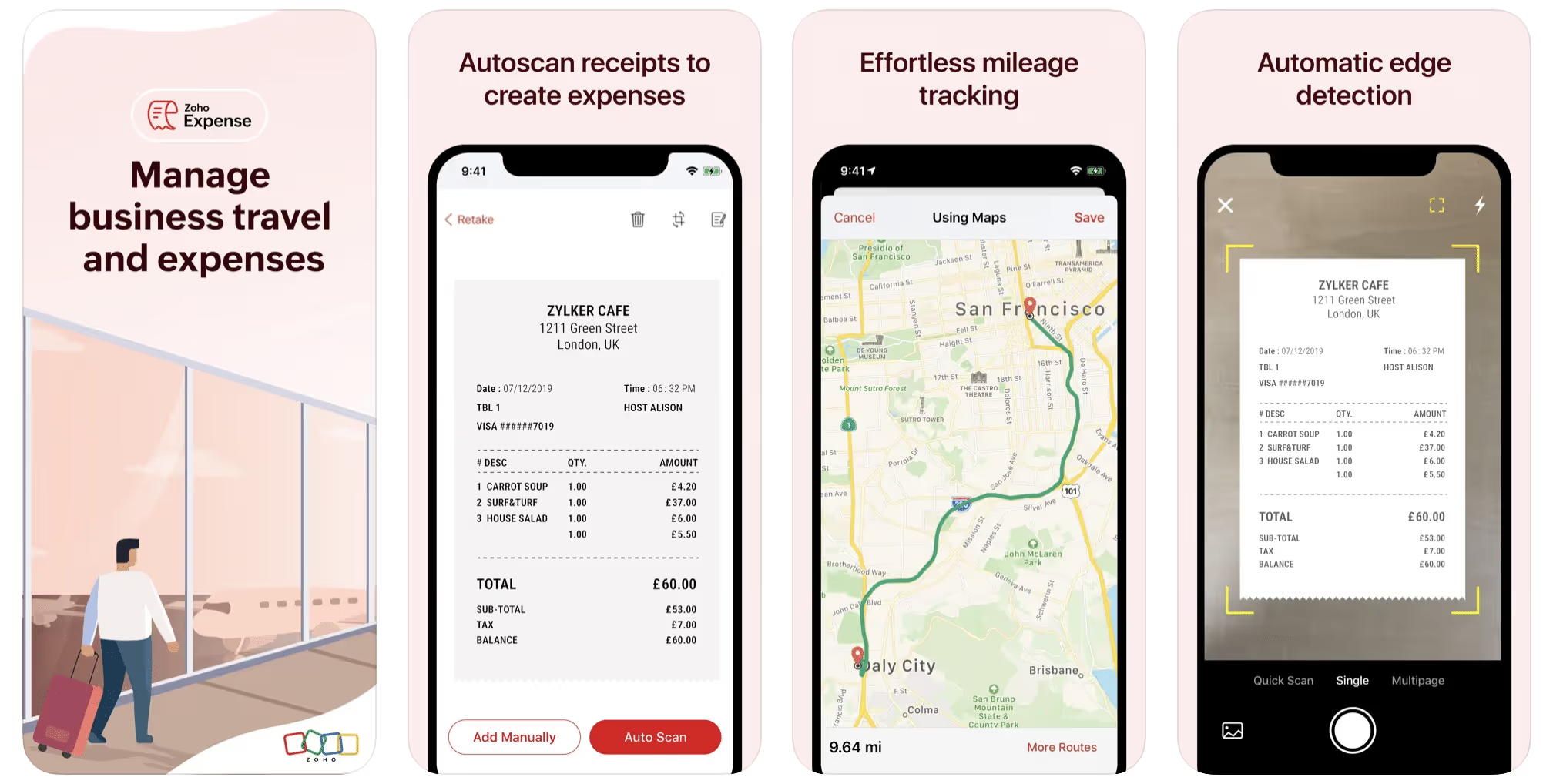
First up is Zoho Expense, which does exactly what its name says. This app is designed to allow companies to give employees a uniform way to create and submit expense reports. It can be used by individuals, including gig drivers, as well.
It includes a mileage tracker, as well as features that let you track other deductible expenses, including the ability to scan and record receipts.
Available on Android and Apple: Yes
Ratings: 4.8 stars on App Store, 4.7 stars on Google Play
Free Version: Yes
Subscription price: $3 per month, billed annually
Created specifically for gig drivers: No
2. Quickbooks Online
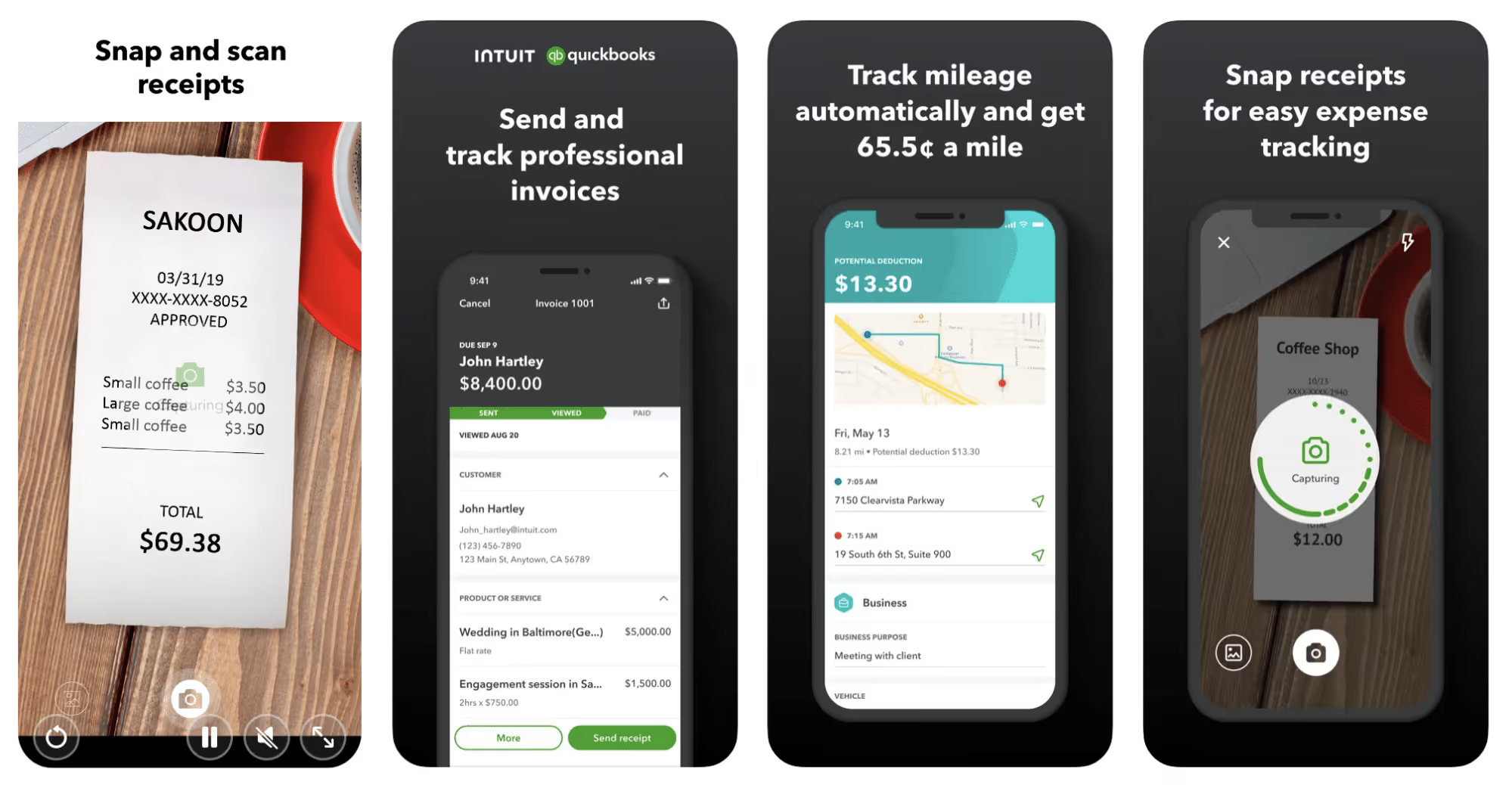
Quickbooks Online is a cloud-based app that allows you to track your mileage, earnings, and expenses. The information you enter can then be used to generate various reports that prepare you for tax time. It also allows you to create graphs that illustrate your cash flow, and includes a receipt scanner so you can instantly record deductible expenses. Quickbooks is popular, highly reliable, and designed mainly to help people keep track of their small businesses.
Available on Android and Apple: Yes
Ratings: 4.7 stars on App Store, 4.4 stars on Google Play
Free version: 30-day free trial
Subscription price: $15 per month for basic version if purchased for 3 months or more
Created specifically for gig drivers: No
Source: quickbooks.intuit.com
3. Shoeboxed
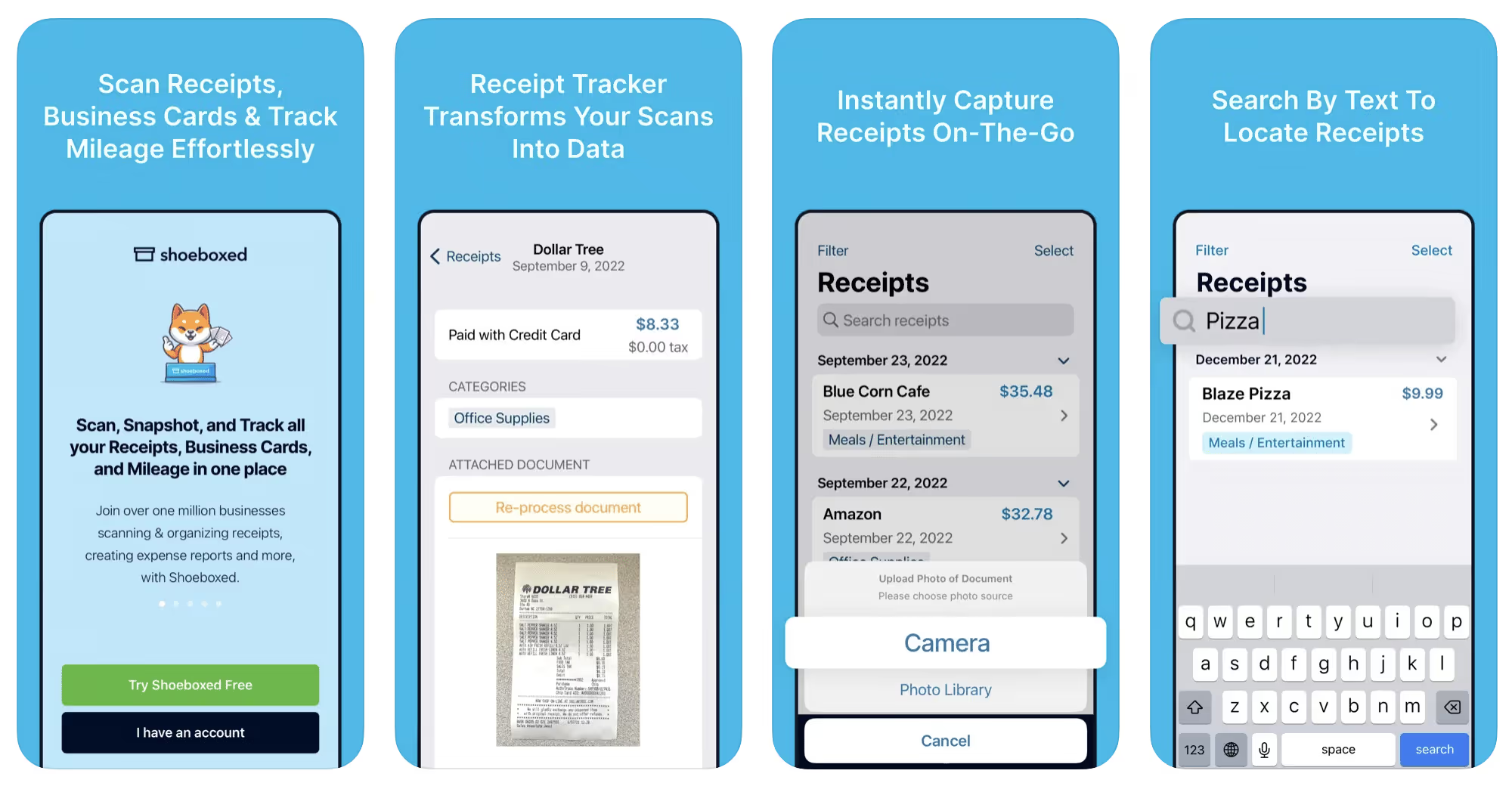
Shoeboxed started in 2007 as a service for scanning paper receipts into digital form. Now the app offers a free mileage tracker and has enabled users to scan receipts directly. It touts itself as the best mileage tracking app for DoorDash, but there are some elements missing that Dashers might like to have. While it provides features that record your expenses and prepare you for tax season, it doesn’t automatically track your earnings. The mileage tracker has a system where you can drop pins along your routes to make the tracking more precise, identifying those legs of a trip that you make for business purposes. The mileage tracker is “free” once you sign up for the basic version.
Available on Android and Apple: Yes
Ratings: 4.5 stars on App Store, 2.3 stars on Google Play
Free version: No
Subscription price: $18 per month for basic version
Created specifically for gig drivers: No
Source: blog.shoeboxed.com
4. Stride
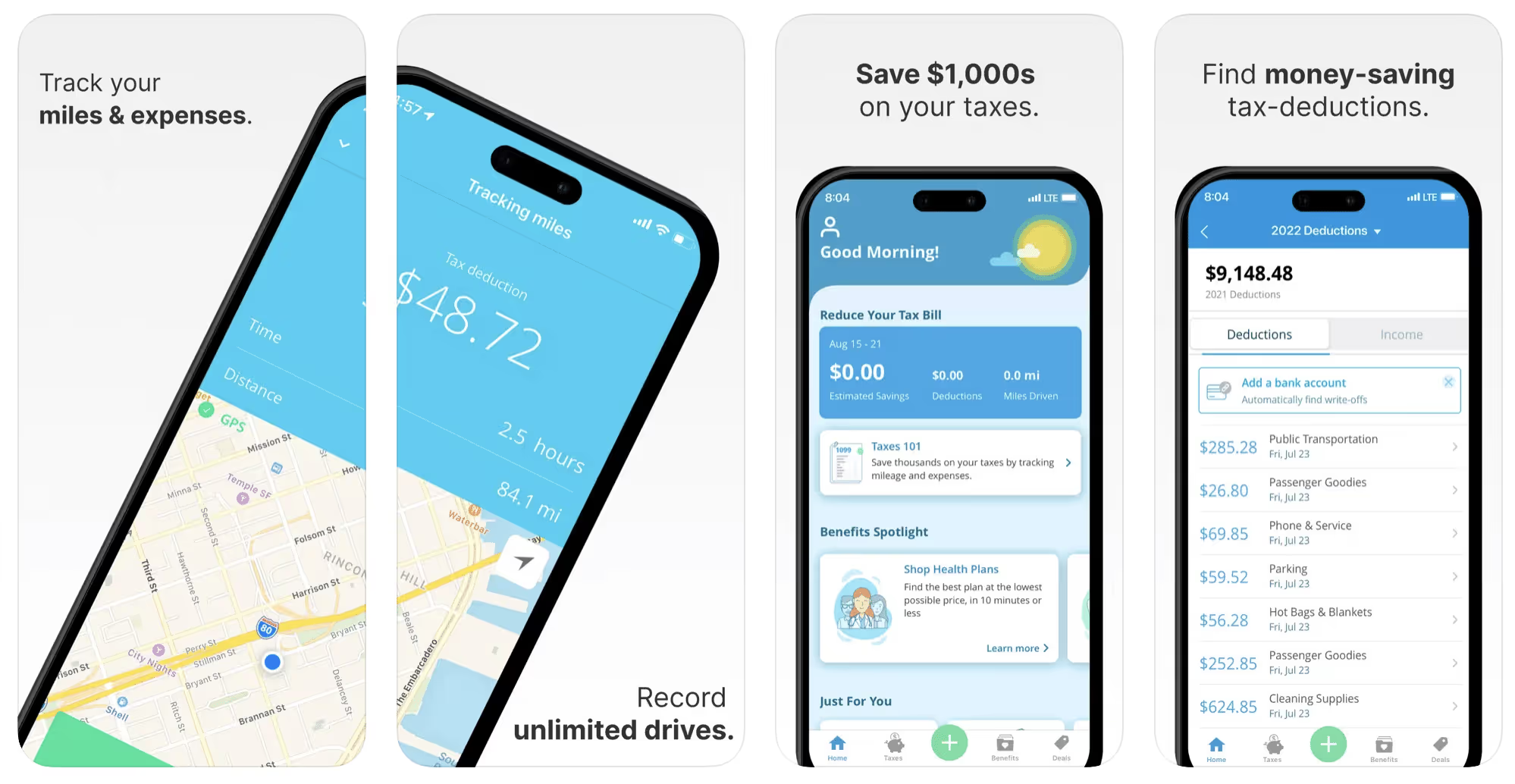
This free mileage tracker does a fair job of keeping track of the distances you rack up while gig driving, but it doesn’t automatically track earnings. It can be a big help, though, in tracking your expenses. You can link Stride to your bank account, and it will automatically scan your expenses to identify items you can potentially deduct. The app is totally free. This could make it the best free mileage tracker app, but there is a small price to pay. The app will persistently push you to consider various insurance plans that they are affiliated with. If you don’t mind that, this is a solid mileage tracker, even if it doesn’t track your earnings.
Available on Android and Apple: Yes
Ratings: 4.8 stars on App Store, 4.6 stars on Google Play
Free version: Yes
Subscription price: None. The app is free.
Created specifically for gig drivers: No
5. Gridwise
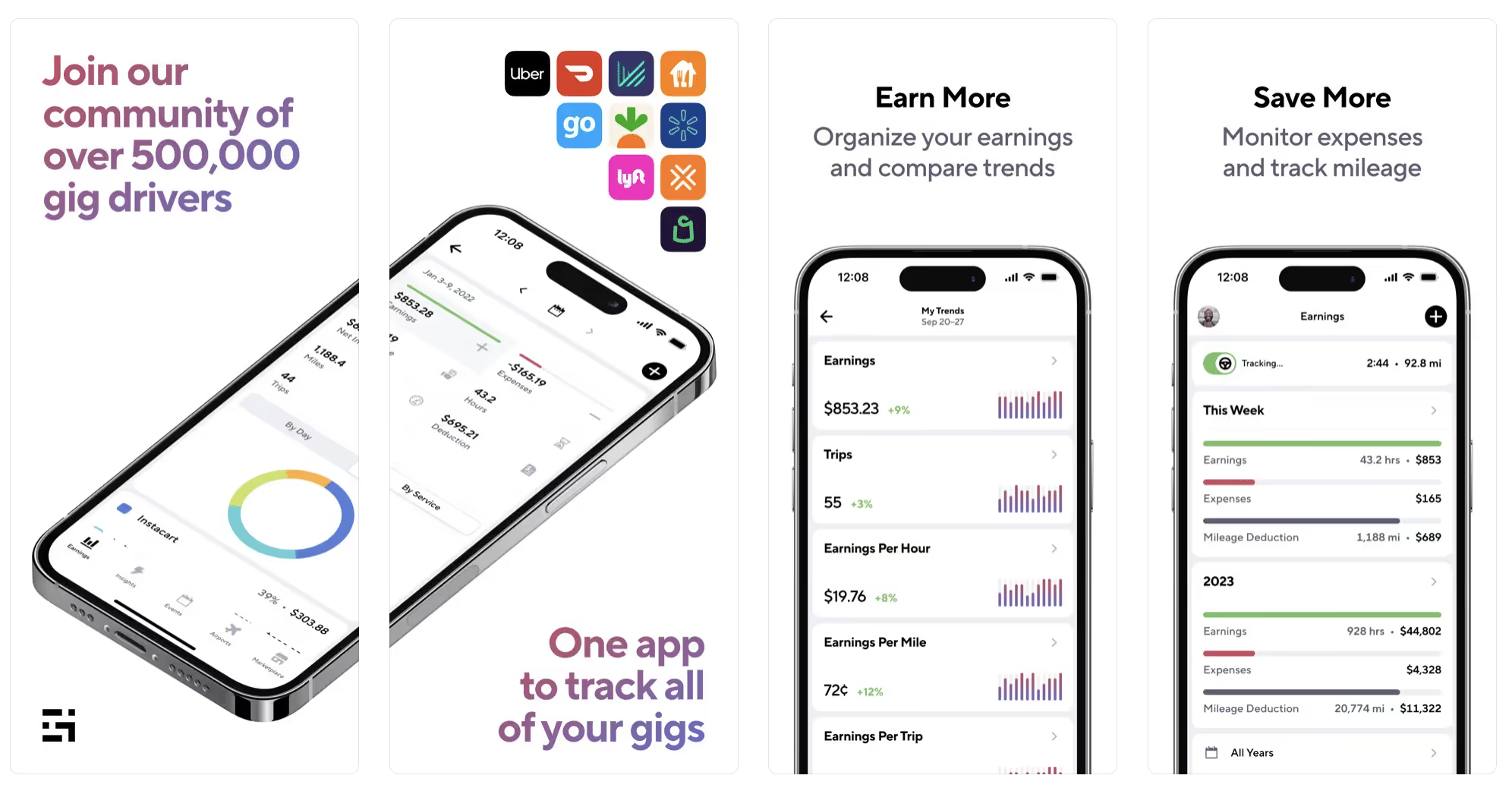
Gridwise has a free mileage tracker and free features that record your income and expenses. It gives you access to insurance and benefits, as well as insights about the best times and places to make the most money while gig driving. The Gridwise mileage tracker captures all the miles you drive while you’re on your driving shift, and it can be used if you have other trips you need to make which qualify as business travel.
Drivers love it because it is geared toward the needs of rideshare and delivery workers, providing free information about airport departures and arrivals, event start and let out times, weather, traffic, and more. The Gridwise Plus subscription adds value by providing additional insights and reports, discounts on benefits, the ability to export data in .csv format,, and more.
Available on Android and Apple: Yes
Ratings: 4.9 stars on App Store, 4.6 stars on Google Play
Free version: Yes
Subscription price: $9.95 per month for Gridwise Plus, or $95.99 per year (a $23.41 savings)
Created specifically for gig drivers: Yes!
What is the best mileage tracking app?
Now that we’ve checked them all out, we’re positive about the answer to that. Hands down, it’s Gridwise. Are we biased? You bet we are! But drivers love it too. Gridwise is the best mileage tracker app—and so much more. So many of the features are free, and the subscription to Gridwise Plus will pay for itself with additional insights to boost your earnings and deeper discounts on products and services.
Most important, Gridwise is designed specifically for gig drivers by experts who were once gig drivers themselves! Knowing what gig drivers need is a crucial step in creating an app that rideshare and delivery drivers can really use! Here are a few of the features, besides mileage tracking:
- seamless earnings tracking
- automatic, on/off toggle and manual mileage tracking
- mileage categorization
- airport, traffic, weather, and events information
- insights into where to drive and when to drive
- reports showing earnings across the platforms you use
- discounts on countless products and services for drivers
- additional resources for finding side gigs
- an informative and comprehensive blog
- affordable benefits, including insurance, medical, dental, and alternative practitioner discounts
- a community of drivers just like you
Don’t settle for just any app. Get the best mileage tracker, and so much more, from Gridwise!
[elementor-template id="21599"]
What Records Do Gig Drivers Need To Keep Track Of For Taxes?
* Gridwise does not provide tax, legal, or accounting advice. This material has been prepared for information purposes only, and is not intended to provide, and should not be relied on for tax, legal, or accounting advice. You should consult your own tax, legal, and accounting advisors before filing your return.
Record keeping? Who signed up for that? As a gig driver, it’s part of what you need to do to keep your business running. Don’t worry. It’s not as complicated as you might have been led to believe. This post will show you what you need to keep track of and the best ways to gather and preserve your tax-related records. We will cover
- How record keeping can help reduce income tax for freelancers
- Taxes and freelance work: Record keeping requirements
- Mileage tracking: Motives and methods
- More deductions and records to keep
- Make tax time easier
How record keeping can reduce income tax for freelancers
Tax time is not “fun time” for rideshare and delivery drivers. It’s easy to get used to watching your earnings pile up and come to believe they are all yours. Unfortunately, that isn’t the case. Gig work taxes can be especially painful because no one takes them out of your earnings for you, until the tax authorities insist that you do it for yourself.
You will need to show the tax authorities your income records, and they will gladly tell you to send them what they determine to be their fair share. Think that’s not fair? You’re not alone, but that doesn’t mean you’re going to get out of paying gig work taxes.
But you can find ways to pay the smallest amount that is legal and possible. The best way to defend yourself against having to pay astronomical amounts when you file your return is to know what expenses you can deduct from your gross income. When you subtract deductible expenses from your gross income, there is less left over to be taxed. This reduces the amount they can hit you with gig worker taxes. and can make your tax bill substantially lower.
While you want to keep good records so as to be in compliance with taxation entities such as the IRS, you also want to ensure you have proof of every last deductible expense you have accrued during the year. There are other records you must keep as well. Let’s look at some of the considerations you have, realizing that you now need to know how to do taxes as a freelancer.
Taxes and freelance work: Record keeping requirements
So many gig drivers fail to understand the responsibilities they have as independent contractors. Those who work part time for very few hours may even believe they don’t have to report the income they get from their driving gig payments. That would be a big mistake!
The company or companies you work for report your income to the IRS and state tax authorities. If you fail to report that income, you will risk some rather painful penalties. The IRS taxing side hustles is as much of a thing as the IRS taxing income from any other job. Your best bet is to report what you’ve earned, honestly and completely, and comply with other record keeping requirements such as
- gross income
- deductions and credits
- purchases (items you purchase and resell, such as snacks or bottled water)
- a log of all your mileage (or vehicle expenses, if greater)
- a list of all expenses and assets, such as utilities and other expenses associated with having a home office and equipment
- machinery and furniture you own, including when it was acquired, how much it cost, whether you previously took deductions on it, and selling price, if applicable (this includes your vehicle)
More things to consider:
- Pay attention to the retention of your records. You’ll need to keep all tax-return-related items— including income, deductions, and any tax credits reported— until the period of limitations runs out (3 years from date you filed, or 2 years from when you paid tax. If you have employees, keep your records for at least 4 years.)
- If you want to avoid paying self-employed taxes, you may want to set up a corporation or Limited Liability Corporation (LLC) for your business. This allows you to separate all your gig driving earnings from personal income, and permits you to take advantage of the additional advantages of working through a corporation. This includes exemption from self-employment taxes. You can learn more about how to pay self-employment taxes, if you opt for that, in this post from Keeper.
- You should always keep a separate checking account for your business, for convenience as well as clarity. While this is not a legal requirement, it is a smart move if you want to have an easier time managing your business.
- You are required, as an independent contractor, to file your taxes quarterly. Check out this Gridwise blog post for more information about quarterly tax payments and other matters that make filing delivery, Lyft and Uber taxes easier.
Mileage tracking: Motives and methods
Why you need to be meticulous about mileage
Mileage deduction, or the costs of operating your vehicle, will be the most important item to account for when you consider how to file taxes as a freelancer. While mileage is an important deduction for all independent contractors, as you might imagine, it’s even more essential for rideshare and delivery drivers.
There are two ways of keeping track of your mileage deduction. One is to use the IRS’ standard mileage deduction, which for 2022 is 58.5 cents per mile. This number takes into account the costs of operating your vehicle, from fuel and maintenance to registration, insurance, and depreciation. Alternatively, you can calculate all your own vehicle operating costs, but only after your first year of using the vehicle. You may discover that this second option allows you to have more money deducted from your taxable income. Learn more about the options for deducting your mileage in this Gridwise post.
No matter which way you decide to calculate the deductions for your mileage, you need to know what mileage you can and cannot deduct.
You can deduct
- miles driven to and from home when you go out to drive or deliver
- miles you accrue during your trips
- miles you drive on any other trips you make that are necessary as part of your business.
Examples:
- driving to return a lost cell phone or to an Uber Hub or another physical location where your company might make driver support available
- driving to pick up supplies, to get gas, or to have your car cleaned, serviced, or detailed, etc.
You cannot deduct
- miles you drive for personal trips
- miles for any trips you take that do not directly affect your business
Note: If imagining yourself becoming the not-so-proud owner of a shoebox filled with paper receipts gives you nightmares, stop worrying. Electronic records of purchases will satisfy reporting requirements. If you use cash, you can scan copies of your receipts, in some cases, right into your recording software or app. Gridwise and Keeper give you a simple to use interface that keeps all your receipts recorded without the messy pile of paper.
Mileage tracking methods
By now, you’re probably convinced that tracking mileage is important, despite all the other things drivers have to do. Now, let’s look at your options for keeping accurate records.
- Manual tracking: You can keep a logbook where you list every trip you make, starting and ending mileage, the date, and purpose of the trip. While this would work, it’s certainly not convenient. Besides, if that logbook gets lost, your plans for having a nice, fat tax deduction will go by the wayside.
- Spreadsheet: This is a bit more convenient and sophisticated way of tracking your business mileage. You’d need to be meticulous about making your entries, though. Even if you keep a spreadsheet app on your phone, it could be time consuming and inconvenient to keep doing it with all the other things going on in a rideshare or delivery driver’s day to day life.
- GPS-based mileage tracking apps: There are a bunch of apps that track mileage based on your GPS location, and most of them are pretty accurate and far more convenient than taking constant readings of your odometer. Your driving apps, such as Uber, Lyft, DoorDash, or Instacart, may also track your mileage, but be careful here. They will only track the miles you drive while you’re on a trip or delivery. They don’t count the miles you drive going to pick up a customer or when you make your move toward a restaurant or store.
Gridwise, on the other hand, will track all the miles you clock while you’re on your shift. All you need to do is make sure you start tracking the minute you leave home, and every gig driving mile will be logged. - OBD-II mileage tracking systems: There are plug-in modules that assess your vehicle’s mechanical health and track your miles. However, many authorities question the ability of OBD-II mileage tracking systems to get get accurate odometer readings. Insurance companies don’t consider them to be accurate enough gauges of odometer readings.
While mileage is a crucial deduction when you’re preparing your Uber, Lyft, or DoorDash taxes, it isn’t the only expense you’ll want to record.
More deductions and records to keep
Expenses you can deduct
You’re entitled to include the cost of other expenses that are directly related to your driving business. These include
- vehicle expenses
- equipment for your car and home office
- extra services and subscriptions
- business tools, including apps and software
You can learn much more about gig driver expenses that are eligible for deduction in this Gridwise article.
Ways to track and preserve deductible expenses
- The manual method: Just like you can with mileage, it’s possible to use a manual method, but in addition to logging each expense into a ledger, you would also need to keep physical receipts.
- Spreadsheets: You can record your expenses on a spreadsheet. This is somewhat less awkward than manually logging mileage, but there still will be plenty of room for failing to remember the case of water you bought for your customers, or losing the receipt from the thermal bag you purchased.
- Accounting software: You can use software that helps you track your expenses. This method usually interfaces well with any tax preparation software you or your tax professional might use.
- Gridwise: There are other apps that help you track your expenses, but Gridwise is designed specifically for gig drivers. It automatically tracks earnings and mileage, and lets you record your expenses the minute they come up. Gridwise’s partnership with Keeper gives you the ability to scan receipts and access a tax professional. This is a seamless way to record your expenses and a big help in learning how to file Uber taxes. Gridwise even provides .csv output, so you can feed your Gridwise data directly into tax preparation software. Check out what Gridwise and Keeper will do to super-charge your tax filing powers.
Organizing and categorizing expenses
Before you even begin to record expenses, you’ll want to set up categories for them. You can start by reviewing the categories listed above and checking out the Gridwise post that lists possible deductions.
If you’d like to learn more about how to categorize expenses, there is additional information available. This article from Motley Fool lists all possible categories any freelancer might use and also gives tips on how to customize them for your driving business.
One last tip
Using Gridwise, particularly for tracking mileage, is the easiest way to be in compliance with the IRS’ rules for deductible mileage. Gridwise tracks all the miles you drive for your gig, beyond what your company’s app might record. At the same time, you can log on and off Gridwise when you start and end your shift, so personal miles won’t be recorded. This eliminates confusion while capturing every deductible mile.
Gridwise Tax Help, a partnership with Keeper, has been created specifically to serve gig drivers. It provides affordable and easy ways to record expenses, scan receipts, and find deductions by analyzing your expenditures. Read about free resources from Keeper you can use to be fully prepared for tax season, and get all your earnings and expenses on the record.
Get the world’s best assistant for rideshare and delivery drivers, and tax help too.
Make tax time easier now!
7 ways drivers can earn more with food delivery
When it comes to making the most out of your food delivery game, there are options. You could take a random approach, which involves jumping in your vehicle, turning on your favorite delivery app, and seeing what happens. Or, you could pay attention to every “voice of wisdom” within earshot, from other drivers to YouTube experts, each of them insisting there’s only one “best” way … theirs.
We’re also offering wisdom in this post – but we’ll take a different approach. First, our advice comes from real delivery drivers, so you’re hearing it directly from the source; and second, we give you seven ways to up your food delivery game, plus a golden opportunity. We invite you to take what’s offered here, run with it, and create a targeted strategy that works for you. Here’s how we’ll go about it:
- What’s wrong with delivering “freestyle”?
- What a food delivery strategy can do for you
- 7 ways to up your food delivery game
- Put your personalized food delivery strategy in place
What’s wrong with delivering “freestyle”?
There’s no reason you can’t just go out, turn on your app, and start delivering food. Most apps, including Uber Eats and Grubhub, will allow you to do this. In fact, that’s probably the way most of us got our food delivery feet wet. But anyone who’s ever done it, even for a few shifts, knows how tough it can be.
When you’re taking random calls, and especially if you’re a newb at the food delivery game, you won’t get the big orders right away unless you’re really lucky. You’ll see a lot of $4 and $7 orders, and they may or may not include tips depending on the types of customers you meet. Bigger orders come as you make more trips, prove your worth to your company, and show that you’re good at pleasing customers.
Also, you may not know the best times to drive or where the most fruitful spots might be. If you lack a specific goal, and don’t know how to get the most out of what the food delivery companies have to offer in terms of higher earnings and bonuses, you could be driving in circles. Don’t waste your gas and time, and please … get a strategy!
What a food delivery strategy can do for you
First things first: You must realize that the only way any strategy will work for you is if you put it together based on your needs, your goals, your availability, and your local environment. Taking blanket advice from a self-appointed expert might work for those who have similar circumstances – but the reality is, most of us have different needs and situations, and every city is different.
Consider those factors as you begin to craft your personal strategy, along with these specifics:
- How densely populated is the area where you’ll be driving?
- What are the most popular food delivery apps in your area?
- Are there areas where restaurants are clustered together?
- What are the most popular eateries in your area?
- Do you have the right equipment to handle large orders?
- What are the reasons people in your area would order food for delivery?
- What are the best times of day for food delivery in your area?
- Where are the people who are likely to order? In an office area? Near a university?
- What days and times are most convenient for you?
- Do you want to schedule blocks of time, work when you want to and can, or both?
With a food delivery strategy, you’ll have the potential to make the most money in the least amount of time possible. Know your area, do a small bit of research, and you’ll be in business.
7 ways to up your food delivery game
By now, you’re probably convinced that putting a strategy together for your food delivery gig is a good idea. As promised, here are seven components to a good strategy that you can use to create one that works for you:
#1 Set goals and be selective: $7 or more lets you score.
How much do you want to make per hour? How much per day? Most experienced drivers like to aim at making at least $20 per hour. In order to achieve that goal, they know they have to make the absolute best use of their time.
It’s hard to refuse an order, particularly when you’re new to delivery driving or haven’t had many pings so far on your shift. Still, your performance probably isn’t going to get any better if you spend an hour and a half chasing down and waiting for a fast-food order worth $4 or $5. Think about that before you hit the “accept” button and head over to that chicken or burger joint.
When those pings come in, you often have to think fast. Should you take it or not? This part of the game is a delicate balance between making sure your cancellation rate doesn’t get ridiculous, and making your delivery gig worth the time you're spending on it.
If you have trouble wrapping your mind around whether an order is worth it on the fly, slow down. It takes time and experience to get the hang of any delivery app. If you need to pull over for a few seconds to fully understand what the delivery involves and whether you want to take it, then pull over. Whether it’s a $4 hamburger and shake order or a $200 catering job, neither is worth getting into an accident.
Always keep an eye on your acceptance and cancellation rates to make sure you’re not refusing enough calls to affect your ratings. But again, stick to bigger orders whenever possible.
#2 Choose your app(s) wisely.
What is the best app for you, your lifestyle, and most importantly, your area? This website shares stats telling you which of the big food delivery apps has the biggest market share in various major cities. Check it out to see which is most popular around you.
Next, decide what your highest priorities are. Do you want to work for the “biggest” company, or one that won’t demand you compete with a bunch of other drivers? You can rely on your instincts, of course, but there’s a more scientific way. Sign up for all the apps in your area and try them out individually before deciding which one you want to stick with for most of your driving.
It is best to select one app as your primary source of work. Why? Because it gives you an advantage when it comes to bonuses and perks that are based on the number of rides you have with a given company. This Gridwise blog post contains useful inside information on what it takes to get good delivery driver ratings, and perks, from the major companies.
The other difference you’ll find among the apps pertains to scheduling your driving. DoorDash and Grubhub allow you to schedule blocks of time when you’re available to drive. With DoorDash, until you reach Top Dasher status, you’ll have to schedule your work hours and stick to them. Grubhub will allow you to drive anytime you wish, as will Uber Eats.
You might also have a preference for a certain company because of the way their drivers are treated. By all means, choose the one that you enjoy working for. You’ll make more money if you have a good feeling about your gig, and how your company sees its relationship with its drivers is a big part of that.
There are many factors to consider about any company you decide to drive for. Check this Gridwise post to compare DoorDash and Grubhub, and this Gridwise post to see how Uber Eats and DoorDash size up.
#3 Know when to drive.
Before you start, there’s one big question you need to answer and be very honest about it. When are you really available? Can you get out of your other part-time gig to drive at lunch hour? Can you really afford to leave your kids with a relative or sitter while you drive the evening or late-night peak times? Once you’ve answered these questions, you’ll have a better idea of your options. From there, you can begin to look at more general considerations.
While it may seem that you’ll get the most calls at meal times, there’s more to think about than sheer volume. If you’re in a big city, for instance, how much longer will it take you to make a delivery at 5:30 p.m. than it would at 7:30 or 8:00 p.m.? Rush hour traffic could hold you up, and that means your hourly earnings could drop substantially.
Also, you need to know the prime delivery times in your area. Some more suburban areas might want their food at 6:00 or 7:00 p.m., while urban diners-in might not be ready to nosh until 9:00 or later. As for the late-night nibblers, they may start calling in at 10:00 p.m., or not peak until midnight.
There’s a lot that goes into your decision about the best times to drive, wouldn’t you say? Trial and error might work, but wouldn’t it be better to have current, real information about the best times to drive in your area? How would you get this info?
Use Gridwise! Our hot new feature, aptly named When to Drive, uses information from real drivers and tells you the best times to make money in your area. You can even see which days of the week are best in different locations. Here’s what it looks like:
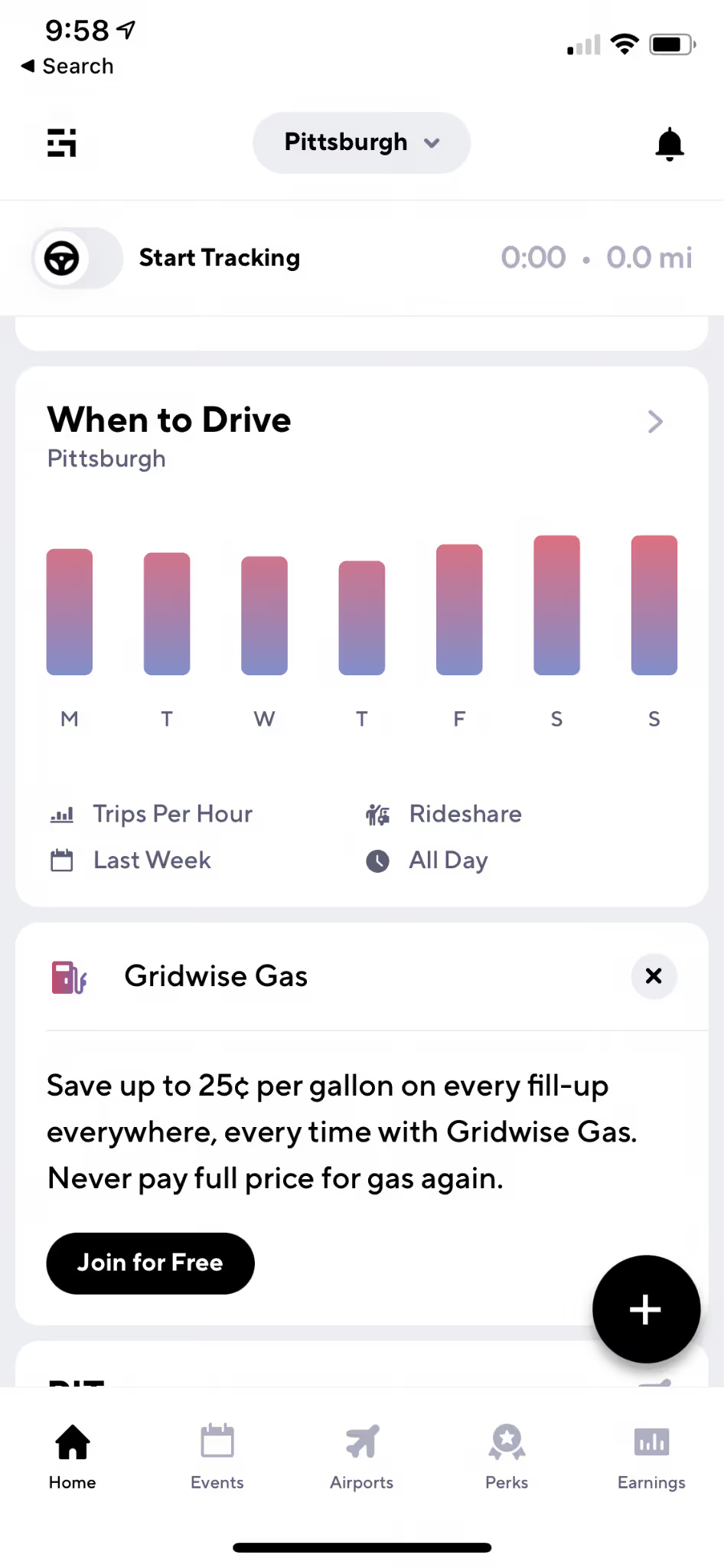
You can get all the stats you need with this great new Gridwise feature.
#4 Know where to drive.
Any good food delivery strategy involves knowing where all the best places are to wait for orders, and which neighborhoods have the best restaurants for delivery. For example, hanging around the posh side of town could be fun, but you’ll get far more calls for deliveries in spots known for their middle-of-the-road, something for everyone kinds of establishments.
Staying safe as a delivery driver is also an issue when it comes to knowing the “best” places. This Gridwise article is directed at female drivers, but the safety tips it contains are relevant to everyone. As a delivery driver, you often have to walk the streets, and at times, enter buildings that might not be the most savory of places. Learn your area, and know when a delivery involves going to someplace you’d rather not be.
Hanging out around a concentrated area is a good move if you want to get stacked orders, which refers to picking up two, maybe three meals from the same or a nearby eatery. You can make more money in less time and within a shorter distance with stacked orders – but it’s best to wait until you have more experience before setting your app to accept them.
There’s another way to find the most lucrative places for delivery work. Gridwise is almost ready to release another awesome feature for drivers called Where to Drive. It allows you to look at earnings data anonymously collected from Gridwise drivers, and will show you where the money is in your town. The screen you’ll use will look like this:

You can get more detailed information by continuing to this screen:

Switch from Rideshare to Delivery to see what each kind of driving looks like, and filter the data just about any way you might wish.
In addition to this information, you need an idea about what’s going on around town or in your general area. Are there ballgames or big concerts about to go on? Is there a rush near the airport? Are there restaurants near the mall that people love to order from? How’s traffic? Should you bring your rain gear? So many questions, right?
Gridwise offers an edge here as well. Here’s a sample of the features you get right on the home screen:
- Airport information: arrivals, departures, and queue lengths at your location;
- Weather: current information and weather alerts;
- Traffic: traffic alerts;
- Gas deals: save up to $0.25 per gallon with Gridwise Gas.
- Event information: everything you need to know about local events.
There are alerts and notifications, plus a reminder to log on at the beginning of your shift so you can track your mileage and earnings with Gridwise. You’ll get easy-to-read and fact-filled graphs like these, telling you how you’ve done on all the apps you use:

Now that you have tips on where to drive, let’s move on to some more advanced elements of your successful delivery driving strategy.
#5 Work for tips.
Raise the bar, and your income, by putting in the extra effort it takes to get great tips. You can get away with making far fewer deliveries, and still meet your earnings goals, with the extra money people often give you just for adding in some extra attention and kindness. Here are some examples of ways to increase your tips:
- Stay in touch with your customers. Keep them up to date about delays, both in the restaurants and on the road.
- Bring extra condiments. Don’t assume that people couldn’t possibly need napkins or extra ketchup; even if they don’t, they’ll appreciate your thoughtfulness when you bring them along. You might even keep your own, separate (and individually wrapped) supply in your vehicle.
- Separate hot and cold items, and invest in equipment to help make that easier. Here’s a Gridwise post that shows you some of the gear you could use to provide extra care to those food orders.
- Sniff out the tippers. Focus your efforts on areas where people can well afford to give you a nice tip. They’ll be far more likely to click on the in-app tip option, or add to it after they notice your superb service.
- Highlight your efforts. Subtly mention that you added extra condiments and utensils, or how easy it was to keep their fries warm and crispy in the fancy insulated bag you just bought.
- Make them smile. Be friendly with your customers, telling them how much you enjoyed bringing their meal, what a great place they chose, or how much care the eatery took with their order.
Tipping can add another 15–20 percent to your earnings! Always act like you love what you’re doing, even when you’re tired or burned out, and make your customers feel important, because they are. Without them, you’d be missing out on your great delivery driving gig.
#6 Watch for promotions and referral bonuses.
The delivery apps all have promotions going on at different times, and this is an easy way to add to your earnings. Watch for the peak times, and if traffic conditions and weather permit, focus on the areas that are part of the promotion.
Other bonuses might come from completing a certain number of trips in a given amount of time, or by deciding to drive on a peak day or holiday when most drivers would rather be doing something besides working.
You can also get extra cash with very little effort by referring friends to drive for your company. Most of the time, you’ll get a reasonable amount of cash, or at least a guaranteed earnings incentive. Check your favorite company to see what they offer in your area.
#7 Alternate your apps.
All the companies have policies against their drivers working for two apps on the same trip, so keep that in mind. Still, there are ways to take advantage of working two or more apps in a given shift. This is an advanced move to be sure, but some tactics to consider include:
Compare orders. If a second app offers a better order than the one you’ve chosen, as long as you haven’t yet picked up the order you can cancel it and move to the order that will make you more money.
Compare bonuses. Check out the different apps to see where the bonus areas might be, and how much they’re offering. The same goes for referrals. Before you refer a friend, check to see which of the apps you use are offering you more of a reward.
Mix in rideshare. If you have the right kind of vehicle for rideshare, consider alternating your food deliveries with driving passengers. You can learn more about the rideshare apps in this Gridwise blog post. It’s a great way to make good use of your time in between peak meal time periods, plus … it can be fun and make you lots of money, too.
Put your personalized food delivery strategy in place
Now that you have seven ways to up your food delivery game, it’s time to put your strategy together. We trust your creativity and know that you’ll come up with a great one. But, if you ever want to check in with a super community of drivers, make sure to check out Gridwise on Facebook for lively discussions, gas card giveaways, and more!
Driver tips: how to handle unruly passengers
Rideshare passengers, by and large, are pretty cool people. Most are friendly, kind, and curious, and some are fun to be with. Most are more than happy to follow the rules and have good conversations, realizing what a great deal it is to have rideshare available as a means of getting where they need to be.
It’s a good thing rideshare driving goes so smoothly most of the time because when it doesn’t, it can quickly turn your dream gig into a nightmare. There’s no doubt: some people just aren’t very courteous, kind, or nice. They may not know the basic rules of rideshare, but too many blatantly break the rules just because it makes things easy for them.
What can drivers do when passengers don’t follow the rules? In this article, we’ll go through the rules unruly riders love to break. First, we’ll cover what you might want to say to your customer; then, we’ll give you some ideas of what you should say if you want to keep the peace … and your job.
Here’s how we’ll cover this aggravating, but very relevant topic:
- How important are the rules of rideshare?
- Rowdy riders and how to handle them
- Ways to avoid rule breakers
- How to reduce rule-breaking in your rideshare vehicle
How important are the rules of rideshare?
Not everyone wants to abide by the rules of the world since it can make it hard for us to do what we want, how we want when we want. But as we all know, rules are a necessary aspect of civilization, including the unspoken rules of the driver-passenger relationship in rideshare.
Rules keep riders and drivers safe from danger. Some dangers might be more obvious than others. Wearing a seatbelt to minimize injury, for example, is a rule that benefits everyone, while using someone else’s account as a rider might not seem to do much harm.
Increasingly, drivers are being asked to enforce rules. The COVID-19 pandemic created the need for the Uber mask policy, and a similar one from Lyft, for both passengers and drivers. Social distancing is hard to do in a car, but having a barrier in your car or not allowing passengers to sit in the front seat is a good way to keep some distance and stay safe. While Uber and Lyft help by informing customers of these and other rules, they don’t always follow them.
Some unpleasant things can happen when a rider goes against the rules. The dangers surrounding the COVID rules are clear, but there are more. Would you like to be stopped and cited for driving with unsupervised children, or worse, small children without a proper restraint? What might happen if another car taps your bumper, and the police come only to discover your passenger has an open container of alcohol in the back seat?
Rideshare drivers aren’t responsible for everything riders do or neglect to do, but you can see how insurance claims, lawsuits, and even criminal charges could be a part of a situation stemming from a customer who breaks the rules. So we maintain that the rules of rideshare are reasonably important.
Let’s look at some of them.
Uber rules for passengers include: providing a car seat for children, following laws, for example, not telling drivers to speed, etc.; not touching any of the controls that operate the vehicle; not carrying firearms, drugs, or open containers of alcohol in the car; no street hailing; and of course, no verbal or physical harassment for any reason.
Lyft has all these same policies, as well as another about the number of passengers permitted. A standard Lyft ride means the driver can only be taking three passengers; larger groups have to order an XL. Also, Lyft likes to remind passengers to be mindful of their driver’s time when making multiple stops.
Really, there aren’t that many rules for rideshare, and most make a lot of sense. If you haven't experienced rider complications yet, unfortunately, you’ll most likely encounter situations where your passengers attempt to put you, as well as themselves, in jeopardy.
The unruly passengers and how to handle them
Some riders don’t look “rowdy” on the surface, but their behavior can put them into the category of “out of control.” Let’s look at some common scenarios involving rule-breaking riders, what you as a driver might want to say, and then how you can handle the situation better ... with grace and professionalism. Here are some examples of unruly passengers and how to handle them:
The parents without a clue – or a car seat
Think about this scenario: a couple along with their two young children, are waiting at their set pickup location. The parents did not bring a car seat for either child. As they pile into your vehicle, you feel anxious about the what-ifs. What if a car hits you from behind and the children are not safely secured? What if you have to slam on your brakes and one of the kids hits their head and starts bleeding?
What you want to say: “Seriously?? What parents don’t want to protect their kids from getting killed in a car accident? There’s no way I’m taking you in this vehicle. I’m canceling this ride right now, and until you get car seats for your children, I suggest you not even think about calling another driver. Good luck paying for those kids’ physical therapy one day!”
What you should say: “Before you get into the vehicle, I need to remind you that (Uber or Lyft) has a strict rule that states you have to provide car seats for your children. It’s illegal for me to drive with children who are not safely restrained. I’m sorry, but I will have to cancel the ride.”
In most cases, the classy way of saying you’re not going to take this potential catastrophe in your vehicle will work. Sometimes passengers might be rude to you in this type of situation, but if they are, your best bet is to roll up the window and drive away. You’ve just saved those kids, and yourself, from a potential disaster, so the next time you stop, pat yourself on the back.
The intoxicated passenger
While cruising around your local university on a Friday night, you come across your next ride. Three underage students are wobbling to your car. They’re holding big red plastic cups that carry the remnants of one of many alcohol-laden drinks they’ve had that evening. They don’t dump the booze out before getting into the car and act like you don’t see or smell what they’re still drinking – in your back seat.
What you want to say: “Look, I know you need adult supervision, but I’m not it. Dump the booze outside of the car or there’s no ride home for you tonight.”
What you should say: “I realize everybody’s having fun tonight, but riding in my (Uber or Lyft) car is serious business. You can’t have open containers of alcohol in my vehicle. Please either dump your drinks before you get in, or I’ll just cancel the ride and you can finish them before you call another driver.”
Hopefully, a calm, firm tone of voice will take care of this problem. If it doesn’t, refuse the ride, cancel it, and report them and their reckless behavior. You’ll be doing them a favor, even if they don’t see it that way.
The maskless rider
It happens – we all know it. Even though passengers have to take a selfie of themselves wearing a mask before they’re allowed to use the app, some riders will still show up without one. They might be just careless, or they could be inebriated. In either case, they’re breaking an important policy, and you don’t want them to be in your car without a mask.
What you want to say: “Can you tell me what part of the sentence ‘You must wear a mask to ride in this vehicle’ you don’t understand? Do you really think I want to have you sneeze, cough, and drool your disgusting and potentially deadly germs on me?”
What you should say: “I need you to wear a mask to ride in the vehicle with me. If you don’t have one, I can provide one for you, or I can cancel the ride so you can go and get your own mask before you call another driver.”
It really does pay to keep some fresh paper masks in your car for such scenarios. If the person refuses to put it on, you are well within your rights to refuse the ride. Let them know that, and they’ll probably cooperate without too much fuss.
The oversized group
You’ll probably run into this around schools and universities, but young people aren’t the only offenders. Inebriated adults coming out of a bar together or frustrated from being pushed around at a crowded concert or ballgame will say something like: “Come on, can’t you just squeeze in one more?”
What you want to say: “Ohhhhhhh no, cheapskate. You’re not piling into my vehicle just because you’re too much of a tightwad to order two cars for your oversized group. I’m only taking three – that’s the rules of the road.”
What you should say: It's against the rules, and the law, for me to take more riders than I have seatbelts for in my car. And with COVID, no one can sit in the front seat. I have to keep us all safe. I’m sure there’s another driver in the area who’ll be glad to pick up the rest of your group.”
You can begin by saying, “Sorry” if you want to soften your pitch some, but remain firm and don’t let them bully you. People really do try to do some crazy things when they’re desperate for a ride. It’s up to you to make sure everyone avoids injury, and that your insurance will continue to cover you in case there’s an accident. Breaking a rule like this one could nullify an insurance claim in a nanosecond.
The stolen or mistaken identity
Oh, yes. People do it all the time. While it’s okay for an Uber or Lyft customer to get a ride for a friend, it’s against the rules for them to say “Marsha” is going to be the passenger when “Marvin” is waiting for you at the pickup point. This happens so often, it’s almost the norm. To go by the rules, you should cancel the ride. After all …“Marvin” could be the potential ax murderer that’s been banned by both Uber and Lyft.
What you want to say: “Hellooo?? You’re not Marsha. What makes you think I’m going to take you on this ride? Go back to the person who called for this trip and tell them they’re not supposed to let other people impersonate them or use this service without my knowing who I’m taking in the car. There are ways of doing this, and this is NOT it.”
What you should say: “Are you Marsha? I’m sorry but if you aren’t the owner of the account, and I wasn't aware that this ride was for someone else, I can’t accept it. I’ll have to cancel this ride, I’m afraid.”
Really, fear is the last thing you should have as a driver, and you shouldn’t be shy about canceling a ride on these grounds. It’s easy enough to get an account with Lyft or Uber. If someone doesn’t have one, there might be some really good reasons … such as, they’ve violated the rules before.
The unsupervised kid
Then there are the parents who think it’s okay for you to drive their kids while they’re not with them. In case you missed this fun fact, it is not allowed. Account-holders must be 18 for both Lyft and Uber. While you’re not responsible for checking IDs as a driver, you wouldn’t want to be accused of any kind of crime because you took younger children without their parents being present. Also, it’s simply against the rules.
What you want to say: “Do I look like your nanny? You can’t ride without a parent or guardian in the car with you. Go back and tell your mommy or daddy that they have to follow the rules just like everybody else. You’re not getting into this car.”
What you should say: Your parents probably didn’t know this, but neither Uber nor Lyft allows drivers to take kids under 18 in the car without a parent being present. I’m sorry, but I’m not able to take you where you need to go.”
The issue of transporting minor children is especially dicey. This can be an insurance issue as well as a legal one - for you. The parents involved should be locked in a room with the others who don’t bring car seats for their little ones.
Ways to avoid rule breakers
Sometimes it’s just not possible to avoid these or other rule-breakers, but you can surely try. For instance, if you're not good with drunks, you’ll want to avoid the times and places that will draw them out. Or, if you want to avoid big events and big crowds, it’s a good idea to know when and where they’ll be taking place.
How can you know all these things without driving yourself crazy doing it by trial and error? Gridwise has got your back.
Look for the places where you’ll want to be with Where to Drive, a new feature that’s coming soon from Gridwise. The graphics that come with Where to Drive, give you an easy read on the busiest areas throughout the day.
When you click on the Where to Drive icon on the Home screen, you can expand your options:
You’ll want to know the best times to drive, too.
Gridwise recently released another new feature called When to Drive. Using information from actual Gridwise drivers, When to Drive gives you pictures of the best times to drive in your area – possibly avoiding some of those characters you'd rather not come across. Here’s a sample:
Gridwise does all this and more. With the “Ultimate Rideshare and Delivery Assistant” you also get:
- Airport information: arrivals, departures, and queue lengths at your location;
- Weather: current information and weather alerts;
- Traffic: traffic alerts;
- Gas deals: save up to $0.25 per gallon with Gridwise Gas
- Event information: everything you need to know about local events.
Gridwise can’t guarantee that knowing where and when you can make the most money will let you totally avoid unruly riders, but increasing your earnings will make it seem a lot less frustrating when you have to deal with them. Download the app now and see for yourself!
How to reduce rule-breaking in your rideshare vehicle
There’s really no way to totally eliminate the hassle of handling people who break the rules, but you can make it happen less often. Here are some suggestions:
Post friendly reminders in your car. Make a sign that has rule reminders on it. Use wording that’s courteous but firm, such as “Keep us all safe – wear a mask,” or “Ride now, party later. Please, no open containers in the car.” Be mindful not to use logos or make the signs look like they came from your company. Uber brand guidelines, as well as those from Lyft, are pretty strict.
Set personal boundaries. Even when riders are nice, you’re not there to make friends with them. Always maintain a professional distance, both physically and socially, from your passengers. Even if it’s not as much fun, it will pay off.
Don’t be afraid to cancel the ride. If you cancel the ride due to a rule being broken, you will still be paid a cancellation fee. The Uber cancellation fee and Lyft cancellation fee are in place to make sure you get some payment simply for going to pick up the passenger. In most cases, you’ll get around $5, particularly if your passenger refuses to wear a mask.
Report bad rider behavior to your company. You can use the words “I’ll have to report you (to either Uber or Lyft) if you don’t wear your mask,” to encourage your rider to do the right thing – but unless you follow up on it, you could get into trouble. Passengers are quick to report drivers, and they are not above concocting stories that make them look good and you look not-so-good. That’s why it’s key to report riders who break rules, so your company gets your side of the story. Most of the time, you’ll probably come out looking like the good egg you are.
Check these Gridwise blog posts for more details on contacting driver support for Uber and Lyft.
We hope this post helps you deal with problematic passengers, and also shows you that you’re not alone. If you have some stories for us, or you’d like to share ideas with the driver community, leave a comment below. Better yet, join us on Facebook for solid discussions and driver-oriented fun.
Lesser-known food delivery apps mean more earnings opportunities!
Big budgets mean big names. If you’re in the food delivery game, you already know about Grubhub, Uber Eats, and DoorDash. But do the delivery giants provide the best opportunities for drivers? Or are they just banking on their publicity to keep them going?
In today’s age of supporting local businesses, there’s an abundance of other opportunities for drivers to diversify their earnings and find a delivery opportunity that fits their business best.
To help you find the right fit, we’re taking a look at some of the quieter voices in delivery: Caviar, Seamless, Bite Squad, and EatStreet.
We’ll break each one down to find out:
- Who they are
- Where they’re available
- How they’re different from larger names
- The benefits and driver perks of each company
Here’s to the little guy! Let’s give ‘em a chance... oh, and be sure to stick around to the end of this post because EatStreet has a surprise in store.
Caviar
Overview
DoorDash acquired Caviar at the end of 2019. As of August 24, 2020, all Caviar opportunities come through the Dasher app.
Caviar itself was founded in 2012 as a food delivery logistics platform that connects drivers, merchants, and customers to facilitate order delivery.
Availability
Caviar still onboards new restaurants in its service regions, including:
BostonPortlandBrooklyn and Queens, NYSacrementoChicagoSan DiegoDallasSan FranciscoFort WorthSeattlePhiladelphiaSouth JerseyLos AngelesWashington, D.C.ManhattanMarin County (Northern California)
How Caviar is different
Well, it isn’t really. Since being acquired, Caviar provides essentially the same service as DoorDash would on its own. Customers can order directly through Caviar, but all deliveries come through the Dasher app, which means more delivery opportunities for drivers.
Caviar for drivers
Drivers with DoorDash can accept Caviar deliveries directly through the Dasher app. This is good news since again, it means more opportunities to earn and potentially higher delivery volume if you live in one of Caviar’s service areas.
Benefits and earnings for drivers remain the same as they are for all Dashers whether you’re delivering a Caviar or a DoorDash order.
For drivers already delivering with Caviar, the influx of capital provided by the acquisition should offer an easy transition over to the Dasher platform.
Seamless
Overview
Seamless is to Grubhub as Caviar is to DoorDash. No, that’s not an ACT question. Seamless is proudly “powered by Grubhub” and is a delivery platform that seamlessly (get it?) connects hungry people with delicious food.
Orders placed with Seamless and Grubhub are both offered to drivers through the Grubhub driver app.
Availability
Grubhub is one of the largest on-demand food delivery services, servicing more than 4,000 cities across the U.S. Seamless, meanwhile, is only available in about 450 cities. That’s still no small number, and having both seamless and Grubhub in your city could mean a higher demand for food delivery.
How Seamless is different
Apart from the smaller service area, Seamless seems to suffer in two key ways. First, customers tend to prefer Grubhub because it’s so widely known, despite the apps having an identical interface. Restaurants also prefer listing themselves on Grubhub over Seamless and have actively requested customers not to order through Seamless on various occasions.
Collectively, these differences won’t have much of an impact on Seamless (Grubhub) drivers since all orders are processed through the Grubhub driver app. However, some evidence suggests that tips are smaller with Seamless orders due to its lesser popularity.
Seamless for drivers
With the potential for smaller tips and the backlash of restaurants against the Seamless platform, it doesn’t look like a great option for drivers. Thankfully, there isn’t much choice to be made as both Grubhub and Seamless deliveries are available in the driver app.
All in all, Seamless just provides another avenue for customers to place orders, which hopefully means more opportunities to earn.
Bite Squad
Now we’re getting somewhere. Bite Squad is a standalone food delivery app, but does it have what it takes to make it independently? Let’s see...
Overview
Waitr acquired Minneapolis-based Bite Squad at the end of 2018. Based on Waitr’s recent financial report, the future success of Bite Squad is uncertain at best. The company already announced plans to stop services in certain areas after struggling to claim any more than a single-digit market share.
Availability
Currently, Bite Squad offers delivery opportunities for drivers located in:
ArkansasOklahomaFloridaSouth CarolinaNorthern CaliforniaSouth DakotaHawaiiTennesseeMinnesotaTexasMississippiWisconsinOhioNorth Dakota
How Bite Squad is different
Unlike Seamless and Caviar, Bite Squad is a true competitor of some big names in on-demand food delivery. Bite Squad drivers are actually employed through a third-party company called Delivery Logistics that serves both Bite Squad and its parent company, Waitr.
According to Glassdoor, the Bite Squad pay out for drivers averages at $12/hour, which is a bit below the average for most rideshare and delivery drivers around the country.
Bite Squad for drivers
Choosing a delivery app to drive for can be tricky, and there’s really no way to know how it will perform in your area until you give it a try.
If you’re looking to pick up more orders, and if Bite Squad serves your city, it might be worth downloading the app and giving it a try. The platform promises same-day approval for drivers to get you on the road fast.
However, due to its slipping market share and recent pullback from some markets, we don’t recommend making Bite Squad your primary source of income.
EatStreet
Overview
Based in Madison, Wisconsin, EatStreet is starting to make a name for itself in food delivery. The platform announced its place as the official food delivery partner of the NBA team, the Milwaukee Bucks.
While this might not seem like a big deal, particularly if you’re not an NBA fan, it does show that EatStreet is serious about growing its services to take on larger delivery companies.
Availability
EatStreet is currently available in 39 states and nearly 100 cities throughout the U.S. For a complete list, check out its website.
How EatStreet is different
EatStreet is the only platform on our list that is still in control of its own operations and has not been acquired by a larger company. In the highly competitive world of food delivery, that is quite a feat.
EatStreet for drivers
Here’s the big news … EatStreet drivers are actual employees of the company. Drivers receive regular bonuses, earn overtime if they work more than 40 hours in a week, and even have access to employee break rooms in some markets. Plus, delivery areas are defined to avoid unnecessary travel.
One potential drawback is that EatStreet still isn’t as well known as the larger platforms, so delivery volume can be low. However, with the battle over driver’s rights raging (consider California’s recent decision on Prop 22), actually employing drivers could prove to be a major leg up for EatStreet moving forward.
The takeaways
While not every small name has been able to break into the market in a big way, the massive growth opportunities for business in on-demand delivery has forced companies to get creative. This leads to new opportunities for drivers to earn and might force major market changes to overhaul what it means to be a gig driver.
If these apps are available in your area, it’s worth taking a look to see if they offer the added delivery opportunities that can help you earn more.
Track all of your important stats with Gridwise!
Making a full-time or even part-time income from delivery and rideshare apps usually requires you to perform quite a balancing act. Drivers operating on multiple platforms need a way to easily track all of their earnings and mileage to get an accurate picture of how they’re performing.
If you’re looking for a spotter, look no further than Gridwise! The #1 gig-driving assistant pulls together all of your driver data, so you can see exactly how much you’re earning at a glance, all in one centralized location.
Plus, we provide you with driver perks and an engaged community to take your earnings to the next level. So download the app today and get started on the path to higher earnings!
And if you have experience driving with one of these companies, we’d love to hear from you. Drop us a comment below or join our Facebook Group!
How to make the most out of your part-time driving gig
Breaking news: you don't have to settle for part-time earnings just because you're a part-time driver! With a bit of planning and a strategy, you can squeeze a little more from your side hustles.
In any business, there are two ways to maximize your earnings: increase your revenue and lower your costs.
In this article, we offer 9 tips and strategies so can find the balance of gig magic that works for you; earning you more for every mile. Here's a list of tips on how to make more money as a part-time driver:
- Know your market
- Schedule in advance
- Be selective in choosing your orders
- Aim for higher tips
- Rent a vehicle from a friend
- Rent your car to others
- Make money from advertising
- Become a multi-apper
- Lower maintenance costs and other expenses
Know your market
Your location plays the most important role in determining your earnings as a rideshare and a delivery driver.
For example, if your area is packed with top restaurants, becoming a delivery driver will be more profitable than if you’re located in a more urban location.
If you stay closer to a busy airport or travel hub, ridesharing might bring more revenue.
Finding your top earning activity might take some time, and it will definitely require on-demand data trends to help you identify the high-earning hours.
Utilize Gridwise to help you decide on the best times and places to drive. Our app allows you to automatically track and compare your earnings across different platforms with easy-to-use graphics, so you can pick the one that works best for you.
Schedule in advance
To avoid an oversupply of drivers on the road, delivery platforms like DoorDash require drivers to schedule their availability in advance. Tapping in once the booking window opens allows you to pick the most lucrative slots that cover peak driving hours.
It’s always best to have your available times mapped out before hours open up in the app so you can create your schedule without having to think about your other obligations during the week.
For rideshare drivers, keep track of the high-volume flight times with Gridwise! Use Gridwise as your go-to driving sidekick; all you have to do is download the Gridwise app, create an account, and check out the airports tab to see the amount of passengers on each flight and when each flight is coming in and going out of your city every day. Gridwise also lets you customize flight and event alerts so you know what to expect when you’re expecting!
Be selective in choosing your orders
Time is a scarce resource, even more so when you are working part-time. To make as much money as possible during your time out on the road, you have to be selective in choosing your orders, and this might require a different strategy than drivers who work full-time.
Accepting only higher-value orders can get you better pay per order, but it means taking a hit on your order acceptance rate. Cherry-picking higher value orders also means you may not qualify for reward programs like Top Dasher.
However, these programs are usually designed to reward drivers for high volume over multiple hours. If you only have a few hours to drive here and there, it’s still more profitable to maximize your earnings per order.
Aim for higher tips
Simple, yes. But increasing your tips is one of the best ways to increase your earnings when your working hours are limited.
Using insulated delivery bags, a cooler for drinks, and maintaining a supply of paper plates, napkins, straws, etc. for situations when a customer needs them are easy ways to impress and score a big tip from the customer.
Always be polite, presentable, and clear when you communicate with all your customers. Aim to surprise them by anticipating their needs and make sure that you always ask for clarification when you believe something is missing from their order. Make a note of the customers who tip you well and see if you can incorporate the success from their order into others.
Rent a vehicle from a friend
Instead of searching something generic like "rent a vehicle near me" that may take hours up hours to find the right rental car, message a friend! To save on fees, try renting a vehicle from a friend rather than a business and remember that you can also make money as a delivery driver even without a car. While this might seem like a stretch, think about what you can offer your friend in return. You might be able to help them cover the monthly payments, maintenance costs and offset the price of insurance.
The primary advantage of negotiating a deal with a friend rather than a company is flexibility. As long as you're communicating and setting a reasonable schedule, you can have access to a ride for your gig without having to shell out for a monthly rental or regularly pay service fees for daily rentals.
Rent your car to others
Does your car just sit when you’re not working? If so, then you’re not making the most of your assets.
When you know you won't be using your car for a few days or you're going on vacation, consider listing your car on a car rental site. Services like HyreCar bring together car owners and those looking to rent cars on a short-term basis. And the best part is you can set your own price and availability to work for your schedule.
Make money from advertising
If you use your own car for rideshare and delivery, one effortless way to make some extra cash is to wrap it in advertising decals. Companies such as Wrapify pay car owners up to $450 a month (depending on wrap type and campaign structure) to display their ads on drivers’ cars.
You have to drive the car for a specified minimum number of miles per day or month to qualify for the payment, a requirement you’re more than likely to meet as a delivery driver even if you work part-time.
Plus, you can help your vehicle and service stand out if you get in with a cool brand.
Become a multi-apper
Use multiple rideshare and delivery platforms to make sure you don’t lose any time waiting for orders. This is how the full-time drivers really pump their earnings. Even if you are working part-time, it’s worth your time and efforts to register on multiple apps to have a steady stream of orders across apps. Having an influx of orders also gives you the option to pick and choose those with a better payout.
The best part is, with Gridwise, you can compare your earnings across all of your driving platforms to help you determine which driving service you should focus your time on.
But don’t just limit yourself to the popular apps! Sometimes, the real money is in niche delivery businesses that may be willing to pay more to attract drivers to the platform. So, keep an eye out for these opportunities!
Lower maintenance costs and other expenses
Using your car for delivery jobs will involve maintenance costs from general wear and tear. While you can’t eliminate or avoid these costs, you can keep them under control by following a few best practices:
- Drive your car with care
- Avoid unnecessary exposure to extreme weather conditions
- Perform regular preventive maintenance
- Limit leisure driving
By tracking your miles, you can claim tax deductions that can add up to thousands of dollars in tax savings. As of 2020, the IRS’s standard mileage deduction rate is 57.5¢ per mile. To put that into perspective, if you drive 10,000 miles a year for rideshare and delivery services, $5,750 of your yearly earnings will be tax-free.
Gridwise helps you track your miles and claim deductions with ease. Just download the app, and start saving today! And if you have a money-maximizing tip you use in your business, leave a comment below or share it with us on our Facebook community page!
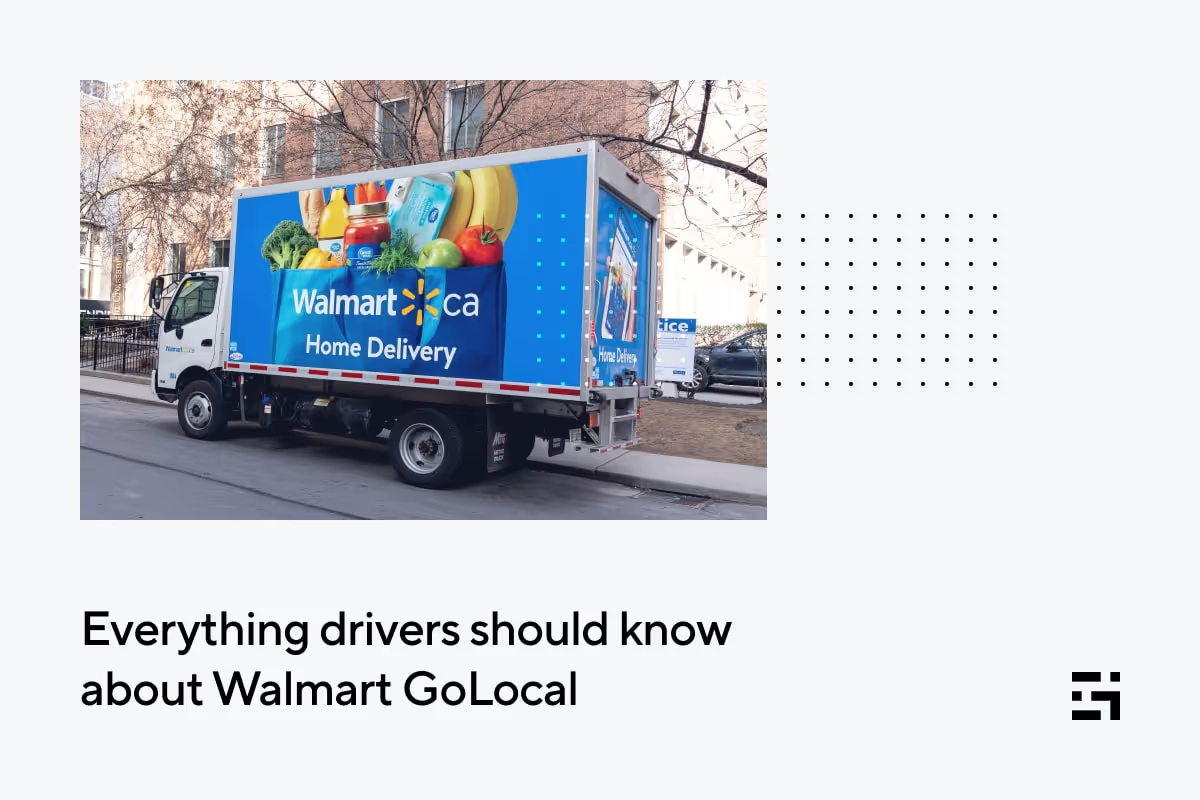
Everything drivers should know about Walmart GoLocal
Traditionally infamous for crowding out and shutting down small retailers, Walmart is making a new push to help them keep up in the age of online ordering. That could prove to be great news for gig drivers.
Here’s what we know.
What is Walmart GoLocal?
Walmart has been ramping up its membership and delivery services in an effort to keep up with Amazon and other competitors. The latest weapon in Walmart’s arsenal is GoLocal, a new white-label delivery service.
The company’s Express Delivery Service launched three years ago. Since then, Walmart has been busy fine-tuning and scaling up to deliver local orders in less than two hours through its network of independent Spark Drivers.
Currently, Express Delivery covers 160,000+ items from more than 3,000 stores across the United States, reaching nearly 70 percent of the U.S. population. Now, Walmart is opening its delivery network to other businesses through GoLocal, which the company is billing as a new “delivery as a service” business.
How does Walmart GoLocal work?
Essentially, the service is the same as Express Delivery, but now delivery drivers will get orders from other retailers as well as Walmart. There is, however, one significant difference between GoLocal and other platforms: Customers will not place any orders directly on GoLocal.
Instead, interested businesses can integrate the Walmart GoLocal API into their own commerce platforms. When a customer places an order, Walmart GoLocal receives the information about the order and pings Spark Drivers with the opportunity to take the delivery.
This makes GoLocal a true competitor to DoorDash, Instacart, and other such delivery platforms. Walmart says its new “delivery as a service” business will offer scheduled, same-day, and other delivery options to cater to businesses of all types, and it allows merchants to retain more control over how their items are marketed and presented to customers.
What does this mean for Spark Drivers?
Ideally, GoLocal should mean more orders, additional types of orders, and new merchants. The impact it will have on drivers’ earnings remains to be seen.
With Walmart treating its Express Delivery network as a stand-alone business now, the company will be under competitive pressure to keep its delivery prices low enough to attract and retain merchants. It’s also possible that opening the Spark Driver platform to smaller businesses could lead to low-value orders, which could negatively affect drivers’ earnings.
Despite some complaints, the Spark Driver platform has been rewarding for many drivers. One of them, Brenda Brown from Las Cruces, New Mexico, made more than $100,000 during her first year (October 2019 to October 2020).
For non-Spark drivers, GoLocal simply means another platform is vying for your attention. Delivery driver earnings are notoriously dependent on the area where they operate. If GoLocal onboards merchants that are a better fit for your area or vehicle, it may be worth your consideration.
What is required to become a driver for GoLocal?
Walmart has yet to reveal exactly when and where GoLocal will go live. But the company has announced that it’s contracted with select merchants and plans to begin deliveries by the end of 2021. Since GoLocal is built on the Spark Driver platform, you can become a Spark driver today and benefit from the platform’s expansion whenever it happens.
To become a Spark driver, you must:
- Be at least 18 years old (21+ to deliver orders containing alcohol)
- Have a vehicle, as Walmart specifies: “Any car that is able to transport orders safely and reliably to customers”*
- Have proof of valid insurance for the vehicle
- Have a smartphone (iOS or Android) that’s capable of running the Spark Driver app. In addition, all devices need a camera with flash and GPS location services.
*Walmart explicitly states that motorcycles, bicycles, and scooters are not suitable for this job. So, our two-wheeled friends may have to look at other options for now.
GoLocal will be available for products of any size, allowing for greater merchant variety. This could also create larger, more profitable gig work opportunities for drivers with larger vehicles.
Advantages of driving for GoLocal as a Spark Driver
- Walmart is a large company with a nationwide presence and an ambition to grow.
- Unlike DoorDash or Instacart, GoLocal is built to cater to businesses and products of all sizes.
- Start-ups and younger companies carry risk that a big company like Walmart can float.
- Spark Drivers only deliver from Walmart stores, which means less time searching for pickup locations.
- Walmart orders are typically big, so both your delivery payout and tips are higher.
Disadvantages of driving for GoLocal as a Spark Driver
- The endgame is to replace human drivers with drones and self-driving vehicles, so you could be working toward your own obsolescence. Heavy, we know.
- Bigger companies take more time to address complaints regarding policies.
- Onboarding smaller businesses to use GoLocal can lead to lower-value orders.
- The Spark Driver app has a rating under 2.5 stars, indicating a high level of dissatisfaction among drivers. Complaints range from terrible pay to delays in processing payments.
How do Spark Driver shifts work?
If you’ve been nodding your head in agreement up until now, you might be interested in becoming a Spark Driver. There’s a bit more you should know.
Spark drivers need to schedule their availability in advance to receive orders in the app. You can schedule your availability for the entire week and make changes and when needed. You can also opt to receive orders outside your scheduled time with “Spark Now” status when the order volume is high.
The Spark Driver program rewards drivers who make more deliveries by prioritizing them for new order offers. So, the higher the number of deliveries you make, the more orders you will receive.
Spark orders can be either “Shopping and Delivery” or “Delivery-only.” If it’s a delivery-only order, Walmart employees will load the order into your car when you reach the pickup point. For shopping and delivery orders (only available in select areas), drivers are required to park their cars, go into the store to collect the items, and deliver them to the customer.
And that’s it! That’s what we know about driving for Walmart GoLocal through the Spark Driver program – so far, that is. Are you a Spark Driver? Share your experience and tell us how you think the launch of GoLocal might affect your business.
Use Gridwise to take your delivery game to the next level
Gridwise tracks your performance and earnings across different platforms and presents the data in easy-to-understand graphs and reports.
Our app can also track your mileage to accurately estimate your costs, potentially saving you thousands of dollars in tax deductions.
Really! So what are you waiting for? Download the Gridwise app and sign up for a free account now to give your earnings a welcome boost.
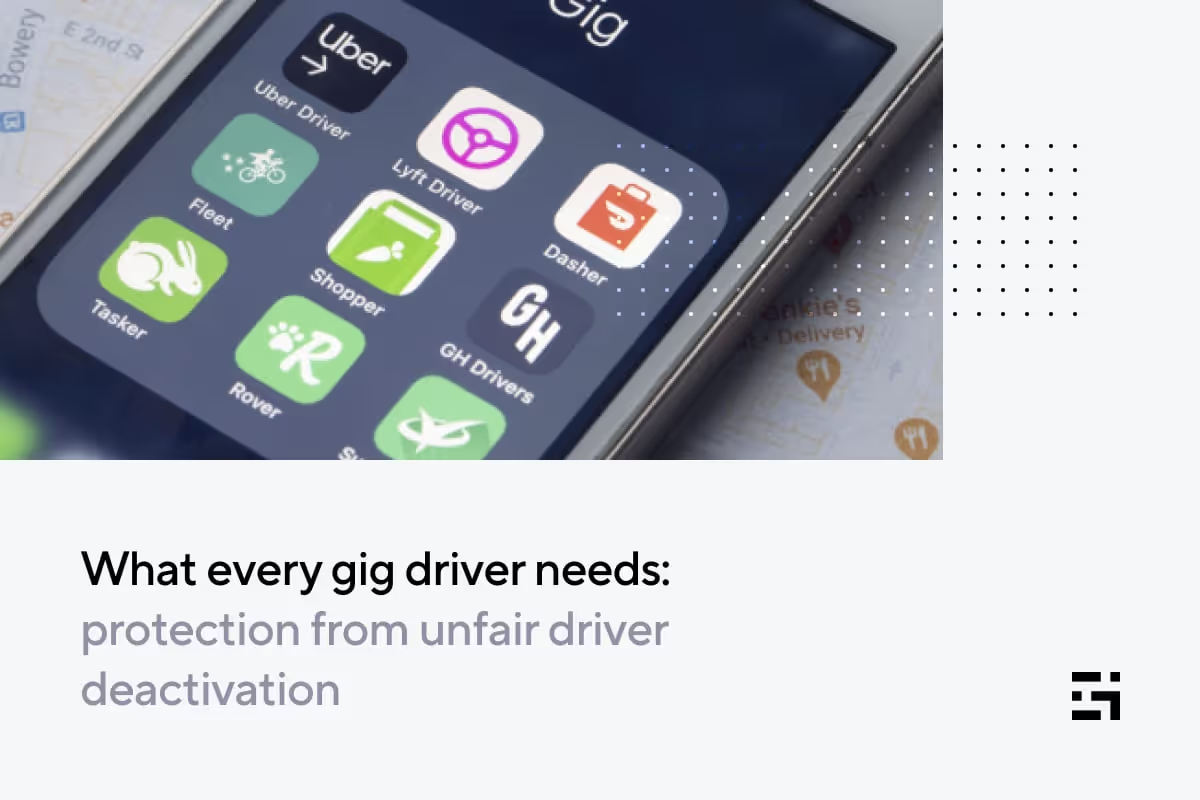
What every driver needs: protection from unfair deactivation
Outsiders who have never been rideshare or delivery drivers think there’s nothing to the job. True, it’s admittedly rather straightforward – but a lot can happen. Not only can there be problems with the app, difficulties with your vehicle, or issues that make it impossible to get where you need to be, you have to deal with people.
And dealing with people may lead to trouble. A company can remove a driver from the app after hearing complaints from a passenger or customer. Believe it or not, this often happens immediately without any explanation.
Deactivation can be very damaging, for a variety of reasons. Most importantly, you can lose your income. You can also lose your reputation, particularly if you are wrongly accused of something, and it might take days for them to hear you out.
In this post, we’ll give you tips on how to protect yourself from unfair deactivation. We'll further examine:
- Why deactivations happen
- How unfair deactivations happen
- How to avoid deactivation
- What to do in the event of an unfair deactivation
- How to recover from a deactivation
Why deactivations happen
There are many instances that can put you at risk for deactivation. For both rideshare and delivery drivers, these might include:
- Failure to pass a background check. Don’t forget that most companies will run background checks from time to time, even after your original activation.
- Unsafe driving: this includes being stopped and ticketed by police while on the app.
- Carrying a weapon.
- Threatening a customer.
- Driving under the influence.
- Committing any other kind of infraction while you’re gig driving.
- Low ratings.
For delivery drivers, companies have additional standards you have to meet. Some things that can get you knocked off your app are:
- Chronic lateness. Delivery companies want you to work fast. If you have a habit of taking too long to complete trips, you could lose access to your app.
- Card abuse. Never use the company card for any purpose besides paying for customers’ orders.
- Fraud. Not that you’d do such things, but this covers stealing or tampering with deliveries.
- Refusing too many orders.
- Violating your agreement. For instance, if you say you’re using a bike when you’re not just to get closer delivery orders, you could get deactivated. Another pro tip is to shy away from delivering for more than one app at the same time.
There may be other grounds for deactivation, so always be sure to check with the platforms you’re working with so you avoid trouble. Should your company accuse you of doing something wrong, not knowing about an offense will not get you off the hook.
How unfair deactivations happen
Sometimes, deactivation may be warranted. This might be if you get caught with a weapon in your vehicle, or get stopped for unsafe driving, or get a DUI. However, there are also unfair (aka, unjust) deactivations.
Anyone who works with people knows how unpredictable they can be. A passenger or delivery customer can surprise you with a $20 tip or target you for deactivation. There are several reasons why someone might do this. Maybe the person is angry because you refused to wait half an hour while they shopped for groceries, or a customer might want to scam you and your company by lying and getting free rides or deliveries as compensation.
Here are a few examples:
Ever have someone argue with you (and your GPS) about the best route to get them home? Driving platforms will advise you to go along with the customers’ suggestions. But even if you do, they might complain that you were trying to increase the rate. This usually means the company will give them a free ride or another kind of discount.
What if a customer says you ate her fries? You might not even like fries, and probably didn’t touch even one. Still, the customer can claim that you did that, and then collect from the company. Meanwhile, you could be deactivated, at least until you can prove you didn’t steal the pomme frites.
There are even uglier accusations. One driver refused to break COVID safety regulations by insisting her customers take a seat in the back. You guessed it! They refused, and the driver advised them to get out of the vehicle, and they reported her for harassment. She was able to tell Uber her side of the story through an email exchange, and she was not deactivated, but… it was close.
Another driver got conned into waiting for an extended period while his passengers made a stop to pick up their dog at the vet. After a half-hour of waiting, with the purse belonging to the passenger’s companion still in his vehicle, the driver was beyond ready to leave.
Just as he was debating whether to touch the companion’s purse and bring it inside, they both came out to say it would only be about another fifteen minutes. The driver terminated the ride. The customers? They told Lyft a story about the driver going into a blind rage, and throwing them bodily out of his vehicle and onto the ground.
This driver was deactivated. It took him three days to hear back from Lyft, tell his side of the story, and get reinstated. He lost income and was put in a position of defending himself against what could have ultimately become a criminal charge. He is a five-star driver with almost 11,000 rides, so once he got a representative to call him, Lyft cleared him.
As you can see, unfair deactivations can happen even to the best drivers out there – which means it can, and does, happen to drivers all the time. It pays to cover yourself from every angle possible.
How to avoid deactivation
You can start by being proactive. Here are some tips:
- Know the rules. Carefully read your driver agreements to ensure that you understand what your minimum rating numbers are, and what regulations your company expects you to comply with.
- Be polite. Even when someone aggravates you, don’t take the bait. If you’re calm and collected, no one can prove you were rude or out of control.
- Say NO to road rage. No matter how much traffic, how nasty the act of another driver, or how hard it is to change lanes, take a deep breath and drive safely and sensibly.
- Make your passengers feel safe. Don’t let conversations get too personal, and avoid commenting on crime rates and incidents you may have heard about. Most companies provide video training that illustrates the boundaries of acceptable interaction.
- Don’t argue. You’ll need to enforce some rules and set limits with inconsiderate customers, but don’t get into a discussion. State your position and your company’s policy and leave it at that.
- If you do get involved in an unpleasant exchange, contact your company immediately through your app. See the Gridwise articles about how to get help from Uber, Lyft, Amazon Flex, and DoorDash, or check the app or website for support with other platforms.
- Drive safely – don’t speed or run lights. Passengers value their lives more than you might think!
- Use a dashcam. If you have a driving routine that brings you frequent encounters with passengers who are likely to be problematic, you’ll be glad you have evidence of what really happened. Read this Gridwise post for more dashcam tips.
What to do in the event of an unfair deactivation
Getting stuck with an unfair deactivation can trigger some unpleasant childhood memories, such as getting called into the principal’s office when it was really the class clown that slanted a spitball on the teacher’s desk. It stinks to be wrongly accused in any case. But the big difference in the case of an unfair deactivation is how much it can cost you.
As we noted, it can take a while before you hear back from your company. From what we’ve heard from some drivers, the wait could be as long as three days. Most of the apps have easy access to chat and email, but few allow you to speak to another human being. And while you’re waiting, you’re losing revenue.
There’s no reason to just sit there and take it, though. The first thing you need to do when you notice you’ve been deactivated is to contact customer support. They may or may not give you all the information you need, so be prepared to scour your memory.
For example, they won’t tell you the name of the passenger or customer who reported you. Chances are you’ll have to guess who it was, but if you can’t, you might have to solve the mystery of who’s trying to scam you and your company. This, obviously, can take even more time.
What can you do while you’re waiting for the logistical mess of an unfair deactivation to be resolved? What will you do for money? How will you pay your bills?
Fortunately, there is a solution: Gridwise Protection. For just a small sum (like $8 per month), you can be reimbursed for 80 percent of the income you lose for an unfair deactivation – and that’s not all. You can also get a legal letter written on your behalf by a gig driver lawyer. Plus, you get income protection for collision repair, hospitalization, and sick time, as well as free telehealth visits.
Gridwise is great at providing protection for drivers because it’s the ultimate rideshare and delivery driver’s assistant. With the Gridwise app, you can also:
- Automatically track earnings and mileage.
- Log expenses.
- See the best times and places to drive.
- Get airport, event, weather, and traffic information.
- Take advantage of deals and discounts for drivers.
- Get an overview of your gig driving business
Get Gridwise Protection and get all the other great features, too! Download the Gridwise app today. You could start earning up to 39 percent more!
How to recover from a deactivation
If you’ve been deactivated, whether unfairly or justifiably, it can take time for your morale to recover. If your deactivation is merely between you and one company, try driving for another. You may still have to wait a few days to be activated, but at least you’ll be back on the road. Maybe you’ll also get a secret thrill out of driving for the competition.
If you’ve been unfairly deactivated, don’t hold a grudge. But if you truly feel your company took too long to do right by you, there are other gigs out there. Just don’t wind up losing your diamond driver status simply because you’re ticked off at how long Uber took to get back to you and get the reactivation going.
Just like being called into the principal’s office when you didn’t do anything wrong, clearing an unfair deactivation can be frustrating. Though, once you’re vindicated, there shouldn’t be anything stopping you from going back out to earn your living.
For now, we hope you’ll be better prepared and more thoroughly informed. We also hope you’ll shelter yourself from lost income and sign up for Gridwise Protection!
10 parking tips for drivers in big cities
When you’re in and out of your vehicle for deliveries, you want to make sure you’re leaving it somewhere safe, convenient, and legal. Unfortunately, throwing on the flashers and hoping for the best will only get you so far.
For delivery drivers in big cities, it's not always easy to find a parking spot close to your destination. If you’re not careful, you’re taking the big risk of a ticket or tow.
Plus, circling to find a spot costs you valuable time and earnings. A lot of delivery drivers also wonder if companies like UberEats will reimburse them for any parking fee or fines. We’re sorry to say the answer to that one is a pretty hard no. The same goes for courier-only services like Instacart.
But that doesn’t mean you’re on your own! Thankfully, there are a number of tactics drivers can use to ensure they have access to the best parking spots out on the road.
Here are 10 ways delivery drivers can streamline the parking process to help them save time, deliver faster, and make more money.
1. Engage your community
While not every driver is willing to risk beating the system, there are a number of different driver communities where you might be able to ask questions and gain some valuable knowledge.
For instance, Gridwise's Facebook community page brings together drivers who are interested in networking and learning how to optimize their driving business from other Gridwise users. You can also download the Gridwise app for access to exclusive driver perks and tips, and again, join our Facebook group to connect with like-minded earners.
2. Find a broken meter
We’re not going to call this a “hack,” but it’s definitely worth keeping an eye out for. If you spot a broken meter near an area you know has high traffic for deliveries, you could be in luck. Make a mental note so that you can take advantage of it next time you’re in the area.
Another way to “beat the meter” is to check what time your city makes you pay for parking. Oftentimes, there are only certain hours or days when you need to feed the meter. If you can schedule your driving around these hours, you’ll be able to save.
3. Look for curbside pickup
One of the toughest places to find parking is in densely populated urban centers. At least, that’s if you’re looking on the street. We learned from drivers that parking spots associated with your pick-up and drop-off location can be a great place to pull in. They’re usually ticketed by the hour, so if you’re quick with your delivery, you may not have to pay at all.
4. Utilize helpful apps
While navigating yet another app may not sound ideal, it can sure beat circling excessively trying to find an appropriate spot to pull over.
- Waze's “Where to Park” feature shows users available spots near their destination by calculating traffic density in certain spots.
- Way+ allows drivers the option of purchasing flexible daily and monthly parking passes that allow them to park in different spots around their city multiple times a day. Drivers who purchase a subscription can also save on gas, car washes, and auto insurance!
5. Opt into two-wheel drive
One of the best ways to eliminate the hassle of parking your car on deliveries is to well, eliminate the car. Choosing to deliver on two wheels rather than four lets you be a little more nimble and opens up more options for where you can leave your vehicle. Just be sure to bring a good lock!
6. Carry coins
The reality is sometimes your best option for making a delivery quickly is to feed the meter. With more and more city meters being converted to digital payment systems, you can save time and money by carrying enough quarters for a few minutes at the curb.
Paying $5 for a few minutes of parking in a pinch is going to cost you a lot less in the long run than taking your chances with a parking enforcement officer.
7. Scope out the area
Next time you’re out for a stroll around the block, try and take it in areas where you frequently pick up or deliver. When you know a customer is waiting, it can be difficult to take the time to look around and identify open parking spots.
This is also a great time to make note of the daily and hourly parking restrictions in certain areas.
8. Call ahead
It pays to be prepared. On any order, there’s always the chance that either the restaurant or the customer will be able to meet you at your car for a quick hand-off. While not always possible, calling ahead might end up saving you considerable time finding a parking spot.
We recommend being polite in any customer or merchant interaction. Rather than telling someone to meet you at the curb, you can try asking if there’s parking nearby or what the most convenient way to complete the delivery is.
9. Mind the curb
Colorful curbs aren’t just meant to look nice, they also serve to tell drivers where they can and can’t park. You might still remember what color indicates what, but a lot of states have unique rules that you can use to your advantage. Oftentimes, certain curb colors indicate loading zones or short-term parking that other drivers will avoid because they aren’t sure whether or not they can park there.
Here’s a guide to curb laws by state.
10. Take your time
Going along with tip #7, and as with everything in life, every once in a while it’s important to remember to just take a breath.
We know you want to make your delivery as quickly as possible to maximize your earnings, but when it comes to parking, mistakes can be costly. A parking ticket can range anywhere from $40 to $200 dollars depending on your city, easily wiping out at least an order or two if not an entire day’s earnings. While it might be tempting to try and bend the rules in a pinch, financially it just isn’t worth it.
Have a parking tip you’ve had success with? Leave a comment or share it with the Gridwise community!
The top 3 rideshare services for students and kids
The pandemic exacerbated the already problematic U.S. school bus driver shortage, revealing new avenues for the growth of transportation services for students and kids.
Some school districts have already started contracting with rideshare providers like HopSkipDrive and Zum to manage their student transit and diversify their fleet. It’s possible that transporting students through rideshare platforms could take the place of traditional school busses altogether.
And, the classroom isn’t the only destination for these drivers. Busy parents looking to skip the drive are also scheduling rideshares for their kids’ after-school events, practices and more. Drivers that work for these transportation services might also have the chance to be sitters and caregivers.
Somebody tell Ms. Frizzle to order the Uber! Today, we’re taking a magic ride through the Top 3 ridesharing apps for students and kids:
- HopSkipDrive
- Kango
- Zum
With the start of a new school year approaching, now is a great time to consider whether driving for one of these rideshare alternatives is right for you!
First, let’s clear something up.
“Uber for kids” and “Lyft for kids” do not really exist. While these rideshare alternatives for kids might take some cues from these apps, they are unique in a few key areas.
Rideshare apps for students and kids often require rides to be scheduled well in advance, rather than just hailing them on the fly.
Drivers for these transportation apps take on significantly more responsibility than rideshare drivers for adult-focused companies. The background checks and vetting process drivers go through are substantially more rigorous for rideshare apps that focus on driving students and kids.
In addition, student and child transportation services often require drivers to undergo more extensive training, obtain certifications, and in some cases, have a background as a caregiver (and sometimes function as one).
Now, let’s get into the specific differences for each of the top ridesharing apps for driving students and kids.
HopSkipDrive
HopSkipDrive’s “CareDrivers” is part of a network of rigorously vetted drivers who all have a background in childcare. Their platform is marketed toward schools and busy parents who want to set up single or recurring rides for kids.
Rather than trying to replace traditional school transit systems, HopSkipDrive wants to complement traditional routines, offering a flexible system that can accommodate off-route students and special cases.
The app has also leveraged its experienced network of drivers and heightened safety protocols to offer a rideshare alternative for vulnerable populations and older individuals during the Covid-19 pandemic.
While on the road, regular notifications are sent out to the organizer of the ride (examples being a school administrator, parent, or guardian) and HopSkipDrive’s internal support team so that everyone knows the status of the ride.
Driver Earnings
Professional CareDrivers can earn up to $50 an hour, according to HopSkipDrive! However, booking windows are usually more limited than traditional rideshare.
Payments to drivers are made every Monday via Stripe. Unlike Uber and Lyft, drivers can still get paid the entire estimated fare for canceled rides if it occurs within 1 hour of their scheduled departure time.
Credentials
Every CareDriver needs a minimum of 5 years of caregiving experience to become a driver. Other requirements include:
- At least 23 years old
- Good driving record
- 4-door vehicle less than 10 years old
- Pass multi-agency background check with fingerprinting
Some states and school districts also require HopeSkipDrive drivers to obtain advanced qualifications before getting on the road. Qualifications include CPR & First Aid, TB Risk Assessment, and district-specific training.
A primary advantage of rideshare for students and kids is the ability to accommodate students and riders that need a little extra care. CareDrivers receive support and guidance on how to provide Trauma-Informed Care (TIC) for these little riders.
Driver Feedback
HopSkipDrive shows their love for their hardworking drivers with #YourRide, highlighting the unique stories of their employees. CareDrivers aren't just earning a reliable paycheck, they're also making a significant impact on the kids. One CareDriver said:
“It’s uplifting to know I’m helping kids get to where they need to go, safely! Being a CareDriver has both financial and emotional rewards.”
Locations
HopSkipDrive serves many major cities across the U.S. Their coverage includes Northern and Southern California, The Front Range of Colorado, Virginia/D.C., Houston, Dallas/Ft. Worth, Central Arizona, Seattle, Spokane, Las Vegas, Odessa-Midland, and Milwaukee.
Kango
Kango offers rideshare services for kids of all ages with thoroughly vetted and trained caregivers/drivers.
There’s an element of connection when parents book through Kango. Drivers meet with parents before booking, and parents can request specific drivers when they schedule a ride. Drivers with Kango can also fulfill babysitting/caregiving responsibilities on request.
Recently, Kango partnered with National Express, a leading provider of student transportation services, to partner with various school districts. This move positions them to become the next iteration of student transit.
Kango stands apart from other rideshare apps for children because they are the only app insured to drive kids of all ages, and they do not have a time restriction on their childcare services.
Driver Earnings
According to their website, Kango drivers can earn up to $48 an hour during peak times. Rideshare apps for kids and students offer drivers more substantial earnings because of their increased responsibilities.
While driving windows are more limited, Kango lets drivers optimize their schedules with additional caregiving duties. Schedules are planned in advance and offer the added flexibility of working as both a driver and a sitter.
Drivers with Kango can also earn tips and choose to drive regular routes. While the earnings opportunities with Kango are great, drivers are still considered independent contractors. So, they’ll be responsible for tracking their earnings with Gridwise, and paying any necessary state and federal taxes.
Credentials
Before being approved to drive with Kango, applicants undergo a rigorous background check and must meet certain requirements:
- 3+ years of childcare experience + Trustline Certification with fingerprinting
- Background check
- DMV Check
- Vehicle inspection
- Phone screening
- Two reference checks
- In-person interview
Once all criteria are met, drivers also undergo in-person training before officially being bookable on the app.
Driver Feedback
Drivers seem to love their experience with Kango:
"I love being a part of the Kango family, especially driving the little ones around. Not only am I compensated well for my time and experience with children, but I receive the best support from the Kango team. I can interact directly with the parent within the app and can schedule my rides ahead of time. It's an app with a human touch."
Locations
Currently, Kango operates in California -- San Francisco Bay Area, Los Angeles County, San Fernando Valley, San Gabriel Valley, Orange County, and San Diego -- and Phoenix, Arizona.
Zum
Zum’s is “reimagining student transportation for safety, sustainability and reliability” according to their website. They contract directly with 4,000+ schools and districts. Unlike other student transportation apps, Zum is designed specifically for school-related transit and doesn’t offer the caregiving or parent bookings of other apps. It's becoming 21st-century school bus!
Zum offers parents and school officials more flexibility and visibility in their student transit plans. They’re also focused on creating a more sustainable model that introduces EVs (electric vehicles) to their fleet and limits the time that empty busses sit idle.
Driver Earnings
Zum states that drivers can earn up to $35 an hour and up to $750 per week.
For Zum drivers (aka Zumers), rides are scheduled by school districts base on their needs. Available rides are posted a day in advance, along with the estimated fare, and can be accepted in the driver app. That way, drivers know exactly when they’ll be driving and how much they’ll earn before they even hit the road.
Credentials
Zum offers two options for schools: traditional and non-traditional student transportation.
Regardless of what type of driver you are, every Zumer must:
- Be at least 21 years old
- Preferably have some childcare experience
- Complete a comprehensive interview process
- Possess a clean driving record
- Pass thorough background checks
- Complete all state and company training and maintain valid licensing
Traditional drivers must also pass driver qualifications and obtain a commercial driver’s license with endorsements. Non-traditional drivers need a car that is fewer than 10 years old and able to pass regular inspections.
Locations
Zum operates in major U.S. markets including: The Bay Area, Los Angeles, Chicago, Dallas, and Seattle.
Their innovative approach to student transportation services is enabling them to expand rapidly. Potential coming service areas include: Orange County, Phoenix, Portland, Sacramento, D.C., New York City, San Diego, and Miami.
Local tribute: Zemcar
Currently only operating in the Greater Boston area, Zemcar was a little too small to make our list this time around. But they’re still a great rideshare alternative for kids and students. If you’re in the area, consider signing up today. Or, keep an eye out for them as they expand their market.
What’s fueling the move from traditional student transportation?
Rideshare transportation services for students and kids offer a flexible alternative to the headache of managing a bus fleet. These apps provide parents and schools with custom solutions to safely get kids where they need to be. Smaller vehicles like sedans can pick up off-route students while larger busses drive the main routes.
The Every Student Succeeds Act passed in 2015 put a renewed focus on providing better access to educational opportunities for youth in foster care, unhoused students, and students with special needs. The law mandated that districts provide transit for these students to their school of origin even if they moved out of the district; a regulation that is far easier to implement with rideshare than bus transit.
Thinking About a Change?
If you're looking for more rewarding work, consider signing up for one of these transportation services. But, keep in mind that getting appointed as a driver will take time.
If you’re ready to make the leap but worried about the financial implications, you might want to consider a personal loan through our partner, Giggle Finance. These extra funds can give you the cushion you need to jump in and start helping the kids and supporting the community!
All drivers save with Gridwise!
Gridwise offers all rideshare and delivery drivers new ways to save. Automatically track your mileage and log your expenses effortlessly in the app to make tax time a breeze. All of your data is collected and turned into simple, elegant graphs, (shown below), to help you analyze and maximize your earnings.
Join our community and become a Gridwise user to gain access to great driver perks like Gridwise Gas and Gridwise Connect! And if you're not convinced yet, take a look at what our users are saying. Keep more of what you earn, start by Downloading Gridwise today!
Trabaje de forma más inteligente. Gane más.
Ya sea que conduzcas, entregues o recojas turnos, Gridwise te ayuda a hacer un seguimiento de las ganancias, el kilometraje y el rendimiento para que puedas mantener el control de tu trabajo. Descarga la aplicación y toma las riendas hoy mismo.
