Blog de Gridwise
¡Lee el blog de Gridwise para obtener consejos y sugerencias sobre cómo ganar más dinero mientras conduces para Lyft, Uber, DoorDash, GrubHub y más!

The Gridwise Job Board: Find Your Ideal Job or Gig Work
Gridwise is an essential assistant app created by gig workers for gig workers. Our mission is to support those engaged in gig work in every way possible. We understand how challenging it can be to deal with income instability, a lack of benefits, and job insecurity that often comes with gig work. The Gridwise app tracks and organizes earnings and expenses, and offers a wide array of discounts, deals, and services that make the lives of independent contractors easier and more rewarding.
We firmly believe it’s possible to make a viable living and create a gig experience that offers flexible hours, variety, and excitement. With issues such as consistent earnings and job security in mind, Gridwise is proud to offer a centralized platform that shows you how to find gig work and secure reliable opportunities. We’re proud to introduce the Gridwise Job Board.
[elementor-template id="20891"]
The Gridwise Job Board: Key features
Because Gridwise is dedicated to serving the gig worker community, we’ve filled the Gridwise Job Board with useful features that won’t waste your precious time.
- Comprehensive listings. Find part-time, full-time, temporary, and per-task work. Drive or deliver with your vehicle, utilize an employer’s vehicle, or even find non-driving gig work.
- User-friendly interface. Find the jobs that are right for you with a tap of your screen.
- Verified opportunities. We vet the jobs before they are listed to ensure you’re getting high-quality job postings.
How to get more gig work, seasonal, part-time or full-time jobs with the Gridwise Job Board
Looking specifically for “gig work apps” or “gig jobs near me?” You’re in luck. Our filters and search functions send you directly to the listings you seek.
Here’s how it works.
- Access the Job Board via the Gridwise website.
- Search for jobs by type, location, and more.
- Select the job that interests you, and read all about it.
- Scroll through the description, and if it appeals to you, click “Apply for job.”
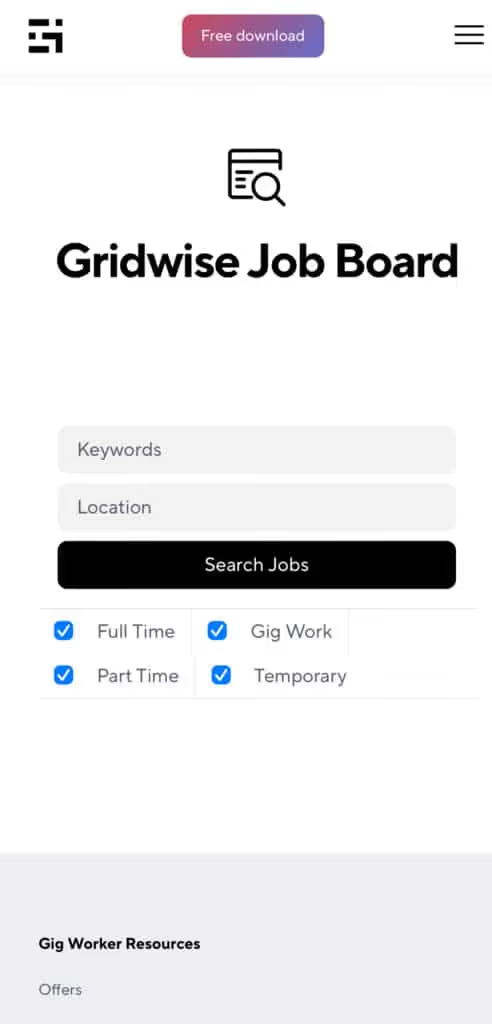
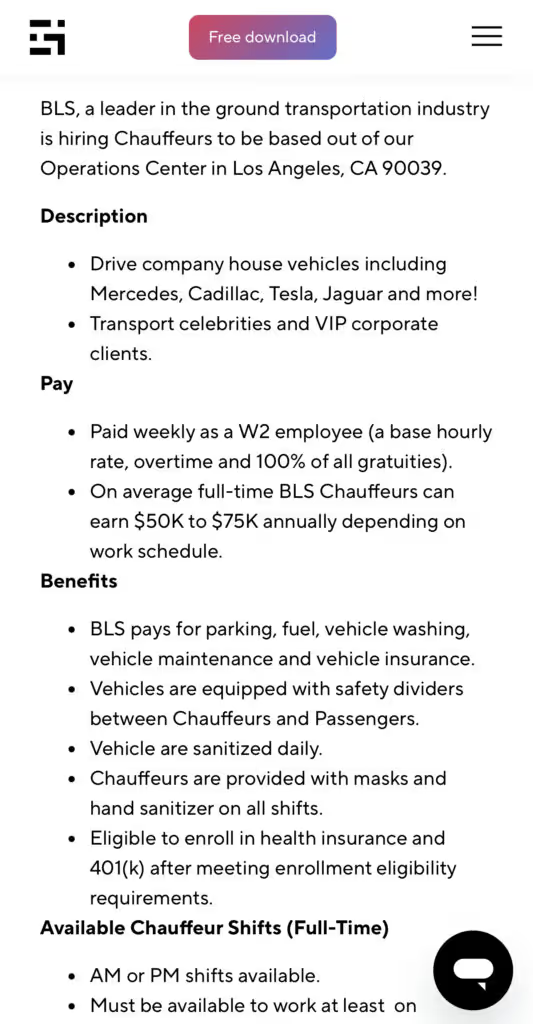
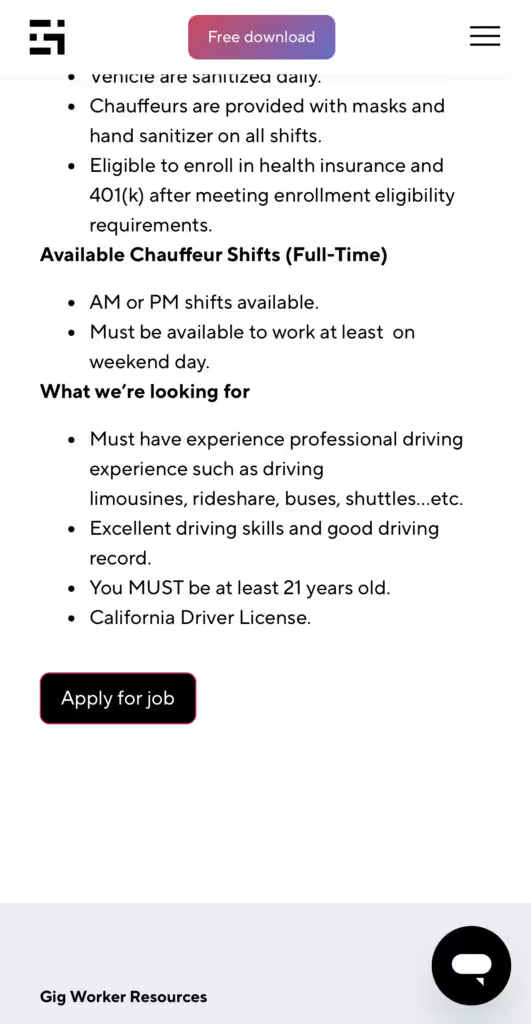
Many types of jobs are available. Adjust the search filter to see the full variety of opportunities that will let you cash in. Deliver food, set up catering, do rideshare driving, get paid for doing package delivery, and much more. You’ll find short-term gigs, long-term contracts, and part-time positions.
Perks of the Gridwise Job Board for gig workers
Gig workers who know how to make extra money will appreciate how the Gridwise Job Board lets you multiply your chances of bringing in big earnings. Here’s how:
- Increased stability. Use the Gridwise Job Board to find part-time or permanent jobs in addition to the part-time gigs you already have. Always keep a steady stream of earning opportunities flowing toward you.
- Flexibility and autonomy. Choose jobs that fit your schedule, work around other jobs and family duties, and still leave room for some fun in your life. Discover side hustles to supplement your full-time job, permanently or just for the season.
- Skill development. Find part-time work that lets you use a skill you already have, or try your hand at something new. It’s a smart way to develop a portfolio to showcase what you can do, or even to find permanent employment.
Get Gridwise and stay up to date on the Gridwise Job Board
Gig workers need plenty of information and assistance, and Gridwise is here to give it to you. Download the app and get essential features such as
- seamless earnings tracking
- mileage tracking
- expense recording, including notes
- low-cost and no-cost insurance benefits
- access to affordable medical, dental, vision, mental health, and alternative care
- professional services including legal and financial help
- deals and discounts
- weather, events, and traffic reports
- inside information on where and when to drive
[elementor-template id="20936"]
More to know about gig work:

5 Best Mileage Trackers For Gig Drivers
Many drivers ask, “Do I really need a mileage tracking app?” The answer is simple: only if you want to have an accurate count of all the miles you can legally deduct from your taxable income! You might think your rideshare or delivery driving app has got you covered. After all, they do quite a good job of logging the miles you drive while you’re on a trip or delivery. But, if you want to have the best app to track mileage for Uber, Lyft, Doordash, Instacart, or the other apps you may use, you need more. Why is that?
Without a separate tracker, you’re missing the miles you drive in between pings. Did you realize that all the miles you drive, from the moment you begin your shift until it’s over (as long as you don’t drive several miles on a break to hang with your friends), are tax deductible! That means you need something besides your driving app to keep an accurate count of your travels. Read this Gridwise post to see how important it is to keep track of every deductible mile.
You won’t be surprised to hear that there’s an app for tracking miles. In fact, there are several of them. Here, we’re going to tell you about five top mileage tracking apps, and help you figure out which one is best for you.
Before we get to the list and identify the best mileage tracker app, let’s clarify what exactly a mileage tracking app is. According to G2.com’s technology glossary, mileage tracking is done for the purpose of keeping a log of mileage that is either reimbursable or tax deductible.
And yes, of course you can track your miles simply by taking readings on your odometer. But are you really prepared to account for how many miles you drove for personal reasons and subtract them from the total to get your business mileage? Even if you can remember all that and do the arithmetic, if you want an accurate reading of the miles you drive for business, and can therefore deduct, a mileage tracking app will save you a lot of trouble and prevent you from making costly errors.
Plus, as a gig driver, you have specific needs when it comes to a mileage tracker. Ideally, you’d be able to handle mileage tracking and several other functions all in one app. It can be maddening enough to deal with driving apps, particularly if you’re an avid multi-apper. You would want your mileage tracker app to help you keep account of other aspects of your business, including income, expenses, and inside information about the art of gig driving.
Not all mileage apps are equal, to be sure! Let’s look at five of the best apps to track mileage and figure out which is the best app to track mileage with Uber and Lyft, or what mileage tracker app is best for DoorDash.
[elementor-template id="20891"]
1. Zoho Expense
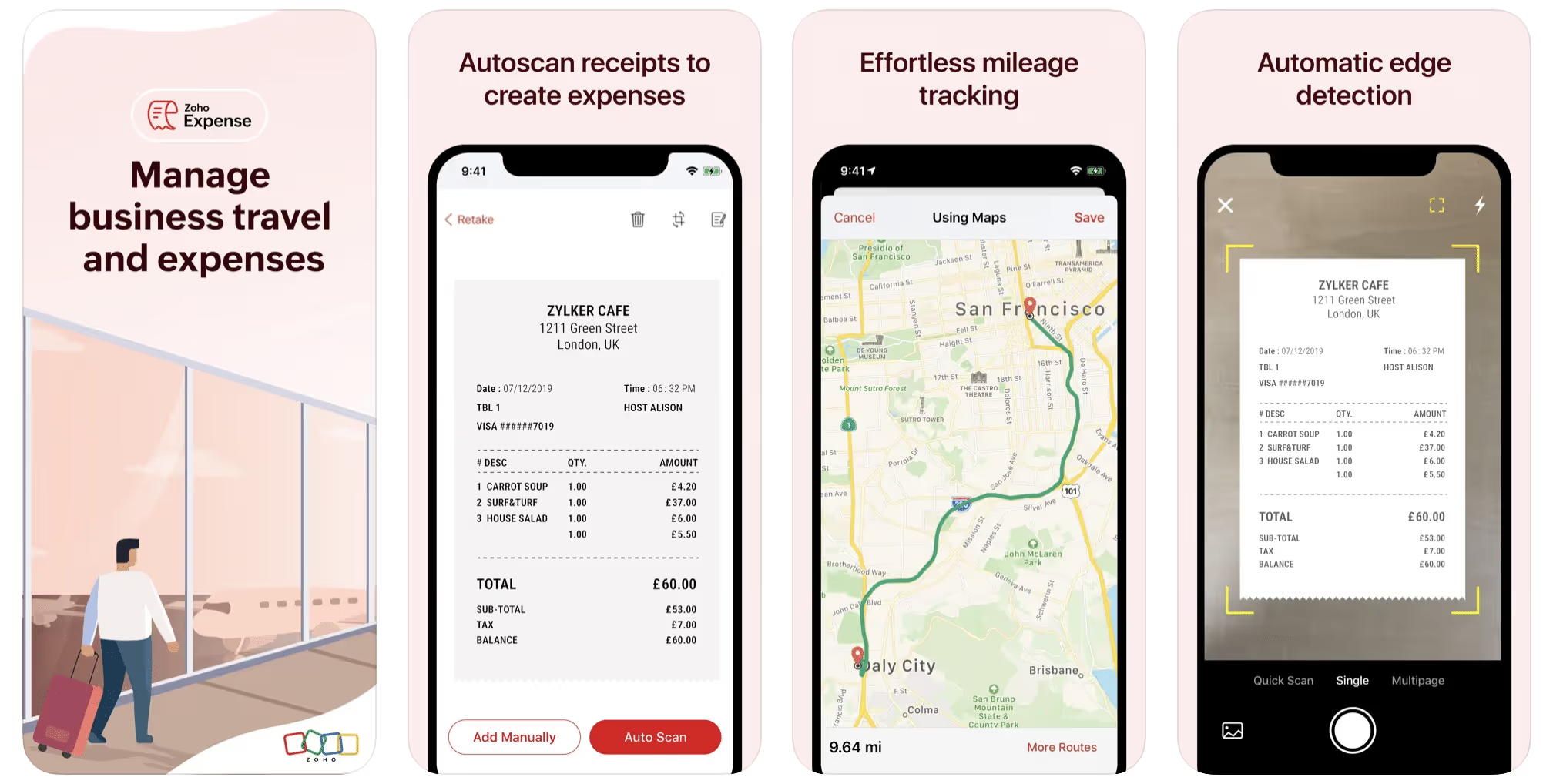
First up is Zoho Expense, which does exactly what its name says. This app is designed to allow companies to give employees a uniform way to create and submit expense reports. It can be used by individuals, including gig drivers, as well.
It includes a mileage tracker, as well as features that let you track other deductible expenses, including the ability to scan and record receipts.
Available on Android and Apple: Yes
Ratings: 4.8 stars on App Store, 4.7 stars on Google Play
Free Version: Yes
Subscription price: $3 per month, billed annually
Created specifically for gig drivers: No
2. Quickbooks Online
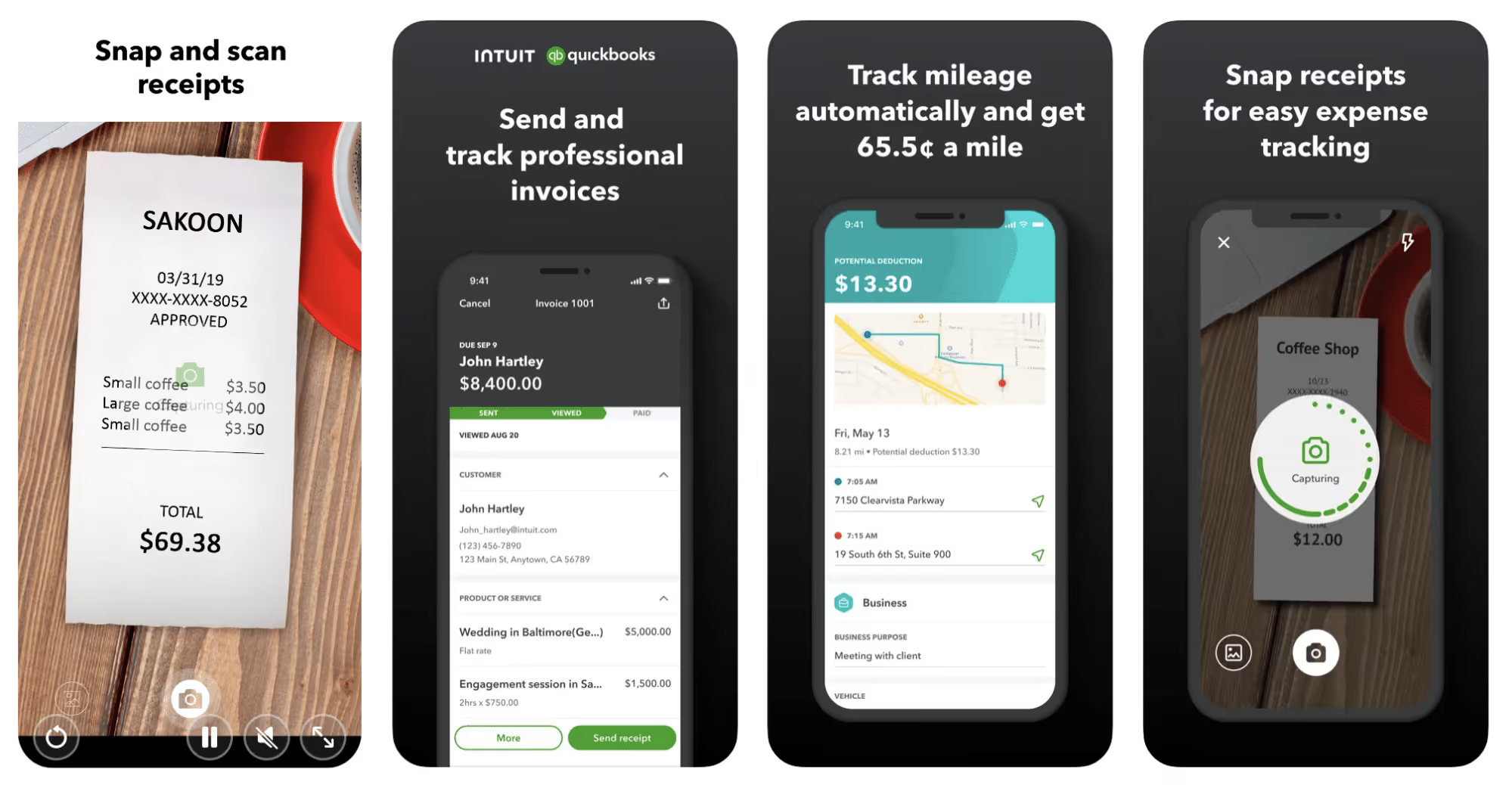
Quickbooks Online is a cloud-based app that allows you to track your mileage, earnings, and expenses. The information you enter can then be used to generate various reports that prepare you for tax time. It also allows you to create graphs that illustrate your cash flow, and includes a receipt scanner so you can instantly record deductible expenses. Quickbooks is popular, highly reliable, and designed mainly to help people keep track of their small businesses.
Available on Android and Apple: Yes
Ratings: 4.7 stars on App Store, 4.4 stars on Google Play
Free version: 30-day free trial
Subscription price: $15 per month for basic version if purchased for 3 months or more
Created specifically for gig drivers: No
Source: quickbooks.intuit.com
3. Shoeboxed
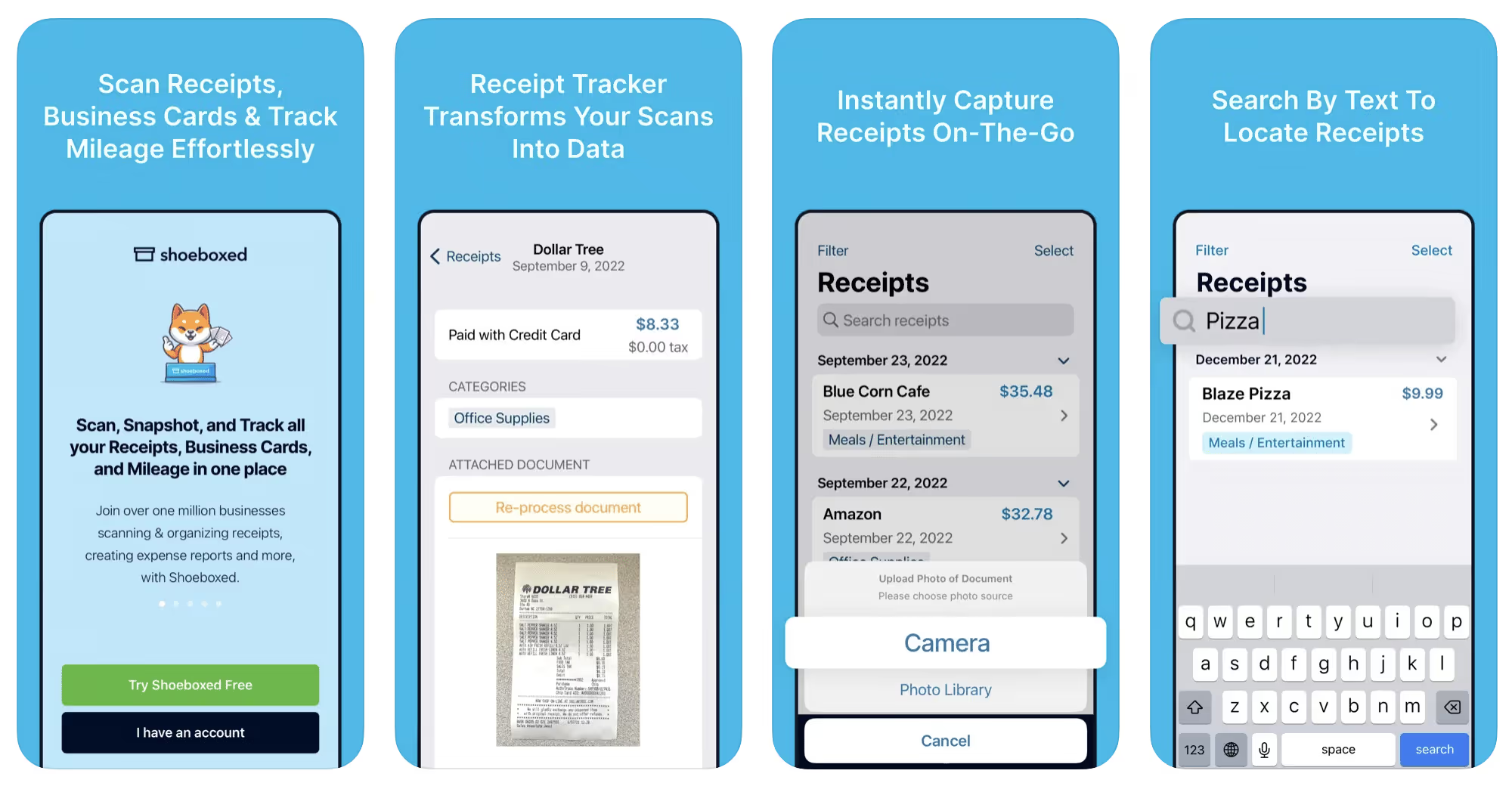
Shoeboxed started in 2007 as a service for scanning paper receipts into digital form. Now the app offers a free mileage tracker and has enabled users to scan receipts directly. It touts itself as the best mileage tracking app for DoorDash, but there are some elements missing that Dashers might like to have. While it provides features that record your expenses and prepare you for tax season, it doesn’t automatically track your earnings. The mileage tracker has a system where you can drop pins along your routes to make the tracking more precise, identifying those legs of a trip that you make for business purposes. The mileage tracker is “free” once you sign up for the basic version.
Available on Android and Apple: Yes
Ratings: 4.5 stars on App Store, 2.3 stars on Google Play
Free version: No
Subscription price: $18 per month for basic version
Created specifically for gig drivers: No
Source: blog.shoeboxed.com
4. Stride
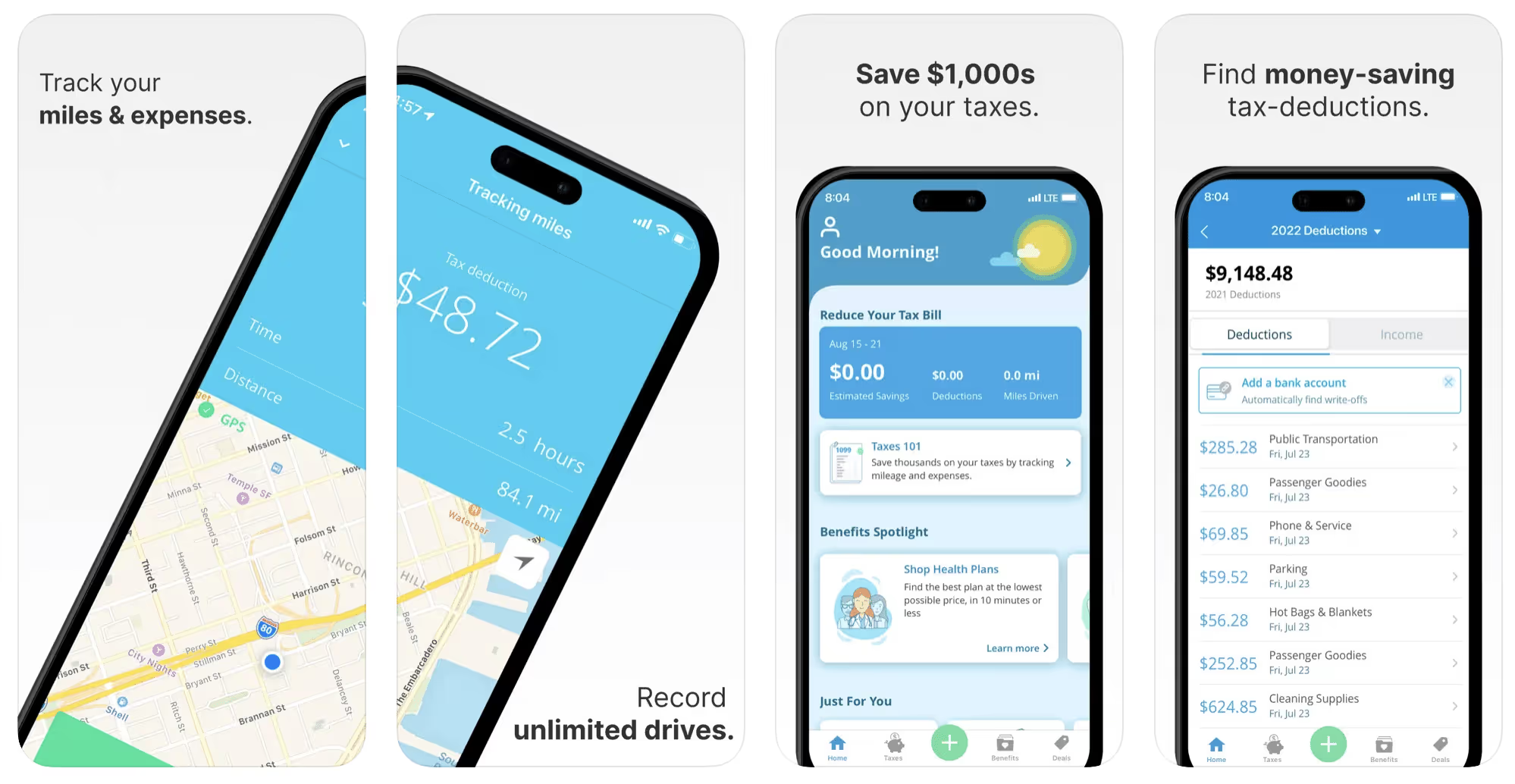
This free mileage tracker does a fair job of keeping track of the distances you rack up while gig driving, but it doesn’t automatically track earnings. It can be a big help, though, in tracking your expenses. You can link Stride to your bank account, and it will automatically scan your expenses to identify items you can potentially deduct. The app is totally free. This could make it the best free mileage tracker app, but there is a small price to pay. The app will persistently push you to consider various insurance plans that they are affiliated with. If you don’t mind that, this is a solid mileage tracker, even if it doesn’t track your earnings.
Available on Android and Apple: Yes
Ratings: 4.8 stars on App Store, 4.6 stars on Google Play
Free version: Yes
Subscription price: None. The app is free.
Created specifically for gig drivers: No
5. Gridwise
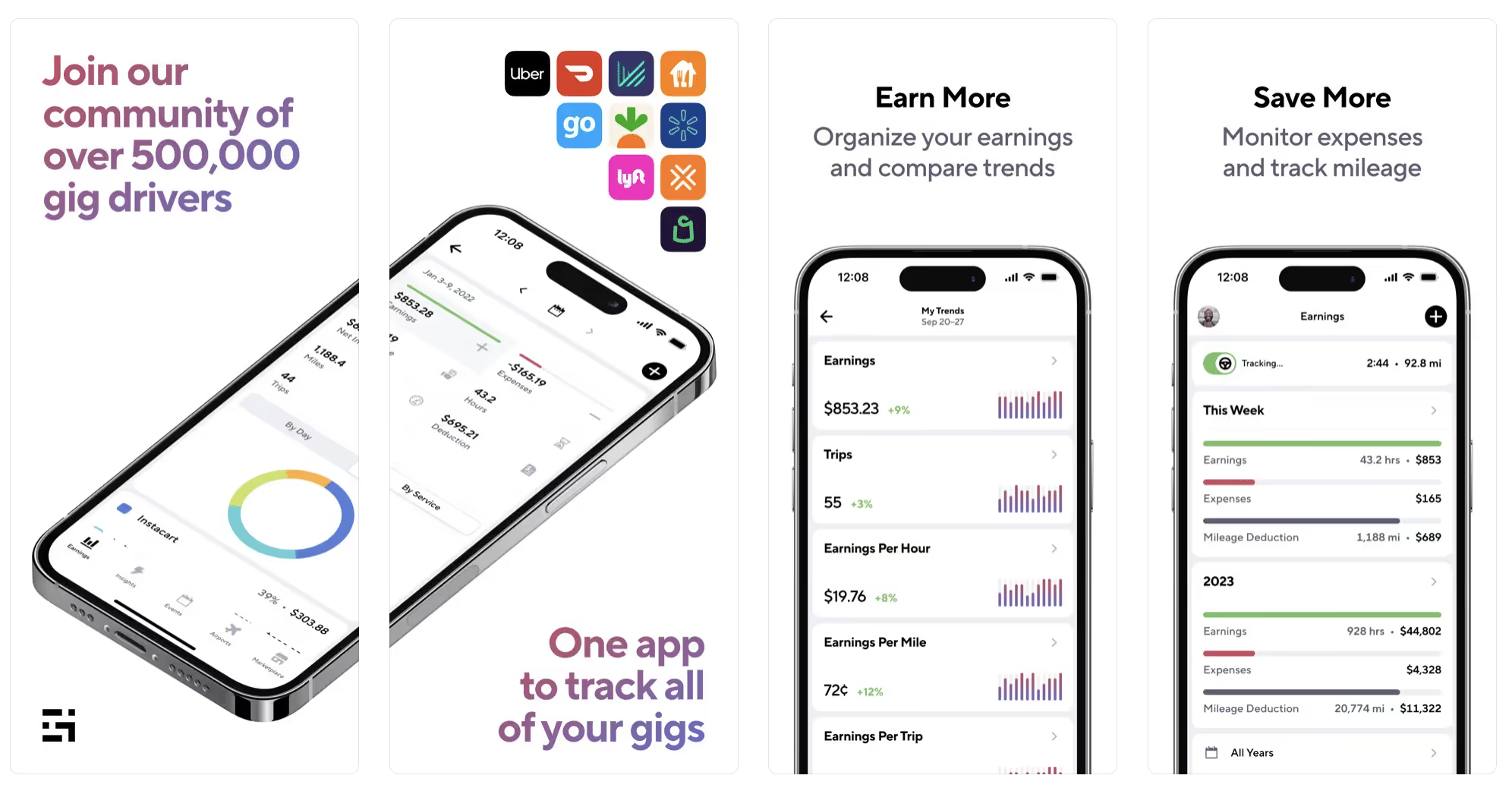
Gridwise has a free mileage tracker and free features that record your income and expenses. It gives you access to insurance and benefits, as well as insights about the best times and places to make the most money while gig driving. The Gridwise mileage tracker captures all the miles you drive while you’re on your driving shift, and it can be used if you have other trips you need to make which qualify as business travel.
Drivers love it because it is geared toward the needs of rideshare and delivery workers, providing free information about airport departures and arrivals, event start and let out times, weather, traffic, and more. The Gridwise Plus subscription adds value by providing additional insights and reports, discounts on benefits, the ability to export data in .csv format,, and more.
Available on Android and Apple: Yes
Ratings: 4.9 stars on App Store, 4.6 stars on Google Play
Free version: Yes
Subscription price: $9.95 per month for Gridwise Plus, or $95.99 per year (a $23.41 savings)
Created specifically for gig drivers: Yes!
What is the best mileage tracking app?
Now that we’ve checked them all out, we’re positive about the answer to that. Hands down, it’s Gridwise. Are we biased? You bet we are! But drivers love it too. Gridwise is the best mileage tracker app—and so much more. So many of the features are free, and the subscription to Gridwise Plus will pay for itself with additional insights to boost your earnings and deeper discounts on products and services.
Most important, Gridwise is designed specifically for gig drivers by experts who were once gig drivers themselves! Knowing what gig drivers need is a crucial step in creating an app that rideshare and delivery drivers can really use! Here are a few of the features, besides mileage tracking:
- seamless earnings tracking
- automatic, on/off toggle and manual mileage tracking
- mileage categorization
- airport, traffic, weather, and events information
- insights into where to drive and when to drive
- reports showing earnings across the platforms you use
- discounts on countless products and services for drivers
- additional resources for finding side gigs
- an informative and comprehensive blog
- affordable benefits, including insurance, medical, dental, and alternative practitioner discounts
- a community of drivers just like you
Don’t settle for just any app. Get the best mileage tracker, and so much more, from Gridwise!
[elementor-template id="21599"]

What Records Do Gig Drivers Need To Keep Track Of For Taxes?
* Gridwise does not provide tax, legal, or accounting advice. This material has been prepared for information purposes only, and is not intended to provide, and should not be relied on for tax, legal, or accounting advice. You should consult your own tax, legal, and accounting advisors before filing your return.
Record keeping? Who signed up for that? As a gig driver, it’s part of what you need to do to keep your business running. Don’t worry. It’s not as complicated as you might have been led to believe. This post will show you what you need to keep track of and the best ways to gather and preserve your tax-related records. We will cover
- How record keeping can help reduce income tax for freelancers
- Taxes and freelance work: Record keeping requirements
- Mileage tracking: Motives and methods
- More deductions and records to keep
- Make tax time easier
How record keeping can reduce income tax for freelancers
Tax time is not “fun time” for rideshare and delivery drivers. It’s easy to get used to watching your earnings pile up and come to believe they are all yours. Unfortunately, that isn’t the case. Gig work taxes can be especially painful because no one takes them out of your earnings for you, until the tax authorities insist that you do it for yourself.
You will need to show the tax authorities your income records, and they will gladly tell you to send them what they determine to be their fair share. Think that’s not fair? You’re not alone, but that doesn’t mean you’re going to get out of paying gig work taxes.
But you can find ways to pay the smallest amount that is legal and possible. The best way to defend yourself against having to pay astronomical amounts when you file your return is to know what expenses you can deduct from your gross income. When you subtract deductible expenses from your gross income, there is less left over to be taxed. This reduces the amount they can hit you with gig worker taxes. and can make your tax bill substantially lower.
While you want to keep good records so as to be in compliance with taxation entities such as the IRS, you also want to ensure you have proof of every last deductible expense you have accrued during the year. There are other records you must keep as well. Let’s look at some of the considerations you have, realizing that you now need to know how to do taxes as a freelancer.
Taxes and freelance work: Record keeping requirements
So many gig drivers fail to understand the responsibilities they have as independent contractors. Those who work part time for very few hours may even believe they don’t have to report the income they get from their driving gig payments. That would be a big mistake!
The company or companies you work for report your income to the IRS and state tax authorities. If you fail to report that income, you will risk some rather painful penalties. The IRS taxing side hustles is as much of a thing as the IRS taxing income from any other job. Your best bet is to report what you’ve earned, honestly and completely, and comply with other record keeping requirements such as
- gross income
- deductions and credits
- purchases (items you purchase and resell, such as snacks or bottled water)
- a log of all your mileage (or vehicle expenses, if greater)
- a list of all expenses and assets, such as utilities and other expenses associated with having a home office and equipment
- machinery and furniture you own, including when it was acquired, how much it cost, whether you previously took deductions on it, and selling price, if applicable (this includes your vehicle)
More things to consider:
- Pay attention to the retention of your records. You’ll need to keep all tax-return-related items— including income, deductions, and any tax credits reported— until the period of limitations runs out (3 years from date you filed, or 2 years from when you paid tax. If you have employees, keep your records for at least 4 years.)
- If you want to avoid paying self-employed taxes, you may want to set up a corporation or Limited Liability Corporation (LLC) for your business. This allows you to separate all your gig driving earnings from personal income, and permits you to take advantage of the additional advantages of working through a corporation. This includes exemption from self-employment taxes. You can learn more about how to pay self-employment taxes, if you opt for that, in this post from Keeper.
- You should always keep a separate checking account for your business, for convenience as well as clarity. While this is not a legal requirement, it is a smart move if you want to have an easier time managing your business.
- You are required, as an independent contractor, to file your taxes quarterly. Check out this Gridwise blog post for more information about quarterly tax payments and other matters that make filing delivery, Lyft and Uber taxes easier.
Mileage tracking: Motives and methods
Why you need to be meticulous about mileage
Mileage deduction, or the costs of operating your vehicle, will be the most important item to account for when you consider how to file taxes as a freelancer. While mileage is an important deduction for all independent contractors, as you might imagine, it’s even more essential for rideshare and delivery drivers.
There are two ways of keeping track of your mileage deduction. One is to use the IRS’ standard mileage deduction, which for 2022 is 58.5 cents per mile. This number takes into account the costs of operating your vehicle, from fuel and maintenance to registration, insurance, and depreciation. Alternatively, you can calculate all your own vehicle operating costs, but only after your first year of using the vehicle. You may discover that this second option allows you to have more money deducted from your taxable income. Learn more about the options for deducting your mileage in this Gridwise post.
No matter which way you decide to calculate the deductions for your mileage, you need to know what mileage you can and cannot deduct.
You can deduct
- miles driven to and from home when you go out to drive or deliver
- miles you accrue during your trips
- miles you drive on any other trips you make that are necessary as part of your business.
Examples:
- driving to return a lost cell phone or to an Uber Hub or another physical location where your company might make driver support available
- driving to pick up supplies, to get gas, or to have your car cleaned, serviced, or detailed, etc.
You cannot deduct
- miles you drive for personal trips
- miles for any trips you take that do not directly affect your business
Note: If imagining yourself becoming the not-so-proud owner of a shoebox filled with paper receipts gives you nightmares, stop worrying. Electronic records of purchases will satisfy reporting requirements. If you use cash, you can scan copies of your receipts, in some cases, right into your recording software or app. Gridwise and Keeper give you a simple to use interface that keeps all your receipts recorded without the messy pile of paper.
Mileage tracking methods
By now, you’re probably convinced that tracking mileage is important, despite all the other things drivers have to do. Now, let’s look at your options for keeping accurate records.
- Manual tracking: You can keep a logbook where you list every trip you make, starting and ending mileage, the date, and purpose of the trip. While this would work, it’s certainly not convenient. Besides, if that logbook gets lost, your plans for having a nice, fat tax deduction will go by the wayside.
- Spreadsheet: This is a bit more convenient and sophisticated way of tracking your business mileage. You’d need to be meticulous about making your entries, though. Even if you keep a spreadsheet app on your phone, it could be time consuming and inconvenient to keep doing it with all the other things going on in a rideshare or delivery driver’s day to day life.
- GPS-based mileage tracking apps: There are a bunch of apps that track mileage based on your GPS location, and most of them are pretty accurate and far more convenient than taking constant readings of your odometer. Your driving apps, such as Uber, Lyft, DoorDash, or Instacart, may also track your mileage, but be careful here. They will only track the miles you drive while you’re on a trip or delivery. They don’t count the miles you drive going to pick up a customer or when you make your move toward a restaurant or store.
Gridwise, on the other hand, will track all the miles you clock while you’re on your shift. All you need to do is make sure you start tracking the minute you leave home, and every gig driving mile will be logged. - OBD-II mileage tracking systems: There are plug-in modules that assess your vehicle’s mechanical health and track your miles. However, many authorities question the ability of OBD-II mileage tracking systems to get get accurate odometer readings. Insurance companies don’t consider them to be accurate enough gauges of odometer readings.
While mileage is a crucial deduction when you’re preparing your Uber, Lyft, or DoorDash taxes, it isn’t the only expense you’ll want to record.
More deductions and records to keep
Expenses you can deduct
You’re entitled to include the cost of other expenses that are directly related to your driving business. These include
- vehicle expenses
- equipment for your car and home office
- extra services and subscriptions
- business tools, including apps and software
You can learn much more about gig driver expenses that are eligible for deduction in this Gridwise article.
Ways to track and preserve deductible expenses
- The manual method: Just like you can with mileage, it’s possible to use a manual method, but in addition to logging each expense into a ledger, you would also need to keep physical receipts.
- Spreadsheets: You can record your expenses on a spreadsheet. This is somewhat less awkward than manually logging mileage, but there still will be plenty of room for failing to remember the case of water you bought for your customers, or losing the receipt from the thermal bag you purchased.
- Accounting software: You can use software that helps you track your expenses. This method usually interfaces well with any tax preparation software you or your tax professional might use.
- Gridwise: There are other apps that help you track your expenses, but Gridwise is designed specifically for gig drivers. It automatically tracks earnings and mileage, and lets you record your expenses the minute they come up. Gridwise’s partnership with Keeper gives you the ability to scan receipts and access a tax professional. This is a seamless way to record your expenses and a big help in learning how to file Uber taxes. Gridwise even provides .csv output, so you can feed your Gridwise data directly into tax preparation software. Check out what Gridwise and Keeper will do to super-charge your tax filing powers.
Organizing and categorizing expenses
Before you even begin to record expenses, you’ll want to set up categories for them. You can start by reviewing the categories listed above and checking out the Gridwise post that lists possible deductions.
If you’d like to learn more about how to categorize expenses, there is additional information available. This article from Motley Fool lists all possible categories any freelancer might use and also gives tips on how to customize them for your driving business.
One last tip
Using Gridwise, particularly for tracking mileage, is the easiest way to be in compliance with the IRS’ rules for deductible mileage. Gridwise tracks all the miles you drive for your gig, beyond what your company’s app might record. At the same time, you can log on and off Gridwise when you start and end your shift, so personal miles won’t be recorded. This eliminates confusion while capturing every deductible mile.
Gridwise Tax Help, a partnership with Keeper, has been created specifically to serve gig drivers. It provides affordable and easy ways to record expenses, scan receipts, and find deductions by analyzing your expenditures. Read about free resources from Keeper you can use to be fully prepared for tax season, and get all your earnings and expenses on the record.
Get the world’s best assistant for rideshare and delivery drivers, and tax help too.
Make tax time easier now!
Delivering on two-wheels: how to make money without a car
Grab your bike, scooter, or running shoes because, believe it or not, you can make money delivering without a car! Although, it might seem like you’re missing something extremely fundamental, most grocery, food, and package delivery apps allow you to deliver on a bicycle, scooter, or motorcycle in select areas. Even if you own a car, there are instances when delivering on a two-wheeler might make sense.
If you’re still unsure about this, we further breakdown the advantages and disadvantages of delivering on two-wheels rather than a car.
Advantages of delivering on two-wheels
- Low entry cost: A bicycle or a scooter costs significantly less than a car, making them a better option for those who are looking to get into gig work. If you are already delivery driving but you’re looking for more ways to save, buying a bicycle or scooter is an economical way to test the waters.
- Low operating costs: The operating costs of two-wheelers are also significantly less than that of a car. Significantly lower insurance costs, less maintenance, and virtually no fuel costs (depending on if riding on a bicycle or motorized scooter) add up to substantial savings.
- Low financial pressure: Eliminating the worries about paying a vehicle loan at the end of every month can help make your work life a little less stressful and more enjoyable.
- Navigate through traffic: During peak delivery hours, navigating through traffic (for instance riding in the bike lane) has a tremendous impact on your earnings.
- Parking: Finding a parking spot for your car can be very challenging in urban areas, often forcing you to park your vehicle far away and having to walk a long distance to the destination.
- No license requirements: If you don’t have a driver’s license, then opting for two-wheel delivery can expedite the process of getting you on the road to make more money.
- Health benefits: Get paid to get fit! Not only are you saving on gas and other expenses, but you can also skip the pricey gym membership and get paid to exercise when you opt for a bike over a car.
Disadvantages of delivering without a car
- Not a rainy day option: Two-wheeler vehicles are not feasible when you want to operate in an area that sees frequent and extreme weather changes. Rain, snow, or a hot summer can all drastically impact your earnings if it means you won’t be able to complete deliveries in these weather conditions.
- Less cargo space: The bigger the order, the bigger the payout. Delivering on a bike, scooter or motorcycle limits the amount of “cargo” you can carry due to the lack of storage space. With a vehicle, you could potentially deliver a feast to a family reunion!
- Longer wait times: There will be days where you are filled with uncertainty. Sometimes, you may get back-to-back orders, while on the other hand, you may experience a longer wait period in between orders. Being able to wait in your car, and possibly switch over to ridesharing, is an advantage on days when delivery orders are slower.
- Cannot rest between orders: When you travel long distances or in areas with heavy traffic, it can wear you out. Having a car makes it easy to rest between your orders or in the middle of a long shift.
- The order payout may be low: Delivery apps take your vehicle, order size, distance, and other factors into consideration while sending you orders. If you are riding a two-wheeler for delivery, like a bicycle, you are more likely to receive smaller, short-distance orders that generally pay less per job.
- Limited driving and earning options: Having a car opens up more avenues to make money by allowing you to combine rideshare and delivery opportunities.
- Health risks: Riding a bicycle for an hour or two every day may have some health benefits, but doing the same for hours together every day in traffic and pollution might harm your health in the long run. It’s also important to understand the risk of injuries from accidents is also higher when riding a bicycle, scooter, or motorcycle.
What are the best companies for carless drivers to work for?
Here are some of the bigger companies that allow delivery without a car:
- UberEats – UberEats allows drivers to deliver on a bicycle, scooter, motorcycle or by foot. Check their website for information specific to your city. Since Uber acquired Postmates last year, the same policy applies to deliveries on the Postmates app.
- DoorDash – DoorDash has a similar policy to Uber Eats and allows deliveries on bicycles, scooters, motorcycles, or foot.
- Instacart – Instacart doesn’t explicitly limit drivers from using a two-wheeler for deliveries. However, since it is primarily focused on grocery delivery, the order size might be too big to deliver on a bicycle or scooter. Though delivery “riders” can pick and choose smaller orders, they are less common and result in lower payouts.
Don’t sleep on local delivery companies like Favor! Newer companies usually offer incentives to quickly attract more drivers to their platform and expand their business, and what’s better than supporting a local business?
What are some local delivery companies in your area? Let us know on our community Facebook page!
Should you deliver without a car?
Absolutely. Most platforms allow delivery on bicycles, scooters, and other transportation types. Rather than paying off expensive monthly loans, trying out a two-wheeler for your driving gig might be a better option financially. Even if you are an experienced delivery driver, there are instances when delivering on a bicycle or a scooter can be more convenient and economical for your business.
As a car-less driver, it’s still possible to make as much money as someone with a car. However, this largely depends on your location and the geography of your delivery zones. Generally, transportation on two wheels is more suitable for urban centers where it is more congested with people and cars. Again, this alternative option will keep your costs low and help you deliver more orders during peak hours by quickly moving through traffic.
Whatever you drive, drive with Gridwise!
Scroll through our blog for tips and tricks on how to boost your earnings and make the most out of your time on the road! Gridwise can help you make money, save money and optimize your driving strategy.
Gridwise can help you keep track of your performance, earnings, mileage, and so much more across your delivery and rideshare platforms. Gridwise also offers reliable weather alerts, event updates, and hotspot alerts, so you can strategize when and where you should drive.
Download the app, sign up for a free Gridwise account, link all of your rideshare and/or delivery accounts and then see how Gridwise can help fatten up your wallet!
The best navigation apps for gig drivers
Rideshare and delivery drivers depend on navigation apps to accurately and efficiently get where they need to be. An app that glitches or neglects to alert drivers about traffic jams and construction delays can cost time and money.
In this post, we provide an overview of the most popular navigation apps. We also rate them according to how well they support gig drivers. Here’s what we outline:
- The bare necessities of navigation systems
- The Big Four: Google Maps, Uber Navigation, Waze and Apple Maps
- How to sync external navigation apps
The bare necessities of navigation systems
The many features of navigation apps can provide convenience and a sense of simplicity, but the two essentials for rideshare and delivery drivers are accuracy and reliability. If you’re unsure about where to go to pick up a passenger or where to drop off a delivery, you can’t afford to waste time with a GPS that doesn’t know the best and most efficient routes.
For instance, if your navigation app gives you driving directions that send you to the back alley instead of the front door, or to First Avenue instead of First Street, you could face a lost ride or delayed delivery. To do your job well, you need accurate and reliable turn-by-turn instructions to depend on.
A good navigation app should constantly provide you with directions, no matter what happens to your signal. Whether you’re in a congested urban environment or out in a rural location, you need an app that can reliably keep your route straight.
These are the bare necessities for any decent navigation app, so you might be surprised to discover that not all of them deliver. Keep these requirements (and your individual needs) in mind as you consider the best navigation app for you.
The Big Four
There are four major navigation apps that rideshare and delivery drivers use. While Uber has its own navigation system called Uber Navigation, Lyft’s navigation app uses one of the most familiar and widely used navigation systems, Google Maps. Waze is also part of the Big Four listed here but has a separate identity from Google Maps after being purchased by Google in 2013. Another common app that drivers use is Apple Maps, but this is only available to Apple iPhone users.
These apps have an array of features that can also apply to personal driving and other ways of getting around, such as walking and public transportation. Here, we will focus on the apps and their utility for rideshare and delivery driving.
Now, let's breakdown each app so you can decide which navigation app works best for you.
Google Maps
Google Maps is the most trusted and widely used navigation app in the world. It’s built into many driving platforms and has a variety of features that help drivers find their way around.
Why you’ll like it:
- As the gold standard in navigation, Google Maps has everything rideshare and delivery drivers need. It’s comprehensive and provides turn-by-turn directions.
- The standout feature for Google Maps is that it provides directions for drivers on which lane they should be in when they exit a highway. Other apps may not have this feature, leaving you to guess when it comes to making quick exits from overcrowded freeways and parkways.
- You can also use the “My Location Now” feature to see where you are on the map. To get to your exact location, tap the arrow in the lower right corner of the Google Maps screen, and the map will hover to your location.
- Google Maps also allows you to download maps so you can use them offline. This feature could keep you from getting lost the next time you retrieve hikers from a remote trailhead with no cell service.
The downside:
- There are ads. Despite its high-tech demeanor, Google is, in essence, an advertising company. It should be no surprise that ads are placed throughout the app and can potentially distract you from getting a good view of where you’re going.
The images below show you the best and less favorable features of Google Maps. The first screenshot is the standard view, while the screenshot on the bottom is Google Maps street view, which gives a more detailed depiction of the streets and what structures are on them. You can also see the icons that reveal an array of local Google Maps advertisers when tapped on the screen. So, despite the cluttered screen, it’s hard to complain about the comprehensive features and reliability.
Uber Navigation
Uber Navigation is a built-in feature for Uber and Uber Eats drivers. Not previously known for its slick appearance or its reliability, Uber has recently instituted some upgrades.
Why you’ll like it:
- Working with Uber Navigation makes driving and navigation seamless. You don’t have to worry about switching back and forth from your driving app to an external navigation app.
- Recently, Uber Navigation has upgraded its maps and graphics to make it easier for drivers to see exactly where they’re going.
- For passenger pickups, you can now see which side of the street passengers will be on. This update might not sound like it would have an impact on drivers, but in congested areas, this feature can be extremely helpful. For instance, there may be more details regarding the pickup spot, such as the name of a business, rather than just a street address.
- Drivers can choose up to three different routes to get to each destination, depending on their preferences. These options could allow you to avoid tolls, construction areas, and roads that can be difficult to drive on.
- Uber has also improved its navigation app to incorporate traffic conditions into its calculations of the best routes to take.
- Plus... at least for now, there are no ads on the map.
The downside:
- You can only use Uber Nav while driving for Uber or Uber Eats. If you multi-app, switching from one navigation app to another can be an adjustment you might not want to deal with.
- As the image below shows, Uber Navigation’s look is still far from sexy and lacks the detail shown on other apps. This particular shot shows the option to take alternate routes. While some might find this useful, drivers in a hurry want to know one thing: what is the fastest route?
Waze
This funky, yet functional, navigation app is popular for a few reasons. Waze was acquired by Google in 2013, giving it superior reliability and formidable mapping power. However, it’s remained a stand-alone navigation app due to its unique nature.
Why you’ll like it:
- The Waze app’s information is crowd-sourced, so you get current data from other drivers about traffic, road hazards, and where police have been seen.
- Waze has the same features as Google Maps, including the ability to save directions offline.
- You can customize the navigation voice to a variety of accents and characters. The most recent is Master Chief from the Halo universe. (You can also mute the nav voice if need be).
- Waze interfaces with most major driving and delivery platforms. You can change your settings to make sure it’s active on your app.
- The Waze map is clear and easy to follow, as you can see in the image here:
- Waze directions will provide you with the best route to avoid traffic problems and weather-related hazards. It offers three different routes, if available, which you can view with one tap of the screen.
- You can integrate your music, podcast, and audiobooks apps with ease. You can even set it to pause the sound when you’re using audio for Waze directions.
The downside:
- The screen can get cluttered with icons like your music app, reports, notices about railroad crossings, and alerts about vehicles stopped on the road.
- There are ads, TONS of them. Worse, they pop up at the top of the screen, right where the directional arrows and street names appear.
- Waze takes up a lot of battery, and a big chunk out of your data allotment. If you keep your phone on a charger, you’ll solve the first issue, but unless you have an unlimited data plan, you might have some problems utilizing Waze.
Apple Maps
Like all things Apple, the design is slick and it works without a glitch... most of the time. It is reliable and uses traffic information from Tom Tom, which is a long-established navigation company. If you use an iPhone, you have Apple Maps included as one of your phone’s default apps.
Why you’ll like it:
- Apple Maps is integrated with Siri. When you’re truly lost, just ask Siri to take you to an address or point of interest. Apple Maps will open and guide you there.
- Apple Maps street view is easy on the eye. It’s hard to see any flaws in the appearance of Apple Maps, as you can see in this screenshot below:
The downside:
- Apple Maps is not always reliable, especially when it comes to finding the fastest route between Points A and B.
- Apple Maps is available only to iPhone users.
- Apple Maps does not integrate with major driving apps. Meaning, that if you use it, you’ll have to work in tandem with the driving app while you navigate to your pickup point or destination.
How to sync external navigation apps
Once you choose the navigation app that works best for you, it’s easy to arrange it so your gig driving app will automatically transition to the external navigation app while you’re working. You will need to check within your app to see if there are instructions specific to your platform, but for the most part, here’s how it works:
- Open your driving or delivery app.
- Go to App settings
- Tap “Navigation”
Here you will see your options. Your app will permit you to select its proprietary app (Uber Navigation or Lyft), Google Maps, Waze or Apple Maps (for iPhone users).
Select the app of your choice, and if you can, tap on the option that allows it to automatically go to your favorite navigation app as soon as you accept a ride or delivery request.
Now, you can drive using the navigation app that works best for you!
Gridwise: Your go-to app for tracking earnings, driving insights and more
All the best navigation apps will get you where you’re going, but Gridwise lets you make more money along the way.
Optimize your driving strategy with information about passenger volume at airports and local events, weather and traffic alerts, and the ability to track your earnings and expenses. With a few taps, a snapshot of your gig life will appear on this slick, easy-to-read screen:
Watch your business grow with in-app perks, offered exclusively to Gridwise drivers.
Want to make better decisions about your driving strategy? Start earning up to 39% more with Gridwise. Download the app today!
Becoming a DoorDash Top Dasher: Is it worth it for drivers
DoorDash has become one of the largest online food ordering and delivery platforms in the United States. By the end of last year, they racked up over 450,000 merchants, 20 million customers, and a million delivery drivers, also known as “Dashers.”
DoorDash is a reliable platform for delivery drivers to earn a part or full-time income. If you are willing to put yourself to work, it's possible to make $1000 a week with DoorDash, especially if you strategize and use the right tools.
But today, there are over one million Dashers on the platform, creating a lot of competition among drivers trying to win orders. To maximize earnings, drivers need a better way to stand out and get more deliveries.
If you’re looking to improve your Dasher game, you might consider becoming a Top Dasher. Here’s what you need to know about the program:
- What is the Top Dasher program?
- What are the benefits of becoming a Top Dasher?
- Are the benefits worth the effort?
- When does it make sense to be a Top Dasher?
What is the Top Dasher program?
The Top Dasher program is a rewards program that recognizes and rewards high-performing delivery drivers. These drivers have high customer ratings, acceptance ratings, and a high percentage of successful deliveries.
If you want to reach this pinnacle in food delivery, here’s what you need to lock down each month.
1. A stellar 4.7 customer rating
2. Minimum 70% order acceptance rate
3. At least 95% delivery completion rate
4. Over 100 completed deliveries in the month
5. Have 200 completed lifetime deliveries as a Dasher
This program is intended to motivate Dashers to accept and complete as many deliveries as possible. While such performance from drivers is hugely beneficial for DoorDash, whether it’s rewarding for drivers is worth asking. Before we answer that, let’s take a look at the benefits DoorDash offers to drivers that qualify.
What are the benefits of becoming a Top Dasher?
The Top Dasher program is a monthly program that renews on the first day of each month. If you meet the Top Dasher criteria by the end of the current month, you get access to benefits for the following month.
There are two primary reasons you might consider becoming a Top Dasher: more deliveries and to "Dash Anytime."
More deliveries
DoorDash’s system gives preferential treatment to Top Dashers over regular drivers when both compete for the same order. For example, if there are two Dashers nearby and someone searches “pizza delivery near me,” the system gives the Top Dasher the option to take the order first. This can help you beat the crowds and earn more on deliveries, even in crowded markets.
Lately, DoorDash seems to be tweaking this benefit in some cities. Rather than prioritizing Top Dashers for all orders, the company is experimenting with giving priority access for high-value orders (orders above $30). These tweaks could be DoorDash's move to address one of the biggest complaints they receive about the Top Dasher program – Dash Anytime.
Dash Anytime
Any driver can dash and compete for orders without scheduling in advance. When a zone is busy it is marked red on the driver map. However, when order volume is low in a zone, (marked grey on the map), DoorDash places restrictions on who can dash. This balances supply and demand and ideally gives drivers better opportunities to earn without having to wait too long between orders.
Top Dashers are exempt from this restriction and can dash anytime, anywhere, without prior scheduling. But, the option to dash anytime doesn’t guarantee orders. If things are slow in a zone and there are multiple Top Dashers online, drivers will face the same competition for orders that they usually would compete for without being a Top Dasher.
If you have questions about the Top Dasher program or want to check your status, you can contact DoorDash support for drivers. More information on how to contact DoorDash support can be found in this article!
Are the benefits worth the effort?
Now, the million-dollar question is: Are Top Dasher benefits worth the effort? Unfortunately, the answer is not straightforward and can vary from driver to driver and city to city. While becoming a Top Dasher is generally a good thing, there are certain factors that you need to consider while evaluating the program and its impact on your earnings.
You may have to accept more low-value orders
This is the most apparent disadvantage of the Top Dasher Program. With the requirement to accept at least 70% of the orders offered, drivers are forced to take many low-value orders and might miss out on higher-earning opportunities.
When a Dasher has to drive more than 20 miles round-trip for a payout of less than $5, it doesn’t make financial sense to accept the order. A Dasher would likely refuse these orders if they weren’t planning to become a Top Dasher.
However, reaching or maintaining a 70% order acceptance rate is possible even while refusing low-value orders. Since the target needs to be reached by the end of the month, drivers can strategize by being selective at the beginning of the month and changing course towards the end if they fall short of the goal.
The Dash Anytime dilemma
Some drivers would argue that the option to dash anytime without scheduling isn't much of a benefit and does not translate into substantial earnings. However, DoorDash explicitly recommends that Top Dashers should continue to schedule slots and dash in busy areas.
When does it make sense to be a Top Dasher?
Being a Top Dasher is not a one-size-fits-all approach to higher earnings.
It’s a beneficial program if you want to schedule to dash in advance and want the flexibility to work when and where you want to. It’s also helpful if you switch zones frequently.
But, if qualifying for the program means accepting too many low-value orders in your zone, it may not be worth the time and effort. You’re better off focusing on scheduling time in advance and accepting more big-ticket orders to maximize the value of your time. If you happen to meet the criteria for Top Dasher while doing that, well, that’s just an added bonus.
You don’t have to be a Top Dasher to earn more with Gridwise!
Deciding what works for you as a Dasher takes time. Questions like when and where to dash, and which orders to accept require insights you won’t find in the DoorDash app… but you can find them in the Gridwise app!
Gridwise helps you track your performance and earnings across rideshare and delivery platforms to understand what strategy is working best for you. Your data is automatically collected and beautifully displayed (see above).
Features that show you the best times to drive, weather alerts, event alerts, real-time flight alerts, and custom airport alerts offer you new ways to optimize your driving strategy and earn more as a driver.
You can also access more ways to grow your business, like exclusive driver perks right in the app.
Download the app today and see how Gridwise can help you make smarter decisions about your driving. Start earning up to 39% more with Gridwise!
Insurance for independent contractors: what to look for and how to get it
Finding or getting complicated things such as TLC compliant insurance doesn’t sound quick or easy, but if you know what you’re doing, it can be both. In this post, we’ll share what we know, including the key steps toward getting what you need, including:
- Why drivers need extra insurance
- The types of insurance available
- What to look for in an insurance policy
- Insurance for rideshare drivers
- Inshur: quick, easy and protective TLC insurance for rideshare drivers
Why drivers need extra insurance
When you’re a rideshare driver, your personal auto policy won’t cover everything. Uber, Lyft or Via may provide additional coverage while you’re picking up or carrying passengers, but that’s still not enough. All drivers, everywhere, need to have rideshare insurance simply because they’re using their vehicles for commercial purposes.
You shouldn’t try to ignore or get around this when you’re a rideshare driver. If you’re not protected, you could wind up in a lot of trouble. For instance, if you don’t bother to tell your insurance carrier that you’re a rideshare driver, they could refuse to cover you, even if you file a claim for an incident that happens while you’re totally off the app.
In some localities, such as the New York metropolitan area, there’s even more to consider. To drive for a rideshare company in New York City, drivers must meet the requirements of the Taxi and Limousine Commission (TLC). They are legally required to have a TLC license, TLC plates, and TLC insurance.
As you can see, there can be more to insurance for rideshare drivers than meets the eye. Let’s look more closely at rideshare driver insurance coverage to see what you really need.
What kinds of insurance are available?
There are two basic kinds of insurance. First, there’s the auto liability coverage policy. In most states, it’s not possible to legally drive at all, let alone for rideshare, unless you carry a basic liability policy. Most Uber and Lyft drivers purchase a rideshare endorsement as an add-on to their basic policy.
As we pointed out above, rideshare drivers who work in New York City need the second kind of policy, which is TLC insurance. This policy protects third parties, namely passengers and other drivers. TLC insurance does not cover injury or damage to you or your property, so you will need additional coverage for yourself.
How can you get the most coverage for the least amount of money? That’s always a great question. Let’s start by learning more about what insurance policies have to offer.
What to look for in an insurance policy
There are basic requirements for drivers in every state, and you can learn more about them from your local insurance companies and agents. Your lender might also give you additional requirements for insurance, in many cases. You’ll need to check into all that, but in general, you will need policy that has at least these types of coverage:
- Liability: covers bodily injury and property damage to another person or their property.
- Uninsured and underinsured motorist coverage: protects you from being stuck with medical and/or repair bills should the other party involved be without adequate coverage of their own.
- Comprehensive coverage: covers damage resulting from theft, fire, weather, or vandalism.
- Collision: allows you to get money to repair or replace your car should you hit another vehicle or an object that damages your vehicle.
- Medical payments: pays for hospital visits, surgery, X-rays and other medical costs resulting from an accident.
- Personal Injury Protection: This kind of coverage isn’t available in all states. It pays for medical expenses, but also may help to cover your costs for child care or lost income.
- Optional protection might include coverage for rental reimbursement, transportation expenses, gap insurance, towing and labor costs, sound systems, and rideshare.
It’s also good to have flexibility, the option to choose the types of coverage, beyond what’s required, that you wish to purchase. In addition, it’s crucial to determine whether your policy’s coverage has limits that are per person or per accident. Also keep your eyes peeled for the costs of deductibles. If you make a claim, you won’t want to have to pay more than you can afford before the insurance even kicks in.
As you can see, there’s a lot that goes into knowing what the right policy for you might be. Don’t buy until you feel comfortable with what you’re getting. Always purchase insurance from a company you can trust to give you the most coverage for a fair amount of money.
Insurance for rideshare drivers
One of the first things you should look at when you buy insurance is whether the company you’re dealing with has policies designed for rideshare drivers. Rideshare insurance in New York is a special case, and the company you choose should have expertise in these two types of coverage:
TLC Insurance:
If you want to be a rideshare driver in New York City, TLC Insurance isn’t optional. The TLC regulates the activities of all activities related to customers who pay to be driven from one place to another by a driver or company. Because of the mandatory nature of TLC Insurance for independent contractors, you won’t be cleared by any rideshare app without it.
TLC Insurance requirements are put into place in order to protect passengers, pedestrians, and other drivers who may be affected by a mishap caused by a driver for hire. Based on your vehicle and the number of passengers it holds, coverage may vary, but the baseline minimum coverage is as follows:
- $100,000 per person
- $300,000 per accident
- $200,000 personal injury protection
- $10,000 in property damage
Cost can vary. The best way to keep your TLC insurance costs down is to maintain a clean driving record. Age also factors into the costs companies will charge for insurance. If you are under the age of 25, for example, expect to pay as much as 20% more for your premiums than your older friends might.
What do you get, besides TLC compliance, for the price of TLC insurance?
- Protection from paying for medical or property damage of passengers or other motorists.
- Coverage for medical expenses, lost wages, and rehabilitation expenses of passengers and other motorists. This is what is known as Personal Injury Protection (PIP).
- Protection in the event you’re involved in an accident with an uninsured or underinsured motorist.
Even without the regulatory requirement, you wouldn’t want to be a New York City rideshare driver without this kind of protection. In addition, though, you’re going to have to get protection for you and your property. That will come as General Rideshare Driver Insurance Coverage. You can get it as an extension to your personal policy, or as an all-in-one, combined policy that covers your personal and commercial use.
With General Rideshare Insurance, you’ll get:
- Coverage for the time when you are on the app but not yet driving to pick up or carrying passengers
- Possible coverage for portions of the high deductibles of insurance provided by TNCs should an accident occur while you are in the process of picking up or carrying passengers
This, again, is protection you won’t want to be without. Getting the right amount of protection is a delicate balancing act. You may also want to know that while rideshare insurance offers viable protection, you will still need to purchase collision and comprehensive insurance in order to be fully covered.
Now that you know what to look for in an insurance policy, how would you go about finding the right one? In the past, drivers would have to go to TLC insurance brokers, in their stuffy, often walk-up offices, in order to sign up for TLC insurance.
Fortunately, the past is behind us. Now there is a company that makes getting TLC insurance quick and easy.
Inshur: quick, easy and effective TLC insurance for rideshare drivers
Now, you can get rideshare insurance coverage in just 3 minutes, with Insur! No more painful trips to insurance brokers, or long waits holding the phone. Insur lets you get quotes, purchase a policy, and make changes, with a few taps or clicks on the screen, because Insur handles it all online.
With almost immediate service, flexible pricing, no hidden fees, and backing from some of the world’s most trusted insurance companies, Inshur can take care of all your rideshare insurance needs, including TLC insurance.
Inshur is smart insurance protection for the way you work. You can even make changes to your policy or check on a claim while you’re out and on the go. Inshur protects you and your business, with flexible payment plans through your credit or debit card.
Because Inshur is designed to make the lives of rideshare drivers, you can get everything you need in one simple policy. You get physical coverage, liability and personal use, all included. The smartphone app makes it simple to get your policy and make changes to it; but if you ever need it, Inshur’s award-winning customer support is available in English and Spanish.
With Inshur you can go from quote to purchase in less than 3 minutes, and get automatic coverage for rideshare and personal use. There are no hidden fees, no hassles, and no fast-talking brokers to deal with.
Just click the button below to download the Inshur app, and secure your TLC policy while you’re on the move!

2021 Update: How much do DoorDash drivers make
You have your insulated bag ready, you know the fastest routes from restaurant to doorstep, and you’re ready to start calling yourself a “Dasher.” There’s no doubt that delivering for the popular app, DoorDash, can be a great way to earn more, but have you ever wondered how much DoorDash drivers are making this year?
Let’s cut to the chase.
In 2021, DoorDash drivers made an average of $15.60/hour (see chart below) from September 2020 to August 2021. But as any driver knows, the answer to earnings isn’t that simple. While that’s the average earnings for drivers to date, to understand how much you can potentially make with DoorDash, we need to consider the other factors that influence your income.
Here’s where we’re heading with this:
- How DoorDash pay is calculated in 2021
- How much DoorDash drivers make in 2021
- Estimated expenses for the average DoorDash driver
- How Gridwise helps DoorDash drivers earn more
How DoorDash pay is calculated
DoorDash uses a cryptic “black-box algorithm” to create its pay model. It’s not as mysterious as it sounds. This simply means that DoorDash drivers’ earnings are a combination of time, distance, ease of delivery, and if there were any issues. These 4 factors determine each delivery's fundamental value.
This graphic illustrates the DoorDash payout model:
New for 2021
DoorDash recently announced a new update to how they calculate Base Pay. They believe that they can help drivers earn more by splitting base pay into short-distance deliveries and long-distance deliveries.
For short-distance deliveries, drivers will receive a base pay of $2.25. These trips will require less than 4-5 miles of travel. For long-distance deliveries, drivers will receive 10-30% more on their base pay.
These changes were not well received and have even led some drivers to go on strike and protest. If you've recognized a noticeable change in your profits, share your thoughts with us and other drivers in the Gridwise community Facebook page. While you’re there, you can also enter to win $100 in our gas card giveaways!
Drivers can increase their earnings with promotions, which are essentially DoorDash’s way of adding gamification to delivery. These include increased pay during high-volume delivery hours and challenges that reward drivers when they complete a certain number of trips or reach an earnings goal.
Promotions are a common way for DoorDash to drum up more orders and increase activity on the app, but don’t assume this is always good for drivers. When a customer makes an order and applies a promo, the driver also receives less for the delivery.
If you’re a more experienced driver, you might also unlock access to drive orders, which include catering gigs and large grocery runs that bring in higher earnings.
Tips are entirely dependent on the customer’s satisfaction with the delivery, so drivers get to keep 100% of whatever they earn.
DoorDash makes money by charging a $5 delivery fee and an additional 10% service fee. They also collect money from restaurants when a customer orders through their platform.
How much DoorDash drivers make in 2021
Listed below are the average hourly earnings for DoorDash drivers from September 2020-August 2021. Keep in mind that drivers who use Gridwise can earn up to 39% more. Download the app and register to become an honorary Gridwise user for your opportunity to earn more than the average DoorDash driver! So without further ado,
Drum roll, please...
As you can see, the trend of higher earnings that began during Covid-19 lockdowns carried momentum into 2021, with drivers enjoying their highest earnings in March of this year at $17.21.
As restrictions ease and people return to their “normal” lives, earnings have dropped slightly, but remain higher than they were at the end of 2020.
Estimated expenses for the average DoorDash driver
Since we’re already answering the question of how much DoorDash drivers make, we thought we’d also take a look at how much Uncle Sam and other expenses take.
Insurance
This information is for educational purposes only. Always consult with a professional to make sure you have the proper protection for your business.
When you’re working as a Dasher, you’re using your vehicle for commercial purposes. This exposes you to different insurance risks that may not be covered by a personal insurance policy.
Adding commercial coverage doesn’t have to break the bank, and there are several options for finding the one that works for your business and budget. It’s always good to shop around, so we put together a list of the best insurance for rideshare and delivery drivers to help get you started!
Fuel Costs
Gas is the most obvious expense for rideshare and delivery drivers, and it’s probably on your mind every time you’re at the pump. As we outline in this article, the average rideshare driver (comparable to delivery drivers) spends between $0.05 and $0.27 a mile on fuel. Based on our “per mile” estimate above, that’s as high as 25% of what Dashers make per mile.
If you’re looking for a way to feel better about pulling up to the pump, become a Gridwise Gas member to minimize rising fuel costs!
Taxation
While this is the last thing most of us want to consider, independent contractors like Dashers need to take extra care to ensure that they’re staying tax-compliant in their business. You’re likely expected to pay taxes quarterly, and if you’re not planning ahead, it can be easy to overspend and put yourself in a tight financial position.
How Gridwise helps DoorDash drivers earn more
Remember, you’re in control of your earnings. As long as you’re prepared, willing to put in the work and are maximizing all of your resources, you should be able to reach your earnings goal each month... you might even be able to earn up to $1000 a week with doordash! Dashers across the country have turned to Gridwise to get insights on how to optimize their driving strategy and earn more.
Download the Gridwise app for free and link all of your rideshare and delivery apps to get a complete overview of your business. You’ll also get access to exclusive driver perks, where we partner with companies to help rideshare and delivery drivers get more from their time on the road.
And while you're at it, check out our blog - we provide drivers with relevant news, updates, tips on ways to save and earn, industry trends and so much more!
The ultimate guide to Uber Connect: Uber's package delivery service
Amidst the early Covid-19 lockdowns, with fewer and fewer passengers requesting rides, Uber needed a new way to fill their seats. The solution was Uber Connect, described by Uber as an additional earnings opportunity that allows drivers to receive package delivery requests through the Uber app. However, there’s a chance you might not have heard of this because this feature is only available in select cities.
On the bright side, if you’re interested in delivering packages, Uber Connect has expanded to over 2,400 cities and towns across the U.S. so there’s also a chance that you have heard of this. If so, we’ve compiled a list of lingering unanswered questions about what Uber Connect is and what you can expect driving for this service:
- What is Uber Connect?
- How much can drivers make with Uber Connect?
- How is Uber Connect different from UberX?
- Where is Uber Connect in the driver app?
- What do Uber Connect drivers deliver?
- Is it worth it?
What is Uber Connect?
Uber Connect is a package delivery service that allows drivers to receive package delivery requests through the Uber app. This provides an additional opportunity to earn income, on top of rideshare and food, alcohol, and grocery delivery.
Here’s how it works:
When the person that is sending the package, aka the sender, requests a package delivery, drivers are notified in the app and have the option to accept or decline the delivery order. This process is very similar to the process of accepting a ride request.
If accepted, drivers are routed to the pick-up location and the sender will place the packaged order in their car. Then, the driver transports the package to its destination, where the recipient (should) be waiting to receive the delivery. We’ll touch on this more later in this article.
How much can drivers make with Uber Connect?
Uber Connect fares are calculated based on the distance between the package pick-up and drop-off locations. Drivers can see estimated fares before accepting the delivery, but the sender has up to one hour to change these details without notifying drivers. There may be some instances where the fare you initially see may not be the one you receive after you finish the delivery. For instance, additional wait time charges may apply if you’ve waited for at least two minutes.
While it’s difficult to pin down exact dollar amounts, drivers with Uber Connect report that earnings are typically higher per trip than UberX, but there’s a catch. As of now, Uber Connect is not as popular as UberX. Deliveries are typically less frequent, meaning earnings per hour are usually lower.
Keep in mind that if you are a Gridwise Plus member you have exclusive access to see how much you can potentially make per hour based on the amount of time you spend driving across your rideshare and delivery platforms. Click the When to Drive feature, located on the home page in the app, to compare your Earnings per Trip day to day!
Anyways, Uber users are also still learning how Uber Connect works, and some drivers report that costly issues with pickup and delivery are not uncommon.
If a delivery is cancelled when a driver is at the pick-up location or en-route, they receive a cancellation fee. However, If a driver arrives at a drop-off point and no one is there to claim the package, Uber doesn’t allow them to end the delivery.
Although a small fare is paid out for longer waits, these mishaps can keep drivers off the road and away from more profitable rides, so deliveries carry a bigger risk than rideshare trips.
Uber encourages drivers to reach out to Uber Support if they’re unable to reach and/or carry out the delivery to the recipient at the drop-off location. We know that getting prompt support is not always easy, so here’s our guide on how to get real support from Uber, just in case.
How is Uber Connect different from UberX?
Uber is very clear that Uber Connect cannot be used to “deliver” passengers, although that doesn’t seem to stop some people from trying.
Uber Connect found its footing around the holidays, so that people could continue to send gifts to their loved ones during quarantine. It even earned the nickname “UberSanta” from some imaginative users. This sets up the primary differentiator between UberX and Connect, the difference being peak demand times.
Package deliveries are most popular around gift-giving holidays, but not actually on them. This presents an opportunity for drivers to maximize their holiday earnings without having to sacrifice their plans and drive on the holiday itself like they might with rideshare.
It’s also unlikely that package deliveries will incite the same late night and weekend surge prices that rideshare drivers may see. Because of this, Uber Connect might be a strong option for drivers who want to maximize their daytime earnings and don’t want to work during the evenings and/or weekends.
Protecting yourself as a driver will also look slightly different depending on whether you’re driving for UberX or Uber Connect. Uber does not insure packages when they’re shipped. This means that you’re responsible for the contents of any package while in your vehicle. To protect yourself, you should make sure that your driver insurance policy is comprehensive or at least covers third-party property damage.
Check with our partner Inshur for affordable insurance for gig drivers, (only available in NYC and New Jersey for now). As always, it’s best to consult with a licensed professional to make sure you’re covered.
Where is Uber Connect in the driver app?
Uber Connect is expanding, but it’s still not available everywhere that Uber operates. When Uber Connect rolls out in a new city, drivers receive an invitation in the form of an email or Driver Hub notification offering the option to sign up.
Once a driver’s application is approved, they will start seeing package delivery requests alongside ride requests. Drivers always have the option to toggle Uber Connect deliveries on and off within the app by changing the “Driver Preferences” in their settings.
As Uber Connect becomes more popular and available in more locations, it could be a strong contender for drivers looking to diversify their earnings. That is, if they’re lucky enough to have this feature rolled out in their city!
However, if Uber Connect is not shown in the Driver Hub, it’s probably not available yet in your area.
What do Uber Connect drivers deliver?
Uber Connect allows drivers to deliver a variety of items as long as they meet specific criteria:
- The package cannot contain any prohibited items
- Per-trip combined maximum weight should not exceed 30 pounds
- Packages must be closed, sealed and ready for delivery at the time of pickup
As long as they fall within the required parameters, senders can deliver all sorts of items through Uber Connect, potentially increasing the number of deliveries available for drivers to earn.
For our two-wheeled friends, Uber also designed the Uber Connect program with you in mind. Any approved package can be delivered with any approved Uber vehicle, not just ones with a trunk.
Is it worth it?
Uber Connect can be an excellent way for drivers to add another revenue stream. However, it’s important to remember that the service is still somewhat new.
Since drivers aren’t required to accept delivery orders, turning on Uber Connect and taking one or two deliveries between rideshare rides might be worth it to see if this feature will be a good addition to their business.
We want to hear from you!
Do you have experience driving with Uber Connect? We’d love for you to share all of your delivery (and rideshare) experiences with our community on Facebook. Plus, you’ll have the chance to win money in our gas card giveaways!
Always be on the go with Gridwise!
Gridwise makes tracking mileage, expenses and earnings simple whether you’re hauling a bridal shower or a bundt cake. Gridwise does much more for you than track earnings and expenses; it also turns your data into beautiful graphs, giving you all the information necessary to make smarter decisions about your next business move. And it helps you earn up to 39% more!
Download the Gridwise app today and take your business to the next level. You’ll also enjoy exclusive driver perks and easy access to our blog, featuring insider tips on the best money-making resources for delivery and rideshare drivers.
Here's everything rideshare drivers need to know about health insurance
If you’ve ever worked as an employee for a company that offers health benefits to employees, you know what it’s like to get health insurance coverage. Often, all you have to do is make a few basic decisions, sign the paperwork, and your health insurance card arrives in the mail.
Being a gig worker is a very different story. As you know, if you’re an independent contractor, sometimes called a 1099 worker, the companies you drive for may not offer health insurance to 1099s. Your health needs, though, are still the same.
Checkups, medications, and other treatments are forms of routine medical care that almost everybody needs from time to time. With the price of care being what it is these days, it’s virtually impossible to pull together the cash to pay for these services, let alone for the cost of a more catastrophic health crisis. What can you do?
In this article, we’ll show you key information you need to know about getting health insurance, including new information that makes getting coverage even easier. Here are topics to be covered:
- How the American Rescue Plan Act (ARP) and Inflation Reduction Act have made coverage more affordable
- ACA-compliant coverage: What it is and how you can get it
- Paperwork, regulations, and enrollment periods: What could stand between you and a plan
- How to get knowledgeable help in choosing, and securing, the right plan
- No more fear—walk into the right health plan for you with a guide
The American Rescue Plan Act (ARP) and Inflation Reduction Act
Before going into the basics of getting health insurance, it’s important to understand that the American Rescue Plan made some important improvements to how Affordable Care Act (“ACA”) premium subsidies were calculated. Those changes were temporary, and were set to expire at the end of 2022. But the Inflation Reduction Act extended them through 2025, ensuring that people who buy their own health insurance can continue to access more affordable coverage.
Here’s an overview of the improvements:
- The income cap (previously 400% of the federal poverty level) for subsidy eligibility has been removed. So, depending on where you live and how old you are, you might find that you’re eligible for subsidies even with an income well above that level.
- Premium subsidies are larger than they used to be. They’re still income-based and on a sliding scale, but the percentage of income that people have to pay (after the subsidy) is lower than it was pre-ARP. Some people qualify for premium-free plans and, even on the high end of the income scale, eligible applicants don’t have to pay more than 8.5% of their household income for the second-lowest-cost Silver plan.
- There’s a year-round special enrollment opportunity for people who are subsidy-eligible and whose household income isn’t more than 150% of the poverty level. This was created after the ARP was enacted, and the government specified that it would only be available as long as the ARP-style subsidy enhancements were in effect. Since the Inflation Reduction Act extended the ARP subsidy enhancements through 2025, this ongoing enrollment opportunity will also continue to be available through 2025.
Now, let’s get into the ABCs of health coverage, and how you can get it.
ACA-compliant coverage: What it is and how you can get it
For those who purchase their own health coverage, ACA-compliant coverage is available through the exchange/marketplace and also outside the exchange. Before we get into the specifics of this, a few definitions might be useful, since ACA terminology can sometimes be confusing:
- ACA-compliant coverage: Health insurance that complies with the ACA’s rules for major medical health insurance. This is straightforward enough, but it’s important to understand that the ACA’s rules aren’t the same for all types of coverage. Individual and small-group health plans have one set of rules, while large-group and self-insured health plans have different rules. (Some rules apply across the board, such as the cap on out-of-pocket costs.)
- Essential health benefits (EHB): Under the ACA, all individual and small-group health plans with effective dates of 2014 or later are required to include coverage for ten general categories of coverage, which are known as essential health benefits. The specific services that must be covered under each EHB are defined by each state, so they vary depending on where you reside.
- Minimum essential coverage (MEC): When the Affordable Care Act (ACA) was signed into law in March 2010, it stipulated that most Americans would have to maintain health insurance, and there was a penalty for non-compliance from 2014 through 2018. (The requirement to maintain coverage still exists, but the federal penalty was eliminated in 2019.) In order to be compliant with this requirement, a person must have a health plan that’s considered minimum essential coverage (MEC). To be clear, minimum essential coverage does not necessarily mean that a plan is ACA-compliant, or that it includes the ACA’s essential health benefits. For example, any employer-sponsored health plan is considered MEC – even “skinny” employer-sponsored plans that cover very little.
- Minimum value (MV): Under the ACA’s employer mandate, large employers (50+ employees) are required to offer their full-time workers health coverage that’s affordable and that provides minimum value. This just means the plan covers at least 60% of medical costs across a standard population, and provides “substantial” coverage for physician and inpatient care. But a plan does not have to include coverage for EHBs in order to provide minimum value. And even if an employer-sponsored plan doesn’t provide minimum value, it’s still considered MEC.
The concepts of MEC, EHB, and MV are often conflated. But if you’re buying your own health coverage, the only real concept you need to understand is ACA-compliant. Any ACA-compliant plan you buy on your own will include the EHBs, and it will count as MEC.
(Even though there’s no longer a federal penalty for not having MEC, this is still important in some states that have their own penalties for not having coverage. And it’s also important if you later experience a qualifying event and want to switch to a different plan, as most special enrollment periods only apply if you already had MEC prior to the qualifying event.)
Any ACA-compliant individual (self-purchased) health plan will include:
- Coverage of the EHBs, including testing, treatment and vaccination for COVID-19;
- Coverage of pre-existing conditions. For instance, if you have diabetes or a heart condition, a plan that is ACA-compliant cannot reject your application. Your premium will not be based on your medical history. (Premiums can only vary based on age, location, and tobacco use; your premiums will be higher if you add additional family members to the plan).
- No annual or lifetime limits on essential health benefits. That means if you need expensive tests or extensive treatment, the insurance company isn’t permitted to stop paying even after your expenses reach a certain level.
When you’re ready to purchase your insurance plan, you can visit the Health Insurance Marketplace and review all the options. You can also purchase ACA-compliant coverage directly from a health insurance company, but you won’t qualify for financial assistance if you shop outside the Marketplace. In general, the Marketplace will be your best bet, since most enrollees do qualify for income-based financial assistance in the form of subsidies.
There are also other types of plans you can enroll in rather than going through the Marketplace, such as a parent’s group health plan (if you’re under the age of 26), student and/or veterans’ health plans (if you qualify), and Medicaid (if you meet certain criteria). If you have any of these plans, or if you need to find out if you qualify, you’ll have some homework to do.
If you purchase your own plan, you may qualify for reductions in your insurance costs, particularly if you’ve recently had a reduction in hours and/or income from your job. This can be handy for drivers who’ve experienced downturns in business. Before you reach that point, however, you’ll have to clear a few hurdles.
Paperwork, regulations, and enrollment periods: What could stand between you and a plan
When you don’t know how to do something, it can seem impossible. How do you know, for instance, if you qualify for a veterans’ program or Medicaid? Should you sign up for community college and get a student plan? And, if you decide to purchase a plan, how do you know what kind is best for you?
As a driver, you’re may be among the self-employed. This page on the HealthCare.gov website is specifically for self-employed individuals, and gives you an idea of what to expect if you apply directly for an ACA health plan.
While the ACA is the government’s attempt to supply consumers with easy ways to get affordable health care, the website can be confusing to navigate. Even with the convenience of the web-based application process, filling out a lengthy form can be cumbersome. Then there are the enrollment periods. When will they take your application for a plan?
Even if you get your timing right and start to enroll on the ACA site, you’ll have to answer a number of questions, figure out if you’re asking the right questions, and hope the person on the other end can help you get the plan you need.
And then what happens? At what point do you have to sign up, and what if you’re not sure you want to sign up yet? What if they sign you up anyway? Finding the answers to all these questions can be tiring and time-consuming. Wouldn’t it be great if there was an easier way?
There is.
How to get knowledgeable help in choosing, and securing, the right plan
When you’re on an arduous journey like the one you must take toward securing a healthcare plan, you need a guide. That’s why IHC Specialty Benefits has a program for drivers like you. IHC helps you find the fastest, easiest pathways to securing health coverage under the ACA, and there’s a program just for drivers who use Gridwise.
As for the enrollment periods, they are windows of time through which HealthCare.gov accepts applications for health plans. There is the Marketplace Open Enrollment Period (OEP), which runs from November 1 through January 15 (some states have different deadlines); and Special Enrollment Periods (SEPs), during which people have a chance to enroll if they experience a qualifying life event.
Individuals who have a certain life events, such as the loss of job-based health benefits, having a baby, losing a spouse’s coverage, and other life-changing circumstances may qualify for SEPs. People can apply under this kind of SEP up to 60 days before or after the event takes place.
No more fear—walk into the right health plan with a guide
Anyone could easily feel intimidated by the thought of applying for health coverage without help, but it doesn’t have to be that way for you. Now that you know about IHC’s partnership with Gridwise, you can see that health coverage for drivers is definitely within reach.
Enter your information, then find out if you qualify for a subsidy or payment reduction, and get a wide selection of plans that will work for you. And – if you still have difficulty deciding, or need help finding your way – IHC will guide you.

Isn’t it a relief to know there’s a great company like IHC to help drivers get health coverage? Yeah, we think so too.
How drivers can lower fuel costs and save money
You’ve seen the signs, and unfortunately, it’s true: gas prices are on the rise and expected to reach their highest levels since 2014. For rideshare and delivery drivers, managing this expense is critical to lowering your overhead and putting more money in your pocket.
Watching prices roll beyond $3 or $4 per gallon isn’t ideal, but thankfully there are several ways to limit the impact of these price spikes on your bottom line.
We’ve put together a list of 5 simple driving habits and tools that you can implement today to help you fill up for less money, less frequently:
- Maintain your vehicle
- Keep track of expenses
- Limit leisure driving
- Purchase the right vehicle
- Take advantage of Gridwise Gas
Plus, we’ve thrown in a few ways for rideshare and delivery drivers to get great discounts every time they’re at the pump.
The lowdown on escalating gas prices
Hopefully you’re already tracking your mileage and performance to get the most out of the hours you’re on the road. It’s important to understand how these costs affect your earnings. As a driver, your primary expenses are maintenance, depreciation of your vehicle, and fuel, with the latter typically hitting your account the hardest. Here’s how it breaks down:
On average, a gig driver will typically do 1,000 miles a week, and need to fill up a standard 12 gallon gas tank at least 3 times. At the beginning of 2021, gas prices were lower, averaging $2.24/gallon. Still, drivers could expect to lose at least $80 of their weekly profits to fuel costs.
Because of the high mileage in rideshare, even a small uptick in prices has a big impact on this cost. By May 2021 fuel prices had jumped to an average of $2.89 per gallon, meaning drivers needed to spend an additional $0.64/gallon or over $100 a week.
With prices expected to continue rising and limited ways to increase earnings, it’s important to save every penny possible. These 5 tips can help get you started.
Maintain your vehicle
Regularly servicing your vehicle is important for the safety of yourself and your passengers. Keeping your car running strong can also help you save at the pump. You should always schedule regular maintenance to ensure that your vehicle is running strong and efficiently.
When’s the last time you checked your tire pressure? For every 1 psi your tires are below their recommended inflation pressure, you lose 0.2% fuel efficiency in your car.
Upgrading your motor oil and making sure to regularly change your oil filter can also help you up your vehicle’s efficiency by several percentage points. So the moral of the story is, take care of your vehicle!
Keep track of expenses
Not only will carefully tracking your expenses help you determine how much you’re really earning at the end of the day, it can also help you save when tax season rolls around. With this in mind, you’ll want to deduct the mileage and cost of fuel from your tax liability.
Plus, it’s easy. Gridwise helps drivers track their expenses and create detailed tax reports to make filing a breeze. Accurately tracking and reporting your mileage and expenses can help you keep more of the money you earn. Take a look at this Gridwise blog post for an insightful tax deduction guide for rideshare and delivery drivers.
Limit leisure driving
You’re only making money when you’re delivering food, groceries, packages, etc. or when there’s a passenger in the car. Limiting the amount of time you spend driving aimlessly with no destination, can help cut down on unnecessary mileage.
Drive strategically - even when you’re not on the clock, you can still make moves to help your business. If you can, consider using alternatives for getting around like public transportation, walking or biking.
Try and plan your drive time around peak hours, and with the When to Drive feature… you easily can! However, if you’re more old school, you can make a calendar of important events in town that might cause spikes in payouts and try to be on the road for them. With the When to Drive feature you can eliminate the hassle of strategically picking high-demand times to drive, so you can be sure that you’ll be earning more than you’re burning.
Purchase the right vehicle
With all the money you’ll be saving on fuel costs, you might be tempted to go out and get a new vehicle for your business. Just make sure that whatever you’re driving is well-suited to the job.
Fuel efficiency is the number one priority behind passenger comfort when picking the best rideshare vehicle. You might also consider a hybrid vehicle that will help you save by utilizing battery power rather than gasoline.
So, next time you’re at the pump…
Remember, every small effort you make can have a big impact on your bottom line. Saving a cent here and there might not seem like much when it’s just one tank of gas, but it adds up to be a big pay out over the entire year.
By implementing these 5 tips into your driving strategy, you’ll worry less about fluctuating gas prices and keep more of the money you’ve earned.
Gridwise Can Get You There
Gridwise helps drivers optimize their business, unlocking opportunities for higher earnings and more savings. Sync all your driving and delivery apps and watch Gridwise seamlessly track your activity, helping you find the best times to drive, and giving you all of the information you need to make smart decisions for your business.
In the driver perks tab, you’ll find great deals and discounts exclusively for drivers who use Gridwise. You can also easily access our blog where we put together meaningful content for drivers who want to grow their business.
Gridwise is your co-pilot to getting the most out of your time on the road. We help you work out the details so you can focus on providing the best experience for your passengers -- Download the app now!
Trabaje de forma más inteligente. Gane más.
Ya sea que conduzcas, entregues o recojas turnos, Gridwise te ayuda a hacer un seguimiento de las ganancias, el kilometraje y el rendimiento para que puedas mantener el control de tu trabajo. Descarga la aplicación y toma las riendas hoy mismo.
