Gridwise blog
Tips, insights, and advice to help you earn more and work smarter, whether you do gig work, hourly, or shift work.
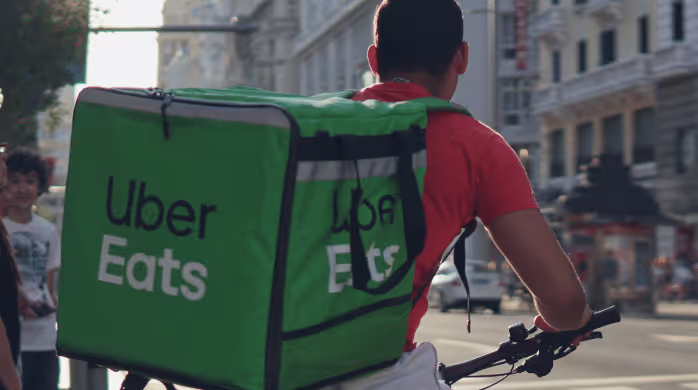
How to Make $1,000 a Week With Uber Eats in 2026 (Tips + Hourly Data)
In this blog, we'll explore the strategies and techniques that can show you how to earn $1000 per week as an Uber Eats delivery driver. We'll cover everything from optimizing your delivery zones and schedules to maximizing your tips and customer satisfaction. Whether you're a seasoned Uber Eats driver or just starting out, this guide will provide you with the insights and actionable steps to take your Uber Eats driver earnings to the next level.
Becoming an Uber Eats delivery partner can be a lucrative opportunity, especially if you're able to consistently earn $1000 a week. By understanding the platform, optimizing your delivery strategies, and focusing on customer satisfaction, you can maximize your earnings and turn Uber Eats into a reliable source of income.
We’ll cover the following topics to provide coaching and ideas to help you push your earnings up to that $1000 per week level:
What do Uber Eats drivers do?
Uber Eats drivers deliver prepared food most of the time, but they also might shop for and deliver goods from convenience outlets and grocery stores. The job is pretty simple. You get a request for an order, you drive to the restaurant or store to pick it up, and then you deliver it to the customer. If you already drive for Uber, you can choose to take orders for Uber Eats delivery any time.
If you’re not an Uber Eats driver yet, it’s pretty easy to become one. This Gridwise post tells you what you need to do if you want to sign up and start making money Uber Eats style. Many rideshare drivers welcome the chance to deliver food rather than people. This article from Nerdwallet covers the Uber Eats gig from that angle.
There are some sweet advantages to working with Uber Eats. In lots of cities you don’t even need to have a car. You can use a bike or a scooter, or even walk, to make your rounds. If you do use a car, Uber Eats’ requirements are a lot easier to meet than they are for Uber rideshare driving.
You also have a lot of flexibility. You can shop and deliver convenience items and groceries, but you don’t have to. And, like most driving gigs, you can choose your own hours, and map out the locations where you want to work.
Use Gridwise features When to Drive and Where to Drive to help you figure out what work hours and which specific areas will be the most profitable for you. Real data from real delivery people will show you earning patterns for drivers in your town.
How much can you earn doing Uber Eats?
The honest answer to this question is: basically, as much as you want! It all depends on how many hours you put in and how strategic you are about your gig. Earnings vary from one area to another, as this article from Entrepreneur points out. To give you a baseline, let’s look at the earnings of Uber Eats drivers who tracked their earnings with Gridwise.
Remember that these numbers show us only average earnings. To make $1,000 a week with Uber Eats, you’re going to have to be better than average, and we’ll show you how. For now, though, it’s good to have these figures so you get a ballpark number of where to start.
How much do Uber Eats drivers make?
Gridwise data tell us the following:
- Monthly earnings average around $444.00 per month.
- Gross earnings per trip are between $9.00 and $10.00.
- Tips make up about 50% of most Uber Eats drivers’ income, which amounts to about $225.00 per month.
Is Uber Eats good money? It can be. While there are other gigs that pay more per trip, if you drive for Uber Eats, you’ll always be pretty busy.
https://datawrapper.dwcdn.net/HPAz8/3
You can also see that, unlike many other gigs, tips play a huge role in Uber Eats earnings.

With these numbers as a baseline, what can we say about how to earn $1,000 a week with Uber Eats? As we said in the introduction, it’s going to be a hustle, but it’s really possible. To figure out how to make the most money with Uber Eats, let’s start by looking at how many trips these “average” drivers made each month.
We know that average gross earnings were $444.00 per month, and drivers got around $10.00 per trip. That means they took 44 or 45 trips per month, which breaks down to 11 trips per week. That’s not a lot of Uber Eats delivery, is it?
The fact that Uber Eats drivers averaged so few trips shows us that many drivers use more than one app at the same time. This is called multi-apping, and you can learn more about it in this Gridwise post. If you want to answer the question of how much you can make with Uber Eats, then you need to stick with the app and keep plugging away at those orders. You also need solid strategies, as well as some inside tips and tricks.
How to make the most money on Uber Eats: Delivery driving tactics
Getting to that $1,000 a week with Uber Eats isn’t so hard when you remember that the drivers we saw making about $111 a week were only taking around 11 trips in the same time period. That’s not much at all! If you work the Uber Eats app like a boss, you’ll soon have many more trips than that, easily reaching the number needed to get you to $1,000 a week. Now, let’s get to some tactics you’ll need to make that kind of bank.
- Stay with the Uber Eats app, and track your earnings. Gridwise can easily do that for you. Simply sync your Uber Eats app with Gridwise, and you’ll be able to see how much you’ve earned with Uber Eats, what times were most profitable, and your average hourly pay. Racking up trips with Uber Eats has other benefits, including perks and bonuses that are awarded to top drivers.
- Leverage surge pricing and promotions. Surge pricing is applied when there is a lot of demand. When surge pricing is in effect, many of the trips you make will pay more than usual. Promotions are offered to drivers who complete a given number of trips in a certain time period. High traffic volume days, nights, and times give you these chances to get extra earnings. Challenging yourself to complete the right number of trips for promotions will add to the number of trips you can count on for big bucks, too. Learn more about Uber Eats surge pay, boosts, and promotions in this Gridwise blog post.
- Say yes to doubling up on orders. With Uber Eats, you can get back-to-back orders or receive batched orders. Back-to-back orders happen when you receive a new request while you’re on the way to deliver an original order. The Uber Eats app routes these trips automatically, so you won’t be sent out of your way.
Batched orders are Uber Eats’ way of bundling together orders from either the same restaurant, or two nearby eating establishments. You get money, and trip count credit, for all the orders you complete, plus customer tips, without having to make a bunch of separate trips.
- Turn on the charm and get bigger tips. Being nice really is part of the Uber Eats driver’s job, and getting tips is one way people who drive for Uber Eats make money beyond their basic pay.. Bring along those extra napkins and condiments, use equipment that keeps food and drinks at the right temperatures and prevents spilling, and consider your customers’ needs. If you deliver groceries, be extra careful with delicate items such as bread and eggs.
And, most important, follow your customers’ directions, and stay in communication with them if you are going to be delayed, or if you have questions about their order. This Gridwise post will tell how to get bigger tips as a delivery driver.
- Use even more charm to keep your ratings high. As an Uber Eats driver, you will be rated by the restaurant or store where you pick up the orders as well as the customers who are waiting for the deliveries. This two-way rating system is designed to keep you on your toes, so Uber can keep people satisfied with your service. Don’t worry, you get to rate them, too.
There’s another reason why your rating as a driver is important. It not only keeps you in good standing with Uber; it helps you to qualify for the Uber Eats Pro incentive program. To learn more about Uber Eats Pro, and what it takes to earn perks such as preferred services, discounts, and deals, check out this Gridwise blog post.
Smart business moves that seal the deal
Now that you know how to gobble up the deliveries you need to make $1,000 a week with Uber Eats, it’s going to be a breeze to get there. Let’s make it even easier, with business moves that boost your earnings and shrink your expenses. If you use these, it will also be easy to say yes when people ask, “Can you make good money with Uber Eats?”
Minimize expenses. Avoid racking up big fast-food bills by bringing your own food and beverages. You might not think you’re hungry when you first start your Uber Eats run, but once the aroma of pepperoni pizza, premium cheeseburgers, and piping hot fries start wafting through your car, that might change. Bring a sandwich or other healthy food from home, and buy bottled water in bulk to save tons of cash compared to what it costs to buy single servings.
Maximize tax deductions. Another way to minimize your expenses is to maximize your tax deductions. Start by tracking mileage with Gridwise.
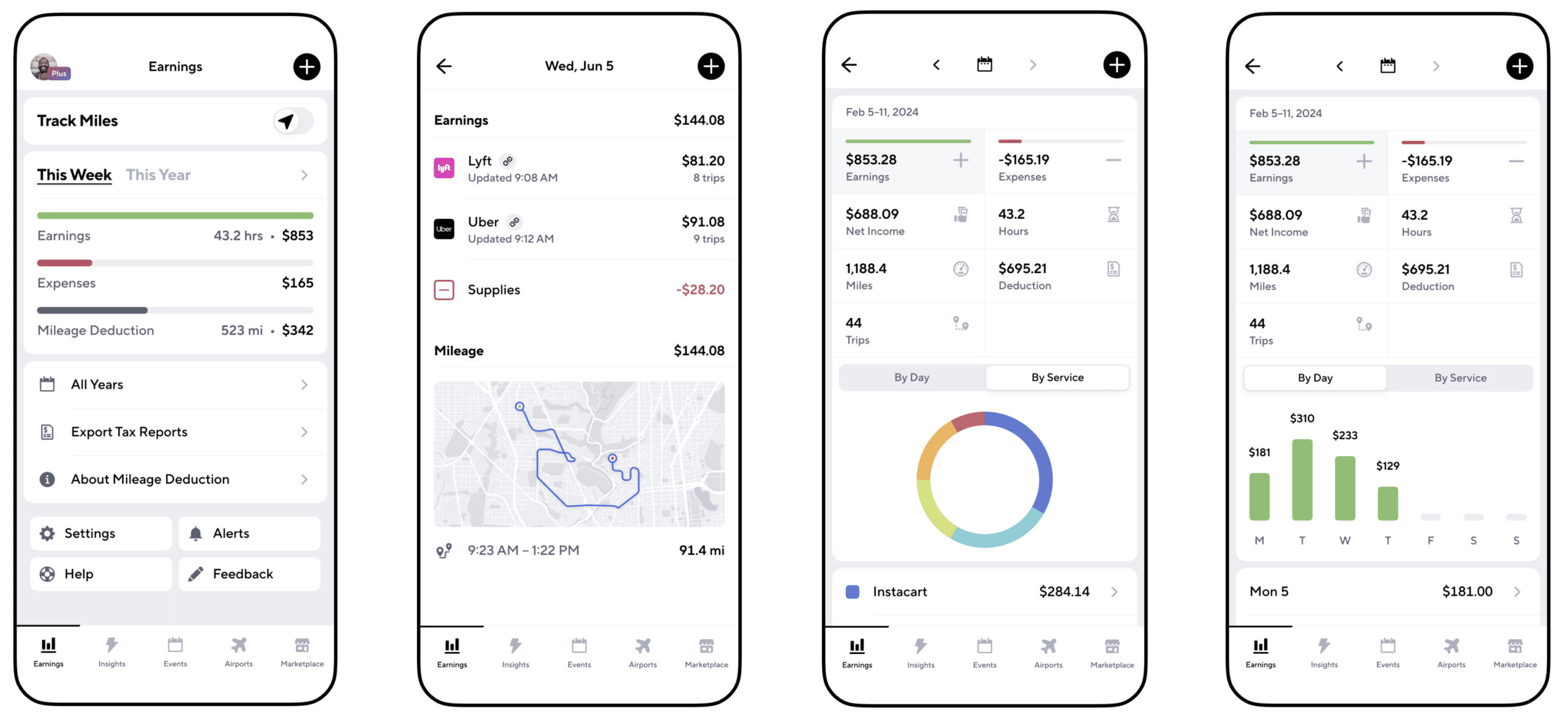
Gridwise App
Gridwise captures every deductible mile you drive, including the distance you cover between the trips your driving app records. Know what expenses you can deduct, and put them to work for you when tax time comes. Learn more about tax deduction strategies in the Gridwise Tax Guide for drivers.
Boost earnings with referrals
As an independent contractor, you’re probably looking for ways to make even more money than you can with Uber Eats. And most gig workers like you enjoy getting passive income. With Uber Eats, there’s a really easy way to do that, referrals!
All you need to do is find friends and encourage them to deliver for Uber Eats. If they make a certain number of deliveries within a specified time, you will get paid for doing nothing more than having them sign up under your referral code! Rates of pay vary by city, so check your Uber Eats app to find out what the current deal might be, and learn more about the referral program on the Uber Eats website.
Also remember: “friends” don’t have to be your best buds. Many delivery people carry cards with a QR code linking to their referral information, so just about anyone you encounter can join Uber Eats and boost your earnings. You could meet a source of passive income at the gas station, on social media, or at your high school reunion. The more you hustle, the more there is to gain, right?
Master the art of self-employment
As an Uber Eats driver, you’re an independent contractor. That means the company isn’t going to withhold your taxes, provide insurance, keep track of your earnings, or tell you about tax deductions. You’ll have to do all these things for yourself.
If you want to maximize your tax advantages, open an official business entity. You can incorporate (create a corporation) or you can work as a limited liability corporation (LLC). You can also work with a DBA (Doing Business As) arrangement, but the corporation or LLC will do a better job of protecting you from liability.
Establishing a corporation or LLC offers better tax advantages than being a sole proprietor. For instance, if you simply collect your earnings into your private account, you’ll be charged self-employment taxes in most states. And paying extra taxes is something we all want to avoid, within legal limits, as much as possible.
Every Uber Eats driver needs to learn about self-employment, and there are some great resources you can review. Check out the CareerOneStop website about self employment which will help explain the basics. You can also check with a professional tax accountant, or look other websites to learn more about actually creating a business.
Scope out your market
Look at the area around you to see where you’re likely to get the most deliveries. Where are all the restaurants? Where might people be more inclined to order deliveries? What hours do you want to drive? What activities might be going on around those times? Think about late-night and after-school times as well as breakfast, lunch, and dinner times.
Be realistic about the potential for your area and aware of new services opening up. For example, in New York, there is already a tab on the Uber Eats app that allows customers to order groceries. In our article about the best food delivery service to work for you’ll see that Uber Eats stacks up well against other delivery companies, mainly because of its potential for expanded opportunities for drivers to earn.
So, is Uber Eats good money? As we said, it isn’t an automatic guarantee that everyone will make $1,000 a week with Uber Eats. Trying out the suggestions we give you here, though, should put you on the right track! Go out there and start stacking up those orders and raking in some impressive earnings!
Get more inside information on Uber Eats in these posts from the Gridwise blog:
- The delivery driver guide: Using the Uber Eats app
- Everything you need to know about driving for Uber Eats
- Uber Eats Pro: What drivers need to know
- Looking for a different gig, part-time or full time job? Check out the Gridwise Job board.
Uber Eats FAQ
How does the Uber Eats platform work for drivers?
Uber Eats is a food delivery service that connects customers with local restaurants and independent delivery partners. As an Uber Eats driver, you'll receive notifications of nearby delivery requests, which you can accept and complete. The platform provides flexibility, allowing you to work on your own schedule and earn money based on the number of deliveries you complete.
What are the requirements to become an Uber Eats delivery partner?
To become an Uber Eats delivery partner, you'll need to meet certain requirements, such as having a valid driver's license, a registered vehicle, and passing a background check.
How can I choose the right delivery zone to maximize my earnings?
Selecting the right delivery zone can significantly impact your earnings, as some areas may have higher demand and better-paying orders. It's important to research and identify the zones in your area that tend to have the most consistent and lucrative delivery opportunities.
How can I take advantage of peak delivery hours and surge pricing?
Understanding peak delivery hours, such as mealtimes and weekends, and taking advantage of surge pricing can boost your earnings. Be aware of when demand is highest in your area and adjust your schedule accordingly to capitalize on these peak periods.
What are some tips for maximizing tips and customer satisfaction?
Providing excellent customer service and going the extra mile to ensure a positive experience can lead to more tips and repeat business. Prioritize communication, timeliness, and attention to detail to keep your customers happy and satisfied.
How can I set realistic weekly goals to reach my $1000 target?
To make $1000 a week with Uber Eats, it's essential to set realistic weekly goals and track your earnings and expenses. Start by determining your target earnings and breaking it down into achievable daily or weekly goals. This will help you stay on track and make adjustments as needed.
What are some strategies for efficient route planning and navigation?
Effective route planning and navigation can save you time and fuel, allowing you to complete more deliveries. Utilize mapping apps and take advantage of features like real-time traffic updates and turn-by-turn directions to find the quickest routes.
How can I balance my Uber Eats deliveries with other commitments?
Develop a schedule that allows you to capitalize on peak delivery hours while still maintaining a healthy work-life balance. Consider using tools like calendar apps to plan your availability and track your hours to ensure you're maximizing your earning potential without sacrificing your personal life.
What are the key considerations for maintaining my vehicle as an Uber Eats driver?
Keeping your car clean and well-maintained is crucial for maximizing your Uber Eats earnings. Regularly scheduled oil changes, tire rotations, and other preventive maintenance can help extend the life of your vehicle and minimize downtime. Additionally, budgeting for vehicle-related expenses, such as fuel, insurance, and repairs, will ensure you're accounting for these costs and maximizing your net earnings.
What are the tax obligations and legal considerations for Uber Eats drivers?
As an Uber Eats delivery driver, it's essential to understand the tax obligations and legal considerations that come with being an independent contractor. This includes properly reporting your earnings, deducting eligible business expenses, and making quarterly estimated tax payments. Additionally, you'll need to ensure you have the appropriate insurance coverage, such as personal auto insurance and possibly commercial auto insurance, to protect yourself and your vehicle while on the road making deliveries.

The Gridwise Job Board: Find Your Ideal Job or Gig Work
Gridwise is an essential assistant app created by gig workers for gig workers. Our mission is to support those engaged in gig work in every way possible. We understand how challenging it can be to deal with income instability, a lack of benefits, and job insecurity that often comes with gig work. The Gridwise app tracks and organizes earnings and expenses, and offers a wide array of discounts, deals, and services that make the lives of independent contractors easier and more rewarding.
We firmly believe it’s possible to make a viable living and create a gig experience that offers flexible hours, variety, and excitement. With issues such as consistent earnings and job security in mind, Gridwise is proud to offer a centralized platform that shows you how to find gig work and secure reliable opportunities. We’re proud to introduce the Gridwise Job Board.
The Gridwise Job Board: Key features
Because Gridwise is dedicated to serving the gig worker community, we’ve filled the Gridwise Job Board with useful features that won’t waste your precious time.
- Comprehensive listings. Find part-time, full-time, temporary, and per-task work. Drive or deliver with your vehicle, utilize an employer’s vehicle, or even find non-driving gig work.
- User-friendly interface. Find the jobs that are right for you with a tap of your screen.
- Verified opportunities. We vet the jobs before they are listed to ensure you’re getting high-quality job postings.
How to get more gig work, seasonal, part-time or full-time jobs with the Gridwise Job Board
Looking specifically for “gig work apps” or “gig jobs near me?” You’re in luck. Our filters and search functions send you directly to the listings you seek.
Here’s how it works.
- Access the Job Board via the Gridwise website.
- Search for jobs by type, location, and more.
- Select the job that interests you, and read all about it.
- Scroll through the description, and if it appeals to you, click “Apply for job.”
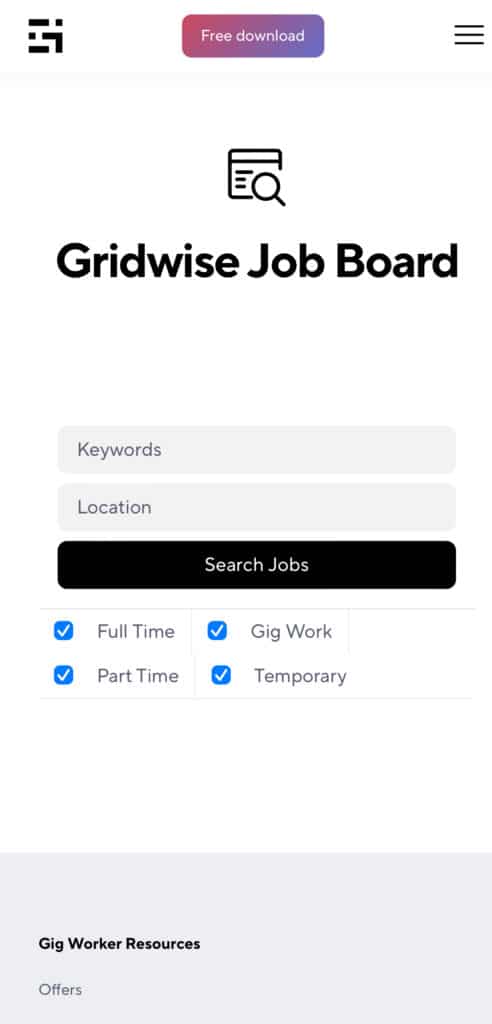
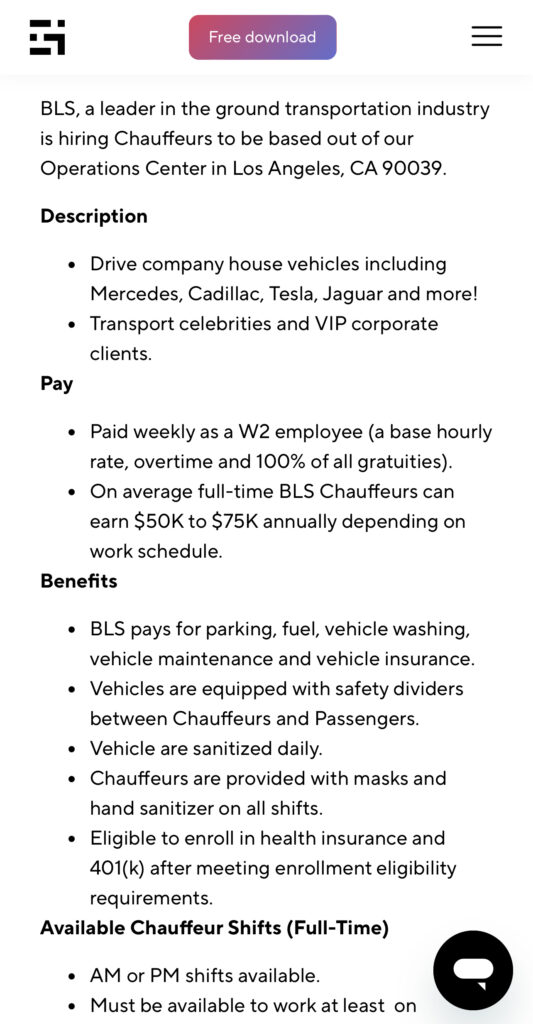
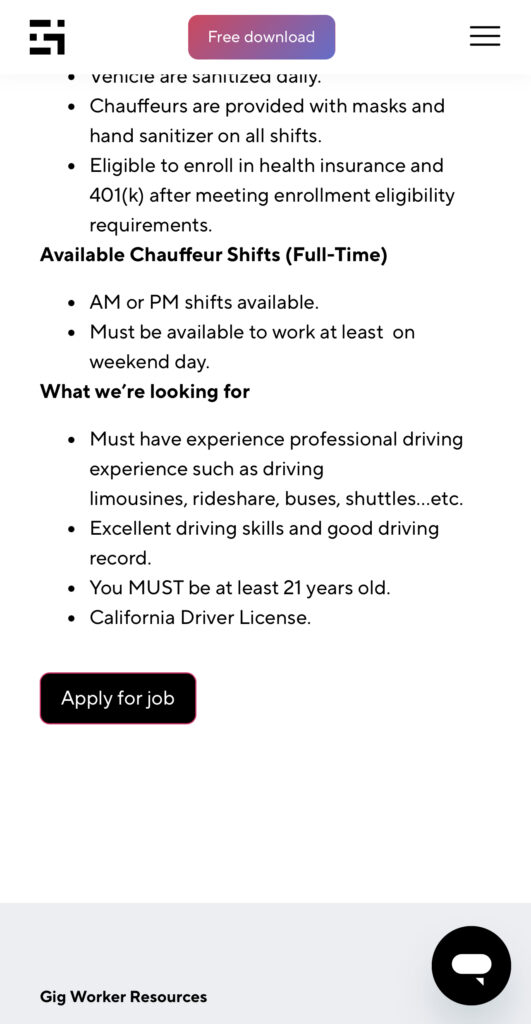
Many types of jobs are available. Adjust the search filter to see the full variety of opportunities that will let you cash in. Deliver food, set up catering, do rideshare driving, get paid for doing package delivery, and much more. You’ll find short-term gigs, long-term contracts, and part-time positions.
Perks of the Gridwise Job Board for gig workers
Gig workers who know how to make extra money will appreciate how the Gridwise Job Board lets you multiply your chances of bringing in big earnings. Here’s how:
- Increased stability. Use the Gridwise Job Board to find part-time or permanent jobs in addition to the part-time gigs you already have. Always keep a steady stream of earning opportunities flowing toward you.
- Flexibility and autonomy. Choose jobs that fit your schedule, work around other jobs and family duties, and still leave room for some fun in your life. Discover side hustles to supplement your full-time job, permanently or just for the season.
- Skill development. Find part-time work that lets you use a skill you already have, or try your hand at something new. It’s a smart way to develop a portfolio to showcase what you can do, or even to find permanent employment.
Get Gridwise and stay up to date on the Gridwise Job Board
Gig workers need plenty of information and assistance, and Gridwise is here to give it to you. Download the app and get essential features such as
- seamless earnings tracking
- mileage tracking
- expense recording, including notes
- low-cost and no-cost insurance benefits
- access to affordable medical, dental, vision, mental health, and alternative care
- professional services including legal and financial help
- deals and discounts
- weather, events, and traffic reports
- inside information on where and when to drive
More to know about gig work:

5 Best Mileage Trackers For Gig Drivers
Many drivers ask, “Do I really need a mileage tracking app?” The answer is simple: only if you want to have an accurate count of all the miles you can legally deduct from your taxable income! You might think your rideshare or delivery driving app has got you covered. After all, they do quite a good job of logging the miles you drive while you’re on a trip or delivery. But, if you want to have the best app to track mileage for Uber, Lyft, Doordash, Instacart, or the other apps you may use, you need more. Why is that?
Without a separate tracker, you’re missing the miles you drive in between pings. Did you realize that all the miles you drive, from the moment you begin your shift until it’s over (as long as you don’t drive several miles on a break to hang with your friends), are tax deductible! That means you need something besides your driving app to keep an accurate count of your travels. Read this Gridwise post to see how important it is to keep track of every deductible mile.
You won’t be surprised to hear that there’s an app for tracking miles. In fact, there are several of them. Here, we’re going to tell you about five top mileage tracking apps, and help you figure out which one is best for you.
Before we get to the list and identify the best mileage tracker app, let’s clarify what exactly a mileage tracking app is. According to G2.com’s technology glossary, mileage tracking is done for the purpose of keeping a log of mileage that is either reimbursable or tax deductible.
And yes, of course you can track your miles simply by taking readings on your odometer. But are you really prepared to account for how many miles you drove for personal reasons and subtract them from the total to get your business mileage? Even if you can remember all that and do the arithmetic, if you want an accurate reading of the miles you drive for business, and can therefore deduct, a mileage tracking app will save you a lot of trouble and prevent you from making costly errors.
Plus, as a gig driver, you have specific needs when it comes to a mileage tracker. Ideally, you’d be able to handle mileage tracking and several other functions all in one app. It can be maddening enough to deal with driving apps, particularly if you’re an avid multi-apper. You would want your mileage tracker app to help you keep account of other aspects of your business, including income, expenses, and inside information about the art of gig driving.
Not all mileage apps are equal, to be sure! Let’s look at five of the best apps to track mileage and figure out which is the best app to track mileage with Uber and Lyft, or what mileage tracker app is best for DoorDash.
1. Zoho Expense
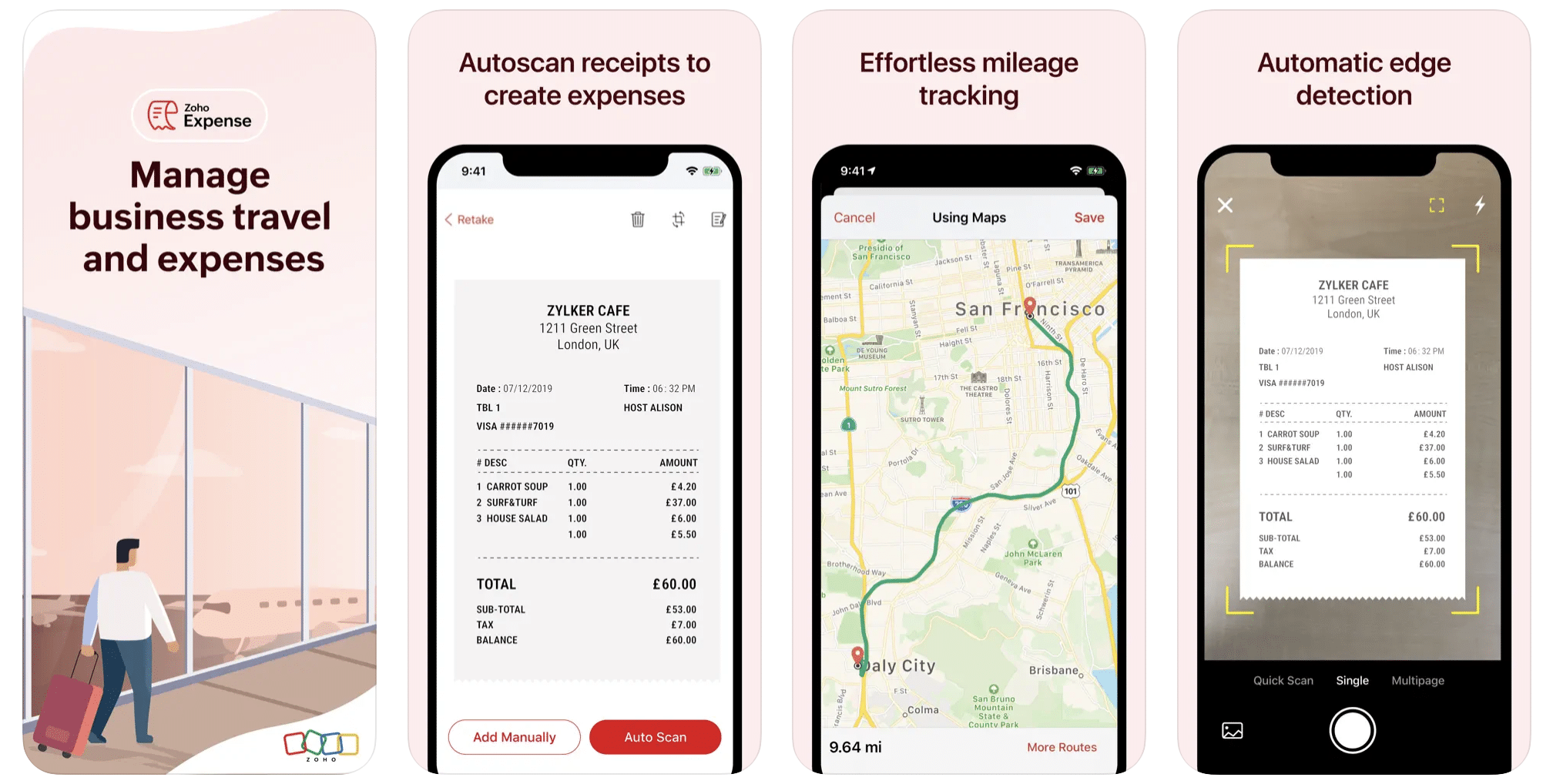
First up is Zoho Expense, which does exactly what its name says. This app is designed to allow companies to give employees a uniform way to create and submit expense reports. It can be used by individuals, including gig drivers, as well.
It includes a mileage tracker, as well as features that let you track other deductible expenses, including the ability to scan and record receipts.
Available on Android and Apple: Yes
Ratings: 4.8 stars on App Store, 4.7 stars on Google Play
Free Version: Yes
Subscription price: $3 per month, billed annually
Created specifically for gig drivers: No
2. Quickbooks Online
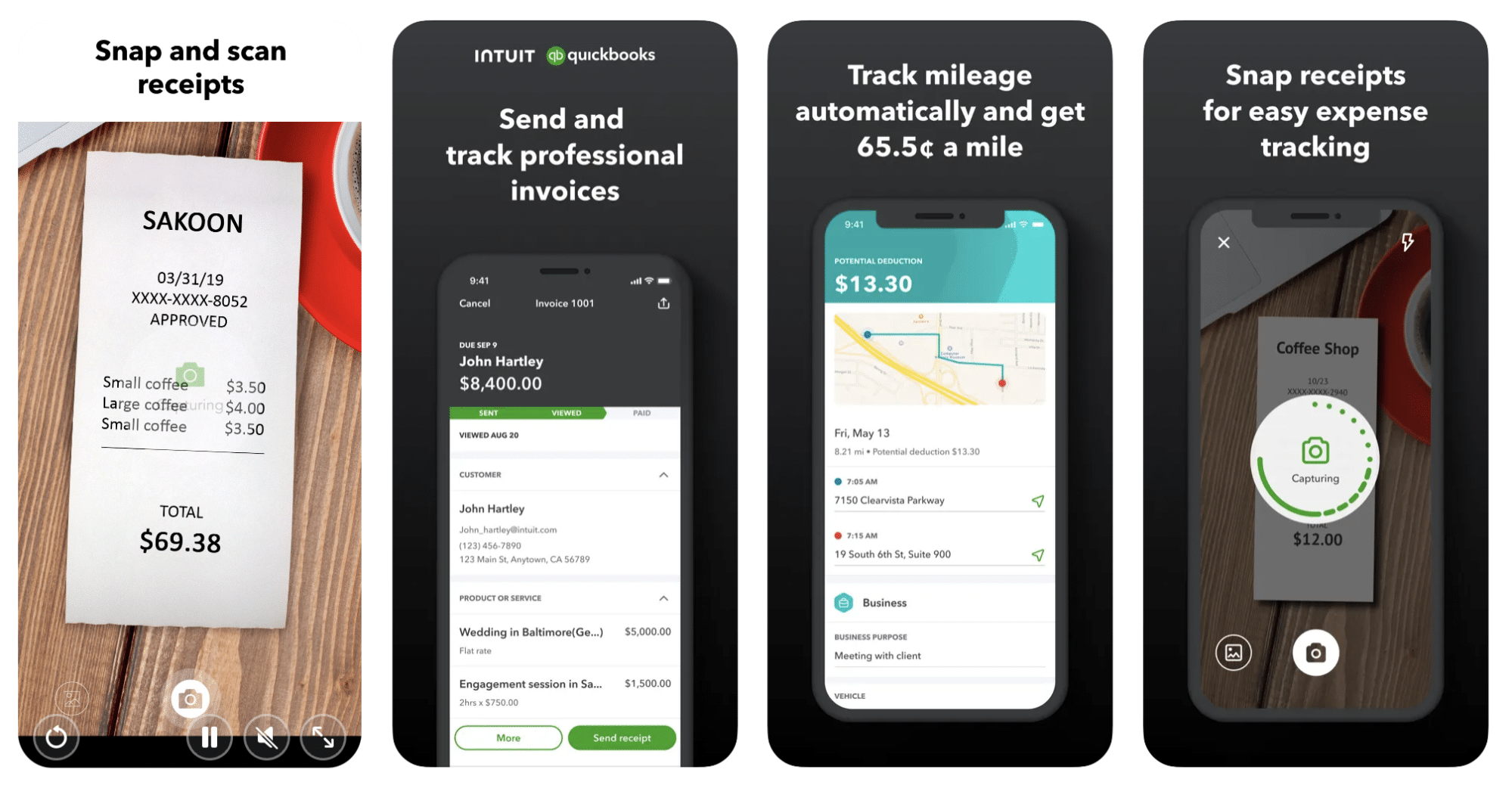
Quickbooks Online is a cloud-based app that allows you to track your mileage, earnings, and expenses. The information you enter can then be used to generate various reports that prepare you for tax time. It also allows you to create graphs that illustrate your cash flow, and includes a receipt scanner so you can instantly record deductible expenses. Quickbooks is popular, highly reliable, and designed mainly to help people keep track of their small businesses.
Available on Android and Apple: Yes
Ratings: 4.7 stars on App Store, 4.4 stars on Google Play
Free version: 30-day free trial
Subscription price: $15 per month for basic version if purchased for 3 months or more
Created specifically for gig drivers: No
Source: quickbooks.intuit.com
3. Shoeboxed
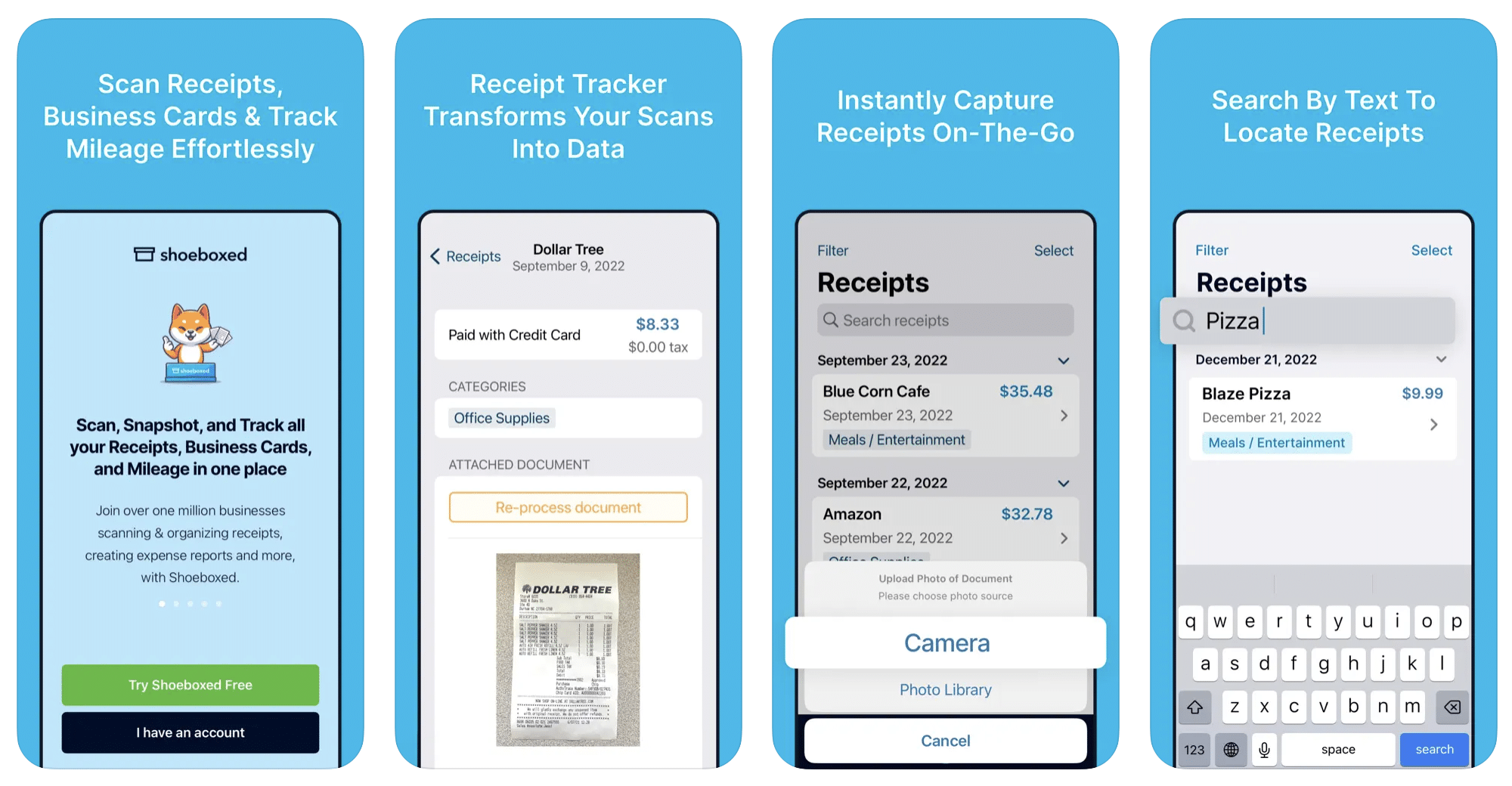
Shoeboxed started in 2007 as a service for scanning paper receipts into digital form. Now the app offers a free mileage tracker and has enabled users to scan receipts directly. It touts itself as the best mileage tracking app for DoorDash, but there are some elements missing that Dashers might like to have. While it provides features that record your expenses and prepare you for tax season, it doesn’t automatically track your earnings. The mileage tracker has a system where you can drop pins along your routes to make the tracking more precise, identifying those legs of a trip that you make for business purposes. The mileage tracker is “free” once you sign up for the basic version.
Available on Android and Apple: Yes
Ratings: 4.5 stars on App Store, 2.3 stars on Google Play
Free version: No
Subscription price: $18 per month for basic version
Created specifically for gig drivers: No
Source: blog.shoeboxed.com
4. Stride
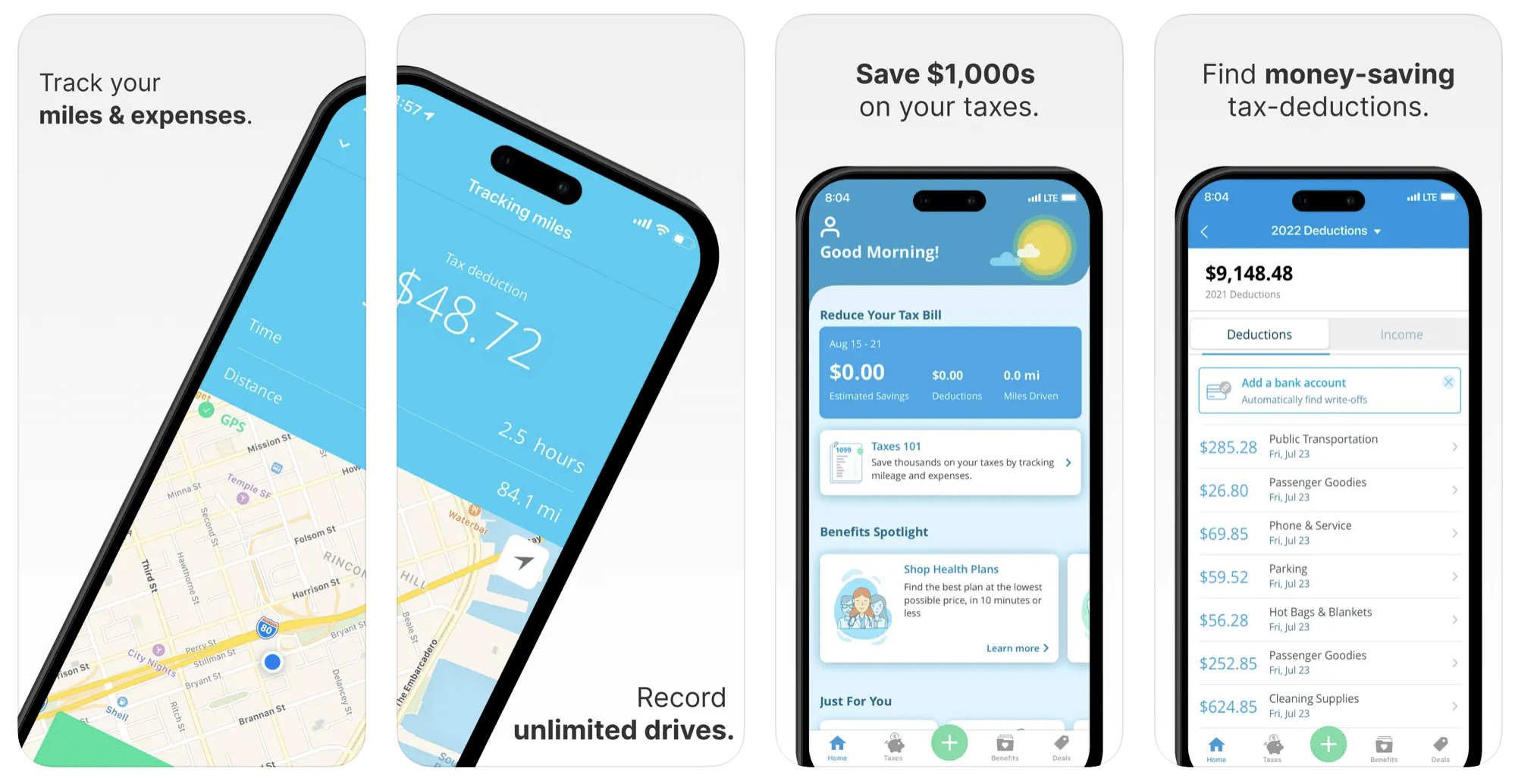
This free mileage tracker does a fair job of keeping track of the distances you rack up while gig driving, but it doesn’t automatically track earnings. It can be a big help, though, in tracking your expenses. You can link Stride to your bank account, and it will automatically scan your expenses to identify items you can potentially deduct. The app is totally free. This could make it the best free mileage tracker app, but there is a small price to pay. The app will persistently push you to consider various insurance plans that they are affiliated with. If you don’t mind that, this is a solid mileage tracker, even if it doesn’t track your earnings.
Available on Android and Apple: Yes
Ratings: 4.8 stars on App Store, 4.6 stars on Google Play
Free version: Yes
Subscription price: None. The app is free.
Created specifically for gig drivers: No
5. Gridwise
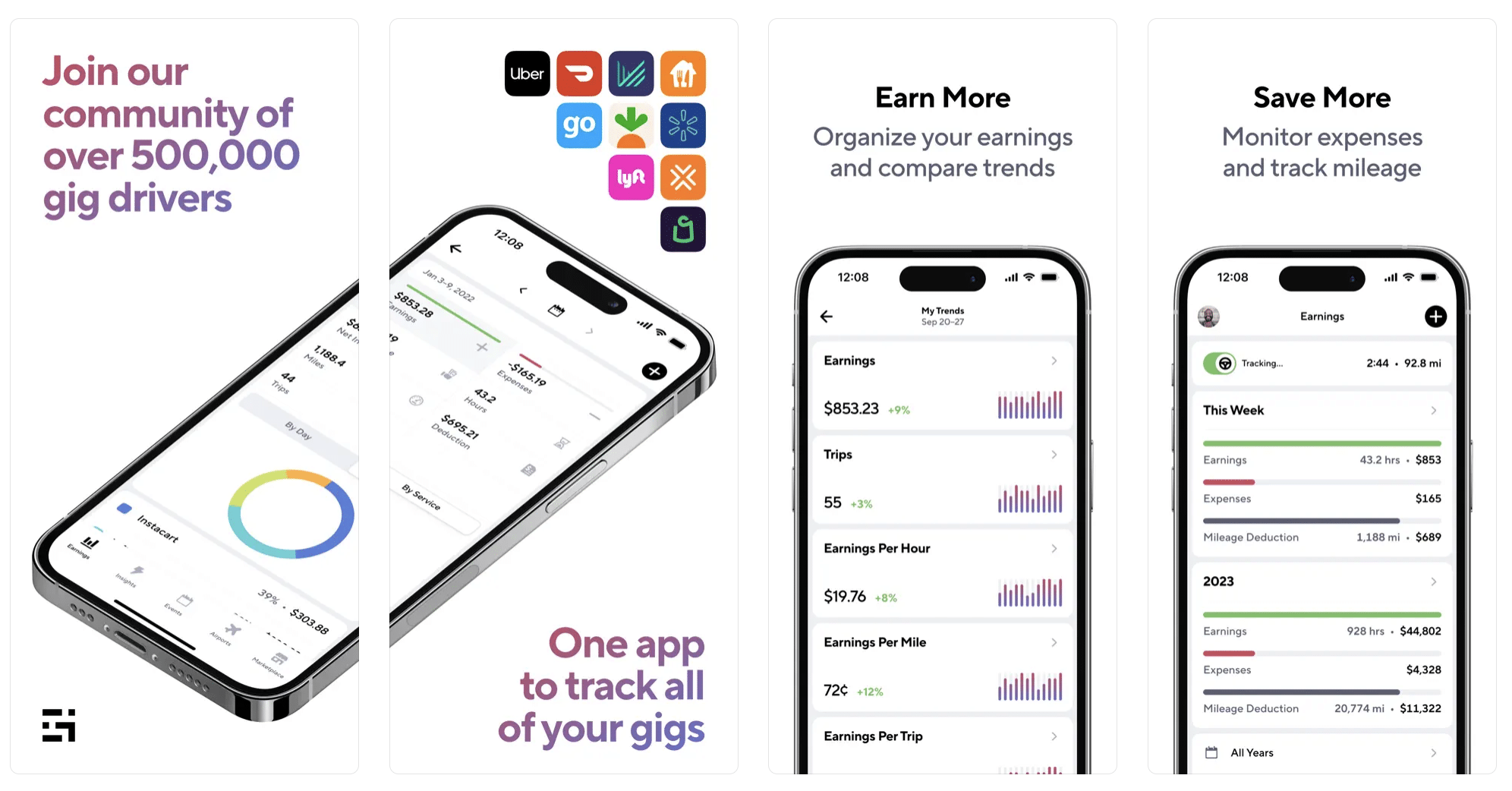
Gridwise has a free mileage tracker and free features that record your income and expenses. It gives you access to insurance and benefits, as well as insights about the best times and places to make the most money while gig driving. The Gridwise mileage tracker captures all the miles you drive while you’re on your driving shift, and it can be used if you have other trips you need to make which qualify as business travel.
Drivers love it because it is geared toward the needs of rideshare and delivery workers, providing free information about airport departures and arrivals, event start and let out times, weather, traffic, and more. The Gridwise Plus subscription adds value by providing additional insights and reports, discounts on benefits, the ability to export data in .csv format,, and more.
Available on Android and Apple: Yes
Ratings: 4.9 stars on App Store, 4.6 stars on Google Play
Free version: Yes
Subscription price: $9.95 per month for Gridwise Plus, or $95.99 per year (a $23.41 savings)
Created specifically for gig drivers: Yes!
What is the best mileage tracking app?
Now that we’ve checked them all out, we’re positive about the answer to that. Hands down, it’s Gridwise. Are we biased? You bet we are! But drivers love it too. Gridwise is the best mileage tracker app, and so much more. So many of the features are free, and the subscription to Gridwise Plus will pay for itself with additional insights to boost your earnings and deeper discounts on products and services.
Most important, Gridwise is designed specifically for gig drivers by experts who were once gig drivers themselves! Knowing what gig drivers need is a crucial step in creating an app that rideshare and delivery drivers can really use! Here are a few of the features, besides mileage tracking:
- seamless earnings tracking
- automatic, on/off toggle and manual mileage tracking
- mileage categorization
- airport, traffic, weather, and events information
- insights into where to drive and when to drive
- reports showing earnings across the platforms you use
- discounts on countless products and services for drivers
- additional resources for finding side gigs
- an informative and comprehensive blog
- affordable benefits, including insurance, medical, dental, and alternative practitioner discounts
- a community of drivers just like you
Don’t settle for just any app. Get the best mileage tracker, and so much more, from Gridwise!

Uber is getting into the grocery delivery game: Here’s why this is great for drivers
When you read that Uber is reaching out to do even more with its app, and its drivers, you may be compelled to tap out “SMH.”
Is the company spreading itself too thin? How will it compete with other companies that are already doing this? How can the Big U possibly make this work?
But wait—before you dismiss the idea of groceries delivered by Uber, let’s think this through. You know Uber already has Uber Eats, which has drivers moving prepared food out to customers, who, in a state of COVID-19 shock, would rather not leave the house.
This business has grown like crazy lately; as much as 53% year-over-year, depending on who you ask.
Meanwhile, rideshare has not been doing so well. Always the mainstay of Uber’s business, rideshare was just begining to make a profit before COVID-19 hit. The shutdowns that resulted from the pandemic pushed passengers off the road, and that shut drivers out. Rideshare is rebounding to some extent, but it isn’t anywhere near being back to normal yet … and no one knows when that will happen.
Delivery has become a saving grace to lots of drivers. They found a source of income through driving for Uber Eats or one of the other delivery companies like DoorDash, Grubhub, or Postmates, the latter of which Uber recently acquired. Why wouldn’t grocery delivery also offer drivers more opportunities to earn?
Take a look at this video to see why we’re excited about Uber’s foray into grocery delivery.
In this article we’ll take a deeper look at the backstory of Uber’s next move, and what it might mean for us drivers, including:
- How Uber got into the grocery delivery business
- What the roll-out might be like
- Why this is a great thing for drivers
- Why Uber will play well in the grocery delivery game
Here we go!
How Uber got into the grocery delivery business
Uber’s decision to get into grocery delivery may be surprising to some of us, but the company’s been laying the foundation for a while now. In October 2019 Uber acquired Cornershop, a Chilean grocery delivery company that already had a working network throughout Canada and Latin America. So obviously this foray into grocery delivery started months before COVID-19 even existed.
Maybe Uber was prescient, or perhaps just lucky. In either case, the company now has a platform that it’s ready to launch in the United States, with Miami and Dallas being the first test markets. As grocery delivery becomes more profitable, Uber will likely move into additional cities and grow the service even more.
What the roll-out might be like
The initial phase might be more straightforward for customers than it will be for shoppers/drivers. Rather than being combined right away, the new operation will function as a very close partnership between Uber and Cornershop.
Customers will order their groceries from the Cornershop app, and drivers will need to sign up for Cornershop in order to deliver groceries for Uber. Check out this article to shed a little more light on how Cornershop and Uber will interact at the outset. This might make assessing and analyzing earnings a bit complicated, but we have ways of dealing with that. Let’s just say that downloading Gridwise would be a huge help as drivers will be able to track their earnings on Cornershop with Gridwise.
Uber will be eager to get drivers to sign up for its new grocery delivery service, so chances are they’ll make it easy for us to get involved. Also, it’s quite likely that once things get rolling, the apps will be combined and it will be less cumbersome.
Why this is a great thing for drivers
Uber’s move into grocery delivery will make it easier for drivers to adjust to the huge impact COVID-19 has had on the rideshare business. And while it’s definitely sad that rideshare has taken such a hit, sitting around, crying into a bag of Doritos and waiting for the business to come back probably isn’t a winning strategy.
Look at what’s happened so far. As states started to reopen in late May and early June, COVID cases shot up … and, unsurprisingly, many bars, restaurants, and gathering places that had started to come to life shut down again. This meant rideshare would continue to struggle, but it also meant the delivery business would remain rather brisk.
By the way … don’t let worries about not making enough money scare you from being a delivery driver. We’ve found that delivery drivers are making nearly as much as rideshare drivers did prior to COVID-19!
In case you’re fretting about the future of the delivery business in general after this pandemic mess, you don’t need to worry. Now that people have gotten used to the convenience of getting their meals and groceries brought right to their front doors, they’re going to continue to make this a habit in the post-COVID world.
Now, let’s list some of the benefits that drivers have to gain from Uber going into the grocery delivery business:
More demand for drivers
Uber might even do more for drivers as it courts and recruits them into this service.
More options for drivers
Now we’ll have a choice about what we want to do on different shifts, and at different times of the day.
Stimulation of the grocery delivery market
Uber’s entry into this market will stimulate the growth of grocery delivery, and offer more choices to customers.
Less risk to drivers’ personal safety
Most of the time, delivery entails far less risk of exposure to people who pose a threat to you.
Less vehicle expense
You’ll drive around much less with delivery, so you won’t need to buy as much fuel, and you’ll put fewer miles and less wear and tear on your vehicle.
Looser vehicle requirements
If you choose to be a delivery driver, you can work with a vehicle that is older or in less perfect shape than the kind you need for rideshare.
Multiple streams of income with a hybrid gig
By diversifying your own driving gig, you’re opening up opportunities to make more money!
Why Uber will play well in the grocery delivery game
Uber isn’t the only big company that’s doubling down on the grocery delivery business. Walmart and Amazon, either of which on its own would make Uber look tiny, are accelerating their efforts to win the hearts of consumers who’ve learned to love grocery delivery.
In fact, those companies and others have been wagering that grocery delivery would grow even before the pandemic-related store-to-door boom began. This CNBC article cites a February 2019 Bain & Co. survey of more than 8,000 U.S. grocery shoppers. The survey gave clear indications of grocery delivery’s anticipated future growth, as Bain & Co. partner Stephen Caine remarked: “We’ve been early adopters in this country in almost every other retail category. We know online grocery will explode at some point.” Yet neither he nor anyone else could have known just how “explosive” grocery delivery would become just over a year later.
At first glance it might seem foolish for Uber to even attempt to compete with mega-corporations like Walmart and Amazon, but it’s not. There’s a lot of controversy about what those companies have to offer. Walmart leads in brick-and-mortar representation, and is working hard to create a more formidable online presence—exactly what Amazon rules. Amazon is now working to build its own grocery stores to compete with Walmart.
Also, much of Walmart’s grocery business is curbside pickup. The company is pleased that its customers are spending more money in the stores, but they don’t get their groceries delivered. Hmmm … I wonder what kind of company would be able to do that more effectively?
Uber, that’s who! The company has a HUGE fleet of drivers, and an equally impressive number of customers who will be enthusiastic about ordering groceries through the same app they’re using now to order rides and food deliveries. The multiple monetization model is as good for Uber as the hybrid driving gig is for us drivers.
It’s fair to ask the question: What stands in the way of a customer ordering prepared food from one app, groceries from another, and sticking to Uber only for rides? And the answer is something all three companies are banking on—subscription agreements with their customers.
Uber’s been working with subscription models for a few years now. For example, a customer who’s got an Uber subscription (usually with a monthly fee) can get, among other perks, protection from surge pricing, discounts on Uber Eats fees, rate reductions on other services (bikes or scooters, where they’re still in operation), and advantages to using Uber for food deliveries.
Amazon Prime subscribers have many perks such as fast shipping and video streaming, and Walmart subscribers receive discounts and preferential treatment … but neither of them has the ability to include rideshare services or prepared food delivery in their subscription. This is why the grocery delivery venture could be such a smart move for Uber—and a real benefit to those of us who drive for them.
Will Uber ever get as big as Amazon or Walmart? Nobody knows. But for now, Uber going into the grocery delivery business alongside the aforementioned corporate giants might be indicative of the level of ambition and what kind of “brass” Uber’s got … in more than one sense of the word.
What do you think?
Now that you know we’re pretty pumped about Uber’s latest move into the grocery delivery business, we want to know your thoughts about it. Comment below or send us an email, and let’s get the convo going.
Also, like we told you earlier in this post, the days of being only a rideshare driver may be going by the wayside. So, as you add more services to your array of activities, you’ll need to download Gridwise to track your earnings, mileage, and deductions for each app you use.
The Gridwise app also gives you quick access to our amazing blog, and the incredible Gridwise YouTube channel. We’re always posting news that you can use to increase your earnings and make the job of rideshare and delivery driving easier and a little more fun.
No matter what, be safe out there. And remember … we’ve got your back.

Uber and Lyft Driver Instructions for Philadelphia International Airport (PHL)
The Philadelphia International Airport (PHL) saw over 33 million visitors in 2019, making it one of the busiest airports in the United States. Located seven miles from Philly’s downtown area, the aviation hub is home to 25 airlines with nearly 500 daily departures. It’s also the largest airport in the state both in passenger traffic and physical size.
This all means high potential earnings for rideshare drivers who are driving in the Philadelphia area. Those millions of passengers need rides to and from the aviation hub-- and that’s where you come in.
The Philadelphia International Airport allows Uber and Lyft vehicles at the pick-up and drop-off terminals, but before heading that way, there are a few rules you’ll want to know. To maximize earnings (and avoid a ticket), it’s important to understand how to navigate the airport, join the queue, and legitimize your vehicle.
To help rideshare drivers be successful at the Philadelphia International Airport, we put together this blog post to serve as a guide. The following topics are covered:
- What should you do before arriving?
- Do you need any permits to drive there?
- Where is the rideshare waiting area?
- What are the passenger pick-up rules?
- What are the passenger drop-off rules?
- When is the best time to drive at the airport?
- What is the best driving strategy?
Let’s dive in!
What should you do before arriving at the Philadelphia International Airport and entering the airport queue?
To pick up passengers at PHL, you’ll need your trade dress, which (as you know) is the Lyft or Uber decal that goes on your front passenger windshield facing outward.
Uber sends out this decal when drivers sign up. If you’ve lost yours since then, there are a few easy ways to replace it. You can request that a new one be mailed to you, pick one up at your local Greenlight Hub (be wary of recent closures), or print out a temporary version at home.
You can order a Lyft decal from your Dashboard, and print a temporary emblem to use while waiting for yours to come in the mail
Where is the Uber/Lyft waiting area at the Philadelphia International Airport?
The Philadelphia International Airport has one designated staging area for rideshare drivers to wait in, and it’s located at 1 International Plaza Drive off of State Highway 291, at the end of the Airport Recirculation Road. Note that if you wait in the Cell Phone Lot, though, you won’t be able to receive requests.
Once you get to the staging lot, you’ll automatically be entered into the airport queue. You’ll be able to check your place in line in the Lyft or Uber app.
How should Uber and Lyft drivers pick up passengers at the Philadelphia International Airport?
The driver who has been waiting the longest in the staging area gets the next rider request. Make sure not to enter out of driver mode while you wait or you’ll lose your spot in line.
Once you get a ride, a pin will be placed at the pick-up spot for you to meet your rider. This will be located at the Arrivals level off of Arrivals Road. Make sure not to wait or circle around if your passenger is delayed-- instead, head back to the stage lot.
You might also be allowed to Pre-dispatch, which is when you receive a text and in-app message urging you to head to the terminal. While on your way, you should receive a ride request. If you don’t, no worries. Just head back to the staging lot (within 15 minutes), where you’ll be at the front of the line.
How should Uber and Lyft drivers drop off passengers at the Philadelphia International Airport?
Luckily, dropping off passengers at OHL is a lot easier than picking them up. Just head to the departure level at the passenger’s carrier of choice.
That’s it, and you’re back on the road!
When is the best time to drive at the Philadelphia International Airport?
Turn to your Gridwise app for information about all arrivals and departures at PHL, as well as delays and cancellations.
Typically, midday is the best time for airport driving; most passenger arrivals and departures occur sometime between 10:30 a.m. and 12:00 p.m.
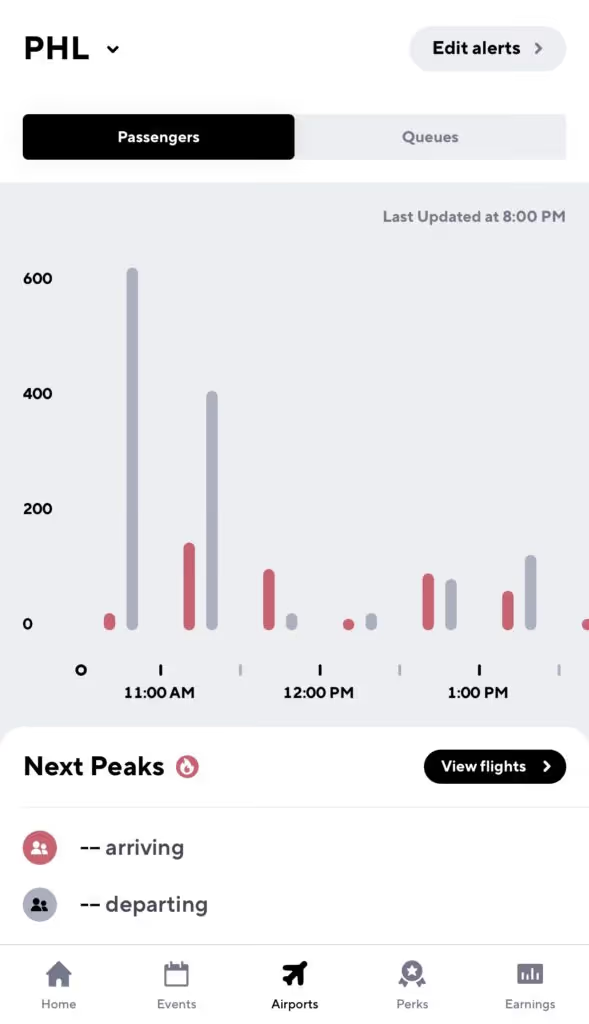
With Gridwise Plus you’ll be able to see airport data 24 hours in advance, so you can lock in a solid airport strategy the night before you head out. You’ll also be able to create custom alerts for arrivals and departures.
What are some good airport strategies?
Pick up a passenger on the way to the airport
Count on Gridwise to let you know when there’s a peak in airport departures, so you can hang around near hotels at that time to maximize your chances of an airport ride.
Do not cancel on a passenger after you’ve accepted a fare
If you do, you will be bumped to the bottom of the queue and your wait starts all over again. The good news is that if it’s a short ride, some companies let you jump back in line after you’ve dropped the passenger off.
Be ready to present your waybill
A waybill is essentially a receipt of the last trip you completed. Be prepared to present this to airport officials or law enforcement while waiting for arrivals.
Always be prepared
The fact is, you never know when law enforcement will show up. Keep your driver’s license, insurance card, and registration handy, and don’t forget to have your placard displayed.
Congrats! Now you’re all set to make some pick-ups and drop-offs at the Philadelphia International Airport—and maybe sneak a cheesesteak in between.
Uber and Lyft Instructions for Minneapolis/Saint Paul International Airport (MSP)
Ranked as the 17th busiest airport in the United States with over 38 million passengers a year, MSP International Airport is seriously no joke. That stacks up to a LOT of arrivals and departures—and a lot of riders for Uber and Lyft drivers looking to make a nice profit on airport rides. In fact, if you’re a rideshare driver in this area, the aviation hub is probably already a popular destination for your riders.
But if you’re hoping to maximize your earnings at Minnesota’s busiest airport, you’re going to need to know how to navigate the staging lots, arrival queues, and required airport permits.
To help you out, we at Gridwise put together this instructional guide to help Uber and Lyft drivers see success when driving at MSP International Airport. We’ll walk you through everything from trade dress to airport peak times so all you have to do is get on the road. The following topics are covered:
- What should you do before arriving at MSP International Airport?
- Do you need any permits to drive at MSP International Airport?
- Where is the rideshare waiting area at MSP International Airport?
- What are the passenger pick up rules at MSP International Airport?
- What are the passenger drop off rules at MSP International Airport?
- When is the best time to drive at MSP International Airport?
- What is the best MSP International Airport strategy?
Let’s dive in!
What should you do before arriving at MSP International Airport and entering the airport queue?
First things first. Get your trade dress, which (as you know) is the Lyft or Uber decal that goes on the windshield of your car.
Uber sends out this decal when drivers sign up. If you’ve lost yours since then, there’s a couple easy ways to replace it. You can request that a new one be mailed to you, pick one up at your local Greenlight Hub (be wary of recent Hub closures), or print out a temporary version at home.
You can order a Lyft decal from your Dashboard and print a temporary emblem while waiting for yours to come in the mail.
In addition to the app decal, you need to have an airport decal on the inside windshield directly behind the rear view window. Order yours by filling out an application here, then pick the decal up from Landside Operations T2 Office, 3350 East 72nd Street, Minneapolis, MN 55450. You’ll need your drivers’ license, a debit or credit card for the $25 permit fee (the only payment methods accepted), and an update on your driver status.
Unfortunately, Uber and Lyft do not reimburse Minneapolis's permit fee.
Where is the Uber/Lyft waiting area at MSP International Airport ?
Currently, all rideshare drivers share the staging lot that is located on Post Road.
Once you enter the staging lot, you’ll automatically be entered into the airport queue. Make sure not to log out of the app, cancel rides, or drive off airport property—you could lose your spot. The queue is ordered first in-first out, so whoever has been waiting the longest will get the next request.
How should Uber and Lyft drivers pick up passengers at MSP International Airport?
There are two terminals at MSP International Airport.
If your passenger request comes from Terminal 1, drive down Glumack Drive, past "Parking" and "Commercial Lane." Stay in the left lane and continue toward "Ticketing" and "Departure Drop Off,” then take a sharp left to "App-Based Ride Services" and pick up your passenger in the lot on the left side at doors 6 or 7.
If your passenger is at Terminal 2, drive down Humphrey Drive past "Commercial Lane." Take the next left in the "Authorized Vehicles" area, then pull over and pick up your passenger from the lot on the left side.
It can get tricky—so keep an eye on Google Maps and don’t hesitate to reach out to your rider.
How should Uber and Lyft drivers drop off passengers at MSP International Airport?
Dropping off passengers at the Minneapolis airport is simple—all you have to do is take passengers to the terminal of their aircraft carrier, along either the North or South curb.
When is the best time to drive at MSP International Airport?
The Minneapolis airport is pretty busy, and you’re not the only driver in the area who knows that. This is why the queue can be frustratingly long, especially when you could be making money on the road rather than waiting.
What that means is the best time to drive at MSP is when the ratio of passengers to drivers is at its absolute highest.
For flight insights, check your Gridwise app. The Airports tab lets you compare queue times to passenger arrival times. The best time for driving is typically around midday, where there’s a spike in departures.
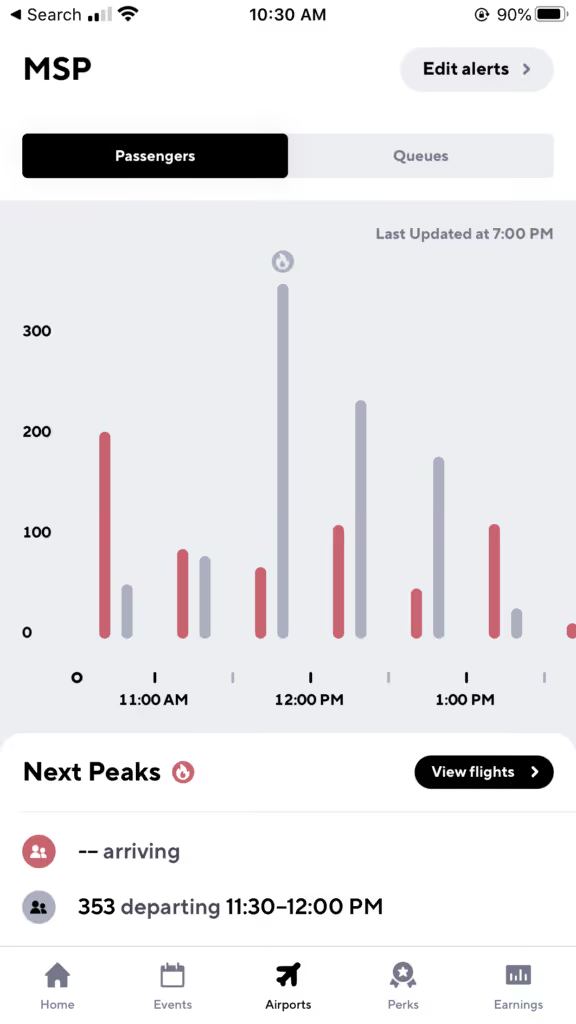
There are, of course, certain times of year that receive more passengers, like Christmas, Thanksgiving, and New Years. Still, the best way to understand rider demand at your airport is with Gridwise.
With Gridwise Plus you’ll be able to see airport data 24 hours in advance, so you can lock in a solid airport strategy the night before you head out. You’ll also be able to create custom alerts for arrivals and departures.
What are some good airport strategies?
Pick up a passenger on the way to the airport!
Don’t just be a driver that picks up passengers at the airport! Also pick them up when they are heading to the airport. Gridwise does a great job of telling you when there is also a peak in airport departures, so you can hang around near hotels at that time to maximize your chances of an airport ride.
Do not cancel on a passenger after you’ve accepted a fare
If you do, you will be bumped to the bottom of the queue and your wait starts all over again. The good news is that if it’s a short ride, some companies let you jump back in line after you’ve dropped that passenger off.
Fortunately, if a passenger cancels on you, it does not affect your place in line.
Look out for your short ride bump
After waiting at the airport for a passenger, there is nothing more frustrating than getting a ride that’s just five minutes away. That’s why the major rideshare companies have some form of a short ride bump that allows you to jump back into the front of the line if you get a very short ride request.
To take advantage of a short ride bump, simply complete your short ride and watch for a text message or in-app message that gives you the option to head back to the MSP lot for a spot in the queue.
Always be prepared
You never know when law enforcement will show up, so always keep your driver’s license, insurance card, and registration handy. And don’t forget to have your trade dress displayed, as well as be ready to show your waybill (an in-app receipt of your last drive) to airport officials.
Now you should be ready to make that drive to MSP. Happy driving!

Uber and Lyft Driver Instructions for Newark Liberty International Airport (EWR)
Wondering how to pick up passengers and find the rideshare waiting lot at Newark airport? We’re going to tell you exactly what drivers need to know about picking up passengers at Newark airport.
In 2019, the Newark Liberty International Airport (EWR) saw over 46 million passengers, the most ever in the airport’s 91-year history.
It’s one of the major airports serving the New York metropolitan area and ranked as the 12th busiest airport in the US. It is also a hub for FedEx Express and United Airlines-- as well as a focus city for JetBlue, Spirit, and Frontier. All these stats mean one thing: this aviation center is massive.
For Uber and Lyft drivers, this is great news. Millions of passengers at EWR means more riders lining up for those airport drives, which leads to greater earnings for rideshare drivers. If you drive in this area, odds are that you’ll probably make a Newark airport ride at some point. When you do, it pays to know your stuff.
The Newark airport allows Uber and Lyft vehicles at the pick-up and drop-off terminals, but before heading that way, there are a couple rules you’ll want to know. To maximize earnings (and avoid a ticket), it’s important to understand how to navigate the airport, join the queue, and legitimize your vehicle.
To help rideshare drivers be successful at the Newark Liberty International Airport, we put together this blog post to serve as a guide. The following topics are covered:
- What do you need to know or do before arriving at the Newark Liberty International Airport?
- Do you need any permits to drive there?
- Where is the rideshare waiting lot?
- What are the passenger pick-up rules?
- What are the passenger drop-off rules?
- When is the best time to drive at the airport?
- What is the best driving strategy?
Let’s dive in!
What do I need to do before I arrive at Newark Liberty International Airport and enter the airport queue?
To pick up passengers at EWR, you’ll need your trade dress: the Lyft or Uber decal that goes on the windshield of your car.
Uber mails this decal to drivers when you sign up. If you’ve lost yours since then, there’s a couple easy ways to replace it. You can request that a new one be mailed to you, pick one up at your local Greenlight Hub (be wary of recent closures), or print out a temporary version at home.
You can order a Lyft decal from your Dashboard, and print a temporary emblem to use while waiting for yours to come in the mail.
Where is the Uber/Lyft rideshare waiting lot?
The Newark Liberty International Airport has one staging area for rideshare drivers, called the Rideshare Hold Lot and located at the end of Earhart Drive.
Once you get to the staging lot you’ll automatically be entered into the airport queue. You’ll be able to check your place in line in the Lyft or Uber app.
While waiting for requests and depending on which app you use, you may get a “pre-dispatch” or “pre-match” message directing you to head to the terminal. While on route to the terminal, you’ll get a ride request. If no requests pop up, circle back to the lot-- you’ll be near the front of the line when you return.
Lyft drivers, please note: if you’re a driver whose home region is New Jersey, you will not be able to receive ride requests in New York City. If a rider brought you to the city, you’ll have to return to New Jersey to get another ride request. If your home region is New York City but you’ve ended up in New Jersey, your next request will be headed back to the city.
(Don’t worry. It’s a weird rule to us, too.)
How should Uber and Lyft drivers pick up passengers?
The driver who has been waiting the longest time in the staging area gets the next rider request. Make sure not to enter out of driver mode while you wait, or you’ll lose your spot in line!
Once you get a ride, a pin will be placed at the pick-up spot for you to meet them. A message will tell you what terminal to pick up your rider at the Arrivals level of EWR.
It can get crowded, so don’t hesitate to reach out to your rider to let them know you’ve arrived.
How should Uber and Lyft drivers drop off passengers at the Newark Liberty International Airport?
Luckily, dropping off passengers at EWR is a lot easier than picking them up. Just head to the Departures level at the passenger’s carrier of choice.
The Newark airport also offers a “Rematch” service, so that you can match with additional passengers after completing a drop-off without having to return to the staging area.
When is the best time to drive at the Newark Liberty International Airport?
Turn to your Gridwise app for information about all arrivals and departures at EWR, as well as delays and cancellations.
Typically, midday is the best time for airport driving; most passenger arrivals and departures occur sometime between 11:00 a.m. and 2:00 p.m.
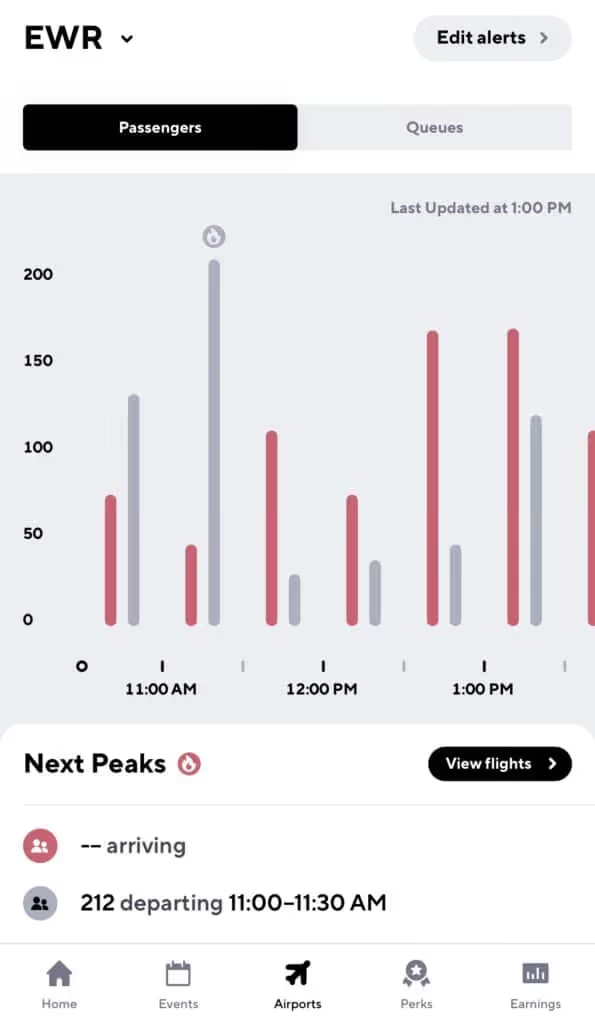
With Gridwise Plus you’ll be able to see airport data 24 hours in advance, so you can lock in a solid airport strategy the night before you head out.
What airport strategies should I use?
Pick up a passenger on the way to the airport
Count on Gridwise to let you know when there’s a peak in airport departures, so you can hang around near hotels at that time to maximize your chances of an airport ride.
Do not cancel on a passenger after you’ve accepted a fare
If you do, you will be bumped to the bottom of the queue and your wait starts all over again. The good news is that if it’s a short ride, some companies let you jump back in line after you’ve dropped that passenger off.
Be ready to present your waybill and keep your app updated
A waybill is essentially a receipt of the last trip you completed. Be prepared to present this to airport officials or law enforcement while waiting for arrivals.
Keeping your app updated is the best way to take advantage of features like Rematch that could mean bigger earnings in the long run.
Always be prepared
As always, you never know when law enforcement will show up. Keep your driver’s license, insurance card, and registration handy, and don’t forget to have your placard displayed.
Congrats! Now you’re all set to make some pick-ups and drop-offs at the Newark Liberty International Airport. Happy driving!
And when you need a little extra cash…
Whether it’s an unexpected car repair, medical bill, or another kind of expense, sometimes we all need a little extra cash.
At Gridwise, we get that. And it’s why we’ve partnered with a company called Coverr that provides drivers with a business cash advance of up to $1,500 for those unexpected emergencies.
Applying should only take about 10 minutes, approvals just two hours during business hours, and you’ll receive cash on the same day you apply.
So if you need a little extra cash for your rideshare business, apply with Coverr!

Uber and Lyft Instructions for Cleveland Hopkins International Airport (CLE)
During 2019, more than 9 million passengers filtered through the Cleveland Hopkins International Airport (CLE). As the primary airport serving Cleveland and Northeast Ohio, if you’re a rideshare driver in the Cleveland area, there’s a good chance you’ll end up at this airport at some point.
If you know what you’re doing, those 9 million passengers can be a great source of income for you.
To maximize your earning potential (and avoid a citation), you’ll have to know some baseline rules. That’s why we put together this guide to help rideshare drivers navigate the airport, join the in-app queue, and put the proper stickers on your vehicle.
We’ll cover the following topics:
- What should you do before arriving at Cleveland Hopkins International Airport?
- Do you need any permits to drive at Cleveland Hopkins International Airport?
- Where is the rideshare waiting area at Cleveland Hopkins International Airport?
- What are the passenger pick-up rules at Cleveland Hopkins International Airport?
- What are the passenger drop-off rules at Cleveland Hopkins International Airport?
- When is the best time to drive at Cleveland Hopkins International Airport?
- What is the best Cleveland Hopkins International Airport driving strategy?
Let’s dive in!
What should you do before arriving at Cleveland Hopkins International Airport and entering the airport queue?
To pick up passengers at CLE you’ll need your trade dress, which (as you know) is the Lyft or Uber decal that goes on the windshield of your car.
Uber sends out this decal when drivers sign up. If you’ve lost yours since then, there are a few easy ways to replace it. You can request that a new one be mailed to you, pick one up at your local Greenlight Hub (be wary of recent Hub closures), or print out a temporary version at home.
You can order a Lyft decal from your Dashboard and print a temporary emblem while waiting for yours to come in the mail.
Where is the Uber/Lyft waiting area at the Cleveland Hopkins International Airport?
CLE has one staging area for rideshare drivers to wait, located at 20001 Brookpark Road. Once this stage lot is full, you must leave the airport (or face a citation).
Once you get to the staging lot you’ll automatically be entered into the airport queue. You’ll be able to check your place in line in the app.
How should Uber and Lyft drivers pick up passengers at the Cleveland Hopkins International Airport?
The driver who has been waiting the longest in the staging area gets the next rider request. Once you accept a passenger, you’ll be shown in your rideshare app the exact door/location to meet them.
This will be at the arrivals level outside baggage claim. As of 2020, passengers can be picked up at both the upper and lower terminals at CLE.
How should Uber and Lyft drivers drop off passengers at the Cleveland Hopkins International Airport?
Drop-offs at CLE are a breeze! Just head to the departure level at the passenger’s carrier of choice.
With some driving companies, you’ll be quickly re-matched with a waiting passenger without having to get back into the staging lot.
When is the best time to drive at the Cleveland Hopkins International Airport?
For this, check your Gridwise app. You’ll find the information you need, including all arrivals and departures at CLE.
It looks like midday is the best time for airport driving; somewhere between noon and 1 p.m. sees the most passenger arrivals.
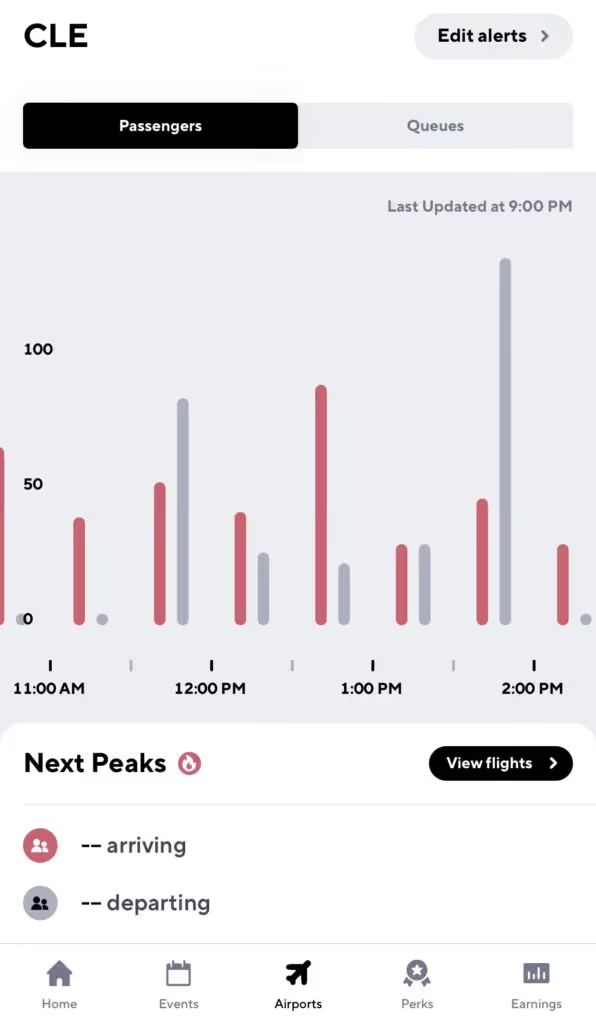
With Gridwise Plus you’ll be able to see airport data 24 hours in advance, so you can lock in a solid airport strategy the night before you head out. You’ll also be able to create custom alerts for arrivals and departures
What are some good airport strategies?
Pick up a passenger on the way to the airport!
Gridwise lets you know when there is a peak in airport departures, so you can hang around near hotels at that time to maximize your chances of an airport ride.
Do not cancel on a passenger after you’ve accepted a fare
If you do, you will be bumped to the bottom of the queue and your wait starts all over again. The good news is, if it’s a short ride some companies let you jump back in line after you’ve dropped that passenger off.
Always be prepared
As always, you never know when law enforcement will show up. Keep your driver’s license, insurance card, and registration handy, and don’t forget to have your placard displayed.
Now you’re off and ready to make some pick-ups and drop-offs at the Cleveland Hopkins International Airport. Happy driving!

Uber and Lyft Driver Instructions for Miami-International Airport (MIA)
The Miami-International Airport (MIA) has over 1,000 daily flights and 40 million passengers. It’s the 3rd busiest airport in the US by international passenger traffic and plays an important role in US aviation history. Florida’s biggest airport by total aircraft operations and an American Airlines hub to boot, this is all to say that the Miami air hub is no joke.
This is great news for Uber and Lyft drivers, because millions of passengers means major earnings as riders commute back and forth to the airport.
The Miami airport allows Uber and Lyft vehicles at the pick-up and drop-off terminals, but before heading that way, there are a couple rules you’ll want to know. To maximize earnings (and avoid a ticket), it’s important to understand how to navigate the airport, join the queue, and legitimize your vehicle.
To help rideshare drivers be successful at the Miami-International Airport, we put together this blog post to serve as a guide. The following topics are covered:
- What do you need to know or do before arriving at the Miami-International Airport?
- Do you need any permits to drive there?
- Where is the rideshare waiting area?
- What are the passenger pick-up rules?
- What are the passenger drop-off rules?
- When is the best time to drive at the airport?
- What is the best driving strategy?
Let’s dive in!
What do I need to do before I arrive at Miami-International Airport and enter the airport queue?
To pick up passengers at MIA, you’ll need your trade dress: the Lyft or Uber decal that goes on the windshield of your car.
Uber mails this decal to drivers when you sign up. If you’ve lost yours since then, there’s a couple easy ways to replace it. You can request that a new one be mailed to you, pick one up at your local Greenlight Hub (be wary of recent closures), or print out a temporary version at home.
You can order a Lyft decal from your Dashboard, and print a temporary emblem to use while waiting for yours to come in the mail.
Where is the Uber/Lyft waiting area?
The Miami-International Airport has one staging area for rideshare drivers, located on the northwest corner of McLaughlin Road and Northwest 20th Street.
Once you get to the staging lot you’ll automatically be entered into the airport queue. You’ll be able to check your place in line in the Lyft or Uber app. Unfortunately, if the lot is full you will have to leave the airport, and the lot closes nightly from 1:30-3:30 am. Rides will be dispatched by proximity before the lot closes.
While waiting for requests and depending on which app you use, you may get a “pre-dispatch” message directing you to head to the terminal. While on route to the terminal, you’ll get a ride request-- and if no requests pop up, circle back to the lot. You’ll be near the front of the line when you return.
How should Uber and Lyft drivers pick up passengers?
The driver who has been waiting the longest time in the staging area gets the next rider request. Make sure not to enter out of driver mode while you wait, or you’ll lose your spot in line!
Once you get a ride, a pin will be placed at the pick-up spot for you to meet them. This will be at Terminal D, either at the Arrivals lower level or on the upper level between Doors 8 and 33.
It can get tricky, so keep an eye on Google Maps and don’t hesitate to reach out to your rider.
How should Uber and Lyft drivers drop off passengers at the Miami-International Airport?
Luckily, dropping off passengers at MIA is a lot easier than picking them up. Just head to the Departures level at the passenger’s carrier of choice. And if you’re doing a drop-off at Terminal D, make sure you’re past Door 5 before stopping your car to avoid traffic from building up.
The Miami airport also offers a “Rematch” service, so that you can match with additional passengers after completing a drop-off without having to return to the staging area.
When is the best time to drive at the Miami-International Airport?
Turn to your Gridwise app for information about all arrivals and departures at MIA, as well as delays and cancellations.
Typically, midday is the best time for airport driving; most passenger arrivals and departures occur sometime between 10:30 a.m. and 1:00 p.m.
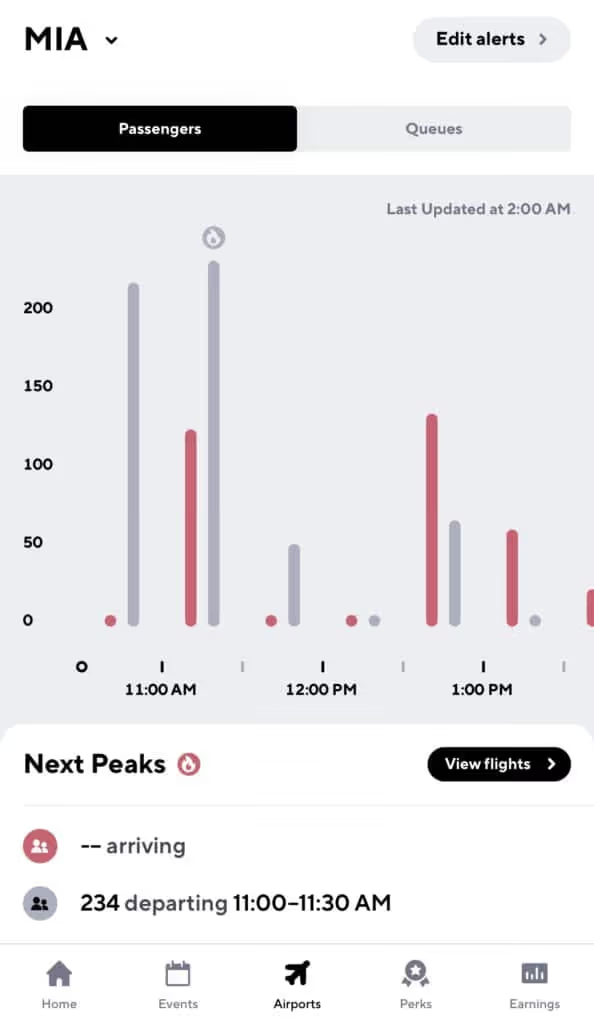
With Gridwise Plus you’ll be able to see airport data 24 hours in advance, so you can lock in a solid airport strategy the night before you head out.
What airport strategies should I use?
Pick up a passenger on the way to the airport
Count on Gridwise to let you know when there’s a peak in airport departures, so you can hang around near hotels at that time to maximize your chances of an airport ride.
Do not cancel on a passenger after you’ve accepted a fare
If you do, you will be bumped to the bottom of the queue and your wait starts all over again. The good news is that if it’s a short ride, some companies let you jump back in line after you’ve dropped that passenger off.
Be ready to present your waybill and keep your app updated
A waybill is essentially a receipt of the last trip you completed. Be prepared to present this to airport officials or law enforcement while waiting for arrivals.
Keeping your app updated is the best way to take advantage of features like Rematch that could mean bigger earnings in the long run.
Always be prepared
As always, you never know when law enforcement will show up. Keep your driver’s license, insurance card, and registration handy, and don’t forget to have your placard displayed.
Congrats! Now you’re all set to make some pick-ups and drop-offs at the Miami-International Airport—and maybe sneak a trip to the beach in between.

Uber and Lyft Driver Instructions for Seattle-Tacoma International Airport (SEA)
The Seattle-Tacoma International Airport (SEA), also called Sea-Tac, is the eighth busiest airport in the US by passenger traffic. It saw over 50 million passengers in 2019 and is considered one of the fastest growing airports in the country. It’s a primary hub for Alaska Airlines as well, which is all to say that this is a pretty important airport.
It also means major earning potential for rideshare drivers in the Seattle Area.
Sea-Tac Airport allows Uber and Lyft vehicles at the pick-up and drop-off terminals, but before heading that way, there are a few rules you’ll want to know. To maximize earnings (and avoid a ticket), it’s important to understand how to navigate the airport, join the queue, and legitimize your vehicle.
To help rideshare drivers be successful at the Sea-Tac Airport, we put together this blog post to serve as a guide. The following topics are covered:
- What should you do before arriving?
- Do you need any permits to drive there?
- Where is the rideshare waiting area?
- What are the passenger pick-up rules?
- What are the passenger drop-off rules?
- When is the best time to drive at the airport?
- What is the best driving strategy?
Let’s dive in!
What should you do before arriving at Seattle-Tacoma International Airport and entering the airport queue?
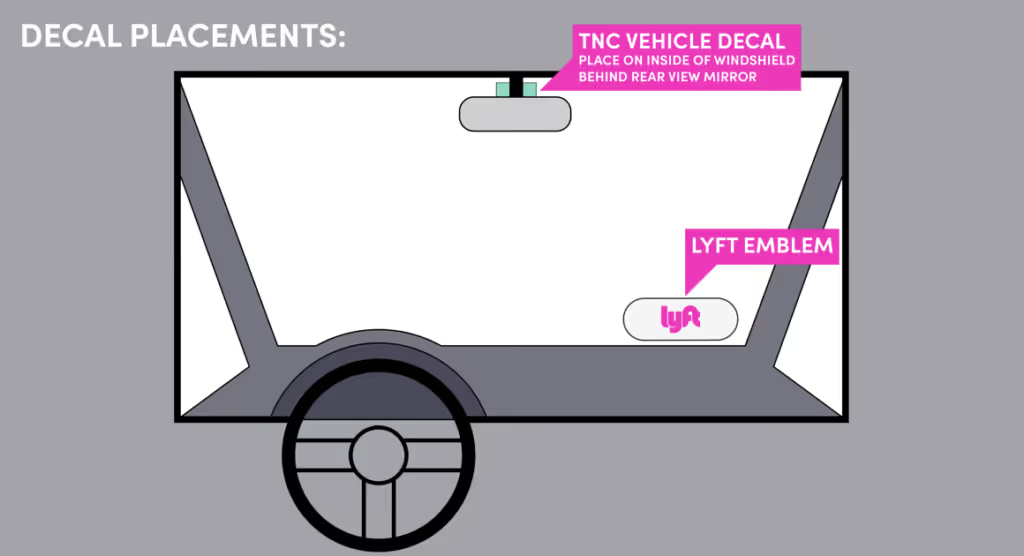
To pick up passengers at SEA, you’ll need your trade dress, which (as you know) is the Lyft or Uber decal that goes on the lower passenger-side windshield of your car.
Uber sends out this decal when drivers sign up. If you’ve lost yours since then, there are a few easy ways to replace it. You can request that a new one be mailed to you, pick one up at your local Greenlight Hub (be wary of recent closures), or print out a temporary version at home.
You can order a Lyft decal from your Dashboard, and print a temporary emblem to use while waiting for yours to come in the mail.
You’ll also need your FHP ID (For-Hire Permit Identification) Card. You can apply for that here on the King County site. Your TNC vehicle decal comes with this card, and this has to be placed inside the windshield behind your rearview mirror.
One last thing-- the Port of Seattle will only allow vehicles to pick up at Sea-Tac if they have a blended MPG rating of 40 or higher for Lyft and 45 or higher for Uber. You can check your MPG here. If your MPG is lower than 40, you’ll have to leave the staging lot and won’t be entered into the queue-- but you will be able to drive through the Re-match program. (Stay tuned for an explanation of Rematch).
Where is the Uber/Lyft waiting area?
If you drive for Uber, the waiting area is located at 2902 S. 171st Street SeaTac, WA 98188. You can also use the lot located at 3037 S 160th Street. These lots are where you’ll head when you first arrive at the airport.
The Ground Transportation Lot for Lyft drivers is located at 1069 S. 160th Street, SeaTac, Washington 98188.
Once you get to your staging lot, you’ll automatically be entered into the airport queue. You’ll be able to check your place in line in the Lyft or Uber app. Unfortunately, if the lot is full you’ll have to leave the airport.
How should Uber and Lyft drivers pick up passengers?
The driver who has been waiting the longest in the staging area gets the next rider request as part of the TNC’s “FIFO” (first-in-first-out) technology. Make sure not to enter out of driver mode while you wait or you’ll lose your spot in line.
Once you get a ride, a pin will be placed at the pick-up spot for you to meet your rider. Follow the signs for Arrivals, then keep left for the “Ground Transportation- Authorized Vehicles Only” area to pick up passengers in the parking garage.
This will be on the 3rd floor of the garage at Row I. Do not pick up passengers at the curbside terminal entrance, and note that you are only permitted to wait 15 minutes in the parking lot for your passenger.
It can get tricky, so don’t hesitate to reach out to your passenger to confirm where they are.
How should Uber and Lyft drivers drop off passengers at the Seattle-Tacoma International Airport?
Luckily, dropping off passengers at SEA is a lot easier than picking them up. Just head to the upper departures level and drop your passenger off curbside at the terminal of their choice.
At this point you’ll be eligible for Rematch. Rematch means you can receive a pickup request up to 1 minute after dropping off a passenger-- and you won’t have to go back to the staging lot.
If you are Rematched, proceed through the far-right lane under “Terminal Direct Parking” past the “STOP” sign, proceed up the helix to the third floor, and find the App Based Rideshare pickup area in Sections G-J. You will not have to meet any MPG requirements for Rematch.
If you aren’t Rematched, either head to the staging lot or to the open road.
When is the best time to drive at the Seattle-Tacoma International Airport?
Turn to your Gridwise app for information about all arrivals and departures at SEA, as well as delays and cancellations.
Typically, midday is the best time for airport driving; most passenger arrivals and departures occur sometime between 11:00 a.m. and 3:00 p.m.
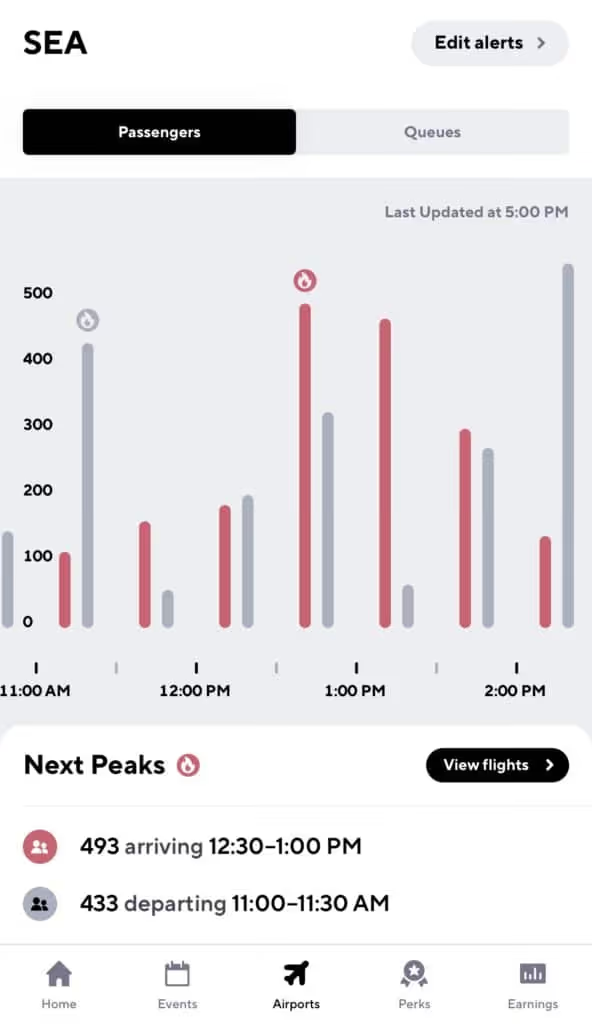
With Gridwise Plus you’ll be able to see airport data 24 hours in advance, so you can lock in a solid airport strategy the night before you head out. You’ll also be able to turn on custom alerts, maximizing your earnings by staying ahead of Arrivals and Departures.
What are some good airport strategies?
Follow the rules
SEA has some safety requirements for drivers, including keeping your headlights on at all times, staying under 10 mph, stopping at crosswalks, and not stopping at thru lanes. Uber and Lyft won’t pay your fine if you get one, so stay diligent about following the rules and listening to SEA’s airport staff.
Pick up a passenger on the way to the airport
Count on Gridwise to let you know when there’s a peak in airport departures, so you can hang around near hotels at that time to maximize your chances of an airport ride.
Do not cancel on a passenger after you’ve accepted a fare
If you do, you will be bumped to the bottom of the queue and your wait starts all over again. The good news is that if it’s a short ride, some companies let you jump back in line after you’ve dropped the passenger off.
Be ready to present your waybill and keep your app updated
A waybill is essentially a receipt of the last trip you completed. Be prepared to present this to airport officials or law enforcement while waiting for arrivals. Keeping your app updated is the best way to take advantage of programs like Rematch that can mean bigger earnings.
Always be prepared
The fact is, you never know when law enforcement will show up. Keep your driver’s license, insurance card, and registration handy-- in addition to your trade dress, TNC vehicle decal, and FHP ID Card. Just in case.
Congrats! Now you’re all set to make some pick-ups and drop-offs at the Seattle-Tacoma International Airport—and maybe take a trip up the Space Needle in between.
Uber and Lyft Instructions for Milwaukee’s General Mitchell International Airport (MKE)
Only eight miles from downtown Milwaukee, the Mitchell International Airport (MKE) sees more than 3 million passengers each year. That’s a lot of arrivals and departures—and a lot of riders for Uber and Lyft drivers looking to make a nice profit on airport drives.
But in order to maximize your earnings at Wisconsin’s busiest airport, you’ll need to know how to navigate the staging lots and arrivals queues. This involves having a solid airport strategy and knowing how to avoid citations.
That’s why we put together this instructional guide to help Uber and Lyft drivers be successful when driving at the Milwaukee Mitchell International Airport. We’ll walk you through everything from trade dress to airport peak times, so all you have to do is get on the road. The following topics are covered:
- What should you do before arriving at Milwaukee Mitchell International Airport?
- Do you need any permits to drive at Milwaukee Mitchell International Airport?
- Where is the rideshare waiting area at Milwaukee Mitchell International Airport?
- What are the passenger pick up rules at Milwaukee Mitchell International Airport?
- What are the passenger drop off rules at Milwaukee Mitchell International Airport?
- When is the best time to drive at Milwaukee Mitchell International Airport?
- What is the best Milwaukee Mitchell International Airport strategy?
Let’s dive in!
What should you do before arriving at the Milwaukee Mitchell International Airport and entering the airport queue?
First things first. Get your trade dress, which (as you know) is the Lyft or Uber decal that goes on the windshield of your car.
Uber sends out this decal when drivers sign up. If you’ve lost yours since then, there’s a couple easy ways to replace it. You can request that a new one be mailed to you, pick one up at your local Greenlight Hub (be wary of recent Hub closures), or print out a temporary version at home.
You can order a Lyft decal from your Dashboard and print a temporary emblem while waiting for yours to come in the mail.
Where is the Uber/Lyft waiting area at the Milwaukee Mitchell International Airport?
Currently, all rideshare drivers share the staging lot that is located on St. Jasper Avenue off West College Avenue.
Once you enter the staging lot you’ll automatically be entered into the airport queue. Make sure not to log out of the app, cancel rides, or drive off airport property—you could lose your spot.
The queue is ordered first in-first out, so whoever has been waiting the longest will get the next request.
How should Uber and Lyft drivers pick up passengers at the Milwaukee Mitchell International Airport?
Once you receive a request, follow the route down South Howell Avenue.
If you’re with Lyft, look for Lyft signs outside Carousel 2 of the baggage claim, where your passenger will be waiting.
If you’re with Uber, follow the Uber signs nearer to Carousel 1 of the baggage claim.
It can get tricky, so keep an eye on Google Maps and don’t hesitate to reach out to your rider.
How should Uber and Lyft drivers drop off passengers at the Milwaukee Mitchell International Airport?
Dropping off passengers at the Milwaukee airport is simple. All you have to do is take passengers to the terminal of their aircraft carrier.
That's it, then you're back on the road!
When is the best time to drive at the Milwaukee Mitchell International Airport?
The Milwaukee Airport is pretty busy, and you’re not the only driver in the area who knows that. This is why waiting in the queue can be frustrating, especially when you could be making money on the road.
What that means is the best time to drive at MKE is when the ratio of passengers to drivers is at its absolute highest.
For flight insights, check your Gridwise app. The Airports tab lets you compare queue times to passenger arrival times. At MKE, the best time for driving tends to be around midday, where there’s a spike in departures.
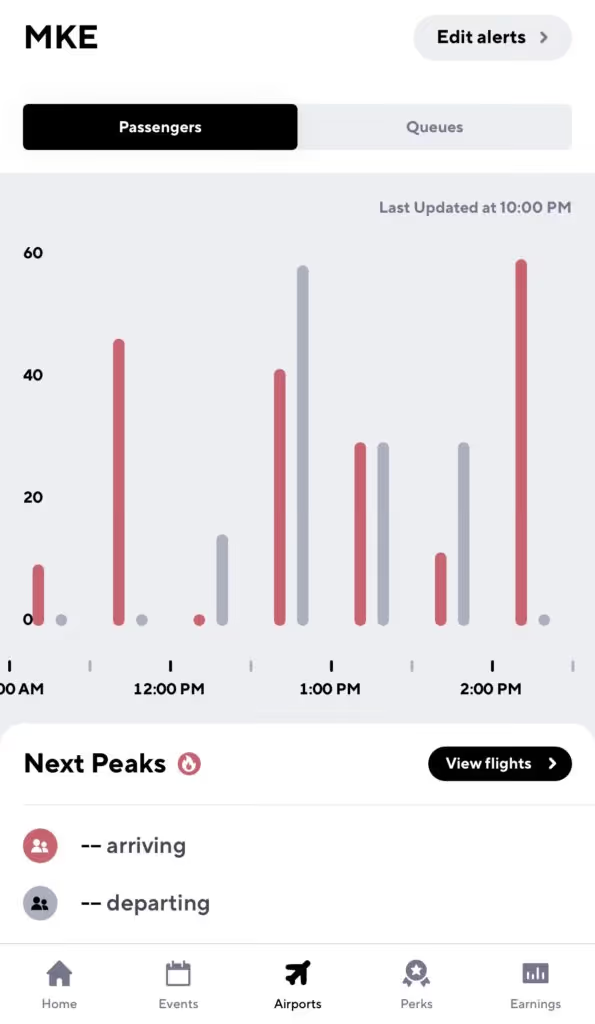
There are, of course, certain times of year that receive more passengers, like Christmas, Thanksgiving, and New Years. Still, the best way to understand rider demand at your airport is with Gridwise.
With Gridwise Plus you’ll be able to see airport data 24 hours in advance, so you can lock in a solid airport strategy the night before you head out. You’ll also be able to create custom alerts for arrivals and departures.
What are some good airport strategies?
Pick up a passenger on the way to the airport!
Don’t just be a driver who picks up passengers at the airport—also pick them up when they are heading to the airport. Gridwise does a great job of telling you when there’s also a peak in airport departures, so you can hang around near hotels at that time to maximize your chances of an airport ride.
Do not cancel on a passenger after you’ve accepted a fare
If you do, you’ll be bumped to the bottom of the queue and your wait starts all over again. The good news is, if it’s a short ride, some companies let you jump back in line after you’ve dropped that passenger off.
Fortunately, if a passenger cancels on you, it does not affect your place in line.
Look out for your short ride bump
After waiting at the airport for a passenger, there is nothing more frustrating than getting a ride that’s just five minutes away. That’s why the major rideshare companies have some form of a short ride bump that allows you to jump back into the front of the line if you get a very short ride request.
To take advantage of a short ride bump, simply complete your short ride and watch for a text message or in-app message that gives you the option to head back to the MKE lot for a spot in the queue.
Always be prepared
You never know when law enforcement will show up, so always keep your driver’s license, insurance card, and registration handy. And don’t forget to have your trade dress displayed, as well as be ready to show your waybill (an in-app receipt of your last drive) to airport officials.
Now you should be ready to make that drive to Milwaukee General Mitchell International Airport. Happy driving!
Work smarter. Earn more.
Whether you drive, deliver, or pick up shifts — Gridwise helps you track earnings, mileage, and performance so you stay in control of your work. Download the app and take charge today.
