Gridwise blog
Tips, insights, and advice to help you earn more and work smarter, whether you do gig work, hourly, or shift work.

How to Make $1,000 a Week With Uber Eats in 2026 (Tips + Hourly Data)
In this blog, we'll explore the strategies and techniques that can show you how to earn $1000 per week as an Uber Eats delivery driver. We'll cover everything from optimizing your delivery zones and schedules to maximizing your tips and customer satisfaction. Whether you're a seasoned Uber Eats driver or just starting out, this guide will provide you with the insights and actionable steps to take your Uber Eats driver earnings to the next level.
Becoming an Uber Eats delivery partner can be a lucrative opportunity, especially if you're able to consistently earn $1000 a week. By understanding the platform, optimizing your delivery strategies, and focusing on customer satisfaction, you can maximize your earnings and turn Uber Eats into a reliable source of income.
We’ll cover the following topics to provide coaching and ideas to help you push your earnings up to that $1000 per week level:
What do Uber Eats drivers do?
Uber Eats drivers deliver prepared food most of the time, but they also might shop for and deliver goods from convenience outlets and grocery stores. The job is pretty simple. You get a request for an order, you drive to the restaurant or store to pick it up, and then you deliver it to the customer. If you already drive for Uber, you can choose to take orders for Uber Eats delivery any time.
If you’re not an Uber Eats driver yet, it’s pretty easy to become one. This Gridwise post tells you what you need to do if you want to sign up and start making money Uber Eats style. Many rideshare drivers welcome the chance to deliver food rather than people. This article from Nerdwallet covers the Uber Eats gig from that angle.
There are some sweet advantages to working with Uber Eats. In lots of cities you don’t even need to have a car. You can use a bike or a scooter, or even walk, to make your rounds. If you do use a car, Uber Eats’ requirements are a lot easier to meet than they are for Uber rideshare driving.
You also have a lot of flexibility. You can shop and deliver convenience items and groceries, but you don’t have to. And, like most driving gigs, you can choose your own hours, and map out the locations where you want to work.
Use Gridwise features When to Drive and Where to Drive to help you figure out what work hours and which specific areas will be the most profitable for you. Real data from real delivery people will show you earning patterns for drivers in your town.
How much can you earn doing Uber Eats?
The honest answer to this question is: basically, as much as you want! It all depends on how many hours you put in and how strategic you are about your gig. Earnings vary from one area to another, as this article from Entrepreneur points out. To give you a baseline, let’s look at the earnings of Uber Eats drivers who tracked their earnings with Gridwise.
Remember that these numbers show us only average earnings. To make $1,000 a week with Uber Eats, you’re going to have to be better than average, and we’ll show you how. For now, though, it’s good to have these figures so you get a ballpark number of where to start.
How much do Uber Eats drivers make?
Gridwise data tell us the following:
- Monthly earnings average around $444.00 per month.
- Gross earnings per trip are between $9.00 and $10.00.
- Tips make up about 50% of most Uber Eats drivers’ income, which amounts to about $225.00 per month.
Is Uber Eats good money? It can be. While there are other gigs that pay more per trip, if you drive for Uber Eats, you’ll always be pretty busy.
https://datawrapper.dwcdn.net/HPAz8/3
You can also see that, unlike many other gigs, tips play a huge role in Uber Eats earnings.

With these numbers as a baseline, what can we say about how to earn $1,000 a week with Uber Eats? As we said in the introduction, it’s going to be a hustle, but it’s really possible. To figure out how to make the most money with Uber Eats, let’s start by looking at how many trips these “average” drivers made each month.
We know that average gross earnings were $444.00 per month, and drivers got around $10.00 per trip. That means they took 44 or 45 trips per month, which breaks down to 11 trips per week. That’s not a lot of Uber Eats delivery, is it?
The fact that Uber Eats drivers averaged so few trips shows us that many drivers use more than one app at the same time. This is called multi-apping, and you can learn more about it in this Gridwise post. If you want to answer the question of how much you can make with Uber Eats, then you need to stick with the app and keep plugging away at those orders. You also need solid strategies, as well as some inside tips and tricks.
How to make the most money on Uber Eats: Delivery driving tactics
Getting to that $1,000 a week with Uber Eats isn’t so hard when you remember that the drivers we saw making about $111 a week were only taking around 11 trips in the same time period. That’s not much at all! If you work the Uber Eats app like a boss, you’ll soon have many more trips than that, easily reaching the number needed to get you to $1,000 a week. Now, let’s get to some tactics you’ll need to make that kind of bank.
- Stay with the Uber Eats app, and track your earnings. Gridwise can easily do that for you. Simply sync your Uber Eats app with Gridwise, and you’ll be able to see how much you’ve earned with Uber Eats, what times were most profitable, and your average hourly pay. Racking up trips with Uber Eats has other benefits, including perks and bonuses that are awarded to top drivers.
- Leverage surge pricing and promotions. Surge pricing is applied when there is a lot of demand. When surge pricing is in effect, many of the trips you make will pay more than usual. Promotions are offered to drivers who complete a given number of trips in a certain time period. High traffic volume days, nights, and times give you these chances to get extra earnings. Challenging yourself to complete the right number of trips for promotions will add to the number of trips you can count on for big bucks, too. Learn more about Uber Eats surge pay, boosts, and promotions in this Gridwise blog post.
- Say yes to doubling up on orders. With Uber Eats, you can get back-to-back orders or receive batched orders. Back-to-back orders happen when you receive a new request while you’re on the way to deliver an original order. The Uber Eats app routes these trips automatically, so you won’t be sent out of your way.
Batched orders are Uber Eats’ way of bundling together orders from either the same restaurant, or two nearby eating establishments. You get money, and trip count credit, for all the orders you complete, plus customer tips, without having to make a bunch of separate trips.
- Turn on the charm and get bigger tips. Being nice really is part of the Uber Eats driver’s job, and getting tips is one way people who drive for Uber Eats make money beyond their basic pay.. Bring along those extra napkins and condiments, use equipment that keeps food and drinks at the right temperatures and prevents spilling, and consider your customers’ needs. If you deliver groceries, be extra careful with delicate items such as bread and eggs.
And, most important, follow your customers’ directions, and stay in communication with them if you are going to be delayed, or if you have questions about their order. This Gridwise post will tell how to get bigger tips as a delivery driver.
- Use even more charm to keep your ratings high. As an Uber Eats driver, you will be rated by the restaurant or store where you pick up the orders as well as the customers who are waiting for the deliveries. This two-way rating system is designed to keep you on your toes, so Uber can keep people satisfied with your service. Don’t worry, you get to rate them, too.
There’s another reason why your rating as a driver is important. It not only keeps you in good standing with Uber; it helps you to qualify for the Uber Eats Pro incentive program. To learn more about Uber Eats Pro, and what it takes to earn perks such as preferred services, discounts, and deals, check out this Gridwise blog post.
Smart business moves that seal the deal
Now that you know how to gobble up the deliveries you need to make $1,000 a week with Uber Eats, it’s going to be a breeze to get there. Let’s make it even easier, with business moves that boost your earnings and shrink your expenses. If you use these, it will also be easy to say yes when people ask, “Can you make good money with Uber Eats?”
Minimize expenses. Avoid racking up big fast-food bills by bringing your own food and beverages. You might not think you’re hungry when you first start your Uber Eats run, but once the aroma of pepperoni pizza, premium cheeseburgers, and piping hot fries start wafting through your car, that might change. Bring a sandwich or other healthy food from home, and buy bottled water in bulk to save tons of cash compared to what it costs to buy single servings.
Maximize tax deductions. Another way to minimize your expenses is to maximize your tax deductions. Start by tracking mileage with Gridwise.

Gridwise App
Gridwise captures every deductible mile you drive, including the distance you cover between the trips your driving app records. Know what expenses you can deduct, and put them to work for you when tax time comes. Learn more about tax deduction strategies in the Gridwise Tax Guide for drivers.
Boost earnings with referrals
As an independent contractor, you’re probably looking for ways to make even more money than you can with Uber Eats. And most gig workers like you enjoy getting passive income. With Uber Eats, there’s a really easy way to do that, referrals!
All you need to do is find friends and encourage them to deliver for Uber Eats. If they make a certain number of deliveries within a specified time, you will get paid for doing nothing more than having them sign up under your referral code! Rates of pay vary by city, so check your Uber Eats app to find out what the current deal might be, and learn more about the referral program on the Uber Eats website.
Also remember: “friends” don’t have to be your best buds. Many delivery people carry cards with a QR code linking to their referral information, so just about anyone you encounter can join Uber Eats and boost your earnings. You could meet a source of passive income at the gas station, on social media, or at your high school reunion. The more you hustle, the more there is to gain, right?
Master the art of self-employment
As an Uber Eats driver, you’re an independent contractor. That means the company isn’t going to withhold your taxes, provide insurance, keep track of your earnings, or tell you about tax deductions. You’ll have to do all these things for yourself.
If you want to maximize your tax advantages, open an official business entity. You can incorporate (create a corporation) or you can work as a limited liability corporation (LLC). You can also work with a DBA (Doing Business As) arrangement, but the corporation or LLC will do a better job of protecting you from liability.
Establishing a corporation or LLC offers better tax advantages than being a sole proprietor. For instance, if you simply collect your earnings into your private account, you’ll be charged self-employment taxes in most states. And paying extra taxes is something we all want to avoid, within legal limits, as much as possible.
Every Uber Eats driver needs to learn about self-employment, and there are some great resources you can review. Check out the CareerOneStop website about self employment which will help explain the basics. You can also check with a professional tax accountant, or look other websites to learn more about actually creating a business.
Scope out your market
Look at the area around you to see where you’re likely to get the most deliveries. Where are all the restaurants? Where might people be more inclined to order deliveries? What hours do you want to drive? What activities might be going on around those times? Think about late-night and after-school times as well as breakfast, lunch, and dinner times.
Be realistic about the potential for your area and aware of new services opening up. For example, in New York, there is already a tab on the Uber Eats app that allows customers to order groceries. In our article about the best food delivery service to work for you’ll see that Uber Eats stacks up well against other delivery companies, mainly because of its potential for expanded opportunities for drivers to earn.
So, is Uber Eats good money? As we said, it isn’t an automatic guarantee that everyone will make $1,000 a week with Uber Eats. Trying out the suggestions we give you here, though, should put you on the right track! Go out there and start stacking up those orders and raking in some impressive earnings!
Get more inside information on Uber Eats in these posts from the Gridwise blog:
- The delivery driver guide: Using the Uber Eats app
- Everything you need to know about driving for Uber Eats
- Uber Eats Pro: What drivers need to know
- Looking for a different gig, part-time or full time job? Check out the Gridwise Job board.
Uber Eats FAQ
How does the Uber Eats platform work for drivers?
Uber Eats is a food delivery service that connects customers with local restaurants and independent delivery partners. As an Uber Eats driver, you'll receive notifications of nearby delivery requests, which you can accept and complete. The platform provides flexibility, allowing you to work on your own schedule and earn money based on the number of deliveries you complete.
What are the requirements to become an Uber Eats delivery partner?
To become an Uber Eats delivery partner, you'll need to meet certain requirements, such as having a valid driver's license, a registered vehicle, and passing a background check.
How can I choose the right delivery zone to maximize my earnings?
Selecting the right delivery zone can significantly impact your earnings, as some areas may have higher demand and better-paying orders. It's important to research and identify the zones in your area that tend to have the most consistent and lucrative delivery opportunities.
How can I take advantage of peak delivery hours and surge pricing?
Understanding peak delivery hours, such as mealtimes and weekends, and taking advantage of surge pricing can boost your earnings. Be aware of when demand is highest in your area and adjust your schedule accordingly to capitalize on these peak periods.
What are some tips for maximizing tips and customer satisfaction?
Providing excellent customer service and going the extra mile to ensure a positive experience can lead to more tips and repeat business. Prioritize communication, timeliness, and attention to detail to keep your customers happy and satisfied.
How can I set realistic weekly goals to reach my $1000 target?
To make $1000 a week with Uber Eats, it's essential to set realistic weekly goals and track your earnings and expenses. Start by determining your target earnings and breaking it down into achievable daily or weekly goals. This will help you stay on track and make adjustments as needed.
What are some strategies for efficient route planning and navigation?
Effective route planning and navigation can save you time and fuel, allowing you to complete more deliveries. Utilize mapping apps and take advantage of features like real-time traffic updates and turn-by-turn directions to find the quickest routes.
How can I balance my Uber Eats deliveries with other commitments?
Develop a schedule that allows you to capitalize on peak delivery hours while still maintaining a healthy work-life balance. Consider using tools like calendar apps to plan your availability and track your hours to ensure you're maximizing your earning potential without sacrificing your personal life.
What are the key considerations for maintaining my vehicle as an Uber Eats driver?
Keeping your car clean and well-maintained is crucial for maximizing your Uber Eats earnings. Regularly scheduled oil changes, tire rotations, and other preventive maintenance can help extend the life of your vehicle and minimize downtime. Additionally, budgeting for vehicle-related expenses, such as fuel, insurance, and repairs, will ensure you're accounting for these costs and maximizing your net earnings.
What are the tax obligations and legal considerations for Uber Eats drivers?
As an Uber Eats delivery driver, it's essential to understand the tax obligations and legal considerations that come with being an independent contractor. This includes properly reporting your earnings, deducting eligible business expenses, and making quarterly estimated tax payments. Additionally, you'll need to ensure you have the appropriate insurance coverage, such as personal auto insurance and possibly commercial auto insurance, to protect yourself and your vehicle while on the road making deliveries.

The Gridwise Job Board: Find Your Ideal Job or Gig Work
Gridwise is an essential assistant app created by gig workers for gig workers. Our mission is to support those engaged in gig work in every way possible. We understand how challenging it can be to deal with income instability, a lack of benefits, and job insecurity that often comes with gig work. The Gridwise app tracks and organizes earnings and expenses, and offers a wide array of discounts, deals, and services that make the lives of independent contractors easier and more rewarding.
We firmly believe it’s possible to make a viable living and create a gig experience that offers flexible hours, variety, and excitement. With issues such as consistent earnings and job security in mind, Gridwise is proud to offer a centralized platform that shows you how to find gig work and secure reliable opportunities. We’re proud to introduce the Gridwise Job Board.
The Gridwise Job Board: Key features
Because Gridwise is dedicated to serving the gig worker community, we’ve filled the Gridwise Job Board with useful features that won’t waste your precious time.
- Comprehensive listings. Find part-time, full-time, temporary, and per-task work. Drive or deliver with your vehicle, utilize an employer’s vehicle, or even find non-driving gig work.
- User-friendly interface. Find the jobs that are right for you with a tap of your screen.
- Verified opportunities. We vet the jobs before they are listed to ensure you’re getting high-quality job postings.
How to get more gig work, seasonal, part-time or full-time jobs with the Gridwise Job Board
Looking specifically for “gig work apps” or “gig jobs near me?” You’re in luck. Our filters and search functions send you directly to the listings you seek.
Here’s how it works.
- Access the Job Board via the Gridwise website.
- Search for jobs by type, location, and more.
- Select the job that interests you, and read all about it.
- Scroll through the description, and if it appeals to you, click “Apply for job.”



Many types of jobs are available. Adjust the search filter to see the full variety of opportunities that will let you cash in. Deliver food, set up catering, do rideshare driving, get paid for doing package delivery, and much more. You’ll find short-term gigs, long-term contracts, and part-time positions.
Perks of the Gridwise Job Board for gig workers
Gig workers who know how to make extra money will appreciate how the Gridwise Job Board lets you multiply your chances of bringing in big earnings. Here’s how:
- Increased stability. Use the Gridwise Job Board to find part-time or permanent jobs in addition to the part-time gigs you already have. Always keep a steady stream of earning opportunities flowing toward you.
- Flexibility and autonomy. Choose jobs that fit your schedule, work around other jobs and family duties, and still leave room for some fun in your life. Discover side hustles to supplement your full-time job, permanently or just for the season.
- Skill development. Find part-time work that lets you use a skill you already have, or try your hand at something new. It’s a smart way to develop a portfolio to showcase what you can do, or even to find permanent employment.
Get Gridwise and stay up to date on the Gridwise Job Board
Gig workers need plenty of information and assistance, and Gridwise is here to give it to you. Download the app and get essential features such as
- seamless earnings tracking
- mileage tracking
- expense recording, including notes
- low-cost and no-cost insurance benefits
- access to affordable medical, dental, vision, mental health, and alternative care
- professional services including legal and financial help
- deals and discounts
- weather, events, and traffic reports
- inside information on where and when to drive
More to know about gig work:

5 Best Mileage Trackers For Gig Drivers
Many drivers ask, “Do I really need a mileage tracking app?” The answer is simple: only if you want to have an accurate count of all the miles you can legally deduct from your taxable income! You might think your rideshare or delivery driving app has got you covered. After all, they do quite a good job of logging the miles you drive while you’re on a trip or delivery. But, if you want to have the best app to track mileage for Uber, Lyft, Doordash, Instacart, or the other apps you may use, you need more. Why is that?
Without a separate tracker, you’re missing the miles you drive in between pings. Did you realize that all the miles you drive, from the moment you begin your shift until it’s over (as long as you don’t drive several miles on a break to hang with your friends), are tax deductible! That means you need something besides your driving app to keep an accurate count of your travels. Read this Gridwise post to see how important it is to keep track of every deductible mile.
You won’t be surprised to hear that there’s an app for tracking miles. In fact, there are several of them. Here, we’re going to tell you about five top mileage tracking apps, and help you figure out which one is best for you.
Before we get to the list and identify the best mileage tracker app, let’s clarify what exactly a mileage tracking app is. According to G2.com’s technology glossary, mileage tracking is done for the purpose of keeping a log of mileage that is either reimbursable or tax deductible.
And yes, of course you can track your miles simply by taking readings on your odometer. But are you really prepared to account for how many miles you drove for personal reasons and subtract them from the total to get your business mileage? Even if you can remember all that and do the arithmetic, if you want an accurate reading of the miles you drive for business, and can therefore deduct, a mileage tracking app will save you a lot of trouble and prevent you from making costly errors.
Plus, as a gig driver, you have specific needs when it comes to a mileage tracker. Ideally, you’d be able to handle mileage tracking and several other functions all in one app. It can be maddening enough to deal with driving apps, particularly if you’re an avid multi-apper. You would want your mileage tracker app to help you keep account of other aspects of your business, including income, expenses, and inside information about the art of gig driving.
Not all mileage apps are equal, to be sure! Let’s look at five of the best apps to track mileage and figure out which is the best app to track mileage with Uber and Lyft, or what mileage tracker app is best for DoorDash.
1. Zoho Expense

First up is Zoho Expense, which does exactly what its name says. This app is designed to allow companies to give employees a uniform way to create and submit expense reports. It can be used by individuals, including gig drivers, as well.
It includes a mileage tracker, as well as features that let you track other deductible expenses, including the ability to scan and record receipts.
Available on Android and Apple: Yes
Ratings: 4.8 stars on App Store, 4.7 stars on Google Play
Free Version: Yes
Subscription price: $3 per month, billed annually
Created specifically for gig drivers: No
2. Quickbooks Online

Quickbooks Online is a cloud-based app that allows you to track your mileage, earnings, and expenses. The information you enter can then be used to generate various reports that prepare you for tax time. It also allows you to create graphs that illustrate your cash flow, and includes a receipt scanner so you can instantly record deductible expenses. Quickbooks is popular, highly reliable, and designed mainly to help people keep track of their small businesses.
Available on Android and Apple: Yes
Ratings: 4.7 stars on App Store, 4.4 stars on Google Play
Free version: 30-day free trial
Subscription price: $15 per month for basic version if purchased for 3 months or more
Created specifically for gig drivers: No
Source: quickbooks.intuit.com
3. Shoeboxed

Shoeboxed started in 2007 as a service for scanning paper receipts into digital form. Now the app offers a free mileage tracker and has enabled users to scan receipts directly. It touts itself as the best mileage tracking app for DoorDash, but there are some elements missing that Dashers might like to have. While it provides features that record your expenses and prepare you for tax season, it doesn’t automatically track your earnings. The mileage tracker has a system where you can drop pins along your routes to make the tracking more precise, identifying those legs of a trip that you make for business purposes. The mileage tracker is “free” once you sign up for the basic version.
Available on Android and Apple: Yes
Ratings: 4.5 stars on App Store, 2.3 stars on Google Play
Free version: No
Subscription price: $18 per month for basic version
Created specifically for gig drivers: No
Source: blog.shoeboxed.com
4. Stride

This free mileage tracker does a fair job of keeping track of the distances you rack up while gig driving, but it doesn’t automatically track earnings. It can be a big help, though, in tracking your expenses. You can link Stride to your bank account, and it will automatically scan your expenses to identify items you can potentially deduct. The app is totally free. This could make it the best free mileage tracker app, but there is a small price to pay. The app will persistently push you to consider various insurance plans that they are affiliated with. If you don’t mind that, this is a solid mileage tracker, even if it doesn’t track your earnings.
Available on Android and Apple: Yes
Ratings: 4.8 stars on App Store, 4.6 stars on Google Play
Free version: Yes
Subscription price: None. The app is free.
Created specifically for gig drivers: No
5. Gridwise

Gridwise has a free mileage tracker and free features that record your income and expenses. It gives you access to insurance and benefits, as well as insights about the best times and places to make the most money while gig driving. The Gridwise mileage tracker captures all the miles you drive while you’re on your driving shift, and it can be used if you have other trips you need to make which qualify as business travel.
Drivers love it because it is geared toward the needs of rideshare and delivery workers, providing free information about airport departures and arrivals, event start and let out times, weather, traffic, and more. The Gridwise Plus subscription adds value by providing additional insights and reports, discounts on benefits, the ability to export data in .csv format,, and more.
Available on Android and Apple: Yes
Ratings: 4.9 stars on App Store, 4.6 stars on Google Play
Free version: Yes
Subscription price: $9.95 per month for Gridwise Plus, or $95.99 per year (a $23.41 savings)
Created specifically for gig drivers: Yes!
What is the best mileage tracking app?
Now that we’ve checked them all out, we’re positive about the answer to that. Hands down, it’s Gridwise. Are we biased? You bet we are! But drivers love it too. Gridwise is the best mileage tracker app, and so much more. So many of the features are free, and the subscription to Gridwise Plus will pay for itself with additional insights to boost your earnings and deeper discounts on products and services.
Most important, Gridwise is designed specifically for gig drivers by experts who were once gig drivers themselves! Knowing what gig drivers need is a crucial step in creating an app that rideshare and delivery drivers can really use! Here are a few of the features, besides mileage tracking:
- seamless earnings tracking
- automatic, on/off toggle and manual mileage tracking
- mileage categorization
- airport, traffic, weather, and events information
- insights into where to drive and when to drive
- reports showing earnings across the platforms you use
- discounts on countless products and services for drivers
- additional resources for finding side gigs
- an informative and comprehensive blog
- affordable benefits, including insurance, medical, dental, and alternative practitioner discounts
- a community of drivers just like you
Don’t settle for just any app. Get the best mileage tracker, and so much more, from Gridwise!
Should Rideshare Drivers Work for Instacart
If you’re a rideshare driver looking for a side gig that offers plenty of flexibility and you enjoy grocery shopping, Instacart may be a good option.
Instacart, which is valued at nearly $8 billion, is a same-day grocery delivery service that operates from a smartphone app or desktop computer. Customers can shop for groceries picked from over 300 national, regional, and local retail partners.
The gig works like this: Instacart shoppers make money by shopping for groceries and delivering the items to customers’ homes. The orders come through Instacart’s shopper app, and the hours shoppers work are flexible. Let’s dive into what working as an Instacart shopper is like.
Overview
Instacart currently operates in more than 1,200 cities in 38 states, as well as Washington, D.C. The company serves communities of all sizes, from large urban cities such as New York and Los Angeles to smaller cities like Chevy Chase, Maryland and Lannon, Wisconsin. This link shows the full list of communities where Instacart operates.
Instacart offers two options for workers: part-time employee or independent contractor. Let’s get into the details of what each status entails.
- Part-Time Employee
- Role: In-store shopper (fills orders only, so a vehicle is not required)
- Can work up to 29 hours per week
- Access to a 401(k) retirement account
- Commuter benefit, which offers pre-tax dollars to be used for public transit
- Independent Contractor
- Role: Full-service shopper (grocery shopping and delivering)
- Can work an unlimited number of hours per week
- Positions are always available anywhere Instacart operates
Note: If you see your city of residence listed on the Instacart site, there’s a good chance you can work as an independent contractor. To check for available part-time positions, start the sign-up process here.
How Does It Work?
If you’re an independent contractor, you can learn when gigs or shifts are available by checking the Instacart shopper app. Delivery windows typically begin at 9:00 a.m. and can run as late as midnight, depending on what city you’re working in. There is no minimum or maximum number of hours you need to hit as an independent contractor. You can choose your available time slots in the app, and update your availability as often as you’d like.
After indicating your available time slots, you’ll receive a notification via the app 30 minutes before your availability window opens. You can accept or reject the offer, but do it quickly--or the gig will go to another shopper.
Once you accept an order, you’ll go to the specified grocery store the customer chose and start shopping. Customers can track their orders through the app. During your shopping mission, you’ll be required to update the customer on your progress through the shopper, noting any changes and asking if they need anything else. To check out, you’ll use a preloaded debit card provided by Instacart and then you’ll be on your way to deliver the items to the customer.
Requirements
There are some basic requirements you’ll need to meet in order to work as an Instacart shopper:
- Be at least 18 years of age. If you’d like to deliver alcohol (which usually results in higher tips), you need to be at least 21.
- Have the ability to lift 40+ pounds. Shoppers are expected to lift at least this much with or without assistance.
- Own a smartphone. You need to have an iPhone 4s or newer, or an Android 4.0 or newer.
- Pass a background check. According to Instacart, background checks are cleared within 72 hours of account activation, but this can vary by city.
- Two years of driving experience. This is only applicable to independent contractors, who need to pass a DMV or vehicle check to assess things like driving records and minimum insurance coverage.
How Do You Sign Up?
Getting started on Instacart is a fairly simple process that is done online and works as follows:
- Sign up for an account at shoppers.instacart.com. Fill out the requested information, including name, location, phone number, and so forth. This is also where you’ll grant Instacart permission to run a background check on you.
- Attend an in-person orientation (part-time workers only). This is where you’ll spend two hours learning about the responsibilities of the job and getting a feel for what it entails.
- Fill out the necessary paperwork. Part-time employees will sign a W-4 tax form and an offer letter. Independent contractors will sign a W-9 tax form and a contractor agreement.
- Download the shopper app on your smartphone. From the app, you’ll set your available time slots, pick up shopping gigs, communicate with Instacart support, and track your payments.
- Buy insulated food-delivery bags (independent contractors only). You can purchase bags from Instacart that cost $20 for 3 bags, or you can buy them elsewhere.
How Much Can You Make?
Part-time employees earn a fixed, hourly wage that varies by city. Independent contractors get paid on a commission basis that is dependent on the number of items in each grocery order and the number of deliveries completed. According to user-reported data on Glassdoor.com, full-service Instacart shoppers are currently making between $7 and $20 per hour, or an average of $11 per hour.
As previously started, independent contractors are paid on commission, so larger orders (which tend to be heavier) receive a higher commission. Commissions are typically larger when more customers than usual are placing orders. So working on weekends and during popular events such as the Super Bowl will yield more cash for a shopper. Shoppers also have the ability to earn tips.
Both part-time employees and independent contractors are paid via direct deposit on a weekly basis. Independent contractors be aware that they may have to make estimated quarterly tax payments.
Is Instacart Right for Me?
Shopping for groceries and delivering them to customer’s homes may be an acquired taste as far as side gigs go. The struggles are definitely real -- substitutions do happen, and when a grocery store is out of a requested item, you’ll need to find a replacement, scan it, and send it to the customer for approval. You can also use the messaging feature on the app to talk to customers directly, but you still have to wait for a response. Time is money! If you get stuck in this situation, you’ll be losing money.
You’ll also have to scan every single item on the customer’s list to make sure you’re matching exactly what he or she asked for. In the app, a clock is ticking to compare how long you’ve been shopping with an estimate of how long Instacart thinks it should take you. This can be stressful if you get stuck replacing items -- but it can feel great if you’re rushing through a list with no trouble!
Shopping for Instacart isn’t a bad idea for those days when rideshares are slow, or during a major holiday when most people stay home and want groceries delivered. Since you can work whenever you want with no minimums to complete, tacking this job onto your gig economy repertoire might be a good way for you to make some extra money.
Have you shopped for Instacart before? Tell us about your experience in the comments.
Things to Know About the Lyft Background Check
If you get into a car with a driver you’ve never met before, you want to know that you can trust the person—right? That’s why all drivers must undergo a criminal background check before they can drive for Lyft. Once you’re cleared, the company and its customers can feel confident that they’re safe.
What are they looking for?
Lyft will not allow drivers to be part of their service if they are …
- listed in the National Sex Offender Registry;
or if at any time they have been convicted of ...
- a violent crime
- a sexual offense
- an act of terror
- driving under the influence of alcohol or drugs (DUI) within the last seven years
- fraud within the last seven years
- drug-related offense within the last seven years
- theft or property damage within the last seven years
It is important to note that the seven-year timeframe mentioned in this list is only an average. The amount of time an offense stays on a person’s record will vary from one jurisdiction to the next. If you are concerned about your circumstances, check the laws in the location where you are applying to drive for Lyft.
Also, the laws that designate a conviction as a disqualification for driving with Lyft can vary from one jurisdiction to another. Look into local laws on your own, or ask Lyft about policies specific to your area.
Who conducts the Lyft background check?
According to Lyft, Checkr is the company used to run background checks on most drivers. The one exception is for drivers in New York City, where the Taxi and Limousine Commission (TLC) runs its own check prior to issuing or renewing a TLC license. Lyft requires all drivers working in New York City to hold a TLC license.
You can monitor the progress of your background check, and dispute it if necessary, by calling Checkr’s support team at (844) 824-3257; by using the Checkr Candidate Portal; or by snail-mailing your dispute along with any supporting documents to: Checkr Inc. 1 Montgomery St. Suite 2400, San Francisco, California 94104.
Whatever means of contact you choose, you’ll need to provide your Social Security number at the time you submit your request, as well as anytime you want to check on your status.
What’s involved in the process?
First, you’ll have to consent to the background check. There will be an opportunity to do so when you fill out your application to drive. Because the background check is covered by the Fair Credit Reporting Act, your profile will be protected and will remain confidential.
The company performing the background check (whether Checkr or TLC) will start with searches of county and federal courthouses. They will consult multi-state criminal records, the DMV, and the National Sex Offender Registry to ensure a potential Lyft driver has not been involved in any activities that would threaten the safety of Lyft’s customers. Any outstanding issues, such as a criminal charge that is still pending, will turn up during the check as well.
Some felony offenses may or may not cause Lyft to reject your application. These will vary depending on the seriousness of the charge(s), local laws concerning what makes someone a “safe” driver, and Lyft’s policies in your location.
How long does it take?
It can take anywhere from two to four days for the average background check to go through the full procedure. In some cases, according to Lyft, the lack of electronic records at the county level can prolong the process.
Also, if you have lived in many different states, they will each have to be checked, which can cause further delay. And if you’ve been a victim of identity theft, you’ll have to wait even longer, since some extra cross-checking of records may be necessary.
Even with these exceptions, the process shouldn’t take longer than ten days. If it does, contact Checkr or Lyft to find out if your status is available yet.
Usually, if something is holding up the background check or you notice that it’s marked “suspended,” you’ll receive an email from a Checkr “no-reply” address giving you instructions. If you don’t receive an email, go to the Checkr Candidate Portal to request current information.
Do I have to pay for the Lyft background check?
No. The cost of the background check is covered by Lyft, and is included as part of your free in-app or online application. The only things you have to “give” are your consent and your personal information.
What if I don’t pass the background check?
If you don’t pass, the background check results will be emailed to you at the address you provided. Look over the report, and if it’s accurate you’ll probably see why you were rejected.
If you believe none of the offenses listed should disqualify you from driving, you can contact Lyft support to voice your concerns and provide additional information.
If there is an error on your background check, such as a charge for an offense that is false, or other information that is inaccurate or incomplete, you can contact Checkr to dispute your report.
Although there is no time limit on how long you can take to dispute the report, you should do it as soon as possible.
Remember, standards vary from state to state regarding the number of years that must elapse from the time an offense occurred and the time when you’ll be qualified to drive for Lyft. Even if you’re already a driver in one state, you might not pass the background check and be able to drive in a new one. Bottom line is, always check the state requirements when you move from one place to another so you don’t get any unpleasant surprises.
How often does Lyft run a background check on me?
You already know you’ll be put through a background check when you first apply, but Lyft has reasons for repeating the process. For example, if you move and drive in a new location, you’ll have to comply with the local laws that are in effect there.
From time to time, usually about once a year, Lyft will repeat the background check for everyone. You might, one day, find that you can’t gain access to the app because you need to consent to another background check.
This will ordinarily appear as a pop-up in the app. If you don’t see the pop-up, but aren’t able to drive because you need to have a new background check done, click on your notifications tab to link to the consent form.
Lyft is sensitive to public concerns about the safety of its drivers, so the company is instituting a program of continuous—as in daily—monitoring of its active drivers for criminal charges and convictions. While this might seem like overreach, it’s easy to see why they do it. When your riders feel safe, they use Lyft more often. That works for you, too, doesn’t it?
What about my driving record?
In addition to the background check, Lyft runs a check on your driving record. Another third-party company will produce this report, and depending on what your record shows Lyft may or may not disqualify you.
After you become a driver, your DMV record will be monitored continuously, so Lyft will keep track of any violations and citations you might receive.
Your best bet, always, is to act responsibly and drive carefully.

Rideshare Insurance: How It Works What It Costs and Where to Buy It
The last thing any rideshare driver wants is an accident. But it’s impossible, as well as short-sighted, to ignore the fact that the more you drive, the more likely you are to be involved in one. Even the best, most alert, and adroit drivers can be hit by another driver who’s not so skilled or alert—like someone who’s texting and driving at the same time. How will you pay for damages, injuries, lost time, and lost income?
Does my personal auto insurance cover me as a rideshare driver?
You already have insurance, right? Of course you do.
When you submit your application to Uber or Lyft, you must show proof that your car is covered by at least the minimum amount of insurance your state requires. While such policies protect you, they are typically in effect only when you’re driving for personal use and not when you’re driving for a rideshare company.
Once your vehicle goes into use for the purpose of earning money while driving, such as when you pick up a paying passenger, you become a “driver for hire.” In many cases, this will invalidate your individual insurance policy.
How do Uber and Lyft cover drivers?
The good news is, even when your personal insurance policy isn’t in effect, both Uber and Lyft offer coverage for you while you’re driving for them. Here’s a rundown of the kinds of insurance you need as a rideshare driver, followed by a comparison of what Uber and Lyft have to offer.
First, there’s third-party liability insurance. This covers anyone besides you and your car in the event of an accident. While it’s unfortunate enough to damage your own car or to suffer an injury yourself, it can be especially painful to learn that you’re responsible for injuries or damage to the other people and vehicles involved—and your insurance won’t cover you.
Also essential is uninsured/underinsured motorist bodily injury insurance. This type of policy covers you and your riders if the other party in the accident is at fault and lacks adequate insurance. Such policies also provide protection if you’re the victim of a “hit and run” accident.
Contingent collision and comprehensive insurance covers you as long as you maintain comprehensive and collision coverage on your personal auto insurance policy. It will help cover physical damage to your car up to its actual cash value, no matter whose fault the accident might be.
Now, based on different driving scenarios, we’ll look at the coverage offered by Uber and Lyft.
When you’re offline and the Driver app is off, you’re covered by your private insurance policy. Neither Lyft nor Uber will cover you when you’re not using their apps.
When the Driver app is on and you’re waiting for a ride request ...
Uber offers third-party liability in these amounts:
- $50,000 in bodily injury per person
- $100,000 in bodily injury per accident
- $25,000 in property damage per accident
Lyft’s primary liability coverage is similar to Uber’s:
- $50,000 maximum limit per person
- $100,000 per accident
- $ 25,000 limit for property damage
Note: Both companies offer third-party liability insurance only when your personal policy is not in effect.
When you’re on your way to pick up riders and/or while riders are in your car,
Uber’s coverage includes:
- $1,000,000 third-party liability
- Uninsured/underinsured motorist bodily injury (coverage varies by state)
- Contingent comprehensive and collision up to the cash value of your car with a $1,000 deductible
Lyft provides
- $1,000,000 per accident
- Uninsured/underinsured motorist bodily injury (coverage varies by state)
- Contingent comprehensive and collision up to the cash value of your car with a $2,500 deductible.
Note: If you are a Taxi and Limousine Commission (TLC)-licensed driver in New York City, or if you drive in California or Maine, you’re responsible for obtaining your own commercial insurance policy.
Is the insurance offered by Uber and Lyft enough?
You’ll have to answer this question for yourself, of course. But to help you do so, let’s examine the risks you take as a rideshare driver, and then look at some options for making sure you’re totally covered.
Do you need to beef up your policy?
If you don’t divulge to your personal insurance carrier that you’re a rideshare driver, you’re taking a huge gamble. Although premiums can increase substantially when you purchase a rideshare endorsement, it still might be worth it.
Talk to your insurance agent to find out what your options are. Remember, the insurance carrier has every right to cancel your policy if they discover you’re using your vehicle for commercial purposes. If you lose your private policy, you’ll no longer qualify to be a rideshare driver.
Can you fill in the gap?
It’s comforting to know that Uber or Lyft will pay for damage to your car up to its cash value—but would that be enough if your car was totaled in an accident? That depends on how much you owe on your car.
Ridesharing adds a lot of mileage and wear and tear on a vehicle. As a result, your car is likely to depreciate much more quickly than it otherwise would.
Let’s say you need $10,000 to pay off your car loan. If the value of the car was reduced due to extra wear and tear (measured by its mileage), it might only be worth $5,000.
How easy would it be for you to come up with the remaining $5,000?
Gap insurance is designed to help you in that situation. Gap coverage protects you in the event of theft or total damage to your vehicle, up to the amount that you owe on it. It fills in that $5,000 space—or gap—between what you’ll get from regular insurance and what you need to pay off the car loan.
What about medical bills?
You can add a medical payments enhancement to your car insurance policy, which will help you pay the deductibles and out-of-pocket expenses you’re likely to incur should you get injured in an accident. If, like many people in the gig economy world, you don’t have your own health insurance, you really need to think about adding this to your policy.
Are there other options for rideshare drivers?
There are a few ways to add on to your coverage without watching your costs go sky-high.
- For a few cents on each ride, Uber Optional Injury Protection (through Aon) covers disability payments, deductibles on medical expenses, and survivor benefits. You can sign up within the app.
- All-in-one is a service offered by GEICO and Lyft. It takes the place of your personal insurance policy, and offers lower deductibles ($250 instead of $2,500) when you’re driving your car for Lyft. You can even earn extra money (up to $500) per year as you drive. Rates vary.
- optON lets you pay for insurance as you go. It’s an app-based policy that offers a variety of coverages, which you select each time you drive for four hours or more. Rates vary by location.
Insurance can be a complex concern. It’s well worth the time you spend to review your options and consult with an insurance professional to make sure you’re safe, secure, and totally covered every time you drive.

How to Rent a Car to Drive for Uber
Driving for Uber sounds great to many of us. All we have to do is drive our car from one place to the next, and magically … we make money!
Well … that’s a little simplistic, although being a rideshare driver is pretty easy. But there is one thing that can get between you and that pile of cash at the end of the day.
What’s that one thing? Not having a car.
It may surprise you to know, however, that driving for Uber is not contingent on owning a car. Instead, you can rent one. Even if you are a car owner you may want to give your vehicle a break from wear and tear and/or heavy mileage for a while. Whatever your reasons, renting might be a good option for you. Read on to learn more about what’s involved.
Some things to ponder
Before you get too excited, be aware that there are some restrictions. You can’t simply run down to the local car rental place and rent one of their vehicles to drive for Uber—it doesn’t work that way. Issues involving insurance, not to mention Uber’s approval requirements, prohibit that.
Still, there are ways for you to legally and safely rent a vehicle to use for Uber driving. How does it work? Uber partners with a group of companies that rent vehicles to drivers who need them. We’ll dig into that later in this post.
Know the rules
If you decide to go with the car rental option, it’s important to understand the requirements and restrictions that are in place. One pertains to age. You must be of a certain age, which is typically 21 or 25, depending on the rental company’s regulations. You also need a credit or debit card. In most cases a debit card will be accepted, but the rental company will take a deposit and hold it until the car is returned. In other words, you’ll need to have a “spare” lump sum (usually a few hundred dollars) that you can live without for a while.
It goes without saying that you’ll need a good driving record and be able to pass a background check, just as you would if you want to drive for Uber with your own car. If you’re ready to drive enough to pay for the car and make a profit, and you meet all the other qualifications, you’re all set.
Next steps
If you haven’t already done so, download the Uber app and sign up to become a driver. If you’re an Uber driver already, you’re good to go. Now, from the home screen tap on your photo in the upper right hand corner. On the next screen, also in the upper right corner, tap where it says “H..P?”. This will open the Help section.
Here, you’ll tap “Signing up,” and then, on the next screen, tap “Getting a vehicle.” Next tap “Can I use a rental car to drive?” and you’ll see a message stating Uber’s policy regarding approved partnerships and locations for Uber drivers. The vehicles are insured by the rental partners specifically for Uber drivers, so you won’t get in trouble for using them.
Next, tap “Uber-approved rental car providers,” and you’ll be whisked to a screen that tells you to send a message to learn more about what’s available in your location.
Note: Some cities don’t have the option to rent cars, but even if yours doesn’t, don’t give up. There will probably be deals that offer flexible leases and discounts on new cars. You can check with Uber to see what might be available to you, either through the app or the Uber website.
Uber’s approved providers
There are several Uber-approved rental car providers, and they vary from city to city. That’s why it’s crucial for you to go through the Uber app to find out which companies and locations will work for you.
You’ll want to know more about each of them before you make a commitment, right? Here’s a rundown of the companies Uber lists—but remember, all of them might not be available in your location. Also, think about whether you want to rent on an hourly or weekly basis, and if you don’t know, look at the rates and let the numbers help you decide.
Fair
One option is the Fair program, which offers weekly rates as low as $214. Auto liability insurance is included, as are basic routine oil and filter changes, multi-point inspections, tire rotations and fluids. Fair also charges a $200 security deposit, but it is refundable. When you return your car, the deposit can be applied to any amounts you owe, including past payments, damage, or gas charges.
Getaround
Another rental option is Getaround, a program that allows you to rent by the hour or the week. Getaround’s rates begin at $4 for a day, $239 per week, or $219 per week if you rent for four weeks at a time. You can book on your phone and use Getaround’s app to extend your agreement. Insurance, unlimited mileage, 24/7 support, and roadside assistance come with every rental. So far, drivers in Atlanta, Boston, Denver, Los Angeles, Philadelphia, San Francisco Bay Area and Washington D.C. can get hourly and weekly rentals. In Portland, Oregon, and San Diego, it’s hourly rentals only.
Hertz and Avis
Uber has an agreement with Hertz that allows drivers to rent a car for $214 per week plus a $200 refundable deposit. The cost includes auto insurance, basic maintenance, and unlimited miles. Hertz highlights a “lower credit requirement” in its offer, and currently the company’s cars are available to Uber drivers in 32 American cities.
Avis lets you rent a car to drive for Uber, too. The company has offers starting at $214 per week, plus a $250 security deposit. Insurance, unlimited mileage, and vehicle warranty are included in the price. Applicable taxes and fees, gas, and other products (think windshield wipers) are not.
Zipcar
If you like the idea of renting by the hour, Zipcar might be a good option to consider. The company’s rates start at $5.50 per hour on weekdays, which includes gas, insurance, and 180 miles per day (you’ll be charged 45 cents per mile after that). So far, this service is available in Baltimore.
HyreCar
A new concept in car rentals is HyreCar, a company that facilitates rental transactions between drivers and private individuals. You must already be an approved Uber driver to apply, and you can rent from people who list their cars with Uber.
Here’s how it works: You download the HyreCar app, create an account, enter your location and desired pickup and dropoff dates, and you’ll be able to search through the selection of cars listed by local owners.
Once you book the car and are approved, you receive the three documents (inspection, registration, and insurance) that you’ll need to upload to your Uber account. Be sure to upload the documents right away so Uber will have time to approve them before you want to start driving. You’ll do this by adding a car to your account.
After that, you make arrangements with the owner to either pick up the car or have it delivered. At the end of your rental period, you replace the gas you used, return the car to the owner, and you’re done.
Check it out
Renting a car to drive for Uber makes it easy for everyone to enjoy the freedom and financial benefits of the rideshare business. Find the solution that works for you, and get on out there!

The Best Ways for Drivers to Contact Lyft Support
As Lyft drivers, we receive a lot of communication from the company. They tell us how well we’re doing, whether we missed a ride, and when we got a tip. They never have a problem getting through to us; it all comes automatically through the app.
It’s a bit different when we’re talking about communication from drivers to Lyft. Why? Because it isn’t automatic.
There are lots of reasons drivers might need to contact Lyft Customer Support. For instance ...
- There might be a dispute over a payment
- You could get an unfair rating or comment you wish to contest
- You might want to print out monthly income or tax information
- There may be incidents you need to report such as accidents or damages caused by passengers.
How you should contact Lyft Customer Support depends on your reason for contacting them. Here are the various options so you can decide which works best for your specific concerns.
The In-app Help Section
Lyft’s colorful way of interacting with people who use the service is also part of the fabric of the app. You’ll notice this as you work your way toward the In-app Help Section.
Tap on your photo on the upper left of the screen, then tap “Help.” Here you have the option of tapping one of the topics listed, or one of the bright pink icons on the bottom of the screen.
The icons can lead you to help with most concerns, such as reporting an accident, lost and found, earnings or bonuses, safety issues and passenger problems, profile settings, express drive, and “other topics.”
The information under the list of topics can also be found through the icons. The lines with words provide a shortcut to some “hot topics.”
Passenger Scenario ...
Now let’s try it out. Say your rider wants you to make an unscheduled stop, and wait while he or she goes into the house to change clothes for work. If you think it’s worth your time to wait, then go ahead and wait.
But knowing that a driver’s time easily converts to money, it’s hard to imagine that a ten-minute, unscheduled and marginally paid wait period is something you want to deal with. As you can imagine, though, saying “no” could lead to an issue. Whether you give in to the passenger’s whims or stand your ground, you’re still probably going to get less than a five-star rating.
You can give the passenger a one- or two-star rating as well, and you’ll get a chance to say exactly why you did so right in the app—but you may want to let Lyft know what happened.
From the array of icons, tap on the shield and the words, “Ride, passenger, or safety issue.” Next, tap “Issue with a passenger,” and then, “I was rated unfairly.”
A new screen pops up, and at the top you’ll see some information about ratings, and how you can rate passengers and provide information in the app, up to 24 hours after the ride.
If you still need to express yourself more clearly or at greater length than you can in the app, you can scroll down to the “Contact us” button, and tap it. That allows you to tell Lyft how you wish to be contacted, whether by phone, text, or email. A Lyft representative will get back with you, usually within a reasonable time frame.
Also note that you can set up your app to reflect your preferred way for Lyft to contact you.
The In-app Help Section is a convenient way to contact Lyft customer support, and it can also help you get in touch with an actual human being. This feature can also be a worthwhile source of general information about driving for Lyft.
Using the Dashboard
There is an alternate way to get assistance through the Lyft app, and it’s through the dashboard. Tap on your photo from the main screen, and then on “Dashboard.” Tap the three lines on the upper left, and your dashboard options will open.
Scroll all the way to the bottom of the screen, and tap “Help.” You’ll see the same help screen that appears on the Lyft website, which is for both passengers and drivers. Although this can be a useful interface, it’s not as direct and concise as the In-app Help Section.
The next time you stop for coffee, or when you’re parked and waiting for your town to come alive with Lyft passengers, read through the help section and familiarize yourself with how to use it. You’ll be glad you did that if you need to contact Customer Support in a hurry.
Contacting Lyft via Email or Phone
There is no direct email address or phone number for Lyft Customer Support. Instead, as discussed in the previous section, you let them know you want to email, text, or speak with a representative by following the prompts in the app or on the website.
In either case, tap on “Contact Support” and a series of forms will pop up. Describe your question or concern in detail, and submit your form. This is as close as you will come to direct email, but be assured that it works.
Lyft’s Customer Support team is very responsive and supportive. It’s easy to see how the method they use to get information tells them exactly what you need, which can make them even more efficient.
The Lyft Hub
Lyft Hubs offer a warm welcome and face-to-face help. You can pick up your amp, learn how to use it, tackle features of the app that have been baffling you, and ask any kind of question you want about your status, including how to be a great driver and how to get those five-star ratings.
Find a Lyft Hub near you. You’ll say, “Sweet!” when they offer you a cushy chair and a piece of candy when you visit.
Safety with Lyft
If you are in any kind of trouble during your driving shift, Lyft is NOT the first point of contact. Always dial “911” for emergencies.
Once you are safe again, use the In-app Help Section to report an accident, a need for roadside assistance, or to tell Lyft about a citation, damage, or a need to have your car cleaned.
Lyft on Social Media
Lyft on Facebook
You can visit Lyft on Facebook at https://www.facebook.com/lyft/. There you’ll find photos and videos of drivers and riders smiling ear-to-ear during their Lyft experiences. There are also listings for local Lyft events, from launch parties for new hubs to tailgate rallies for drivers who appreciate those large, ride-rich events.
Lyft on Twitter
Lyft uses Twitter in an interesting way—you can actually contact Customer Support through their feed! It’s the same deal as the email form, though. Tweet to them, and they will get back to you as soon as humanly possible.
Here’s how to find Lyft on Twitter: https://twitter.com/lyft. You’ll find some interesting stories and videos as well.
Lyft on Instagram
There’s even more fun to be had on Lyft’s Instagram. Lots of video stories on topics such as safety and culture, plus phenomenal photos of happy people tootling around the planet in their Lyft vehicles. Find them all at @lyft.

Should Rideshare Drivers Deliver for goPuff
Before you think, “Ah, just another food courier service,” think again. Founded in 2013 by two college students, goPuff has changed the delivery game by focusing all its efforts on the huge demand for convenience store items. From mouthwash to cereal to a pint of ice cream, goPuff allows customers to order everything they could find at their local convenience store and have it delivered to their door.
What differentiates from other courier services is that it goes beyond just delivering—it’s the first-of-its-kind digital convenience retailer. With 150+ centrally located facilities throughout the U.S., each of which stocks more than 2,500 products, goPuff is changing the courier game by not just delivering the products, but also stocking and supplying them.
While the business model itself seems great, we’re more focused on understanding one thing: Is it worth it to drive for goPuff? Read on to see what you think.
Driver requirements
As a fast-growing company, goPuff needs drivers in many cities, and this demand will grow rapidly with its continued expansion into new locations. To become a goPuff driver, you must be passionate about helping people and meet the following requirements:
- Be at least 21 years old
- Have a valid driver's license
- Have a car and auto insurance in your own name
- Have an iPhone 5 with iOS 10 or newer, or an Android 4.4.3 or newer
- Be willing and able to pass a background check
- Be willing and able to pass a prepaid alcohol delivery training course (where applicable)
If you fit these requirements, check goPuff’s website to confirm that there’s a warehouse in your city. If there isn’t, don’t be discouraged because that could change.
The process of applying for a goPuff driver position is quick and easy, and you can fill out an application on the website in less than ten minutes. Once you’ve completed it, you’ll be prompted to schedule an interview. Depending on your location, it will take place either in person or on the phone. Once you’ve been hired, you can start scheduling shifts immediately unless you’re in a location that allows alcohol delivery. In that case, you’ll need to pass a delivery training course before you can start driving.
How does it work for drivers?
If you drive for goPuff, you can arrange a schedule that works best for you. The company has its drivers sign up for shifts a week in advance.
When it’s time for your shift, you’ll go to the goPuff warehouse and wait for orders to be ready for delivery. Drivers have commented in online career websites that they don’t have to wait very long for orders to be ready. Deliveries are made within a 30-minute drive from the warehouse, and once completed you head back for more.
How much can you make with goPuff?
One thing that makes goPuff different from other delivery services is that drivers don’t have to run around so much. Rather than having to go to a convenience store, pick out the items, pay for the items, and then deliver the items, drivers go to one central location: the goPuff warehouse. An operations team fulfills the order, packs it up, and hands it to you—all you have to do is grab it and go.
The goPuff business model promises customers that they will only be charged a set delivery fee of $1.95, and there are no added surge charges when demand is high. This is great for the customer—but what about the drivers delivering these products?
Like other delivery services, goPuff drivers are independent contractors. To ensure adequate pay, the company guarantees a minimum hourly wage for drivers of $10 on weekdays and $12 on weekends (these may vary based on your market). Drivers can also keep 100 percent of their tips.
Here’s a goPuff wage scenario: Let’s say you drive a five-hour shift with a minimum of $12 per hour for a total of $60 pay but only end up making $50, goPuff will pay you the $10 difference. There is the opportunity to make more if you get multiple back to back deliveries and tips, and most drivers have reported making $10 - $16/hour on average.
Pros of driving with goPuff
No driving around to restaurants or stores: Because all items for delivery are stored in the goPuff warehouse, your only destination to complete a delivery is the customer’s location.
Guaranteed pay: goPuff’s minimum hourly wage guarantee means drivers are properly compensated. If your pay doesn’t add up to the minimum promised, goPuff will make up the difference, taking the guesswork out of your hourly pay.
Ability to make more money: Like most other delivery apps, there is no earnings cap. Although we haven’t heard of any drivers making more than $16 per hour (yet), the possibility is there with nearby deliveries and generous tips.
Cons of driving with goPuff
Delivery distance: Because goPuff drivers deliver up to a thirty-minute radius of the warehouse, a single delivery could potentially take up to an hour.
Lack of flexibility: Similar to delivering for a local restaurant, you have a set schedule that you create the week before. As a result, there’s no option to start and stop driving as you please.
Potentially lower compensation than other courier services: While it’s great that goPuff ensures a minimum hourly wage, the payment model does not take distance driven into consideration like Uber Eats and other apps do.
Is goPuff right for me?
Driving for goPuff means consistent pay and work without the hassle of picking up orders at convenience stores or restaurants. If you’re looking to diversify your rideshare driving with some deliveries and want something with a guaranteed minimum hourly pay and set schedules, goPuff may be a good fit for you. As the company continues to expand to new markets at a rapid pace, there will be a growing need for delivery drivers and more shifts available.
How does it stack up against the competition?
Interested in how driving for goPuff stacks up against other courier delivery apps? We’ve got you covered! Check out the graphic below to see driving requirements, payment details, and more.
Top Rideshare Services that Drivers are Using (and Why)
If you’re a rideshare driver, odds are you work with either Uber or Lyft. By far the most popular platforms here in the US, these apps have taken over the ride-sharing services marketplace in a major way.
Ten years ago, this wasn’t the case. Options for rideshare were limited because they mostly didn’t exist yet.
Now, the success of app-based ride share has rapidly expanded the industry, allowing for specializations by region and purpose. Hailing a cab in New York? There’s a rideshare app for that. Getting kids to school? An app for that, too.
Let’s examine the top rideshare services and why the drivers are choosing these platforms.
With over two million drivers in 80 different countries, Uber is by and large the most popular and widespread rideshare service. It was the first contender in the market and has been working to disrupt a system that hadn’t seen any major changes since the 1930s.
With brand recognition and a host of premium vehicle choices, full-time and part-time drivers sign up to drive for Uber for the options it creates. The demand for Uber rides is highest in cities, but the company continues to grow and the market continues to expand.
Lyft is Uber’s fiercest competitor. Although its user base is smaller (Lyft holds around 30% of the ride hail market share), Lyft can be just as useful to have in your driver’s arsenal as Uber. Maybe you won’t be getting back-to-back pings, but many drivers even prefer using this service over the other competition.
For one, it can be less overwhelming to the rookie driver. You can turn the app on and pick up passengers at a more leisurely rate, giving you time to take breaks and hone your driving practices.
Via is about actually sharing rides. The app, available now in ten US cities, links riders headed in the same direction to carpooling drivers, cutting carbon emissions and offering riders cheaper prices than Uber or Lyft.
Via offers its drivers two ways to earn: Blue mode and Flex mode. Flex mode is a flat-rate payment system where drivers earn per ride while Blue mode guarantees an hourly wage.
Via operates in spaces where there is a lot of driver demand, putting fewer miles on your vehicle and eliminating the need for long-distance trips. You’ll likely develop regulars and be able to build a relationship with your passengers. Since you typically work during commuter hours, your passengers are also easier to handle than night-time riders.
Wingz connects passengers to a personal driver for pre-scheduled, door-to-door rides. Earnings are determined per ride, so how much you earn depends on how much you want to work.
Drivers will see a lot of airport and event drives (good for higher fares and friendly clients) as well as senior rides. Wingz is a smaller service, but the pre-schedule feature allows drivers more peace of mind about who is getting in your car.
CURB allows passengers to hail yellow cabs in the moment or in advance, and they can be tracked easily through the app. As a taxi driver, you are fully covered under insurance and are paid based on how long the meter is running.
Since your drives are metered, it’s easy enough to take detours at the passenger’s request. There’s no surge pricing option, but the fares are slightly higher and there’s a service fee up front to help recover costs.
Arro is a global ride-share service for taxi drivers. It offers low fees, driver support, and fast pickups in Boston, Chicago, Houston, Miami, NYC, and San Francisco.
In addition to getting riders connected to taxi drivers, it allows an easy payment system for riders already in your car. The app also allows drivers to schedule bookings two days in advance- which helps drivers plan their day.
Kango is Uber for families. If you’re over 21 and have experience in childcare, Kango is a great way to earn $35/hour and maintain flexible hours. It also offers a $25 activation bonus for your first completed ride. This service offers grocery delivery, restaurant take-out, and pharmacy pick-up-- your happy customers get their errands done, and you get paid.
There’s a strict approval process, though. Expect to get a background check, fingerprinted, and to attend a Kango training session. Want to earn even more? Drivers can offer to babysit, tutor, help with homework, and help kids with e-learning services.
If you’re in the NYC area, Kid Car offers a kid-centered experience for drivers who want friendly riders and daytime hours. Another plus with Kid Car is that rides are scheduled 24 hours in advance- so you can build your day ahead of time with the hours you want.
The opportunity for recurring rides with the same family increases tip earnings, and Kid Car promises 1.5-3x the earnings on local rides and airport transfers. The vetting process is important- so make sure your driving record is squeaky clean.
Veyo connects qualified drivers with seniors and disabled people who need a lift to non-emergency medical appointments. Operating in Arizona, California, Connecticut, Florida, Michigan, and Virginia, it’s looking for drivers that are CPR and first-aid certified, and will undergo APA/HIPAA education, customer sensitivity training, and a background check. Don’t have all that? Veyo will provide it for free.
Pay is determined by the city and the number of miles driven. Veyo also offers hundreds of dollars of potential bonuses in the driver sign-up and referral process.
Another rideshare app for kids, this service is great for drivers who don’t want to deal with the safety concerns of driving adults around at night. With the chance to earn up to $30 an hour, a massive opportunity for tips, and pay estimates before you accept a ride, it’s a good alternative to typical rideshare services.
Drivers are screened for criminal records, must have 5 years of childcare experience, be 23 or older, and have a newer car.
Using the right tools can maximize your driving profits, learn the best apps for rideshare drivers.
How drivers are using a “hybrid gig driving strategy” to make $1500 per week (even in a pandemic!)
COVID-19 sure has made a mess of things.
For drivers, the bulk of the chaos we’ve endured involves the way the gig economy landscape was turned over on its head. It’s no longer a no-brainer to go out and make money doing rideshare only. People aren’t back in restaurants and bars just yet, and those ball games and huge concert events that generated tons of riders are still a long ways off.
At Gridwise, we want to help you create a set of circumstances where you can work and make the kind of money you (and we!) know you deserve.
In this new and strange world, we have to put something straight and right up front. If you want to succeed, you’re going to have to find more than one way to bring in the money.
The good news is, once you do that, you can make as much or more than you did before COVID caused the economy to hit the skids.
With your monetary health in mind, we put together this post to give you ideas to help you put together, and build, a hybrid driving gig of your own - one that’s perfect for your lifestyle and excellent for your financial stability. Here’s what we’ll cover.
- How rideshare & delivery have changed since COVID-19
- The solution: Hybrid driving gigs - earning from more than one platform
- How you can track and analyze your earnings
- Finding the “best” times to drive
- Know what you’re doing around airports
- Find new “hives” of activity for riders
- Surges: a gift they probably won’t keep giving
- Collect more tips: add that extra garnish to inspire customer generosity
How rideshare & delivery have changed since COVID-19
Before you can figure out how to make the most of the changes that have taken place, let’s take a closer look at them.
People are working from home, they’re doing their shopping online, they aren’t really yet going to movies or plays in droves, and the bars are operating at limited capacity. Rideshare business is picking up, but it’s different than it was before. There aren’t as many people out there, and you won’t find them in all the “usual” places.
What’s more, there are many indications that things might stay this way, at least to some degree, even after the last speck of virus has been eradicated from planet earth. People will continue to work from home, mainly because they (and their companies) have discovered that they can!
Also, companies are reluctant to send people back to the office while they’ll have to invest in tons of new office fixtures and enforce new policies to foster social distancing. There’s also the possibility that there could be a recurrence of the virus, and workers would have to go back home again.
The cost of moving delicate office equipment and highly protected data is high, and the idea of doing it twice is downright daunting to corporate CFOs, to say the least. Ultimately, some of them might even begin to think how nice it would be to no longer be on the line for that expensive office space.
For rush hour drivers, there is no rush anymore. Sure, there are some workers who have to report to offices or other facilities, but that 9-5 crowd is more than a little sparse these days. Happy hour is off the table right now, too, since people are no longer at work to hang after work.
Recreation has taken an even bigger hit, as bars and restaurants can only slowly come back to operating at full capacity. Summer fun - as in amusement parks, outdoor festivals, concerts, and even swimming pools will only be open with limited operations, or not even open at all this summer.
Yup. it’s a summer bummer!
For delivery, though, all of this is a good thing! They say people are getting spoiled, and now even have come to expect, to get everything they want delivered to their doors. Because there’s so much new business, the delivery apps have been trying to entice new drivers to work for them.
Should you convert to being only a delivery driver? That’s probably not such a great idea. While you might do fabulous business while people are still staying at home, things could change as the economy opens up more, later in the year.
Also, while there’s been this tremendous surge in delivery volume, the companies are struggling to make a profit. One day soon, they’ll have to cut their expenses, and one of them might be the bonuses and perks they’re offering drivers at the moment.
So...if you can’t depend on rideshare OR delivery for a sole source of income, what options are left?
The solution: The hybrid driving gig - earning from more than one platform
Seeing how the world has changed, those of us who depend on the gig economy are going to have to go through a transformation of our own. That might mean working across the available platforms.
Even if the morning rush hour rideshare customers stay at home forever, there will be companies (like Amazon and Uber) looking for drivers like you to do early morning deliveries from retailers to customers and also between work colleagues and friends.
Later in the day, you might find the happy hour crowd waiting like a bunch of hungry birds for your food deliveries! Then, a little later, after the dinner calls die down, you can switch to rideshare to ferry people back and forth to visit one another’s apartments or homes...or even to the bars and back.
You get the idea, and trust us when we say the opportunities are out there. In fact, we’ve already put together blog posts that give you inside information on the various rideshare and delivery companies, their platforms, new services, and their successes.
Remember: There is nothing stopping you from driving for as many platforms as you want. There is no cost to download the apps, and as long as you are approved, you’re free to move freely from one to the other whenever you wish!
How you can track and analyze your earnings
As you try all the different platforms, you’ll want to know how you’re doing on each one. Trying to keep track of them individually could get confusing, unless you’re really good at setting up your own spreadsheets and crunching numbers. But wait! You’re not? Don’t worry. You don’t have to do that!
The Gridwise app lets you use as many services as you want. Then, it’ll track ALL your earnings,, and mileage too! Once you do that, you can arrange the data and see it all on one screen.
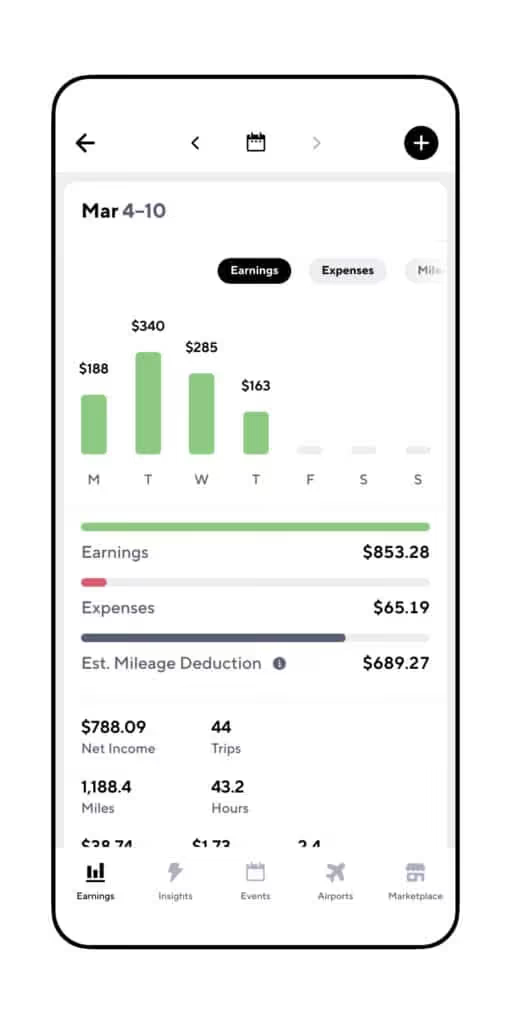
That’ll give you a picture of which of the apps are making the most money for you, so you can plan your days and nights based on the best ways to keep on cashing in!
All you have to do is open Gridwise, turn on the tracking feature, and drive, deliver, and do what you need to do out there. Then, when you finish your day’s work, you can enter your earnings for each individual app, and Gridwise will do all the fancy - and easy to read - graphics for you. You can give it a try right now - download it here.
Finding the “best” times to drive
There’s really no way anyone can tell you what the most profitable times to drive and deliver will be for you. For one thing, you’ll want to set your own hours. You might have other gigs, or the need to care for children or other family members. Driving might have to be worked around those scheduling constraints.
For another, where you live is going to play a major part in what your hybrid gig life will look like. If you’re in a city, there will be rhythms to traffic and certain hours that are nowhere near as active as they once were.
If you’re in the suburbs or the country, the delivery business might be quite brisk during the week, and then die off on weekends. Or, it could be the reverse! You’ll have to run your own experiment.
Be patient and observant. Sure, people aren’t going to baseball games anymore, but they are playing golf and tennis, and some other sports too! Sometimes they need a “Lyft” from home to the court, course, or playing field and back again.
Know what you’re doing around airports
In case you well-seasoned drivers are offended, we’re not insinuating you don’t know what you’re doing - but things are different than they used to be. While it might have paid to start your work day sitting in the airport queue before, now that people aren’t flying very many places, you might be stuck there all day.
Gridwise always has one finger on the pulse of airport traffic, so use the airport tab to see what the daily passenger volume looks like. That way, you won’t be waiting for passengers that may never ping you! You can check on the status of the queues, too.
Find new “hives” of activity for riders
As society has gone through the COVID-19 lockdowns, much has changed, to be sure. Some “old” passenger-rich venues are closed or on different schedules, while new and different activities have become possible. Passengers tell us bars at 50% capacity are beginning to hop a lot earlier. Revelers come out at around 8 or 9 rather than 10 or 12, to make sure they get in.
Outside of the bar scene, other areas have taken on more importance in the daily lives of riders. Here are a few.
- Parks
- Trail heads
- Open green spaces in cities
- Restaurants with outdoor dining
- Large bars where 50% capacity will be a large crowd of people
- Hospitals
- Courthouses
- Factories
- Universities (some researchers are being welcomed back for summer)
Surges: a gift that probably won’t keep giving
In many areas, the rideshare and delivery companies are offering premiums to drivers. This has a lot to do with trying to get people to come back out to work. To make it enticing enough for drivers to give up collecting unemployment (plus the $600 a week supplement), the companies are placing big surges on rideshare and delivery prices, at all hours of the day and night.
The customers aren’t too happy about this, but that doesn’t mean they won’t ride with you or request a delivery. They almost expect to pay a premium, because they realize a lot of drivers haven’t come back to work yet.
The companies aren’t happy at all about this, and they probably won’t be offering them for much longer. Have you ever heard that old saying, “Make hay while the sun shines?” It applies here. Watch the various apps for surges and bonuses. Some (especially Postmates and Grubhub) will send you push notifications. Use this info to figure out who you’ll work for on a given day.
Collect more tips: add that extra garnish to inspire customer generosity
As your earnings pile up (and you track them with Gridwise!), you might notice something else that’s different from times past. In this crazy environment, customers and passengers are tipping more!
Maybe it’s because they have to wait longer for you to get there, and have time to think about how much you’re sacrificing to be out there working. Whatever the reason, we can't help but like it!
If you want this new and wildly appealing trend to continue, stay at the top of your game. Go that extra mile to offer extras, from opening doors and trunks (so they don’t have to touch yet another strange surface), to engaging them in conversation at the level where they feel comfortable, even while you talk through a mask.
For delivery, always honor their wishes. Maybe a busy mom wants contact-free delivery to the front porch, while Grandpa needs you to bring it to his apartment door. A knock on the door or a ring on the bell is always appreciated by people who are awaiting package deliveries. Leave a little note in the app, too - the personal touch can often bring out the best in people.
Also - follow all the guidelines for sanitization and social distancing. When you run a “tight ship,” showing your care and concern for your riders and customers, they’re far more likely to see how much you deserve that little something extra from them.
Adaptability = success
Sure, the rideshare and delivery world has been turned upside down, and you’re going to have to think beyond what was “normal” several months ago. That’s easy for you, though! As a gig economy worker, you’re used to blazing your own path. The point is to be adaptable, and use the resources available to you.
Those include rideshare apps, delivery apps, and other businesses that are cropping up to serve the new situation that’s been created by the coronavirus situation. Lucky for you, there’s lots of help...from Gridwise! Download the app to get everything you need to keep track of your earnings and record your mileage for optimizing your tax deductions.
Check the Perks tab for quick connections to news about your hybrid driving gig on our blog, and J and Brandon’s podcast.
Work smarter. Earn more.
Whether you drive, deliver, or pick up shifts — Gridwise helps you track earnings, mileage, and performance so you stay in control of your work. Download the app and take charge today.
