Gridwise blog
Tips, insights, and advice to help you earn more and work smarter, whether you do gig work, hourly, or shift work.

How to Make $1,000 a Week With Uber Eats in 2026 (Tips + Hourly Data)
In this blog, we'll explore the strategies and techniques that can show you how to earn $1000 per week as an Uber Eats delivery driver. We'll cover everything from optimizing your delivery zones and schedules to maximizing your tips and customer satisfaction. Whether you're a seasoned Uber Eats driver or just starting out, this guide will provide you with the insights and actionable steps to take your Uber Eats driver earnings to the next level.
Becoming an Uber Eats delivery partner can be a lucrative opportunity, especially if you're able to consistently earn $1000 a week. By understanding the platform, optimizing your delivery strategies, and focusing on customer satisfaction, you can maximize your earnings and turn Uber Eats into a reliable source of income.
We’ll cover the following topics to provide coaching and ideas to help you push your earnings up to that $1000 per week level:
What do Uber Eats drivers do?
Uber Eats drivers deliver prepared food most of the time, but they also might shop for and deliver goods from convenience outlets and grocery stores. The job is pretty simple. You get a request for an order, you drive to the restaurant or store to pick it up, and then you deliver it to the customer. If you already drive for Uber, you can choose to take orders for Uber Eats delivery any time.
If you’re not an Uber Eats driver yet, it’s pretty easy to become one. This Gridwise post tells you what you need to do if you want to sign up and start making money Uber Eats style. Many rideshare drivers welcome the chance to deliver food rather than people. This article from Nerdwallet covers the Uber Eats gig from that angle.
There are some sweet advantages to working with Uber Eats. In lots of cities you don’t even need to have a car. You can use a bike or a scooter, or even walk, to make your rounds. If you do use a car, Uber Eats’ requirements are a lot easier to meet than they are for Uber rideshare driving.
You also have a lot of flexibility. You can shop and deliver convenience items and groceries, but you don’t have to. And, like most driving gigs, you can choose your own hours, and map out the locations where you want to work.
Use Gridwise features When to Drive and Where to Drive to help you figure out what work hours and which specific areas will be the most profitable for you. Real data from real delivery people will show you earning patterns for drivers in your town.
How much can you earn doing Uber Eats?
The honest answer to this question is: basically, as much as you want! It all depends on how many hours you put in and how strategic you are about your gig. Earnings vary from one area to another, as this article from Entrepreneur points out. To give you a baseline, let’s look at the earnings of Uber Eats drivers who tracked their earnings with Gridwise.
Remember that these numbers show us only average earnings. To make $1,000 a week with Uber Eats, you’re going to have to be better than average, and we’ll show you how. For now, though, it’s good to have these figures so you get a ballpark number of where to start.
How much do Uber Eats drivers make?
Gridwise data tell us the following:
- Monthly earnings average around $444.00 per month.
- Gross earnings per trip are between $9.00 and $10.00.
- Tips make up about 50% of most Uber Eats drivers’ income, which amounts to about $225.00 per month.
Is Uber Eats good money? It can be. While there are other gigs that pay more per trip, if you drive for Uber Eats, you’ll always be pretty busy.
https://datawrapper.dwcdn.net/HPAz8/3
You can also see that, unlike many other gigs, tips play a huge role in Uber Eats earnings.

With these numbers as a baseline, what can we say about how to earn $1,000 a week with Uber Eats? As we said in the introduction, it’s going to be a hustle, but it’s really possible. To figure out how to make the most money with Uber Eats, let’s start by looking at how many trips these “average” drivers made each month.
We know that average gross earnings were $444.00 per month, and drivers got around $10.00 per trip. That means they took 44 or 45 trips per month, which breaks down to 11 trips per week. That’s not a lot of Uber Eats delivery, is it?
The fact that Uber Eats drivers averaged so few trips shows us that many drivers use more than one app at the same time. This is called multi-apping, and you can learn more about it in this Gridwise post. If you want to answer the question of how much you can make with Uber Eats, then you need to stick with the app and keep plugging away at those orders. You also need solid strategies, as well as some inside tips and tricks.
How to make the most money on Uber Eats: Delivery driving tactics
Getting to that $1,000 a week with Uber Eats isn’t so hard when you remember that the drivers we saw making about $111 a week were only taking around 11 trips in the same time period. That’s not much at all! If you work the Uber Eats app like a boss, you’ll soon have many more trips than that, easily reaching the number needed to get you to $1,000 a week. Now, let’s get to some tactics you’ll need to make that kind of bank.
- Stay with the Uber Eats app, and track your earnings. Gridwise can easily do that for you. Simply sync your Uber Eats app with Gridwise, and you’ll be able to see how much you’ve earned with Uber Eats, what times were most profitable, and your average hourly pay. Racking up trips with Uber Eats has other benefits, including perks and bonuses that are awarded to top drivers.
- Leverage surge pricing and promotions. Surge pricing is applied when there is a lot of demand. When surge pricing is in effect, many of the trips you make will pay more than usual. Promotions are offered to drivers who complete a given number of trips in a certain time period. High traffic volume days, nights, and times give you these chances to get extra earnings. Challenging yourself to complete the right number of trips for promotions will add to the number of trips you can count on for big bucks, too. Learn more about Uber Eats surge pay, boosts, and promotions in this Gridwise blog post.
- Say yes to doubling up on orders. With Uber Eats, you can get back-to-back orders or receive batched orders. Back-to-back orders happen when you receive a new request while you’re on the way to deliver an original order. The Uber Eats app routes these trips automatically, so you won’t be sent out of your way.
Batched orders are Uber Eats’ way of bundling together orders from either the same restaurant, or two nearby eating establishments. You get money, and trip count credit, for all the orders you complete, plus customer tips, without having to make a bunch of separate trips.
- Turn on the charm and get bigger tips. Being nice really is part of the Uber Eats driver’s job, and getting tips is one way people who drive for Uber Eats make money beyond their basic pay.. Bring along those extra napkins and condiments, use equipment that keeps food and drinks at the right temperatures and prevents spilling, and consider your customers’ needs. If you deliver groceries, be extra careful with delicate items such as bread and eggs.
And, most important, follow your customers’ directions, and stay in communication with them if you are going to be delayed, or if you have questions about their order. This Gridwise post will tell how to get bigger tips as a delivery driver.
- Use even more charm to keep your ratings high. As an Uber Eats driver, you will be rated by the restaurant or store where you pick up the orders as well as the customers who are waiting for the deliveries. This two-way rating system is designed to keep you on your toes, so Uber can keep people satisfied with your service. Don’t worry, you get to rate them, too.
There’s another reason why your rating as a driver is important. It not only keeps you in good standing with Uber; it helps you to qualify for the Uber Eats Pro incentive program. To learn more about Uber Eats Pro, and what it takes to earn perks such as preferred services, discounts, and deals, check out this Gridwise blog post.
Smart business moves that seal the deal
Now that you know how to gobble up the deliveries you need to make $1,000 a week with Uber Eats, it’s going to be a breeze to get there. Let’s make it even easier, with business moves that boost your earnings and shrink your expenses. If you use these, it will also be easy to say yes when people ask, “Can you make good money with Uber Eats?”
Minimize expenses. Avoid racking up big fast-food bills by bringing your own food and beverages. You might not think you’re hungry when you first start your Uber Eats run, but once the aroma of pepperoni pizza, premium cheeseburgers, and piping hot fries start wafting through your car, that might change. Bring a sandwich or other healthy food from home, and buy bottled water in bulk to save tons of cash compared to what it costs to buy single servings.
Maximize tax deductions. Another way to minimize your expenses is to maximize your tax deductions. Start by tracking mileage with Gridwise.

Gridwise App
Gridwise captures every deductible mile you drive, including the distance you cover between the trips your driving app records. Know what expenses you can deduct, and put them to work for you when tax time comes. Learn more about tax deduction strategies in the Gridwise Tax Guide for drivers.
Boost earnings with referrals
As an independent contractor, you’re probably looking for ways to make even more money than you can with Uber Eats. And most gig workers like you enjoy getting passive income. With Uber Eats, there’s a really easy way to do that, referrals!
All you need to do is find friends and encourage them to deliver for Uber Eats. If they make a certain number of deliveries within a specified time, you will get paid for doing nothing more than having them sign up under your referral code! Rates of pay vary by city, so check your Uber Eats app to find out what the current deal might be, and learn more about the referral program on the Uber Eats website.
Also remember: “friends” don’t have to be your best buds. Many delivery people carry cards with a QR code linking to their referral information, so just about anyone you encounter can join Uber Eats and boost your earnings. You could meet a source of passive income at the gas station, on social media, or at your high school reunion. The more you hustle, the more there is to gain, right?
Master the art of self-employment
As an Uber Eats driver, you’re an independent contractor. That means the company isn’t going to withhold your taxes, provide insurance, keep track of your earnings, or tell you about tax deductions. You’ll have to do all these things for yourself.
If you want to maximize your tax advantages, open an official business entity. You can incorporate (create a corporation) or you can work as a limited liability corporation (LLC). You can also work with a DBA (Doing Business As) arrangement, but the corporation or LLC will do a better job of protecting you from liability.
Establishing a corporation or LLC offers better tax advantages than being a sole proprietor. For instance, if you simply collect your earnings into your private account, you’ll be charged self-employment taxes in most states. And paying extra taxes is something we all want to avoid, within legal limits, as much as possible.
Every Uber Eats driver needs to learn about self-employment, and there are some great resources you can review. Check out the CareerOneStop website about self employment which will help explain the basics. You can also check with a professional tax accountant, or look other websites to learn more about actually creating a business.
Scope out your market
Look at the area around you to see where you’re likely to get the most deliveries. Where are all the restaurants? Where might people be more inclined to order deliveries? What hours do you want to drive? What activities might be going on around those times? Think about late-night and after-school times as well as breakfast, lunch, and dinner times.
Be realistic about the potential for your area and aware of new services opening up. For example, in New York, there is already a tab on the Uber Eats app that allows customers to order groceries. In our article about the best food delivery service to work for you’ll see that Uber Eats stacks up well against other delivery companies, mainly because of its potential for expanded opportunities for drivers to earn.
So, is Uber Eats good money? As we said, it isn’t an automatic guarantee that everyone will make $1,000 a week with Uber Eats. Trying out the suggestions we give you here, though, should put you on the right track! Go out there and start stacking up those orders and raking in some impressive earnings!
Get more inside information on Uber Eats in these posts from the Gridwise blog:
- The delivery driver guide: Using the Uber Eats app
- Everything you need to know about driving for Uber Eats
- Uber Eats Pro: What drivers need to know
- Looking for a different gig, part-time or full time job? Check out the Gridwise Job board.
Uber Eats FAQ
How does the Uber Eats platform work for drivers?
Uber Eats is a food delivery service that connects customers with local restaurants and independent delivery partners. As an Uber Eats driver, you'll receive notifications of nearby delivery requests, which you can accept and complete. The platform provides flexibility, allowing you to work on your own schedule and earn money based on the number of deliveries you complete.
What are the requirements to become an Uber Eats delivery partner?
To become an Uber Eats delivery partner, you'll need to meet certain requirements, such as having a valid driver's license, a registered vehicle, and passing a background check.
How can I choose the right delivery zone to maximize my earnings?
Selecting the right delivery zone can significantly impact your earnings, as some areas may have higher demand and better-paying orders. It's important to research and identify the zones in your area that tend to have the most consistent and lucrative delivery opportunities.
How can I take advantage of peak delivery hours and surge pricing?
Understanding peak delivery hours, such as mealtimes and weekends, and taking advantage of surge pricing can boost your earnings. Be aware of when demand is highest in your area and adjust your schedule accordingly to capitalize on these peak periods.
What are some tips for maximizing tips and customer satisfaction?
Providing excellent customer service and going the extra mile to ensure a positive experience can lead to more tips and repeat business. Prioritize communication, timeliness, and attention to detail to keep your customers happy and satisfied.
How can I set realistic weekly goals to reach my $1000 target?
To make $1000 a week with Uber Eats, it's essential to set realistic weekly goals and track your earnings and expenses. Start by determining your target earnings and breaking it down into achievable daily or weekly goals. This will help you stay on track and make adjustments as needed.
What are some strategies for efficient route planning and navigation?
Effective route planning and navigation can save you time and fuel, allowing you to complete more deliveries. Utilize mapping apps and take advantage of features like real-time traffic updates and turn-by-turn directions to find the quickest routes.
How can I balance my Uber Eats deliveries with other commitments?
Develop a schedule that allows you to capitalize on peak delivery hours while still maintaining a healthy work-life balance. Consider using tools like calendar apps to plan your availability and track your hours to ensure you're maximizing your earning potential without sacrificing your personal life.
What are the key considerations for maintaining my vehicle as an Uber Eats driver?
Keeping your car clean and well-maintained is crucial for maximizing your Uber Eats earnings. Regularly scheduled oil changes, tire rotations, and other preventive maintenance can help extend the life of your vehicle and minimize downtime. Additionally, budgeting for vehicle-related expenses, such as fuel, insurance, and repairs, will ensure you're accounting for these costs and maximizing your net earnings.
What are the tax obligations and legal considerations for Uber Eats drivers?
As an Uber Eats delivery driver, it's essential to understand the tax obligations and legal considerations that come with being an independent contractor. This includes properly reporting your earnings, deducting eligible business expenses, and making quarterly estimated tax payments. Additionally, you'll need to ensure you have the appropriate insurance coverage, such as personal auto insurance and possibly commercial auto insurance, to protect yourself and your vehicle while on the road making deliveries.

The Gridwise Job Board: Find Your Ideal Job or Gig Work
Gridwise is an essential assistant app created by gig workers for gig workers. Our mission is to support those engaged in gig work in every way possible. We understand how challenging it can be to deal with income instability, a lack of benefits, and job insecurity that often comes with gig work. The Gridwise app tracks and organizes earnings and expenses, and offers a wide array of discounts, deals, and services that make the lives of independent contractors easier and more rewarding.
We firmly believe it’s possible to make a viable living and create a gig experience that offers flexible hours, variety, and excitement. With issues such as consistent earnings and job security in mind, Gridwise is proud to offer a centralized platform that shows you how to find gig work and secure reliable opportunities. We’re proud to introduce the Gridwise Job Board.
The Gridwise Job Board: Key features
Because Gridwise is dedicated to serving the gig worker community, we’ve filled the Gridwise Job Board with useful features that won’t waste your precious time.
- Comprehensive listings. Find part-time, full-time, temporary, and per-task work. Drive or deliver with your vehicle, utilize an employer’s vehicle, or even find non-driving gig work.
- User-friendly interface. Find the jobs that are right for you with a tap of your screen.
- Verified opportunities. We vet the jobs before they are listed to ensure you’re getting high-quality job postings.
How to get more gig work, seasonal, part-time or full-time jobs with the Gridwise Job Board
Looking specifically for “gig work apps” or “gig jobs near me?” You’re in luck. Our filters and search functions send you directly to the listings you seek.
Here’s how it works.
- Access the Job Board via the Gridwise website.
- Search for jobs by type, location, and more.
- Select the job that interests you, and read all about it.
- Scroll through the description, and if it appeals to you, click “Apply for job.”



Many types of jobs are available. Adjust the search filter to see the full variety of opportunities that will let you cash in. Deliver food, set up catering, do rideshare driving, get paid for doing package delivery, and much more. You’ll find short-term gigs, long-term contracts, and part-time positions.
Perks of the Gridwise Job Board for gig workers
Gig workers who know how to make extra money will appreciate how the Gridwise Job Board lets you multiply your chances of bringing in big earnings. Here’s how:
- Increased stability. Use the Gridwise Job Board to find part-time or permanent jobs in addition to the part-time gigs you already have. Always keep a steady stream of earning opportunities flowing toward you.
- Flexibility and autonomy. Choose jobs that fit your schedule, work around other jobs and family duties, and still leave room for some fun in your life. Discover side hustles to supplement your full-time job, permanently or just for the season.
- Skill development. Find part-time work that lets you use a skill you already have, or try your hand at something new. It’s a smart way to develop a portfolio to showcase what you can do, or even to find permanent employment.
Get Gridwise and stay up to date on the Gridwise Job Board
Gig workers need plenty of information and assistance, and Gridwise is here to give it to you. Download the app and get essential features such as
- seamless earnings tracking
- mileage tracking
- expense recording, including notes
- low-cost and no-cost insurance benefits
- access to affordable medical, dental, vision, mental health, and alternative care
- professional services including legal and financial help
- deals and discounts
- weather, events, and traffic reports
- inside information on where and when to drive
More to know about gig work:

5 Best Mileage Trackers For Gig Drivers
Many drivers ask, “Do I really need a mileage tracking app?” The answer is simple: only if you want to have an accurate count of all the miles you can legally deduct from your taxable income! You might think your rideshare or delivery driving app has got you covered. After all, they do quite a good job of logging the miles you drive while you’re on a trip or delivery. But, if you want to have the best app to track mileage for Uber, Lyft, Doordash, Instacart, or the other apps you may use, you need more. Why is that?
Without a separate tracker, you’re missing the miles you drive in between pings. Did you realize that all the miles you drive, from the moment you begin your shift until it’s over (as long as you don’t drive several miles on a break to hang with your friends), are tax deductible! That means you need something besides your driving app to keep an accurate count of your travels. Read this Gridwise post to see how important it is to keep track of every deductible mile.
You won’t be surprised to hear that there’s an app for tracking miles. In fact, there are several of them. Here, we’re going to tell you about five top mileage tracking apps, and help you figure out which one is best for you.
Before we get to the list and identify the best mileage tracker app, let’s clarify what exactly a mileage tracking app is. According to G2.com’s technology glossary, mileage tracking is done for the purpose of keeping a log of mileage that is either reimbursable or tax deductible.
And yes, of course you can track your miles simply by taking readings on your odometer. But are you really prepared to account for how many miles you drove for personal reasons and subtract them from the total to get your business mileage? Even if you can remember all that and do the arithmetic, if you want an accurate reading of the miles you drive for business, and can therefore deduct, a mileage tracking app will save you a lot of trouble and prevent you from making costly errors.
Plus, as a gig driver, you have specific needs when it comes to a mileage tracker. Ideally, you’d be able to handle mileage tracking and several other functions all in one app. It can be maddening enough to deal with driving apps, particularly if you’re an avid multi-apper. You would want your mileage tracker app to help you keep account of other aspects of your business, including income, expenses, and inside information about the art of gig driving.
Not all mileage apps are equal, to be sure! Let’s look at five of the best apps to track mileage and figure out which is the best app to track mileage with Uber and Lyft, or what mileage tracker app is best for DoorDash.
1. Zoho Expense

First up is Zoho Expense, which does exactly what its name says. This app is designed to allow companies to give employees a uniform way to create and submit expense reports. It can be used by individuals, including gig drivers, as well.
It includes a mileage tracker, as well as features that let you track other deductible expenses, including the ability to scan and record receipts.
Available on Android and Apple: Yes
Ratings: 4.8 stars on App Store, 4.7 stars on Google Play
Free Version: Yes
Subscription price: $3 per month, billed annually
Created specifically for gig drivers: No
2. Quickbooks Online

Quickbooks Online is a cloud-based app that allows you to track your mileage, earnings, and expenses. The information you enter can then be used to generate various reports that prepare you for tax time. It also allows you to create graphs that illustrate your cash flow, and includes a receipt scanner so you can instantly record deductible expenses. Quickbooks is popular, highly reliable, and designed mainly to help people keep track of their small businesses.
Available on Android and Apple: Yes
Ratings: 4.7 stars on App Store, 4.4 stars on Google Play
Free version: 30-day free trial
Subscription price: $15 per month for basic version if purchased for 3 months or more
Created specifically for gig drivers: No
Source: quickbooks.intuit.com
3. Shoeboxed

Shoeboxed started in 2007 as a service for scanning paper receipts into digital form. Now the app offers a free mileage tracker and has enabled users to scan receipts directly. It touts itself as the best mileage tracking app for DoorDash, but there are some elements missing that Dashers might like to have. While it provides features that record your expenses and prepare you for tax season, it doesn’t automatically track your earnings. The mileage tracker has a system where you can drop pins along your routes to make the tracking more precise, identifying those legs of a trip that you make for business purposes. The mileage tracker is “free” once you sign up for the basic version.
Available on Android and Apple: Yes
Ratings: 4.5 stars on App Store, 2.3 stars on Google Play
Free version: No
Subscription price: $18 per month for basic version
Created specifically for gig drivers: No
Source: blog.shoeboxed.com
4. Stride

This free mileage tracker does a fair job of keeping track of the distances you rack up while gig driving, but it doesn’t automatically track earnings. It can be a big help, though, in tracking your expenses. You can link Stride to your bank account, and it will automatically scan your expenses to identify items you can potentially deduct. The app is totally free. This could make it the best free mileage tracker app, but there is a small price to pay. The app will persistently push you to consider various insurance plans that they are affiliated with. If you don’t mind that, this is a solid mileage tracker, even if it doesn’t track your earnings.
Available on Android and Apple: Yes
Ratings: 4.8 stars on App Store, 4.6 stars on Google Play
Free version: Yes
Subscription price: None. The app is free.
Created specifically for gig drivers: No
5. Gridwise

Gridwise has a free mileage tracker and free features that record your income and expenses. It gives you access to insurance and benefits, as well as insights about the best times and places to make the most money while gig driving. The Gridwise mileage tracker captures all the miles you drive while you’re on your driving shift, and it can be used if you have other trips you need to make which qualify as business travel.
Drivers love it because it is geared toward the needs of rideshare and delivery workers, providing free information about airport departures and arrivals, event start and let out times, weather, traffic, and more. The Gridwise Plus subscription adds value by providing additional insights and reports, discounts on benefits, the ability to export data in .csv format,, and more.
Available on Android and Apple: Yes
Ratings: 4.9 stars on App Store, 4.6 stars on Google Play
Free version: Yes
Subscription price: $9.95 per month for Gridwise Plus, or $95.99 per year (a $23.41 savings)
Created specifically for gig drivers: Yes!
What is the best mileage tracking app?
Now that we’ve checked them all out, we’re positive about the answer to that. Hands down, it’s Gridwise. Are we biased? You bet we are! But drivers love it too. Gridwise is the best mileage tracker app, and so much more. So many of the features are free, and the subscription to Gridwise Plus will pay for itself with additional insights to boost your earnings and deeper discounts on products and services.
Most important, Gridwise is designed specifically for gig drivers by experts who were once gig drivers themselves! Knowing what gig drivers need is a crucial step in creating an app that rideshare and delivery drivers can really use! Here are a few of the features, besides mileage tracking:
- seamless earnings tracking
- automatic, on/off toggle and manual mileage tracking
- mileage categorization
- airport, traffic, weather, and events information
- insights into where to drive and when to drive
- reports showing earnings across the platforms you use
- discounts on countless products and services for drivers
- additional resources for finding side gigs
- an informative and comprehensive blog
- affordable benefits, including insurance, medical, dental, and alternative practitioner discounts
- a community of drivers just like you
Don’t settle for just any app. Get the best mileage tracker, and so much more, from Gridwise!
Lyft Launches Lyft Media: How Does It Help Lyft Drivers
Before you get excited about new games and movies to watch, know that Lyft Media is not a new streaming app for Lyft drivers.
Lyft has come to notice the potential for its rideshare drivers to serve as more than just vehicles that take passengers from place to place. Anywhere you find a captive audience, you’re also likely to see ads strategically placed to get people’s attention. Now, with the launch of Lyft Media, they’re counting on drivers to be vehicles for displaying ads and engaging riders in advertising materials.
This strategy is pretty slick, considering that it can add to Lyft’s revenues at a time when the rideshare biz has to hustle to overcome changing lifestyles and high gas prices. But what does this mean for drivers?
This blog post will show you how you can benefit from Lyft Media. Here’s are some questions we’ll address:
What is Lyft Media?
Lyft’s foray into advertising isn’t entirely new. As far back as 2019, Lyft purchased Halo Cars, a company that makes rooftop displays that turn drivers’ cars into moving ads for places, products, and services. With the pandemic being the drag on business that it has been, Lyft had not done a lot to capitalize on this acquisition—until now.
The rooftop ads are definitely a part of Lyft Media, but over the last few years, Lyft has folded Halo into a comprehensive strategy to form an advertising entity that includes a whole lot more. Lyft Media is a state-of-the-art, innovative, and pervasive offering that advertisers are eager to use as a platform for getting their brands seen by people everywhere.
Lyft intends to create the world’s largest transportation media network. Lyft Media will reach people through ads placed on the car, in the car, on the streets, and in the phone. The ads will target passersby who notice the rooftop ads and bike rental kiosks. Once inside your car, rideshare passengers will be enticed to engage in the ads Lyft presents to varying degrees. Advertising through rideshare transportation in this way allows advertisers to target their ads far more effectively than online banners or pop-ups, let alone the prehistoric relic known as print media.
Drivers will also be a big part of the success of Lyft’s new program, obviously. How will Lyft Media help Lyft drivers?
How does Lyft Media benefit drivers?
First, the fact that Lyft is capitalizing on its leverage with advertisers, by providing millions of sets of eyes, will boost company revenue. When Lyft does well, drivers benefit because the company has more funds for incentives and has less need to increase their take rate on drivers’ rides.
More direct ways of increasing Lyft driver pay are in the offing, too. There will be plenty of ads within the Lyft app that offer discounts to your passengers. Engagement of this type is something that could make them favor Lyft over competing rideshare options. This means more business for you.
Installing a rooftop screen or an in-car tablet could benefit you even more. Drivers can even benefit by the additional focus on ads at Lyft bike rental stations. The visibility and discounts offered through ads posted there can lead people to think about Lyft first when they order up a rideshare trip. This also translates into more rides, and more money, getting sent your way.
One of the things Lyft is sure to include in its new offerings is better opportunities for customers to tip drivers more. That’s some nice icing, to be sure, but it’s the cake that really matters. Let’s go beyond stuff that’s as basic as how to use the Lyft app as a driver and get to the ingredients that will make Lyft Media a sweet deal for drivers.
How can Lyft drivers participate?
There are two basic ways you can benefit from displaying ads for Lyft. One is on your car, and the other is in your car. Here’s how it breaks down:
On-car
Lyft Halos
No surprise here. Lyft Halos are the top-of-car smart display screens that allow advertisers to change the messages being shown based on time of day, location, and other variables. You’ll contribute to Lyft Media’s success by carrying their revenue-generating ads wherever you go.
In-Car
Lyft Tablets
When you carry a Lyft tablet in your car, your customers will get an interactive route map, integrated music, ads geared to precise locations, and…easy driver tipping. That part might be an added incentive Lyft throws in to get drivers to carry the tablets, but hey—we’ll take it!
Lyft Skins
Truth is, drivers might not even get too see this one up close, but it’s so cool we didn’t want to miss mentioning it. Plus, this is really the “in the phone” part. Lyft Skins give passengers the ability to interact with different brands through discounts offered on social media. Then car icons (branded to reflect the product the customer is into) appear in the Lyft app so the customer can click and cash in on the discounts.
The Lyft Media program is being rolled out slowly, and so far it’s available only in Los Angeles, Chicago, San Francisco, and Washington D.C. There are plans in the works to have tablets in 25% of all Lyft vehicles in these markets. Maybe there’s a tablet in your car’s future.
Keep watching the Gridwise blog for more news and details about the program.
Stay on top of this and other driver-related info with Gridwise!
Gridwise is always on top of any news that can help drivers out, so make sure you download the #1 rideshare and delivery assistant. There are tons of features you’re going to love, including
Mileage tracking so you can keep an account of the miles you drive while you’re picking up Lyft passengers or driving for other apps.
Seamless earnings tracking that lets you sync your app accounts to Gridwise, and see all the money you earn for every app you use. Use Gridwise to keep track of expenses, too, so you can view the dynamics of your thriving gig driving business.
Airport information, events notifications, weather, and traffic alerts to keep you on top of what you need to know to drive safely, efficiently, and profitably.
Where to Drive and When to Drive, insight that breaks down where and when you can make the most money.
Gridwise Benefits, the independent contractor’s answered prayer. Get low-cost insurance, as well as inexpensive and easy access to medical, mental health, and dental care. Finally, there’s a way for gig drivers to get benefits!
Discounts and deals for drivers to lower the cost of doing business. Money-saving deals like Gridwise Gas keep your expenses low and your profits high.
Download the Gridwise app today—for free!
The Art of Multi-apping: How-Tos And Strategies For Gig Drivers
One of the best things about being a gig worker is, you’re not stuck working for just one particular app or platform. You can work for as many as you like! Some drivers even use two apps on the same shift. This practice is called multi-apping.
Multi-apping is a clever way to get around the boredom and frustration that often arises from picking one app to drive for and sticking to it. Multi-apping can help you make more money, too.
This blog post gives you ideas and strategies for increasing your income and job satisfaction with multi-apping. Here’s what we’ll explore:
- Multi-apping basics
- How to multi-app with rideshare and delivery driver apps
- Build your multi-apping strategy
Multi-apping basics
The name alone tells you that multi-apping involves using two or more apps at the same time to earn more money as a gig driver. That is, indeed, what multi-apping is all about. Once you master the art of multi-apping, you might wish you’d started it way sooner.
However, multi-apping is something you won’t want to do until you’re somewhat experienced at gig driving. While it’s definitely a way to multiply your earnings and generally make your driving life more interesting, it requires some knowledge and experience as a gig driver.
Here are some things you’ll want to do before you even think about multi-apping:
- Sign up for all the apps you want to work with.
- Get familiar with all the apps by trying them out one at a time.
- Know your market and which apps are more popular in different areas.
- Make sure your phone and data plan are up to the job of handling more than one app at a time.
There’s also one thing that’s really important to know. While you’re multi-apping, you’ll keep two or more apps open at the same time while you wait for a delivery or ride request. If you accept a request from one app, the next thing you’ll want to do is pause or go offline with the other app. It’s never a good idea to attempt to fulfill delivery or ride requests for two apps at the same time.
Multitasking in order to get business is totally acceptable, but if you try to juggle both at once, one of your customers is going to be stuck waiting for you. Moreover, if the companies whose apps you’re “stacking” find out what you’re up to, you could wind up getting deactivated. Nobody needs that to happen. That’s why it’s a wise and good policy to turn off any other gig driving apps once you accept a request.
Now that you’re equipped with some basics, let’s look at exactly how you’d go about dabbling in the art of multi-apping.
How to multi-app with rideshare and delivery driver apps
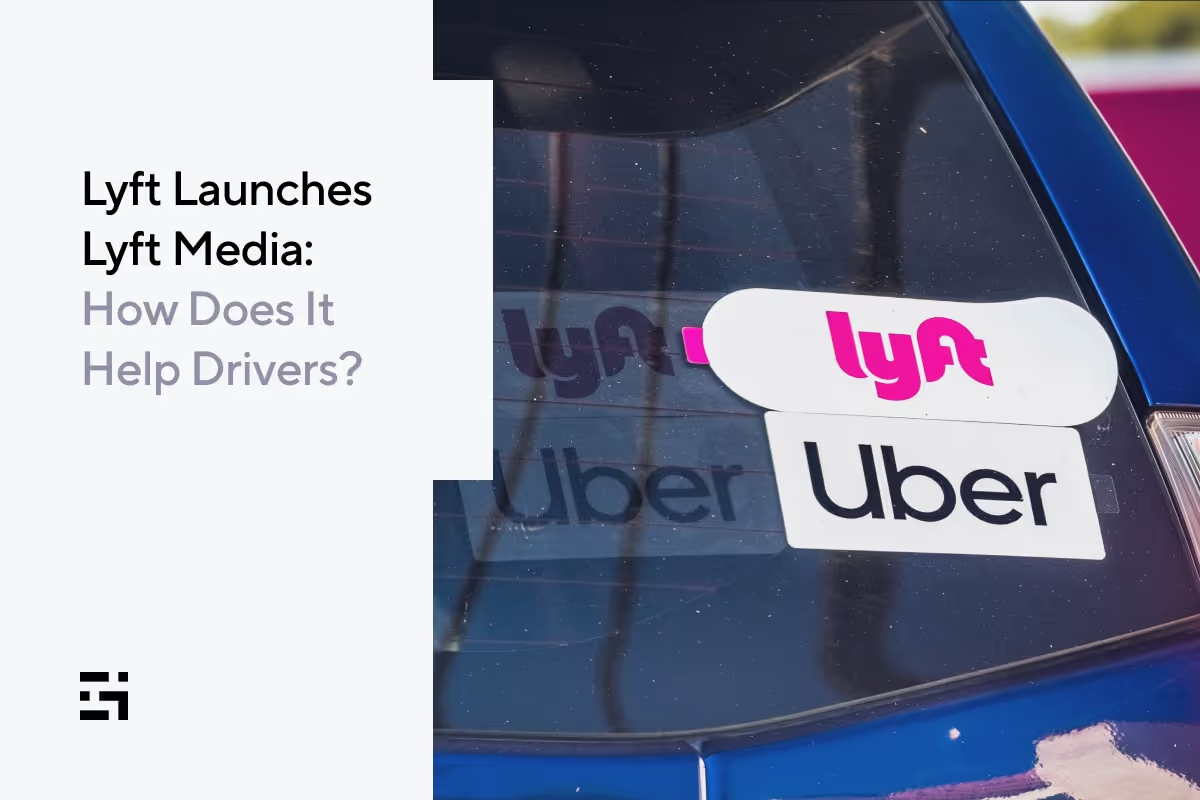
Multi-apping has been going on since the dawn of gig driving. It’s not unusual to see cars display both a Lyft amp and an Uber sticker on the same windshield. This lets drivers use the Lyft driver app while retaining their right to pursue their Uber driver strategy. Similarly, DoorDash or Uber Eats drivers go back and forth between platforms, depending on which is offering the bigger bonus at any given time.
This is why you need to know your apps and know your market. Having access to as many apps as possible keeps you in the loop about bonuses, surges, and the like. Once you’ve chosen two apps (or three, if you’re really brave) to work with, here’s how you’ll handle the process.
- Decide if you want to use one or two phones. Experiment with your phone to make sure it will run multiple apps without glitches. The various platforms perform differently on iOS and Android phones, and it might not be possible to run two at the same time. If you run into problems, consider deploying a second phone or tablet to carry the load for additional apps. Make sure your primary number(s) for the apps you’re using matches the devices you’re working with.
- Check what all the different apps are offering in terms of bonus and surge pay. Maximize the likelihood of higher earnings by knowing what offers are available, and select the apps that will give you the biggest boost to your earnings.
- Open your chosen apps. Open all the apps you want to work with so you can receive pings from them.
- Receive requests and decide which offers to accept. This part can get tricky, so be prepared to think fast here. Some drivers set minimums for themselves, and calculate what each offer might earn them. If they meet the minimum, great, but if they don’t, these drivers ignore or reject the lowball offers. Try this for yourself, and see which app wins the DoorDash vs. Grubhub battle, for example.
- Fulfill the requests, and keep multiple apps open to determine your next best offer. Once your trip or delivery is done, you can go back to monitoring multiple apps to see which of them will supply your next one.
A note about acceptance rates:
In the past, drivers who used multi-apping ran the risk of losing their status with their primary app because it’s almost impossible to avoid missing pickups or deliveries when more than one app is running. In certain circumstances, drivers’ acceptance rate determined their status in incentive programs and how many rides or deliveries the app might send their way.
Recently, however, a driver’s acceptance rate has become less essential for driver ratings than it has been historically. Uber is about to drop it completely, as its Upfront Pricing program continues to roll out. Read more about that in this Gridwise blog post.
When you schedule blocks, as you might with Doordash or Instacart, you’ll need to be more careful. These apps often look at your acceptance and completion rates to determine which drivers are worthy of getting the best blocks for deliveries.
For package delivery, multi-apping could work well with an on-demand service such as the Spark driver app. You could combine this app with others that allow you to make yourself available for deliveries on demand, rather than within blocks of time.
With the basics under your belt, the next thing you need is a smart and solid strategy.
Build your multi-apping strategy
Once you master all your apps, choose the ones you want to use most of the time, and discover all the bonuses each has to offer. You need to learn more about your market. Which apps are most popular where you live, and how much are drivers making at different times of day?
You could ask around, of course, or take time to figure these things out by trial and error, but that’s not very efficient at all. A much better tactic would be to use Where to Drive and When to Drive from Gridwise. These features give you actual data from real drivers in your area! You can instantly see which apps are doing well in your area, and what times of day have the most likelihood of offering higher pay.
After you learn your market, there are more things to consider.
- Be alert to potential driver saturation. If you find out DoorDash is more popular than Grubhub in your area, there might also be way too many drivers dashing, which means lots of competition for you. Run DoorDash and Grubhub at the same time to see which app will ping you first, and then determine which will make you the most money.
- Color inside the lines. Some apps will only offer you deliveries within your zone. Remember if after a delivery you decide to take a rideshare trip that brings you way out of your assigned delivery zone. Unless you want to keep doing rideshare for the rest of the shift, you’ll need to get closer to your assigned area to get those delivery pings.
- Mix and match your gigs. Multi-apping doesn’t just mean using two apps on the same shift. You can also multi-app, for example, by doing a morning shift with a grocery delivery company such as Instacart, then go out later to drive rideshare when the restaurants and bars are doing big business. That way you can make money at different hours of day, depending on which apps are more popular during different time periods.
- Track your earnings. Always know how much you’re making with which app. Produce accurate calculations showing how much you’re making per trip, per hour, and per mile with each. We know. It’s not easy to find the time to do all that. That’s why Gridwise provides seamless tracking of all your activity. Simply sync your apps to Gridwise and watch your earnings history be transformed into easy to read graphs that give you all this information at a glance.
- Dare to compare. Check out how well you’re doing with Gridwise Trends. This feature takes data from other rideshare and delivery drivers in your area and lets you see how well your strategy is working.
- Record all deductible expenses. Mileage, fuel purchases, equipment, car maintenance, and more can be deducted from your income to produce benefits at tax time. Use Gridwise to enter your expenses and calculate your net income based on earnings minus expenses. It’s the best mileage tracker, and so much more.
- Take advantage of deals for gig workers. Gridwise offers discounts on many items and services that drivers need, as well as sources for low-cost insurance, medical, and mental health care.
You’ll have to be the one to decide if multi-apping is the best way for you to run your gig business. No matter which apps you choose to use for driving, make sure you download Gridwise, so you’re getting the information, assistance, and advantages you need.
Download Gridwise now
How To Plan for Vacations As a Rideshare Or Delivery Driver
Holiday driving is a quandary for gig drivers. There is extra money to be made. At the same time, you probably want to be with your family during the festivities. But as gig drivers, we are all, by definition, contract workers. Despite recent initiatives for better treatment of gig workers, you probably receive no holiday pay.
Still, there are some strategies you can adapt during the holidays. In this blog post, we will examine the following topics:
- Choosing holidays depending on your gig driving activity
- Finding the best time to take off if you do rideshare
- Finding the best time to take off if you do food/grocery delivery
- Finding the best time to take off if you do package delivery
- Looking for bonuses
- Paying yourself for the holiday
- Relying on gig driving for your income? Use these tips to plan a vacation
- Making Gridwise part of your vacation plans
Choose holidays depending on your gig driving activity
Check out this Gridwise blog post from this past November: Holiday Gig Driving: Your Fun & Festive Guide to Extra Cash! Gridwise breaks down the various gig driving jobs and how the holidays affect business. Let’s run through them quickly.
Finding the best time to take off if you do rideshare
There are several big generators of rides during the holidays. Let’s examine when you might want to take time off.
Airports
Airports are big during the holidays. Everyone is traveling. One Lyft and Uber driving strategy is to use the destination filter on your Lyft or Uber driver app and direct it to the airport in your region. This way, you are more likely to get airport rides and less likely to get pulled in another direction. Another part of this strategy involves driving through the higher-income suburbs where residents are more likely to travel during the holidays.
For instance, east of Los Angeles is the San Gabriel Valley. Three roughly parallel freeways funnel traffic into the city and to LAX, which is farther west. Two of those freeways, State Route 60 and Interstate 10, pass through industrial areas and blue-collar neighborhoods. There are fewer airport runs from these communities. Interstate 210 passes through the higher-income, white-collar suburbs on the valley's north side. This is where drivers are more likely to get airport rides.
Don’t be in a hurry to leave the airport after dropping off your passengers, either. Hang around for a few minutes. You will often pick up arriving passengers.
Christmas parties
The bulk of office Christmas parties occurs in the first two weeks of December. In the early evenings, these generate rides from the suburbs into the popular restaurant and party areas, restaurant rows, hotels, and other venues. If you pick up one of these ride requests, casually inquire as to when the party concludes. If you happen to be in the area at that time, you can pick up a return trip home.
Shopping centers
Shopping centers are hit and miss during the holidays. Wherever there are large numbers of people, you will receive ride requests, but shoppers are often doing some heavy-duty buying, and they might want to have their car on hand to store and transport gifts and other items.
Don’t forget the temporary, seasonal workers. They are good for rides, too.
Christmas Day vs. New Year’s
If you want to take time off as a rideshare driver, Christmas is the time. There is often a lull as you draw near to the big day. If you drive in a college town, students are home for the holidays by mid-month, so that source of rides is gone for a while. Weekend nights might be a little slower than usual as folks remain at home, entertaining holiday company, cooking, and decorating for the holidays, or just trying to conserve money. Christmas day is pretty much guaranteed to be quiet. The week before Christmas is the time to take days off and not miss as much business.
New Year's Eve, on the other hand, is the night to drive. Most drivers report record earnings as the new year arrives, sometimes doubling what they might normally earn in a night. Keep in mind, surge pricing is in effect. If you have access to an SUV that seats six or more, you can move up to the higher level, either Lyft Lux or UberXL, and earn still more money.
New Year's Day is another good choice. Parties continue and there are lots of football games to gather around. Then you always have those partiers from the previous evening, a little more subdued now and playing the game, “Where’s my car?”
Bottom line: Take off the days around Christmas and work New Year's Eve.
Finding the best time to take off if you do food/grocery delivery
Home-cooked meals are the rule for Thanksgiving and Christmas, so a decision to take off on these holidays risks little lost business. You need to be home with the family, anyway. Chances are that when you come back there will not be a lot of drivers saying, “Wow! You should have been delivering food on Christmas day.”
On the days before these holidays, however, people are either out holiday shopping the entire day or in entertaining family or company. Ordering food for delivery is convenient. Expect to see an uptick in demand.
Grocery delivery is likely to be busy on the days just prior to the holidays, especially for those last-minute deliveries when someone reads the recipe a little more carefully and realizes they are out of nutmeg. A word of warning to those who deliver groceries, though. If your job includes the shopping part of it, expect the grocery stores to be jammed with last-minute shoppers.
New Year’s Eve is likely to be slow as well, so stay off the streets and enjoy the family.
Finding the best time to take off if you do package delivery
Thanksgiving and Christmas Day, you will be home, but in the weeks between Thanksgiving and Christmas, Amazon Flex and similar services are much in demand. It is time to make some serious money, especially as it gets closer to Christmas and there is a flood of last-minute deliveries. But as for the holidays themselves, there is no business.
Right after Christmas, there will still be those late deliveries, so expect to stay busy. New Year’s, of course, is all yours.
Looking for bonuses
Some of the companies that hire gig drivers offer bonuses during the holidays, especially Amazon Flex, UPS, and Instacart. Watch your app and make sure you make the most of those opportunities. They will help with the extra days you might want to take off.
Paying yourself for the holiday
Gig drivers are self-employed workers in business for themselves. Like any self-employed person, there is a fair amount of discipline involved. Here are some tips on paying for vacations:
- Set aside money each month for a vacation fund, just like you do for quarterly taxes and health insurance.
- Set up a fund so you can take some time off during the holidays and not suffer from lost income.
- Figure out what you need to set aside. For instance, if you are new to gig driving and Instacart is your choice, you can research the Gridwise blogs to see how much Instacart drivers earn. Then figure two weeks' income, and make that your goal for a vacation fund.
- Remember to increase the size of your vacation fund as you add gigs, such as expanding to rideshare or package delivery.
- Some gig drivers have a spouse or partner with a regular payroll job. Make maximum use of the two incomes and set up savings for holidays and vacations. Using two incomes to cover all expenses can work out quite nicely.
Relying on gig driving for your income? Use these tips to plan a vacation
When you take time off, you can do some other things to protect yourself from the loss of income.
Pay for your vacations in advance and incrementally
If you want to get away during the holidays, or any other time, start making arrangements in advance. You can reserve and pay for an Airbnb months out. When it comes time for the vacation, the bill for the living quarters is already paid. When you reserve an Airbnb, watch the cancellation policy. They often vary. Give yourself as much flexibility as possible.
If you’re looking for payment plan options, check out Agoda. Some agents or travel agencies also have holiday packages with monthly payment options which allow cancellations up to a certain period before the departure date. Always make sure you thoroughly research the offering and read the fine print.
Follow the flight reservation websites
Regularly visit the flight reservation sites and look for deals. If you know how to look, you can find some great bargains. Read Take More Vacations by Scott Keyes, the founder of ScottsCheapFlights.com. One of Scott’s traveling mantras is “Be open to the last-minute opportunity for someplace you would not normally consider.” Airlines routinely have last-minute empty seats. They would rather sell them at a deep discount than let them go empty. There are countless ways to fly all over the world and do so inexpensively, and it dovetails nicely with the gig driver’s ability to take time off at a moment’s notice, especially if you have been feeding that vacation fund.
Play the credit card game
Some people like credit cards so they can acquire miles for travel. They live their entire life through their credit card, paying for as many items as they can and earning airline miles. It’s possible to pay for airline flights for a European vacation on the airline miles you’ve acquired during the year on some of these cards. There are a number of websites that offer strategies for using credit cards to acquire miles and points. Check out thepointsguy.com to start.
A word of warning, playing the credit card game requires discipline. Make sure you pay that card off at the end of each week. This saves you interest and keeps you from falling into the dreaded credit card hole of debt.
Make Gridwise part of your vacation strategy
If you’re wondering when is the best time to drive and when to take off during the holidays, one of your best friends is the Gridwise app. You can check out When to Drive and Where to Drive on the app and when to hang around the airport for peak arrival and departure times, and then schedule your trips around the slow times.
And if you decide you need a little more cash for your travels while on vacation, Gridwise can tell you the best times and neighborhoods for driving in your vacation area.
Gridwise also helps you save money with the Gridwise mileage tracker. Whether you track miles for Instacart, Uber, or DoorDash, Gridwise's free mileage tracker is there for you. You also save money on fuel through the Gridwise Gas Program, a Gridwise benefit that saves you as much as $50/month when you purchase fuel. You can read about it at Gridwise Increases Gas Discount to Help Rideshare and Delivery Drivers.
All of this adds up to extra savings and more money in your pocket—and that’s more money you can set aside for your vacation or holiday fund.
Download Gridwise now to save more
How Rideshare and Delivery Drivers Can Protect Themselves From Road Rage Drivers
It’s a fact: road rage incidents are on the upswing. According to Bankrate, a financial assistance website, road rage deaths due to gun violence have doubled compared to pre-pandemic levels.
Most gig drivers with any time on the job, whether they are rideshare, food delivery, or package drivers, can tell you about a road rage incident either they witnessed or in which they were involved. In a city of any size, it is a daily occurrence.
“I had more than 5,500 rides in the year before the pandemic,” said one rideshare driver who has yet to return to the streets. “In all those encounters, I had two instances of unruly passengers who might have attacked me had I not handled it the way I did. As for road rage? I saw that every day.”
Topics we’ll address in this blog post
Read on as we discuss some ways you can identify and avoid road rage as a gig driver. We’ll cover
- What is road rage?
- How do you avoid a road rage driver?
- Why is road rage a thing?
- What to do if you encounter a road rager?
- Road rage demographics.
- Gig drivers are not immune from road rage
- What if you are a victim of road rage?
- Road rage is serious.
What is road rage?
Let’s try to draw some lines here, as much as we can.
According to the AAA website, at least 80% of drivers admit to engaging in aggressive driving. The most common traits of aggressive driving, followed by the percentage of people surveyed who admitted to these practices, include
- speeding, specifically driving 15 miles an hour over the speed limit 48%
- tailgating to prevent another vehicle from merging in front of you 34%
- honking or making rude gestures 32%
- running a red light 31%
- rushing to merge into traffic in front of another vehicle 28%
Road rage, however, takes this up a level. You can probably define road rage as committing all the activities above but with the intent to intimidate someone or cause bodily injury. Road rage activities also include bumping another car, running another car off the road, getting out and physically assaulting another driver or a pedestrian, and in the most extreme cases, shooting at someone with a gun.
That definition is not far from the one found in Merriam-Webster’s dictionary: "a motorist's uncontrolled anger that is usually provoked by another motorist's irritating act and is expressed in aggressive or violent behavior."
How do you avoid a road rage driver?
Most importantly, pay attention to the road. Take note of drivers exhibiting activities described in the previous section. Everyone speeds, so although that is the number one sign of an aggressive driver, it is not necessarily the sign of a road rager. The more aggressive behaviors—brake checks, tailgating to prevent another vehicle from merging in front of you, and honking or making rude gestures—are more concrete signs of a road rager.
Why is road rage a thing?
There are many explanations for road rage. People are late, they get behind someone talking on a cell phone, weaving in and out of the lane, or a driver cuts them off. But at a more fundamental level, road rage is a combination of the psychology of driving a car and a national epidemic of anger.
Your car is an extension of your world. It’s unique, however, in that you can be alone within the confines of your car, but you’re also interacting with people on the road.
Jeromy Anglim, a senior lecturer at the School of Psychology at Deakin University in Australia, recently commented in a Psychology and Neuroscience Stack Exchange about why you so often see people picking their nose in their car:
“One explanation of this observation is that being a driver in a car is a semi-private space. It is semi-private in that it often feels like people can't see you. In addition, even if someone sees you, you will be driving away from them shortly. And it is unlikely that they know who you are and that your nose picking will ever affect your reputation.
“Thus, presumably there are many activities that people tend to do more in private, that occur often in a car. E.g., random singing, farting, etc.”
There you have it: singing, farting, nose picking—and road rage. You’re at your worst and your best in your car. Drivers get caught up in the false privacy of their cars and think that others don’t see them. They rage at others until their anger gets the best of them, but by that time, they can’t stop.
There are also a lot of people walking around (and driving) that have anger issues. A Washington Post article cites a Duke and Columbia University study that says about 22 million Americans have impulsive anger issues, or about 8.9% of the population. Worse than that, points out the article, they also have easy access to guns.
Another factor is that quite often you come across people who have it in for gig drivers. Other drivers for hire have the same problem. Someone once got their car towed, for example, so they have it in for tow truck drivers. Another person once got thrown out of a taxi, so now they have it in for taxi drivers. Both rideshare and food delivery are disruptors in many ways. Although food delivery drivers are incognito, rideshare drivers have the Lyft amp or Uber beacon. There are people who have it in for gig drivers. It doesn’t make sense, but it happens.
What to do if you encounter a road rager?
When you see road rage activities, the best tactic is, try not to goad them on. The second tactic, and not far behind, is to distance yourself and get away as soon and as safely possible. Turn down a side street or into a crowded parking lot where there are witnesses. Be careful not to get into a location where you are boxed in with no place to go. Also, don’t get out of the car, especially if the road rager gets out of their vehicle and confronts you.
Here are some other tips if you encounter a road rager, courtesy of the AAA website:
- Avoid eye contact with angry drivers. This is either seen as an act of aggression or gives the road rager more chances to engage you.
- Don’t respond to aggression with aggression. Things can quickly build up if you feed the rager with more rage.
- When you park, allow room so you can pull out safely if someone approaches you aggressively.
- Use your horn to attract attention but remain in your locked vehicle. Another option is to have a car alarm with a panic button feature.
- If the rager confronts you, stay as calm and courteous as possible.
- If you feel threatened, call 911.
The best advice, however, is to avoid face-to-face confrontations with road ragers. Their anger may be so all-encompassing that they will assault you regardless of witnesses being present.
Road rage demographics
Men’s Health Magazine published an article about road rage and included demographics on the perpetrators. They found that millennials caused 54.2% of fatal road rage and aggressive driving accidents. Here is a complete rundown:
- Millennials (born 1981 to 1996) 54.2%
- Gen X (born 1965-1980) 21.4%
- Gen Z (born 1997-2012) 14.6%
- Baby boomers (born 1946-1964) 8.2%
- Silent generation (born previous to 1946) 1.7%
Fatal aggressive driving and road rage incidents occur most often on Sunday (20.1%) and Monday (19.2%), followed by Thursday (14.8%). Tuesdays and Fridays are tied as the day least likely to see a road rage event (10.7%).
The hour most likely for these events to occur is 10:00 p.m. The hour least likely is 8:00 a.m. California leads the pack with the most road rage events, followed by Hawaii. If you look at it based on cities where the hashtag #roadrage appears the most, it is Los Angeles, New York, and Mt. Pleasant, NC.
Still looking at it based on #roadrage, the hour most people feel road rage is 6:00 p.m. (rush hour). The leading month is August (when it’s hot).
Gig drivers are not immune from road rage
Gig driving can be a tough business. As rideshare drivers, you get your share of abusive passengers, or you encounter inconsiderate drivers. If your gig is food delivery, the same thing happens. Regardless of what happens, in the end, you are the recipient of the customer’s displeasure, and they don’t want to hear your excuses.
If you feel road rage coming on, there are numerous sources on the internet for tips on how to check yourself. These come from Ladenburg Law, a personal injury firm in Olympia, Washington.
- Get a good night’s sleep. You are at your best when you’re well rested.
- Play calm music or listen to a podcast. Save the death metal music for another time.
- Humanize other drivers. Try to think of other drivers as your grandmother or some other loved one.
- Make sure your attitude is in check. Are you prepared to be a polite and patient driver?
- This isn’t about winning. It’s about getting home safe to your family.
- If you feel yourself getting upset, take a break. Stop for a soda or a burger. Relax.
What if you are a victim of road rage?
A few months back, Gridwise published the blog post How to Protect Yourself as a Rideshare Driver. Some of those same tips apply. The best advice, however, is not to engage a road rager. Don’t get out of the car. Drive away. These are dangerous people and, according to reports, are often likely to be armed.
But if you are assaulted, by all means, report the incident to the police. If you are a rideshare driver and you are the victim of road rage while you have a passenger in the car, also report the incident to the appropriate rideshare company. If someone else's road rage results in you getting into an accident, you can consult LegalRideshare through Gridwise Legal Help, a partnership intended to help Gridwise drivers get legal and financial assistance after accidents.
Make sure you have the Gridwise app downloaded to contact LegalRideshare
Road rage is serious
People get seriously hurt in road rage incidents all the time, but there are measures you can take to protect yourself. Take care of yourself, use some of these tips, and stay safe out there.
UPS and FedEx: Which One Should Delivery Drivers Work For
Whether you’re ready or not, the holidays are coming. They are still a few months away, but those months pass quickly. Although it likely varies from market to market, you shouldn’t be surprised to see a drop in rideshare business shortly after Thanksgiving. The college kids on the quarter system are buried in finals, and then it’s home for Christmas. For the rest, there are out-of-town visitors and the holiday traditions of cooking and decorating that keep people at home. Others hold on to their money for holiday gifts.
Business doesn’t crater, but it tends to drop. You’ll notice it. Then again, some markets don’t drop off at all.
If you are driving food delivery, you might be looking for something that pays a little more and has some stability during the holidays. You want a gig where you can earn some extra money.
We have the answer. Both FedEx and UPS, the premier package carriers in the US, hire temporary drivers over the holidays. The pay is good, and you might have a few hours left for a gig driving job at the end of each day.
Read on as we cover the following topics
- What types of temporary driver jobs do UPS and FedEx offer?
- What do UPS and FedEx pay?
- Requirements for UPS Personal Vehicle Drivers (PVD)—both car and driver
- Requirements for FedEx delivery drivers
- How to apply for UPS or FedEx temporary driver positions
- What about route navigation?
- How the job works
- Which company do you choose?
- Maximizing your package delivery gig
What kinds of temporary driver jobs do UPS and FedEx offer?
First, these are not gig jobs. Both UPS and FedEx hire regular part-time and temporary driving positions during the holidays. It’s an hourly position, and you’re on the clock. UPS calls these employees Personal Vehicle Drivers (PVDs). You use your own car, similar to an Amazon Flex driver, but as a PVD, or UPS delivery driver, you get reimbursed $0.56 cents per mile.
At FedEx they also hire part-time seasonal drivers. They classify these FedEx delivery drivers in such a way that you don’t need special driving certifications, even though you are operating a company car.
What do UPS and FedEx pay?
According to a June 20, 2022, report by Glassdoor, the seasonal UPS delivery driver salary for a PVD starts at a base pay of $22 an hour. If you hustle and do a good job, you can move that needle to as much as $30 an hour. This is in addition to the $0.58 per mile mileage reimbursement.
Another report by Glassdoor cites FedEx delivery driver jobs starting at a base pay of $18 an hour, with incentives that take you up to $21 an hour. These numbers may vary according to where you live.
Both of these numbers are unchanged since the last time Gridwise reported on them in October 2021 in a blogpost titled Seasonal Delivery Jobs: Earn More with Fed-Ex and UPS. There is no indication whether the Great Resignation or other worker shortages will drive those wages up as we approach the holidays.
Also, keep in mind that there is very little chance for tips in either of these positions.
Requirements for UPS PVDs, both car and driver
For UPS there are requirements for you, and because you drive your personal car, there are requirements for your car, too. Let’s list car requirements first:
- no logos or markings from any other company
- no bumper stickers or political stickers
- no offensive markings
- no low rider suspensions and no oversized rims
- proof of vehicle registration
- proof of minimum state-required auto insurance
In a series of YouTube videos by Bowhunting Soul (here and here), you learn that UPS also wants the car to look respectable. Bowhunting Soul mentions that they don’t want to see any large rust spots or body damage.
As far as UPS delivery driver requirements, here are the typical requirements you will encounter for many package delivery driving jobs, both gig and regular employment:
- ability to lift, lower, and carry packages up to 70 pounds
- 21 years of age or older
- valid driver’s license
- no at-fault accidents or moving violations within 12 months
For UPS you must also have the ability to work shifts lasting five and a half hours, Monday through Friday (some holiday and weekend work is possible). Bowhunting Soul says it is possible to work more than one shift a day. In some markets, drivers work as much as 60 hours a week if they want.
Requirements for FedEx delivery drivers
FedEx delivery driver requirements are similar:
- at least 21 years of age
- ability to lift up to 75 pounds
- pass mandatory drug screening, background check, and medical examination
- ability to operate vehicle in all weather conditions
FedEx also has a history of hiring convicted felons, but it is a case-by-case situation. Considerations include the type of crime, how long ago it was, and no criminal activity since then.
Also remember that unlike UPS, FedEx drivers use only company vehicles.
How to apply for UPS or FedEx temporary driver positions
The application process is similar in both instances. Go on to the respective company websites, navigate to the jobs section, and fill in the blanks. Then watch for an email or text message. The need during the holidays is acute, so there is a good chance you will get a call if you take action soon enough.
What about route navigation?
With both UPS and FedEx you will get a navigation app for your phone. Interestingly enough, both companies use proprietary navigation for their app. FedEx calls theirs Dynamic Route Optimization (DRO). The DRO app provides a route plan to show drivers the destination for each stop.
UPS released new navigation for its app in 2020. The app is called On-Road Integration Optimization and Navigation (ORION). The new navigation is called Dynamic Optimization. It uses advanced algorithms, artificial intelligence, and machine learning. It is designed to increase the efficiency of the drivers, reduce miles driven, cut down on fuel consumption, and lower carbon emissions. One interesting feature is that the navigation is almost devoid of left turns. This cuts down on idling time (and fuel consumption) while waiting for oncoming traffic. It also enhances safety, as left-hand turns lead to more accidents.
How the jobs work
For UPS PVDs, the drivers come in at about 10:00 or 10:30 a.m., after the regular full-time drivers have loaded their trucks and left. PVDs get their assigned route and then their packages. Bowhunting Soul describes the process as chaotic, and you have to flow with it. He did add that he generally worked in the same area each day, which allowed him to get familiar with the streets.
Once you are out on the route, it is a detail-oriented job, making sure you get the packages to the right address. When you finish, you can return to the UPS distribution center to see if there are additional shifts available—or you can consider yourself done for the day.
FedEx is more structured. They’ll assign you three eight-hour shifts a week maximum.
Which company should you choose?
If you are looking to make as much money as possible during the holidays, UPS is your choice. Especially in regions with large suburban areas, you can rack up a good many hours. FedEx pays slightly less, but you'll have a more predictable schedule.
Check out this comparison of the two companies on Indeed.
Maximizing your package delivery gig
Whether you drive for FedEx or UPS, you always need to track your mileage. Gridwise's free mileage tracker allows you to set it and forget it when you're on the road. Make sure you're maximizing that tax deduction!
Start tracking your miles with Gridwise
There may also be areas you'll want to supplement with other discounts, particularly when it comes to gas and car help. This makes the benefits you get with Gridwise membership all the more important. Gridwise offers its users discounts on car maintenance, buying a new car/trading in your current one, and most importantly, gives users up to $50/month off with the Gridwise Gas program.
Download Gridwise for free to save on gas
13 Tricks To Earn More As an Amazon Flex Driver
The nice thing about gig driving is the variety. Drive rideshare and you meet all sorts of people, have interesting conversations, and often visit great destinations. Deliver food and groceries, and you know that in many cases you are delivering meals to folks who can’t get out for whatever reason. They might have physical challenges, they can’t drive, or perhaps they are still afraid of crowds in these see-saw days of the pandemic.
If you like to hustle and don’t need the company of people all the time, Amazon Flex might be the gig driving job for you. And even more appealing, Amazon Flex is one of the better paying gig driving jobs, with drivers in most areas earning a guaranteed minimum of $18 an hour, and often more.
What will we cover in this blogpost?
Your goal is to be profitable in your gig driving. Read on as we provide valuable information, including
- how much Amazon Flex drivers are making per hour
- how drivers who hustle make even more
- how much Amazon Flex drivers are making per month
- tips for maximizing earnings as an Amazon Flex driver
- the final tip: use Gridwise
How much are Amazon Flex drivers making per hour?
Gridwise posted a blog in late April 2022 titled Amazon Flex Driver Pay Q1 2022: What Is Amazon Paying Their Drivers? Amazon Flex drivers are in the top echelon for gig driver earnings, making a guaranteed $18.00 an hour in most locations. Drivers that hustle and who are conscientious, though, make even more.
According to numbers gathered through the Gridwise app, Amazon Flex drivers averaged $22.47 gross earnings per hour in Q1 2022. Looking back 12 months to Q1 2021, the figure was $20.21 an hour. This represents a healthy year-to-year increase of 11%.
Drivers who hustle make even more
Searching through blogs and YouTube videos, however, often tells a different story. Jonathan has a YouTube channel called Gig Nation, and he relates that in his first month as an Amazon Flex driver, he made $1,305. He had 18 blocks (a block is Amazon Flex talk for a group of deliveries) for the month, totaling 59 hours. Do the math and you’ll see Jonathan made just over $22.00 an hour.
But Jonathan points out that the 59 hours were Amazon’s figures, which is the time they allotted him to deliver those packages. Because he was efficient, he made those deliveries in less time. According to his figures, Jonathan finished his assigned work in about 70% of the blocked time. Redoing the math, his earnings were closer to $31 an hour.
That’s part of the magic of Amazon Flex. You may have a four-hour block, but if you finish it in three hours, you are free to go about your other business, which might include another gig driving job, or perhaps your studies if you are a college student. Everyone is different.
How much are Amazon Flex drivers making per month?
At $1,305.00 for his first month, Jonathan is obviously an overachiever. The average monthly earnings reported by Gridwise for Q1 2022 for all Amazon Flex drivers monitored by Gridwise was $363.67.
The latter figure was more than drivers made working for any other gig delivery service, and it approached the numbers reported by Gridwise for Lyft and Uber drivers as revealed in the Gridwise blog post How to Earn More as a Rideshare Driver.
Jonathan didn’t have to deal with passengers, either. That’s one of the perks of Amazon Flex. You are working by yourself. You can crank up your favorite indie band, pull up a podcast, or listen to recorded lectures if you are a student.
Because of the way Amazon Flex assigns the blocks, it is nearly impossible for drivers to make it a full-time gig. It does, however, lend itself to a good part-time pursuit for gig drivers or others with flexible schedules.
Tips for maximizing earnings as an Amazon Flex driver
How can you become an Amazon Flex champ like Jonathan? There are some strategies and tactics that you should take into consideration. Let’s take a look at some of them.
A warning up front: some of this information is contradictory. Some tips counter others. You have to decide on the tactics that work for your region and what kind of driver you are.
1. Location, location, location
Amazon Flex is like real estate. Your earnings depend on the location of the Amazon Flex distribution center. Drivers report that a large portion of their mileage is in getting to the distribution center. If you live in an area central to two or three of these centers, chances are that you’ll get blocks with distribution centers nearby. If you are not near one, consider mixing Amazon Flex with rideshare activities. Start driving an hour or so early. Both Lyft and Uber allow you to set a destination so that you receive rides only in the direction you are heading. This allows you to monetize your travel time before you get to the distribution center. Be careful, though, Amazon Flex dings drivers who arrive late for their assigned block.
2. Show up early for the shift
A common complaint from Amazon Flex drivers is the wait time at the distribution center to pick up their assigned packages. Some report lines as long as 45 minutes. This is a two-fold problem. First, you don’t get paid for the time you’re waiting. Second, and this is weird, Amazon Flex may ding you for being late, even if you were waiting in line. Solve this problem by arriving 30 minutes early. Bring a book or listen to music or a podcast.
3. Use Google Maps or Waze
Like all companies that partner with gig drivers, Amazon Flex is always improving the app, so this may not be a problem for you, but there are complaints of bad directions on the Amazon Flex app. Consider Google Maps or Waze as your backup if you encounter this issue.
4. Keep Your Amazon Flex app updated
If you’re a seasoned gig driver, then you know the value of keeping your apps updated. These updates allow for upgrades, improvements, and new features, and they also allow the company to fix bugs. Some apps, if they are not updated, will over time cease to work. Rumor has it that the Amazon Flex app is most likely to update on Sundays and Mondays. Update regularly.
5. Drive a fuel-efficient vehicle
As an Amazon Flex driver, you are generally not putting on the 250 to 300 miles per shift that a full-time rideshare driver often does. With gas prices the way they are, though, you need to conserve. Use a car that gets decent mileage. Amazon Flex requires a four-door sedan, van, or covered truck. Using a four-wheel-drive monster truck is probably not the best choice.
6. Organize your packages
Once you load your packages, pull out of the distribution center and take a few minutes in a parking lot to sort the packages, putting them in order. It is much easier than digging through your car on the route or finding a package at the end of your shift that should have gone with an earlier delivery.
7. Keep boxes in your car
Sort your packages by neighborhood or recipient, whichever works best for you (this might change from day to day and block to block). Boxes make this more efficient. Some drivers go to the grocery store and get banana boxes for this purpose. Others like boxes they can fold up and stow away, which relieves space issues.
8. If you can’t make a delivery, try again at the end of the shift
It might be a mean-looking dog, no parking, or emergency vehicles in the area—for some reason you can’t make a delivery. Regardless, Amazon Flex tends not to listen to excuses. They just ding you for non-deliveries. Circle back later and try to make that delivery again. It’s also less time-consuming than returning the package to the hub.
9. Wear your Amazon Flex vest
There are stories of Flex drivers getting harassed by residents and others because they weren’t clearly identified as they walked up to someone’s porch. Prevent this by wearing the vest. It saves time and hassles.
10. Schedule shifts during the holidays and Amazon Prime days
Much to the dismay of retail stores, the bulk of holiday shopping takes place on Amazon. Online shoppers also save up their purchases for Amazon Prime days. These are times when there are lots of shifts with deliveries close together. Drivers report good earnings.
11. Keep records of the most profitable blocks and use Amazon Flex Rewards
Certain time slots and areas are more lucrative than others. Schedule it right and you miss the congestion of rush hour. Some neighborhoods generate clusters of orders that cut down your driving time. Take note of this and find the patterns. Then use Amazon Flex Rewards (one point for each delivery and ten points for each completed block) to earn preferred scheduling privileges and the ability to set delivery preferences.
12. Monitor social media
Reddit and Quora feature discussions and threads by Amazon Flex drivers. Reddit tends to draw a lot of complainers (even though they continue to do Amazon Flex). The YouTube channels lean toward positive and helpful information.
13. Check out Amazon Fresh
Check out this Gridwise blog post, Amazon Fresh: A Ripe New Delivery Job for Gig Drivers. It turns out that when you register as a driver on Amazon Flex, Amazon allows you to deliver orders from any category. The only stipulation is that you and your vehicle meet the requirements specified for that category of deliveries. Amazon Fresh, by the way, will get you tips, also increasing your income.
The final tip: use Gridwise
The Gridwise app makes life easier for thousands of gig drivers. Features include the best mileage tracker available, which also happens to be the best Amazon Flex mileage tracker. This is important for keeping exacting records when it’s time to do your taxes. The Gridwise mileage tracker also lets you see which Amazon Flex blocks were the best for miles driven.
If you drive multiple gigs, combining Amazon Flex with rideshare and food delivery, the app allows you to see which activities are the most profitable for you.
Gridwise is unique in that you also get gas discounts as much as $50 per month. In this time of high gas prices, Gridwise Gas can help Amazon Flex drivers keep more of their profits by lowering expenses.
Earn more as a Flex driver with Gridwise - download the free app here
New App Feature Helps Rideshare and Delivery Drivers Earn More
When it comes to gig driving, there’s no such thing as “TMI.” You need all the information you can gather. How much did you make last week? How much did other drivers make yesterday? What happened to your earnings when you tried that new driving strategy? Did they soar, plummet, or stay the same? How did what you make as an Uber driver compare to the earnings of other drivers who were on DoorDash?
This kind of info is crucial because it helps gig drivers make the most money in the least possible number of hours. Why waste your time with the wrong driving strategy or delivering food when there’s so much more to be made with rideshare? Why spin your wheels (literally) with rideshare on a Tuesday evening, when the data show package delivery will give you more cash flow?
In this blog post, we’re going to present a new feature from Gridwise that will respond to all your questions without your having to do the calculating. Here’s what we’ve got for you:
- Uber trends, DoorDash trends, and more: what you need to know
- My Trends: help from Gridwise
- More information = more driver pay
Uber trends, DoorDash trends, and more: what you need to know
Gig driving markets are in constant flux. One week night, Uber will offer surges like crazy; then the next, they’ll dry up and DoorDash will pick up the slack. It’s easy enough to find out how much you, as an individual, are earning. All you need to do is look at the total earnings on all your apps, and you can keep track. In some apps, you can compare your earnings over time.
Keeping track of all that data with just your driving apps can become a logistical nightmare. There are too many clicks to get to where you can view past earnings, and then you have to get out your calculator to do your own tabulations. Who has time for that?
If you use Gridwise, things are much easier. Set up Gridwise to track your earnings each time you go out on a shift, and Gridwise adds everything up for you. This makes that part easy, but there’s more.
How much you make each week is the kind of info you need to know, but it’s even more important to find out whether you’re making as much as you can make in your market. The way to do that is to find out how your earnings compare to the rest of the drivers out there, and if you’re pulling in as much or more than they are. How is this possible?
It’s not easy to get this information on your own. Gig driving can be a very solitary job. There just aren’t a lot of people who will honestly compare notes with you. Sure, you can believe the banter at the convenience store next to the airport waiting lot, but that’s not advisable. Drivers that brag online with screenshots of their highest earnings ever aren’t the best source for accurate information, either. Besides, they may not even work in the same market as you.
If you want to know how to earn more money as a rideshare driver or how to earn more money as a delivery driver, you have to develop efficient and profitable driving strategies. One way you can do this is to keep abreast of the latest features from apps you can trust, and use them.
If you want to know what other drivers are earning, and if you’re earning as much or more than they do, turn to Gridwise. You already know that the Gridwise app can seamlessly track your earnings and present them to you in ways that are easy to understand. With the latest feature on the Gridwise app, you can look at your earnings and compare them with driving trends based on actual data from other drivers in your area!
My Trends: personal and local earning trends in a snap
With My Trends from Gridwise, you can view the top earning trends every week. Just tap your Insights tab, and see which services are generating the most income for drivers. What’s more, you’ll view your own performance versus the average earnings of other drivers on your gig driving services and in your market. Your easy-to-decipher comparison graph might look like this:
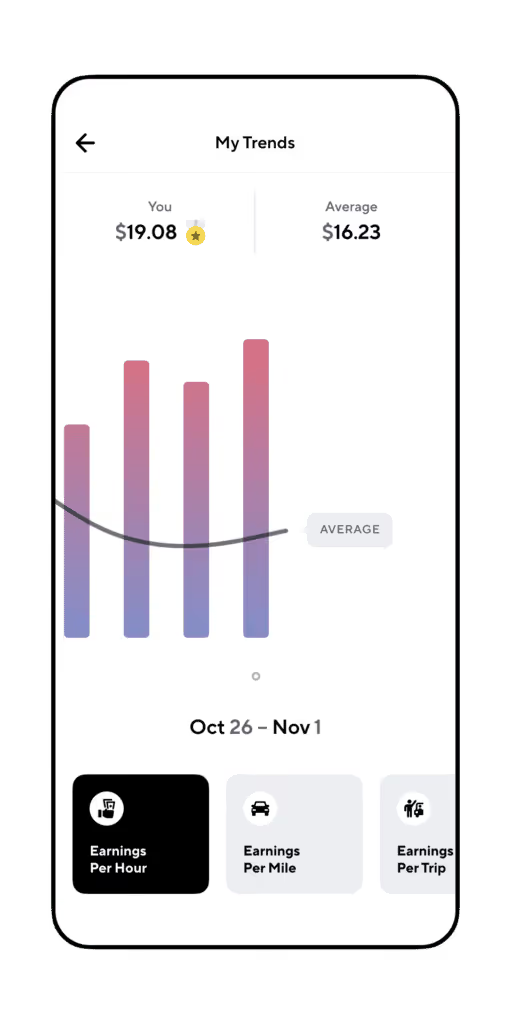
The bars on the chart show the individual driver’s earnings, and the black curved line shows how well the average driver in that area has been doing. My Trends lets you compare earnings per hour, earnings per ride, and earnings per trip across all the apps you drive or deliver with. See the big picture without wading through pages of past earning data, and get this instant comparison. My Trends is yet another way Gridwise helps drivers make more money.
My Trends can be found on the Insights tab of the Gridwise app, and will also allow drivers to see trends in stats like earnings per hour, per mile, and per trip. Whatever your driving strategy is, stay informed and drive smart!
Already a Gridwise user? Explore My Trends in the Gridwise app now!
More information = better driving decisions
It's hard to make smart driving decisions when you don't have a good picture of what's impacting your earnings over time and what's going on in your market.
Gridwise strives to give drivers everything they need to make their gig driving experience profitable and convenient. The more information you have, the more you are likely to earn. That’s why Gridwise gives you
- airport information. Know how many departures and arrivals are expected and how long the queues are for both Uber and Lyft before you drive all the way to the airport.
- event times. Whether you want to avoid traffic or be in the right place to pick up people at concerts, games, and other places that draw large crowds, getting those start and estimated let out times is a big help.
- weather and traffic alerts. Drivers need to know if there’s going to be weather that could affect their business and how to avoid traffic issues that make it harder to do the job.
- mileage, expenses, and earnings tracking. Mileage and other tax deductible expenses do you no good unless you track them with the best mileage tracker for Uber and DoorDash—Gridwise!
- discounts. Gridwise Gas gives you the help needed to avoid pain at the pump, which you need now more than ever! There are tons of other discounts designed to help drivers keep even more expenses down and boost earnings up!
- deals. Check out Gridwise Benefits to find out how to save on insurance, and take advantage of Gridwise group plans that give you access to medical and mental health care at reasonable rates. Saving on these items brings you more take-home pay.
- insightful features. Where to Drive and When to Drive tell drivers where the money can be made, and now, with My Trends you can compare your earnings with what other drivers are pulling in to make sure you’re making top dollar.
With all of this in one convenient app, it'll be easier than ever for you to drive smarter, not harder.
Download Gridwise now - it’s free!
Rideshare and Delivery Driver Rights Reversing In Europe: Is the US Next
Rideshare and delivery drivers have been campaigning for their right to benefits and a minimum pay for years - and in some locations, they've won. Drivers in some parts of Europe currently enjoy employee status, which comes with benefits and a minimum wage guarantee. In the US, the city of Seattle followed suit and guaranteed drivers in the city a minimum wage.
But independent contractor rights could lose what foothold they’ve gained so far. In this post, we’ll report on some events in Europe that don’t bode too well for gig workers here in the US, if companies here follow suit. Here’s what we’ll discuss:
- Gig worker rights reversals in Europe: What’s behind them?
- Possible setbacks for rideshare and delivery drivers in the US.
- Be proactive: protect your earnings and your economic well being.
Gig worker rights reversals in Europe: What’s behind them?
Companies like Grubhub’s parent, Just Eat Takeaway, decided that they would use employees as couriers in certain countries and challenged other companies that used gig workers to do the same. They proudly offered, and gave, benefits to their delivery couriers that ensured they were fully covered.
Gig workers, workers’ organizations, and unions pointed to this model and asked why that couldn’t happen in more companies. In California a protracted battle over this issue resulted in the gig companies putting forth Proposition 22, which gave some benefits to drivers, but defeated the state government’s attempt at pushing them to classify drivers as employees.
Now, according to this article from WIRED, the companies that were once generous with their drivers are reversing the moves. In France, Just Eat sent a July 18, 2022, email to its employees, announcing the company’s restructuring the status of couriers so that they would no longer be salaried delivery workers. The company cited pressure to turn a profit and noted that they were one of the few, if not the only, companies offering these benefits to their workers. They added that it was because regulators failed to make all driving and delivery companies classify workers as employees that they had to change their own way of paying their couriers.
Some of these workers, at least those in the city of Paris, would remain classified as employees and would be paid by the hour. Many couriers in other locations would risk losing their jobs. The company will go back to paying couriers by the delivery, just as other companies do.
Unions are looking at these events and questioning the future of gig worker rights. If Just Eat, which was so assertive about its move to make its couriers employees, could make this change, what might happen in other companies that have tried this model? Could Gorillas and Getir, two other European delivery platforms, follow suit?
It is possible because all of the companies that use app platforms and gig workers struggle to make a profit. There is tremendous pressure being applied by investors and stockholders. This pressure has been on the increase as many of these companies have grown, and gone public. They have a fiduciary responsibility to make money for their stakeholders. However, these companies also have a responsibility to treat drivers fairly.
Possible setbacks for rideshare and delivery driver rights in the US
What about all the gains that have been made for gig workers in the US? In Seattle, the city passed laws that established a minimum wage for gig drivers, and there are similar proposals in Massachusetts. The platform companies have fought tooth and nail to reverse this process, and to a large degree they succeeded with Prop 22 in California, as described in this Gridwise post.
The reasons for US companies’ pushback on any effort to resolve the employee vs. independent contractor controversy in the favor of drivers as employees are exactly the same as the explanation given by the European companies. These companies have to make a profit, and many of them are not even close. With the recession encroaching on what was once a booming business it will become even more difficult to secure investor capital.
Given all of this, the companies will probably not make any moves to grant gig workers employee status or pay for benefits in the way they do for corporate employees. There’s also the question of whether it’s better for gig workers to be employees. Employees get benefits, but they also have set hours and can only work for one platform at a time. The loss of flexibility is often a point people make when they express their preference for letting drivers and couriers retain their status as independent contractors.
Whether you want to be an employee or not, it looks less likely that companies are going to be able to afford to give their drivers and couriers set salaries and full benefits. That means if you’re committed to being a gig driver, you need to set yourself up for survival. Fortunately, there are ways of doing that.
Be proactive: protect your earnings and your economic well being
If the trends in Europe spread in the direction of the United States, rideshare and delivery drivers can expect that they will remain independent contractors for the foreseeable future. If no company is going to guarantee your wages, provide you with benefits, or contribute to workers’ compensation or disability insurance, what can you do?
Gridwise is here to support you. Maximize your earnings with features such as
Where to Drive and When to Drive, insight that tells you where and when you can make the most money.
Gridwise Benefits, which provides low-cost insurance and access to medical, mental health, and dental care. We’ve found a way to get benefits for rideshare and delivery drivers!
Discounts and deals for drivers give you an edge when it comes to keeping your costs of doing business down. This may not guarantee your minimum wage, but it surely does help to maximize your earnings.
With all this, plus airport and event info, traffic alerts, income and expense tracking, and more, there’s no doubt that Gridwise is much more than the best free mileage tracker you can get. It’s the world’s best rideshare and delivery driver assistant.
Download the free Gridwise app today!
Work smarter. Earn more.
Whether you drive, deliver, or pick up shifts — Gridwise helps you track earnings, mileage, and performance so you stay in control of your work. Download the app and take charge today.
