Gridwise blog
Tips, insights, and advice to help you earn more and work smarter, whether you do gig work, hourly, or shift work.

How to Make $1,000 a Week With Uber Eats in 2026 (Tips + Hourly Data)
In this blog, we'll explore the strategies and techniques that can show you how to earn $1000 per week as an Uber Eats delivery driver. We'll cover everything from optimizing your delivery zones and schedules to maximizing your tips and customer satisfaction. Whether you're a seasoned Uber Eats driver or just starting out, this guide will provide you with the insights and actionable steps to take your Uber Eats driver earnings to the next level.
Becoming an Uber Eats delivery partner can be a lucrative opportunity, especially if you're able to consistently earn $1000 a week. By understanding the platform, optimizing your delivery strategies, and focusing on customer satisfaction, you can maximize your earnings and turn Uber Eats into a reliable source of income.
We’ll cover the following topics to provide coaching and ideas to help you push your earnings up to that $1000 per week level:
What do Uber Eats drivers do?
Uber Eats drivers deliver prepared food most of the time, but they also might shop for and deliver goods from convenience outlets and grocery stores. The job is pretty simple. You get a request for an order, you drive to the restaurant or store to pick it up, and then you deliver it to the customer. If you already drive for Uber, you can choose to take orders for Uber Eats delivery any time.
If you’re not an Uber Eats driver yet, it’s pretty easy to become one. This Gridwise post tells you what you need to do if you want to sign up and start making money Uber Eats style. Many rideshare drivers welcome the chance to deliver food rather than people. This article from Nerdwallet covers the Uber Eats gig from that angle.
There are some sweet advantages to working with Uber Eats. In lots of cities you don’t even need to have a car. You can use a bike or a scooter, or even walk, to make your rounds. If you do use a car, Uber Eats’ requirements are a lot easier to meet than they are for Uber rideshare driving.
You also have a lot of flexibility. You can shop and deliver convenience items and groceries, but you don’t have to. And, like most driving gigs, you can choose your own hours, and map out the locations where you want to work.
Use Gridwise features When to Drive and Where to Drive to help you figure out what work hours and which specific areas will be the most profitable for you. Real data from real delivery people will show you earning patterns for drivers in your town.
How much can you earn doing Uber Eats?
The honest answer to this question is: basically, as much as you want! It all depends on how many hours you put in and how strategic you are about your gig. Earnings vary from one area to another, as this article from Entrepreneur points out. To give you a baseline, let’s look at the earnings of Uber Eats drivers who tracked their earnings with Gridwise.
Remember that these numbers show us only average earnings. To make $1,000 a week with Uber Eats, you’re going to have to be better than average, and we’ll show you how. For now, though, it’s good to have these figures so you get a ballpark number of where to start.
How much do Uber Eats drivers make?
Gridwise data tell us the following:
- Monthly earnings average around $444.00 per month.
- Gross earnings per trip are between $9.00 and $10.00.
- Tips make up about 50% of most Uber Eats drivers’ income, which amounts to about $225.00 per month.
Is Uber Eats good money? It can be. While there are other gigs that pay more per trip, if you drive for Uber Eats, you’ll always be pretty busy.
https://datawrapper.dwcdn.net/HPAz8/3
You can also see that, unlike many other gigs, tips play a huge role in Uber Eats earnings.

With these numbers as a baseline, what can we say about how to earn $1,000 a week with Uber Eats? As we said in the introduction, it’s going to be a hustle, but it’s really possible. To figure out how to make the most money with Uber Eats, let’s start by looking at how many trips these “average” drivers made each month.
We know that average gross earnings were $444.00 per month, and drivers got around $10.00 per trip. That means they took 44 or 45 trips per month, which breaks down to 11 trips per week. That’s not a lot of Uber Eats delivery, is it?
The fact that Uber Eats drivers averaged so few trips shows us that many drivers use more than one app at the same time. This is called multi-apping, and you can learn more about it in this Gridwise post. If you want to answer the question of how much you can make with Uber Eats, then you need to stick with the app and keep plugging away at those orders. You also need solid strategies, as well as some inside tips and tricks.
How to make the most money on Uber Eats: Delivery driving tactics
Getting to that $1,000 a week with Uber Eats isn’t so hard when you remember that the drivers we saw making about $111 a week were only taking around 11 trips in the same time period. That’s not much at all! If you work the Uber Eats app like a boss, you’ll soon have many more trips than that, easily reaching the number needed to get you to $1,000 a week. Now, let’s get to some tactics you’ll need to make that kind of bank.
- Stay with the Uber Eats app, and track your earnings. Gridwise can easily do that for you. Simply sync your Uber Eats app with Gridwise, and you’ll be able to see how much you’ve earned with Uber Eats, what times were most profitable, and your average hourly pay. Racking up trips with Uber Eats has other benefits, including perks and bonuses that are awarded to top drivers.
- Leverage surge pricing and promotions. Surge pricing is applied when there is a lot of demand. When surge pricing is in effect, many of the trips you make will pay more than usual. Promotions are offered to drivers who complete a given number of trips in a certain time period. High traffic volume days, nights, and times give you these chances to get extra earnings. Challenging yourself to complete the right number of trips for promotions will add to the number of trips you can count on for big bucks, too. Learn more about Uber Eats surge pay, boosts, and promotions in this Gridwise blog post.
- Say yes to doubling up on orders. With Uber Eats, you can get back-to-back orders or receive batched orders. Back-to-back orders happen when you receive a new request while you’re on the way to deliver an original order. The Uber Eats app routes these trips automatically, so you won’t be sent out of your way.
Batched orders are Uber Eats’ way of bundling together orders from either the same restaurant, or two nearby eating establishments. You get money, and trip count credit, for all the orders you complete, plus customer tips, without having to make a bunch of separate trips.
- Turn on the charm and get bigger tips. Being nice really is part of the Uber Eats driver’s job, and getting tips is one way people who drive for Uber Eats make money beyond their basic pay.. Bring along those extra napkins and condiments, use equipment that keeps food and drinks at the right temperatures and prevents spilling, and consider your customers’ needs. If you deliver groceries, be extra careful with delicate items such as bread and eggs.
And, most important, follow your customers’ directions, and stay in communication with them if you are going to be delayed, or if you have questions about their order. This Gridwise post will tell how to get bigger tips as a delivery driver.
- Use even more charm to keep your ratings high. As an Uber Eats driver, you will be rated by the restaurant or store where you pick up the orders as well as the customers who are waiting for the deliveries. This two-way rating system is designed to keep you on your toes, so Uber can keep people satisfied with your service. Don’t worry, you get to rate them, too.
There’s another reason why your rating as a driver is important. It not only keeps you in good standing with Uber; it helps you to qualify for the Uber Eats Pro incentive program. To learn more about Uber Eats Pro, and what it takes to earn perks such as preferred services, discounts, and deals, check out this Gridwise blog post.
Smart business moves that seal the deal
Now that you know how to gobble up the deliveries you need to make $1,000 a week with Uber Eats, it’s going to be a breeze to get there. Let’s make it even easier, with business moves that boost your earnings and shrink your expenses. If you use these, it will also be easy to say yes when people ask, “Can you make good money with Uber Eats?”
Minimize expenses. Avoid racking up big fast-food bills by bringing your own food and beverages. You might not think you’re hungry when you first start your Uber Eats run, but once the aroma of pepperoni pizza, premium cheeseburgers, and piping hot fries start wafting through your car, that might change. Bring a sandwich or other healthy food from home, and buy bottled water in bulk to save tons of cash compared to what it costs to buy single servings.
Maximize tax deductions. Another way to minimize your expenses is to maximize your tax deductions. Start by tracking mileage with Gridwise.

Gridwise App
Gridwise captures every deductible mile you drive, including the distance you cover between the trips your driving app records. Know what expenses you can deduct, and put them to work for you when tax time comes. Learn more about tax deduction strategies in the Gridwise Tax Guide for drivers.
Boost earnings with referrals
As an independent contractor, you’re probably looking for ways to make even more money than you can with Uber Eats. And most gig workers like you enjoy getting passive income. With Uber Eats, there’s a really easy way to do that, referrals!
All you need to do is find friends and encourage them to deliver for Uber Eats. If they make a certain number of deliveries within a specified time, you will get paid for doing nothing more than having them sign up under your referral code! Rates of pay vary by city, so check your Uber Eats app to find out what the current deal might be, and learn more about the referral program on the Uber Eats website.
Also remember: “friends” don’t have to be your best buds. Many delivery people carry cards with a QR code linking to their referral information, so just about anyone you encounter can join Uber Eats and boost your earnings. You could meet a source of passive income at the gas station, on social media, or at your high school reunion. The more you hustle, the more there is to gain, right?
Master the art of self-employment
As an Uber Eats driver, you’re an independent contractor. That means the company isn’t going to withhold your taxes, provide insurance, keep track of your earnings, or tell you about tax deductions. You’ll have to do all these things for yourself.
If you want to maximize your tax advantages, open an official business entity. You can incorporate (create a corporation) or you can work as a limited liability corporation (LLC). You can also work with a DBA (Doing Business As) arrangement, but the corporation or LLC will do a better job of protecting you from liability.
Establishing a corporation or LLC offers better tax advantages than being a sole proprietor. For instance, if you simply collect your earnings into your private account, you’ll be charged self-employment taxes in most states. And paying extra taxes is something we all want to avoid, within legal limits, as much as possible.
Every Uber Eats driver needs to learn about self-employment, and there are some great resources you can review. Check out the CareerOneStop website about self employment which will help explain the basics. You can also check with a professional tax accountant, or look other websites to learn more about actually creating a business.
Scope out your market
Look at the area around you to see where you’re likely to get the most deliveries. Where are all the restaurants? Where might people be more inclined to order deliveries? What hours do you want to drive? What activities might be going on around those times? Think about late-night and after-school times as well as breakfast, lunch, and dinner times.
Be realistic about the potential for your area and aware of new services opening up. For example, in New York, there is already a tab on the Uber Eats app that allows customers to order groceries. In our article about the best food delivery service to work for you’ll see that Uber Eats stacks up well against other delivery companies, mainly because of its potential for expanded opportunities for drivers to earn.
So, is Uber Eats good money? As we said, it isn’t an automatic guarantee that everyone will make $1,000 a week with Uber Eats. Trying out the suggestions we give you here, though, should put you on the right track! Go out there and start stacking up those orders and raking in some impressive earnings!
Get more inside information on Uber Eats in these posts from the Gridwise blog:
- The delivery driver guide: Using the Uber Eats app
- Everything you need to know about driving for Uber Eats
- Uber Eats Pro: What drivers need to know
- Looking for a different gig, part-time or full time job? Check out the Gridwise Job board.
Uber Eats FAQ
How does the Uber Eats platform work for drivers?
Uber Eats is a food delivery service that connects customers with local restaurants and independent delivery partners. As an Uber Eats driver, you'll receive notifications of nearby delivery requests, which you can accept and complete. The platform provides flexibility, allowing you to work on your own schedule and earn money based on the number of deliveries you complete.
What are the requirements to become an Uber Eats delivery partner?
To become an Uber Eats delivery partner, you'll need to meet certain requirements, such as having a valid driver's license, a registered vehicle, and passing a background check.
How can I choose the right delivery zone to maximize my earnings?
Selecting the right delivery zone can significantly impact your earnings, as some areas may have higher demand and better-paying orders. It's important to research and identify the zones in your area that tend to have the most consistent and lucrative delivery opportunities.
How can I take advantage of peak delivery hours and surge pricing?
Understanding peak delivery hours, such as mealtimes and weekends, and taking advantage of surge pricing can boost your earnings. Be aware of when demand is highest in your area and adjust your schedule accordingly to capitalize on these peak periods.
What are some tips for maximizing tips and customer satisfaction?
Providing excellent customer service and going the extra mile to ensure a positive experience can lead to more tips and repeat business. Prioritize communication, timeliness, and attention to detail to keep your customers happy and satisfied.
How can I set realistic weekly goals to reach my $1000 target?
To make $1000 a week with Uber Eats, it's essential to set realistic weekly goals and track your earnings and expenses. Start by determining your target earnings and breaking it down into achievable daily or weekly goals. This will help you stay on track and make adjustments as needed.
What are some strategies for efficient route planning and navigation?
Effective route planning and navigation can save you time and fuel, allowing you to complete more deliveries. Utilize mapping apps and take advantage of features like real-time traffic updates and turn-by-turn directions to find the quickest routes.
How can I balance my Uber Eats deliveries with other commitments?
Develop a schedule that allows you to capitalize on peak delivery hours while still maintaining a healthy work-life balance. Consider using tools like calendar apps to plan your availability and track your hours to ensure you're maximizing your earning potential without sacrificing your personal life.
What are the key considerations for maintaining my vehicle as an Uber Eats driver?
Keeping your car clean and well-maintained is crucial for maximizing your Uber Eats earnings. Regularly scheduled oil changes, tire rotations, and other preventive maintenance can help extend the life of your vehicle and minimize downtime. Additionally, budgeting for vehicle-related expenses, such as fuel, insurance, and repairs, will ensure you're accounting for these costs and maximizing your net earnings.
What are the tax obligations and legal considerations for Uber Eats drivers?
As an Uber Eats delivery driver, it's essential to understand the tax obligations and legal considerations that come with being an independent contractor. This includes properly reporting your earnings, deducting eligible business expenses, and making quarterly estimated tax payments. Additionally, you'll need to ensure you have the appropriate insurance coverage, such as personal auto insurance and possibly commercial auto insurance, to protect yourself and your vehicle while on the road making deliveries.

The Gridwise Job Board: Find Your Ideal Job or Gig Work
Gridwise is an essential assistant app created by gig workers for gig workers. Our mission is to support those engaged in gig work in every way possible. We understand how challenging it can be to deal with income instability, a lack of benefits, and job insecurity that often comes with gig work. The Gridwise app tracks and organizes earnings and expenses, and offers a wide array of discounts, deals, and services that make the lives of independent contractors easier and more rewarding.
We firmly believe it’s possible to make a viable living and create a gig experience that offers flexible hours, variety, and excitement. With issues such as consistent earnings and job security in mind, Gridwise is proud to offer a centralized platform that shows you how to find gig work and secure reliable opportunities. We’re proud to introduce the Gridwise Job Board.
The Gridwise Job Board: Key features
Because Gridwise is dedicated to serving the gig worker community, we’ve filled the Gridwise Job Board with useful features that won’t waste your precious time.
- Comprehensive listings. Find part-time, full-time, temporary, and per-task work. Drive or deliver with your vehicle, utilize an employer’s vehicle, or even find non-driving gig work.
- User-friendly interface. Find the jobs that are right for you with a tap of your screen.
- Verified opportunities. We vet the jobs before they are listed to ensure you’re getting high-quality job postings.
How to get more gig work, seasonal, part-time or full-time jobs with the Gridwise Job Board
Looking specifically for “gig work apps” or “gig jobs near me?” You’re in luck. Our filters and search functions send you directly to the listings you seek.
Here’s how it works.
- Access the Job Board via the Gridwise website.
- Search for jobs by type, location, and more.
- Select the job that interests you, and read all about it.
- Scroll through the description, and if it appeals to you, click “Apply for job.”



Many types of jobs are available. Adjust the search filter to see the full variety of opportunities that will let you cash in. Deliver food, set up catering, do rideshare driving, get paid for doing package delivery, and much more. You’ll find short-term gigs, long-term contracts, and part-time positions.
Perks of the Gridwise Job Board for gig workers
Gig workers who know how to make extra money will appreciate how the Gridwise Job Board lets you multiply your chances of bringing in big earnings. Here’s how:
- Increased stability. Use the Gridwise Job Board to find part-time or permanent jobs in addition to the part-time gigs you already have. Always keep a steady stream of earning opportunities flowing toward you.
- Flexibility and autonomy. Choose jobs that fit your schedule, work around other jobs and family duties, and still leave room for some fun in your life. Discover side hustles to supplement your full-time job, permanently or just for the season.
- Skill development. Find part-time work that lets you use a skill you already have, or try your hand at something new. It’s a smart way to develop a portfolio to showcase what you can do, or even to find permanent employment.
Get Gridwise and stay up to date on the Gridwise Job Board
Gig workers need plenty of information and assistance, and Gridwise is here to give it to you. Download the app and get essential features such as
- seamless earnings tracking
- mileage tracking
- expense recording, including notes
- low-cost and no-cost insurance benefits
- access to affordable medical, dental, vision, mental health, and alternative care
- professional services including legal and financial help
- deals and discounts
- weather, events, and traffic reports
- inside information on where and when to drive
More to know about gig work:

5 Best Mileage Trackers For Gig Drivers
Many drivers ask, “Do I really need a mileage tracking app?” The answer is simple: only if you want to have an accurate count of all the miles you can legally deduct from your taxable income! You might think your rideshare or delivery driving app has got you covered. After all, they do quite a good job of logging the miles you drive while you’re on a trip or delivery. But, if you want to have the best app to track mileage for Uber, Lyft, Doordash, Instacart, or the other apps you may use, you need more. Why is that?
Without a separate tracker, you’re missing the miles you drive in between pings. Did you realize that all the miles you drive, from the moment you begin your shift until it’s over (as long as you don’t drive several miles on a break to hang with your friends), are tax deductible! That means you need something besides your driving app to keep an accurate count of your travels. Read this Gridwise post to see how important it is to keep track of every deductible mile.
You won’t be surprised to hear that there’s an app for tracking miles. In fact, there are several of them. Here, we’re going to tell you about five top mileage tracking apps, and help you figure out which one is best for you.
Before we get to the list and identify the best mileage tracker app, let’s clarify what exactly a mileage tracking app is. According to G2.com’s technology glossary, mileage tracking is done for the purpose of keeping a log of mileage that is either reimbursable or tax deductible.
And yes, of course you can track your miles simply by taking readings on your odometer. But are you really prepared to account for how many miles you drove for personal reasons and subtract them from the total to get your business mileage? Even if you can remember all that and do the arithmetic, if you want an accurate reading of the miles you drive for business, and can therefore deduct, a mileage tracking app will save you a lot of trouble and prevent you from making costly errors.
Plus, as a gig driver, you have specific needs when it comes to a mileage tracker. Ideally, you’d be able to handle mileage tracking and several other functions all in one app. It can be maddening enough to deal with driving apps, particularly if you’re an avid multi-apper. You would want your mileage tracker app to help you keep account of other aspects of your business, including income, expenses, and inside information about the art of gig driving.
Not all mileage apps are equal, to be sure! Let’s look at five of the best apps to track mileage and figure out which is the best app to track mileage with Uber and Lyft, or what mileage tracker app is best for DoorDash.
1. Zoho Expense

First up is Zoho Expense, which does exactly what its name says. This app is designed to allow companies to give employees a uniform way to create and submit expense reports. It can be used by individuals, including gig drivers, as well.
It includes a mileage tracker, as well as features that let you track other deductible expenses, including the ability to scan and record receipts.
Available on Android and Apple: Yes
Ratings: 4.8 stars on App Store, 4.7 stars on Google Play
Free Version: Yes
Subscription price: $3 per month, billed annually
Created specifically for gig drivers: No
2. Quickbooks Online

Quickbooks Online is a cloud-based app that allows you to track your mileage, earnings, and expenses. The information you enter can then be used to generate various reports that prepare you for tax time. It also allows you to create graphs that illustrate your cash flow, and includes a receipt scanner so you can instantly record deductible expenses. Quickbooks is popular, highly reliable, and designed mainly to help people keep track of their small businesses.
Available on Android and Apple: Yes
Ratings: 4.7 stars on App Store, 4.4 stars on Google Play
Free version: 30-day free trial
Subscription price: $15 per month for basic version if purchased for 3 months or more
Created specifically for gig drivers: No
Source: quickbooks.intuit.com
3. Shoeboxed

Shoeboxed started in 2007 as a service for scanning paper receipts into digital form. Now the app offers a free mileage tracker and has enabled users to scan receipts directly. It touts itself as the best mileage tracking app for DoorDash, but there are some elements missing that Dashers might like to have. While it provides features that record your expenses and prepare you for tax season, it doesn’t automatically track your earnings. The mileage tracker has a system where you can drop pins along your routes to make the tracking more precise, identifying those legs of a trip that you make for business purposes. The mileage tracker is “free” once you sign up for the basic version.
Available on Android and Apple: Yes
Ratings: 4.5 stars on App Store, 2.3 stars on Google Play
Free version: No
Subscription price: $18 per month for basic version
Created specifically for gig drivers: No
Source: blog.shoeboxed.com
4. Stride

This free mileage tracker does a fair job of keeping track of the distances you rack up while gig driving, but it doesn’t automatically track earnings. It can be a big help, though, in tracking your expenses. You can link Stride to your bank account, and it will automatically scan your expenses to identify items you can potentially deduct. The app is totally free. This could make it the best free mileage tracker app, but there is a small price to pay. The app will persistently push you to consider various insurance plans that they are affiliated with. If you don’t mind that, this is a solid mileage tracker, even if it doesn’t track your earnings.
Available on Android and Apple: Yes
Ratings: 4.8 stars on App Store, 4.6 stars on Google Play
Free version: Yes
Subscription price: None. The app is free.
Created specifically for gig drivers: No
5. Gridwise

Gridwise has a free mileage tracker and free features that record your income and expenses. It gives you access to insurance and benefits, as well as insights about the best times and places to make the most money while gig driving. The Gridwise mileage tracker captures all the miles you drive while you’re on your driving shift, and it can be used if you have other trips you need to make which qualify as business travel.
Drivers love it because it is geared toward the needs of rideshare and delivery workers, providing free information about airport departures and arrivals, event start and let out times, weather, traffic, and more. The Gridwise Plus subscription adds value by providing additional insights and reports, discounts on benefits, the ability to export data in .csv format,, and more.
Available on Android and Apple: Yes
Ratings: 4.9 stars on App Store, 4.6 stars on Google Play
Free version: Yes
Subscription price: $9.95 per month for Gridwise Plus, or $95.99 per year (a $23.41 savings)
Created specifically for gig drivers: Yes!
What is the best mileage tracking app?
Now that we’ve checked them all out, we’re positive about the answer to that. Hands down, it’s Gridwise. Are we biased? You bet we are! But drivers love it too. Gridwise is the best mileage tracker app, and so much more. So many of the features are free, and the subscription to Gridwise Plus will pay for itself with additional insights to boost your earnings and deeper discounts on products and services.
Most important, Gridwise is designed specifically for gig drivers by experts who were once gig drivers themselves! Knowing what gig drivers need is a crucial step in creating an app that rideshare and delivery drivers can really use! Here are a few of the features, besides mileage tracking:
- seamless earnings tracking
- automatic, on/off toggle and manual mileage tracking
- mileage categorization
- airport, traffic, weather, and events information
- insights into where to drive and when to drive
- reports showing earnings across the platforms you use
- discounts on countless products and services for drivers
- additional resources for finding side gigs
- an informative and comprehensive blog
- affordable benefits, including insurance, medical, dental, and alternative practitioner discounts
- a community of drivers just like you
Don’t settle for just any app. Get the best mileage tracker, and so much more, from Gridwise!
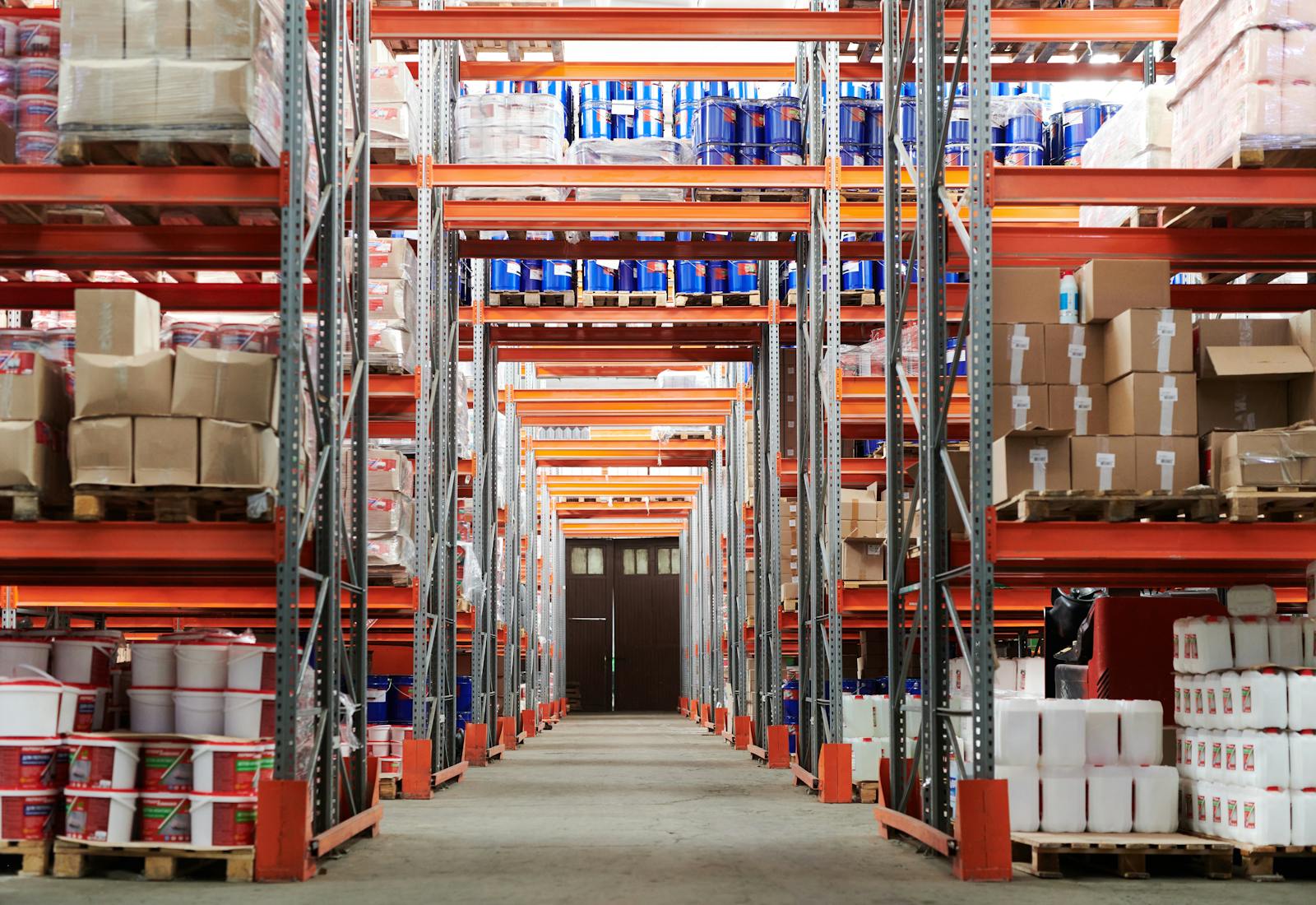
Amazon Warehouse Pay Guide: Hourly Wages, Benefits & Hiring (2026)
Amazon pays most warehouse and fulfillment center associates between $18 and $22 per hour, with the actual number depending heavily on location, shift, and role. The company raised its company-wide minimum to $15 in 2018, a move that made headlines at the time, but that floor has since been eclipsed by market realities: in most U.S. markets today, Amazon's effective starting wage runs $18 or higher. This guide covers current pay rates by position and state, how Amazon compares to UPS, Walmart, and FedEx, what benefits are available, and how to get hired fast.
What Does Amazon Pay Per Hour?
Here is a quick snapshot of what Amazon pays for its most common warehouse and delivery roles in 2026:
- Warehouse Associate / Fulfillment Center Associate: $18–$22/hr: national average approximately $19/hr; the most common entry point for new hires
- Picker / Packer: $17–$21/hr: order fulfillment roles; pay varies by facility size and location
- Sort Associate: $17–$20/hr: package sorting at delivery stations; slightly lower ceiling than fulfillment center roles
- Delivery Driver (DSP): $18–$25/hr: contracted through Delivery Service Partners; pay set by individual DSP operators within Amazon's guidelines
- Night Shift / Overnight Associate: $18.50–$24/hr: includes shift differential of $0.50–$2/hr depending on facility and location
- Area Manager (entry-level salaried): $55,000–$75,000/yr: the first management tier; equivalent to approximately $26–$36/hr
Amazon's company-wide minimum wage is $15 per hour, established in 2018 as part of a broadly publicized wage initiative. In practice, location premiums mean most hourly associates earn $18 or more. In states with a minimum wage above $15, the state floor applies and Amazon pays above it.
Amazon Warehouse Pay by Position
Pay varies by role, facility type, and shift. Entry-level fulfillment center roles cluster between $17 and $22 per hour nationally. Night shift adds meaningful money. Management roles are salaried but translate to $26/hr or higher on an equivalent basis.
Entry-Level Roles
- Warehouse Associate / Fulfillment Center Associate: $18–$22/hr: the most widely available role; national average approximately $19/hr; involves receiving, stowing, picking, and packing in large fulfillment centers
- Picker / Packer: $17–$21/hr: focused on order selection and packaging; often the role new hires are assigned during peak periods; pay tracks closely with Warehouse Associate rates
- Sort Associate: $17–$20/hr: works at Amazon delivery stations sorting packages by route; slightly lower pay ceiling than fulfillment center roles; physically fast-paced with a narrower rate range
- Seasonal / Flex Associate: $17–$21/hr: temporary or on-call status during peak seasons (Q4, Prime Day); same pay rates as regular associates with no benefits guarantee
Skilled and Specialized Roles
- Delivery Driver (DSP, Delivery Service Partner): $18–$25/hr: not direct Amazon employees; hired by independent DSP operators who contract with Amazon; pay varies by DSP, region, and driver tenure; most DSPs pay $20–$22/hr in mid-cost markets
- Night Shift / Overnight Associate: $18.50–$24/hr: same roles as day shift but with a shift differential of $0.50–$2/hr depending on facility; differentials are set at the site level and vary significantly; Seattle-area and California facilities tend to have higher differentials
- Robotics / Tech Associate (Maintenance Technician): $22–$35/hr: specialized role supporting automated fulfillment systems; requires electrical or mechanical background; not available at all facilities; significantly higher pay ceiling than general warehouse roles
Management Roles
- Area Manager: $55,000–$75,000/yr: entry-level salaried management; oversees a department or shift within a fulfillment center; Amazon actively recruits for this role via its MBA and early career programs; equivalent to approximately $26–$36/hr
- Operations Manager / Senior Area Manager: $80,000–$120,000/yr: manages Area Managers and larger portions of fulfillment center operations; typically requires internal promotion or prior operations management experience
Amazon Warehouse Pay by State
Location is the single biggest variable in Amazon warehouse pay. Amazon uses a "location premium" model, adjusting pay above its $15 baseline based on local labor market conditions, cost of living, and state minimum wages. A fulfillment center associate in California earns significantly more than one in Mississippi doing the same job.
Higher-Paying States
- California: Warehouse associates average $20–$25/hr; Los Angeles and Bay Area facilities often push to the upper end. California's state minimum wage and high cost of living force Amazon's location premium up; many CA facilities post starting wages of $20–$21/hr publicly.
- New York / New York City: Associates average $19–$23/hr statewide; NYC-area facilities are at the upper end. New York's $16/hr minimum (effective Jan 2025) sets the floor, with Amazon's location premium adding $3–$7 on top for most roles.
- Washington State: Seattle-area fulfillment centers average $20–$24/hr. Amazon's headquarters proximity means Washington facilities are often better-staffed and higher-compensated than average; the state's $16.28/hr minimum (2024) also raises the floor.
- Colorado / Connecticut: Associates typically earn 10–15% above the national average; both states have minimum wages above $14/hr and Amazon applies location premiums accordingly.
Lower-Paying States
In southeastern and midwestern states, including Mississippi, Alabama, Tennessee, and Indiana, Amazon's location premium above the $15 baseline is smaller. Associates in these markets typically earn $17–$19/hr for standard fulfillment center roles, compared to $20–$25/hr in high-cost states. The work and productivity expectations are identical regardless of location.
To find the exact starting wage for a specific Amazon facility, search on amazon.jobs by city, each listing includes the pay range for that site. Glassdoor and Indeed also show location-specific data filtered by fulfillment center.
How Does Amazon Warehouse Pay Compare to Similar Employers?
Amazon sits at or near the top of the warehouse and retail employer pay range for hourly workers. It consistently outpaces general retail, though some unionized logistics roles at UPS and FedEx exceed it at the top end. Here is how it stacks up for entry-level hourly warehouse work:
- UPS: $21–$32/hr for warehouse and package handler roles, higher than Amazon, particularly for union positions after the 2023 Teamsters contract; but part-time roles at UPS can start lower and hours are less predictable
- FedEx: $18–$26/hr for warehouse associates and package handlers, comparable to Amazon at the entry level, with the upper end reserved for experienced or specialized roles
- Walmart: $15–$19/hr for hourly store and distribution associates, Amazon's guaranteed floor meaningfully exceeds Walmart's in most markets, particularly outside of high-cost states
- Target: $15–$24/hr for store-level roles, comparable range, but Target's upper end requires experience or team lead status; Amazon's base floor is higher for new hires in most markets
- Home Depot: $15–$21/hr for entry-level associates, see the Home Depot Pay Guide for a full breakdown; Home Depot's skilled trades path (Pro Desk, Tool Rental) offers a clearer hourly pay ceiling for non-management workers, while Amazon's advancement tends to push toward salaried roles
Amazon's advantage over most retail competitors is the guaranteed pay floor combined with weekly pay and a meaningful tuition benefit. The disadvantage is real: Amazon fulfillment centers operate on productivity quotas (called "rate"), and hourly workers report that advancement past the associate level often requires moving into a salaried management track rather than increasing hourly pay in-grade.
Amazon Employee Benefits
Pay is only part of the picture, Amazon offers a benefits package that is competitive with or better than most warehouse and retail employers, particularly for full-time associates. The Career Choice tuition program is a standout that few comparable employers match.
Know exactly what you earn. Gridwise tracks your pay and expenses across every job, so you always see what you really make. Download for free →
Part-Time Employees
- Basic medical coverage: Limited medical options available; less comprehensive than the full-time package
- Amazon employee discount: 20% discount on Amazon.com purchases (up to $1,000/yr)
- Weekly pay: All hourly associates, part-time and full-time, are paid weekly, which is a meaningful advantage over retailers that pay biweekly
- EAP (Employee Assistance Program): Mental health, financial counseling, and support resources
Full-Time Employees (30+ hours per week)
- Medical, dental, and vision insurance: Full coverage available after 90 days; Amazon subsidizes a meaningful portion of the premium for hourly associates
- 401(k) with company match: Amazon matches 50% of contributions up to 4% of eligible compensation, a 2% employer match effectively; vests over time
- Career Choice tuition program: Up to $5,250 per year for eligible education programs, including college degrees, vocational training, and industry certifications; Amazon pre-pays tuition directly to participating schools; this program is available after one year of employment
- Restricted stock units (RSUs): Available for some roles, particularly those on a management track; not standard for all hourly associates
- 20% Amazon.com discount: Up to $1,000 per year in savings on Amazon purchases
- Paid time off: Accrual begins immediately; the rate increases with tenure; unpaid time off (UPT) bank is also provided for additional flexibility
- Life and disability insurance: Basic coverage provided at no cost to full-time employees
Getting Hired at Amazon
Amazon is one of the fastest employers to hire from application to first day. The company hires in large batches for its fulfillment centers, and many applicants receive offers within one to three days of applying.
- Where to apply: amazon.jobs: search by city or zip code and filter by job type (warehouse, delivery, etc.). Applications take approximately 20–30 minutes. Amazon also runs virtual job fairs that allow same-day scheduling of next steps.
- Timeline: Faster than almost any comparable employer, many applicants complete the full process (application, assessment, offer, background check) within one week. High-demand facilities can move from application to start date in three to five days.
- Interview format: Most entry-level warehouse roles do not have a traditional interview, instead, Amazon uses an online application and virtual assessment covering basic math, situational judgment, and availability. In-person orientation replaces the interview for most hourly roles.
- Background check: Standard background check required for all positions. Criminal history is reviewed on a case-by-case basis.
- Drug test: Amazon conducts pre-employment drug screening for most warehouse roles, including in states where marijuana is legal. Policy specifics vary by state and facility, check the offer documentation for your specific site.
- Physical fitness assessment: Some fulfillment center roles include a physical capability screen at orientation to confirm the applicant can handle the physical demands of the role. This is not a formal test, it is typically demonstrated during a brief tour or orientation activity.
- Best roles to target first: Warehouse Associate and Sort Associate have the highest hiring volume. Applying to multiple nearby facilities increases offer speed. Overnight shifts are typically easier to get and pay slightly more due to the shift differential.
Frequently Asked Questions
Does Amazon pay weekly or biweekly?
Amazon pays hourly associates on a weekly schedule: every Friday for most facilities. This is one of the more meaningful practical advantages over retailers like Walmart and Target, which pay biweekly. Weekly pay gives workers faster access to earnings and reduces the financial strain of long pay gaps.
What is Amazon's starting wage in 2026?
Amazon's company-wide minimum is $15 per hour, set in 2018, but in practice, location premiums mean most new hires start at $18/hr or higher. In California, New York, and Washington, starting wages are typically $20–$22/hr. The exact rate for a specific facility is listed on the job posting at amazon.jobs.
Does Amazon give raises?
Amazon reviews hourly pay on an annual basis, with increases tied to performance and tenure. The structure varies by facility and role. Associates who move from standard to peak-performance designation may receive additional pay adjustments. The more reliable path to a significant pay increase is moving into a new role tier, from Associate to Tier 2 or into a salaried Area Manager track.
Can you get benefits working part-time at Amazon?
Part-time Amazon associates have access to the employee discount and EAP resources. Full medical, dental, vision, and 401(k) access requires full-time status (30 or more hours per week) and kicks in after 90 days. The Career Choice tuition program requires one year of employment and is available to full-time associates.
How demanding are Amazon's productivity quotas?
Amazon tracks associate performance against a productivity metric called "rate", the number of items picked, packed, or processed per hour. Associates who consistently fall below the rate threshold can face corrective action or termination. This is one of the most commonly cited concerns in Amazon fulfillment center reviews. The rate expectation adjusts based on role and facility, but it is a real factor in the day-to-day experience of warehouse work at Amazon.
Does Amazon drug test for marijuana?
Amazon announced in 2021 that it would stop testing for marijuana in pre-employment drug screens for most hourly roles, a policy shift driven partly by hiring challenges in states where cannabis is legal. However, actual testing policies vary by facility, role, and state. Safety-sensitive roles and certain states may still require marijuana testing. Review the specific offer documentation for your site to confirm the current policy.
Amazon warehouse pay changes throughout the year, location premiums shift, and new facilities set different starting wages. Enter your email below to get a free weekly update when Amazon adjusts wages in your area, we track changes by role, facility type, and state so you always have current numbers.
Track your earnings the smart way
Thousands of workers use Gridwise to see their real pay and earn more.

FedEx Pay Guide: Hourly Wages, Benefits & Hiring (2026)
FedEx pays most hourly package handlers between $17 and $23 per hour, and couriers and delivery drivers earn $20 to $32 per hour depending on classification and seniority. Pay varies more at FedEx than at most large employers because FedEx operates two distinct networks, FedEx Express and FedEx Ground, with different pay structures, benefits, and employment arrangements. Understanding which division you are applying to is the single most important thing to know before comparing FedEx pay to any competitor. This guide breaks down current pay rates by role and division, covers state-by-state variation, compares FedEx to UPS and other carriers, and explains the benefits and hiring process for both Express and Ground operations.
What Does FedEx Pay Per Hour?
Here is a quick snapshot of what FedEx pays for its most common hourly positions in 2026:
- Package Handler (FedEx Express hub): $17–$23/hr: national average approximately $19–$20/hr; physically demanding sorting and loading role at Express air hubs
- Package Handler (FedEx Ground hub): $16–$21/hr: slightly lower range than Express; Ground hub work involves similar physical demands in ground-package sorting facilities
- Courier / Delivery Driver (FedEx Express): $20–$32/hr: average approximately $25/hr nationally; senior Express couriers at top of pay scale reach $30–$32/hr; the highest-paying non-management hourly role in FedEx Express
- FedEx Ground Driver (company employee): $19–$28/hr: applies to Ground drivers employed directly by FedEx following the ISP-to-employee conversion; contractor/ISP drivers may earn more or less depending on route volume
- Material Handler / Sorter: $17–$22/hr: intermediate sorting and materials-handling role within hub operations
- Operations Manager: $55,000–$85,000/yr: salaried; oversees hub or station operations; equivalent to approximately $26–$41/hr on a comparable hourly basis
FedEx does not publish a single company-wide minimum wage the way some retailers do. Starting rates are set by division and location, and are heavily influenced by state minimum wage laws and local labor market conditions. FedEx Express hubs consistently pay above FedEx Ground for comparable roles.
FedEx Hourly Pay by Position
The most important context for understanding FedEx pay: FedEx Express and FedEx Ground are operationally separate, with different pay scales and historically different employment models. Express is a direct FedEx employer for all roles. Ground historically operated through independent service providers (ISPs) who employed drivers as contractors; FedEx has been converting those drivers to direct employees, which brings them under FedEx's corporate benefits and pay structures. If you are applying at a Ground facility, confirm whether you would be a direct FedEx employee or an ISP employee.
Entry-Level Roles
- Package Handler (FedEx Express): $17–$23/hr: hub-based sorting, loading, and unloading of air packages; average approximately $19–$20/hr nationally; Express hubs often offer part-time shifts with shift differential for early morning or overnight work
- Package Handler (FedEx Ground): $16–$21/hr: ground-package sorting facility; comparable physical demands to Express but lower average pay; Ground hub positions are more abundant given the scale of ground delivery operations
- Material Handler / Sorter: $17–$22/hr: supports inbound and outbound package movement within the hub; slightly more specialized than general handler roles; average approximately $18–$19/hr nationally
- Warehouse Associate: $16–$21/hr: general warehouse support functions within FedEx's supply chain and fulfillment services division; pay tracks Ground-level rates in most markets
Skilled and Specialized Roles
- Courier / Delivery Driver (FedEx Express): $20–$32/hr: the flagship FedEx Express role; delivers time-sensitive parcels and documents on a defined route; average approximately $25/hr nationally; senior couriers who reach the top of the Express pay scale earn $30–$32/hr; the pay progression requires multi-year tenure at Express
- FedEx Ground Driver (direct employee): $19–$28/hr: as the ISP conversion progresses, these drivers transition from contractor to direct-employee status; pay and benefits improve substantially upon conversion; routes and earnings can vary based on stop count and route geography
- Aircraft Maintenance Technician (FedEx Express): $30–$55/hr: licensed A&P mechanics and aviation maintenance technicians; specialized roles at Express air hubs and ramp operations; requires FAA certifications
- Ramp Transport Driver: $22–$30/hr: moves freight between aircraft and terminal at FedEx Express air hubs; requires specialized equipment operation certification
Management Roles
- Senior Courier / Lead Handler: $24–$34/hr: experienced individual contributors who may take on informal leadership roles; compensation reflects tenure and additional responsibilities
- Operations Manager: $55,000–$85,000/yr: salaried station or hub manager; average approximately $68,000/yr nationally; oversees daily operations, staffing, and on-time metrics
- Senior Manager / Director: $90,000–$140,000+/yr: regional or multi-site leadership; compensation includes base salary plus annual incentive based on operational performance
FedEx Pay by State
FedEx pay tracks state minimum wage laws closely for entry-level positions, and state-level variation is meaningful, particularly in California, New York, and Washington, where all major employers pay well above national averages. For courier and driver roles, state variation is somewhat less pronounced because pay is more tied to seniority and classification than to state minimums.
Higher-Paying States
- California: Express package handlers at major California hubs (Los Angeles, Oakland, Sacramento) typically earn $21–$26/hr; Express couriers in California average $27–$32/hr at full rate. California's $16/hr state minimum (2024) raises the floor for all FedEx Ground and Express entry-level roles. Ground hub handlers in Southern California commonly start above $20/hr.
- New York / New York City: Package handlers in the New York metro area typically earn $20–$25/hr; Express couriers in NYC can reach $28–$32/hr with tenure. New York's $16/hr minimum (effective Jan 2025) keeps entry-level FedEx roles competitive with other employers in the market.
- Washington State: Seattle-area Express handlers typically earn $21–$24/hr; couriers in the Seattle metro earn $26–$30/hr with experience. Washington's $16.28/hr minimum (2024) applies to all FedEx roles.
- Colorado / Connecticut: Both states carry consistent 10–15% premiums above national average for comparable FedEx roles; state minimums above $14/hr apply to all entry-level classifications.
Lower-Paying States
In states like Mississippi, Alabama, and Georgia, where no state minimum wage law exceeds the federal floor, FedEx Ground handlers may start as low as $16–$17/hr, and FedEx Express handlers typically start at $17–$19/hr. Courier and driver pay in these markets is less affected by state minimums since it is driven more by classification and seniority. FedEx Express still starts couriers at $20/hr or above in most southern markets.
To find the exact pay range for a specific FedEx facility or route, search listings at careers.fedex.com: each posting includes a pay range for that location and division. Indeed also aggregates self-reported FedEx pay data by city and role.
How Does FedEx Pay Compare to Similar Employers?
FedEx sits just below UPS on driver pay but is competitive with USPS and above Amazon DSP for most package handler roles. The Express vs. Ground divide is important here. FedEx Express pay and benefits are meaningfully stronger than FedEx Ground, particularly during the ISP-to-employee transition period.
Know exactly what you earn. Gridwise tracks your pay and expenses across every job, so you always see what you really make. Download for free →
- UPS: $21–$42.73/hr for package handlers and drivers: UPS's 2023 Teamsters contract set a new benchmark for parcel industry pay; Package Car Drivers at top rate earn $42.73/hr, well above FedEx Express courier top rates of $30–$32/hr; UPS also has a stronger union benefits package for full-time Teamsters members
- Amazon DSP: $18–$25/hr for delivery associates, Amazon Delivery Service Partner drivers are employed by independent contractors, not Amazon directly; pay and benefits vary by DSP operator; no defined pay progression or union representation
- USPS: $19–$24/hr for city carrier assistants and mail handlers, federal government employment with federal benefits; job security and pension are strong selling points; pay progression is slower than FedEx Express courier rates
- DHL: $17–$24/hr for express and ground operations. DHL's U.S. domestic footprint is smaller; pay is competitive at the handler level; driver rates do not match FedEx Express courier top rates
FedEx's advantages over most competitors on this list: Express courier wages are competitive for non-union parcel work; the profit sharing program (for eligible Express employees) provides an additional earnings layer; and the standby flight benefit, employees can fly standby on FedEx cargo aircraft, is a genuinely unique perk not available at any competitor. For a comparison at the retail level, see the Home Depot pay guide.
FedEx Employee Benefits
Pay is only part of the picture. FedEx Express offers a comprehensive corporate benefits package for direct employees, while FedEx Ground benefits have historically been limited for ISP-employed drivers. As Ground drivers convert to direct FedEx employment, they gain access to the corporate benefits structure. The distinction below applies to FedEx Express direct employees, which is the standard for most hired through FedEx's careers page.
Part-Time Employees
- Medical insurance: Available after a waiting period for part-time Express employees; premiums are subsidized but not eliminated
- Dental and vision insurance: Available to part-time employees at their cost; company-subsidized for full-time employees
- 401(k): Part-time Express employees participate in the 401(k) plan; company match terms apply per plan documents
- Tuition assistance: Up to $2,500/yr for eligible programs, available to qualifying part-time employees; a meaningful entry-level benefit for employees pursuing education alongside work
- Employee discounts: Discounts on FedEx shipping and select retail partners
Full-Time Employees (FedEx Express)
- All part-time benefits, plus:
- Medical / dental / vision (subsidized): Full medical coverage with company-subsidized premiums; FedEx covers a meaningful share of employee premiums for the core medical plan
- 401(k) with 3.5% company match: FedEx Express matches 3.5% of eligible earnings for full-time employees; this is a competitive match rate compared to other large employers
- Profit sharing: Eligible full-time Express employees receive profit sharing distributions based on annual company performance; amounts vary year to year
- 8 paid holidays: Standard corporate holiday schedule for full-time Express employees
- Paid vacation: Accrual based on tenure; increases with years of service
- Standby flight benefit: Full-time Express employees can fly standby on FedEx cargo aircraft, a unique benefit with no equivalent at any major parcel competitor; useful for personal travel but requires flexibility in scheduling
- Tuition assistance: Up to $2,500/yr for eligible programs; useful for career development alongside full-time employment
Getting Hired at FedEx
FedEx hires year-round for package handler roles at both Express and Ground facilities. Courier positions are more competitive and typically require a clean driving record and a successful road test. The application experience differs slightly between Express and Ground, confirm which division and employment type (direct FedEx or ISP) before applying.
- Where to apply: careers.fedex.com: filter by division (Express vs. Ground), location, and role type. Applications take approximately 15–25 minutes. Driver roles require motor vehicle record disclosure.
- Timeline: Package handler positions often move quickly, offers within one to two weeks are common for in-demand hub locations. Courier and driver positions take two to four weeks due to additional screening (MVR check, road test, background review).
- Interview format: Package handler interviews are typically brief, one round, in person or by phone, covering availability and physical capability. Courier candidates go through a more thorough interview covering driving history, customer service experience, and a route simulation or road test.
- Background check: Yes, required for all positions. Driving roles include a motor vehicle record (MVR) check; a clean or near-clean driving history is required for courier classification. Violations involving reckless driving or DUI typically disqualify candidates for driver roles.
- Drug test: Yes, FedEx conducts pre-employment drug testing for all positions, including marijuana, regardless of state law. This is consistent with UPS policy and is firm across both Express and Ground operations.
- Best roles to target first: Package Handler at Express hubs has the highest hiring volume and fastest offer timelines. Ground handler roles are plentiful but pay slightly less and benefits vary depending on employment type. Courier roles at Express are the highest-paying non-management hourly option and are worth pursuing if you have a clean MVR.
Frequently Asked Questions
Does FedEx pay weekly or biweekly?
Most FedEx Express employees are paid on a biweekly schedule: every two weeks. Some FedEx Ground operations (particularly those still in ISP transition) may pay on a weekly basis depending on the operator. Confirm the pay schedule with your specific facility before accepting an offer.
What is FedEx's starting wage in 2026?
FedEx does not have a published company-wide minimum the way some retailers do. Package handler starting wages typically range from $16–$19/hr depending on the division (Express pays more than Ground) and location. In high-cost states like California and New York, starting rates are $20/hr or above. Express couriers start at approximately $20/hr and progress toward $30–$32/hr at top rate.
Does FedEx give raises?
Yes. FedEx Express conducts annual merit reviews, and couriers progress through a defined pay scale with tenure. There is no single published raise percentage, amounts vary by division, role, and individual review. Couriers who complete the full tenure progression reach top rates of $30–$32/hr. Non-driver roles receive merit-based annual adjustments.
What is the difference between FedEx Express and FedEx Ground pay?
FedEx Express typically pays $1–$3/hr more than FedEx Ground for comparable handler and driver roles, and FedEx Express has historically offered stronger corporate benefits (medical subsidies, profit sharing, flight standby). FedEx Ground historically used independent service providers (ISPs) to employ its drivers, which meant those workers had variable benefits and pay. As FedEx converts Ground drivers to direct employees, the gap is narrowing, but Express still generally offers better starting pay and more consistent benefits for most roles.
Does FedEx drug test for marijuana?
Yes. FedEx conducts pre-employment drug screening that includes marijuana for all positions, in all states, regardless of whether marijuana is legal in the state where the facility is located. This policy applies to both FedEx Express and FedEx Ground roles and is consistent with UPS's screening policy.
Is FedEx a good employer for hourly workers?
FedEx Express is generally considered a solid employer for hourly workers, competitive pay for a non-union environment, a defined courier pay progression, and benefits that include profit sharing and the unique standby flight perk. FedEx Ground has historically been a more mixed picture, largely because ISP-employed drivers had variable working conditions depending on their operator. As the Ground-to-direct-employee conversion progresses, that experience is becoming more consistent. For drivers comparing options, UPS offers higher driver top rates through the Teamsters contract, while FedEx Express offers more scheduling flexibility for couriers.
Pay rates at FedEx change throughout the year and vary between Express and Ground divisions. Enter your email below to get a free weekly update when FedEx adjusts wages, we track changes by role, division, and state so you always have current numbers.
Track your earnings the smart way
Thousands of workers use Gridwise to see their real pay and earn more.

UPS Pay Guide: Hourly Wages, Benefits & Hiring (2026)
UPS pays most hourly package handlers between $21 and $25 per hour, and full-time delivery drivers reach $42.73 per hour at top rate under the landmark 2023 Teamsters contract, among the highest driver wages of any parcel company in the country. Pay varies significantly by role category: warehouse and hub handlers earn in the low-to-mid $20s, while drivers on the four-year progression path move steadily toward $42/hr. This guide breaks down current UPS pay by position and state, compares it to FedEx, Amazon, and USPS, and covers the benefits, hiring process, and what the path from handler to driver actually looks like.
What Does UPS Pay Per Hour?
Here is a quick snapshot of what UPS pays for its most common hourly positions in 2026:
- Part-Time Package Handler (hub/warehouse): $21/hr starting: the 2023 Teamsters contract set a $21/hr floor for new part-time handlers, up from $15/hr; this was one of the most significant package handler wage increases in the industry's recent history
- Full-Time Package Handler / Sorter: $21–$25/hr: full-time handlers earn above the part-time floor; pay increases with tenure and classification
- Delivery Driver (Package Car Driver, full-time): $21–$42.73/hr: drivers start around $21/hr and progress to $42.73/hr top rate after four years per the 2023 Teamsters contract
- Feeder Driver (tractor-trailer): up to $49/hr top rate: the highest-paying hourly classification at UPS; feeder drivers move freight between hubs and distribution centers
- Air Driver / Driver Helper: $17–$25/hr: classification varies; seasonal driver helpers during peak periods start toward the lower end
- Hourly Supervisor: $25–$35/hr: non-union management role overseeing hub operations and package handler teams
UPS hourly package handlers covered by the Teamsters union are subject to a $21 per hour starting minimum, established by the 2023 collective bargaining agreement. Non-union roles (seasonal, driver helpers, some supervisors) may start lower depending on classification and location.
UPS Hourly Pay by Position
UPS pay structure divides broadly into two categories: hub and warehouse roles (package handlers, sorters, loaders) and driving roles (package car drivers, feeder drivers, air drivers). The gap between these two categories is significant, and the path from handler to driver is the most financially impactful career move available to hourly UPS workers.
Entry-Level Roles
- Part-Time Package Handler: $21/hr starting: hub-based role loading, unloading, and sorting packages; physically demanding; most handlers work a 3–5 hour shift; the 2023 Teamsters contract raised the starting rate from $15 to $21/hr for this classification
- Full-Time Package Handler / Sorter: $21–$25/hr: full-time hub roles processing higher package volumes; pay increases with classification and tenure within the union scale
- Seasonal / Peak Driver Helper: $15–$22/hr: temporary classification during October through December peak season; assists Package Car Drivers on residential routes; not covered by Teamsters at the same rate as year-round employees
- Air Driver: $17–$25/hr: delivers time-sensitive air packages on a defined route; separate classification from ground Package Car Drivers; lower starting rate but serves as a stepping stone toward full driver classification
Skilled and Specialized Roles
- Package Car Driver (full-time): $21–$42.73/hr: the signature UPS role; ground delivery driver on an assigned route; the 2023 Teamsters contract established a four-year progression from approximately $21/hr at start to $42.73/hr at top rate; this is among the highest driver wages of any major parcel carrier
- Feeder Driver (tractor-trailer): up to $49/hr top rate: moves large freight trailers between distribution hubs; requires a commercial driver's license (CDL); top-rate feeder drivers are among the highest-paid hourly workers in the U.S. logistics sector
- Driver Trainer / On-Road Supervisor: $28–$38/hr: experienced drivers who move into training or operational supervision roles; compensation reflects the hybrid management and logistics function
Management Roles
- Hourly Supervisor: $25–$35/hr: non-union hub supervision role; manages package handler teams during a shift; does not receive Teamsters benefits
- Operations Manager: $60,000–$100,000/yr: salaried; oversees hub or district operations; total compensation often includes annual bonus tied to on-time delivery performance metrics
- District Manager / Senior Operations: $90,000–$150,000+/yr: senior leadership overseeing multiple facilities or large hub operations
UPS Pay by State
The Teamsters national contract sets a floor that applies to covered workers regardless of state, so the $21/hr package handler starting rate and $42.73/hr driver top rate are national benchmarks. That said, state and local wage laws push starting rates higher in high-cost markets, and UPS operations in those areas typically pay above the national contract floor for entry-level classifications.
Higher-Paying States
- California: Package handlers in major hubs (Los Angeles, Oakland, San Bernardino) typically earn $22–$26/hr; driver rates follow the same progression as nationally but the starting rate in California hubs often exceeds the contract minimum due to local collective bargaining supplements. California's $16/hr state minimum (2024) is well below the Teamsters floor but keeps non-union roles competitive.
- New York / New York City: NYC-area hub workers commonly earn $23–$27/hr for handler roles; the high cost of living and strong local union presence push wages above the national floor. Feeder and package car driver rates in the NYC metro are among the highest in the system.
- Washington State: Seattle-area handlers typically earn $22–$25/hr; Washington's $16.28/hr state minimum (2024) keeps non-union classifications competitive, while Teamsters roles start above that regardless.
- Colorado / Connecticut: Consistent 10–15% premiums above the national average for non-driver roles; both states have state minimums above $14/hr and active union supplements in major hubs.
Lower-Paying States
In states like Alabama, Mississippi, and Georgia, where no state minimum wage law exceeds the federal floor, the Teamsters contract minimum of $21/hr is the effective starting point for covered package handlers. Non-union roles in these states (seasonal helpers, some supervisor positions) may start lower. The driver progression rates ($21 to $42.73/hr) apply nationally regardless of state.
To find the pay range for a specific hub or sort facility, check listings at upsjobs.com: each posting includes location-specific pay information. Local Teamsters union halls (Joint Council offices) can also confirm the current wage scale for your classification and seniority level.
How Does UPS Pay Compare to Similar Employers?
UPS sits at or near the top of the parcel and logistics pay range, particularly for drivers. The 2023 Teamsters contract meaningfully widened the gap between UPS drivers and their counterparts at non-union carriers. For package handler roles, the $21/hr floor now matches or exceeds most competitor starting rates.
Know exactly what you earn. Gridwise tracks your pay and expenses across every job, so you always see what you really make. Download for free →
- FedEx: $18–$26/hr for package handlers (Express and Ground); FedEx courier / delivery driver rates range $20–$32/hr, well below UPS driver top rates; FedEx Express offers competitive benefits but lacks the union pension and top-rate driver pay that UPS provides
- Amazon DSP (Delivery Service Partner): $18–$25/hr for delivery associates, Amazon DSP drivers are employed by independent contractors, not Amazon directly; pay and benefits vary by DSP operator; no union representation and no defined top-rate progression
- USPS: $19–$24/hr for city carrier assistants and mail handlers, federal employment with federal benefits; pay progression is slower than UPS drivers but includes the federal pension and job security that comes with government employment
- DHL: $17–$24/hr for express and ground operations. DHL's U.S. domestic network is smaller than UPS or FedEx; pay is competitive at the handler level but driver rates do not match UPS top rates
UPS's primary advantage is the driver progression: a Package Car Driver who reaches top rate at $42.73/hr earns more than the vast majority of non-CDL hourly workers in the U.S. economy. The Teamsters health plan is also widely considered one of the best in the country for hourly workers, no premiums for covered full-time Teamsters members. The trade-off is the physical demands of hub work and the multi-year progression required to reach top driver rates. For a look at how warehouse retail pay compares, see the Home Depot pay guide.
UPS Employee Benefits
Pay is only part of the picture. UPS's Teamsters-negotiated benefits package is one of the most comprehensive available to hourly workers in the U.S. logistics sector. Benefits differ meaningfully between part-time and full-time Teamsters-covered employees.
Part-Time Employees
- Teamsters health coverage: Part-time package handlers become eligible for health coverage after one year of service; the specific plan varies by local union but includes medical, dental, and vision
- Dental and vision: Available to part-time employees, often sooner than full medical coverage depending on the local Teamsters plan
- Tuition assistance: UPS's Earn and Learn program provides up to $5,250 per year for part-time employees who are enrolled in college; this benefit is available immediately upon hire and is one of the most accessible tuition programs of any major employer
- 401(k): Part-time employees participate in the UPS 401(k) plan; company matching terms apply per the plan documents
- Weekly pay: All hourly UPS workers are paid weekly, a meaningful practical advantage for employees managing weekly expenses
Full-Time Employees (Teamsters)
- All part-time benefits, plus:
- Teamsters health plan (no premiums): Full-time Teamsters members pay no premiums for their health coverage, one of the most valuable benefits in the hourly workforce; medical, dental, and vision are fully covered for the employee, with dependent coverage available
- Teamsters pension: Defined benefit pension plan through the Teamsters; full-time UPS drivers who complete their career at UPS can retire with a monthly pension that supplements Social Security, a benefit that has largely disappeared from private sector employment
- Paid vacations and holidays: Full-time Teamsters members receive paid vacation time that increases with tenure; paid holidays are specified in the collective bargaining agreement
- Life insurance: Basic life insurance provided under the Teamsters plan at no cost to the employee
- Tuition assistance: Up to $5,250/yr for eligible programs; available regardless of full-time or part-time status
Getting Hired at UPS
UPS hires year-round for hub and package handler positions; driver openings are filled from an internal seniority list in most cases, meaning the path to driving starts as a package handler. Seasonal hiring peaks from October through December, peak season offers the fastest entry point, with the possibility of conversion to a permanent role.
- Where to apply: upsjobs.com: filter by location and job type. Package handler applications are straightforward and take approximately 15–20 minutes. Driver applications require disclosure of your motor vehicle record.
- Timeline: Part-time package handler roles often move quickly, offers within one to two weeks are common during peak hiring periods. Driver positions take longer due to background checks and MVR review; expect three to four weeks for a full driver offer.
- Interview format: Package handler hiring typically involves a brief in-person or video interview covering availability, physical capability, and work history. Driver candidates go through a more thorough process including a driving record review and road test.
- Background check: Yes, required for all positions. Driving roles include a motor vehicle record (MVR) check; a clean or near-clean driving history is required for Package Car Driver classification.
- Drug test: Yes, UPS conducts pre-employment drug testing for all positions, including marijuana, even in states where it is legal. This is a firm policy and one of the stricter screening requirements among major employers.
- Path to driving: Most full-time Package Car Driver openings are filled by current part-time employees on the seniority list. Starting as a part-time package handler and working your way onto the driver list is the standard route. The wait time varies by hub and demand, some drivers move up in 1–2 years, others wait longer.
Frequently Asked Questions
Does UPS pay weekly or biweekly?
UPS pays hourly employees on a weekly schedule: every week. This is one of the practical advantages of working at UPS relative to retailers and employers who pay biweekly. Payday falls on the same day each week, typically Thursday or Friday depending on the hub.
What is UPS's starting wage in 2026?
The starting wage for Teamsters-covered part-time package handlers is $21 per hour, established by the 2023 collective bargaining agreement. Full-time package handlers start at a similar rate and progress based on classification and seniority. Package Car Drivers start at approximately $21/hr and progress to $42.73/hr over four years. Non-union roles (seasonal, some supervisor positions) may start at different rates depending on location.
Does UPS give raises?
Yes, raises for Teamsters-covered employees are structured into the collective bargaining agreement. The 2023 contract includes specific wage increases over its five-year term. Driver pay progresses on a defined four-year scale from starting rate to $42.73/hr top rate. Package handlers receive step increases based on tenure and the negotiated contract schedule.
Can you get benefits working part-time at UPS?
Yes. Part-time UPS package handlers become eligible for Teamsters health coverage after one year of service. Tuition assistance through the Earn and Learn program is available immediately upon hire, up to $5,250/yr for eligible college students working part-time. Dental and vision coverage is also available to part-time Teamsters members, often before full medical eligibility kicks in.
What did the 2023 Teamsters contract change for UPS workers?
The 2023 UPS-Teamsters contract was one of the most significant labor agreements in recent U.S. history. Key changes: the part-time package handler starting rate increased from $15/hr to $21/hr; full-time Package Car Drivers now reach $42.73/hr at top rate (up from approximately $36/hr previously); feeder driver top rates exceeded $49/hr; the contract also established Martin Luther King Jr. Day as a paid holiday and addressed heat safety standards in UPS vehicles.
Is it hard to get a job at UPS?
Package handler roles are accessible. UPS hires for these positions frequently, and the application process is straightforward. Driver positions are significantly more competitive because they are filled from the internal seniority list; you typically cannot apply directly for a full-time driver role from outside the company. Peak season (October through December) is the fastest time to get hired and potentially convert to a permanent position.
Pay rates at UPS change with contract cycles and location-specific supplements. Enter your email below to get a free weekly update when UPS adjusts wages, we track changes by role and state so you always have current numbers.
Track your earnings the smart way
Thousands of workers use Gridwise to see their real pay and earn more.
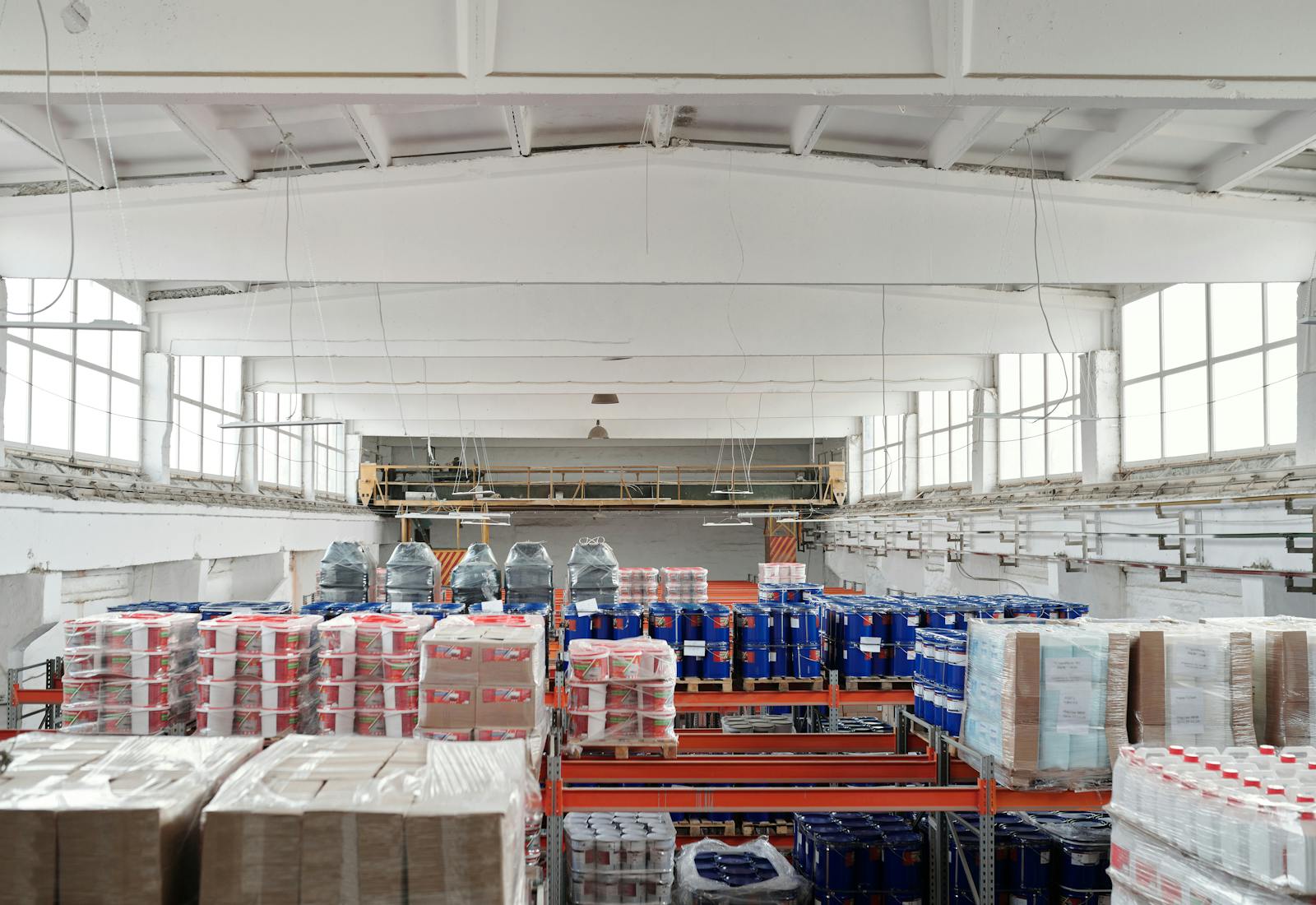
Costco Pay Guide: Hourly Wages, Benefits & Hiring (2026)
Costco pays most hourly warehouse associates between $19.50 and $28 per hour, depending on the role, location, and tenure. The company set a $19.50 company-wide minimum in 2024, the highest base floor of any major non-specialty retailer in the country, and has raised it consistently since 2021, when it stood at $17 per hour. This guide covers current pay rates by position and state, compares Costco to similar warehouse and retail employers, and explains the benefits package, hiring process, and what to expect when applying.
What Does Costco Pay Per Hour?
Here is a quick snapshot of what Costco pays for its most common hourly positions in 2026:
- Cashier / Front End Assistant: $19–$26/hr: most new hires start at $19.50 (the company minimum); experienced front-end associates average approximately $21/hr
- Stocker / Merchandise Handler: $19–$25/hr: physically demanding stocking role; pay increases with tenure and department
- Bakery / Food Court / Deli: $19–$24/hr: food service and production roles; starting pay at the $19.50 floor
- Forklift Operator: $21–$28/hr: requires certification; one of the higher-paying hourly roles on the warehouse floor
- Optical / Tire Center Technician: $20–$28/hr: specialized roles with a meaningful pay premium over general merchandise
- Department Supervisor: $25–$35/hr: the primary leadership tier for hourly workers; manages a department and oversees associates
Costco's company-wide minimum wage is $19.50 per hour, effective 2024. This has increased steadily from $17/hr in 2021, making Costco one of the few major retailers with a consistent, documented track record of minimum wage increases ahead of legislative pressure.
Costco Hourly Pay by Position
Pay at Costco is structured around tenure and role category. Entry-level positions start at the $19.50 floor and climb steadily with years of service. Specialized roles in tires, optical, and forklift operation earn a meaningful premium. Warehouse management moves to salary, with general managers among the highest-compensated retail managers in the country.
Entry-Level Roles
- Cashier / Front End Assistant: $19–$26/hr: new hires start at $19.50; average is approximately $21/hr nationally; front-end roles are the highest-volume entry point for new associates
- Stocker / Merchandise Handler: $19–$25/hr: average approximately $20–$22/hr; involves moving bulk merchandise, restocking pallets, and managing warehouse floor inventory
- Bakery / Food Court / Deli Associate: $19–$24/hr: food preparation and service; starts at the company minimum; experienced food court leads move toward the upper end of the range
- Membership / Front Desk: $19–$23/hr: member services and account management; comparable to cashier pay; lower physical demands than floor roles
Skilled and Specialized Roles
- Forklift Operator: $21–$28/hr: requires internal certification; operators managing large merchandise movement and loading dock operations reach the upper end with experience
- Optical Technician: $20–$28/hr: works within the Costco Optical department; pay reflects the technical nature of eye care support; some roles require state licensure
- Tire Center Technician: $20–$28/hr: tire installation, balancing, and rotation; physical role with a meaningful pay premium relative to general merchandise
- Hearing Aid Specialist: $22–$30/hr: licensed specialist role within Costco Hearing Aid Centers; pay reflects professional licensure requirements
- Pharmacy Technician: $20–$26/hr: works within Costco pharmacies; certified technicians (CPhT) reach the higher end of the range
Management Roles
- Department Supervisor: $25–$35/hr: average approximately $28–$30/hr; manages a specific department (bakery, tire center, receiving, etc.) and directly supervises hourly staff
- Warehouse Manager (salaried): $55,000–$95,000/yr: equivalent to approximately $26–$46/hr; oversees warehouse operations and multi-department management; internal promotion path from supervisor is common
- General Manager: $120,000–$200,000/yr: top of the warehouse leadership structure; high-volume warehouses and regional markets approach the upper end; total compensation often includes performance bonuses
Costco Pay by State
State and regional wage variation affects Costco pay in meaningful ways. Even with a $19.50 national floor, markets with higher state minimums or elevated cost of living push hourly rates substantially higher. California and Seattle-area warehouses consistently pay more than Costco's national average, often by $3–$6/hr for comparable roles.
Higher-Paying States
- California: Associates average approximately $22–$25/hr; cashier and stocker roles at Los Angeles, San Francisco, and San Diego warehouses run toward the top of the range. California's $16/hr state minimum (effective 2024) raises the floor for all roles, and Costco's own minimum already exceeds it in most California markets.
- Washington / Seattle Area: Associates in the Seattle metro typically earn $23–$27/hr; Washington's $16.28/hr state minimum (2024) and the Seattle city minimum of $19.97/hr push pay well above the national average. Costco's Issaquah, WA headquarters region is among the highest-paying clusters in the country.
- New York / New York City: Most hourly roles pay $21–$26/hr; NYC-area warehouses carry a premium driven by the $16/hr statewide minimum and local cost-of-living adjustments. Long Island and New Jersey Costco locations track closely behind NYC levels.
- Colorado / Connecticut: Both states have minimum wages above $14/hr and consistently show 10–15% premiums above Costco's national average for comparable roles.
Lower-Paying States
In states like Georgia, Tennessee, and Alabama, where no state minimum wage law exceeds the federal floor, Costco's $19.50/hr company minimum is the effective starting point for all hourly roles. Most entry-level positions in these markets pay $19.50–$22/hr, compared to $22–$25/hr in high-cost states. The gap narrows at the specialized role level, where Costco's internal pay scales apply more uniformly regardless of geography.
To find the exact pay range for a specific warehouse, search the position on Costco's careers page: each job listing includes the pay range for that location. Indeed and Glassdoor also aggregate warehouse-specific salary data filtered by city.
How Does Costco Pay Compare to Similar Employers?
Costco is consistently the highest-paying option among major warehouse-format retailers and holds its own against large general retailers and distribution employers. For entry-level hourly work, its $19.50 floor stands above every comparable name in the space.
- Sam's Club: $15–$20/hr for hourly associates. Sam's Club raised its minimum to $15 in recent years; still meaningfully below Costco's floor for comparable warehouse roles
- BJ's Wholesale: $14–$20/hr for entry-level roles. BJ's operates primarily on the East Coast; pay is competitive within its footprint but trails Costco nationally
- Amazon Warehouse: $18–$22/hr for fulfillment center associates, Amazon's $15 minimum and productivity bonuses make it competitive for physically demanding warehouse work, but Costco's floor now exceeds Amazon's base in most markets
- Target: $15–$24/hr for hourly associates, Target's $15 minimum and urban store premiums are competitive for general retail, but Costco's base pay floor is higher across the board
- Walmart: $14–$19/hr for hourly associates, Walmart's internal minimum is $15, which sits $4.50 below Costco's floor; for comparable cashier and stocking roles, Costco pays more at every experience level
Costco's primary advantages over every name on this list: the highest base pay floor, one of the best benefits packages in retail (covered below), extremely low turnover that produces stable schedules and reliable colleagues, and a genuine internal promotion path. The one trade-off is that Costco is a more competitive hiring environment, it receives significantly more applications than most retail employers for the same number of open roles. For a comparison with home improvement retail pay, see the Home Depot pay guide.
Costco Employee Benefits
Pay is only part of the picture. Costco's benefits package is widely considered one of the best in retail, and it extends meaningful coverage to part-time employees in ways that most retail employers do not.
Earn more from every shift. Gridwise shows you what you're really making and how to grow it. Download for free →
Part-Time Employees
- Medical insurance: Eligible after 180 days if averaging 24 or more hours per week; this is significantly earlier and more accessible than most retail employers' part-time medical thresholds
- Dental and vision insurance: Available to part-time associates; premiums are subsidized
- 401(k) with partial company contribution: Part-time associates participate in the plan; Costco makes partial contributions (prorated relative to full-time)
- Annual bonus (prorated): Part-time associates are eligible for Costco's annual bonus, calculated based on hours worked during the fiscal year
- Employee discount: 10% off Costco-brand (Kirkland Signature) products plus access to additional member-only markdowns
- Free Costco membership: Associates receive a free Executive Membership (approximately $130/yr value), the highest tier of Costco membership, which includes 2% cashback on purchases
Full-Time Employees
- All part-time benefits, plus:
- Medical insurance (comprehensive): Full medical coverage with very low employee-paid premiums. Costco is consistently cited as one of the few major retailers where employees pay a small fraction of their medical costs
- 401(k) with company contribution: Costco contributes approximately $700–$1,000 per year to full-time employees' 401(k) plans regardless of whether the employee contributes, this is a direct cash contribution, not a match
- Annual bonus (full): Full-time associates receive the full annual bonus based on hours worked; amounts vary but long-tenure employees often receive multiple weeks' worth of additional pay
- Paid time off: Accrual increases with tenure; long-term employees accumulate significant vacation time
- Life insurance: Basic coverage provided at no cost to the employee
- Tuition assistance: Available for eligible associates pursuing continuing education
Getting Hired at Costco
Costco hiring is more competitive than most retail employers. The combination of above-market pay, strong benefits, and low turnover means positions do not turn over frequently, when one opens, many applicants apply. That said, Costco does hire on a rolling basis, and knowing how the process works gives you a meaningful advantage.
- Where to apply: costco.com/jobs: filter by warehouse location and role type. Applications are submitted online and take approximately 20–30 minutes. Attach a complete work history.
- Timeline: The process typically takes two to four weeks from application to offer. Costco runs two to three interview rounds for most hourly positions, longer than many retail employers. Be prepared for a slower process than you might experience at Walmart or Target.
- Interview format: Expect two rounds, often a phone screen followed by one or two in-person interviews. Questions are behavioral, focusing on teamwork, customer service situations, and how you handle high-volume, physical work environments. Common questions include "Tell me about a time you worked as part of a team to solve a problem" and "How do you handle a situation where a customer is upset?"
- Background check: Yes, a standard background check is required for all positions. Criminal history is reviewed on a case-by-case basis.
- Drug test: Yes, Costco conducts a pre-employment drug test for most positions, including marijuana in states where it is legal. This is one of the stricter drug screening policies among major retailers.
- Best roles to target first: Stocker, Cashier, and Food Court Associate roles have the highest hiring volume. Tire Center and Optical Technician roles often require prior experience or certifications. Most stores hire on a rolling basis, if a role is listed as open, it is actively being filled.
One thing worth knowing: Costco promotes heavily from within. Many supervisors and managers started in entry-level hourly roles. If you are hired and perform consistently, the path to a higher-paying specialized or supervisory role is realistic, and the tenure of existing employees means the people you will work alongside have often been there for a decade or more.
Frequently Asked Questions
Does Costco pay weekly or biweekly?
Costco pays on a biweekly schedule: every two weeks. Most warehouses process payroll on the same cycle; your warehouse HR manager can confirm the specific payday schedule for your location.
What is Costco's starting wage in 2026?
Costco's company-wide starting minimum is $19.50 per hour for all hourly associates in every U.S. market. In states with a higher minimum wage, California, Washington, New York, and others, the state or city minimum applies and will typically be higher. Most entry-level associates in high-cost markets start between $21 and $24/hr.
Does Costco give raises?
Yes. Costco reviews pay on an annual basis, and the company has a documented history of raising its company-wide minimum periodically, from $17/hr in 2021 to $19.50/hr in 2024. Individual raises are based on tenure and performance review. Long-term associates often earn meaningfully above the entry-level floor without moving into supervisory roles.
Can you get benefits working part-time at Costco?
Yes, and Costco's part-time benefits access is better than most retail employers. Part-time associates averaging 24 or more hours per week become eligible for medical insurance after 180 days. Dental, vision, a prorated annual bonus, partial 401(k) contributions, the employee discount, and a free Executive Membership are all available to part-time workers.
How long do Costco employees typically stay?
Costco's turnover rate is extremely low by retail standards, many employees stay 10 or more years. This is a direct result of the pay floor, benefits access, and internal promotion culture. Low turnover also means fewer open positions relative to the number of applicants, which is why the hiring process is more competitive than at most other retailers.
Does Costco hire seasonal workers?
Costco does hire seasonally, particularly in Q4 ahead of the holiday period. Seasonal roles follow the same pay floor ($19.50/hr minimum) and hiring process. Costco sometimes converts high-performing seasonal hires to permanent positions, making seasonal employment a reasonable foot-in-the-door strategy at warehouses where full-time openings are rare.
Pay rates at Costco change throughout the year. Enter your email below to get a free weekly update when Costco adjusts wages, we track changes by role and state so you always have current numbers.
Know exactly what you earn
Gridwise tracks your pay and expenses across every job, so you always see what you really make.

Dollar Tree Pay Guide: Hourly Wages, Benefits & Hiring (2026)
Dollar Tree pays most store associates between $12 and $17 per hour, depending on the role and location. Unlike some major retailers, Dollar Tree has not announced a formal company-wide minimum wage floor, pay in states without a higher minimum can start as low as $9 to $10 per hour for entry-level positions. This guide covers current pay rates by position and state, how Dollar Tree's wages compare to similar discount retailers, what benefits are available, and how to get hired.
What Does Dollar Tree Pay Per Hour?
Here is a quick snapshot of Dollar Tree's most common hourly positions in 2026:
- Cashier / Sales Floor Associate: $9–$17/hr: national average approximately $12–$14/hr; wide range driven by state minimum wage laws
- Lead Associate / Key Holder: $14–$23/hr: average approximately $19/hr; requires opening and closing responsibilities
- Freight / Overnight Stock Associate: $10–$17/hr: average approximately $13–$15/hr nationally
- Assistant Store Manager: $11–$20/hr: average approximately $14–$16/hr; varies significantly by market
- Store Manager: $17–$30/hr: equivalent to approximately $35,000–$63,000/yr; average approximately $49,000/yr
Dollar Tree does not publish a company-wide minimum wage floor. Pay rates in states without a higher state minimum wage can start near the federal floor for entry-level roles. In high minimum wage states like California and New York, all hourly positions pay significantly more.
Dollar Tree Hourly Pay by Position
Pay at Dollar Tree is heavily shaped by two factors: the role itself and the state minimum wage where the store operates. Entry-level positions show the widest variation. Management roles are more consistent nationally but still reflect local market conditions.
Entry-Level Roles
- Cashier / Sales Floor Associate: $9–$17/hr: average $12–$14/hr nationally based on peer-reported data from approximately 800 current and former associates; the low end reflects states with no minimum above the federal floor; most full-time associates land between $12 and $14/hr
- Freight / Overnight Stock Associate: $10–$17/hr: average approximately $13–$15/hr; overnight shifts at some locations include a modest shift differential; Glassdoor reports overnight stocker averages of approximately $15–$19/hr, which likely reflects higher-cost metro stores
Skilled and Supervisory Roles
- Lead Associate / Key Holder: $14–$23/hr: average approximately $19/hr based on Glassdoor data (11,000+ salary reports); the key holder role carries responsibility for opening and closing the store, managing a small team on shift, and handling cash, the pay reflects that added responsibility
- Assistant Store Manager: $11–$20/hr: average approximately $14–$16/hr; responsible for daily store operations, inventory, and associate supervision in the absence of the store manager; pay is lower than comparable roles at Target or Home Depot
Management
- Store Manager: $17–$30/hr: equivalent to approximately $35,000–$63,000/yr; average approximately $49,000/yr based on PayScale data (62 verified profiles); total compensation may include a performance-based bonus; high-volume stores and experienced managers tend toward the upper end of the range
Dollar Tree Pay by State
Dollar Tree's pay varies more by state than most large retailers because the company does not maintain a company-wide minimum wage floor. In states with low or no state minimum wage law, entry-level associates may earn close to the federal minimum. In states with higher minimums, Dollar Tree pays accordingly.
Higher-Paying States
- California: Associates average approximately $21/hr across all positions. California's $16/hr retail minimum (effective 2024) sets the floor; many Metro CA stores pay $17–$22/hr for cashiers and associates due to local ordinances in Los Angeles, San Jose, and San Francisco.
- New York / New York City: Associates average approximately $22–$23/hr in NYC. New York's statewide minimum of $16/hr (effective Jan 2025) drives the floor; NYC cashiers average approximately $23/hr on Indeed. Non-NYC New York locations average closer to $16–$18/hr.
- Washington State: Associates typically earn $17–$20/hr. Washington's $16.28/hr minimum keeps all hourly roles well above the national average.
- Colorado / Connecticut / Massachusetts: Premiums of 20–40% above national average; all three states have minimum wages above $15/hr.
Lower-Paying States
In states like Mississippi, Alabama, Georgia, South Carolina, and Texas, which have no state minimum wage above the federal $7.25/hr floor, Dollar Tree entry-level associates can start at $9–$11/hr. Most stores in these markets pay $10–$13/hr for cashiers based on peer-reported data, but there is no guarantee of a higher floor the way Home Depot or Target provides.
To find the pay range for a specific Dollar Tree location, check careers.dollartree.com: posted listings include a pay range for that store's market. Indeed's company page also shows store-level salary data filtered by city.
How Does Dollar Tree Pay Compare to Similar Employers?
Dollar Tree sits near the lower end of the discount and dollar store pay range, particularly for entry-level roles. Here is how it compares to similar employers for cashier and sales associate positions:
- Dollar General: $10–$15/hr for entry-level, similar range to Dollar Tree; no published company minimum; wages heavily dependent on state law
- Five Below: $12–$16/hr for sales associates, comparable range; stores skew toward younger workforce and part-time hours
- Walmart: $14–$19/hr for hourly associates, Walmart's $15/hr company minimum gives it a meaningfully higher floor than Dollar Tree in low-wage states
- Target: $15–$24/hr for entry-level roles, Target's $15 minimum and urban store premiums put it well above Dollar Tree nationally
- Home Depot: $15–$21/hr for cashiers and associates. Home Depot's formal $15/hr floor and skilled trades path create a higher ceiling for hourly workers
The clearest gap between Dollar Tree and its competition is the absence of a company minimum wage. For workers in low-wage states, Dollar Tree is one of the last major retailers without a guaranteed floor above the federal rate. If pay floor is a priority, Home Depot, Walmart, and Target all offer a higher guaranteed starting point.
Dollar Tree Employee Benefits
Benefits eligibility at Dollar Tree depends on full-time versus part-time status. Full-time associates (defined as 30 or more hours per week) receive the complete package. Part-time associates have access to a limited set.
Know exactly what you earn. Gridwise tracks your pay and expenses across every job, so you always see what you really make. Download for free →
Part-Time Employees
- Employee Discount: 10% off regular-priced merchandise during Associate Appreciation Events, not a year-round discount; excludes gift cards, tobacco, and some clearance items; available after a 30–90 day introductory period
- DailyPay: Optional early wage access, access earned wages before the regular payday for a small fee; available to all associates regardless of hours
- Employee Assistance Program (EAP): Confidential counseling and support resources
Full-Time Employees (30+ hours per week)
- All part-time benefits, plus:
- Medical / Dental / Vision / Prescription: Full coverage available after 90 days; Dollar Tree subsidizes a portion of the premium
- 401(k) with company match: Dollar-for-dollar match on the first 5% of contributions, one of the stronger match structures in the discount retail segment
- Employee Stock Purchase Plan (ESPP): Opportunity to purchase Dollar Tree stock at a discount
- HSA / FSA: Health Savings Account and Flexible Spending Account options available
- Paid Time Off: PTO accrual begins immediately; rate increases with tenure
- Life Insurance: Company-paid basic policy; supplemental coverage available
- Parental Leave: Available for qualifying events after meeting tenure requirements
- Education Assistance (ValuED): Tuition reimbursement and GED assistance for eligible associates pursuing degrees or high school equivalency
- Virtual Doctor Visits: Telehealth access included with medical coverage
Getting Hired at Dollar Tree
Dollar Tree hires continuously for store-level positions. The hiring process is one of the faster in retail, entry-level applicants can go from application to offer in as little as one to seven days.
- Where to apply: careers.dollartree.com: search by zip code and role; in-store kiosks are also available at most locations. Applications take approximately 15 minutes.
- Timeline: Entry-level roles (cashier, stock associate) typically move in one to seven days. The overall average across all roles is approximately nine days. Assistant Manager Trainee positions have been filled in as little as one day for strong candidates.
- Interview format: Typically one round, conducted in-store with the store manager. May include a brief group interview format at high-volume hiring locations. Focus is on availability, customer service experience, and scheduling flexibility.
- Background check: Standard criminal background check required for all positions.
- Drug test: Dollar Tree does not conduct pre-employment drug testing for store-level associates (cashier, sales floor, stock). Distribution center and managerial roles are more likely to require testing. There is no random drug testing program for store associates.
- Best roles to target first: Cashier and Sales Floor Associate have the highest volume and fastest timelines. Lead Associate and Key Holder roles are often filled from internal candidates, starting as an associate and demonstrating reliability is the most common path.
Frequently Asked Questions
Does Dollar Tree pay weekly or biweekly?
Dollar Tree pays on a biweekly schedule: every two weeks. The pay period runs Monday through Sunday, with paychecks issued the following Friday. Associates who need earlier access to their earnings can use DailyPay, Dollar Tree's optional early wage access program, for a small per-transaction fee.
What is Dollar Tree's starting pay in 2026?
Dollar Tree does not have a published company-wide minimum wage. Starting pay for cashiers and associates ranges from approximately $9/hr in low minimum wage states to $17–$21/hr in California and New York. The national average for entry-level associates is approximately $12–$14/hr. If a guaranteed floor matters to you, Walmart ($15/hr minimum), Target ($15/hr minimum), and Home Depot ($15/hr minimum) all offer a higher guaranteed starting point nationally.
Does Dollar Tree give raises?
Dollar Tree reviews associate pay periodically, with increases typically in the range of $0.25–$0.50 per hour. There is no published annual review schedule or minimum raise amount. Raises are at manager discretion and vary significantly by store and market. Moving into a Lead Associate or Key Holder role is the fastest way to increase hourly pay at Dollar Tree.
What is the Dollar Tree employee discount?
Dollar Tree offers a 10% employee discount on regular-priced merchandise, available during designated Associate Appreciation Events. It is not a year-round discount, it applies during specific promotional periods each year. The discount excludes gift cards, tobacco products, and some clearance or marked-down items. It is available to both part-time and full-time associates after the introductory period.
Can you get benefits working part-time at Dollar Tree?
Part-time Dollar Tree associates have access to the 10% employee discount and the DailyPay early wage access program. Full medical, dental, vision, 401(k), PTO, and other benefits require full-time status (30 or more hours per week). The benefits gap between part-time and full-time is significant at Dollar Tree compared to some competitors.
How does Dollar Tree pay compare to Dollar General?
The two are closely matched at the entry level, both average $12–$14/hr nationally for cashiers and associates, and neither maintains a formal company-wide minimum above the federal rate. Dollar Tree's 401(k) match (dollar-for-dollar on first 5%) is generally considered stronger than Dollar General's benefits offering for full-time employees. For hourly pay alone, the difference between the two chains is minimal in most markets.
Dollar Tree pay rates change when state minimum wages adjust. Enter your email below to get a free weekly update when Dollar Tree wages change in your area, we track adjustments by role and state.
Track your earnings the smart way
Thousands of workers use Gridwise to see their real pay and earn more.
How Much Does Home Depot Pay in 2026? Hourly Rates by Position
Home Depot pays most hourly associates between $15 and $26 per hour, depending on the role, location, and experience. The company set a company-wide minimum of $15 per hour in February 2023, which means even entry-level cashiers and lot associates start above the federal minimum wage in every U.S. market. This guide breaks down current pay rates by position and state, compares Home Depot to similar retailers, and covers the benefits, hiring process, and common questions about working there.
What Does Home Depot Pay Per Hour?
Here is a quick snapshot of what Home Depot pays for its most common hourly positions in 2026:
- Cashier / Sales Associate: $15–$21/hr: most entry-level roles start at or near the $15 company minimum
- Head Cashier: $14–$19/hr: slightly elevated for the added responsibility of managing front-end staff
- Department Supervisor: $16–$26/hr: the primary step up for hourly workers into a leadership role
- Freight / Overnight Associate: $16–$29/hr: overnight shifts include a modest shift differential
- Pro Desk / B2B Sales: $19–$32/hr: the highest-paying non-management hourly role in most stores
- Assistant Store Manager: $27–$47/hr: salaried equivalent; this is the first full management tier
Home Depot's company-wide minimum wage is $15 per hour, set in February 2023 as part of a $1 billion wage investment. In states with a higher minimum wage, the state floor applies.
Home Depot Hourly Pay by Position
Pay varies significantly by role. Entry-level positions cluster between $15 and $19 per hour. Specialized and supervisory roles push into the $20–$32 range. Management roles, assistant store manager and above, are salaried but convert to $27–$75+ on an hourly basis depending on store volume and region.
Entry-Level Roles
- Cashier: $13–$19/hr: average is approximately $15.67/hr nationally; the low end reflects legacy data, and most new hires start at $15 or above
- Sales Associate / Store Associate: $15–$21/hr: median of approximately $16.53/hr based on self-reported data; varies by department and tenure
- Head Cashier: $14–$19/hr: average approximately $16.72/hr; responsible for front-end operations and cashier oversight during shift
- Customer Service Associate: $13–$22/hr: average approximately $17/hr; covers returns, order pickup, and customer escalations
- Lot Associate (Garden / Seasonal): $16–$21/hr: average approximately $19/hr; outdoor role managing carts, lumber, and garden center
Skilled and Specialized Roles
- Freight / Overnight Stock Associate: $16–$29/hr: full-time freight associates average $18–$20/hr; overnight shifts typically include a $1/hr differential for hours between 10 p.m. and 6 a.m.; Glassdoor reports some experienced overnight freight workers reaching $29/hr
- Tool Rental Associate: $12–$25/hr: average approximately $19.48/hr; requires product knowledge and equipment handling certification
- Department Supervisor: $16–$26/hr: average approximately $20.53/hr; manages a specific department (flooring, plumbing, electrical, etc.) and supervises associates within that area
- Pro Desk Associate (B2B / Professional Sales): $19–$32/hr: average approximately $24/hr; serves contractors and business accounts; highest-paying non-management hourly role in most stores
- Delivery Driver: $18–$35/hr: average approximately $22–$25/hr for in-store delivery associates; figures above $35/hr typically reflect contract delivery drivers rather than direct Home Depot employees
Management Roles
- Assistant Store Manager: $27–$47/hr: equivalent to approximately $56,000–$98,000/yr; average approximately $74,000/yr; oversees store operations and manages department supervisors
- Store Manager: $35–$75+/hr: equivalent to approximately $72,000–$156,000+/yr; average approximately $93,000/yr base; high-volume stores and top performers reach the upper end; total compensation often includes a 15–50% annual bonus
Home Depot Pay by State
Where you work has a significant impact on what Home Depot pays. State and city minimum wage laws set the floor, in markets with a higher minimum wage, all Home Depot hourly roles pay at or above that floor. In states that default to the federal minimum of $7.25/hr, Home Depot's internal minimum of $15/hr functions as the effective floor.
Higher-Paying States
- California: Entry-level associates average $18.83–$20.32/hr; cashiers average approximately $19.50/hr. California's $16/hr state minimum wage for retail workers (effective 2024) raises the floor for all positions. Large-metro premium applies in Los Angeles, San Francisco, and San Diego.
- New York / New York City: Sales associates average approximately $19.23/hr; NYC cashiers average approximately $24/hr. New York's $16/hr minimum (effective Jan 2025) applies statewide; NYC often runs higher due to local cost of living.
- Washington State: Seattle area associates typically earn $20–$24/hr. Washington's $16.28/hr state minimum (2024) keeps all hourly roles above the national average.
- Colorado / Connecticut: Consistent premiums of 10–15% above the national average for comparable roles; both states have minimum wages above $14/hr.
Lower-Paying States
In states like Mississippi, Alabama, Georgia, and Texas, where no state minimum wage law exists above the federal floor, Home Depot's $15/hr company minimum is the effective starting point for all hourly roles. Most positions in these markets pay $15–$18/hr for entry-level work, compared to $18–$22/hr in high-cost states.
To find the exact pay range for a specific store, search the position on Home Depot's careers page: each listing includes a pay range for that specific location. Indeed and Glassdoor also show store-specific salary data filtered by city.
How Does Home Depot Pay Compare to Similar Employers?
Home Depot sits in the middle of the major retail and home improvement pay range. It pays more than fast food and discount retail, but less than some warehouse and grocery roles at the top end. Here is how it stacks up against comparable employers for entry-level hourly work:
Know exactly what you earn. Gridwise tracks your pay and expenses across every job, so you always see what you really make. Download for free →
- Lowe's: $15–$22/hr for entry-level associates, nearly identical to Home Depot; comparable benefits package and company minimum
- Target: $15–$24/hr for entry-level roles, Target's $15 minimum matches Home Depot's floor; higher-traffic urban stores tend to pay more
- Walmart: $14–$19/hr for hourly associates, slightly lower floor in some markets; Walmart's $15 minimum is also in effect nationally
- Amazon Warehouse: $18–$22/hr for fulfillment center associates, Amazon's $15 minimum plus productivity incentives puts it above Home Depot for physically demanding warehouse roles
- Costco: $19–$26/hr for warehouse associates. Costco consistently pays above average for retail; starting wages are higher than Home Depot across most markets
Home Depot's advantage over Walmart and many fast food employers is the skilled trades path, roles like Pro Desk, Tool Rental, and Department Supervisor create a clear progression from $15/hr to $24–$26/hr without moving into salaried management. For workers who want to build product knowledge in home improvement, electrical, or plumbing, the pay ceiling is meaningfully higher than general retail.
Home Depot Employee Benefits
Benefits eligibility at Home Depot depends on whether you work part-time (fewer than 30 hours per week) or full-time (30 or more hours per week). Both groups get access to some benefits from day one; the full package requires full-time status.
Part-Time Employees
- 401(k) with company match: Part-time associates are eligible to participate in the 401(k) plan, including the company match
- Employee Stock Purchase Plan (ESPP): Opportunity to purchase Home Depot stock at a discount
- Associate Discount: 15% discount on most Home Depot merchandise
- Dental and vision insurance: Available to part-time employees at their own cost
- Short-term disability: Available for qualifying events
- Employee assistance program: Counseling and support resources
Full-Time Employees (30+ hours per week)
- All part-time benefits, plus:
- Medical insurance: Full medical coverage available after 90 days; Home Depot subsidizes a portion of the premium
- Dental and vision insurance: Company-subsidized for full-time associates
- Paid time off: Accrual begins immediately; the rate increases with tenure
- Tuition assistance: Up to $5,000 per year for eligible programs; Home Depot has specific partnerships with online universities for associates pursuing degrees
- Life insurance: Basic coverage provided at no cost to the employee
- Paid parental leave: Available for qualifying events after meeting tenure requirements
Getting Hired at Home Depot
Home Depot hires on a rolling basis for most hourly positions. If a role is listed on their careers page, it is actively being filled, there is no batch hiring cycle the way some seasonal retailers operate.
- Where to apply: careers.homedepot.com: filter by location and job type. Applications take approximately 15–20 minutes. Most require a work history and availability disclosure.
- Timeline: Most applicants hear back within one to two weeks for entry-level roles. Phone screen or in-store interview is common for hourly positions. High-demand stores may move faster.
- Interview format: One to two rounds for hourly roles. Expect behavioral questions focused on customer service situations and availability. Common questions include: "Tell me about a time you handled a difficult customer" and "What does good customer service look like to you?"
- Background check: Standard background check is required for all positions. Criminal history is reviewed on a case-by-case basis, a record does not automatically disqualify you.
- Drug test: Home Depot conducts pre-employment drug screening for most positions. Policy specifics may vary by state and role.
- Best positions to target first: Lot Associate, Freight Associate, and Cashier have the highest hiring volume and the fastest offer timelines. Department Supervisor and Pro Desk roles are typically filled from internal candidates or applicants with specific trade knowledge.
Frequently Asked Questions
Does Home Depot pay weekly or biweekly?
Home Depot pays on a biweekly schedule: every two weeks. Most stores process payroll on the same day each cycle; your store manager or HR associate can confirm the specific payday schedule at your location.
What is Home Depot's starting wage in 2026?
Home Depot's company-wide starting minimum is $15 per hour for all hourly roles in every U.S. market. In states with a higher minimum wage, California, Washington, New York, and others, the state minimum applies and will be higher than $15/hr. Most entry-level roles start between $15 and $17/hr depending on location.
Does Home Depot give raises?
Home Depot typically reviews hourly pay on an annual basis, with merit increases generally processed in February. The amount varies by store, manager, and individual performance review, there is no fixed raise percentage across all locations. Associates in specialized roles (Pro Desk, Tool Rental) may also receive pay adjustments when moving to a new position tier.
Can you get benefits working part-time at Home Depot?
Yes. Part-time Home Depot associates (fewer than 30 hours per week) have access to the 401(k) plan with company match, the Employee Stock Purchase Plan, dental and vision coverage, and the associate merchandise discount. Full medical insurance requires full-time status (30 or more hours per week) and kicks in after 90 days.
How much does Home Depot pay overnight workers?
Overnight freight associates typically earn $16–$29/hr, with most falling in the $18–$22/hr range nationally. Home Depot includes a shift differential of approximately $1/hr for overnight shifts (typically 10 p.m. to 6 a.m.). Experienced overnight freight workers at high-volume stores report reaching the upper end of the range. California and New York overnight roles tend to pay $22–$26/hr.
Is Home Depot a good place to work for hourly employees?
Home Depot ranks consistently above average in hourly retail for pay stability, benefits breadth, and internal promotion opportunities. The skilled trades path, from associate to department supervisor to assistant store manager, is well-defined and actively encouraged. The work is physically demanding, and scheduling can vary significantly by manager and store. Whether it is a good fit depends heavily on the specific store and its management team.
Pay rates at Home Depot change throughout the year. Enter your email below to get a free weekly update when Home Depot adjusts wages, we track changes by role and state so you always have current numbers.
Track your earnings the smart way
Thousands of workers use Gridwise to see their real pay and earn more.
Lyft Driver Sign-Up Bonus (2026): How Much You Can Earn and How to Claim It
If you are thinking about driving for Lyft, there is a good chance you have heard about the Lyft sign-up bonus. Maybe you have seen ads promising hundreds or even thousands of dollars just for becoming a new driver. The offers are real, but the details matter. How much you actually earn, how you claim it, and whether it is worth chasing all depend on your market, timing, and strategy.
This guide breaks down everything you need to know about the Lyft driver sign-up bonus in 2026, how it works, what it is actually worth, how to claim it step by step, and how it compares to what Uber offers. If you are about to sign up, read this first so you do not leave money on the table.
Quick Answer: What Is the Lyft Sign-Up Bonus?
Lyft offers new drivers a sign-up bonus ranging from $100 to $2,000 or more, depending on your city and current demand. To earn the bonus, you need to complete a set number of rides within a specific timeframe after activation, typically 100 rides within 30 days, though the exact requirements vary by market.
Here is what makes the Lyft sign-up bonus stand out:
- It is real extra money. Unlike some competitors that use "earnings guarantees" (where the bonus only tops you up to a floor), Lyft's sign-up bonus is typically paid on top of your regular ride earnings.
- Amounts change frequently. Lyft adjusts bonus amounts based on driver supply and demand in each market.
- You must enter a code during sign-up. You cannot add a promo or referral code after you have already created your account. This is the single biggest mistake new drivers make.
- Some markets offer tiered payouts. Instead of one lump sum, you may earn portions of the bonus as you hit ride milestones.
The bonus is available to first-time Lyft drivers only. If you have ever had a Lyft driver account, even if you never completed a ride, you generally will not qualify.
How the Lyft Driver Sign-Up Bonus Works
When you create a new Lyft driver account, you enter a promo code or referral code during sign-up. This activates a bonus offer tied to your market. Once approved, complete the required number of rides within the timeframe to earn the bonus.
- Ride threshold: Typically 50 to 200 rides, depending on your market and bonus amount
- Timeframe: Usually 30 days from your first completed ride; some offers give 60 or 90 days
- Payout: Bonus appears in your Lyft earnings within 1 to 2 pay cycles after hitting the threshold
- Eligible rides: Standard Lyft rides, Lyft XL, and most other ride types count. Canceled rides and no-shows do not count.
Sign-On Bonus vs. Referral Bonus
Sign-on bonus (promo bonus). Lyft-issued promo code entered during sign-up. Goes entirely to you. Lyft controls the amount based on your market.
Referral bonus. A code from an existing Lyft driver. Both you and the referring driver may receive a bonus. Compare both options and use whichever offers the higher payout, you can only use one code.
Multi-Tier Bonuses Explained
In many markets, Lyft structures the sign-up bonus as tiered payouts:
- Tier 1: Complete 20 rides within 30 days, earn $200
- Tier 2: Complete 50 rides within 30 days, earn an additional $300 (total: $500)
- Tier 3: Complete 100 rides within 30 days, earn an additional $500 (total: $1,000)
The multi-tier structure works in your favor if you are not sure you can hit the full ride count. Even if you only reach the first or second tier, you still earn something.
Current Lyft Sign-Up Bonus Amounts (2026)
- Small and mid-size markets: $100 to $500 for completing 50 to 100 rides
- Large metro areas (Atlanta, Dallas, Phoenix, Denver): $500 to $1,000 for completing 100 to 150 rides
- High-demand markets (NYC, LA, San Francisco, Chicago): $1,000 to $2,000+ for completing 150 to 200 rides
These ranges fluctuate regularly. The most reliable way to check the current offer for your city is to visit the Lyft driver bonus page and enter your location.
How to Claim the Lyft Sign-Up Bonus (Step by Step)
Step 1: Find a promo or referral code. Before starting the application, secure your code. Check the Lyft driver bonus page for current sign-on promos, or get a referral code from an existing Lyft driver. Compare both and go with the better offer.
Step 2: Enter the code during sign-up. This is the critical step. When creating your Lyft driver account, there is a field to enter a promo or referral code. You must enter the code at this point: it cannot be added later. If you skip this step, you lose the bonus entirely.
Step 3: Complete the background check and vehicle inspection. Lyft runs a background check through Checkr (typically 3 to 10 business days). For the full list of requirements, check our guide to Lyft driver requirements.
Step 4: Give your first ride as soon as possible. Your bonus clock typically starts from your first completed ride, so getting on the road quickly gives you maximum time to hit the threshold.
Step 5: Complete the required number of rides within the timeframe. Track your progress daily in the Lyft driver app.
Step 6: Receive your bonus. For single-tier bonuses, the full amount posts after completing all required rides. For multi-tier bonuses, each installment posts as you reach that tier.
What If You Forgot to Enter a Code?
Codes cannot be added retroactively. You can contact Lyft support and ask, but their official policy is firm. Always have your code ready before starting the application.
Other Lyft Driver Promotions
Ride Challenges
Complete a set number of rides within a specific timeframe to earn bonus cash on top of your regular earnings. Appear in the Lyft driver app under the Earnings or Bonuses tab. Stack on top of your regular earnings and other promotions when active.
Streak Bonuses
Accept and complete consecutive rides without declining to earn extra per completed streak (typically $5 to $25 for 3 consecutive rides in a row).
- Only start a streak when you are in a busy area where back-to-back requests are likely
- Declining any ride, going offline, or letting a request expire breaks your streak
- Multiple streak bonuses can stack throughout a shift
Lyft Rewards and Driver Perks
- Gas savings: Discounts on fuel at participating stations through the Lyft Direct debit card
- Vehicle maintenance: Discounted oil changes, tire rotations, and other services
- Lyft Direct debit card: Instant access to earnings after each ride instead of waiting for weekly pay
Referral Bonuses for Existing Drivers
Once you are an established Lyft driver, earn referral bonuses by recruiting new drivers. In high-demand areas, the referring driver might earn $200 to $500 or more per successful referral.
Lyft Sign-Up Bonus vs. Uber Sign-Up Bonus
The biggest difference: true bonus vs. earnings guarantee.
Lyft's sign-up bonus is typically structured as extra money on top of your regular earnings. If the bonus is $1,000, you earn your ride fares plus $1,000.
Uber's sign-up promotion often works as an earnings guarantee. If Uber guarantees you $1,000, they guarantee you will earn at least $1,000 total. If you earn $900 from fares alone, Uber tops you up with $100. If you earn $1,100, you get nothing extra. For a deeper breakdown, see our guide to the Uber driver sign-up bonus.
- Lyft bonus structure: True bonus on top of earnings. Typical range $100 to $2,000+.
- Uber bonus structure: Earnings guarantee (floor, not extra). Typical range $500 to $1,650.
The smart play: sign up for both. Many experienced gig drivers claim both the Lyft sign-up bonus and the Uber sign-up promotion simultaneously. If you do sign up for both, Gridwise tracks your earnings across platforms in one place so you always know where you stand on each bonus threshold.
Tips to Maximize Your Lyft Sign-Up Bonus
- Start driving immediately after approval. Get on the road within 24 hours of approval. Every day you wait is a day you cannot get back.
- Drive during peak hours. Mornings (6 to 9 AM), evenings (5 to 8 PM), and weekend nights (9 PM to 2 AM). Use Gridwise to see exactly when and where demand peaks in your city.
- Accept most ride requests. While chasing the bonus, acceptance rate matters more than being selective. Every declined request is a missed ride toward your threshold.
- Focus on shorter rides to maximize ride count. A 10-minute ride counts the same as a 40-minute ride toward your bonus threshold.
- Track your progress daily. Know exactly how many rides you need and how many days you have left.
- Drive on weekdays too. If you need 100 rides in 30 days, that is roughly 3 to 4 rides per day. Short weekday shifts during commute hours add up.
Lyft Driver Requirements (Quick Overview)
- Age: At least 21 years old (25 in some markets for certain ride types)
- License: Valid U.S. driver's license with at least one year of driving history
- Vehicle: Four-door vehicle meeting Lyft's year and condition requirements, typically 2010 or newer
- Insurance: Active personal auto insurance meeting your state's minimum requirements
- Background check: Must pass criminal background check and driving record review through Checkr
For the complete requirements specific to your city, read our full guide to Lyft driver requirements.
Frequently Asked Questions
How much is the Lyft sign-up bonus right now?
As of 2026, new drivers typically see offers between $100 and $2,000+, with higher amounts in large metro areas. Check the Lyft driver bonus page and enter your location for the most accurate current offer.
Can I add a promo code after I have already signed up?
No. Codes must be entered during the initial sign-up process. Once your account is created, codes cannot be added retroactively. Always have your code ready before starting the application.
Is the Lyft sign-up bonus taxable?
Yes. The Lyft sign-up bonus is taxable income and will be included in your 1099 form. A common rule of thumb is to save 25 to 30 percent of all earnings for tax payments. Tracking your earnings with Gridwise makes tax time much easier.
How long does it take to get the Lyft bonus?
Once you complete the required number of rides, the bonus typically appears within 1 to 2 pay cycles (Lyft pays weekly). For multi-tier bonuses, each tier pays out as you reach it.
Can I get both Lyft and Uber sign-up bonuses?
Yes. Sign up for both platforms, enter the promo code for each, and work toward both ride thresholds simultaneously. Rides on Lyft count only toward the Lyft bonus; Uber rides count only toward the Uber bonus, they do not cross over.
Start Chasing Your Lyft Bonus the Smart Way
The Lyft sign-up bonus is one of the best deals available to new gig drivers, actual extra money on top of what you are already earning from rides. Claiming it requires planning, consistent driving, and knowing exactly where you stand against your ride threshold at all times.
Download the Gridwise app to track your ride count across platforms, find the busiest hours and locations in your market, and monitor your earnings in real time. Whether you are chasing your Lyft bonus, stacking it with Uber's sign-up offer, or just trying to maximize every hour on the road, Gridwise gives you the data you need to drive smarter and earn more.

Uber Driver Sign-Up Bonus (2026): How the Guaranteed Earnings Offer Works
Uber's sign-up bonus for new drivers works differently than most people expect, instead of a flat cash payout, you get a Guaranteed Earnings offer that promises a minimum income during your first 30 days. Here is exactly how it works, what it is worth, and how to make the most of your first month on the road.
Quick Answer: What Is the Uber Driver Sign-Up Bonus?
Uber does not offer a traditional flat-rate cash bonus for new drivers. Instead, Uber uses a Guaranteed Earnings model. When you sign up to drive, Uber guarantees you'll earn a specific dollar amount within your first 30 days, as long as you complete a set number of rides.
Typical Uber sign-up guarantees range from $500 to $1,650, with ride requirements between 50 and 200 trips in your first 30 days. The exact amount depends on your city, current driver demand, and the time of year you sign up.
This is an important distinction. You're not getting a bonus check on top of your regular earnings. You're getting a safety net, a promise that you'll earn at least a certain amount during your first month. If your normal fares already exceed the guarantee, you won't receive anything extra. If you fall short, Uber pays the difference.
How Uber's Guaranteed Earnings Bonus Works
- Sign up through the Uber Driver app: During the application process, you'll see a guaranteed earnings offer specific to your market.
- Note the terms: The offer will state a dollar amount and a ride count (e.g., "Earn at least $1,000 in your first 200 rides within 30 days").
- Complete your rides: Drive and complete the required number of trips before the 30-day deadline.
- Receive the guarantee: After completing the ride requirement, Uber calculates whether your total earnings met the guarantee. If they didn't, Uber pays you the difference.
Earnings Guarantee vs. Traditional Bonus: Key Difference
A traditional sign-up bonus works like this: Complete X rides, and you receive a flat cash bonus on top of whatever you earned.
Uber's Guaranteed Earnings model works differently: Complete X rides, and Uber guarantees you'll earn at least $Y total. If you already earned $Y or more through your normal fares, tips, and promotions, you get nothing extra. The guarantee only kicks in if you fall short.
Think of it less like a "bonus" and more like an "earnings floor." It protects you from a slow start, but it doesn't reward you for exceeding expectations.
Real Math Examples
Assume Uber offers you a $1,000 guarantee for completing 50 rides in 30 days.
Scenario 1: You earn more than the guarantee
- You complete 50 rides and earn $1,200 in total
- Uber pays you nothing extra, you keep your $1,200
Scenario 2: You earn less than the guarantee
- You complete 50 rides and earn $800 in total
- Uber pays you the $200 difference
- Your total earnings: $1,000 ($800 from driving + $200 guarantee top-up)
Current Uber Sign-Up Bonus Amounts (2026)
- New York City: $800–$1,650 for 100–200 rides
- Los Angeles: $500–$1,200 for 50–150 rides
- Chicago: $600–$1,000 for 75–150 rides
- Dallas: $500–$900 for 50–100 rides
- Miami: $600–$1,100 for 75–150 rides
These are approximate ranges based on recent driver reports. The only way to see your exact guarantee is to start the sign-up process.
Why Amounts Vary by City
- Driver supply and demand: Cities with a driver shortage offer higher guarantees to attract new drivers.
- Seasonal patterns: Sign-up offers tend to increase during busy seasons when Uber needs more drivers.
- Competition from other platforms: If Lyft or DoorDash is running aggressive sign-up campaigns, Uber may raise its offers.
- Local market economics: Cost of living, average ride fares, and trip distances all influence what Uber can profitably guarantee.
How to Claim the Uber Sign-Up Bonus (Step by Step)
Step 1: Download the Uber Driver app. Available for iOS and Android.
Step 2: Create your account and note the guarantee offer. Screenshot it immediately, this is your proof of the terms.
Step 3: Complete the background check and vehicle inspection. Uber runs a background check through Checkr, typically taking 3–10 business days. For a full breakdown, see our guide on Uber driver requirements.
Step 4: Get approved and start driving. Your 30-day countdown begins on the date of your first completed trip, not when you created your account.
Step 5: Complete the required number of rides before the deadline. Every completed trip counts, regardless of distance or fare amount.
Step 6: Receive your payout. If you earned less than the guarantee, the difference is automatically credited to your account within a few days.
Can You Use a Referral Code Too?
The safest approach: before entering any referral code, note the default guarantee offer. Then compare it to what the referral code promises. Go with whichever gives you the better deal, and always screenshot both offers.
Other Uber Driver Promotions Beyond the Sign-Up Bonus
Quest Promotions
Complete a certain number of rides within a set time period and earn a flat cash bonus on top of your regular fares. Quests are especially valuable during your first 30 days because the ride volume overlaps with your guarantee requirement, you can double-dip.
You're not driving alone. Thousands of drivers use Gridwise to track earnings and find the best times to drive. Download for free →
Boost
A fare multiplier during specific times and zones. A 1.5x Boost means a $10 base fare becomes $15. Check your app's promotions tab regularly to plan your schedule around them.
Surge Pricing
When rider demand exceeds available drivers, fares increase in real time. Common surge times: Friday and Saturday nights, holidays, major events, bad weather, airport rush hours.
Consecutive Trip Bonuses
Accept and complete multiple rides in a row without declining to earn flat bonuses (e.g., $6–$18 for 3 consecutive trips). Good for new drivers focused on hitting their ride count quickly.
Uber Pro Rewards
Uber's tiered loyalty program. As you complete trips and maintain high ratings, you unlock benefits including gas discounts, free online courses, priority airport pickups, and trip visibility.
Uber Sign-Up Bonus vs. Lyft and DoorDash
- Uber: Guaranteed Earnings (earnings floor). Typical range $500–$1,650 for 50–200 rides in 30 days.
- Lyft: Varies by market, some use a guarantee model, others offer a flat bonus. Typical range $200–$1,000.
- DoorDash: Guaranteed Earnings. Typical range $200–$900 for a set number of deliveries.
The smartest play for most new gig drivers is to sign up for all three platforms and stack the incentives simultaneously. Gridwise tracks all your gig earnings in one dashboard, Uber, Lyft, DoorDash, and more.
Tips to Maximize Your Uber Sign-Up Bonus
- Drive during peak hours: Friday and Saturday nights (8 PM–2 AM), weekday morning commute (6–9 AM), weekday evening commute (4–7 PM), Sunday mornings, major local events.
- Use Gridwise to find the best times and zones: See real-time and historical demand patterns to identify the most profitable hours and locations.
- Don't be picky with ride requests: During your first 30 days, volume matters more than selectivity. Every completed ride gets you closer to the guarantee threshold.
- Track your ride count daily: Know your daily target and check your progress every evening.
- Combine Uber rides with Uber Eats deliveries: Check whether Eats deliveries count toward your sign-up guarantee, in most markets, they do.
- Drive in high-density areas: Near airports, downtown cores, university campuses, shopping districts, and entertainment venues.
Uber Driver Requirements (Quick Overview)
- Age: At least 21 years old (25 in some markets for certain vehicle types)
- Driver's license: Valid U.S. driver's license with at least one year of licensed driving experience
- Vehicle: A qualifying four-door vehicle meeting Uber's year and model requirements, typically no older than 15 years
- Insurance: Valid auto insurance with your name on the policy
- Background check: Clean background check through Checkr
What to Do If Your Bonus Doesn't Pay Out
Step 1: Verify your eligibility. Confirm your trip count, check the deadline, verify whether your earnings already exceeded the guarantee, and check for any account issues.
Step 2: Contact Uber support through the app. Go to Help > Account and Payment > Incentives and Promotions. Include screenshots of the original offer.
Step 3: Visit a Greenlight Hub. Uber's physical support locations where you can speak with a representative face to face.
The single best protection: screenshot the guarantee offer the moment you see it during sign-up.
FAQ
How much is the Uber sign-up bonus right now?
Typically $500 to $1,650, depending on your city and current driver demand. The only way to see your exact offer is to start the sign-up process in the Uber Driver app. Amounts change frequently.
Is the Uber sign-up bonus real?
Yes, but it's not a traditional bonus. It's a guaranteed earnings floor. If your total earnings fall below the guaranteed amount after completing the required rides, Uber pays the difference. If you earn more on your own, you won't receive additional money.
How long do I have to complete the required rides?
Most guarantees give you 30 days from your first completed trip. The countdown starts when you complete your first ride, not when you create your account.
Do Uber sign-up bonuses count as taxable income?
Yes. Any guarantee top-up payment is considered taxable income and will be included in your 1099 form. Consider setting aside 20–30% of your gig income for taxes throughout the year.
Final Thoughts: Make Your First 30 Days Count
The Uber driver sign-up guarantee is a safety net, not a windfall. The drivers who do best in their first 30 days treat it like a business from day one: driving at peak times, tracking their numbers, and using tools like Gridwise to make data-driven decisions about when and where to drive.
Ready to start driving? Download Gridwise for free to track your earnings, mileage, and ride count across every gig platform, and make sure your first 30 days are as profitable as possible.
Work smarter. Earn more.
Whether you drive, deliver, or pick up shifts — Gridwise helps you track earnings, mileage, and performance so you stay in control of your work. Download the app and take charge today.
