Gridwise blog
Tips, insights, and advice to help you earn more and work smarter, whether you do gig work, hourly, or shift work.
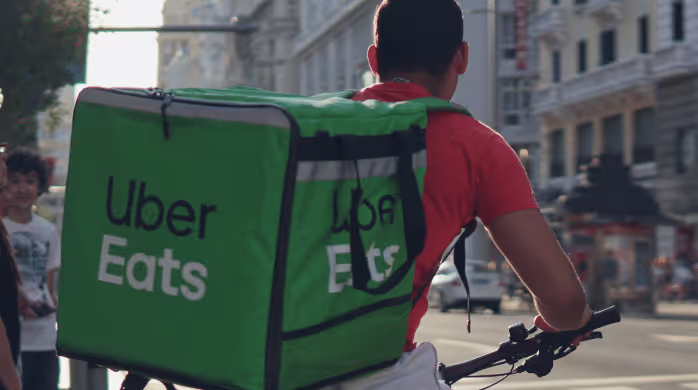
How to Make $1,000 a Week With Uber Eats in 2026 (Tips + Hourly Data)
In this blog, we'll explore the strategies and techniques that can show you how to earn $1000 per week as an Uber Eats delivery driver. We'll cover everything from optimizing your delivery zones and schedules to maximizing your tips and customer satisfaction. Whether you're a seasoned Uber Eats driver or just starting out, this guide will provide you with the insights and actionable steps to take your Uber Eats driver earnings to the next level.
Becoming an Uber Eats delivery partner can be a lucrative opportunity, especially if you're able to consistently earn $1000 a week. By understanding the platform, optimizing your delivery strategies, and focusing on customer satisfaction, you can maximize your earnings and turn Uber Eats into a reliable source of income.
We’ll cover the following topics to provide coaching and ideas to help you push your earnings up to that $1000 per week level:
What do Uber Eats drivers do?
Uber Eats drivers deliver prepared food most of the time, but they also might shop for and deliver goods from convenience outlets and grocery stores. The job is pretty simple. You get a request for an order, you drive to the restaurant or store to pick it up, and then you deliver it to the customer. If you already drive for Uber, you can choose to take orders for Uber Eats delivery any time.
If you’re not an Uber Eats driver yet, it’s pretty easy to become one. This Gridwise post tells you what you need to do if you want to sign up and start making money Uber Eats style. Many rideshare drivers welcome the chance to deliver food rather than people. This article from Nerdwallet covers the Uber Eats gig from that angle.
There are some sweet advantages to working with Uber Eats. In lots of cities you don’t even need to have a car. You can use a bike or a scooter, or even walk, to make your rounds. If you do use a car, Uber Eats’ requirements are a lot easier to meet than they are for Uber rideshare driving.
You also have a lot of flexibility. You can shop and deliver convenience items and groceries, but you don’t have to. And, like most driving gigs, you can choose your own hours, and map out the locations where you want to work.
Use Gridwise features When to Drive and Where to Drive to help you figure out what work hours and which specific areas will be the most profitable for you. Real data from real delivery people will show you earning patterns for drivers in your town.
How much can you earn doing Uber Eats?
The honest answer to this question is: basically, as much as you want! It all depends on how many hours you put in and how strategic you are about your gig. Earnings vary from one area to another, as this article from Entrepreneur points out. To give you a baseline, let’s look at the earnings of Uber Eats drivers who tracked their earnings with Gridwise.
Remember that these numbers show us only average earnings. To make $1,000 a week with Uber Eats, you’re going to have to be better than average, and we’ll show you how. For now, though, it’s good to have these figures so you get a ballpark number of where to start.
How much do Uber Eats drivers make?
Gridwise data tell us the following:
- Monthly earnings average around $444.00 per month.
- Gross earnings per trip are between $9.00 and $10.00.
- Tips make up about 50% of most Uber Eats drivers’ income, which amounts to about $225.00 per month.
Is Uber Eats good money? It can be. While there are other gigs that pay more per trip, if you drive for Uber Eats, you’ll always be pretty busy.
https://datawrapper.dwcdn.net/HPAz8/3
You can also see that, unlike many other gigs, tips play a huge role in Uber Eats earnings.

With these numbers as a baseline, what can we say about how to earn $1,000 a week with Uber Eats? As we said in the introduction, it’s going to be a hustle, but it’s really possible. To figure out how to make the most money with Uber Eats, let’s start by looking at how many trips these “average” drivers made each month.
We know that average gross earnings were $444.00 per month, and drivers got around $10.00 per trip. That means they took 44 or 45 trips per month, which breaks down to 11 trips per week. That’s not a lot of Uber Eats delivery, is it?
The fact that Uber Eats drivers averaged so few trips shows us that many drivers use more than one app at the same time. This is called multi-apping, and you can learn more about it in this Gridwise post. If you want to answer the question of how much you can make with Uber Eats, then you need to stick with the app and keep plugging away at those orders. You also need solid strategies, as well as some inside tips and tricks.
How to make the most money on Uber Eats: Delivery driving tactics
Getting to that $1,000 a week with Uber Eats isn’t so hard when you remember that the drivers we saw making about $111 a week were only taking around 11 trips in the same time period. That’s not much at all! If you work the Uber Eats app like a boss, you’ll soon have many more trips than that, easily reaching the number needed to get you to $1,000 a week. Now, let’s get to some tactics you’ll need to make that kind of bank.
- Stay with the Uber Eats app, and track your earnings. Gridwise can easily do that for you. Simply sync your Uber Eats app with Gridwise, and you’ll be able to see how much you’ve earned with Uber Eats, what times were most profitable, and your average hourly pay. Racking up trips with Uber Eats has other benefits, including perks and bonuses that are awarded to top drivers.
- Leverage surge pricing and promotions. Surge pricing is applied when there is a lot of demand. When surge pricing is in effect, many of the trips you make will pay more than usual. Promotions are offered to drivers who complete a given number of trips in a certain time period. High traffic volume days, nights, and times give you these chances to get extra earnings. Challenging yourself to complete the right number of trips for promotions will add to the number of trips you can count on for big bucks, too. Learn more about Uber Eats surge pay, boosts, and promotions in this Gridwise blog post.
- Say yes to doubling up on orders. With Uber Eats, you can get back-to-back orders or receive batched orders. Back-to-back orders happen when you receive a new request while you’re on the way to deliver an original order. The Uber Eats app routes these trips automatically, so you won’t be sent out of your way.
Batched orders are Uber Eats’ way of bundling together orders from either the same restaurant, or two nearby eating establishments. You get money, and trip count credit, for all the orders you complete, plus customer tips, without having to make a bunch of separate trips.
- Turn on the charm and get bigger tips. Being nice really is part of the Uber Eats driver’s job, and getting tips is one way people who drive for Uber Eats make money beyond their basic pay.. Bring along those extra napkins and condiments, use equipment that keeps food and drinks at the right temperatures and prevents spilling, and consider your customers’ needs. If you deliver groceries, be extra careful with delicate items such as bread and eggs.
And, most important, follow your customers’ directions, and stay in communication with them if you are going to be delayed, or if you have questions about their order. This Gridwise post will tell how to get bigger tips as a delivery driver.
- Use even more charm to keep your ratings high. As an Uber Eats driver, you will be rated by the restaurant or store where you pick up the orders as well as the customers who are waiting for the deliveries. This two-way rating system is designed to keep you on your toes, so Uber can keep people satisfied with your service. Don’t worry, you get to rate them, too.
There’s another reason why your rating as a driver is important. It not only keeps you in good standing with Uber; it helps you to qualify for the Uber Eats Pro incentive program. To learn more about Uber Eats Pro, and what it takes to earn perks such as preferred services, discounts, and deals, check out this Gridwise blog post.
Smart business moves that seal the deal
Now that you know how to gobble up the deliveries you need to make $1,000 a week with Uber Eats, it’s going to be a breeze to get there. Let’s make it even easier, with business moves that boost your earnings and shrink your expenses. If you use these, it will also be easy to say yes when people ask, “Can you make good money with Uber Eats?”
Minimize expenses. Avoid racking up big fast-food bills by bringing your own food and beverages. You might not think you’re hungry when you first start your Uber Eats run, but once the aroma of pepperoni pizza, premium cheeseburgers, and piping hot fries start wafting through your car, that might change. Bring a sandwich or other healthy food from home, and buy bottled water in bulk to save tons of cash compared to what it costs to buy single servings.
Maximize tax deductions. Another way to minimize your expenses is to maximize your tax deductions. Start by tracking mileage with Gridwise.
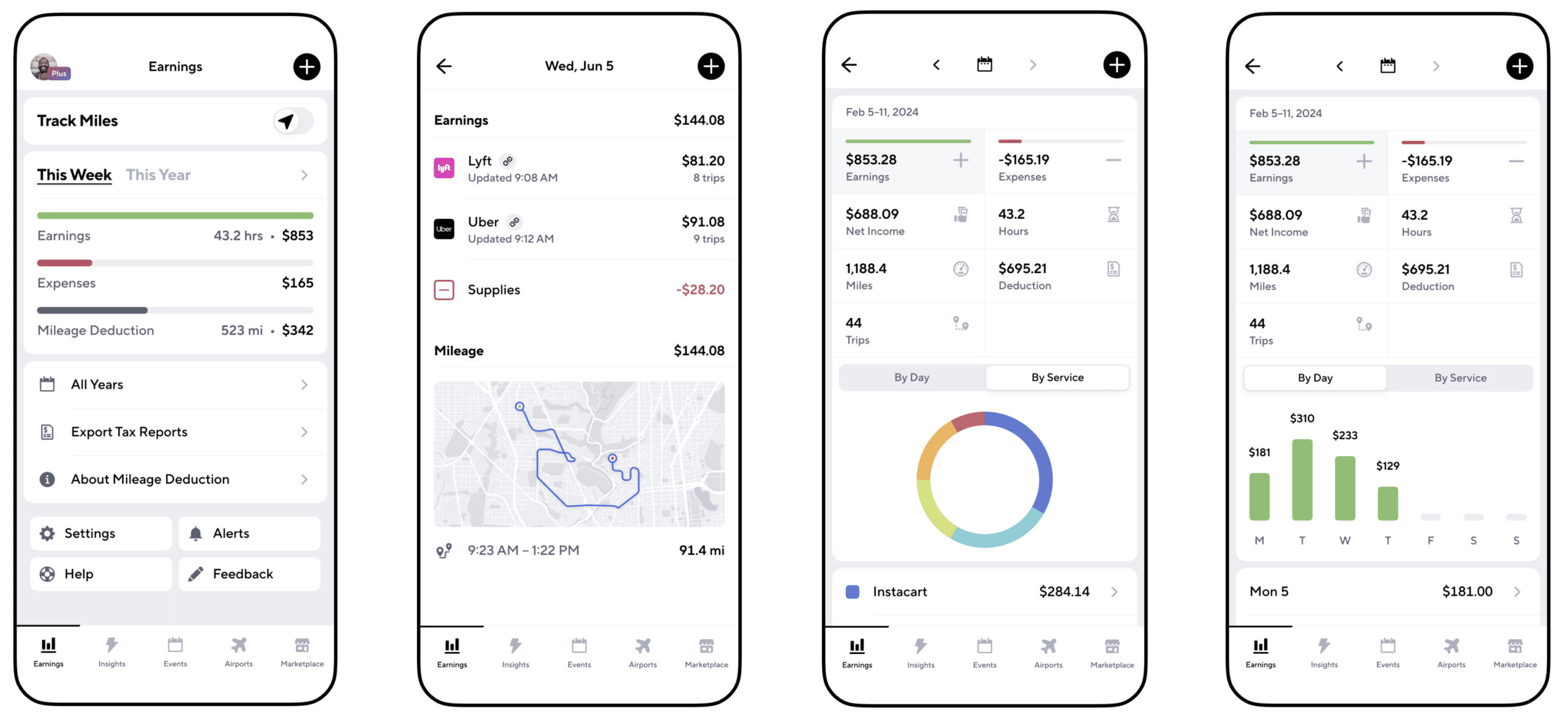
Gridwise App
Gridwise captures every deductible mile you drive, including the distance you cover between the trips your driving app records. Know what expenses you can deduct, and put them to work for you when tax time comes. Learn more about tax deduction strategies in the Gridwise Tax Guide for drivers.
Boost earnings with referrals
As an independent contractor, you’re probably looking for ways to make even more money than you can with Uber Eats. And most gig workers like you enjoy getting passive income. With Uber Eats, there’s a really easy way to do that, referrals!
All you need to do is find friends and encourage them to deliver for Uber Eats. If they make a certain number of deliveries within a specified time, you will get paid for doing nothing more than having them sign up under your referral code! Rates of pay vary by city, so check your Uber Eats app to find out what the current deal might be, and learn more about the referral program on the Uber Eats website.
Also remember: “friends” don’t have to be your best buds. Many delivery people carry cards with a QR code linking to their referral information, so just about anyone you encounter can join Uber Eats and boost your earnings. You could meet a source of passive income at the gas station, on social media, or at your high school reunion. The more you hustle, the more there is to gain, right?
Master the art of self-employment
As an Uber Eats driver, you’re an independent contractor. That means the company isn’t going to withhold your taxes, provide insurance, keep track of your earnings, or tell you about tax deductions. You’ll have to do all these things for yourself.
If you want to maximize your tax advantages, open an official business entity. You can incorporate (create a corporation) or you can work as a limited liability corporation (LLC). You can also work with a DBA (Doing Business As) arrangement, but the corporation or LLC will do a better job of protecting you from liability.
Establishing a corporation or LLC offers better tax advantages than being a sole proprietor. For instance, if you simply collect your earnings into your private account, you’ll be charged self-employment taxes in most states. And paying extra taxes is something we all want to avoid, within legal limits, as much as possible.
Every Uber Eats driver needs to learn about self-employment, and there are some great resources you can review. Check out the CareerOneStop website about self employment which will help explain the basics. You can also check with a professional tax accountant, or look other websites to learn more about actually creating a business.
Scope out your market
Look at the area around you to see where you’re likely to get the most deliveries. Where are all the restaurants? Where might people be more inclined to order deliveries? What hours do you want to drive? What activities might be going on around those times? Think about late-night and after-school times as well as breakfast, lunch, and dinner times.
Be realistic about the potential for your area and aware of new services opening up. For example, in New York, there is already a tab on the Uber Eats app that allows customers to order groceries. In our article about the best food delivery service to work for you’ll see that Uber Eats stacks up well against other delivery companies, mainly because of its potential for expanded opportunities for drivers to earn.
So, is Uber Eats good money? As we said, it isn’t an automatic guarantee that everyone will make $1,000 a week with Uber Eats. Trying out the suggestions we give you here, though, should put you on the right track! Go out there and start stacking up those orders and raking in some impressive earnings!
Get more inside information on Uber Eats in these posts from the Gridwise blog:
- The delivery driver guide: Using the Uber Eats app
- Everything you need to know about driving for Uber Eats
- Uber Eats Pro: What drivers need to know
- Looking for a different gig, part-time or full time job? Check out the Gridwise Job board.
Uber Eats FAQ
How does the Uber Eats platform work for drivers?
Uber Eats is a food delivery service that connects customers with local restaurants and independent delivery partners. As an Uber Eats driver, you'll receive notifications of nearby delivery requests, which you can accept and complete. The platform provides flexibility, allowing you to work on your own schedule and earn money based on the number of deliveries you complete.
What are the requirements to become an Uber Eats delivery partner?
To become an Uber Eats delivery partner, you'll need to meet certain requirements, such as having a valid driver's license, a registered vehicle, and passing a background check.
How can I choose the right delivery zone to maximize my earnings?
Selecting the right delivery zone can significantly impact your earnings, as some areas may have higher demand and better-paying orders. It's important to research and identify the zones in your area that tend to have the most consistent and lucrative delivery opportunities.
How can I take advantage of peak delivery hours and surge pricing?
Understanding peak delivery hours, such as mealtimes and weekends, and taking advantage of surge pricing can boost your earnings. Be aware of when demand is highest in your area and adjust your schedule accordingly to capitalize on these peak periods.
What are some tips for maximizing tips and customer satisfaction?
Providing excellent customer service and going the extra mile to ensure a positive experience can lead to more tips and repeat business. Prioritize communication, timeliness, and attention to detail to keep your customers happy and satisfied.
How can I set realistic weekly goals to reach my $1000 target?
To make $1000 a week with Uber Eats, it's essential to set realistic weekly goals and track your earnings and expenses. Start by determining your target earnings and breaking it down into achievable daily or weekly goals. This will help you stay on track and make adjustments as needed.
What are some strategies for efficient route planning and navigation?
Effective route planning and navigation can save you time and fuel, allowing you to complete more deliveries. Utilize mapping apps and take advantage of features like real-time traffic updates and turn-by-turn directions to find the quickest routes.
How can I balance my Uber Eats deliveries with other commitments?
Develop a schedule that allows you to capitalize on peak delivery hours while still maintaining a healthy work-life balance. Consider using tools like calendar apps to plan your availability and track your hours to ensure you're maximizing your earning potential without sacrificing your personal life.
What are the key considerations for maintaining my vehicle as an Uber Eats driver?
Keeping your car clean and well-maintained is crucial for maximizing your Uber Eats earnings. Regularly scheduled oil changes, tire rotations, and other preventive maintenance can help extend the life of your vehicle and minimize downtime. Additionally, budgeting for vehicle-related expenses, such as fuel, insurance, and repairs, will ensure you're accounting for these costs and maximizing your net earnings.
What are the tax obligations and legal considerations for Uber Eats drivers?
As an Uber Eats delivery driver, it's essential to understand the tax obligations and legal considerations that come with being an independent contractor. This includes properly reporting your earnings, deducting eligible business expenses, and making quarterly estimated tax payments. Additionally, you'll need to ensure you have the appropriate insurance coverage, such as personal auto insurance and possibly commercial auto insurance, to protect yourself and your vehicle while on the road making deliveries.

The Gridwise Job Board: Find Your Ideal Job or Gig Work
Gridwise is an essential assistant app created by gig workers for gig workers. Our mission is to support those engaged in gig work in every way possible. We understand how challenging it can be to deal with income instability, a lack of benefits, and job insecurity that often comes with gig work. The Gridwise app tracks and organizes earnings and expenses, and offers a wide array of discounts, deals, and services that make the lives of independent contractors easier and more rewarding.
We firmly believe it’s possible to make a viable living and create a gig experience that offers flexible hours, variety, and excitement. With issues such as consistent earnings and job security in mind, Gridwise is proud to offer a centralized platform that shows you how to find gig work and secure reliable opportunities. We’re proud to introduce the Gridwise Job Board.
The Gridwise Job Board: Key features
Because Gridwise is dedicated to serving the gig worker community, we’ve filled the Gridwise Job Board with useful features that won’t waste your precious time.
- Comprehensive listings. Find part-time, full-time, temporary, and per-task work. Drive or deliver with your vehicle, utilize an employer’s vehicle, or even find non-driving gig work.
- User-friendly interface. Find the jobs that are right for you with a tap of your screen.
- Verified opportunities. We vet the jobs before they are listed to ensure you’re getting high-quality job postings.
How to get more gig work, seasonal, part-time or full-time jobs with the Gridwise Job Board
Looking specifically for “gig work apps” or “gig jobs near me?” You’re in luck. Our filters and search functions send you directly to the listings you seek.
Here’s how it works.
- Access the Job Board via the Gridwise website.
- Search for jobs by type, location, and more.
- Select the job that interests you, and read all about it.
- Scroll through the description, and if it appeals to you, click “Apply for job.”
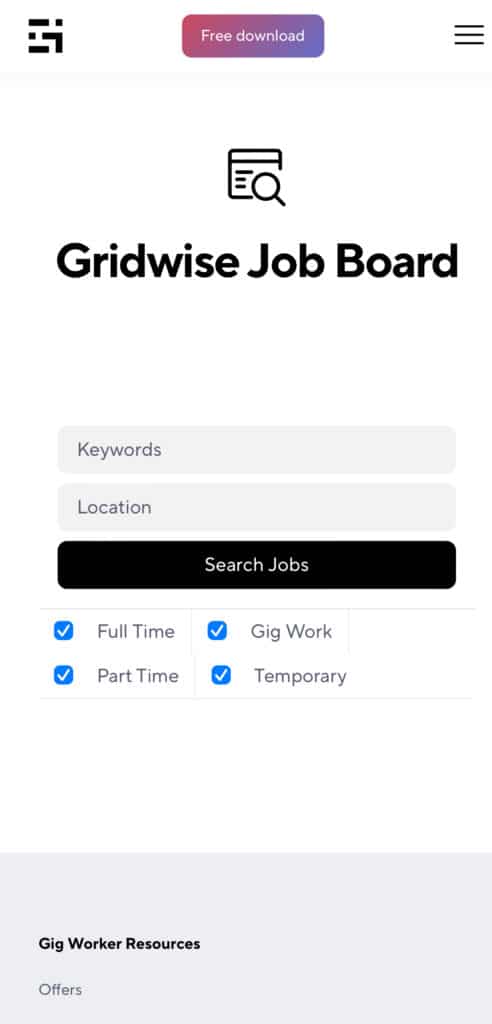
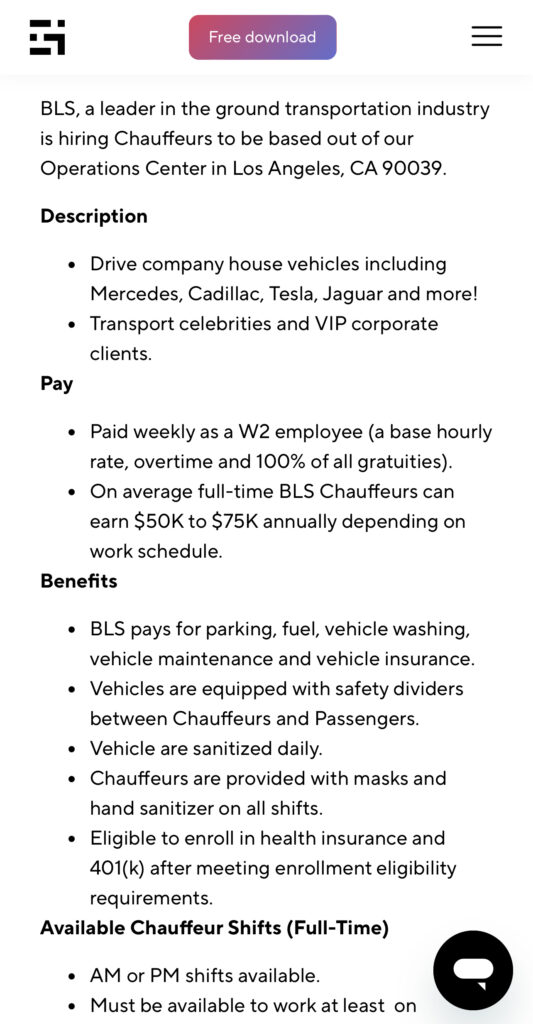
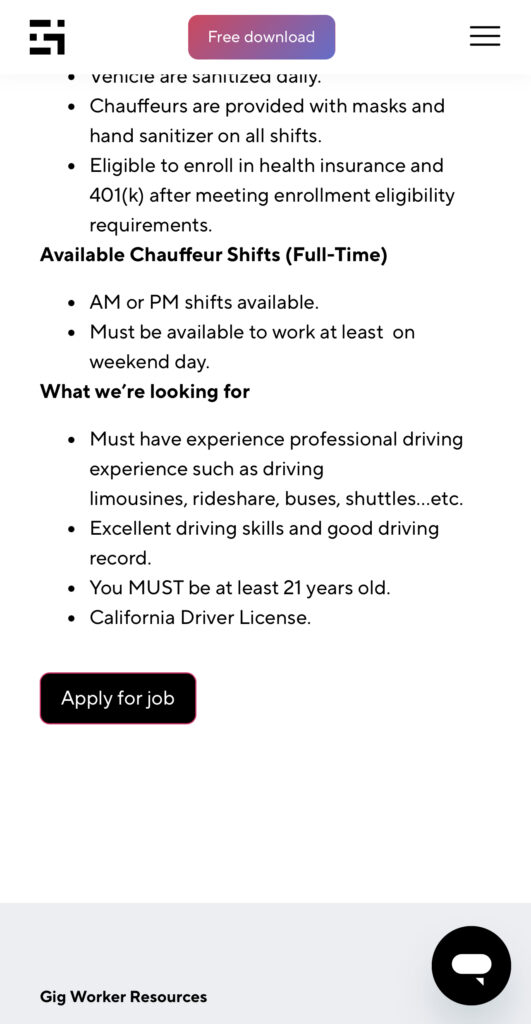
Many types of jobs are available. Adjust the search filter to see the full variety of opportunities that will let you cash in. Deliver food, set up catering, do rideshare driving, get paid for doing package delivery, and much more. You’ll find short-term gigs, long-term contracts, and part-time positions.
Perks of the Gridwise Job Board for gig workers
Gig workers who know how to make extra money will appreciate how the Gridwise Job Board lets you multiply your chances of bringing in big earnings. Here’s how:
- Increased stability. Use the Gridwise Job Board to find part-time or permanent jobs in addition to the part-time gigs you already have. Always keep a steady stream of earning opportunities flowing toward you.
- Flexibility and autonomy. Choose jobs that fit your schedule, work around other jobs and family duties, and still leave room for some fun in your life. Discover side hustles to supplement your full-time job, permanently or just for the season.
- Skill development. Find part-time work that lets you use a skill you already have, or try your hand at something new. It’s a smart way to develop a portfolio to showcase what you can do, or even to find permanent employment.
Get Gridwise and stay up to date on the Gridwise Job Board
Gig workers need plenty of information and assistance, and Gridwise is here to give it to you. Download the app and get essential features such as
- seamless earnings tracking
- mileage tracking
- expense recording, including notes
- low-cost and no-cost insurance benefits
- access to affordable medical, dental, vision, mental health, and alternative care
- professional services including legal and financial help
- deals and discounts
- weather, events, and traffic reports
- inside information on where and when to drive
More to know about gig work:

5 Best Mileage Trackers For Gig Drivers
Many drivers ask, “Do I really need a mileage tracking app?” The answer is simple: only if you want to have an accurate count of all the miles you can legally deduct from your taxable income! You might think your rideshare or delivery driving app has got you covered. After all, they do quite a good job of logging the miles you drive while you’re on a trip or delivery. But, if you want to have the best app to track mileage for Uber, Lyft, Doordash, Instacart, or the other apps you may use, you need more. Why is that?
Without a separate tracker, you’re missing the miles you drive in between pings. Did you realize that all the miles you drive, from the moment you begin your shift until it’s over (as long as you don’t drive several miles on a break to hang with your friends), are tax deductible! That means you need something besides your driving app to keep an accurate count of your travels. Read this Gridwise post to see how important it is to keep track of every deductible mile.
You won’t be surprised to hear that there’s an app for tracking miles. In fact, there are several of them. Here, we’re going to tell you about five top mileage tracking apps, and help you figure out which one is best for you.
Before we get to the list and identify the best mileage tracker app, let’s clarify what exactly a mileage tracking app is. According to G2.com’s technology glossary, mileage tracking is done for the purpose of keeping a log of mileage that is either reimbursable or tax deductible.
And yes, of course you can track your miles simply by taking readings on your odometer. But are you really prepared to account for how many miles you drove for personal reasons and subtract them from the total to get your business mileage? Even if you can remember all that and do the arithmetic, if you want an accurate reading of the miles you drive for business, and can therefore deduct, a mileage tracking app will save you a lot of trouble and prevent you from making costly errors.
Plus, as a gig driver, you have specific needs when it comes to a mileage tracker. Ideally, you’d be able to handle mileage tracking and several other functions all in one app. It can be maddening enough to deal with driving apps, particularly if you’re an avid multi-apper. You would want your mileage tracker app to help you keep account of other aspects of your business, including income, expenses, and inside information about the art of gig driving.
Not all mileage apps are equal, to be sure! Let’s look at five of the best apps to track mileage and figure out which is the best app to track mileage with Uber and Lyft, or what mileage tracker app is best for DoorDash.
1. Zoho Expense
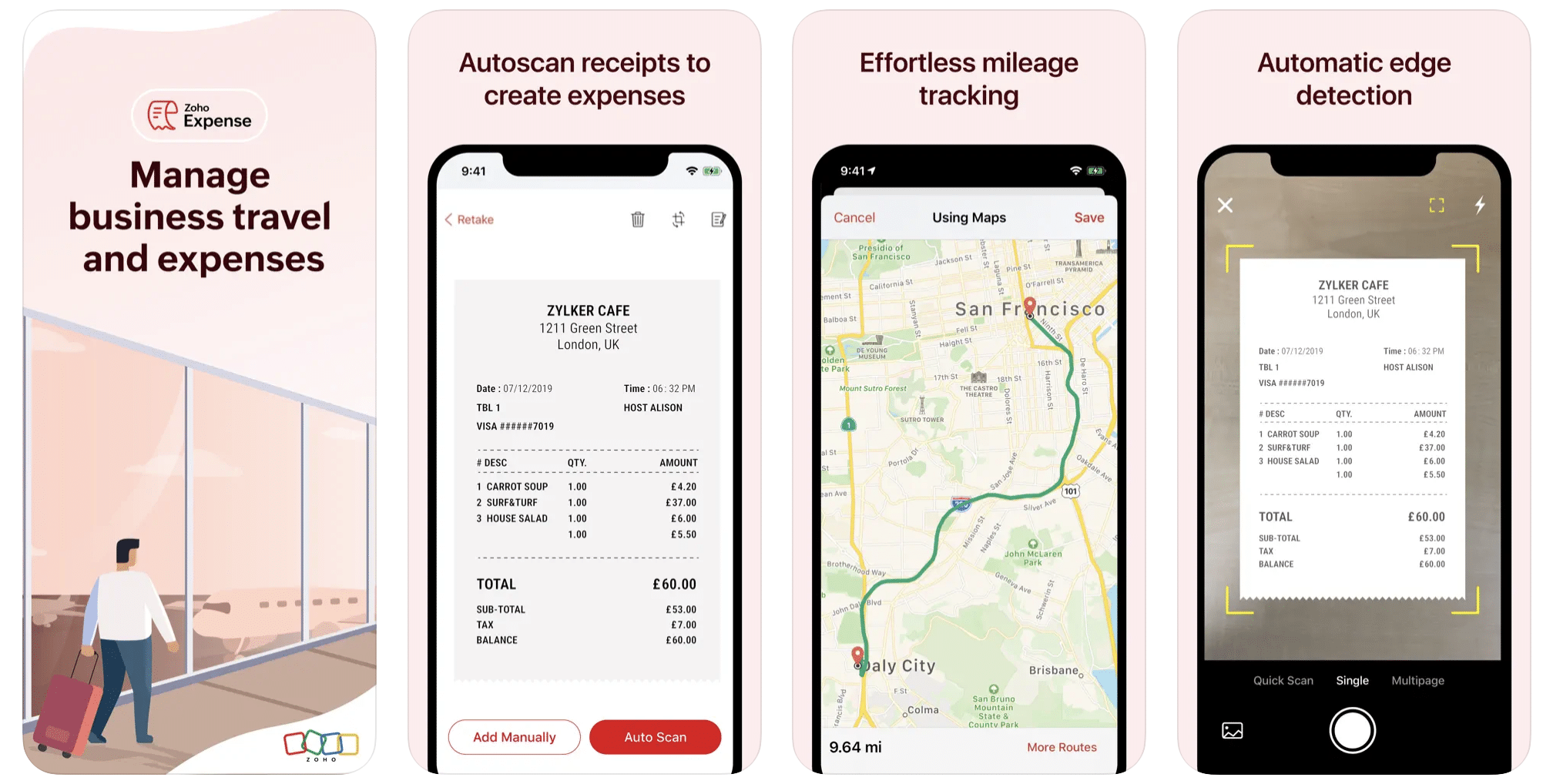
First up is Zoho Expense, which does exactly what its name says. This app is designed to allow companies to give employees a uniform way to create and submit expense reports. It can be used by individuals, including gig drivers, as well.
It includes a mileage tracker, as well as features that let you track other deductible expenses, including the ability to scan and record receipts.
Available on Android and Apple: Yes
Ratings: 4.8 stars on App Store, 4.7 stars on Google Play
Free Version: Yes
Subscription price: $3 per month, billed annually
Created specifically for gig drivers: No
2. Quickbooks Online
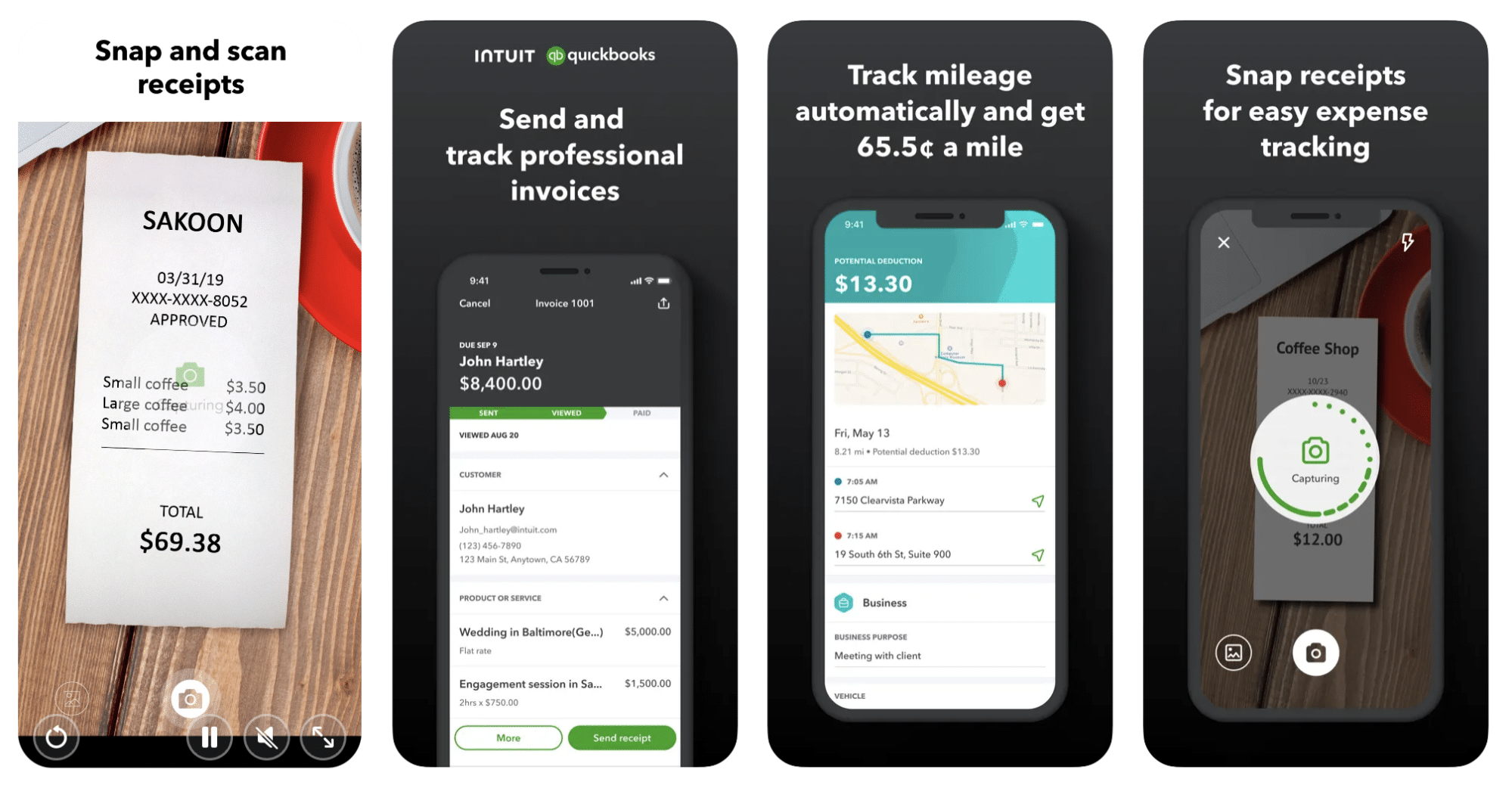
Quickbooks Online is a cloud-based app that allows you to track your mileage, earnings, and expenses. The information you enter can then be used to generate various reports that prepare you for tax time. It also allows you to create graphs that illustrate your cash flow, and includes a receipt scanner so you can instantly record deductible expenses. Quickbooks is popular, highly reliable, and designed mainly to help people keep track of their small businesses.
Available on Android and Apple: Yes
Ratings: 4.7 stars on App Store, 4.4 stars on Google Play
Free version: 30-day free trial
Subscription price: $15 per month for basic version if purchased for 3 months or more
Created specifically for gig drivers: No
Source: quickbooks.intuit.com
3. Shoeboxed
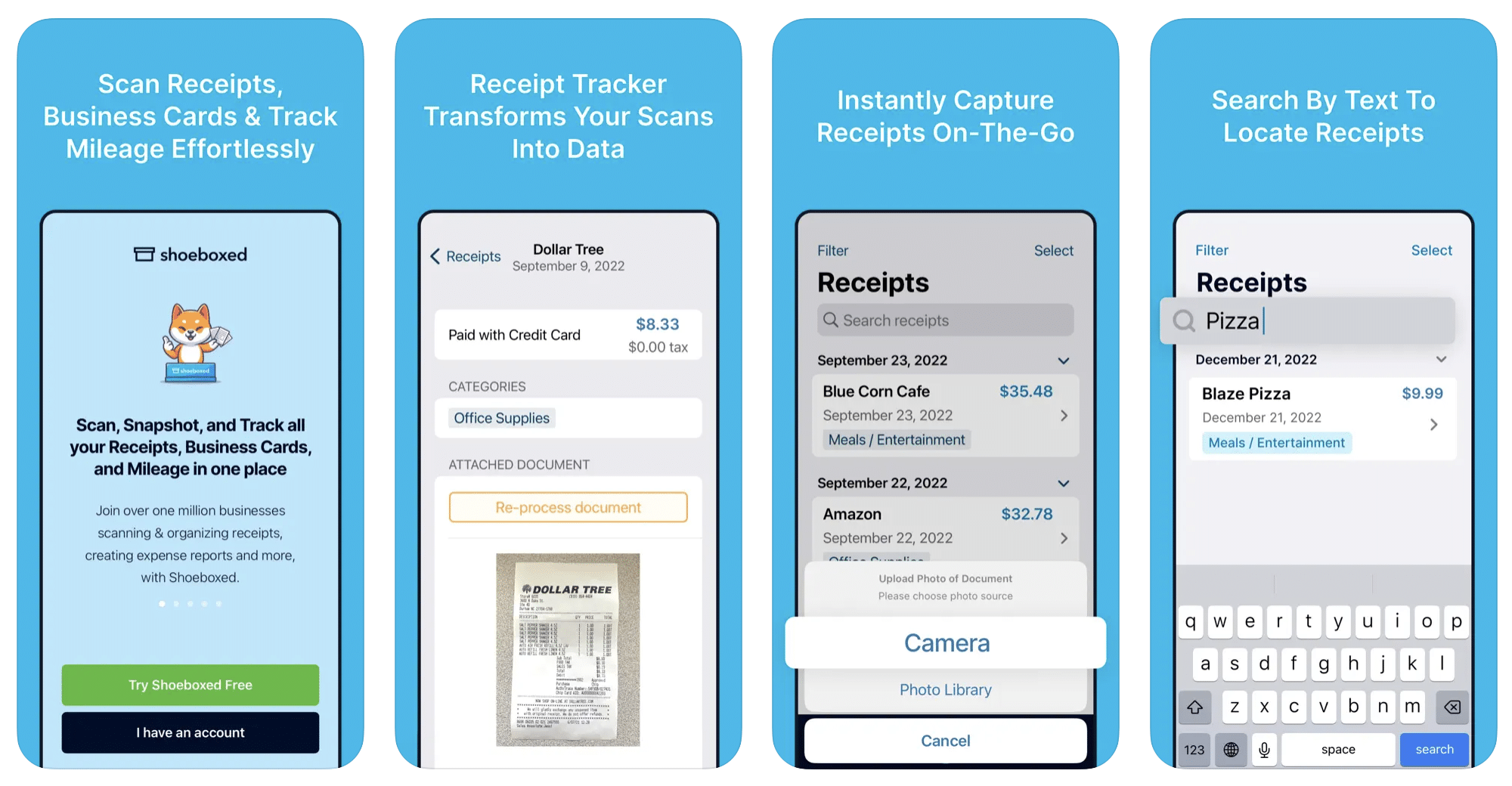
Shoeboxed started in 2007 as a service for scanning paper receipts into digital form. Now the app offers a free mileage tracker and has enabled users to scan receipts directly. It touts itself as the best mileage tracking app for DoorDash, but there are some elements missing that Dashers might like to have. While it provides features that record your expenses and prepare you for tax season, it doesn’t automatically track your earnings. The mileage tracker has a system where you can drop pins along your routes to make the tracking more precise, identifying those legs of a trip that you make for business purposes. The mileage tracker is “free” once you sign up for the basic version.
Available on Android and Apple: Yes
Ratings: 4.5 stars on App Store, 2.3 stars on Google Play
Free version: No
Subscription price: $18 per month for basic version
Created specifically for gig drivers: No
Source: blog.shoeboxed.com
4. Stride
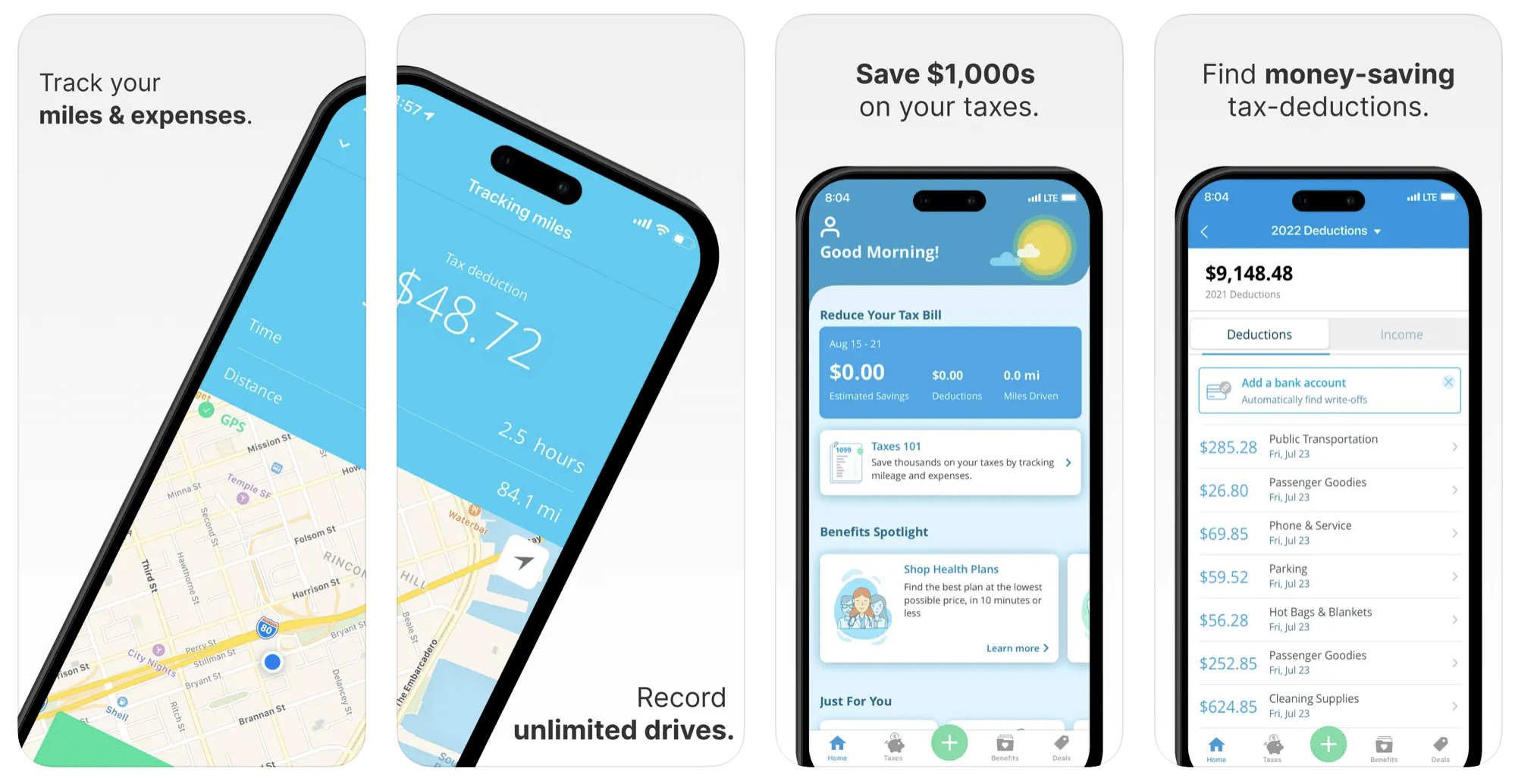
This free mileage tracker does a fair job of keeping track of the distances you rack up while gig driving, but it doesn’t automatically track earnings. It can be a big help, though, in tracking your expenses. You can link Stride to your bank account, and it will automatically scan your expenses to identify items you can potentially deduct. The app is totally free. This could make it the best free mileage tracker app, but there is a small price to pay. The app will persistently push you to consider various insurance plans that they are affiliated with. If you don’t mind that, this is a solid mileage tracker, even if it doesn’t track your earnings.
Available on Android and Apple: Yes
Ratings: 4.8 stars on App Store, 4.6 stars on Google Play
Free version: Yes
Subscription price: None. The app is free.
Created specifically for gig drivers: No
5. Gridwise
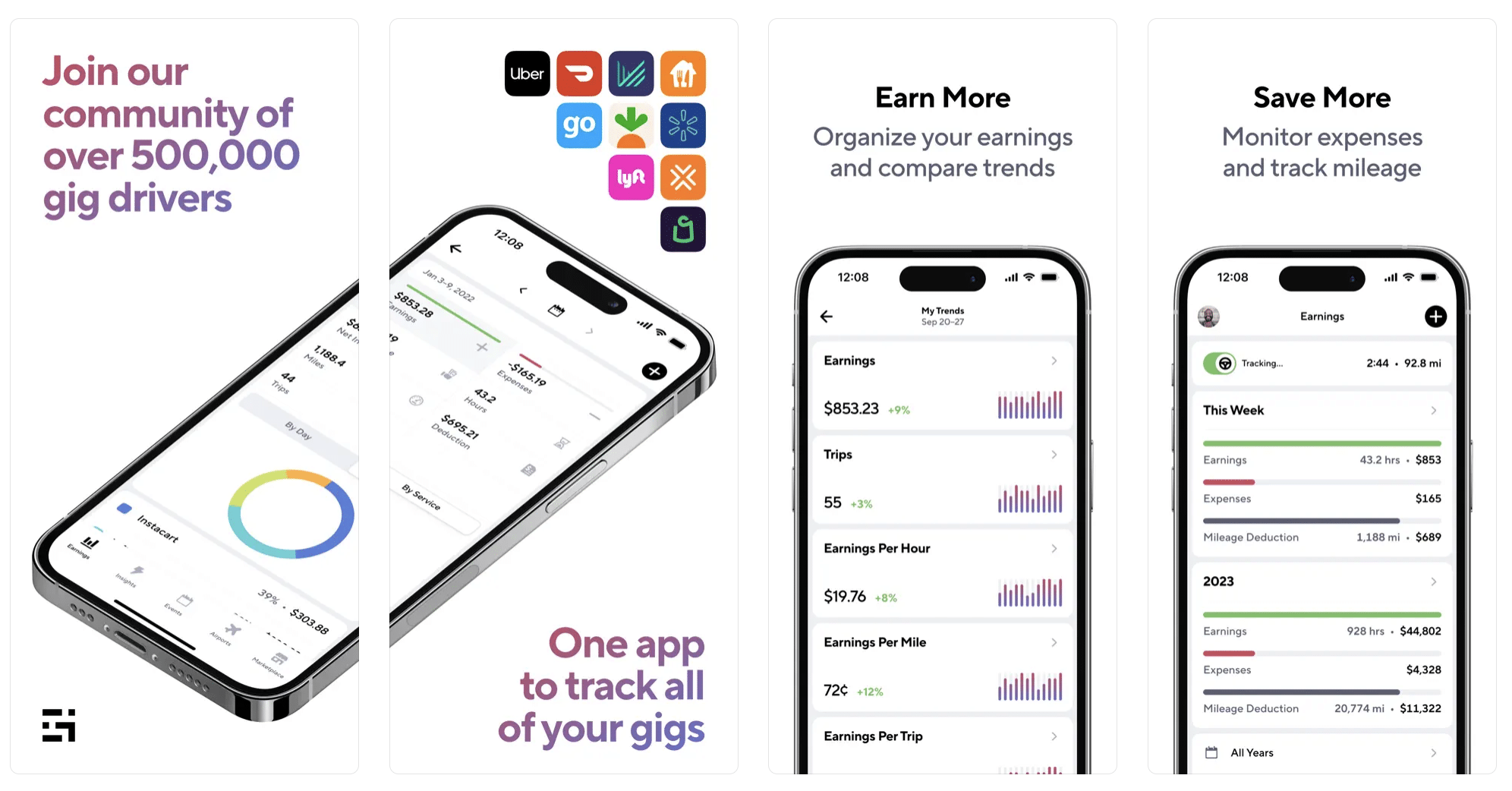
Gridwise has a free mileage tracker and free features that record your income and expenses. It gives you access to insurance and benefits, as well as insights about the best times and places to make the most money while gig driving. The Gridwise mileage tracker captures all the miles you drive while you’re on your driving shift, and it can be used if you have other trips you need to make which qualify as business travel.
Drivers love it because it is geared toward the needs of rideshare and delivery workers, providing free information about airport departures and arrivals, event start and let out times, weather, traffic, and more. The Gridwise Plus subscription adds value by providing additional insights and reports, discounts on benefits, the ability to export data in .csv format,, and more.
Available on Android and Apple: Yes
Ratings: 4.9 stars on App Store, 4.6 stars on Google Play
Free version: Yes
Subscription price: $9.95 per month for Gridwise Plus, or $95.99 per year (a $23.41 savings)
Created specifically for gig drivers: Yes!
What is the best mileage tracking app?
Now that we’ve checked them all out, we’re positive about the answer to that. Hands down, it’s Gridwise. Are we biased? You bet we are! But drivers love it too. Gridwise is the best mileage tracker app, and so much more. So many of the features are free, and the subscription to Gridwise Plus will pay for itself with additional insights to boost your earnings and deeper discounts on products and services.
Most important, Gridwise is designed specifically for gig drivers by experts who were once gig drivers themselves! Knowing what gig drivers need is a crucial step in creating an app that rideshare and delivery drivers can really use! Here are a few of the features, besides mileage tracking:
- seamless earnings tracking
- automatic, on/off toggle and manual mileage tracking
- mileage categorization
- airport, traffic, weather, and events information
- insights into where to drive and when to drive
- reports showing earnings across the platforms you use
- discounts on countless products and services for drivers
- additional resources for finding side gigs
- an informative and comprehensive blog
- affordable benefits, including insurance, medical, dental, and alternative practitioner discounts
- a community of drivers just like you
Don’t settle for just any app. Get the best mileage tracker, and so much more, from Gridwise!

Uber Driver Insurance Guide (2026): Coverage, Gaps, and What You Actually Need
Most Uber drivers have no idea they are driving with a dangerous insurance gap. Here is the situation: you are sitting in a parking lot with the Uber app on, waiting for your next ride request. Someone rear-ends you. You call your personal insurance company to file a claim, and they deny it. Why? Because you were using your vehicle for commercial purposes, and your personal auto policy does not cover that. You then try Uber's insurance, but their Phase 1 coverage only provides basic liability for other people, it does not pay to fix your car.
That gap between your personal insurance and Uber's coverage is where thousands of drivers get caught every year. The good news is that it is easy and affordable to close that gap once you know how. This guide breaks down exactly how Uber's insurance works phase by phase, what coverage gaps exist, how much additional insurance costs, and what to do if you are ever in an accident.
Disclaimer: Gridwise is not a licensed insurance agency or broker. The information in this article is for educational purposes only and should not be considered insurance advice. Always consult with a licensed insurance agent or your insurance provider for guidance specific to your situation and state.
Quick Answer — Do You Need Special Insurance to Drive for Uber?
Yes. At minimum, you need a rideshare endorsement added to your personal auto insurance policy. Here is why:
- Uber provides commercial coverage while you are logged into the app, but it has significant gaps, especially during Phase 1 (when the app is on but you have not accepted a ride yet)
- Your personal auto insurance will likely deny claims if they discover you were driving for a rideshare company without a rideshare endorsement or commercial policy
- A rideshare endorsement costs just $15 to $30 per month and bridges the gap between your personal coverage and Uber's commercial coverage
- Without proper coverage, a single accident could leave you paying thousands out of pocket for vehicle repairs, medical bills, or liability claims
The rest of this article explains exactly how Uber's insurance works, where the gaps are, which companies offer rideshare endorsements, and what to do if you are in an accident. If you are still in the process of signing up, make sure you also review the full Uber driver requirements so you know what insurance documentation you need before you start.
How Uber's Insurance Coverage Works (Phase by Phase)
Uber's insurance coverage changes depending on what you are doing at any given moment. The rideshare industry breaks this into four distinct phases, and understanding each one is critical to knowing where you are protected and where you are exposed.
Phase 0 — App Off
When the Uber Driver app is completely off, you are just a regular driver. Uber provides zero coverage during this time.
- Uber coverage: None
- Your coverage: Only your personal auto insurance applies
- Risk level: Normal, same as any other time you drive your personal vehicle
Phase 1 — App On, Waiting for a Request
This is the most dangerous coverage gap for Uber drivers. You have turned on the Uber app and are available to receive ride requests, but you have not accepted one yet.
- Uber coverage: Liability only, at relatively low limits, typically $50,000 per person for bodily injury, $100,000 per accident for bodily injury, and $25,000 for property damage (50/100/25)
- No collision or comprehensive coverage from Uber: if your car is damaged, Uber will not pay for repairs
- Your personal insurance: Most standard personal auto policies exclude coverage when you are using your vehicle for commercial or rideshare purposes, even if you are just waiting for a request
Why this matters: If another driver hits you during Phase 1, Uber's coverage may pay for their damages (liability), but it will not pay to fix your car. And your personal insurer may deny your claim because you were logged into a rideshare app. You are left covering the full cost of your own vehicle's repairs out of pocket.
Phase 2 — En Route to Pickup
Once you accept a ride request and are driving to pick up the passenger, Uber's coverage increases significantly.
- Uber coverage: $1,000,000 in third-party liability
- Contingent comprehensive and collision coverage up to the actual cash value of your vehicle, with a $2,500 deductible
- Important: The contingent comp/collision only applies if you already carry comprehensive and collision coverage on your personal auto policy
Phase 3 — Passenger in Vehicle (or Active Delivery)
- Uber coverage: $1,000,000 in third-party liability
- Contingent comprehensive and collision coverage up to actual cash value with a $2,500 deductible
- Uninsured/underinsured motorist coverage: $1,000,000 (in most states)
Coverage Summary by Phase
Phase 0 (App Off):
- Uber liability: None
- Uber collision/comprehensive: None
- Your personal policy: Applies normally
Phase 1 (App On, Waiting):
- Uber liability: 50/100/25 (state minimums)
- Uber collision/comprehensive: None
- Your personal policy: Likely excluded without rideshare endorsement
Phase 2 (En Route to Pickup):
- Uber liability: $1,000,000
- Uber collision/comprehensive: Up to actual cash value ($2,500 deductible, contingent on your personal policy)
- Your personal policy: Likely excluded without rideshare endorsement
Phase 3 (Passenger in Vehicle / Active Delivery):
- Uber liability: $1,000,000
- Uber collision/comprehensive: Up to actual cash value ($2,500 deductible, contingent on your personal policy)
- Uninsured/underinsured motorist: $1,000,000 (most states)
- Your personal policy: Likely excluded without rideshare endorsement
The Coverage Gap Every Uber Driver Should Know About
Phase 1 is where most Uber drivers get burned. You are parked at a shopping center with the Uber app on, waiting for a ride request. A distracted driver backs into your car and causes $4,000 in damage. The other driver's insurance only covers $2,000. You need to cover the remaining $2,000.
- You call Uber's insurance: They do not provide collision coverage during Phase 1. They will not pay to fix your car.
- You call your personal insurer: Your claim is denied because your personal policy excludes commercial use.
- The result: You are stuck paying $2,000 out of pocket. If the damage had been $10,000 or more, the financial hit could be devastating.
The fix is simple: A rideshare endorsement on your personal auto policy closes this gap entirely. It typically costs $15 to $30 per month and ensures that your personal insurer will not deny claims just because you were logged into a rideshare app.
What Is a Rideshare Endorsement?
A rideshare endorsement (sometimes called a rideshare rider or TNC endorsement) is an add-on to your existing personal auto insurance policy. It extends your personal coverage to include periods when you are using your vehicle for rideshare or delivery work.
- Closes the Phase 1 gap by covering your vehicle during the period when the app is on but you have not accepted a ride
- Prevents claim denials: your personal insurer will not reject a claim just because you were logged into a rideshare app
- Costs significantly less than a full commercial policy: typically $15 to $30 per month added to your existing premium
Insurance Companies That Offer Rideshare Endorsements
- Allstate: Offers a Ride for Hire endorsement in most states.
- State Farm: Offers a rideshare driver coverage endorsement. Available in most states.
- Progressive: Offers a TNC endorsement that covers rideshare and delivery driving.
- GEICO: Offers rideshare coverage as an add-on in many states.
- Farmers: Offers a rideshare endorsement with flexible coverage options in select states.
- USAA: Offers rideshare endorsements for military members and their families.
- Liberty Mutual: Offers a rideshare endorsement in select states.
Rideshare Insurance vs. Commercial Insurance
Rideshare endorsement (best for most drivers):
- Add-on to your personal auto policy
- Costs $15 to $30 per month
- Ideal for part-time and standard UberX, UberXL, and Uber Eats drivers
Full commercial or livery insurance:
- Standalone commercial auto policy
- Costs $200 to $400 per month
- Required for Uber Black and Uber SUV drivers in most markets
Hybrid rideshare-specific policies:
- Some insurers offer policies specifically for rideshare drivers
- Typically cost $100 to $200 per month
- Good option if you drive full-time but do not need a full commercial policy
Insurance for Uber Eats Delivery Drivers
If you drive for Uber Eats, your insurance situation is similar to rideshare but has a few key differences:
- Uber provides the same phase-based coverage structure for delivery drivers
- Phase 1 has the same coverage gap, liability only, no collision or comprehensive
- Most rideshare endorsements also cover delivery, confirm this with your insurer when you purchase the endorsement
- If you multi-app between Uber Eats, DoorDash, Grubhub, or Instacart, make sure your endorsement covers delivery across multiple platforms
State-by-State Insurance Differences
Rideshare insurance regulations vary significantly from state to state. Here are some notable examples:
- California (SB 371): Strong TNC regulations. Requires TNCs to provide primary coverage during Phases 2 and 3. Rideshare endorsements widely available.
- New York (NYC): Strictest requirements. NYC TLC drivers need separate commercial insurance, a standard endorsement is not sufficient.
- Colorado: One of the first states with comprehensive TNC legislation. Phase 1 coverage is better than average.
- Texas: Standard TNC framework. High rate of uninsured drivers makes your own coverage especially important.
- Florida: No-fault state. PIP coverage interaction with rideshare can be complex. Rideshare endorsement especially important.
- Illinois: Standard TNC requirements. Chicago has additional city-level licensing requirements.
What to Do After an Accident as an Uber Driver
Step 1: Ensure everyone's safety. Move to a safe location, call 911 if anyone is injured, check on your passenger and other parties, turn on hazard lights.
Step 2: Document everything. Take photos of all vehicles, damage, license plates, and the scene. Get the other driver's insurance info. Collect witness contacts. Note the exact time.
Step 3: Report to Uber through the app. Go to Safety, then Report a Crash. Provide all details. Do this as soon as possible.
Step 4: Report to your personal insurance. Even if you think Uber's insurance will cover it, report to your personal insurer. Failure to report could result in policy cancellation.
Step 5: Determine which phase you were in. Check the Uber app trip history. The phase determines your coverage limits, deductible, and which insurer takes the lead.
Step 6: File a claim with the appropriate insurer.
- Phase 0: File with your personal insurer only
- Phase 1: File with your personal insurer (if you have a rideshare endorsement) for your vehicle damage
- Phases 2 and 3: Uber's insurance takes the primary role
Uber's $2,500 Deductible
One detail that catches many drivers off guard is Uber's $2,500 deductible for physical damage during Phases 2 and 3:
- You pay the first $2,500 for any collision or comprehensive claim, regardless of who was at fault
- If total damage is less than $2,500, Uber's physical damage coverage effectively does not help you
- Your personal policy's deductible (often $500 to $1,000) may be significantly lower, potentially saving you money
How Much Does Uber Driver Insurance Cost?
- Rideshare endorsement: $15 to $30 per month added to your existing personal auto insurance premium
- Full commercial auto insurance: $200 to $400 per month
- Hybrid rideshare-specific policy: $100 to $200 per month
Is it worth it? Absolutely. A rideshare endorsement at $20 per month costs $240 per year. One uninsured accident during Phase 1 could easily cost you $5,000 to $15,000 or more. The math strongly favors having proper coverage.
Consider your insurance premium a cost of doing business, and like gas and maintenance, it may be tax-deductible.
Is Uber Driver Insurance Tax-Deductible?
Yes, insurance costs related to your Uber driving can be tax-deductible:
- Actual expense method: Deduct the business-use percentage of your total auto insurance premium. If you use your car 60% for Uber, deduct 60% of your insurance costs.
- Standard mileage rate: The IRS rate (70 cents per mile in 2026) already factors in average insurance costs. You cannot separately deduct your premium, but a rideshare endorsement used solely for business may be separately deductible, consult a tax professional.
For a complete breakdown of all deductions available to gig drivers, see our full guide on tax deductions for gig workers.
Frequently Asked Questions
Does Uber provide insurance for drivers?
Yes, Uber provides insurance while drivers are logged into the app. However, coverage varies significantly by phase. During Phase 1, Uber only provides basic liability at low limits. During Phases 2 and 3, Uber provides $1,000,000 in liability plus contingent comprehensive and collision with a $2,500 deductible.
What happens if I don't tell my insurer I drive for Uber?
You risk having claims denied and potentially losing your entire policy for material misrepresentation. Always disclose your rideshare driving and add a rideshare endorsement.
Can I drive Uber with just liability insurance?
Technically yes, but Uber's contingent comprehensive and collision coverage during Phases 2 and 3 will not apply to your vehicle without comp/collision on your personal policy. You would have no coverage for your own car's repairs.
Does Uber insurance cover my car if it's totaled?
During Phases 2 and 3, Uber's contingent coverage can pay up to actual cash value if totaled, but only if you carry comp/collision on your personal policy, and you still owe the $2,500 deductible. During Phase 1, Uber provides no physical damage coverage.
What insurance do I need for Uber Black?
Uber Black and Uber SUV drivers are typically required to carry full commercial or livery insurance. A standard rideshare endorsement is not sufficient for these premium service tiers.
Protect Your Business on the Road
Driving for Uber is a business, and it comes with risks that need to be managed. Here is a quick action plan:
- Call your insurance company today and ask if they offer a rideshare endorsement. If they do, add it. If they do not, get quotes from insurers that do.
- Make sure you carry comprehensive and collision coverage on your personal policy, without it, Uber's contingent coverage during Phases 2 and 3 will not cover damage to your vehicle.
- Keep your insurance documents accessible in your vehicle and in the Uber Driver app at all times.
- Know your phase: understand which coverage applies at each stage so you know what to do if an accident happens.
- Track your insurance costs as a business expense so you can deduct them at tax time.
Now that your insurance is sorted, make sure you are maximizing your earnings. Download Gridwise to find the best times to drive, track your mileage automatically, and keep more of what you earn.
Disclaimer: This article is for informational purposes only and does not constitute insurance advice. Gridwise is not a licensed insurance agent or broker. Insurance requirements, coverage options, and costs vary by state, insurer, and individual circumstances. Always consult with a licensed insurance professional before making insurance decisions. Information is current as of March 2026.

Gridwise vs. Everlance vs. Stride (2026): Which Mileage Tracker Is Best for Gig Drivers?
If you drive for Uber, DoorDash, Lyft, Instacart, or any other gig platform, you already know that tracking your mileage is one of the single biggest ways to reduce your tax bill. But choosing the right mileage tracker app can feel overwhelming when there are dozens of options in the App Store and Google Play.
Three apps come up again and again in gig driver communities: Gridwise, Everlance, and Stride. Each one takes a different approach to mileage tracking, and each one is genuinely good at certain things. The question is which one is best for your situation.
Full disclosure: This article is published by Gridwise, so we obviously have a horse in this race. But we believe the best way to earn your trust is to give you an honest, transparent comparison, including the areas where our competitors genuinely shine. We want you to pick the app that actually helps you the most, because a driver who trusts us is a driver who sticks around.
We evaluated all three apps across 14 criteria that matter most to gig drivers: mileage tracking accuracy, automatic vs. manual tracking, earnings integration, expense tracking, tax reporting, pricing, and more. Here is what we found.
Quick Verdict: Which App Should You Choose?
If you want the short answer before we dive into the details:
- Gridwise: Best for gig drivers who want mileage tracking, earnings tracking, and demand insights in one app. If you drive for one or more gig platforms and want to maximize your income and your deductions, Gridwise covers the most ground.
- Everlance: Best for freelancers and self-employed workers who need mileage tracking plus bank-synced expense management. If your work is not gig-driving-specific and you want robust expense categorization, Everlance is a strong choice.
- Stride: Best for casual or budget-conscious drivers who want a completely free mileage tracker and do not mind manual start/stop. If you drive a few hours on weekends and want zero cost, Stride gets the job done.
Download Gridwise free and see the difference, track your miles, earnings, and expenses in one app.
Now let us break down exactly why we reached these conclusions.
What We Compared
We evaluated Gridwise, Everlance, and Stride across the criteria that matter most when you are a gig driver trying to save money at tax time and earn more on the road:
- Mileage tracking method: Is it automatic or do you have to remember to press start?
- Tracking accuracy: How reliably does it capture every mile, including deadhead miles between gigs?
- Earnings tracking: Can it pull in your earnings from Uber, Lyft, DoorDash, and other platforms?
- Expense tracking: Can you log gas, maintenance, phone bills, and other deductible expenses?
- Bank syncing: Does it connect to your bank to automatically categorize expenses?
- IRS-compliant reports: Can you generate a mileage log that holds up if you get audited?
- Gig-specific features: Does it offer tools built specifically for rideshare and delivery drivers?
- Demand and earnings insights: Does it help you figure out where and when to drive for maximum earnings?
- Tax tools: Does it help estimate your tax liability or connect to tax filing software?
- Free tier value: What do you actually get without paying?
- Paid pricing: What does the premium version cost and is it worth it?
- App Store and Google Play ratings: What do real users think?
- Ease of use: How quickly can you set it up and start tracking?
- Customer support: Can you get help when something goes wrong?
We chose these three apps because they are consistently the most discussed and downloaded mileage trackers among gig drivers. For a broader look at additional options, check out our guide to the best mileage tracker apps.
Gridwise — Full Review
Gridwise was built from the ground up for gig economy drivers. While other mileage trackers serve a broad audience of self-employed workers, Gridwise was created specifically for people who drive for Uber, Lyft, DoorDash, Instacart, Grubhub, Amazon Flex, and similar platforms. That focus shows in every feature.
Mileage Tracking
Gridwise offers fully automatic GPS mileage tracking that runs in the background while you drive. You do not need to remember to hit a start button every time you leave for a shift, the app detects when you are driving and logs the trip automatically. This matters because one of the biggest problems gig drivers face is forgetting to track miles between deliveries or rides, which are called deadhead miles. Those miles are fully deductible, and missing them means leaving money on the table.
Gridwise generates IRS-compliant mileage reports that include the date, starting location, ending location, distance, and business purpose for every trip. If you are ever audited, these reports meet IRS documentation requirements. You can export them as CSV or PDF files for your accountant or for uploading into tax software.
What Makes Gridwise Different
Mileage tracking is just the starting point. What truly sets Gridwise apart from Everlance and Stride is the suite of tools designed specifically for gig drivers:
- Earnings tracking across all platforms: Connect your Uber, Lyft, DoorDash, Instacart, Grubhub, Amazon Flex, and other gig accounts. Gridwise pulls in your earnings automatically so you can see exactly how much you made across all your apps in one dashboard. No other mileage tracker does this.
- Where and When to Drive insights: Gridwise analyzes historical earnings data in your market to show you the best times and locations to drive. This is real, data-driven guidance that can directly increase your hourly earnings.
- Airport queue status: For rideshare drivers, Gridwise shows real-time airport queue lengths so you can decide whether it is worth waiting in the lot or driving elsewhere.
- Surge and demand alerts: Get notified when demand spikes in your area so you can get on the road when earnings are highest.
- Earnings per mile and per hour breakdowns: See your true profitability after accounting for mileage and expenses, not just gross earnings.
These features exist because Gridwise was built by people who understand that gig drivers do not just need to track miles, they need to earn more miles.
Pricing
- Free tier: Core automatic mileage tracking, earnings dashboard with platform connections, basic trip history, and community features. The free tier alone is more feature-rich than many competitors' paid plans.
- Gridwise Premium: $9.99/month or $107.99/year. Adds advanced earnings reports, detailed tax tools, enhanced demand insights, deduction tracking, and premium perks like fuel discounts and vehicle maintenance deals.
Pros and Cons
Pros:
- All-in-one app for mileage, earnings, and insights, no need for multiple apps
- Automatic mileage tracking that captures deadhead miles
- Earnings integration with all major gig platforms
- Where and When to Drive demand insights can directly increase income
- Generous free tier with real functionality
- Built specifically for gig drivers by people who understand the industry
- IRS-compliant mileage reports
Cons:
- Advanced reports and tax tools require Premium subscription
- Less useful if you are self-employed but not a gig driver (for example, a freelance photographer or consultant)
- No bank account syncing for automatic expense categorization
Everlance — Full Review
Everlance is a mileage and expense tracker designed for the broader self-employed market. It serves freelancers, independent contractors, realtors, salespeople, and gig drivers. Its strongest selling point is the combination of mileage tracking with robust expense management and bank syncing.
Mileage Tracking
Everlance offers automatic trip detection that logs your drives in the background. After each trip, you can swipe to classify it as business or personal, a clean, intuitive interaction. The tracking itself is reliable, and the app handles GPS-based logging well.
However, the free tier limits you to just 30 automatically tracked trips per month. For a full-time gig driver who might make 20 to 40 trips per day, you will hit that cap in one to two days. After that, you either upgrade to a paid plan or lose trip data for the rest of the month.
Standout Features
Where Everlance genuinely excels is expense management:
- Bank account syncing: Connect your bank and credit card accounts, and Everlance automatically imports transactions and categorizes them as business or personal. This is a genuinely powerful feature for anyone who has a lot of deductible expenses beyond mileage.
- Receipt photo capture: Snap photos of receipts and attach them to expenses. The app uses OCR to extract key details.
- Expense categorization: Organize expenses by IRS category for cleaner tax reporting.
- Clean, polished interface: Everlance has one of the most visually appealing interfaces in the category. It is easy to navigate and well-designed.
If your primary need is tracking both mileage and a high volume of business expenses with minimal manual work, Everlance does this better than most competitors.
Pricing
- Free tier: 30 automatic trips per month, basic expense tracking, limited reports. Functional for very light use, but most active drivers will need to upgrade.
- Everlance Premium: $8/month or $69.99/year. Unlimited automatic trip tracking, unlimited expense tracking, IRS-compliant reports, and customer support.
- Everlance Premium Plus: $12/month or $89.99/year. Everything in Premium plus bank and credit card syncing for automatic expense categorization.
Pros and Cons
Pros:
- Excellent expense tracking with bank syncing (Premium Plus)
- Clean, intuitive swipe-to-classify interface
- Good for freelancers and self-employed workers beyond just gig drivers
- Receipt capture with OCR
- Polished, well-designed app
Cons:
- Free tier is very limited at 30 trips per month, not viable for active drivers
- No earnings tracking or integration with gig platforms
- No demand insights, surge alerts, or Where to Drive features
- No airport queue information
- Bank syncing requires the most expensive tier ($12/month)
- Not built specifically for gig drivers, it is a general-purpose tool
Stride — Full Review
Stride takes a fundamentally different approach than Gridwise and Everlance. It is a completely free app that combines basic mileage tracking with health insurance marketplace access. Stride makes its money through insurance commissions, not subscription fees, which means the mileage tracker is essentially a lead generation tool for their insurance business.
That is not necessarily a bad thing. It means you get a free mileage tracker. But it does explain why the tracking features are more basic than the paid alternatives.
Mileage Tracking
Stride uses a manual start/stop approach for mileage tracking. You open the app, tap the record button when you start driving, and tap stop when you finish. The app then uses GPS to calculate your distance.
The critical limitation here is that you have to remember to start tracking every single time. If you forget, and every gig driver forgets sometimes, especially when you are rushing to accept a delivery, those miles are gone. There is no automatic trip detection to catch what you miss. Over the course of a year, forgotten trips can add up to hundreds or even thousands of lost deductible miles.
Stride does generate mileage reports, though they are more basic than what Gridwise and Everlance provide.
Standout Features
- 100% free: No paid tier, no trip limits, no feature gates. Everything Stride offers is available at no cost. For drivers on an extremely tight budget, this is a genuine advantage.
- Health insurance marketplace: Stride helps self-employed workers find and enroll in health insurance plans through the ACA marketplace. This is a legitimately useful feature that neither Gridwise nor Everlance offers, and health insurance is one of the biggest financial concerns for gig workers.
- Tax filing partnership: Stride partners with tax filing services to help you file your return, though this is more of a referral than a built-in feature.
- Simple expense logging: You can manually log expenses by category, though there is no bank syncing or receipt OCR.
Pricing
- Free: Everything is free. Mileage tracking, expense logging, tax deduction finder, health insurance marketplace. No premium tier exists.
Pros and Cons
Pros:
- Completely free with no limitations on number of trips
- Health insurance marketplace integration is genuinely valuable
- Simple, straightforward interface with minimal learning curve
- Good for people who just want basic mileage logging without complexity
- Tax deduction finder helps identify write-offs you might miss
Cons:
- Manual start/stop tracking means you will inevitably forget to track some trips
- No automatic trip detection whatsoever
- Less accurate than automatic tracking solutions
- No earnings tracking or gig platform integrations
- No demand insights, surge alerts, or earnings analytics
- Basic reporting compared to Gridwise and Everlance
- No bank syncing or receipt capture
- Revenue model is based on insurance commissions, which means the mileage tracker is secondary to Stride's core business
Feature-by-Feature Comparison
Here is how all three apps stack up across the 14 criteria we evaluated. We have been as fair and accurate as possible with the information available as of March 2026.
Automatic Mileage Tracking
- Gridwise: Yes, fully automatic GPS tracking runs in the background. No need to start or stop manually.
- Everlance: Yes, automatic trip detection, but limited to 30 trips/month on the free tier. Unlimited on paid plans.
- Stride: No, manual start/stop only. You must remember to tap record before every trip.
Earnings Tracking
- Gridwise: Yes, connects directly to Uber, Lyft, DoorDash, Instacart, Grubhub, Amazon Flex, and more. Automatically imports earnings data.
- Everlance: No, no gig platform integrations for earnings.
- Stride: No, no gig platform integrations for earnings.
Expense Tracking
- Gridwise: Yes, manual expense logging with categories for common gig driver deductions.
- Everlance: Yes, robust expense tracking with receipt capture, OCR, and bank syncing (on Premium Plus).
- Stride: Yes, basic manual expense logging by category. No receipt capture or bank syncing.
Bank Syncing
- Gridwise: No.
- Everlance: Yes, on Premium Plus plan ($12/month). Automatically imports and categorizes bank and credit card transactions.
- Stride: No.
IRS-Compliant Mileage Reports
- Gridwise: Yes, full IRS-compliant reports with date, locations, distance, and purpose. Exportable as CSV or PDF.
- Everlance: Yes, IRS-compliant reports on paid plans.
- Stride: Yes, basic mileage reports, though less detailed than Gridwise and Everlance.
Multi-Platform Gig Support
- Gridwise: Yes, designed from the ground up for drivers who work across multiple gig platforms simultaneously.
- Everlance: No, tracks mileage regardless of platform but has no gig-specific integrations or features.
- Stride: No, tracks mileage regardless of platform but has no gig-specific integrations or features.
Demand and Earnings Insights
- Gridwise: Yes, Where and When to Drive data, historical earnings analysis by market, earnings per mile and per hour breakdowns.
- Everlance: No.
- Stride: No.
Airport Queue Status
- Gridwise: Yes, real-time airport queue information for rideshare drivers.
- Everlance: No.
- Stride: No.
Health Insurance Marketplace
- Gridwise: No.
- Everlance: No.
- Stride: Yes, ACA health insurance marketplace with plan comparison and enrollment. This is Stride's core business and a genuinely useful feature.
Free Tier Value
- Gridwise: Strong, automatic mileage tracking, earnings dashboard with gig platform connections, basic trip history. The free tier provides real, usable functionality for gig drivers.
- Everlance: Limited, only 30 automatically tracked trips per month. Not viable for active drivers.
- Stride: Full, everything is free. But "everything" is a more basic feature set than what Gridwise or Everlance offer in their paid tiers.
Paid Pricing
- Gridwise: $9.99/month or $107.99/year for Premium.
- Everlance: $8/month or $69.99/year for Premium. $12/month or $89.99/year for Premium Plus (adds bank syncing).
- Stride: No paid tier. Everything is free.
App Store Rating (iOS)
- Gridwise: 4.5 stars
- Everlance: 4.7 stars
- Stride: 4.6 stars
Google Play Rating (Android)
- Gridwise: 4.4 stars
- Everlance: 4.2 stars
- Stride: 4.1 stars
Customer Support
- Gridwise: In-app support, email support, and an active community of gig drivers. Premium members get priority support.
- Everlance: In-app chat and email support on paid plans. Limited support on the free tier.
- Stride: Email support. Response times can be slower since the mileage tracker is not their primary revenue product.
Ready to try Gridwise? Download free on iOS or Android and see why 500,000+ gig drivers choose it.
Which App Is Best for Your Situation?
The right mileage tracker depends on how you work. Here are our recommendations for the most common scenarios.
Full-Time Multi-App Gig Driver
Our pick: Gridwise
If you drive for two or more gig platforms, say Uber and DoorDash, or Lyft and Instacart, Gridwise is the only app in this comparison that lets you see all your earnings in one place. When you are juggling multiple apps, knowing your true earnings per hour and per mile across platforms is essential for deciding which app to prioritize and when.
The automatic mileage tracking means you never miss deductible miles, even the deadhead miles between your last DoorDash delivery and your next Uber pickup. And the Where and When to Drive insights can help you earn more by pointing you to high-demand areas and times in your market.
For full-time drivers, the mileage deduction alone can be worth thousands of dollars at tax time. At the 2026 IRS standard mileage rates of 72.5 cents per mile through June 30 and 76 cents after, a driver who logs 30,000 miles per year is looking at roughly $22,000 in deductions. Missing even 10% of those miles by forgetting to hit the start button in a manual tracker like Stride means leaving about $2,200 in deductions on the table, far more than the cost of any premium subscription.
Freelancer or Side-Hustler (Not Gig Driving)
Our pick: Everlance
We will be honest, if you are not a gig driver, Everlance is probably the better fit. If you are a freelance photographer, a realtor, a consultant, or any other type of self-employed worker who drives for business and has a lot of deductible expenses, Everlance's bank syncing and expense categorization tools are more relevant to your needs than Gridwise's gig-specific features.
The swipe-to-classify interface makes it easy to sort business and personal trips, and the bank syncing on Premium Plus means your expenses get categorized with minimal manual effort. You will need to pay for a subscription to get real value out of it, but the expense tracking alone can justify the cost.
Casual Weekend Driver on a Budget
Our pick: Stride (with a caveat)
If you only drive a few hours on weekends and your top priority is spending zero dollars on a mileage tracker, Stride works. It is free, it is simple, and it will log your miles as long as you remember to start it.
The caveat: even casual drivers forget to start tracking sometimes, and those forgotten miles are gone forever. If you are driving even 5 to 10 hours per week, the deductions you miss from forgotten trips could easily exceed the cost of a Gridwise or Everlance subscription. Think of it this way, if you forget to track just one 15-mile trip per week, that is 780 miles per year, or roughly $520 in lost deductions at the current IRS rate.
Stride's health insurance marketplace is a legitimate bonus, though. If you need to shop for health coverage, Stride gives you a useful tool that the other two apps do not offer.
Driver Who Wants Everything Free
Our pick: Start with Gridwise's free tier
Many drivers assume Stride is the best free option because it brands itself as "100% free." But Gridwise's free tier actually gives you more useful features for gig driving. You get automatic mileage tracking (which Stride does not offer at any price) plus the earnings dashboard with gig platform connections.
Start with Gridwise's free tier. If you find the automatic tracking and earnings insights valuable, and most gig drivers do, you can upgrade to Premium later. If you also want help finding health insurance, you can use Stride alongside Gridwise for that specific purpose.
Can You Use More Than One App?
Yes, and some drivers do. A common combination is using Gridwise for mileage tracking and earnings insights while using Stride for health insurance marketplace access. Since Stride's insurance features do not overlap with Gridwise's tracking features, they complement each other well.
However, there is one important rule: do not double-count your mileage deductions. If you are running two mileage trackers simultaneously, only use the data from one of them when you file your taxes. Claiming the same miles twice is a red flag for the IRS and can lead to an audit. Pick one app as your official mileage record and stick with it.
For Uber drivers and DoorDash drivers filing taxes, having a single reliable mileage record is especially important because the IRS looks closely at gig worker returns.
If you are going to pick just one app to handle mileage, earnings, and tax preparation for your gig driving business, Gridwise covers the most ground.
Frequently Asked Questions
Q: Is Gridwise really free?
Yes. Gridwise offers a free tier that includes automatic mileage tracking, an earnings dashboard with connections to all major gig platforms, and basic trip history. You can use Gridwise without ever paying a cent. The Premium plan ($9.99/month or $107.99/year) adds advanced reporting, enhanced demand insights, detailed tax tools, and perks like fuel discounts, but the free version is fully functional for core mileage and earnings tracking.
Q: Does Stride track mileage automatically?
No. Stride uses a manual start/stop system. You must open the app and tap the record button before each trip, then tap stop when you finish. There is no automatic trip detection. This means if you forget to start tracking, which happens to everyone eventually, those miles will not be captured. Gridwise and Everlance both offer automatic tracking that runs in the background without manual input.
Q: Can I switch from Everlance to Gridwise mid-year?
Yes. You can switch mileage tracking apps at any point during the year. Your previously logged data stays in Everlance, and you can export it before switching. Going forward, Gridwise will track your new trips. At tax time, you will combine the mileage reports from both apps to get your full-year total. Just make sure there is no overlap period where both apps are tracking the same trips to avoid duplicate mileage claims.
Q: Which mileage tracker app is most accurate?
Automatic tracking apps like Gridwise and Everlance are generally more accurate than manual-start apps like Stride, simply because they do not rely on you remembering to press a button. Among automatic trackers, accuracy depends on GPS signal quality and phone settings more than the app itself. The biggest accuracy difference comes from missed trips, a manual tracker that you forget to start is infinitely less accurate for those trips than an automatic tracker that catches them.
Q: Do any of these apps file my taxes for me?
None of these three apps directly file your tax return. Gridwise provides detailed mileage and earnings reports that you or your accountant can use for filing. Stride has a partnership with tax filing services and can refer you to them. Everlance generates IRS-compliant reports for use with any tax software. For the actual filing, you will need a separate tax preparation service or software like TurboTax, H&R Block, or a CPA.
Q: Which app works best with TurboTax?
All three apps can export mileage data that you can enter into TurboTax. Gridwise and Everlance both generate CSV and PDF reports that make it straightforward to input your mileage total into TurboTax's self-employment section. Stride also generates a mileage summary you can reference. The process is similar regardless of which app you use, you will enter your total business miles on Schedule C. The key difference is that Gridwise also gives you earnings data across platforms, which makes filling out the income section of your return faster and more accurate.
The Bottom Line
All three of these apps are legitimate tools that can help you track mileage and save money at tax time. None of them are bad choices. But they are built for different people with different needs.
Stride is the right choice if you need a completely free mileage tracker and you are disciplined enough to always remember the manual start/stop. Its health insurance marketplace is a unique and valuable feature.
Everlance is the right choice if you are a freelancer or self-employed worker whose biggest need is expense tracking with bank syncing. It handles mileage well too, but its real strength is the expense management side.
Gridwise is the right choice if you are a gig economy driver. Period. No other mileage tracker gives you automatic mile tracking plus earnings from every platform plus data-driven insights about where and when to drive. It is the only app that helps you both save money on taxes and earn more money on the road.
The best mileage tracker is the one that captures every deductible mile and actually helps you keep more of what you earn. For gig drivers, that is Gridwise.
Download Gridwise free on iOS or Android and start tracking every mile and every dollar today.

DoorDash Sign-Up Bonus & Driver Promotions (2026 Guide)
Looking for a DoorDash sign-up bonus? New Dashers can get a Guaranteed Earnings offer worth hundreds of dollars in their first weeks. Below, we break down exactly how it works, the real math behind it, and every other DoorDash promotion worth knowing about in 2026.
Quick Answer: What Is the DoorDash Sign-Up Bonus?
If you are searching for a DoorDash sign-up bonus, here is what you need to know right away: DoorDash does not offer a traditional cash bonus just for creating an account. Instead, new Dashers in most markets receive a Guaranteed Earnings incentive: a promise that you will earn at least a certain dollar amount during your first batch of deliveries. If your actual earnings (base pay plus tips) already exceed that guarantee, you get nothing extra.
That distinction matters. A true sign-up bonus would be free money on top of whatever you earn. The DoorDash Guaranteed Earnings offer is a floor, not a ceiling. It protects you from a worst-case scenario, but most active Dashers end up earning above the guarantee on their own, meaning the "bonus" pays out nothing additional.
Below, we break down exactly how this works with real math, walk you through every other DoorDash driver promotion worth knowing about, and show you how to actually maximize your first weeks on the platform.
How the DoorDash Guaranteed Earnings Bonus Actually Works
When you sign up as a new Dasher, DoorDash may present you with an offer that looks something like this: "Earn at least $900 in total earnings for your first 200 deliveries." That sounds like $900 of free money. It is not.
Here is the actual structure:
- You must complete a set number of deliveries (typically 100 to 300) within a specific time window (usually 60 to 90 days).
- DoorDash tracks your total earnings: base pay plus customer tips, across those deliveries.
- If your total earnings fall below the guaranteed amount, DoorDash pays the difference to bring you up to the floor.
- If your total earnings meet or exceed the guarantee, you keep everything you earned, and DoorDash pays nothing extra.
In other words, the Guaranteed Earnings incentive only kicks in when you are earning less than the promised amount per delivery. For most drivers who are working during reasonable hours and accepting decent orders, their natural earnings will surpass the guarantee without any additional payout from DoorDash.
Real Math Example: When You Get Extra Money
Let's say your market offers a Guaranteed Earnings incentive of $900 for 200 deliveries in 60 days. That works out to a floor of $4.50 per delivery.
Scenario 1: You earn below the guarantee
- You complete 200 deliveries and earn $700 total (base pay + tips)
- That is $3.50 per delivery on average
- DoorDash pays the $200 difference to bring you up to $900
- Your effective total: $900
Scenario 2: You earn above the guarantee
- You complete 200 deliveries and earn $1,400 total (base pay + tips)
- That is $7.00 per delivery on average
- DoorDash pays $0 extra because you already exceeded the $900 floor
- Your effective total: $1,400 (everything you earned on your own)
Scenario 2 is far more common. Most Dashers working in mid-size to large markets during peak hours average well above $4.50 per delivery when tips are included. The guarantee is designed as a safety net, not a windfall.
Real Math Example: When the Guarantee Is Generous
Not all Guaranteed Earnings offers are created equal. Occasionally, DoorDash rolls out higher guarantees in markets where they need drivers badly. If your offer is something like $1,500 for 150 deliveries, that is a floor of $10.00 per delivery, which is much closer to (or even above) what the average Dasher earns. In that case, the guarantee genuinely protects you and might result in a meaningful payout.
The takeaway: divide the guaranteed amount by the required number of deliveries to get your per-delivery floor. If that number is close to or above $7-8, the offer has real value. If it is $4-5, you will almost certainly earn above it on your own.
Current DoorDash Sign-Up Bonus Amounts by Market
DoorDash changes its Guaranteed Earnings offers frequently, so any specific dollar amounts published today may be outdated within weeks. That said, here is what you should generally expect when it comes to offer ranges across different types of markets:
- Major metro areas (New York City, Los Angeles, Chicago): Guaranteed Earnings offers in large cities tend to range from $500 to $1,000+ for 150-300 deliveries. These markets have high demand but also high driver supply, so offers fluctuate significantly.
- Mid-size cities (Houston, Phoenix, Denver, Atlanta): Offers typically fall in the $300 to $750 range. These markets often have steady demand and moderate competition for new drivers.
- Smaller markets and suburban areas: You may see offers as low as $100 to $300, or in some cases, no Guaranteed Earnings offer at all. DoorDash concentrates its sign-up incentives in areas where driver shortages are most acute.
- Seasonal spikes: During the holiday season (November through January), summer heat waves, and major sporting events, DoorDash often increases guarantee amounts to attract new drivers for the demand surge.
To see the exact offer available in your area, start the sign-up process at the DoorDash Dasher portal. The Guaranteed Earnings offer, if one exists for your market, will be displayed during the application flow. You do not need to complete sign-up to see it.
Why Bonus Amounts Differ by City
DoorDash uses a supply-and-demand model to set Guaranteed Earnings offers. Several factors influence what you see:
- Driver supply vs. order volume: Markets where DoorDash has more orders than available drivers get higher guarantees to attract new sign-ups.
- Competitor pressure: If Uber Eats or Grubhub is aggressively recruiting in your area, DoorDash may increase its offer to stay competitive.
- Seasonal demand: Bad weather, holidays, and major events drive order volume up, prompting DoorDash to sweeten new-driver offers.
- Market maturity: Newer DoorDash markets tend to have more generous offers than established ones where the driver pool is already saturated.
How to Claim the DoorDash Sign-Up Bonus (Step by Step)
The process for securing a Guaranteed Earnings offer is straightforward, but there are a few things to watch for at each step.
Step 1: Visit the DoorDash Dasher sign-up page. Go to the official Dasher portal and enter your information. Before you complete the application, check whether a Guaranteed Earnings offer is displayed for your market.
Step 2: Note the exact terms of your offer. Pay attention to three numbers: the guaranteed dollar amount, the number of deliveries required, and the deadline to complete them. Write these down or screenshot them. DoorDash does not always make it easy to find this information again after you have signed up.
Step 3: Complete your application and background check. You will need to provide your personal information, driver's license, consent to a background check, and (if delivering by car) proof of insurance. The background check typically takes 3-7 business days, though it can be faster.
Step 4: Start delivering and track your progress. Once you are activated, your delivery count and earnings begin accumulating toward the Guaranteed Earnings threshold. DoorDash tracks this automatically in the Dasher app, but the progress display is not always prominent. Check your earnings tab regularly to stay on pace.
Step 5: Complete the required deliveries before the deadline. If you finish all required deliveries and your total earnings are below the guarantee, DoorDash will automatically credit the difference to your account. There is no separate claim process, the payout happens after the delivery threshold is met or the deadline passes.
Can You Use a Referral Code AND Get the Sign-Up Bonus?
This is one of the most common questions new Dashers have, and the answer is nuanced. DoorDash's referral program and the Guaranteed Earnings incentive are technically separate promotions.
- Referral bonuses are paid to the existing Dasher who referred you (and sometimes to you as the new Dasher as well). The referral bonus amount varies and is set at the time the referral link is generated.
- Guaranteed Earnings offers are presented based on your market when you sign up.
In some cases, using a referral link may replace the standard Guaranteed Earnings offer with the referral deal. In other cases, they stack. DoorDash does not publish a clear, consistent policy on this, so the safest approach is to compare both offers before committing. Start the sign-up process without a referral code to see what Guaranteed Earnings offer appears, then check what the referral link offers. Go with whichever deal is better for you.
Other DoorDash Driver Promotions to Know About
The sign-up incentive is just one piece of the DoorDash earnings puzzle. Once you are an active Dasher, several ongoing promotions can meaningfully boost your income. These are often more valuable than the Guaranteed Earnings offer because they pay out on top of your regular earnings.
Peak Pay
Peak Pay is an extra per-delivery bonus that DoorDash adds during high-demand periods. When Peak Pay is active, you will see an additional amount (usually $1 to $4 per delivery) added to your base pay for every order you complete in a designated zone.
- When it appears: Lunch rush (11 AM - 1 PM), dinner rush (5 PM - 9 PM), weekends, holidays, and bad weather days.
- How to find it: Peak Pay zones are highlighted on the Dasher app map. You can also check the "Promos" tab to see upcoming Peak Pay schedules.
- Why it matters: Unlike the Guaranteed Earnings offer, Peak Pay is real extra money added on top of your base pay and tips. A $3 Peak Pay bonus on a $7 delivery turns it into a $10 delivery.
Peak Pay is one of the most reliable ways to increase your hourly rate on DoorDash, and it is available to all Dashers, not just new ones.
Challenges
DoorDash periodically offers Challenges, which are flat bonuses for completing a set number of deliveries within a specific timeframe. A typical Challenge might look like: "Complete 30 deliveries this weekend and earn an extra $50."
- How they work: Complete the required number of deliveries within the Challenge window, and the bonus is added to your earnings. Unlike Guaranteed Earnings, this is extra money on top of whatever you earn from those deliveries.
- Availability: Challenges are not available in every market or every week. They tend to appear more frequently in markets with driver shortages or during high-demand periods.
- Strategy: If you are planning to dash anyway, Challenges are essentially free money. The key is to check the Dasher app regularly so you do not miss them.
DoorDash Referral Bonus
Once you are an active Dasher, you can earn money by referring new drivers to the platform. DoorDash's Dasher Referral Program pays a bonus when someone signs up using your referral link and completes a set number of deliveries.
- Referral amounts vary widely: from as low as $50 to as high as $800+ depending on your market and current demand.
- The new Dasher must complete the required deliveries for you to receive the bonus. Simply signing up is not enough.
- Some referral offers include a bonus for the new Dasher as well, making it a win-win. Check the terms of your specific referral link to see what both parties receive.
If you have friends or family members interested in gig work, referral bonuses can add up quickly. Just be transparent about the delivery requirements so they know what to expect.
Dasher Discounts and Perks
DoorDash offers a selection of discounts and perks for active Dashers that can reduce your operating costs. While these are not direct earnings boosts, they put more money in your pocket by lowering expenses.
- Gas discounts: DoorDash has partnered with fuel providers to offer Dashers savings at the pump. Discounts typically range from 2-10 cents per gallon depending on the current promotion.
- Vehicle maintenance: Discounted oil changes, tire services, and other maintenance through partner providers.
- Phone plan savings: Some wireless carriers offer Dasher-specific discounts.
- Health and wellness: Access to discounted health insurance options and wellness programs through DoorDash's partnership providers.
These perks change over time, so check the Dasher Discounts page periodically to see what is currently available.
DoorDash Sign-Up Bonus vs. Other Delivery Platforms
DoorDash is not the only delivery platform offering incentives to new drivers. Here is how the major platforms compare when it comes to sign-up offers. Keep in mind that all of these amounts change frequently, and your specific market will determine what is available.
Drive smarter, not harder. Gridwise shows you the best times, places, and platforms to drive. Download for free →
DoorDash
- Offer type: Guaranteed Earnings (earnings floor, not extra money)
- Typical range: $200 - $1,000+
- Requirement: Complete 100-300 deliveries in 60-90 days
- Key detail: Only pays out if your earnings fall below the guarantee
Uber Eats
- Offer type: Guaranteed Earnings (similar structure to DoorDash)
- Typical range: $200 - $1,000+
- Requirement: Complete a set number of trips within a deadline
- Key detail: Uber also uses the earnings-floor model, so the same caveats apply
Grubhub
- Offer type: Varies by market, some markets offer guaranteed hourly minimums, others offer per-delivery bonuses for new drivers
- Typical range: $100 - $500
- Requirement: Work a certain number of hours or complete a set number of deliveries
- Key detail: Grubhub's offers tend to be smaller but may be structured as true bonuses rather than earnings floors in some markets
Instacart
- Offer type: Guaranteed Earnings for new shoppers
- Typical range: $150 - $500
- Requirement: Complete a set number of batches within a deadline
- Key detail: Instacart is grocery delivery rather than restaurant delivery, so the per-order earnings structure is different. Orders tend to take longer but often pay more per trip.
The honest truth: most delivery platforms use the same Guaranteed Earnings model, meaning none of them are handing out free cash. The best strategy is not to chase the biggest sign-up number. Instead, focus on which platform has the best ongoing earning potential in your specific market.
And here is the move most experienced gig drivers make: sign up for multiple platforms simultaneously. There is no exclusivity requirement. You can sign up for DoorDash, Uber Eats, Grubhub, and Instacart all at the same time, compare the earning potential of each, and focus your hours on whichever one pays best in your area.
Not sure which platform has the best earning potential in your market? Gridwise lets you track and compare your earnings across DoorDash, Uber Eats, and other gig platforms, all in one app. See which platform actually pays the most per hour in your city before you commit your time.
Tips to Maximize Your DoorDash Sign-Up Bonus
Whether or not the Guaranteed Earnings offer ends up paying you extra money, your first few weeks on DoorDash are critical for building habits that lead to strong long-term earnings. Here is how to make the most of your early days as a Dasher.
1. Start during a high-demand period. Sign up right before a weekend, holiday, or stretch of bad weather. Your first deliveries will come faster, and you will earn more per delivery when demand is high. This also helps you hit the delivery count requirement well ahead of the deadline.
2. Dash during peak hours. Lunch (11 AM - 1 PM) and dinner (5 PM - 9 PM) are the highest-demand windows on DoorDash. Fridays, Saturdays, and Sundays are the busiest days. Concentrate your hours during these windows to maximize both your delivery count and per-delivery earnings.
3. Do not cherry-pick orders early on. Once you are an experienced Dasher, being selective about which orders you accept is a smart strategy. But when you are chasing a delivery count for the Guaranteed Earnings offer, rejecting too many orders slows you down. In your first weeks, lean toward accepting more orders to hit your target faster, you can get more selective later.
4. Track your progress daily. Divide your required deliveries by the number of days you have. If you need 200 deliveries in 60 days, that is roughly 3-4 deliveries per day or about 25 per week. If you fall behind pace, increase your hours before the deadline sneaks up on you.
5. Use Gridwise to find the best hours and zones. The Gridwise app shows you when and where gig demand is highest in your market, so you can plan your Dash sessions for maximum efficiency. It also tracks your mileage automatically for tax deductions, which matters more than most new drivers realize.
6. Stack platforms while chasing the guarantee. If DoorDash is slow during a particular shift, having Uber Eats or Grubhub running simultaneously means you are never sitting idle. Just be careful not to accept orders on two platforms at the same time, that leads to late deliveries and bad ratings.
7. Do the math before you stress about the guarantee. Remember the formula: divide the guaranteed amount by the required number of deliveries. If you are consistently earning above that per-delivery floor, the guarantee is irrelevant, you are already making more than it promises. Focus on maximizing your actual earnings rather than obsessing over the bonus.
DoorDash Sign-Up Requirements (Quick Overview)
Before you can claim any sign-up incentive, you need to qualify as a Dasher. Here are the basic DoorDash driver requirements:
- Age: You must be at least 18 years old.
- Driver's license: A valid U.S. driver's license is required (if delivering by car).
- Insurance: Auto insurance that meets your state's minimum requirements.
- Background check: DoorDash runs a background check through Checkr. You need a clean record with no major violations.
- Vehicle: A car, bike, or scooter depending on your market. Not all markets allow bike or scooter deliveries.
- Smartphone: An iPhone or Android phone capable of running the Dasher app.
- Social Security Number: Required for tax reporting purposes (you will receive a 1099 form).
The application process itself takes about 10-15 minutes. The background check is the main variable, it typically clears in 3-7 business days, but some drivers report getting approved in under 24 hours. For a full walkthrough of the application process and tips for passing the background check, read our complete guide to DoorDash driver requirements.
If you run into any issues during sign-up or activation, our guide to contacting DoorDash Dasher Support covers the fastest ways to get help.
Signed Up for DoorDash? Track Your Bonus Progress with Gridwise
Your first weeks as a Dasher set the tone for your entire gig driving experience. Whether you are chasing a Guaranteed Earnings target, stacking Peak Pay bonuses, or figuring out which hours and zones pay the best in your market, having real data makes all the difference.
Download Gridwise to track your DoorDash earnings in real time, log your mileage automatically for tax deductions, find the peak demand hours in your city, and see whether you are on pace to hit your Guaranteed Earnings target. It is free to get started, and it works across DoorDash, Uber Eats, and every other major gig platform.
Frequently Asked Questions
Is the DoorDash sign-up bonus real money?
Yes, the DoorDash Guaranteed Earnings incentive involves real money, but it is not free money on top of your earnings. It is a minimum earnings floor. If your total earnings from base pay and tips fall below the guaranteed amount after completing the required deliveries, DoorDash pays the difference. If you earn more than the guarantee on your own, you receive no additional payout.
How long do I have to complete the required deliveries?
The deadline varies by offer but is typically 60 to 90 days from the date your Dasher account is activated. Some offers may have shorter or longer windows. Check the specific terms of your offer during the sign-up process, because the clock starts ticking as soon as you are approved, not when you complete your first delivery.
What happens if I do not finish the deliveries in time?
If you do not complete the required number of deliveries before the deadline, the Guaranteed Earnings offer expires and you forfeit any potential top-up payment. You keep whatever you earned from the deliveries you did complete, but there is no partial payout on the guarantee. This is why tracking your pace is important.
Can I get a sign-up bonus if I previously had a Dasher account?
Generally, no. The Guaranteed Earnings incentive is only available to brand-new Dashers who have never had a DoorDash driver account. If you previously signed up, deactivated your account, or let it go inactive, you are unlikely to qualify for the new-driver offer. However, DoorDash occasionally runs reactivation promotions for lapsed drivers, check your email or the Dasher app for any targeted offers.
Does DoorDash still offer sign-up bonuses in 2026?
As of early 2026, DoorDash continues to offer Guaranteed Earnings incentives for new Dashers in many markets. The availability, amounts, and terms change frequently based on driver demand in each city. The best way to check is to start the sign-up process at the DoorDash Dasher portal and see if an offer is displayed for your area.
How do I check my bonus progress?
You can track your Guaranteed Earnings progress in the DoorDash Dasher app under the Earnings tab. The app should display your delivery count and total earnings toward the guarantee, though the interface is not always intuitive. For a clearer picture of your pace and daily averages, use Gridwise to track your earnings across all your deliveries and see exactly where you stand relative to your target.
Is it better to use a referral code or go with the standard sign-up offer?
It depends on the specific offers available. A referral code may give you (and the referring Dasher) a separate bonus, but it could also replace the standard Guaranteed Earnings offer with a different deal. Before committing, check both options: preview the standard sign-up offer by starting the application without a referral code, then compare it to whatever the referral link offers. Go with whichever provides more value for you.
Do Peak Pay and Challenges count toward my Guaranteed Earnings?
Peak Pay earnings are typically included in your total earnings calculation for the Guaranteed Earnings incentive, which means they help you reach the floor faster, but also make it less likely that you will receive an additional payout from the guarantee. Challenge bonuses are usually treated separately and paid on top of your regular earnings regardless of the Guaranteed Earnings offer. Check the specific terms of your offer for confirmation, as DoorDash may update these policies.

Instacart Sign-Up Bonus & New Shopper Promotions (2026)
New Instacart shoppers can earn a sign-up bonus worth $200 to $750 or more through the referral program. Below, we cover exactly how to claim it, the batch requirements, and how Instacart's offer stacks up against DoorDash, Shipt, and other gig platforms in 2026.
Quick Answer: What Is the Instacart Sign-Up Bonus?
Instacart offers new Full-Service Shoppers a referral bonus worth between $200 and $750 or more, depending on your market. To earn the bonus, you typically need to complete 30 batches within your first 30 days of shopping. The exact amount and batch requirement vary by location, shopper demand, and the time of year you sign up.
Unlike some gig platforms that offer a flat nationwide bonus, Instacart tailors its new shopper incentive to local conditions. Areas with high order volume but fewer active shoppers tend to offer the largest bonuses. If you are in a suburban market or a region experiencing seasonal demand spikes, you could see offers on the higher end of that range.
The key thing to understand is that this bonus works through Instacart's referral program. An existing Instacart shopper shares their referral code with you, and you enter it during sign-up. There is no standalone "sign-up bonus" that appears without a referral code, the referral code is what triggers the bonus offer. Once you meet the batch requirement within the specified timeframe, the bonus amount is added to your shopper earnings.
Keep reading for a full breakdown of how the referral bonus works, who qualifies, how to claim it step by step, and how Instacart's offer compares to sign-up bonuses from DoorDash, Shipt, and Walmart Spark.
How the Instacart Shopper Referral Bonus Works
The Instacart sign-up bonus is structured as a guaranteed minimum earnings offer tied to the referral program. Here is how the process works from start to finish:
- An existing Instacart shopper generates a personal referral code from their Shopper app
- You (the new shopper) enter that referral code during the sign-up process
- Once your account is approved and your background check clears, you start accepting and completing batches
- You must complete the required number of batches (usually 30) within the specified window (usually 30 days)
- After you hit the threshold, Instacart calculates whether your total earnings from those batches met the guaranteed minimum
- If your earnings fell short of the bonus amount, Instacart pays the difference. If you already earned more than the bonus amount through batch pay and tips, you keep what you earned but do not receive an additional payout
This "guaranteed earnings" model is similar to how DoorDash structures its sign-up bonus. It is not a flat cash payment on top of your earnings, it is a guarantee that you will earn at least a certain amount during your first batches. That said, most new shoppers who are strategic about which batches they accept will earn well above the guaranteed minimum, effectively making the bonus a safety net rather than a windfall.
Full-Service Shopper vs. In-Store Shopper: Who Is Eligible?
Instacart has two types of shoppers, and only one qualifies for the referral bonus:
- Full-Service Shoppers: These are independent contractors who shop for groceries in-store and then deliver them to the customer's door. Full-Service Shoppers set their own schedules, use their own vehicles, and are paid per batch. They are eligible for the referral sign-up bonus.
- In-Store Shoppers: These are part-time W-2 employees who work scheduled shifts inside a specific store. They shop and stage orders for pickup but do not handle delivery. In-Store Shoppers are not eligible for the referral bonus.
If your goal is to earn the sign-up bonus, make sure you are applying as a Full-Service Shopper. The application process will make it clear which role you are signing up for. For a full rundown of what you need to get started, check out our guide to Instacart shopper requirements.
What Counts as a "Batch"?
Understanding what Instacart considers a "batch" is critical because your bonus depends on completing a specific number of them. Here is how it works:
- A single-order batch: one customer's order that you shop and deliver. This counts as one batch.
- A double-order batch: two customers' orders bundled together for one shopping trip and two delivery stops. This still counts as one batch.
- A triple-order batch: three customers' orders bundled together. This also counts as one batch.
The takeaway: regardless of how many individual customer orders are grouped into a single batch, it only counts as one batch toward your bonus requirement. Multi-order batches are actually advantageous because they tend to pay more per batch (since you are fulfilling multiple orders), helping you earn more while still progressing toward your 30-batch goal at the same pace.
Current Instacart Sign-Up Bonus Amounts (2026)
As of 2026, Instacart referral bonuses for new shoppers typically fall within this range:
- Low end: $200, common in markets with plenty of active shoppers and moderate order volume
- Mid range: $400–$500, typical for most suburban and mid-size metro areas
- High end: $750 or more, seen in high-demand areas with a shortage of shoppers, or during seasonal peaks like the holidays
The exact bonus amount you see will depend on your specific location at the time you sign up. Instacart adjusts these offers frequently based on real-time supply and demand.
Why Bonus Amounts Vary by Location
Several factors drive the variation in Instacart sign-up bonus amounts across different markets:
- Shopper supply: Areas where Instacart is struggling to recruit enough shoppers to meet customer demand will offer higher bonuses to attract new sign-ups
- Batch volume: Markets with a high volume of grocery orders (think large suburban areas with many Instacart-partnered stores) tend to offer more competitive bonuses
- Seasonal demand: Bonuses spike around major holidays, Thanksgiving, Christmas, New Year's, and even back-to-school season, when grocery delivery orders surge
- Regional competition: In areas where DoorDash, Shipt, and Walmart Spark are aggressively recruiting, Instacart may increase its bonus to stay competitive
There is no public database of bonus amounts by city. The only way to see your local offer is to begin the sign-up process in the Instacart Shopper app with a referral code applied.
How to Claim the Instacart Sign-Up Bonus (Step by Step)
Follow these steps carefully. The most common mistake new shoppers make is missing the referral code step, which cannot be corrected after the fact.
Step 1: Get a referral code from an existing Instacart shopper. Ask a friend, family member, or fellow gig worker who already shops on Instacart for their referral code. You can also find codes shared online in gig worker communities and forums. Any valid code will work, the bonus amount is determined by your market, not by whose code you use.
Step 2: Download the Instacart Shopper app. Make sure you download the Instacart Shopper app (the green icon), not the regular Instacart customer app. The Shopper app is available on both iOS and Android.
Step 3: Enter the referral code during sign-up. When creating your account, you will see a field to enter a referral or promo code. Enter the code here. This is the only time you can add a referral code. It cannot be applied retroactively after your account is created.
Step 4: Complete the sign-up process and background check. You will need to provide your personal information, driver's license, and consent to a background check. The background check typically takes a few days but can take up to a week. For full details on what Instacart looks for, see our Instacart shopper requirements guide.
Step 5: Start shopping and complete batches. Once approved, you can begin accepting batches in the Shopper app. Focus on completing batches consistently to reach the required number (typically 30) within your deadline (typically 30 days from your first batch).
Step 6: Bonus pays out after you meet the threshold. Once you complete the required batches within the timeframe, Instacart will calculate whether your total earnings met the guaranteed minimum. If they did not, the difference is added to your account. If you earned more than the bonus amount, you keep everything you earned.
What If You Signed Up Without a Referral Code?
This is the single most common frustration new Instacart shoppers report: signing up without entering a referral code and then learning about the bonus afterward.
Unfortunately, Instacart does not allow referral codes to be added retroactively. Once your account is created without a code, there is no way to go back and apply one. Contacting Instacart support will not change this, the system simply does not support it.
If you already signed up without a code, focus on the other promotions and bonus opportunities available to all shoppers, which we cover in the next section.
Other Instacart Shopper Promotions
The referral sign-up bonus is not the only way to earn extra money on Instacart. The platform offers several ongoing promotions available to all active shoppers, regardless of whether you used a referral code.
Batch Bonuses and Peak Boosts
During periods of high demand, Instacart adds extra pay to batches to encourage more shoppers to get on the road. These appear in the Shopper app as:
- Peak Boost pay: An additional dollar amount (usually $2–$5 per batch) added during busy windows like weekend mornings, Monday mornings, and evenings before holidays
- Batch incentives: Instacart may offer bonuses like "Complete 5 batches today and earn an extra $20" during especially high-demand periods
These promotions rotate frequently and vary by location. The best way to catch them is to keep the Shopper app open and check for notifications, especially on weekends and around major shopping holidays.
Promotional Batches
Instacart occasionally flags specific batches with bonus pay attached. These promotional batches might appear when an order has been sitting unclaimed for a while, when a delivery window is tight, or when a store location is further from most active shoppers. The extra pay is shown upfront on the batch card, so you can factor it into your decision before accepting.
Cart Star Rewards
Cart Star is Instacart's loyalty and rewards program for shoppers. It is designed to reward consistent, high-quality work over time. Here is how it works:
- You earn points (Cart Stars) based on the number of batches you complete and your customer ratings
- As you accumulate points, you move through reward tiers, from Bronze to Silver, Gold, Platinum, and Diamond
- Higher tiers unlock perks like priority access to high-paying batches, extra earnings boosts, and exclusive promotional offers
- Your tier status resets periodically, so you need to keep shopping consistently to maintain your level
Cart Star rewards are not a quick cash bonus, but they can meaningfully increase your long-term earning potential on the platform. Priority batch access alone can make a significant difference in how much you earn per hour, since you get first pick of the most profitable orders.
Instacart Sign-Up Bonus vs. Other Platforms
If you are considering signing up for multiple delivery platforms (which is a smart strategy), here is how Instacart's new shopper offer stacks up against the competition:
Instacart
- Bonus amount: $200–$750+ (varies by market)
- Requirement: Complete 30 batches in 30 days (typical)
- Type: Guaranteed minimum earnings via referral code
- Availability: Full-Service Shoppers only
DoorDash
- Bonus amount: $200–$600+ (varies by market)
- Requirement: Complete a set number of deliveries (usually 200–300) within 60 days
- Type: Guaranteed minimum earnings via referral link
- Availability: All new Dashers
- Learn more: DoorDash sign-up bonus guide
Shipt
- Bonus amount: Varies; Shipt periodically offers sign-up incentives but does not maintain a consistent referral bonus program
- Requirement: Varies by promotion
- Type: Varies, sometimes flat bonus, sometimes guaranteed earnings
- Availability: New Shipt shoppers in select markets
Walmart Spark
- Bonus amount: Spark does not currently offer a standard referral sign-up bonus for new drivers
- Requirement: N/A
- Type: N/A, Spark occasionally runs local incentive campaigns but lacks a structured referral bonus
- Availability: Select markets only
The bottom line: Instacart and DoorDash offer the most reliable and highest-value sign-up bonuses among grocery and delivery platforms in 2026. Instacart's bonus requires fewer completions (30 batches vs. 200+ deliveries for DoorDash), making it faster to earn, though DoorDash's longer window gives you more flexibility.
Pro tip: You do not have to choose just one. Sign up for multiple platforms with referral codes on each, and work toward multiple bonuses simultaneously. Shopping for multiple apps? Gridwise tracks earnings across Instacart, DoorDash, and more, so you always know which platform is paying best.
Tips to Maximize Your Instacart Sign-Up Bonus
Hitting 30 batches in 30 days is very doable, but you need a plan. Here are practical strategies to make sure you clear the threshold and make the most of your first month on Instacart.
Accept batches quickly in your first weeks. Early on, do not be overly selective. Your goal is to hit the batch count, not to cherry-pick only the highest-paying orders. Once you have earned your bonus and built up your ratings, you can afford to be more strategic about which batches you take.
Shop during peak hours. The busiest times for Instacart orders are typically weekend mornings (Saturday and Sunday from 9 AM to 1 PM), Monday mornings, and the days leading up to major holidays. Shopping during these windows means more batch availability, less waiting around, and more opportunities to knock out your 30-batch requirement quickly.
Focus on speed and accuracy. Your customer rating directly affects which batches you see in the app. Shoppers with higher ratings get access to better-paying batches before lower-rated shoppers. To maintain a strong rating from day one:
- Communicate with customers about substitutions instead of making replacements without asking
- Double-check your items before checkout
- Deliver orders promptly and handle bags with care
- Follow any delivery instructions the customer has provided
Multi-app during slow periods. If Instacart batches dry up during off-peak hours, switch to DoorDash, Uber Eats, or another platform to keep earning. This does not affect your Instacart bonus progress, it just ensures you are not sitting idle waiting for batches to appear.
Track your progress. It is easy to lose count of how many batches you have completed, especially if you are shopping across multiple platforms. Use Gridwise to track your Instacart earnings and batch count so you always know exactly where you stand relative to your bonus goal.
Instacart Shopper Requirements (Quick Overview)
Before you can start earning the sign-up bonus, you need to meet Instacart's basic requirements to become a Full-Service Shopper:
- Age: Must be at least 18 years old
- Work eligibility: Must be eligible to work in the United States
- Smartphone: You need an iPhone or Android device to run the Instacart Shopper app
- Vehicle: Full-Service Shoppers need reliable transportation to get to stores and deliver orders. A car, truck, or SUV is typical, though requirements vary by market
- Physical ability: You must be able to lift and carry at least 30 pounds, as you will be handling bags of groceries and occasionally heavier items
- Background check: Instacart runs a background check through a third-party service. Certain criminal convictions or driving violations may disqualify you
For a complete breakdown of everything you need to know before applying, read our full guide on Instacart shopper requirements.
Start Tracking Your Instacart Earnings from Day One
Started shopping with Instacart? Download Gridwise to track your batch earnings, monitor your bonus progress, and find the best hours to shop in your area. Gridwise connects with Instacart and other gig platforms to give you a clear picture of what you are earning across every app, all in one place. Whether you are working toward your sign-up bonus or optimizing your long-term earnings, Gridwise helps you make smarter decisions about when, where, and how to shop.
FAQ
Is the Instacart sign-up bonus real?
Yes. Instacart's sign-up bonus is a legitimate offer available through the referral program. It works as a guaranteed minimum earnings amount, Instacart ensures you earn at least the bonus amount during your first batches. The catch is that you must enter a valid referral code during sign-up and complete the required number of batches within the specified timeframe.
How many batches do I need to complete for the Instacart bonus?
The standard requirement is 30 batches, though this can vary slightly depending on your market and the current promotion. The exact number will be displayed in the Instacart Shopper app when you sign up with a referral code.
How long do I have to complete the batches?
Typically, you have 30 days from the date you complete your first batch to finish the required number. This is not 30 days from sign-up, the clock starts when you actually begin shopping. This distinction gives you a bit of extra time if your background check or onboarding process takes a while.
Can I get a sign-up bonus for in-store shopping?
No. The referral sign-up bonus is only available to Full-Service Shoppers: those who shop and deliver orders as independent contractors. In-Store Shoppers, who are part-time W-2 employees working inside specific stores, are not eligible for the referral bonus program.
Is the Instacart sign-up bonus taxable?
Yes. Any earnings you receive through Instacart, including the sign-up bonus, are considered self-employment income and are subject to federal and state taxes. Since Full-Service Shoppers are independent contractors, Instacart does not withhold taxes from your pay. You are responsible for setting aside money for taxes and reporting this income when you file. If your total Instacart earnings exceed $600 in a calendar year, you will receive a 1099 form.
What happens if I do not finish the batches in time?
If you do not complete the required number of batches within the specified timeframe, you forfeit the bonus. There is no partial payout and no extension. You keep whatever you earned from the batches you did complete, but you will not receive the guaranteed minimum earnings top-up. Unfortunately, there is no way to restart or extend the promotion once the deadline passes.
Can I add a referral code after I have already signed up?
No. Referral codes must be entered during the initial sign-up process. Instacart does not allow codes to be applied retroactively, and contacting shopper support will not change this. If you missed the referral code step, you can still earn through Instacart's other promotions like Batch Bonuses, Peak Boosts, and Cart Star Rewards.

IRS Standard Mileage Rate 2026: What Gig Drivers Need to Know
The 2026 IRS standard mileage rate is 76 cents per mile for business driving as of July 1, 2026. Miles you drove between January 1 and June 30, 2026 are deducted at the earlier rate of 72.5 cents per mile. If you drive for Uber, Lyft, DoorDash, Instacart, or any other gig platform, this is the number that determines how much you can deduct on your taxes for every business mile you drive. The rate went up twice this year, first from 70 cents to 72.5 cents on January 1, then to 76 cents on July 1.
Below is everything gig drivers need to know about the 2026 mileage rate, what changed, how much it can save you, which miles actually count, and how to decide between the standard mileage rate and the actual expense method.
2026 IRS Standard Mileage Rate -- Quick Answer
The IRS announced the 2026 standard mileage rates in late 2025, then raised them mid-year in Announcement 2026-11. That means 2026 has two sets of rates:
- Business driving: 72.5 cents per mile January 1 through June 30, then 76 cents per mile July 1 through December 31
- Medical and moving: 20.5 cents per mile January 1 through June 30, then 23.5 cents per mile July 1 through December 31 (the moving rate only applies to active-duty military)
- Charitable driving: 14 cents per mile all year (unchanged, this rate is set by statute and does not adjust annually)
This matters for your records. When you file your 2026 return, you need to know how many business miles you drove in each half of the year, because they are deducted at different rates.
If you are filing taxes for the 2025 tax year, you use the 2025 rate of 70 cents per mile for every mile. For the 2026 tax year, you split your log: the 72.5-cent rate applies to business miles driven from January 1 through June 30, 2026, and the 76-cent rate applies to business miles driven from July 1 through December 31, 2026.
For gig drivers, the business rate is the one that matters. Every deductible mile you drive for Uber, Lyft, DoorDash, Instacart, Grubhub, Amazon Flex, Spark, or any other delivery and rideshare app is multiplied by $0.725 if you drove it in the first half of 2026 or $0.76 if you drove it in the second half, to calculate your mileage deduction on Schedule C.
What Changed from 2025 to 2026
The business rate moved twice. It started the year at 72.5 cents, up 2.5 cents from the 2025 rate of 70 cents. Then on July 1 the IRS raised it again to 76 cents, citing a roughly 38% jump in gas prices between January and July. That second increase is worth real money: a gig driver putting 10,000 business miles on their car in the back half of the year gains an extra $350 in deductions from it.
Here is what moved and what stayed the same:
- Business rate: 70 cents in 2025, then 72.5 cents (Jan-Jun 2026), then 76 cents (Jul-Dec 2026)
- Medical/moving rate: 21 cents in 2025, then 20.5 cents (Jan-Jun 2026), then 23.5 cents (Jul-Dec 2026)
- Charity rate: Unchanged at 14 cents (fixed by law at 26 USC 170)
The IRS adjusts the business and medical rates each year based on a study of the fixed and variable costs of operating a vehicle. The increase for 2026 reflects rising fuel costs, higher vehicle depreciation, and increased insurance premiums, all factors that gig drivers have been feeling in their wallets. The charity rate, by contrast, is locked by federal statute and requires an act of Congress to change.
IRS Mileage Rate History (2020-2026)
Looking at the trend over the past several years helps put the 2026 rate in context. Mileage rates dipped during the early pandemic years when gas prices dropped, then climbed steadily as operating costs rose.
- 2020: 57.5 cents per mile
- 2021: 56 cents per mile
- 2022 (Jan-Jun): 58.5 cents per mile
- 2022 (Jul-Dec): 62.5 cents per mile (mid-year adjustment due to gas price spike)
- 2023: 65.5 cents per mile
- 2024: 67 cents per mile
- 2025: 70 cents per mile
- 2026 (Jan-Jun): 72.5 cents per mile
- 2026 (Jul-Dec): 76 cents per mile (mid-year adjustment due to rising gas prices)
A few things stand out. The rate dropped slightly in 2021 as pandemic-era gas prices and reduced driving costs were reflected in the IRS study. Then in mid-2022, the IRS took the unusual step of raising the rate mid-year because gas prices had surged past $5 per gallon in many markets. It did the same thing again in July 2026, the first mid-year adjustment since 2022. Outside of those two years, the rate has climbed steadily, gaining about 2 to 3 cents each year.
For gig drivers, the overall trend is good news. A higher mileage rate means a larger deduction for the same number of miles driven. Compared to 2021, the 2026 rate gives you an additional 16.5 cents per mile in deductions, that is $3,300 more in write-offs for a driver logging 20,000 miles.
What the 2026 Mileage Rate Means for Gig Drivers
The mileage deduction is the single largest tax write-off available to most gig drivers. It is not an obscure loophole or a marginal savings, for many drivers, it reduces their taxable income by $10,000 to $18,000 or more per year. Understanding exactly how it works and how much it saves you is essential.
How Much Can You Deduct?
Multiply your first-half business miles by $0.725 and your second-half business miles by $0.76, then add them together. Here is what a full year looks like at different mileage levels, assuming your miles are split evenly between the two halves of 2026:
- 10,000 business miles: $7,425 deduction
- 15,000 business miles: $11,138 deduction
- 20,000 business miles: $14,850 deduction
- 25,000 business miles: $18,563 deduction
If your driving was not split evenly, run the two halves separately. A driver who did 8,000 miles in the spring and 14,000 in the fall deducts (8,000 x $0.725) + (14,000 x $0.76), which is $5,800 + $10,640, or $16,440.
But the deduction is not the same as money in your pocket. To understand your actual tax savings, multiply the deduction by your effective tax rate. Most gig drivers fall into the 22% to 30% range when you combine federal income tax and self-employment tax (15.3%).
Here is what the real tax savings look like at a 30% effective rate:
- 10,000 miles: $7,425 deduction = roughly $2,228 in tax savings
- 15,000 miles: $11,138 deduction = roughly $3,341 in tax savings
- 20,000 miles: $14,850 deduction = roughly $4,455 in tax savings
- 25,000 miles: $18,563 deduction = roughly $5,569 in tax savings
A full-time gig driver logging 20,000 business miles could keep over $4,000 that would otherwise go to the IRS. That is a car payment. That is a month or two of rent. And it is money that a lot of drivers leave on the table simply because they do not track their miles.
Which Miles Count as Business Miles?
This is where most gig drivers either get confused or sell themselves short. The IRS does not limit your business mileage to the miles you drive with a passenger in the car or a delivery in your bag. Your deductible miles include all miles driven with a business purpose, and for gig drivers, that covers a lot more than most people realize.
Here are the miles that count as business miles for gig drivers:
- Driving to your first pickup or delivery of the day. The moment you leave home with the intent to work, your miles start counting. This is not a commute to a W-2 job, as a self-employed independent contractor, your home is your business base.
- Active trip miles. Miles driven with a passenger in the car (rideshare) or an order in your vehicle (delivery). These are the miles that apps like Uber and DoorDash report on your annual tax summary.
- Deadhead miles. Miles driven between dropping off one passenger or delivery and picking up the next one. You are on the clock, your app is on, and you are driving for business purposes. These miles count.
- Positioning miles. Driving to a surge zone, a busy restaurant area, or a high-demand neighborhood. If you are relocating to improve your chances of getting a trip, those are business miles.
- Miles between platforms. Switching from an Uber pickup zone to a DoorDash hotspot? Those miles are deductible. Driving between gig apps is still driving for business.
- Driving home after your last trip. Your return trip home at the end of a shift is a deductible business mile.
- Driving to a car wash, mechanic, or auto parts store for vehicle maintenance related to your gig work. If the trip is for your business vehicle, the miles count.
Here is what does not count:
- Personal errands. Stopping at the grocery store on your way home from a shift, those miles from the store to home are personal.
- Commuting to a W-2 job. If you also have a traditional job, your commute to that job is not deductible, even if you turn on your gig app during the drive.
- Personal trips during a shift. If you take a break to pick up your kids from school, that detour is personal mileage.
The key principle is business intent. If the purpose of the drive is to earn money through your gig work, the miles are deductible. If the purpose is personal, they are not. When in doubt, ask yourself: "Would I be making this drive if I were not working?" If the answer is no, it is a business mile.
Why Your Deductible Miles Are More Than What Uber or DoorDash Reports
This is one of the most important things gig drivers need to understand about mileage deductions. The miles that Uber, Lyft, DoorDash, and other apps report on your annual tax summary are only your active trip miles: the miles driven while you had a passenger or delivery in your vehicle.
They do not include:
- Miles driving to your first pickup
- Deadhead miles between trips
- Miles driving to surge zones or busy areas
- Miles driving home after your last trip
For most gig drivers, these unreported miles add 30% to 40% more deductible mileage on top of what the apps show. Some drivers see an even bigger gap depending on their market and driving patterns.
Here is a real-world example. Say your Uber and DoorDash tax summaries show a combined 12,000 active miles for the year. But when you account for all the deadhead miles, positioning miles, and trips to and from home, your actual business mileage is closer to 18,000 miles. That is the difference between an $8,910 deduction and a $13,365 deduction: an extra $4,455 in write-offs you would have missed if you only reported what the apps told you.
This is exactly why you need an independent mileage tracking app that runs in the background and captures every business mile, not just the ones Uber or DoorDash choose to report. The apps report what is convenient for them, not what is accurate for your taxes.
Standard Mileage Rate vs. Actual Expense Method
When you file your tax deductions as a gig worker, the IRS gives you two options for deducting vehicle expenses: the standard mileage rate and the actual expense method. You must choose one or the other for each vehicle, you cannot combine them.
How the Standard Mileage Rate Works
This is the simpler option. You multiply your business miles by the IRS rate for the period you drove them (72.5 cents for January through June 2026, 76 cents for July through December) and that is your deduction. You do not need to track individual expenses like gas, oil changes, or insurance, the rate is designed to cover all of it.
With the standard mileage rate, you can still deduct tolls and parking fees on top of the per-mile deduction. Those are separate expenses, not included in the standard rate.
How the Actual Expense Method Works
With the actual expense method, you track every cost of owning and operating your vehicle, gas, insurance, repairs, maintenance, tires, registration, depreciation, lease payments, and loan interest. At the end of the year, you calculate the percentage of your total miles that were business miles (your business-use percentage) and apply that percentage to your total vehicle costs.
For example, if your total vehicle expenses for the year were $12,000 and 70% of your miles were for business, your deduction would be $8,400.
Which Method Is Better for Gig Drivers?
For most gig drivers, the standard mileage rate wins. Here is why:
- It is dramatically simpler. You only need to track miles, not every gas receipt, repair bill, and insurance payment.
- It usually produces a larger deduction. At 76 cents per mile, the standard rate is generous. Unless your vehicle is very expensive to operate, the standard rate will likely beat your actual costs on a per-mile basis.
- It works especially well with fuel-efficient cars. If you drive a Prius, Civic, or Corolla, the kinds of cars most gig drivers use, your actual per-mile cost is well below 76 cents. The standard rate gives you a bigger deduction than your real expenses.
The actual expense method might be better if:
- You drive an expensive vehicle with high depreciation (think a newer SUV or luxury car).
- Your maintenance costs are unusually high: major repairs, frequent tire replacements, etc.
- You drive relatively few miles but have high fixed costs like an expensive car payment or high insurance premiums.
- You lease your vehicle. Lease payments can be deducted under the actual method, and for expensive leases this can sometimes exceed the standard rate deduction.
Important Rules About Switching Methods
There is one critical rule to know about choosing between the two methods:
- If you use the standard mileage rate in the first year you use your car for business, you can switch to the actual expense method in a later year.
- If you use the actual expense method with depreciation in the first year, you generally cannot switch to the standard mileage rate for that vehicle later.
For this reason, many tax professionals recommend that gig drivers start with the standard mileage rate when they begin using a vehicle for gig work. This keeps both options open. You can always calculate your taxes both ways and choose the better one each year, as long as you started with the standard method.
Regardless of which method you choose, you can always deduct tolls and parking fees as separate business expenses. These are not included in either calculation method.
If you are looking for more detail on every deduction available to gig drivers beyond mileage, check out our full guide to gig worker tax deductions.
How to Track Your Mileage to Claim the 2026 Rate
Here is the part that trips up a lot of gig drivers: the IRS does not just take your word for it. To claim the mileage deduction, you need a contemporaneous mileage log: a record that was created at or near the time the driving occurred, not reconstructed from memory at tax time.
Your mileage log needs to include four things for each trip:
- Date of the drive
- Destination (or route)
- Business purpose (e.g., "DoorDash delivery" or "Uber rideshare")
- Miles driven
If you are audited and cannot produce a proper mileage log, the IRS can deny your entire mileage deduction. For a driver claiming $14,850 in mileage deductions, losing that write-off would mean owing an extra $4,000+ in taxes. It is not worth the risk.
Why Manual Tracking Fails
Some drivers try to keep a manual log, a notebook in the car, a spreadsheet, or a note on their phone. The problem is that manual tracking has an almost 100% failure rate over the course of a full year. Studies on expense tracking behavior consistently show that most people abandon manual logging within the first two weeks. By March, that notebook is buried under the passenger seat and you have three months of unrecorded miles.
Then tax season arrives, and you are trying to reconstruct 12 months of driving from memory and bank statements. You end up either claiming far fewer miles than you actually drove (leaving money on the table) or estimating aggressively (which puts you at risk in an audit).
Automatic Mileage Tracking
The better approach is an automatic mileage tracking app that runs in the background while you drive. The app detects when you start and stop driving, records the route, calculates the miles, and builds your IRS-compliant mileage log without you having to do anything.
Gridwise does this automatically for gig drivers. It tracks your miles in the background, categorizes trips, and generates tax-ready mileage reports. It also connects to your gig apps to pull in your earnings data, so you can see your miles and income side by side, giving you a clear picture of your actual per-mile profit.
If you are comparing options, we put together a detailed breakdown of Gridwise vs. Everlance vs. Stride that covers features, pricing, and which app works best for gig drivers specifically. You can also read our guide to the best mileage tracker apps for a broader comparison.
The key is to start tracking on January 1 and let it run all year. Do not wait until October to install a tracking app, by then you have already lost 9 months of deductible miles that you cannot recover.
Platform-Specific Mileage Tips
The mileage deduction works the same regardless of which gig platform you drive for, but there are a few nuances worth knowing depending on your primary app.
If you drive for Uber or Lyft, your tax summary at the end of the year will show "online miles", the miles driven while you were logged into the app and available for rides. This is closer to your total business miles than what delivery apps report, but it still does not capture miles driven to your starting location or miles driven home after logging off. For a deeper dive, read our guide to Uber driver taxes.
If you drive for DoorDash, Grubhub, or Instacart, the platforms typically only report active delivery miles, the distance from the restaurant to the customer. They do not include miles driven to the restaurant, miles between orders, or any positioning miles. This means the gap between reported miles and actual deductible miles is even larger for delivery drivers than for rideshare drivers. For DoorDash-specific tax guidance, see our DoorDash tax guide.
If you multi-app (drive for multiple platforms simultaneously), all of your business miles are deductible regardless of which app generated the trip. Driving from a DoorDash delivery to an Uber pickup is a business mile. The IRS does not care which app you are working for, they care whether the drive had a business purpose.
FAQ
Does the standard mileage rate cover gas?
Yes. The IRS standard mileage rate is designed to cover all costs of operating your vehicle for business purposes, including gas, oil, insurance, registration, depreciation, and general maintenance. When you use the standard mileage rate, you cannot deduct these expenses separately. The only vehicle-related costs you can deduct on top of the mileage rate are tolls and parking fees.
Can I use the mileage rate for my commute to a W-2 job?
No. Commuting from your home to a regular workplace is considered personal driving and is not deductible. However, as a self-employed gig driver, your home is your business base. Driving from home to your first gig pickup and from your last drop-off back home are business miles, not commuting miles. This distinction is one of the tax advantages of gig work compared to traditional employment.
What if I use my car for both personal and business driving?
You can only deduct the business portion of your driving. This is why tracking your miles is essential. You need to separate business miles from personal miles. If you drive 25,000 total miles in a year and 20,000 of them are for gig work, you deduct 20,000 miles at the standard rate. The remaining 5,000 personal miles are not deductible. A mileage tracking app makes this separation automatic.
Do I need to track mileage if I use the actual expense method?
Yes. Even with the actual expense method, you still need to track your miles. You need your total miles and your business miles to calculate your business-use percentage, which determines what portion of your vehicle expenses you can deduct. There is no way around mileage tracking regardless of which deduction method you choose.
Can I deduct mileage AND actual expenses?
No. It is one or the other. You choose either the standard mileage rate or the actual expense method for each vehicle. You cannot combine them. The one exception is that tolls and parking are deductible under both methods, they are treated as separate business expenses, not as vehicle operating costs.
What happens if the IRS changes the mileage rate mid-year?
It happened this year. The IRS raised the 2026 business rate from 72.5 cents to 76 cents effective July 1, the first mid-year adjustment since 2022. When this happens, you use the first rate for miles driven in the first half of the year and the new rate for miles driven in the second half, then add the two together on Schedule C. You cannot apply the higher rate to the whole year. This is exactly why a dated mileage log matters: without one, you cannot prove which miles belong in which half.
How does the IRS determine the standard mileage rate each year?
The IRS bases the standard mileage rate on an annual study conducted by an independent contractor (currently Motus, formerly Runzheimer International). The study analyzes the fixed and variable costs of operating a vehicle, including fuel, depreciation, insurance, maintenance, and tires. The rate is intended to approximate the average cost of operating a car for business purposes across the United States. It is not a perfect fit for every driver, some drivers' actual costs are higher, and some are lower, which is why the IRS gives you the choice between the standard rate and the actual expense method.
I am a part-time gig driver. Can I still claim the mileage deduction?
Absolutely. There is no minimum number of hours or miles required. Whether you drive 2,000 miles a year doing weekend DoorDash deliveries or 30,000 miles as a full-time Uber driver, every business mile is deductible at the same rate, 72.5 cents for the first half of 2026 and 76 cents for the second half. Part-time drivers often benefit the most from the standard mileage rate because their actual per-mile costs tend to be lower (fewer miles means less wear and tear), making the standard rate especially generous by comparison.
Do I report mileage deductions on a specific tax form?
Yes. As a gig driver, you report your mileage deduction on Schedule C (Form 1040), specifically in Part IV (Information on Your Vehicle). You will enter your total miles driven, your business miles, and the deduction method you used. Your mileage deduction then reduces your net self-employment income on Schedule C, which in turn reduces both your income tax and your self-employment tax.
Start Tracking Now -- Every Mile Is Worth 76 Cents
The 2026 IRS standard mileage rate of 76 cents per mile is the highest it has ever been, and for gig drivers, the mileage deduction remains the single most valuable tax write-off available. But the deduction is only as good as your records. If you are not tracking every business mile, including deadhead miles, positioning miles, and trips to and from home, you are paying more in taxes than you need to.
Do not wait until tax season to figure this out. The best time to start tracking is today. The second best time was January 1.

Best Mileage Tracker Apps for Gig Drivers (2026 Comparison)
Disclosure: Gridwise is the publisher of this article. We believe in transparency, while we obviously think our app is the best choice for gig drivers, we've done our best to provide an honest, fair evaluation of every app on this list. Where competitors have genuine strengths, we say so.
If you drive for Uber, Lyft, DoorDash, Instacart, or any other gig platform, your mileage deduction is almost certainly the single largest tax write-off available to you. At the 2026 IRS standard mileage rate, which is 72.5 cents per mile through June 30 and 76 cents after, a driver who logs 20,000 business miles across the year can claim about $14,850 in deductions. That translates to roughly $3,700 to $4,450 in actual tax savings, depending on your bracket.
But here is the catch: you only get that deduction if you track those miles properly. The IRS requires a contemporaneous log, meaning you need to record your mileage as you drive, not reconstruct it from memory in April. A mileage tracker app automates that process, running quietly in the background while you work.
We tested and compared the seven best mileage tracker apps available in 2026, evaluating each one specifically through the lens of what gig drivers need. This is not a generic list for real estate agents or salespeople. This is a guide for drivers who work across multiple platforms, drive thousands of miles per month, and need an app that does more than just count miles.
Why Every Gig Driver Needs a Mileage Tracker App
The mileage deduction is not optional money, it is money you already earned that the government will give back to you if you keep proper records. Here is what the numbers look like for a typical gig driver:
- Average annual business miles for a full-time gig driver: 15,000 to 25,000 miles
- 2026 IRS standard mileage rate: $0.725 per mile (Jan-Jun), $0.76 per mile (Jul-Dec)
- Annual deduction value: $11,138 to $18,563
- Estimated tax savings (at 25% effective rate): $2,784 to $4,641
That is real money. And most gig drivers leave a significant portion of it on the table because they either do not track at all, or they only count the miles their gig app reports.
Here is the part many drivers miss: gig apps like Uber and DoorDash only track miles while you have an active delivery or ride. They do not track the miles you drive between orders, the miles heading to a busy area, or the miles driving home at the end of a shift. These "deadhead" miles typically represent 30 to 40 percent of your total business driving: and they are fully deductible.
A driver logging 20,000 active miles per year likely drives an additional 6,000 to 8,000 deadhead miles. At the current 76-cent rate, that is $4,560 to $6,080 in missed deductions, or roughly $1,140 to $1,520 in tax savings that vanishes without proper tracking.
Beyond the money, the IRS has specific requirements for mileage documentation. Your log must include the date, destination, business purpose, and total miles for each trip. A mileage tracker app creates this record automatically, giving you an IRS-compliant log without any manual effort. For a deeper look at every deduction available to you, see our complete guide to gig worker tax deductions.
How We Evaluated These Apps
Most "best mileage tracker" lists evaluate apps generically, as if a pharmaceutical sales rep and a DoorDash driver have the same needs. They do not. We evaluated every app on this list against criteria that matter specifically to gig economy drivers:
- Automatic tracking accuracy: Does the app reliably detect trips without manual intervention? Does it work in the background while you run Uber, DoorDash, or other gig apps simultaneously?
- Gig-specific features: Does the app track earnings across multiple platforms? Does it capture deadhead miles? Does it offer insights about when and where to drive?
- Pricing and free tier: What do you get for free? Is the paid tier worth it for a gig driver's budget?
- IRS-compliant reporting: Can you export a report that meets IRS documentation requirements without additional formatting?
- Ease of use: Can you set it and forget it, or does the app require constant attention while you are trying to work?
- Integrations: Does the app connect to gig platforms, banks, or tax software?
- Battery and performance impact: Does background tracking drain your phone battery, a critical concern when your phone is your primary work tool?
With those criteria in mind, here are our rankings.
The 7 Best Mileage Tracker Apps for Gig Drivers (2026)
1. Gridwise — Best Overall for Gig Drivers
Gridwise was built from the ground up for gig economy drivers, and that focus shows in every feature. While other apps on this list bolt on mileage tracking as one feature among many, Gridwise treats the complete gig driver workflow, mileage, earnings, expenses, and strategic insights, as an integrated system.
Key features:
- Automatic GPS mileage tracking: Runs in the background and detects trips automatically. No need to manually start or stop tracking, just drive.
- Multi-platform earnings tracking: Connects to Uber, Lyft, DoorDash, Instacart, Grubhub, Amazon Flex, and more. See all your earnings in one dashboard.
- Where and When to Drive: A feature unique to Gridwise, no competitor offers it. Uses real-time data to show you which areas and time slots have the highest demand and earnings potential.
- Airport demand alerts and event tracking: Get notified when airport queues are short or when local events are about to surge demand.
- IRS-compliant mileage reports: Export a complete mileage log with date, destination, purpose, and miles, ready for your tax preparer or for filing with TurboTax, H&R Block, or any other tax software.
- Expense tracking: Log fuel, maintenance, phone bills, and other deductible expenses alongside your mileage.
Pricing:
- Free tier available with core features
- Premium: $9.99/month or $107.99/year
App ratings: 4.7 stars on Google Play, 4.9 stars on the App Store
Strengths: No other app combines automatic mileage tracking, multi-platform earnings data, and driver intelligence features in a single app. The "Where and When to Drive" feature alone can increase your hourly earnings by helping you position yourself in high-demand areas. The app was designed by people who understand gig work, and it shows in every design decision.
Limitations: The premium tier is not the cheapest option on this list (Stride is free, and several apps have lower monthly costs). However, the earnings intelligence features can pay for the subscription many times over.
Best for: Multi-app gig drivers who want mileage tracking, earnings tracking, and strategic driving insights in one app.
Ready to start tracking? Download Gridwise free and never miss a deductible mile again.
2. Everlance — Best for Expense Tracking
Everlance pairs automatic mileage tracking with strong expense categorization, making it a solid option for freelancers who need to manage both. The app syncs with your bank accounts and credit cards, automatically pulling in transactions and letting you swipe to classify them as business or personal.
Key features:
- Automatic trip detection using GPS
- Bank and credit card syncing for expense categorization
- IRS-compliant mileage and expense reports
- Clean, modern interface
Pricing:
- Free: 30 trips per month
- Premium: $8/month
- Premium Plus: $12/month
Strengths: The expense categorization is genuinely good. If you have a mix of gig driving and other freelance income, Everlance handles the bookkeeping side better than most mileage-focused apps. The user interface is polished and intuitive.
Limitations: The free tier caps you at 30 trips per month, which most active gig drivers will blow through in a week. There is no earnings tracking across gig platforms, no driver intelligence features, and no tools designed specifically for the gig economy. It is a good general freelancer tool, but it was not built for drivers.
Best for: Freelancers who want mileage plus expense tracking but do not need gig-specific features. For a detailed head-to-head comparison, see our Gridwise vs. Everlance vs. Stride breakdown.
3. Stride — Best Free Option
Stride is completely free, with no paid tier, no trip limits, and no hidden upsells. If your only requirement is a zero-cost mileage tracker, Stride is the clear winner in that category.
Key features:
- Free mileage and expense tracking with no limits
- Health insurance marketplace integration
- Tax filing partnership for simplified returns
- Simple, no-frills interface
Pricing:
- Completely free
Strengths: You cannot beat the price. Stride also offers health insurance marketplace integration, which is a helpful bonus for self-employed drivers looking for coverage. The app is straightforward and easy to learn.
Limitations: Stride requires you to manually start and stop trip tracking. For a gig driver juggling multiple deliveries, remembering to tap a button every time you get in the car adds friction, and forgetting means lost deductions. There is no automatic trip detection, no earnings tracking, no gig-specific insights, and the mileage reports are basic compared to apps with automatic tracking. The accuracy of manual-start tracking is inherently lower than GPS-based automatic detection.
Best for: Budget-conscious drivers who want a simple, free tool and do not mind the manual start/stop workflow.
4. MileIQ — Most Popular (by User Count)
MileIQ has the largest user base of any mileage tracking app, backed by Microsoft. Its signature feature is a simple swipe interface: each detected trip appears as a card, and you swipe right for business or left for personal.
Key features:
- Automatic trip detection
- Swipe-to-classify interface
- IRS-compliant mileage reports
- Microsoft 365 integration
Pricing:
- Free: 40 trips per month
- Unlimited: $8.99/month or $90/year
Strengths: The swipe interface is genuinely clever and makes classifying trips fast. Automatic detection is reliable, and the Microsoft backing means the app is well-maintained and unlikely to disappear. If you only need pure mileage tracking with no extras, MileIQ does that job well.
Limitations: MileIQ is a mileage tracker and nothing else. There is no expense tracking, no earnings tracking, no gig-specific features, and no driver intelligence. The free tier's 40-trip limit is restrictive for active gig drivers. It was designed for employees and salespeople who drive for work, not for gig economy drivers who need a more comprehensive toolkit.
Best for: Casual drivers who want simple, reliable mileage tracking and nothing more.
5. Hurdlr — Best for Real-Time Tax Estimates
Hurdlr stands out with its real-time tax liability calculator. As you earn money and log expenses throughout the year, Hurdlr estimates your quarterly tax obligation, a genuinely useful feature for self-employed drivers who struggle with estimated tax payments.
Key features:
- Automatic mileage tracking
- Real-time tax liability estimation
- Bank syncing for income and expense tracking
- Quarterly tax payment reminders
Pricing:
- Free tier with basic features
- Premium: $10/month
Strengths: The real-time tax estimate is a standout feature. If you have been surprised by a large tax bill in April, Hurdlr helps you stay ahead of your quarterly obligations. The bank syncing captures income and expenses automatically, giving you a running picture of your financial position.
Limitations: The app can feel complex for drivers who just want simple mileage tracking. There are no gig-driver-specific features, no earnings tracking across platforms, no demand insights, no driver-focused tools. At $10/month for premium, it is on the higher end without offering the gig-specific value that justifies the cost for drivers.
Best for: Gig workers who want real-time tax liability tracking and help managing quarterly estimated payments.
6. TripLog — Best for High-Volume Drivers and Small Fleets
TripLog made a significant move in 2026 by offering free unlimited automatic mileage tracking for individual users. This makes it one of the most generous free tiers available and a strong option for drivers who track a high volume of trips.
Key features:
- Free unlimited automatic mileage tracking
- Multiple tracking methods (GPS, OBD-II plug-in, Bluetooth beacon)
- Fleet management features for team plans
- IRS-compliant reports
Pricing:
- Free for individuals (unlimited tracking)
- Team and fleet plans available at higher tiers
Strengths: Free unlimited automatic tracking is hard to beat. TripLog also supports OBD-II plug-in tracking, which can be more accurate than GPS alone. If you manage a small fleet of delivery drivers alongside your own gig work, the team management features are a genuine advantage.
Limitations: The user interface is less polished than competitors. There are no gig-specific earnings features, no demand insights, and no multi-platform integration. It is a solid mileage tracker, but it does not offer the gig driver ecosystem that Gridwise provides.
Best for: High-volume drivers who want free, unlimited automatic tracking, or drivers who also manage a small fleet.
7. QuickBooks Self-Employed — Best for Bookkeeping Integration
QuickBooks Self-Employed wraps mileage tracking into the broader QuickBooks ecosystem. If you already use QuickBooks for other self-employment income or have a tax preparer who works within the Intuit ecosystem, this integration can streamline your entire financial workflow.
Key features:
- Automatic mileage tracking
- Full bookkeeping suite (invoicing, expense categorization, profit/loss reporting)
- Seamless TurboTax integration for tax filing
- Quarterly tax estimate calculations
Pricing:
- $15/month (no free tier)
Strengths: If you already live in the QuickBooks/TurboTax ecosystem, adding mileage tracking into that same workflow is genuinely convenient. The bookkeeping features go far beyond mileage, you get invoicing, profit/loss statements, and tax categorization. The TurboTax integration makes tax filing significantly simpler.
Limitations: At $15/month with no free tier, this is the most expensive option on the list. For a driver who only needs mileage tracking, it is overkill. There are no gig-specific features, no earnings tracking across platforms, and no driver intelligence tools. The mileage tracking component alone does not justify the price when cheaper and free alternatives exist.
Best for: Drivers who already use QuickBooks for other self-employment income and want everything in one ecosystem.
Side-by-Side Comparison: All 7 Apps at a Glance
Here is how the seven apps stack up across the features that matter most to gig drivers:
Gridwise
- Free tier: Yes
- Paid price: $9.99/month or $107.99/year
- Auto-tracking: Yes
- Earnings tracking: Yes (multi-platform)
- Expense tracking: Yes
- Gig-specific features: Yes (Where to Drive, airport alerts, demand insights)
- IRS-compliant reports: Yes
Everlance
- Free tier: Yes (30 trips/month)
- Paid price: $8 to $12/month
- Auto-tracking: Yes
- Earnings tracking: No
- Expense tracking: Yes (with bank syncing)
- Gig-specific features: No
- IRS-compliant reports: Yes
Stride
- Free tier: Yes (completely free)
- Paid price: N/A
- Auto-tracking: No (manual start/stop)
- Earnings tracking: No
- Expense tracking: Yes
- Gig-specific features: No
- IRS-compliant reports: Yes
MileIQ
- Free tier: Yes (40 trips/month)
- Paid price: $8.99/month or $90/year
- Auto-tracking: Yes
- Earnings tracking: No
- Expense tracking: No
- Gig-specific features: No
- IRS-compliant reports: Yes
Hurdlr
- Free tier: Yes
- Paid price: $10/month
- Auto-tracking: Yes
- Earnings tracking: No (gig-platform level)
- Expense tracking: Yes (with bank syncing)
- Gig-specific features: No
- IRS-compliant reports: Yes
TripLog
- Free tier: Yes (unlimited)
- Paid price: Team plans vary
- Auto-tracking: Yes
- Earnings tracking: No
- Expense tracking: Limited
- Gig-specific features: No
- IRS-compliant reports: Yes
QuickBooks Self-Employed
- Free tier: No
- Paid price: $15/month
- Auto-tracking: Yes
- Earnings tracking: No (gig-platform level)
- Expense tracking: Yes (full bookkeeping)
- Gig-specific features: No
- IRS-compliant reports: Yes
The pattern is clear: every app on this list can track your miles. But only Gridwise combines mileage tracking with multi-platform earnings data, driver intelligence, and gig-specific tools designed to help you earn more, not just deduct more.
See why 500,000+ gig drivers choose Gridwise, download free on iOS or Android.
Free vs. Paid Mileage Tracker Apps — Is It Worth Paying?
This is one of the most common questions gig drivers ask, and the answer comes down to simple math.
What free tiers typically give you:
- Basic mileage logging (sometimes with trip limits)
- Manual or limited automatic tracking
- Simple reports
What paid tiers add:
- Unlimited automatic trip detection
- Advanced IRS-compliant reporting
- Earnings tracking and financial insights
- Integrations with tax software and bank accounts
- Premium support
Now let us do the dollar math. Say you are considering a paid app at $10 per month. That is $120 per year. If the automatic tracking feature helps you capture just 500 additional miles per month that you would have missed with manual tracking, a conservative estimate for most gig drivers, here is what happens:
- Additional miles tracked per year: 6,000
- Deduction value at $0.76/mile: $4,560
- Tax savings at 25% effective rate: $1,140
- Cost of the app: $120/year
- Net benefit: $1,020/year
- Return on investment: 850%
Even at half that mileage, 250 extra miles per month, you are still looking at a $424 net benefit. The app subscription pays for itself almost immediately. The real cost is not the $10 per month you spend on an app. The real cost is the thousands of dollars in deductions you lose by not tracking properly.
If you are driving full-time across multiple gig platforms, a paid app with automatic tracking and earnings integration is one of the highest-ROI investments you can make in your business. If you are a part-time driver doing a few hours per week, a free option like Stride or TripLog may be sufficient, but consider what you might be leaving on the table.
What to Look for in a Mileage Tracker App
If our top seven list has not made your decision clear, here are the specific features to prioritize as a gig driver:
Automatic vs. Manual Tracking
This is the single most important distinction. Manual tracking requires you to remember to tap "start" every time you begin driving and "stop" when you finish. When you are juggling multiple delivery orders, navigating traffic, and managing customer communications, that extra step gets forgotten, and forgotten trips mean lost deductions.
Automatic tracking uses your phone's GPS to detect when you are driving and logs the trip without any input. Over the course of a year, the difference between automatic and manual tracking can easily amount to thousands of missed miles.
IRS-Compliant Reporting
The IRS requires four pieces of information for every business trip: the date, destination (or route), business purpose, and total miles driven. Your mileage tracker app should generate reports that include all four elements. If you are filing Uber driver taxes or handling DoorDash taxes, having a clean, compliant mileage log can save you hours at tax time and protect you in case of an audit.
Battery Drain and Background Reliability
Your phone is your primary work tool. It runs your gig apps, navigation, and customer communication. A mileage tracker that drains 30 percent of your battery by mid-shift is not just inconvenient, it threatens your ability to work. Look for apps that use efficient background tracking with minimal battery impact. GPS-based tracking has improved dramatically, and the best apps in 2026 can run all day without noticeable drain.
Multi-Platform Compatibility
Most gig drivers work across two or more platforms. Your mileage tracker needs to run simultaneously with Uber, DoorDash, Lyft, Instacart, and any other app you use. Some trackers conflict with gig apps or fail to track properly when other GPS-heavy apps are running. Test this before committing to a paid plan.
Data Export Options
At tax time, you need to get your mileage data into a usable format. Look for apps that export to CSV, PDF, or directly integrate with tax software like TurboTax or H&R Block. The easier it is to move your data into your tax return, the less time and money you spend on preparation.
How to Maximize Your Mileage Deductions
Having the right app is step one. Using it effectively is step two. Here are the habits that separate drivers who capture every deductible mile from those who leave money behind:
Track Every Business Trip, Not Just Active Gig Miles
This is worth repeating because it is the single biggest source of missed deductions. Every mile you drive for business purposes is deductible, not just the miles between pickup and drop-off. That includes:
- Driving from home to your first pickup of the day
- Miles between deliveries when you do not have an active order
- Driving to a busy area to position yourself for higher demand
- The drive home from your last delivery
- Trips to buy supplies (phone chargers, insulated bags, water)
- Driving to a mechanic for car maintenance related to your gig work
Start Tracking on January 1
Do not wait until tax season to start thinking about mileage. Start tracking on January 1 and run the app every day you drive for work. Drivers who start in January capture 12 months of deductions. Drivers who start in October leave nine months of mileage, potentially $8,000 or more in deductions, unrecoverable.
Classify Trips Weekly
If your app requires you to classify trips as business or personal, do it weekly. Letting trips pile up for months makes the task feel overwhelming and increases the chance of misclassification. A weekly five-minute review keeps your records clean and accurate.
Export Your Report Before Filing
Before you file your tax return, export your mileage report and review it. Check for any trips that were misclassified, look for gaps where tracking might have failed, and confirm the total matches your expectations. This is your last chance to catch errors before the numbers go to the IRS.
Keep a Backup
Save a copy of your annual mileage report somewhere outside the app, a PDF on your computer, a printout in a file folder, or a copy in cloud storage. If the app changes its data retention policy or you switch apps, you still have your records. The IRS can audit returns up to three years back, so keep records for at least that long.
Frequently Asked Questions
What is the IRS standard mileage rate for 2026?
The IRS standard mileage rate for 2026 is 76 cents per mile for business driving as of July 1. It was 72.5 cents per mile for the first half of the year, so miles driven before July 1 are deducted at the lower rate. This rate covers gas, depreciation, insurance, and maintenance, you cannot deduct those expenses separately if you use the standard mileage method. Most gig drivers find the standard mileage rate simpler and more beneficial than tracking actual expenses.
Can I use a mileage tracker app as proof for the IRS?
Yes. The IRS accepts digital mileage logs from tracking apps as valid documentation, provided the log includes the date, destination, business purpose, and miles for each trip. In fact, automatic GPS-based logs are often considered more reliable than handwritten records because they are created contemporaneously, in real time as you drive, which is exactly what the IRS requires.
Do mileage tracker apps drain my phone battery?
Modern mileage tracker apps have improved significantly in battery efficiency. Most use a combination of GPS, accelerometer, and cell tower data to minimize battery draw while maintaining accuracy. In 2026, you can expect a well-designed mileage tracker to use roughly 5 to 10 percent of your battery over a full day of driving. That said, battery impact varies by app and phone model, if battery life is a concern, test your preferred app during a typical shift before committing.
Can I track mileage for multiple gig apps at once?
Yes, and this is one of the key advantages of using a dedicated mileage tracker instead of relying on the reports from individual gig platforms. A mileage tracker app runs in the background regardless of which gig app you are using, capturing all your business miles in one continuous log. This is especially important for multi-app drivers who switch between Uber, DoorDash, and other platforms throughout a single shift.
What if I forgot to track some trips?
If you missed tracking some trips, you can often reconstruct them using other records: your gig app earnings history (which shows dates and times of trips), Google Maps timeline, bank statements showing fuel purchases, or calendar entries. However, reconstructed records are less reliable than contemporaneous logs, and the IRS may scrutinize them more closely during an audit. This is why automatic tracking is so valuable, it removes the risk of forgetting entirely.
Is Gridwise really free?
Yes. Gridwise offers a free tier that includes core mileage tracking and earnings tracking features. The Premium plan at $9.99/month or $107.99/year unlocks advanced features including detailed analytics, priority support, and enhanced driver intelligence tools. Many drivers start with the free tier and upgrade once they see the value of the earnings insights and tracking data.
Should I use the standard mileage rate or actual expenses method?
Most gig drivers benefit more from the standard mileage rate (72.5 cents per mile through June 2026, 76 cents after) because it is simpler and often results in a larger deduction. The actual expenses method requires you to track every individual cost, gas, oil changes, insurance, depreciation, repairs, and deduct only the business-use percentage. Unless you drive a very expensive vehicle or have unusually high maintenance costs, the standard mileage rate typically wins. For a complete breakdown, see our guide to gig worker tax deductions.
The Bottom Line
Every app on this list will track your miles. The question is what else you need from a mileage tracker, and for gig drivers, the answer is "a lot more than just miles."
You need an app that captures deadhead miles automatically, tracks your earnings across every platform you work on, generates IRS-ready reports, and ideally helps you earn more by showing you where and when demand is highest. Only one app on this list does all of that.
If you are a gig driver who wants a single app that handles mileage, earnings, expenses, and driver intelligence, Gridwise is the clear choice. If you are on a tight budget and just need basic mileage logging, Stride and TripLog offer capable free options. And if your needs extend beyond gig work into broader freelance bookkeeping, Everlance and QuickBooks Self-Employed have their place.
But do not overthink it. The best mileage tracker app is the one you actually use, consistently, every day, starting now. Every day you drive without tracking is money you will never get back.

Uber Driver Taxes: How to File & Maximize Your Deductions (2026)
Disclaimer: This article is for informational purposes only and does not constitute tax, legal, or financial advice. Tax laws and regulations are subject to change. Please consult a qualified tax professional before making any decisions based on the information provided here.
Most Uber drivers overpay on their taxes every single year, and they don't even know it. The reason is simple: they only deduct the miles Uber reports in the app, missing thousands of dollars in legitimate deductions from deadhead miles, between-ride driving, and overlooked expenses. If you drove for Uber in 2025 and filed that return this spring, or you're driving in 2026 and want to be ready next spring, this guide will show you exactly how to file, what to deduct, and how to keep significantly more of what you earned.
Whether you drive for UberX, Uber Black, Uber Eats, or all of the above, the tax rules are the same. You're an independent contractor, and that comes with both obligations and major opportunities to reduce your tax bill.
Quick Answer: Does Uber Take Out Taxes?
No. Uber does not withhold any federal or state income taxes from your earnings.
Unlike a traditional W-2 job, Uber classifies you as an independent contractor (1099 worker). That means every dollar Uber deposits into your bank account is pre-tax. No federal income tax, no state income tax, no Social Security, no Medicare, nothing is withheld.
You are responsible for:
- Self-employment tax: 15.3% (covers Social Security at 12.4% and Medicare at 2.9%)
- Federal income tax: Based on your tax bracket (10% to 37%)
- State income tax: Varies by state (some states like Florida and Texas have none)
The good news? As a self-employed Uber driver, you have access to deductions that W-2 employees can only dream about. A driver earning $40,000 per year in gross fares can realistically reduce their taxable income to $20,000 or less with proper deductions, cutting their tax bill nearly in half.
Uber Tax Documents: What You'll Receive and Where to Find Them
Every January, Uber prepares your tax documents for the previous year. Here's what to expect and where to find everything.
1099-K (Gross Earnings)
If your gross ride payments (including Uber's service fee, not just your take-home) exceeded $20,000 and you gave more than 200 rides, Uber will issue a 1099-K. That threshold was briefly lowered to $5,000, but the One Big Beautiful Bill Act restored the $20,000 and 200-transaction rule retroactively, so it covers both 2025 and 2026. Note that some states set their own lower thresholds, so you may get a 1099-K even if you fall under the federal one. This form reports your total gross fares, the amount passengers paid, not what you received after Uber's cut. This distinction matters when you file (more on that below).
1099-NEC (Non-Ride Payments)
If Uber paid you $2,000 or more in non-ride income during 2026, like driver referral bonuses, Uber Pro incentives, or promotional payments, Uber will send a 1099-NEC. This threshold was $600 through the 2025 tax year. The One Big Beautiful Bill Act raised it to $2,000 for payments made in 2026 and later. This is separate from your ride earnings.
Uber Annual Tax Summary
This is not an IRS form, but it's arguably the most useful document Uber provides. The tax summary breaks down your earnings into categories you'll need for Schedule C, including total online miles, Uber fees, tolls collected and paid, and more.
To access your documents, log into drivers.uber.com, click on the Tax Information tab, and download everything. You can also find your tax summary in the Uber Driver app under Account → Tax Info → Tax Documents. All documents are typically available by January 31.
Understanding the Uber Tax Summary
The Uber tax summary is a goldmine for filing, but it confuses many drivers. Here's what the key line items mean:
- Gross Fare: The total amount riders paid for your trips, before Uber takes its cut. This is what appears on your 1099-K.
- Uber Service Fee / Commission: The percentage Uber keeps from each fare. This is a business expense you can deduct on Schedule C.
- Tolls: Tolls collected from riders and passed through to you. These are a wash, they show as income and expense.
- Airport Surcharges & Fees: Pass-through regulatory fees. Same treatment as tolls.
- Tips: Total in-app tips received from riders. Fully taxable, but may qualify for the new tips deduction (see below).
- Net Payout: What actually hit your bank account. This is lower than your gross fare because Uber has already subtracted their commission.
The critical thing to understand: your 1099-K shows the gross fare, which is higher than what you deposited. You'll deduct Uber's service fees as a business expense on Schedule C to avoid paying tax on money you never received.
What If You Drove for Uber Eats Too?
If you drove for both Uber rideshare and Uber Eats, your earnings are combined on a single 1099-K. You don't need to file separate schedules, all Uber income goes on one Schedule C since it's all driving income from the same platform. Your annual tax summary will break down rideshare vs. delivery earnings if you want to track them separately, but the IRS doesn't require it.
How Much Do Uber Drivers Owe in Taxes?
Let's walk through a real example. Say you're a full-time Uber driver who earned $40,000 in gross fares during 2026, and you drove 20,000 business miles split evenly across the two halves of the year.
Here's how the math works before deductions:
- Gross fares (1099-K): $40,000
- Uber service fees/commissions: -$10,000 (25% average)
- Net Uber payout: $30,000
Now let's apply common deductions:
- Mileage deduction (10,000 miles x $0.725 + 10,000 miles x $0.76): -$14,850
- Phone bill (70% business use): -$840
- Car washes, supplies, accessories: -$600
- Total deductions including Uber's fees: $26,290
Your taxable self-employment income: $40,000 - $26,290 = $13,710
Now the taxes:
- Self-employment tax (15.3% of 92.35% of $13,710): ~$1,937
- Deductible half of SE tax: -$969 (you get to deduct half on your 1040)
- Federal income tax: $0. After the deductible half of SE tax, this driver's adjusted gross income is about $12,741, which is below the 2026 standard deduction of $16,100 for a single filer.
- Total estimated federal tax: ~$1,937
Without proper deductions, that same driver reporting the full $40,000 would owe roughly $7,900 in federal taxes. Proper deductions saved about $6,000. And that's before applying the new qualified tips deduction.
The Qualified Tips Deduction (New for 2026 Filing)
Starting with the 2025 tax year (filed in 2026), Congress introduced the qualified tips deduction. This allows workers who receive tips, including Uber and Uber Eats drivers, to deduct up to $25,000 in qualified tips from their taxable income.
Here's what you need to know:
- Eligible tips: Cash tips and in-app tips from Uber riders and Uber Eats customers qualify
- Maximum deduction: $25,000 per year
- Income phase-out: The deduction begins to phase out at $150,000 for single filers and $300,000 for married filing jointly
- How it works: Tips are still reported as income, but you take an above-the-line deduction that reduces your adjusted gross income (AGI)
For our $40K/year driver who earned $3,500 in Uber tips: that's an additional $3,500 deduction, saving roughly $500-$900 in taxes depending on their bracket. This deduction is separate from your business deductions on Schedule C, it's taken directly on your Form 1040.
This is a major win for Uber drivers, especially those who drive UberX and Uber Black where tip amounts tend to be higher. Make sure your tax software or accountant is applying this deduction for 2025 income.
Every Tax Deduction Uber Drivers Can Claim
This is where most Uber drivers leave money on the table. Here's a comprehensive list of everything you can deduct, with real numbers. For a deeper dive across all gig platforms, see our full guide to tax deductions for gig workers.
Mileage: The Single Biggest Deduction
The 2026 IRS standard mileage rate is 76 cents per mile for miles driven on or after July 1, and 72.5 cents per mile for miles driven between January 1 and June 30. The IRS raised the rate mid-year, so your 2026 log needs to be split by date. For most Uber drivers, mileage is worth more than every other deduction combined.
Here's what counts as a deductible mile:
- Driving to pick up a passenger (en route to pickup)
- Miles during the trip with a passenger
- Driving between trips (waiting for or heading toward the next request)
- Driving to a surge area or busy zone
- Driving home after your last trip of the day
- Miles driven for Uber Eats pickups and deliveries
The critical gap most drivers miss: Uber's app only tracks miles while you have a passenger in the car or are en route to a pickup. It does not track deadhead miles, the miles you drive between trips, to surge areas, or heading home after your last ride. These miles are 100% deductible, and they typically add 30% to 40% more miles to your annual total.
Example: If Uber reports you drove 14,000 miles, your actual deductible business miles are likely 18,000 to 20,000 miles once you include deadhead miles. At the current 76-cent rate, that's an extra $3,040 to $4,560 in deductions you're missing.
To claim mileage, the IRS requires a contemporaneous mileage log: a record kept at or near the time of each trip showing the date, destination, business purpose, and miles driven. A shoebox of gas receipts won't cut it.
One important rule: you must choose between the standard mileage rate and the actual expense method. You cannot use both. For most Uber drivers, the standard mileage rate wins because it's simpler and often produces a larger deduction unless you drive a very expensive vehicle. If you want to use the standard mileage rate, you must choose it in the first year you use your car for business.
Phone and Accessories
Your smartphone is essential for Uber driving. You can deduct the business-use percentage of:
- Monthly phone bill: If you use your phone 70% for Uber and gig work, deduct 70% of the bill
- Phone purchase price: Same percentage applies to a new phone
- Phone mount, chargers, cables, and car adapters: 100% deductible if used only for driving
At $100/month for your phone plan, that's a $840 annual deduction at 70% business use.
Uber Fees and Commissions
This is the deduction that prevents you from being double-taxed. Your 1099-K reports gross fares: the total amount riders paid, including Uber's commission. Since you never received that commission money, you deduct it as a business expense on Schedule C Line 10 (Commissions and Fees).
For our $40K gross fare example, Uber's ~25% service fee means $10,000 in deductible commissions. If you forget this deduction, you'll pay tax on $10,000 you never earned. This is one of the most common Uber tax mistakes.
Vehicle Costs (Actual Expense Method)
If you choose the actual expense method instead of standard mileage, you can deduct the business-use percentage of:
- Gas and fuel
- Oil changes and routine maintenance
- Tires
- Repairs
- Car insurance premiums
- Vehicle depreciation
- Lease payments (if leasing)
- Registration fees
Remember: it's one or the other. Standard mileage or actual expenses, not both. Run the numbers both ways (or have your tax preparer do it) to see which gives you the larger deduction.
Other Deductible Expenses
- Water and snacks for passengers: If you keep water bottles, mints, or snacks in your car for riders, these are 100% deductible business supplies
- Dash cam: Fully deductible as a safety and business expense
- Car washes and detailing: Deductible to the extent they're for business (keeping your car clean for riders)
- Roadside assistance (AAA): Business-use percentage is deductible
- Parking fees and tolls: Deductible when incurred during business driving (note: rider-reimbursed tolls are a wash)
- Tax preparation fees: The cost of filing your taxes, including tax software like TurboTax Self-Employed
- Uber-related subscriptions: Apps, music streaming for passengers (Spotify for your car), Gridwise Premium
Deductions Most Uber Drivers Miss
These are legitimate deductions that most drivers either don't know about or forget to claim:
- Deadhead miles: As covered above, the miles between rides that Uber doesn't track. This is typically worth $2,000-$4,000 per year in missed deductions. Use a dedicated mileage tracker app to capture every mile.
- Self-employed health insurance deduction: If you buy your own health insurance and aren't eligible for a spouse's employer plan, you can deduct 100% of premiums for yourself, your spouse, and dependents. This is an above-the-line deduction (taken on Form 1040, not Schedule C).
- Retirement contributions (SEP IRA or Solo 401k): You can contribute up to 25% of your net self-employment income to a SEP IRA. For our $40K driver, that could be a $3,500+ tax-deductible retirement contribution.
- Home office deduction: If you have a dedicated space in your home where you do bookkeeping, manage your Uber account, or plan routes, you may qualify for the home office deduction. The simplified method gives you $5 per square foot, up to 300 square feet ($1,500 max).
- Qualified Business Income (QBI) deduction: As a sole proprietor, you may be able to deduct up to 20% of your qualified business income. For our example driver with $13,710 in taxable business income, that's a potential $2,742 deduction.
How to File Uber Driver Taxes: Step by Step
Filing Uber taxes isn't as complicated as it seems. Here's the process broken down into five clear steps.
Step 1: Download Your 1099 and Tax Summary from Uber
Log into drivers.uber.com and go to Tax Information. Download your 1099-K, 1099-NEC (if applicable), and your annual tax summary. Review the numbers and make sure they roughly match your records.
Step 2: Calculate Your Total Business Miles
Pull your mileage log for the year. If you used Gridwise, export your IRS-compliant mileage report, it includes the date, starting location, ending location, purpose, and total miles for every trip, exactly what the IRS requires. Compare your total business miles against what Uber reports. Your number should be higher.
Step 3: Complete Schedule C (Profit or Loss from Business)
This is the core form for your Uber income. Key lines include:
- Line 1 (Gross receipts): Enter your gross fares from the 1099-K, plus any other Uber income (referral bonuses from 1099-NEC, cash tips)
- Line 10 (Commissions and fees): Uber's service fees and commissions
- Line 9 (Car and truck expenses): Your mileage deduction (standard mileage rate x business miles)
- Line 25 (Utilities): Business percentage of your phone bill
- Line 27a (Other expenses): All remaining deductible expenses (car washes, dash cam, supplies, etc.)
- Line 31 (Net profit or loss): This is your taxable business income after deductions
Step 4: Complete Schedule SE (Self-Employment Tax)
Take your net profit from Schedule C Line 31 and use it to calculate your self-employment tax on Schedule SE. The math: multiply your net profit by 92.35%, then multiply that by 15.3%. Half of your SE tax is deductible on Form 1040 Line 15.
Step 5: File Form 1040 with All Schedules
Attach Schedule C, Schedule SE, and any other relevant schedules (Schedule 1 for above-the-line deductions like the SE tax deduction, health insurance deduction, and qualified tips deduction). If you're using tax software, it handles the attachments automatically.
Recommended tax software for Uber drivers:
- TurboTax Self-Employed: Best guided experience, walks you through rideshare-specific questions
- H&R Block Self-Employed: Similar features, often cheaper
- FreeTaxUSA: Budget option at $15 for federal, handles Schedule C well
Quarterly Estimated Taxes for Uber Drivers
Because Uber doesn't withhold taxes, the IRS expects you to pay as you go throughout the year with quarterly estimated tax payments. If you owe more than $1,000 at filing time, you may face an underpayment penalty.
2026 quarterly due dates:
- Q1: April 15, 2026
- Q2: June 15, 2026
- Q3: September 15, 2026
- Q4: January 15, 2027
How to Calculate Your Quarterly Payment
Using our $40K/year driver example with a total estimated federal tax bill of ~$1,937:
- Divide $1,937 by 4 = ~$484 per quarter
- If your income varies seasonally (summer is busier, for example), you can use the annualized installment method on Form 2210 to adjust payments
Safe harbor rule: To guarantee you avoid penalties, pay at least 100% of last year's total tax liability across your four quarterly payments (110% if your AGI was over $150,000). Even if you end up owing a bit more at filing time, there's no underpayment penalty when you meet the safe harbor threshold.
How to pay:
- IRS Direct Pay: Free, directly from your bank account at irs.gov/payments
- EFTPS (Electronic Federal Tax Payment System): Requires enrollment but good for scheduling recurring payments
- IRS2Go app: Mobile option for quick payments
Don't forget state quarterly payments if your state has income tax. Most state revenue department websites offer similar direct payment options.
Mileage Tracking: Why It's Worth Thousands
We've mentioned mileage throughout this guide because it's the single most impactful factor in your Uber tax bill. Let's put a fine point on why dedicated mileage tracking matters so much.
The IRS requires a contemporaneous mileage log to claim the mileage deduction. Contemporaneous means recorded at or near the time of the trip, not reconstructed from memory in April. Your log must include the date, starting point, destination, business purpose, and miles driven for each trip.
Uber's app tracks your miles during active trips only, that is, from when you accept a request to when you drop off the rider (or deliver the food). It does not track:
- Miles driving to your first pickup of the day
- Miles between rides when you're online but waiting for a request
- Miles driving to a surge area or repositioning for better demand
- Miles driving home after your last ride
These deadhead miles typically represent 30% to 40% of your total business driving. For a full-time Uber driver, that's easily 5,000 to 8,000 additional deductible miles per year.
At the current 76-cent rate: 5,000 extra miles = $3,800 in additional deductions. 8,000 extra miles = $6,080.
That's $3,800 to $6,080 in deductions you lose if you rely solely on Uber's numbers. In actual tax savings, that translates to roughly $1,050 to $1,700 you're overpaying every year.
Gridwise automatically tracks all your miles in the background, including every deadhead mile between rides, and generates an IRS-compliant mileage report you can export at tax time. No manual logging, no forgetting to start the tracker, no arguing with the IRS about whether your records are legitimate.
Common Uber Tax Mistakes to Avoid
After working with thousands of gig drivers, these are the mistakes we see again and again:
- Reporting your net payout as gross income: Your 1099-K shows gross fares, not your net payout. If you enter the 1099-K amount as income but forget to deduct Uber's commissions, you're paying tax on money you never received. Always deduct Uber's service fees on Schedule C Line 10.
- Only deducting Uber-reported miles: As covered above, Uber's app misses 30-40% of your deductible miles. Use a dedicated mileage tracker to capture everything.
- Skipping quarterly estimated payments: Many first-year Uber drivers are shocked by the underpayment penalty at tax time. Start making quarterly payments right away.
- Mixing personal and business expenses: If you deduct 100% of your phone bill but only use the phone 70% for business, that's a red flag. Be honest about your business-use percentages.
- Not keeping receipts: Mileage is covered by your mileage log, but other deductions (phone, supplies, car washes) need receipts. Take a photo of every business receipt and store it digitally. The IRS can ask for documentation for up to three years.
- Forgetting the qualified tips deduction: This is brand-new for 2025 income. If your tax software doesn't prompt you for it, enter it manually or ask your accountant. Free money left on the table otherwise.
- Claiming both mileage and gas: You cannot deduct both the standard mileage rate and actual gas expenses. It's one method or the other. The standard mileage rate already includes fuel costs.
Uber Pro and Tax Implications
If you've reached Uber Pro status (Gold, Platinum, or Diamond), you may receive benefits that have tax implications:
- Uber Pro rewards and incentives: Cash bonuses tied to Uber Pro tiers are taxable income. They'll show up on your 1099-NEC if they total $2,000 or more for 2026.
- Tuition coverage (ASU Online): Uber Pro Diamond and Platinum drivers can access tuition coverage for Arizona State University online programs. Employer-provided educational assistance up to $5,250 per year is typically tax-free, but the rules are nuanced for independent contractors. Consult a tax professional about whether this benefit is taxable in your situation.
- Vehicle maintenance discounts: Discounts on oil changes, tire purchases, and car maintenance through Uber Pro partners are generally not taxable because they're discounts on purchases, not income.
Taxes for Multi-Platform Drivers
If you drive for Uber plus Lyft, DoorDash, Instacart, or other platforms, the good news is that filing is simpler than you'd think. For more details, check out our guide on DoorDash driver taxes if you deliver on that platform too.
One Schedule C for all gig driving income. The IRS considers all your rideshare and delivery driving the same type of business. You don't need separate Schedule C forms for Uber and Lyft, combine all 1099 income on one Schedule C.
Here's how it works:
- Income: Add up gross earnings from all platforms (each 1099-K and 1099-NEC)
- Commissions: Add up all platform fees and commissions from each service
- Mileage: Your total business miles across all platforms, one mileage log covers everything
- Expenses: All shared expenses (phone, car washes, etc.) are deducted once
The key is keeping one clean mileage log that covers all your driving, regardless of which app you're logged into. Gridwise tracks your miles across every platform simultaneously, so you never have to figure out which miles go where, they all go on the same Schedule C.
Frequently Asked Questions
Do I owe taxes if I only drove for Uber a few weekends?
Yes. Technically, all income is taxable regardless of amount. However, if your net self-employment income is less than $400, you don't owe self-employment tax (you may still owe income tax). Even if you earned under the 1099-K threshold and don't receive a form from Uber, you're legally required to report the income.
Can I deduct my car payment?
Not directly if you're using the standard mileage rate, the mileage deduction already accounts for vehicle depreciation. If you use the actual expense method, you can deduct depreciation on the vehicle (not the loan payment itself, but the depreciation on the car's value) plus interest on the auto loan, prorated for business use.
What if Uber's 1099-K amount seems wrong?
The 1099-K reports gross fares, which is always higher than what you deposited. This is normal. If the number still seems incorrect after accounting for Uber's service fees, compare it against your annual tax summary. If there's a true discrepancy, contact Uber support through the app or at drivers.uber.com to request a corrected form. Do not file with a number you know is wrong.
Do I need an LLC to drive for Uber?
No. Most Uber drivers operate as sole proprietors, which requires no formal business registration. An LLC can provide personal liability protection and may offer minor tax advantages in certain situations, but it's not required and adds complexity. Talk to a tax professional before forming an LLC solely for tax reasons.
Can I deduct both gas and mileage?
No. The IRS standard mileage rate (72.5 cents per mile for the first half of 2026, 76 cents for the second half) already includes gas, maintenance, insurance, and depreciation. If you use the standard mileage method, you cannot separately deduct gas. If you use the actual expense method, you deduct gas, oil, repairs, insurance, and depreciation individually, but not the per-mile rate. Most Uber drivers save more with the standard mileage rate.
What if I didn't track my mileage last year?
You're in a tough spot, but not a hopeless one. Uber's annual tax summary includes your online miles, which you can use as a baseline. You can also reconstruct a partial log using your Uber trip history (downloadable from drivers.uber.com), Google Maps Timeline, or bank/credit card statements showing gas purchases. Going forward, start using a mileage tracking app like Gridwise immediately so you never face this problem again.
Are Uber tips taxable?
Yes, all tips are taxable income. In-app tips show on your Uber tax summary. Cash tips should be reported as well (they go on Schedule C Line 1 with your other gross receipts). However, beginning with the 2025 tax year, the new qualified tips deduction lets you deduct up to $25,000 in tips from your taxable income, significantly reducing the tax impact.
Does Uber report my earnings to the IRS?
Yes. If your gross fares exceed $20,000 across more than 200 rides, Uber sends a 1099-K to both you and the IRS. If Uber paid you $2,000 or more in non-ride payments in 2026, they send a 1099-NEC. Even if you fall below these thresholds, Uber may still report your earnings, and you are required to report all income regardless.
Keep More of What You Earn
Uber driving puts real money in your pocket, but only if you keep the IRS from taking more than its fair share. The drivers who come out ahead at tax time aren't earning more, they're tracking more. More miles, more deductions, more of every dollar they earned staying right where it belongs.
Here's a quick recap of the biggest tax-saving moves for Uber drivers:
- Track every deductible mile, not just the ones Uber reports, this alone can save $1,000 to $1,750 per year
- Deduct Uber's commissions and service fees so you don't pay tax on money you never received
- Claim the new qualified tips deduction for 2025 income
- Make quarterly estimated payments to avoid penalties
- Don't forget above-the-line deductions like the SE tax deduction, health insurance, and retirement contributions
Disclaimer: This article is for informational purposes only and does not constitute tax, legal, or financial advice. Tax laws and regulations are subject to change. Please consult a qualified tax professional before making any decisions based on the information provided here.

DoorDash Taxes: The Complete Guide to Filing as a Dasher (2026)
Filing taxes as a DoorDash driver is simpler than you think. Yes, you are responsible for reporting your own income and paying self-employment tax, but once you understand the basics, the process is straightforward. This guide walks you through everything: the tax forms you will receive, how much you actually owe, the deductions that can save you thousands, and exactly how to file. We will use real dollar examples based on a Dasher earning $30,000 per year so you can see precisely how it all works.
Disclaimer: This article is for educational purposes only and does not constitute tax, legal, or financial advice. Tax laws change frequently, and your situation may differ from the examples provided. Consult a qualified tax professional for advice specific to your circumstances.
Quick Answer -- Does DoorDash Take Out Taxes?
No. DoorDash does not withhold income tax, Social Security, or Medicare from your pay. Every dollar you earn on the platform hits your account without any deductions for taxes. This is the single biggest difference between gig work and a traditional W-2 job, and it catches a lot of first-time Dashers off guard.
As a DoorDash driver, you are classified as an independent contractor, not an employee. That means you receive a 1099 form instead of a W-2, and you are responsible for calculating, reporting, and paying your own taxes throughout the year.
The good news? Independent contractors also get access to a wide range of tax deductions that gig workers can claim, which can dramatically reduce what you owe. A Dasher earning $30,000 per year who tracks their deductions carefully can often cut their tax bill by $3,000 to $5,000 or more.
DoorDash Tax Forms -- What You Will Receive
Before you can file, you need to know which forms DoorDash will send you and where to find them. Here is what to expect:
- 1099-NEC (Nonemployee Compensation): If DoorDash paid you $2,000 or more during 2026, you will receive a 1099-NEC showing your total earnings. This is the form DoorDash uses to report what they paid you to the IRS. The threshold used to be $600. The One Big Beautiful Bill Act raised it to $2,000 for payments made in 2026 and later, and it will be adjusted for inflation starting in 2027.
- 1099-K: You will only receive a 1099-K if your payments exceeded $20,000 and you had more than 200 transactions. That threshold was briefly lowered to $5,000, but the One Big Beautiful Bill Act restored the $20,000 and 200-transaction rule retroactively, so it applies to 2025 and 2026. Most Dashers will not receive a 1099-K at all.
Where to find your forms: DoorDash makes your tax forms available through the Dasher portal and Stripe Express, the payment processing platform DoorDash uses. You will receive an email notification when your forms are ready. They are typically available by January 31 for the previous tax year.
If you have not received your forms by mid-February, log in to the Dasher portal and check the Tax Information section. You can also access them directly through Stripe Express at connect.stripe.com.
What If You Earned Less Than $2,000?
Here is a common misconception: if you earned less than $2,000 from DoorDash, you might think you do not owe taxes because you did not receive a 1099. That is not how it works.
You are required to report all self-employment income to the IRS regardless of the amount. The $2,000 threshold only determines whether DoorDash is required to send you a 1099 form. Even if you earned $200 doing weekend deliveries, that income must be reported on your tax return.
This matters more than it used to. Now that the reporting threshold has jumped from $600 to $2,000, a lot more part-time Dashers will finish the year with taxable income and no 1099 in hand. The tax bill does not go away, the paperwork just stops arriving. Keep your own records.
If you did not receive a 1099, you still report the income on Schedule C using your own records, your DoorDash earnings summary, bank deposits, or an earnings tracker like Gridwise.
How Much Do DoorDash Drivers Owe in Taxes?
This is the big question, and the answer depends on two things: your self-employment tax and your federal income tax. Let us break down both using a real example.
Self-employment tax covers Social Security and Medicare. The rate is 15.3% of your net earnings (12.4% for Social Security and 2.9% for Medicare). In a traditional job, your employer pays half of this. As a Dasher, you pay the full amount yourself, but you get to deduct half of it when calculating your income tax.
Federal income tax is based on your taxable income after deductions and is calculated at your marginal tax bracket.
Here is how it works for a Dasher earning $30,000 in gross delivery income:
- Gross DoorDash income: $30,000
- Minus business deductions (mileage, phone, supplies, etc.): -$12,000
- Net self-employment income: $18,000
- Self-employment tax (15.3% of 92.35% of net income): approximately $2,542
- Deductible half of SE tax: -$1,271
- Adjusted gross income for income tax calculation: $16,729
- Minus standard deduction (2026 single filer: approximately $15,700): -$15,700
- Taxable income for federal income tax: $1,029
- Federal income tax (10% bracket): approximately $103
- Total estimated tax bill: approximately $2,645
Notice how deductions turned a $30,000 gross income into just $1,029 of taxable income for federal purposes. That is why tracking every deductible expense matters so much. Without those $12,000 in deductions, the same Dasher would owe roughly $4,800, almost double.
The Qualified Tips Deduction (New for 2026 Filing)
Starting with the 2025 tax year (which you file in 2026), there is a brand-new tax break that directly benefits DoorDash drivers: the qualified tips deduction. This provision allows eligible workers to deduct up to $25,000 in qualified tips from their federal taxable income.
Here is what you need to know:
- Eligibility: The deduction applies to tips received by workers in qualifying occupations, including delivery drivers and other service workers.
- Maximum deduction: Up to $25,000 per year in qualifying tips can be deducted from your taxable income.
- Phase-out thresholds: The deduction begins to phase out at $150,000 for single filers and $300,000 for married filing jointly. Most Dashers will fall well below these limits.
- What qualifies: Tips received through the DoorDash app as part of deliveries count as qualified tips. Both cash tips and in-app tips are eligible.
For our $30,000-per-year Dasher, let us say $6,000 of that income comes from tips. Under the qualified tips deduction, that $6,000 could be fully deductible from your taxable income, on top of your other business deductions. This could potentially eliminate your federal income tax entirely and save you hundreds of dollars.
This is a major new tax benefit, and most tax guides have not caught up to it yet. Make sure you or your tax preparer accounts for it when you file for the 2025 tax year.
DoorDash Tax Deductions That Save You Money
Tax deductions reduce your taxable income, which lowers both your self-employment tax and your income tax. Every dollar you deduct is a dollar you do not pay taxes on. For a Dasher in the 15.3% self-employment tax bracket plus a 10-12% income tax bracket, each $1,000 in deductions saves you roughly $250 to $270 in taxes.
Here is a full breakdown of the deductions available to DoorDash drivers. For the complete list of write-offs available to all gig workers, check out our full guide to gig worker tax deductions.
Mileage Deduction -- Your Biggest Write-Off
For most Dashers, mileage is the single largest deduction and the one that makes the biggest difference on your tax bill. The 2026 IRS standard mileage rate is 76 cents per mile for miles driven from July 1 onward, and 72.5 cents per mile for miles driven between January 1 and June 30. The IRS raised the rate mid-year, so you need to know how many miles you drove in each half of 2026.
What counts as deductible miles:
- Driving to a restaurant to pick up an order
- Driving from the restaurant to the customer
- Driving between deliveries while you are logged in and available
- Driving to your first delivery at the start of a shift
- Driving home from your last delivery at the end of a shift
What does NOT count:
- Personal errands during your shift
- Commuting to a separate W-2 job
- Driving for non-business personal trips
Let us put real numbers on this. A full-time Dasher who drives 15,000 business miles in 2026, split evenly across the two halves of the year, can deduct:
(7,500 miles x $0.725) + (7,500 miles x $0.76) = $11,138 deduction
At a combined tax rate of roughly 25%, that is $2,784 in tax savings from mileage alone. A part-time Dasher driving 8,000 business miles saves about $1,485.
Standard mileage vs. actual expenses: You have two options for deducting vehicle costs. The standard mileage method (72.5 cents per mile through June 30, 76 cents after) is simpler and works best for most Dashers. The actual expense method lets you deduct the business-use percentage of your total vehicle costs, gas, insurance, repairs, depreciation, and more. You can only use actual expenses if you did not use the standard mileage rate in the first year you used the car for business. For most Dashers, the standard mileage rate is easier and often results in a larger deduction.
The key to claiming this deduction is having an accurate mileage log. The IRS requires a contemporaneous record that includes the date, destination, business purpose, and miles driven for each trip. Estimating or reconstructing your mileage at the end of the year is not sufficient, and it will not hold up in an audit.
Phone and Data Plan
Your smartphone is essential to DoorDash, you literally cannot dash without it. You can deduct the business-use percentage of your monthly phone and data bill.
If you use your phone 60% for DoorDash and other gig work, and your monthly bill is $80, you can deduct $48 per month, or $576 per year. You can also deduct the business-use percentage of a new phone purchase. A $1,000 phone at 60% business use gives you a $600 deduction.
Hot Bags, Supplies, and Equipment
Any equipment or supplies you buy specifically for dashing are fully deductible:
- Insulated delivery bags: $20 to $50 each
- Phone mount for your car: $15 to $40
- Car phone charger: $10 to $25
- Dash cam (for safety/documentation): $50 to $150
- Portable battery pack: $20 to $40
- Drink carriers and catering bags: $15 to $30
These individual amounts may seem small, but they add up. A typical Dasher spends $150 to $300 per year on supplies, all of which is deductible.
Tolls and Parking Fees
Any tolls you pay while on a delivery and parking fees you incur while picking up orders are fully deductible. If you dash in a city with toll roads or bridges, these can add up to several hundred dollars per year. Keep your receipts or use an electronic toll account statement as documentation.
Health Insurance Premiums
If you are self-employed and pay for your own health insurance, you may be able to deduct 100% of your premiums as an above-the-line deduction. This means it reduces your adjusted gross income directly, even if you do not itemize deductions. For a Dasher paying $350 per month for a marketplace health plan, that is a $4,200 annual deduction: a significant tax savings.
This deduction is available as long as you are not eligible for health coverage through a spouse's employer or another job.
Vehicle Maintenance and Repairs (Actual Expense Method Only)
If you choose the actual expense method instead of the standard mileage rate, you can deduct the business-use percentage of all vehicle-related costs:
- Gas and fuel
- Oil changes and routine maintenance
- Tire replacement
- Repairs and parts
- Car insurance
- Vehicle registration fees
- Depreciation
Remember: you cannot claim both the standard mileage rate and actual vehicle expenses. It is one or the other. Most tax professionals recommend the standard mileage rate for gig drivers because it is simpler and often results in a larger deduction.
Other Deductions
A few more write-offs that Dashers often miss:
- Tax preparation fees: The cost of tax software or a CPA to file your return. TurboTax Self-Employed costs around $120, and that is deductible.
- Car washes: The business-use percentage of car wash expenses, especially if you maintain your vehicle for gig work.
- Safety equipment: Reflective vests, flashlights, or first-aid kits you keep in your vehicle for deliveries.
- Roadside assistance: AAA or similar membership fees (business-use percentage).
How to File Your DoorDash Taxes -- Step by Step
Filing self-employment taxes sounds intimidating, but modern tax software walks you through it. Here is the process broken down into five steps.
Step 1: Gather your documents. Before you start, collect everything you need:
- 1099-NEC and/or 1099-K from DoorDash (and any other gig platforms)
- Your mileage log for the year (from Gridwise or another mileage tracking app)
- Receipts for all business expenses (phone bills, supplies, tolls, etc.)
- Records of any estimated tax payments you already made
- Your Social Security number or ITIN
Step 2: Complete Schedule C (Profit or Loss from Business). This is where all your DoorDash income and deductions go. You will report your gross income from dashing, then subtract your business expenses to arrive at your net profit. The key lines are:
- Line 1 (Gross receipts): Your total DoorDash income
- Line 9 (Car and truck expenses): Your mileage deduction
- Lines 10-27 (Other expenses): Phone, supplies, tolls, etc.
- Line 31 (Net profit): This is the number that gets taxed
Step 3: Complete Schedule SE (Self-Employment Tax). Schedule SE calculates your Social Security and Medicare tax based on the net profit from Schedule C. The form does the math for you, it takes your net profit, multiplies it by 92.35% (the taxable portion), then applies the 15.3% SE tax rate.
Step 4: Transfer totals to Form 1040. Your net profit from Schedule C goes on your 1040 as income. Your self-employment tax from Schedule SE goes on your 1040 as well. You also get to deduct half of your SE tax on the front of your 1040, which reduces your adjusted gross income.
Step 5: File by April 15 (or request an extension). The filing deadline for 2025 taxes is April 15, 2026. If you need more time, you can file Form 4868 for an automatic six-month extension. However, an extension to file is not an extension to pay, you still need to estimate and pay any taxes owed by April 15 to avoid interest and penalties.
Recommended tax software for Dashers:
- TurboTax Self-Employed: The most popular option with guided Schedule C and SE support. Approximately $120 plus state filing.
- H&R Block Self-Employed: Similar features at a slightly lower price point. Approximately $85 plus state filing.
- FreeTaxUSA: Budget-friendly option at $0 for federal filing (plus $15 for state). Handles Schedule C and SE, though the interface is less polished.
Quarterly Estimated Tax Payments
Unlike W-2 employees who have taxes withheld from every paycheck, independent contractors are expected to pay taxes throughout the year in quarterly installments. If you expect to owe $1,000 or more in taxes for the year, the IRS requires you to make estimated payments, and charges an underpayment penalty if you do not.
2026 quarterly estimated tax due dates:
- Q1 (January - March): April 15, 2026
- Q2 (April - May): June 16, 2026
- Q3 (June - August): September 15, 2026
- Q4 (September - December): January 15, 2027
How to calculate your quarterly payment: Let us walk through this with our $30,000-per-year Dasher example.
- Estimated annual net profit (after deductions): $18,000
- Self-employment tax (15.3% x 92.35% x $18,000): approximately $2,542
- Federal income tax (after standard deduction and half-SE deduction): approximately $103
- Total estimated annual tax: approximately $2,645
- Quarterly payment: $2,645 / 4 = approximately $661 per quarter
In this scenario, setting aside roughly $661 every three months: or about $220 per month, keeps you current with the IRS. A practical approach is to transfer 20-25% of each week's DoorDash earnings into a separate savings account designated for taxes.
How to make quarterly payments:
- IRS Direct Pay (irs.gov/payments): Free, instant bank transfer. This is the easiest option for most people.
- EFTPS (Electronic Federal Tax Payment System): Requires enrollment but allows you to schedule payments in advance.
- Mail Form 1040-ES: You can mail a check with a payment voucher from Form 1040-ES, though electronic payment is faster and provides instant confirmation.
What Happens If You Do Not Pay Quarterly?
If you skip quarterly payments and owe more than $1,000 at tax time, the IRS will charge an underpayment penalty. The penalty is calculated as interest on the amount you should have paid, charged from the date each quarterly payment was due until you actually pay.
For example, if you owed $2,645 for the year and paid it all on April 15 instead of quarterly, the underpayment penalty would typically be around $50 to $100 depending on the current IRS interest rate. It is not catastrophic, but it is money you could have kept.
Safe harbor rules: You can avoid the underpayment penalty entirely if you pay at least 100% of your previous year's tax liability through quarterly payments (or 110% if your adjusted gross income was over $150,000). This is useful if your DoorDash income varies significantly from year to year, just base your quarterly payments on what you owed last year, and you are in the clear regardless of what you end up owing this year.
Record-Keeping and Mileage Tracking
Good records are your best protection in case of an audit, and they make tax time dramatically less stressful. Here is what the IRS expects you to maintain.
Mileage log requirements. The IRS requires a contemporaneous mileage log: meaning you record your miles at or near the time of each trip. Your log must include:
- Date of the trip
- Destination (or route)
- Business purpose of the trip
- Number of miles driven
Why screenshots of the DoorDash app are not enough. The DoorDash app shows your delivery routes, but it does not track the miles you drive between deliveries, to your first pickup, or home from your last delivery. Those are all deductible miles that the app simply does not capture. An IRS auditor reviewing screenshots of your DoorDash deliveries will immediately notice the gaps.
A dedicated mileage tracking app solves this by running in the background and automatically logging every mile you drive. Gridwise does this using your phone's GPS, it detects when you start driving and creates an IRS-compliant mileage log with dates, distances, and routes. No manual entry required.
When comparing mileage tracking options, see our detailed breakdown of Gridwise vs. Everlance vs. Stride to find the best fit for your needs.
How long to keep records. The IRS can audit your return up to 3 years after filing. If they suspect you underreported income by more than 25%, the window extends to 6 years. The safest approach is to keep all tax records, mileage logs, and receipts for at least 6 years. Digital storage makes this easy, scan your receipts and save your mileage reports to cloud storage each year.
Taxes for Multi-App Dashers
If you drive for DoorDash plus Uber Eats, Instacart, Grubhub, or any other gig platform, you are not alone. Most gig drivers use multiple apps, and handling taxes across platforms is simpler than you might expect.
Combining income from multiple platforms. You will receive a separate 1099 from each platform that paid you $2,000 or more in 2026. When you file, all of this income goes on a single Schedule C. You do not need to file separate Schedule C forms for each app as long as all the work falls under the same type of business activity (delivery driving or rideshare driving).
For our example Dasher who earns $30,000 total across platforms:
- DoorDash 1099-NEC: $18,000
- Uber Eats 1099-NEC: $8,000
- Instacart 1099-NEC: $4,000
- Total Schedule C gross income: $30,000
All your deductions (mileage, phone, supplies) apply to the combined income on that single Schedule C. You do not need to split deductions across platforms.
Tracking mileage across platforms. The one area where multi-app driving gets tricky is mileage tracking. If you are switching between DoorDash and Uber Eats mid-shift, you need a tracker that runs continuously regardless of which app you are using. Gridwise tracks your miles automatically across all platforms, it does not matter whether you are doing a DoorDash delivery, an Uber Eats order, or an Instacart batch. Every business mile gets logged.
State and Local Tax Considerations
Federal taxes are only part of the picture. Depending on where you live, you may also owe state and local taxes on your DoorDash income.
States with no income tax. If you live in one of these states, you do not need to worry about state income tax on your Dasher earnings:
- Texas
- Florida
- Washington
- Tennessee
- Nevada
- Wyoming
- South Dakota
- Alaska
- New Hampshire (no tax on earned income)
States with income tax. If you live in a state with income tax, you will need to file a state return in addition to your federal return. Most states follow a similar structure to federal taxes, your Schedule C net profit flows through to your state return, and you owe state income tax on that amount at your state's rate. Some states also require their own estimated quarterly payments.
City and local taxes. Some cities impose their own income taxes. Dashers in New York City, Philadelphia, Detroit, and a handful of other cities may owe an additional local income tax. Check your city's tax department website to see if this applies to you. In Philadelphia, for example, the city wage tax applies to self-employment income and adds roughly 3.75% on top of your state and federal taxes.
Common DoorDash Tax Mistakes to Avoid
Knowing what not to do is just as important as knowing the right steps. Here are the most common mistakes Dashers make with their taxes:
- Not tracking mileage throughout the year. Trying to reconstruct your mileage log in April almost always means leaving money on the table. Start tracking now, even mid-year is better than not at all.
- Forgetting to report income below the 1099 threshold. Just because you did not get a 1099 does not mean the IRS does not know about the income. Payment processors report transactions, and failing to report income is the fastest way to trigger an audit.
- Deducting the full cost of personal items. Your phone bill is only deductible for the business-use percentage. The same goes for your car, internet, and any other mixed-use expenses.
- Skipping quarterly payments. The underpayment penalty is avoidable. Set up a system to pay quarterly, even if the amounts are estimates.
- Not keeping receipts. Without documentation, your deductions will not survive an audit. Save receipts digitally throughout the year.
Frequently Asked Questions
Do I owe taxes if I only made $500 on DoorDash?
Yes. All self-employment income is taxable regardless of the amount. The $2,000 threshold only determines whether DoorDash sends you a 1099 form. If your net self-employment earnings from all sources exceed $400 for the year, you owe self-employment tax. Report the income on Schedule C even if you did not receive a 1099.
Can I deduct DoorDash's service fees or commissions?
No. DoorDash does not charge Dashers a commission or service fee. Your 1099 already reflects your net pay from DoorDash, meaning any platform fees have already been accounted for before the money reaches you. You deduct your own business expenses (mileage, phone, supplies), not fees that DoorDash charges customers or restaurants.
What if I did not track my mileage all year?
You have a few options. First, check your DoorDash delivery history for the number of deliveries and general routes, this can help you estimate miles per delivery. Second, check Google Maps Timeline if you had location history enabled on your phone. Third, go through bank and credit card statements for gas purchases that might help reconstruct your driving patterns. Going forward, download a mileage tracking app so you never face this problem again. Even partial records are better than no records at all.
Do I need to form an LLC to deduct business expenses?
No. You can deduct all legitimate business expenses as a sole proprietor (which you already are as a 1099 contractor) using Schedule C. An LLC can offer liability protection and certain tax advantages down the road, but it is not required to claim deductions. Most Dashers file just fine without one.
Can I write off my car payment?
Not directly. If you use the standard mileage rate (72.5 cents per mile for the first half of 2026, 76 cents for the second half), your car payment is not a separate deduction, the mileage rate already accounts for depreciation, insurance, gas, and maintenance. If you use the actual expense method, you can deduct the business-use percentage of your vehicle's depreciation, but not the loan payment itself. The loan payment is a purchase of an asset, not an expense.
What is the penalty for not filing DoorDash taxes?
The failure-to-file penalty is 5% of the unpaid taxes for each month your return is late, up to a maximum of 25%. There is also a failure-to-pay penalty of 0.5% per month on unpaid taxes, plus interest. If you owed $2,645 and failed to file for six months, you could face penalties of approximately $660 on top of what you already owe. Filing late is always worse than filing on time and owing money. If you cannot pay the full amount, file anyway and set up a payment plan with the IRS.
Do I need to pay taxes on DoorDash promotional bonuses and peak pay?
Yes. All earnings from DoorDash are taxable, including base pay, tips, peak pay bonuses, challenge bonuses, and referral bonuses. These are all included in your 1099 and must be reported as self-employment income on Schedule C.
The Bottom Line
DoorDash taxes do not have to be stressful. Here is your action plan:
- Track your mileage from day one: it is your biggest deduction and the easiest one to lose if you do not have records.
- Save 20-25% of your earnings for taxes in a separate account, and make quarterly estimated payments to avoid penalties.
- Keep receipts for all business expenses: phone bills, supplies, tolls, and anything else related to your deliveries.
- Take advantage of every deduction available to you, including the new qualified tips deduction for 2026 filing.
- Use tax software designed for self-employment (TurboTax Self-Employed, H&R Block, or FreeTaxUSA) to handle Schedule C and Schedule SE.
- File on time: even if you owe money, filing on time saves you from steep penalties.
The typical Dasher earning $30,000 per year who tracks their deductions carefully can reduce their effective tax rate to under 10% of gross income. That is comparable to what many W-2 employees pay, and you get the freedom and flexibility of working for yourself.
Work smarter. Earn more.
Whether you drive, deliver, or pick up shifts — Gridwise helps you track earnings, mileage, and performance so you stay in control of your work. Download the app and take charge today.
