Gridwise blog
Tips, insights, and advice to help you earn more and work smarter, whether you do gig work, hourly, or shift work.

How to Make $1,000 a Week With Uber Eats in 2026 (Tips + Hourly Data)
In this blog, we'll explore the strategies and techniques that can show you how to earn $1000 per week as an Uber Eats delivery driver. We'll cover everything from optimizing your delivery zones and schedules to maximizing your tips and customer satisfaction. Whether you're a seasoned Uber Eats driver or just starting out, this guide will provide you with the insights and actionable steps to take your Uber Eats driver earnings to the next level.
Becoming an Uber Eats delivery partner can be a lucrative opportunity, especially if you're able to consistently earn $1000 a week. By understanding the platform, optimizing your delivery strategies, and focusing on customer satisfaction, you can maximize your earnings and turn Uber Eats into a reliable source of income.
We’ll cover the following topics to provide coaching and ideas to help you push your earnings up to that $1000 per week level:
What do Uber Eats drivers do?
Uber Eats drivers deliver prepared food most of the time, but they also might shop for and deliver goods from convenience outlets and grocery stores. The job is pretty simple. You get a request for an order, you drive to the restaurant or store to pick it up, and then you deliver it to the customer. If you already drive for Uber, you can choose to take orders for Uber Eats delivery any time.
If you’re not an Uber Eats driver yet, it’s pretty easy to become one. This Gridwise post tells you what you need to do if you want to sign up and start making money Uber Eats style. Many rideshare drivers welcome the chance to deliver food rather than people. This article from Nerdwallet covers the Uber Eats gig from that angle.
There are some sweet advantages to working with Uber Eats. In lots of cities you don’t even need to have a car. You can use a bike or a scooter, or even walk, to make your rounds. If you do use a car, Uber Eats’ requirements are a lot easier to meet than they are for Uber rideshare driving.
You also have a lot of flexibility. You can shop and deliver convenience items and groceries, but you don’t have to. And, like most driving gigs, you can choose your own hours, and map out the locations where you want to work.
Use Gridwise features When to Drive and Where to Drive to help you figure out what work hours and which specific areas will be the most profitable for you. Real data from real delivery people will show you earning patterns for drivers in your town.
How much can you earn doing Uber Eats?
The honest answer to this question is: basically, as much as you want! It all depends on how many hours you put in and how strategic you are about your gig. Earnings vary from one area to another, as this article from Entrepreneur points out. To give you a baseline, let’s look at the earnings of Uber Eats drivers who tracked their earnings with Gridwise.
Remember that these numbers show us only average earnings. To make $1,000 a week with Uber Eats, you’re going to have to be better than average, and we’ll show you how. For now, though, it’s good to have these figures so you get a ballpark number of where to start.
How much do Uber Eats drivers make?
Gridwise data tell us the following:
- Monthly earnings average around $444.00 per month.
- Gross earnings per trip are between $9.00 and $10.00.
- Tips make up about 50% of most Uber Eats drivers’ income, which amounts to about $225.00 per month.
Is Uber Eats good money? It can be. While there are other gigs that pay more per trip, if you drive for Uber Eats, you’ll always be pretty busy.
https://datawrapper.dwcdn.net/HPAz8/3
You can also see that, unlike many other gigs, tips play a huge role in Uber Eats earnings.

With these numbers as a baseline, what can we say about how to earn $1,000 a week with Uber Eats? As we said in the introduction, it’s going to be a hustle, but it’s really possible. To figure out how to make the most money with Uber Eats, let’s start by looking at how many trips these “average” drivers made each month.
We know that average gross earnings were $444.00 per month, and drivers got around $10.00 per trip. That means they took 44 or 45 trips per month, which breaks down to 11 trips per week. That’s not a lot of Uber Eats delivery, is it?
The fact that Uber Eats drivers averaged so few trips shows us that many drivers use more than one app at the same time. This is called multi-apping, and you can learn more about it in this Gridwise post. If you want to answer the question of how much you can make with Uber Eats, then you need to stick with the app and keep plugging away at those orders. You also need solid strategies, as well as some inside tips and tricks.
How to make the most money on Uber Eats: Delivery driving tactics
Getting to that $1,000 a week with Uber Eats isn’t so hard when you remember that the drivers we saw making about $111 a week were only taking around 11 trips in the same time period. That’s not much at all! If you work the Uber Eats app like a boss, you’ll soon have many more trips than that, easily reaching the number needed to get you to $1,000 a week. Now, let’s get to some tactics you’ll need to make that kind of bank.
- Stay with the Uber Eats app, and track your earnings. Gridwise can easily do that for you. Simply sync your Uber Eats app with Gridwise, and you’ll be able to see how much you’ve earned with Uber Eats, what times were most profitable, and your average hourly pay. Racking up trips with Uber Eats has other benefits, including perks and bonuses that are awarded to top drivers.
- Leverage surge pricing and promotions. Surge pricing is applied when there is a lot of demand. When surge pricing is in effect, many of the trips you make will pay more than usual. Promotions are offered to drivers who complete a given number of trips in a certain time period. High traffic volume days, nights, and times give you these chances to get extra earnings. Challenging yourself to complete the right number of trips for promotions will add to the number of trips you can count on for big bucks, too. Learn more about Uber Eats surge pay, boosts, and promotions in this Gridwise blog post.
- Say yes to doubling up on orders. With Uber Eats, you can get back-to-back orders or receive batched orders. Back-to-back orders happen when you receive a new request while you’re on the way to deliver an original order. The Uber Eats app routes these trips automatically, so you won’t be sent out of your way.
Batched orders are Uber Eats’ way of bundling together orders from either the same restaurant, or two nearby eating establishments. You get money, and trip count credit, for all the orders you complete, plus customer tips, without having to make a bunch of separate trips.
- Turn on the charm and get bigger tips. Being nice really is part of the Uber Eats driver’s job, and getting tips is one way people who drive for Uber Eats make money beyond their basic pay.. Bring along those extra napkins and condiments, use equipment that keeps food and drinks at the right temperatures and prevents spilling, and consider your customers’ needs. If you deliver groceries, be extra careful with delicate items such as bread and eggs.
And, most important, follow your customers’ directions, and stay in communication with them if you are going to be delayed, or if you have questions about their order. This Gridwise post will tell how to get bigger tips as a delivery driver.
- Use even more charm to keep your ratings high. As an Uber Eats driver, you will be rated by the restaurant or store where you pick up the orders as well as the customers who are waiting for the deliveries. This two-way rating system is designed to keep you on your toes, so Uber can keep people satisfied with your service. Don’t worry, you get to rate them, too.
There’s another reason why your rating as a driver is important. It not only keeps you in good standing with Uber; it helps you to qualify for the Uber Eats Pro incentive program. To learn more about Uber Eats Pro, and what it takes to earn perks such as preferred services, discounts, and deals, check out this Gridwise blog post.
Smart business moves that seal the deal
Now that you know how to gobble up the deliveries you need to make $1,000 a week with Uber Eats, it’s going to be a breeze to get there. Let’s make it even easier, with business moves that boost your earnings and shrink your expenses. If you use these, it will also be easy to say yes when people ask, “Can you make good money with Uber Eats?”
Minimize expenses. Avoid racking up big fast-food bills by bringing your own food and beverages. You might not think you’re hungry when you first start your Uber Eats run, but once the aroma of pepperoni pizza, premium cheeseburgers, and piping hot fries start wafting through your car, that might change. Bring a sandwich or other healthy food from home, and buy bottled water in bulk to save tons of cash compared to what it costs to buy single servings.
Maximize tax deductions. Another way to minimize your expenses is to maximize your tax deductions. Start by tracking mileage with Gridwise.

Gridwise App
Gridwise captures every deductible mile you drive, including the distance you cover between the trips your driving app records. Know what expenses you can deduct, and put them to work for you when tax time comes. Learn more about tax deduction strategies in the Gridwise Tax Guide for drivers.
Boost earnings with referrals
As an independent contractor, you’re probably looking for ways to make even more money than you can with Uber Eats. And most gig workers like you enjoy getting passive income. With Uber Eats, there’s a really easy way to do that, referrals!
All you need to do is find friends and encourage them to deliver for Uber Eats. If they make a certain number of deliveries within a specified time, you will get paid for doing nothing more than having them sign up under your referral code! Rates of pay vary by city, so check your Uber Eats app to find out what the current deal might be, and learn more about the referral program on the Uber Eats website.
Also remember: “friends” don’t have to be your best buds. Many delivery people carry cards with a QR code linking to their referral information, so just about anyone you encounter can join Uber Eats and boost your earnings. You could meet a source of passive income at the gas station, on social media, or at your high school reunion. The more you hustle, the more there is to gain, right?
Master the art of self-employment
As an Uber Eats driver, you’re an independent contractor. That means the company isn’t going to withhold your taxes, provide insurance, keep track of your earnings, or tell you about tax deductions. You’ll have to do all these things for yourself.
If you want to maximize your tax advantages, open an official business entity. You can incorporate (create a corporation) or you can work as a limited liability corporation (LLC). You can also work with a DBA (Doing Business As) arrangement, but the corporation or LLC will do a better job of protecting you from liability.
Establishing a corporation or LLC offers better tax advantages than being a sole proprietor. For instance, if you simply collect your earnings into your private account, you’ll be charged self-employment taxes in most states. And paying extra taxes is something we all want to avoid, within legal limits, as much as possible.
Every Uber Eats driver needs to learn about self-employment, and there are some great resources you can review. Check out the CareerOneStop website about self employment which will help explain the basics. You can also check with a professional tax accountant, or look other websites to learn more about actually creating a business.
Scope out your market
Look at the area around you to see where you’re likely to get the most deliveries. Where are all the restaurants? Where might people be more inclined to order deliveries? What hours do you want to drive? What activities might be going on around those times? Think about late-night and after-school times as well as breakfast, lunch, and dinner times.
Be realistic about the potential for your area and aware of new services opening up. For example, in New York, there is already a tab on the Uber Eats app that allows customers to order groceries. In our article about the best food delivery service to work for you’ll see that Uber Eats stacks up well against other delivery companies, mainly because of its potential for expanded opportunities for drivers to earn.
So, is Uber Eats good money? As we said, it isn’t an automatic guarantee that everyone will make $1,000 a week with Uber Eats. Trying out the suggestions we give you here, though, should put you on the right track! Go out there and start stacking up those orders and raking in some impressive earnings!
Get more inside information on Uber Eats in these posts from the Gridwise blog:
- The delivery driver guide: Using the Uber Eats app
- Everything you need to know about driving for Uber Eats
- Uber Eats Pro: What drivers need to know
- Looking for a different gig, part-time or full time job? Check out the Gridwise Job board.
Uber Eats FAQ
How does the Uber Eats platform work for drivers?
Uber Eats is a food delivery service that connects customers with local restaurants and independent delivery partners. As an Uber Eats driver, you'll receive notifications of nearby delivery requests, which you can accept and complete. The platform provides flexibility, allowing you to work on your own schedule and earn money based on the number of deliveries you complete.
What are the requirements to become an Uber Eats delivery partner?
To become an Uber Eats delivery partner, you'll need to meet certain requirements, such as having a valid driver's license, a registered vehicle, and passing a background check.
How can I choose the right delivery zone to maximize my earnings?
Selecting the right delivery zone can significantly impact your earnings, as some areas may have higher demand and better-paying orders. It's important to research and identify the zones in your area that tend to have the most consistent and lucrative delivery opportunities.
How can I take advantage of peak delivery hours and surge pricing?
Understanding peak delivery hours, such as mealtimes and weekends, and taking advantage of surge pricing can boost your earnings. Be aware of when demand is highest in your area and adjust your schedule accordingly to capitalize on these peak periods.
What are some tips for maximizing tips and customer satisfaction?
Providing excellent customer service and going the extra mile to ensure a positive experience can lead to more tips and repeat business. Prioritize communication, timeliness, and attention to detail to keep your customers happy and satisfied.
How can I set realistic weekly goals to reach my $1000 target?
To make $1000 a week with Uber Eats, it's essential to set realistic weekly goals and track your earnings and expenses. Start by determining your target earnings and breaking it down into achievable daily or weekly goals. This will help you stay on track and make adjustments as needed.
What are some strategies for efficient route planning and navigation?
Effective route planning and navigation can save you time and fuel, allowing you to complete more deliveries. Utilize mapping apps and take advantage of features like real-time traffic updates and turn-by-turn directions to find the quickest routes.
How can I balance my Uber Eats deliveries with other commitments?
Develop a schedule that allows you to capitalize on peak delivery hours while still maintaining a healthy work-life balance. Consider using tools like calendar apps to plan your availability and track your hours to ensure you're maximizing your earning potential without sacrificing your personal life.
What are the key considerations for maintaining my vehicle as an Uber Eats driver?
Keeping your car clean and well-maintained is crucial for maximizing your Uber Eats earnings. Regularly scheduled oil changes, tire rotations, and other preventive maintenance can help extend the life of your vehicle and minimize downtime. Additionally, budgeting for vehicle-related expenses, such as fuel, insurance, and repairs, will ensure you're accounting for these costs and maximizing your net earnings.
What are the tax obligations and legal considerations for Uber Eats drivers?
As an Uber Eats delivery driver, it's essential to understand the tax obligations and legal considerations that come with being an independent contractor. This includes properly reporting your earnings, deducting eligible business expenses, and making quarterly estimated tax payments. Additionally, you'll need to ensure you have the appropriate insurance coverage, such as personal auto insurance and possibly commercial auto insurance, to protect yourself and your vehicle while on the road making deliveries.

The Gridwise Job Board: Find Your Ideal Job or Gig Work
Gridwise is an essential assistant app created by gig workers for gig workers. Our mission is to support those engaged in gig work in every way possible. We understand how challenging it can be to deal with income instability, a lack of benefits, and job insecurity that often comes with gig work. The Gridwise app tracks and organizes earnings and expenses, and offers a wide array of discounts, deals, and services that make the lives of independent contractors easier and more rewarding.
We firmly believe it’s possible to make a viable living and create a gig experience that offers flexible hours, variety, and excitement. With issues such as consistent earnings and job security in mind, Gridwise is proud to offer a centralized platform that shows you how to find gig work and secure reliable opportunities. We’re proud to introduce the Gridwise Job Board.
The Gridwise Job Board: Key features
Because Gridwise is dedicated to serving the gig worker community, we’ve filled the Gridwise Job Board with useful features that won’t waste your precious time.
- Comprehensive listings. Find part-time, full-time, temporary, and per-task work. Drive or deliver with your vehicle, utilize an employer’s vehicle, or even find non-driving gig work.
- User-friendly interface. Find the jobs that are right for you with a tap of your screen.
- Verified opportunities. We vet the jobs before they are listed to ensure you’re getting high-quality job postings.
How to get more gig work, seasonal, part-time or full-time jobs with the Gridwise Job Board
Looking specifically for “gig work apps” or “gig jobs near me?” You’re in luck. Our filters and search functions send you directly to the listings you seek.
Here’s how it works.
- Access the Job Board via the Gridwise website.
- Search for jobs by type, location, and more.
- Select the job that interests you, and read all about it.
- Scroll through the description, and if it appeals to you, click “Apply for job.”



Many types of jobs are available. Adjust the search filter to see the full variety of opportunities that will let you cash in. Deliver food, set up catering, do rideshare driving, get paid for doing package delivery, and much more. You’ll find short-term gigs, long-term contracts, and part-time positions.
Perks of the Gridwise Job Board for gig workers
Gig workers who know how to make extra money will appreciate how the Gridwise Job Board lets you multiply your chances of bringing in big earnings. Here’s how:
- Increased stability. Use the Gridwise Job Board to find part-time or permanent jobs in addition to the part-time gigs you already have. Always keep a steady stream of earning opportunities flowing toward you.
- Flexibility and autonomy. Choose jobs that fit your schedule, work around other jobs and family duties, and still leave room for some fun in your life. Discover side hustles to supplement your full-time job, permanently or just for the season.
- Skill development. Find part-time work that lets you use a skill you already have, or try your hand at something new. It’s a smart way to develop a portfolio to showcase what you can do, or even to find permanent employment.
Get Gridwise and stay up to date on the Gridwise Job Board
Gig workers need plenty of information and assistance, and Gridwise is here to give it to you. Download the app and get essential features such as
- seamless earnings tracking
- mileage tracking
- expense recording, including notes
- low-cost and no-cost insurance benefits
- access to affordable medical, dental, vision, mental health, and alternative care
- professional services including legal and financial help
- deals and discounts
- weather, events, and traffic reports
- inside information on where and when to drive
More to know about gig work:

5 Best Mileage Trackers For Gig Drivers
Many drivers ask, “Do I really need a mileage tracking app?” The answer is simple: only if you want to have an accurate count of all the miles you can legally deduct from your taxable income! You might think your rideshare or delivery driving app has got you covered. After all, they do quite a good job of logging the miles you drive while you’re on a trip or delivery. But, if you want to have the best app to track mileage for Uber, Lyft, Doordash, Instacart, or the other apps you may use, you need more. Why is that?
Without a separate tracker, you’re missing the miles you drive in between pings. Did you realize that all the miles you drive, from the moment you begin your shift until it’s over (as long as you don’t drive several miles on a break to hang with your friends), are tax deductible! That means you need something besides your driving app to keep an accurate count of your travels. Read this Gridwise post to see how important it is to keep track of every deductible mile.
You won’t be surprised to hear that there’s an app for tracking miles. In fact, there are several of them. Here, we’re going to tell you about five top mileage tracking apps, and help you figure out which one is best for you.
Before we get to the list and identify the best mileage tracker app, let’s clarify what exactly a mileage tracking app is. According to G2.com’s technology glossary, mileage tracking is done for the purpose of keeping a log of mileage that is either reimbursable or tax deductible.
And yes, of course you can track your miles simply by taking readings on your odometer. But are you really prepared to account for how many miles you drove for personal reasons and subtract them from the total to get your business mileage? Even if you can remember all that and do the arithmetic, if you want an accurate reading of the miles you drive for business, and can therefore deduct, a mileage tracking app will save you a lot of trouble and prevent you from making costly errors.
Plus, as a gig driver, you have specific needs when it comes to a mileage tracker. Ideally, you’d be able to handle mileage tracking and several other functions all in one app. It can be maddening enough to deal with driving apps, particularly if you’re an avid multi-apper. You would want your mileage tracker app to help you keep account of other aspects of your business, including income, expenses, and inside information about the art of gig driving.
Not all mileage apps are equal, to be sure! Let’s look at five of the best apps to track mileage and figure out which is the best app to track mileage with Uber and Lyft, or what mileage tracker app is best for DoorDash.
1. Zoho Expense

First up is Zoho Expense, which does exactly what its name says. This app is designed to allow companies to give employees a uniform way to create and submit expense reports. It can be used by individuals, including gig drivers, as well.
It includes a mileage tracker, as well as features that let you track other deductible expenses, including the ability to scan and record receipts.
Available on Android and Apple: Yes
Ratings: 4.8 stars on App Store, 4.7 stars on Google Play
Free Version: Yes
Subscription price: $3 per month, billed annually
Created specifically for gig drivers: No
2. Quickbooks Online

Quickbooks Online is a cloud-based app that allows you to track your mileage, earnings, and expenses. The information you enter can then be used to generate various reports that prepare you for tax time. It also allows you to create graphs that illustrate your cash flow, and includes a receipt scanner so you can instantly record deductible expenses. Quickbooks is popular, highly reliable, and designed mainly to help people keep track of their small businesses.
Available on Android and Apple: Yes
Ratings: 4.7 stars on App Store, 4.4 stars on Google Play
Free version: 30-day free trial
Subscription price: $15 per month for basic version if purchased for 3 months or more
Created specifically for gig drivers: No
Source: quickbooks.intuit.com
3. Shoeboxed

Shoeboxed started in 2007 as a service for scanning paper receipts into digital form. Now the app offers a free mileage tracker and has enabled users to scan receipts directly. It touts itself as the best mileage tracking app for DoorDash, but there are some elements missing that Dashers might like to have. While it provides features that record your expenses and prepare you for tax season, it doesn’t automatically track your earnings. The mileage tracker has a system where you can drop pins along your routes to make the tracking more precise, identifying those legs of a trip that you make for business purposes. The mileage tracker is “free” once you sign up for the basic version.
Available on Android and Apple: Yes
Ratings: 4.5 stars on App Store, 2.3 stars on Google Play
Free version: No
Subscription price: $18 per month for basic version
Created specifically for gig drivers: No
Source: blog.shoeboxed.com
4. Stride

This free mileage tracker does a fair job of keeping track of the distances you rack up while gig driving, but it doesn’t automatically track earnings. It can be a big help, though, in tracking your expenses. You can link Stride to your bank account, and it will automatically scan your expenses to identify items you can potentially deduct. The app is totally free. This could make it the best free mileage tracker app, but there is a small price to pay. The app will persistently push you to consider various insurance plans that they are affiliated with. If you don’t mind that, this is a solid mileage tracker, even if it doesn’t track your earnings.
Available on Android and Apple: Yes
Ratings: 4.8 stars on App Store, 4.6 stars on Google Play
Free version: Yes
Subscription price: None. The app is free.
Created specifically for gig drivers: No
5. Gridwise

Gridwise has a free mileage tracker and free features that record your income and expenses. It gives you access to insurance and benefits, as well as insights about the best times and places to make the most money while gig driving. The Gridwise mileage tracker captures all the miles you drive while you’re on your driving shift, and it can be used if you have other trips you need to make which qualify as business travel.
Drivers love it because it is geared toward the needs of rideshare and delivery workers, providing free information about airport departures and arrivals, event start and let out times, weather, traffic, and more. The Gridwise Plus subscription adds value by providing additional insights and reports, discounts on benefits, the ability to export data in .csv format,, and more.
Available on Android and Apple: Yes
Ratings: 4.9 stars on App Store, 4.6 stars on Google Play
Free version: Yes
Subscription price: $9.95 per month for Gridwise Plus, or $95.99 per year (a $23.41 savings)
Created specifically for gig drivers: Yes!
What is the best mileage tracking app?
Now that we’ve checked them all out, we’re positive about the answer to that. Hands down, it’s Gridwise. Are we biased? You bet we are! But drivers love it too. Gridwise is the best mileage tracker app, and so much more. So many of the features are free, and the subscription to Gridwise Plus will pay for itself with additional insights to boost your earnings and deeper discounts on products and services.
Most important, Gridwise is designed specifically for gig drivers by experts who were once gig drivers themselves! Knowing what gig drivers need is a crucial step in creating an app that rideshare and delivery drivers can really use! Here are a few of the features, besides mileage tracking:
- seamless earnings tracking
- automatic, on/off toggle and manual mileage tracking
- mileage categorization
- airport, traffic, weather, and events information
- insights into where to drive and when to drive
- reports showing earnings across the platforms you use
- discounts on countless products and services for drivers
- additional resources for finding side gigs
- an informative and comprehensive blog
- affordable benefits, including insurance, medical, dental, and alternative practitioner discounts
- a community of drivers just like you
Don’t settle for just any app. Get the best mileage tracker, and so much more, from Gridwise!

How Cultural Events and Holidays Drive Gig Economy Demand
In the fast-moving gig economy, demand is anything but static. Major holidays, cultural events, and seasonal trends create predictable surges in rideshare, food delivery, and grocery orders, but these spikes don’t always occur when expected. Instead of peaking solely on the event day itself, demand often builds in the days leading up to it and lingers afterward, reflecting shifting consumer behaviors.
Recognizing these demand cycles for gig platforms and AV operators isn’t just about meeting rider and customer needs—it’s a strategic advantage. Optimizing fleet deployment, adjusting driver incentives, and refining pricing strategies based on these fluctuations can drive efficiency and profitability.
Why is Understanding Gig Mobility Trends Around Key Dates Essential?
While significant holidays and cultural events drive increased activity in rideshare and food delivery services, demand doesn’t always follow a straightforward trajectory. Rather than peaking exclusively on the day of an event, activity builds up in the days before and tapers off afterward, creating distinct windows of opportunity.
1. Events Drive Consumer Demand Differently: Burning Man as an Example
Every event has unique characteristics that influence when and how demand surges occur. This is illustrated by looking at the impact of Burning Man 2024 on rideshare and food delivery activity in the Reno metro area.
For Burning Man, Pre-Event Demand Spikes Can Be More Intense Than Post-Event Declines
The sharp rise in airport rideshare activity before Burning Man shows that many attendees arrive in a concentrated timeframe, creating a short but intense demand window for this event. Gig platforms deploying AVs could strategically position vehicles in high-demand areas ahead of time to absorb demand without relying on human driver availability.
Rideshare Demand Declines Gradually After Events, Not Immediately
While pre-event rideshare demand spikes quickly, post-event departures are more spread out. Platforms that extend AV and human driver availability for multiple days after an event—rather than just the immediate night—can better capture lingering demand. Gig rideshare platforms leveraging AV fleets can optimize post-event deployment by dynamically adjusting supply based on real-time demand tracking.
Food Delivery Demand Fluctuates Based on Event Type and Timing
Food delivery demand during major events varies depending on the event type and timing. For example, at Burning Man, food delivery saw a few spikes and an almost 60% increase towards the end of the event in Reno. Autonomous rideshare vehicles (AVs), AV delivery bots, and gig-based delivery platforms should adjust their service deployment based on whether an event drives significant on-site food demand or remains mainly self-sufficient.
Maximizing Profitability by Aligning with Pre- and Post-Event Demand
Platforms can enhance profitability by strategically aligning operations with both pre- and post-event demand patterns. Extending AV and human-driven rideshare availability before and after major events allows platforms to capture peak traffic when consumer demand surges. For food delivery, pre-event promotions can drive orders as attendees prepare, while post-event offers keep engagement high as people return home.
Autonomous delivery fleets can also optimize deployment by positioning AV-based grocery and food delivery services near high-traffic event areas. Before an event, this meets demand from attendees stocking up, while after the event, it caters to those seeking convenience without needing to leave their location.
By shifting promotional strategies to both pre-and post-event windows, platforms can attract users actively searching for food, transportation, or convenience services. For example, an AV rideshare fleet near a stadium that increases availability before the event for incoming attendees and extends service hours post-event for departing crowds—or a delivery platform offering discounts for both pre-event meal prep and post-event recovery—can significantly boost ridership and order volume.
2. Holidays Drive Demand Differently: A Look at Food Delivery
Independence Day Drives the Highest Food Delivery Spikes
- July 4th (Independence Day night) saw the highest increase at 40% above the median, indicating a strong demand for food delivery as people celebrated.
- The night before Independence Day (July 3rd) and the night after (July 5th) also experienced elevated delivery activity (31%), suggesting a multi-day demand increase rather than a single-day spike.
New Year’s Day and Eve See Consistent High Demand
- January 1st (New Year’s Day night) recorded a 38% increase, making it one of the top food delivery days of the year.
- Afternoon demand on New Year’s Day also saw an 18% increase, likely driven by post-celebration meal orders.
Major Holidays See Elevated Nighttime and Pre-Holiday Demand
- Labor Day (September 2nd) and Memorial Day (May 27th) nights saw a 31% increase, reinforcing the trend of late-night ordering on long weekends.
- Valentine’s Day morning and evening delivery spikes (26% and 20%, respectively) suggest a mix of breakfast/brunch orders and romantic dinner deliveries.
These patterns provide valuable opportunities for gig platforms that plan accordingly. Companies that align driver incentives, fleet allocation, and pricing with these trends can improve efficiency, while AV operators can use predictive modeling to ensure sufficient vehicle supply during peak demand windows.
With real-time gig mobility analytics, businesses and investors can make more informed decisions, ensuring demand fluctuations are anticipated rather than reacted to.
Maximizing Profitability: Strategic Demand Management for Gig Platforms and AV Companies
For gig platforms and AV operators, effectively managing demand fluctuations is critical to optimizing operations, increasing profitability, and maintaining competitive positioning. Rather than reacting to spikes in demand, companies that proactively adjust driver incentives, fleet deployment, and pricing models ahead of peak periods see higher efficiency and sustained market growth.
Rideshare and AV operators can maximize revenue by aligning fleet availability with real-time demand analytics. This includes strategic AV deployment in high-traffic areas before major holidays or events, ensuring vehicles are positioned where demand will surge rather than responding after bottlenecks emerge. Additionally, platforms that use dynamic pricing strategies—balancing consumer affordability with revenue optimization—can maintain ride volume without discouraging users during peak periods.
Autonomous delivery fleets can gain a strategic edge for food delivery and last-mile logistics by expanding availability around holiday-driven demand spikes, such as pre-holiday grocery shopping and post-event meal orders.
Data-Driven Decision-Making in an Evolving Gig Economy
Understanding how demand fluctuates before, during, and after key events is essential for optimizing fleet deployment, improving pricing strategies, and ensuring customer satisfaction. For gig platforms, this requires aligning rideshare and delivery operations with pre- and post-event demand trends, leveraging autonomous vehicle technology to efficiently meet surges, and utilizing real-time analytics to anticipate and dynamically adjust service supply.
Similarly, AV operators must deploy fleets strategically around significant holidays and cultural events, ensuring that vehicles are available during peak rideshare demand windows while minimizing unnecessary idle time during lulls.
With Gridwise Analytics, gig platforms and AV companies can make data-backed decisions that enhance resource allocation, strengthen market positioning, and create a competitive edge. As the gig economy expands, those who embrace real-time analytics and fleet intelligence will lead the industry forward.
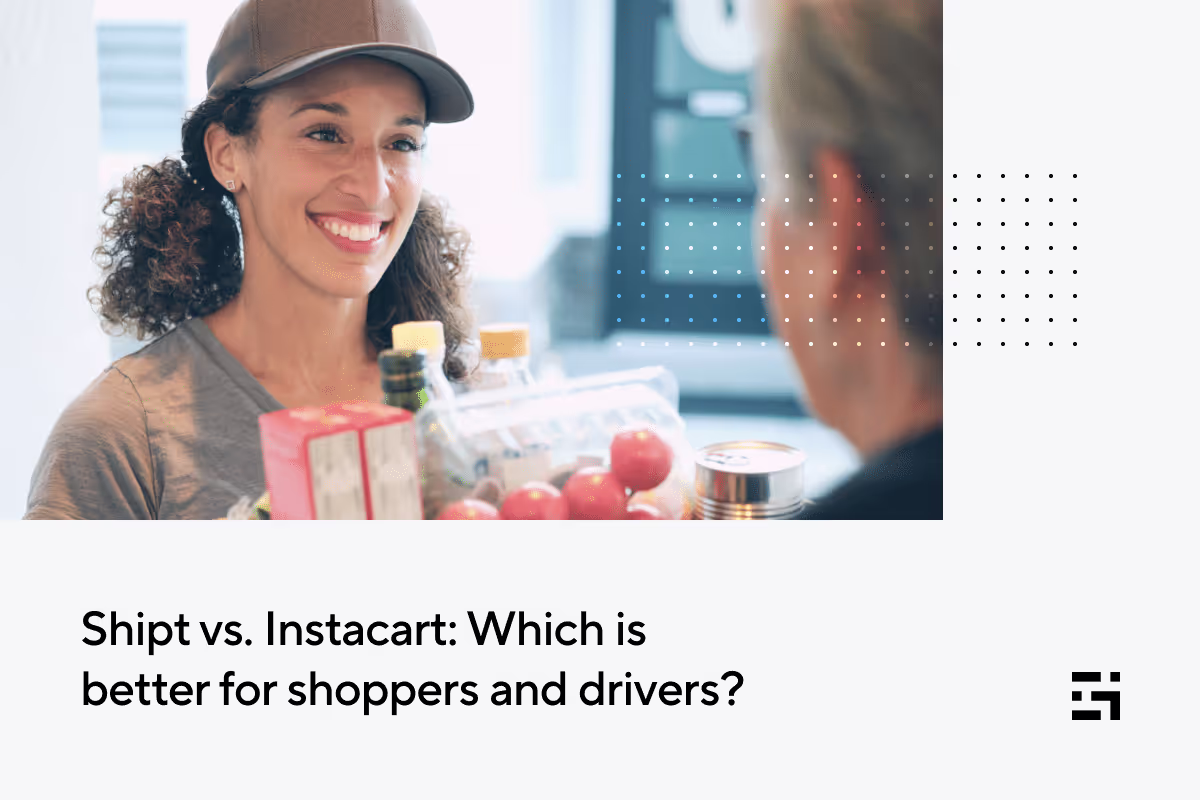
Shipt vs Instacart Pay in 2026: Which Pays More for Shoppers?
Shipt and Instacart are two of the biggest grocery delivery platforms, offering flexible earning opportunities for gig workers. Whether you're looking for a full-time income or a side hustle, choosing between these two apps can be challenging. Each platform has its own pay structure, scheduling flexibility, and job experience. Which is better to work for: Shipt vs. Instacart? And more importantly, who pays more? This blog will explain how both apps work, compare earnings, and help you decide which platform fits your needs best.
Shipt vs. Instacart: How Do They Work?
At their core, both Shipt and Instacart allow gig workers to earn money by shopping for groceries and delivering them to customers. However, there are some key differences in how each app operates:
- Shipt:
- Works primarily with partner stores (Target, CVS, Meijer, etc.).
- Allows shoppers to schedule shifts in advance and develop relationships with repeat customers.
- Focuses on personalized service, rewarding good customer interactions.
- Instacart:
- Works with multiple grocery stores and supermarkets in each area.
- Jobs are on-demand, meaning you pick up orders as they become available.
- Offers both full-service shopping (shopping + delivery) and in-store shopping (no delivery required).
Shopping and Delivery Process
Shipt shoppers have more predictable shopping routines since they often work in the same stores. Instacart shoppers must adapt to different stores, which can make orders more varied and unpredictable.
Which is Better to Work For: Shipt or Instacart?
Flexibility & Scheduling
- Shipt: Allows shoppers to schedule shifts in advance, making it easier to plan earnings.
- Instacart: Provides an on-demand model, offering work whenever it's available.
Ease of Shopping & Delivery
- Shipt: Shopping at the same partner stores can make orders more predictable and efficient.
- Instacart: Orders vary more, so shoppers need to be comfortable navigating multiple grocery chains.
Driver and Shopper Support
Both apps offer in-app support, but shoppers have reported that Shipt’s customer service is more responsive when issues arise, especially with customer complaints or missing items.
Shipt vs. Instacart: Who Pays More?
Earnings can vary significantly depending on your location, the time of day, and how many orders you complete. Let’s break down how pay structures compare:
Base Pay & Earnings Structure
- Shipt:
- Pays per order, with a base rate of around $16–$22 per order.
- Shoppers can earn bonuses for great service and customer satisfaction.
- Instacart:
- Pay varies by batch complexity, distance, and item count.
- Base pay can range from $7 to $20 per batch, but large batches can pay significantly more.
Tips and Extra Incentives
- Shipt: Repeat customers can tip well, and building relationships can lead to consistent earnings.
- Instacart: Tipping is more common, but can be inconsistent depending on the customer.
Average Earnings Comparison
- Shipt shoppers report an average of $15–$25 per hour.
- Instacart shoppers report an average of $10–$30 per hour, with potential for high earnings during peak times.
The key takeaway? Instacart has the potential for higher earnings during peak hours, but Shipt offers more predictable pay.
Perks and Considerations of Working for Shipt vs. Instacart
- Scheduling flexibility: Shipt uses set shifts. Instacart is fully on-demand.
- Order variety: Shipt is limited to partner stores. Instacart covers multiple grocery chains.
- Customer relationships: Shipt is strong, with repeat customers. Instacart is lower, with varied customers.
- Base pay: Shipt is set per order. Instacart varies based on batch size.
- Tipping potential: Shipt is high with regulars. Instacart can be high, but it is inconsistent.
Should You Work for Both Shipt and Instacart?
Many gig workers maximize their earnings by working for both apps. Here’s why:
- Slow day on Shipt? Check Instacart for available orders.
- Need a predictable schedule? Use Shipt to set shifts, then pick up Instacart orders when free.
- Take advantage of peak hours by switching between apps based on demand.
If you're serious about making money in grocery delivery, working for both platforms can help you earn more consistently.
How Gridwise Can Help Shipt & Instacart Shoppers Make More Money
Working as a shopper for Shipt or Instacart can be rewarding, but managing multiple orders, tracking mileage, and keeping up with earnings can become overwhelming. As a gig worker, you don’t have the luxury of an HR department handling your admin work, you are your own business. That’s where Gridwise comes in.
Gridwise is the ultimate assistant for gig workers, helping you streamline your admin work, track expenses, optimize earnings, and maximize tax deductions, all in one easy-to-use app.
Track Your Earnings Across Both Platforms
One of the biggest challenges of working for multiple gig apps is figuring out which one is actually making you the most money. Since Shipt and Instacart use different pay structures, it can be hard to compare earnings accurately.
With Gridwise’s automated earnings tracking, you can:
- See your total earnings from Shipt, Instacart, and other gig apps in one place.
- Compare pay per hour, per order, and per shift to determine which app is more profitable.
- Track earnings trends over time to adjust your work schedule for maximum income.
Log Mileage & Expenses for Bigger Tax Deductions
If you’re driving to stores and delivering groceries, every mile you drive is money you can deduct from your taxes. But manually tracking mileage can be a hassle, and missing miles means losing tax deductions that could save you hundreds or even thousands of dollars.
Know exactly what you earn. Gridwise auto-tracks your pay, miles, and expenses across every gig app in one place. Download for free →
With Gridwise’s mileage tracker, you can:
- Automatically track mileage in the background while you work.
- Log all work-related expenses, like gas, insulated bags, or even phone bills used for work.
- Generate reports for tax season, ensuring you claim every possible deduction.
Plan the Best Times to Work & Maximize Your Pay
Not all hours are created equal, some shifts and locations offer much higher pay than others. But how do you know when and where to work?
With Gridwise’s demand insights, you can:
- See when demand for grocery delivery is highest, so you can work peak hours and earn more.
- Identify profitable locations in your area to maximize efficiency.
- Avoid slow periods by scheduling shifts strategically.
Streamline Your Admin with Gig-Worker-Friendly Tools
Beyond just tracking earnings and expenses, Gridwise helps gig workers stay organized and reduce financial stress. Instead of scrambling to check different apps, spreadsheets, or notebooks, you can manage everything in one place.
With Gridwise, you can:
- Track all work hours automatically, no more guessing or missing shifts.
- Log tips separately to get a clear view of your take-home pay.
- Stay on top of your work schedule by logging shifts across multiple gig apps.
Why Gridwise is a Must-Have for Shipt & Instacart Shoppers
Managing your finances as a gig worker is challenging, but Gridwise simplifies it all, so you can focus on what really matters: making money.
By using Gridwise, you’ll:
- Make smarter decisions about when and where to work.
- Stop leaving money on the table with automatic mileage and expense tracking.
- Gain clarity on your actual take-home pay without juggling spreadsheets.
Shipt vs. Instacart: Which One is Right for You?
Both Shipt and Instacart provide great opportunities for gig workers, but the right choice depends on your work style, financial goals, and personal preferences.
Shipt offers a more structured approach with scheduled shopping windows, which can provide predictability and make it easier to integrate into a daily routine. The company also promotes a community-oriented atmosphere and encourages shopper interactions, potentially creating a more supportive work environment. Additionally, Shipt's Preferred Shopper program allows customers to select their favorite shoppers, fostering a reliable customer base and potentially higher tips.
On the other hand, Instacart enhances work flexibility by offering an on-demand system that allows shoppers to choose shifts spontaneously. This feature is ideal for those who prefer adapting their work hours as they go. Instacart also provides access to a wider variety of stores and products. This diversity can lead to a larger number of order opportunities and potentially higher earnings during peak times.
Ultimately, the choice between Shipt and Instacart depends on individual preferences for work style, scheduling flexibility, and desired customer interactions.
Should You Work for Both Instacart and Shipt?
Many gig workers use both platforms to take advantage of each app’s strengths. By working with Shipt, you can secure scheduled orders and build relationships with repeat customers, while Instacart allows you to fill gaps in your schedule with high-paying, on-demand jobs.
No matter which platform you choose, tracking your earnings, expenses, and mileage is key to maximizing your income.
Shipt and Instacart both offer great earning opportunities, but the best platform for you depends on your needs:
- Want more predictable earnings and repeat customers? Choose Shipt.
- Want higher earning potential and on-demand flexibility? Choose Instacart.
- Want to maximize earnings? Work for both platforms and track your performance with Gridwise.
Learn more about what drivers and gig workers make:
- How Much Do Uber Drivers Make?
- How Much Do Lyft Drivers Make?
- How Much Do DoorDash Drivers Make?
- Everything You Need to Know About Amazon Flex
- Walmart Spark Delivery Driver Pay: How Much Does a Walmart Spark Driver Make?
- How Much Can You Make on Instacart?
- How Much Do Shipt Shoppers Make?
- How Much Do Uber Eats Drivers Make?

How Much Does Care.com Pay?
If you’re a caregiver working on Care.com, you probably wonder: How much much does care.com pay? While Care.com provides an opportunity to connect with families needing your services, your earnings depend on location, experience, and job type.
But just like rideshare and delivery drivers, caregivers in the gig economy need smart tools to track earnings, manage schedules, and optimize their income. That’s why using an income-tracking app like Gridwise can help you stay on top of your finances and maximize your pay. Let’s break down how much Care.com pays and how you can make the most of your caregiving work.
How Much Does Care.com Pay?
Care.com allows caregivers to set their own rates, but actual earnings vary based on job type, location, and experience. Understanding industry pay rates can help you determine how to price your services competitively while ensuring you are fairly compensated.
The Average Pay Rates on Care.com
The rates for different types of caregivers on Care.com depend on various factors, including the type of service, the demand for caregivers in the area, and the caregiver's experience.
- Babysitters and nannies typically earn between fifteen and twenty-five dollars per hour. Some nannies earn more depending on their experience and job responsibilities. The national average is around twenty dollars per hour for nannies and twenty-one dollars per hour for part-time babysitters.
- Pet sitters and dog walkers generally to earn between ten and twenty dollars per hour. Rates can vary based on the level of care required, the number of pets, and the location.
- Senior caregivers earn between sixteen and twenty-five dollars per hour. Those with specialized training or certifications may earn even higher rates.
- Housekeepers typically earn between twelve and twenty-five dollars per hour, depending on experience and job complexity.
What Factors Affect Your Pay Using Care.com?
Several factors determine how much caregivers can earn on Care.com.
- Location significantly impacts earnings. Caregivers in states with a higher cost of living, such as California or Washington, typically earn more than those in lower-cost areas.
- Specialized certifications, such as CPR and First Aid training, can increase earning potential. Families are often willing to pay more for caregivers with additional safety training.
- The type of service provided affects earnings. Babysitters and nannies who offer tutoring, meal prep, or household management may charge higher rates. Similarly, pet sitters who provide overnight care or dog training can earn more than those who offer only basic pet-sitting services.
- The number of hours worked plays a role in total earnings. Evening, weekend, and overnight shifts are often in higher demand and may pay more.
Caregivers on Care.com have control over their rates, but families may negotiate based on local demand and their budgets. Additionally, some bookings may include service fees that slightly reduce take-home pay.
Gridwise helps caregivers make smarter financial decisions by tracking income from multiple sources. Many caregivers work on Care.com while taking on rideshare or food delivery gigs. Gridwise consolidates earnings from these jobs into one dashboard, providing a complete picture of your income so that you can make informed choices about where to focus your time.
Care.com Payment Structure and Deductions
Before accepting jobs on Care.com, it is essential to understand how the platform handles payments and any fees or costs you may be responsible for.
Does Care.com Take a Percentage of Your Pay
Care.com does not take a percentage of caregivers' earnings. Instead, families pay a subscription fee to access caregiver profiles. This means caregivers keep one hundred percent of their earnings, unlike gig platforms such as Uber or DoorDash, which take a commission from workers' pay.
Additional Costs and Deductions to Consider
While Care.com does not take a percentage of your earnings, caregivers should be aware of certain costs associated with working on the platform.
- Background check fees: Care.com requires caregivers to undergo a basic CareCheck, which the platform covers. However, caregivers can choose to complete additional background checks, such as a motor vehicle records check or a more in-depth criminal records check. These checks help caregivers stand out and attract more families but come with additional costs. Some families may be willing to cover these fees if they request them.
- Taxes: Since caregivers on Care.com are independent contractors, they are responsible for reporting their earnings and paying taxes. Unlike traditional employees, independent contractors do not have taxes automatically withheld from their pay, which means they must set aside money for self-employment taxes.
Gridwise makes tax season easier by helping caregivers track their earnings and work-related expenses. The app automatically logs income and mileage, allowing caregivers to deduct eligible costs and reduce their tax burden. Without an income tracking system, caregivers risk missing significant deductions and paying more in taxes than necessary.
How Does Care.com Pay Caregivers?
Care.com offers multiple ways for caregivers to receive payments.
- Many caregivers receive direct payments from families through cash, Venmo, PayPal, or direct bank transfers. These payments are often arranged directly between the caregiver and the family.
- Care.com HomePay is a payroll service available for families who want to hire caregivers as household employees and manage tax withholdings on their behalf.
- Care.com provides an earnings calculator that caregivers can use to estimate their potential income based on location, job type, and experience level.
How to Maximize Your Earnings as a Care.com Caregiver
Caregivers who want to increase their earnings must take a strategic approach to pricing, services, and scheduling.
Track Your Earnings and Expenses
Many caregivers work gig jobs, including Care.com, Uber Eats, and Instacart. Tracking income across multiple platforms can be challenging, and failing to do so can result in financial uncertainty.
Gridwise helps caregivers manage their income by automatically tracking earnings from different platforms. With Gridwise, caregivers can see their total earnings in one place, understand which jobs are the most profitable, and log work-related expenses for tax deductions. This eliminates the stress of manually tracking income and ensures that caregivers always have a clear view of their financial health.
We also offer tax Benefits and discounts with our tax partners which can be accessed within the Gridwise app.
Offer Premium Services
Caregivers who provide additional services can charge higher rates.
- Obtaining CPR and First Aid certifications makes caregivers more competitive and allows them to increase their rates.
- Offering overnight care or extended shifts can help caregivers earn more per booking.
- Providing extra services such as tutoring, meal preparation, or light housekeeping can increase hourly pay.
Optimize Your Schedule
Caregivers who work at peak times often earn more.
- Identifying high-demand hours, such as evenings for babysitters and early mornings for pet sitters, allows caregivers to take advantage of better-paying opportunities.
- Working on weekends, holidays, and last-minute bookings often leads to higher pay.
- Using a scheduling tool like Gridwise helps caregivers see which hours are the most profitable and adjust their availability accordingly.
Take Control of Your Gig Work with Gridwise
Care.com provides flexible job opportunities, but managing income and expenses as a caregiver can be challenging. Without the right tools, it is easy to lose track of earnings, overlook tax deductions, and miss opportunities to maximize pay.
Gridwise makes it easier for caregivers to manage their finances by providing automated income tracking, expense logging, and earnings insights. With Gridwise, caregivers can make informed decisions, reduce financial stress, and increase their income.
Want to know what other gig workers are making?
- How Much Do Lyft Drivers Make?
- How Much Do Uber Drivers Make?
- How Much Do DoorDash Drivers Make?
- Everything You Need to Know About Amazon Flex
- Walmart Spark Delivery Driver Pay: How Much Does a Walmart Spark Driver Make?
- How Much Can You Make on Instacart?
- How Much Do Shipt Shoppers Make?
- How Much Do Uber Eats Drivers Make?

How to Work for Care.com: A Step-by-Step Guide
Care.com is one of the top platforms for caregivers looking to find work in childcare, pet care, senior care, tutoring, and housekeeping. Whether you're searching for a full-time caregiving job or a flexible side gig, Care.com connects you with families in need of your services. If you're wondering how to work for Care.com, this guide will walk you through the entire process—from signing up and creating a standout profile to finding jobs, staying safe, and maximizing your earnings.
What is Care.com and How Does it Work?
Care.com is an online marketplace that connects families with caregivers. The platform makes it easy for professionals in various caregiving fields to find work while maintaining control over their schedules. Whether you're an experienced nanny, a pet lover looking for dog-walking gigs, or a housekeeper in search of clients, Care.com provides opportunities that fit your skills and availability.
Requirements to Work for Care.com
How old do you have to be to work for care.com?
To become a caregiver on Care.com, you must be at least 18 years old. However, some roles, such as babysitting, may allow younger teens to work under specific conditions, depending on local laws.
Other Requirements
- Background check: Many families prefer caregivers who have completed a background screening, which Care.com offers.
- Experience and certifications: Some caregiving roles, such as tutoring or senior care, may require prior experience or certifications.
- Identity verification: Care.com requires all caregivers to verify their identity for safety reasons.
How to Sign Up and Create a Winning Profile
A well-crafted profile is crucial to standing out on Care.com. Here’s how to make yours shine:
- Highlight your experience: Detail your skills, certifications, and past caregiving work.
- Use high-quality photos: A friendly, professional photo can make your profile more inviting.
- Gather references: If you have positive reviews from past clients, showcase them on your profile.
- Write a compelling bio: Explain why you’re passionate about caregiving and what sets you apart.
How to Find and Apply for Jobs on Care.com
Once your profile is complete, it’s time to start searching for jobs. Care.com allows you to filter job listings based on location, pay, and type of care. When applying:
- Personalize your message: Avoid generic applications. Briefly explain why you’re a great fit for the role.
- Respond quickly: Care jobs are competitive—families often hire the first qualified applicant who responds.
- Consider a premium membership: Paid members get better visibility and direct messaging privileges with potential clients.
How to Stay Safe and Build a Strong Reputation
As a caregiver, building trust is key. To protect yourself and maintain a positive reputation:
- Verify job opportunities: Be cautious of red flags like clients offering payments before meeting or asking for personal information.
- Set clear expectations: Establish rates, job duties, and scheduling upfront to prevent misunderstandings.
- Encourage reviews: Ask satisfied clients to leave positive feedback—it can help you attract more job offers.
Maximizing Earnings and Growing Your Client Base
To increase your earnings on Care.com:
- Offer additional services: Families appreciate caregivers who can also cook, tutor, or help with household tasks.
- Adjust rates strategically: Research what other caregivers in your area charge and set competitive rates.
- Build client loyalty: Providing excellent service increases your chances of getting repeat clients and referrals.
Managing Your Caregiving Business Efficiently
Caregiving work, especially when juggling multiple clients, can quickly become overwhelming. Keeping track of your schedule, payments, and expenses is essential to running a successful caregiving business.
How Gridwise Can Help
If you drive to clients homes, manage multiple gigs, or want to keep better financial records, Gridwise is a game-changer. It’s an all-in-one app designed to help gig workers—including caregivers—track their earnings, expenses, and work-related mileage.
- Track earnings across multiple platforms: If you work on Care.com, Rover, TaskRabbit, or other gig platforms, Gridwise consolidates all your income into one place.
- Automatically log mileage: If you drive between clients, Gridwise tracks your mileage in the background to help you maximize tax deductions.
- Manage expenses: Easily log gas, supplies, or anything else work-related costs.
- Smart financial insights: Get a clear picture of your earnings after expenses, helping you set better rates and financial goals.
Wrapping Up: Making Caregiving Work for You
Care.com provides an excellent opportunity to find flexible, meaningful work in caregiving, but success requires more than just signing up. You can build a thriving caregiving business by crafting a strong profile, applying strategically, ensuring safety, and offering exceptional service.
To stay organized and maximize your earnings, consider using tools like Gridwise to track your income, expenses, and work-related travel. Download Gridwise today to simplify your gig work and focus on what you do best—providing quality care.
Want to know what other gig workers are making?
- How Much Do Lyft Drivers Make?
- How Much Do Uber Drivers Make?
- How Much Do DoorDash Drivers Make?
- Everything You Need to Know About Amazon Flex
- Walmart Spark Delivery Driver Pay: How Much Does a Walmart Spark Driver Make?
- How Much Can You Make on Instacart?
- How Much Do Shipt Shoppers Make?
- How Much Do Uber Eats Drivers Make?

How to Make $1,000 a Week With Instacart in 2026 — Shopper Strategies
For many gig workers, hitting $1,000 a week feels like the ultimate milestone, a blend of ambition and practicality. With Instacart, this goal is more than achievable if you apply the right strategies, make informed decisions, and leverage tools like Gridwise to maximize your earnings. In this guide, we’ll show you realistically how to make $1000 a week with Instacart.
Understanding Instacart Pay
Before you can optimize your strategy, it’s important to know how Instacart pays you:
- Base Pay: At least $4 per order.
- Tips: Typically 5%–20% of the order total.
- Heavy Pay: Additional $2+ for orders over 50 pounds.
- Peak Hours Bonus: Pay increases by up to 10% during high-demand times.
While the average hourly earnings for full-service shoppers hover around $18, efficient shoppers in the right locations can earn $30–$45 per hour. Understanding these numbers helps you plan a sustainable path to your $1,000 goal.
Strategies to Hit $1,000 a Week
Reaching $1,000 weekly requires more than effort, it’s about strategy. Let’s break down actionable steps to help you hit your goal.
- Set Realistic Daily Targets
A $1,000 week can seem overwhelming at first glance, but breaking it into smaller daily targets makes it much more manageable. For example:
- Five-day plan: Aim for $200 per day. This approach allows for two days off, giving you flexibility to recharge.
- Six-day plan: Set a daily goal of around $167. By spreading your workload over more days, you can reduce the intensity of each shift, making your schedule feel less demanding.
Tailor your daily targets to fit your lifestyle and availability. Be mindful of potential obstacles, like lower demand during midweek, and plan for extra hours during weekends or peak times to balance out any shortfalls.
- Maximize Peak Hours
Peak hours are when demand surges, and they’re often your best opportunity to earn more in less time. Typically, evenings, weekends, and holidays see the most activity. To capitalize on these periods:
- Use tools like Gridwise’s “When to Drive” feature to pinpoint the busiest times in your area.
- Focus on shifts when customers are likely to tip generously, such as Sunday afternoons or Friday evenings when people are stocking up for the weekend.
- During peak hours, you may also benefit from bonuses and incentives, which can significantly increase your earnings.
Organizing your schedule around peak times can help you hit your targets faster and with fewer hours.
- Know Your Market
Every city and neighborhood has its quirks, and understanding your local market can give you a serious edge:
- High-tipping neighborhoods: Learn where customers tend to tip more, such as affluent areas or communities with regular large orders.
- Store layouts: Familiarize yourself with frequently visited stores. Knowing where items are can shave minutes off your shopping time, allowing you to complete more orders.
- Track performance: Use Gridwise to analyze which stores, times, and neighborhoods yield the highest earnings so you can focus your efforts in the right places.
Building a mental map of your market takes time, but it pays off in the form of quicker orders, better tips, and higher overall earnings.
- Focus on Efficiency
Efficiency is the foundation of maximizing your earnings. The faster and more effectively you work, the more orders you can complete in a day. Here’s how to boost your efficiency:
- Store Efficiency: Memorize store layouts, including where common items like produce, dairy, and household essentials are located. This knowledge can save valuable minutes on each order.
- Use the Right Gear: Insulated bags and coolers not only preserve the quality of perishables but also improve your customer satisfaction scores, which often translates to better tips.
- Smart Routing: Use navigation tools like Gridwise to optimize delivery routes and avoid traffic delays. Time spent stuck in traffic is money lost.
By cutting down on wasted time and improving your speed, you can significantly boost your earnings per shift.
- Boost Your Ratings
Your shopper rating directly impacts the batches you receive. A higher rating often means access to better-paying batches. To maintain and improve your rating:
- Communicate clearly: Keep customers informed about substitutions, delays, or any updates. Clear communication reassures them and can lead to higher tips.
- Be professional: A courteous, friendly attitude goes a long way. Even small gestures, like thanking customers for their order, can leave a positive impression.
- Deliver accurately: Double-check orders to ensure you’re not missing items or delivering incorrect products. Accuracy builds trust and satisfaction.
Ratings matter, so make it a habit to go above and beyond with every batch.
- Embrace a Multi-App Strategy
Relying solely on Instacart can limit your earnings, especially during slower periods. By diversifying with other apps like DoorDash, Uber Eats, or Grubhub, you can fill downtime and maintain steady income. Gridwise makes it easy to manage multiple platforms:
- Track your earnings across apps to identify which ones are most profitable during specific times.
- Optimize your schedule to switch between apps seamlessly, ensuring you’re always busy and maximizing your time.
A multi-app strategy reduces your reliance on a single platform and protects you from fluctuations in demand.
- Manage Your Expenses
Gross earnings only tell part of the story, your take-home pay depends on how well you manage expenses. Key areas to focus on include:
- Mileage Tracking: Use Gridwise to log your miles. Mileage deductions can lower your taxable income significantly, putting more money back in your pocket.
- Fuel Efficiency: Keep an eye on gas prices and consider apps that help you find the cheapest fuel options nearby. Regular maintenance, like oil changes and tire checks, also helps improve gas mileage.
- Other Costs: Budget for essentials like food, tolls, and phone data. Tracking these expenses ensures you’re not surprised at the end of the month.
By minimizing costs and keeping thorough records, you can retain a larger share of your earnings.
Realistic Breakdown of a $1,000 Week
With an average hourly pay of $14.36, hitting $1,000 a week requires efficient time management and a clear plan. Here's an example:
- Monday to Friday: 9 hours a day at $14.36 an hour, $645.60
- Saturday (peak): 8 hours at $18.00 an hour with peak adjustments, $144.00
- Sunday (optional): 7 hours at $18.00 an hour with peak adjustments, $126.00
- Grand total: 53 hours, $15.55 an hour on average, $1,015.60
Drive smarter, not harder. Gridwise shows you the best times, places, and platforms to drive. Download for free →
Source: Gridwise, based on Q2 2024
This breakdown provides an example of what reaching $1,000 in gross earnings might look like based on the average pay rate. It’s important to note that earnings can vary significantly depending on factors like location, peak-hour availability, customer tips, and efficiency. Some drivers consistently earn higher hourly rates, especially in high-demand areas, while others may find their earnings closer to the average. By tracking and analyzing your performance, you can refine your approach to increase earnings where possible.
Leveraging Gridwise for Success
Gridwise isn’t just a mileage tracker; it’s an all-in-one tool designed to help gig workers optimize their earnings:
- Earnings Tracking: Monitor income across multiple platforms for a clear picture of your finances.
- Expense Management: Log trips, categorize expenses, and simplify tax filing.
- Market Insights: Use Gridwise’s data to determine the best times and places to shop.
- Performance Analytics: Analyze your work patterns to refine your strategy.
Final Tips for Sustained Success
Consistency is key to reaching, and surpassing, your weekly goal. Here are some additional tips to stay on track:
- Stay Flexible: Be willing to adapt your schedule based on demand and weather conditions.
- Learn from Others: Engage with gig worker communities online for advice and motivation.
- Take Care of Yourself: Gig work can be physically and mentally demanding. Prioritize rest and proper nutrition to avoid burnout.
Reaching $1,000 a week with Instacart is a realistic goal when you approach it strategically. Break down your earnings, maximize efficiency, and use powerful tools like Gridwise to work smarter, not harder. With dedication and the right approach, this milestone can become your new normal. Download Gridwise today to track your progress and take your gig work to the next level!
Maximize Your Tax Savings with 1-800Accountant
For gig workers, tax season can be overwhelming. Unlike traditional employees who receive a W-2, rideshare and delivery drivers are considered independent contractors, meaning they receive a 1099 and must handle their taxes. The process of tracking income, calculating deductions, and filing correctly for tax savings can feel like a second job—one that comes with serious financial consequences if done incorrectly.
That’s why having an expert on your side can make all the difference. 1-800Accountant, Gridwise’s exclusive tax partner, specializes in helping gig workers navigate tax season and maximize their refunds. With the April 15 tax deadline approaching, now is the time to take action.
Why Gig Worker Taxes Are More Complicated
Unlike employees who have taxes withheld from every paycheck, gig workers are responsible for calculating and paying their own taxes. This means:
- Self-employment taxes – You must pay both the employer and employee portions of Social Security and Medicare taxes.
- Quarterly estimated taxes – To avoid penalties, you may need to make tax payments throughout the year.
- Business deductions – You can lower your taxable income by writing off work-related expenses, but you need accurate records.
Without proper planning, many gig workers find themselves owing more than expected at tax time. Working with a tax professional who understands gig work can help you avoid surprises and keep more of your earnings.
How to Maximize Your Deductions
One of the biggest advantages of being a gig worker is the ability to deduct business expenses. Common deductions include:
- Mileage & Vehicle Expenses – The miles you drive while working can significantly reduce your taxable income.
- Phone & Data Costs – If you use your phone for work, a portion of your bill is deductible.
- Tolls & Parking – Any work-related tolls or parking fees can be written off.
- Supplies & Equipment – Items like phone mounts, delivery bags, and dashcams may be deductible.
- Health Insurance – If you pay for your own health insurance, you may qualify for a deduction.
Tracking these expenses properly is key. Using an app like Gridwise can help you log mileage and earnings, making tax prep easier.
When Should Gig Workers Pay Taxes?
For gig workers, including rideshare and delivery drivers, tax obligations work differently than for traditional employees. Unlike W-2 workers who have taxes withheld from their paychecks, independent contractors are responsible for handling their own taxes. That means understanding key deadlines and payment requirements is essential to avoiding penalties and financial surprises.
Key Tax Deadlines for Gig Workers
The standard tax filing deadline for gig workers is April 15, 2025. However, if more time is needed to file, taxpayers can request a six-month extension, which moves the deadline to October 15, 2025.
It's important to note that while an extension grants additional time to file, it does not extend the deadline to pay taxes owed. Any unpaid tax liability after April 15 may be subject to interest and penalties.
Quarterly Estimated Tax Payments
The IRS requires self-employed individuals, including gig workers, to pay taxes throughout the year as they earn income. If you expect to owe at least $1,000 in taxes, you are required to make quarterly estimated tax payments.
Here is the quarterly estimated tax payment schedule for tax year 2025:
- First quarter (January 1 – March 31): Due April 15, 2025
- Second quarter (April 1 – May 31): Due June 16, 2025
- Third quarter (June 1 – August 31): Due September 15, 2025
- Fourth quarter (September 1 – December 31): Due January 15, 2026
Payments can be made online through the IRS website or by mail. Missing these deadlines may result in penalties and interest charges.
Avoiding Penalties with Proper Tax Planning
Many gig workers struggle with estimating how much they owe in taxes, leading to underpayments or missed deadlines. Working with a tax professional can help ensure that:
- You accurately calculate your estimated taxes
- You take advantage of all eligible deductions to lower your tax bill
- You file on time to avoid costly penalties
If you’re unsure about how much you owe or when to pay, consider consulting a tax expert who specializes in gig worker taxes. Taking proactive steps now can help you stay compliant and keep more of your hard-earned money.
Schedule your free consultation now.
How 1-800Accountant Makes Filing Easier
Tax mistakes can be costly. Filing incorrectly or missing deductions could mean losing hundreds or even thousands of dollars. 1-800Accountant specializes in helping gig workers stay IRS-compliant while maximizing their tax savings.
With flat fees instead of hourly rates, you’ll know exactly what you’re paying upfront—no surprise costs. Plus, Gridwise users get a free tax consultation to see how much they can save.
Schedule your free consultation now.
Don’t Wait Until the Last Minute
The April 15 tax deadline is fast approaching, and the sooner you prepare, the better. Taking proactive steps now can help you reduce stress, avoid penalties, and maximize your refund.
Next steps:
- Track your income and expenses using Gridwise.
- Gather receipts and records for deductible expenses.
- Schedule your free tax consultation with 1-800Accountant to ensure you’re getting the most out of your return.
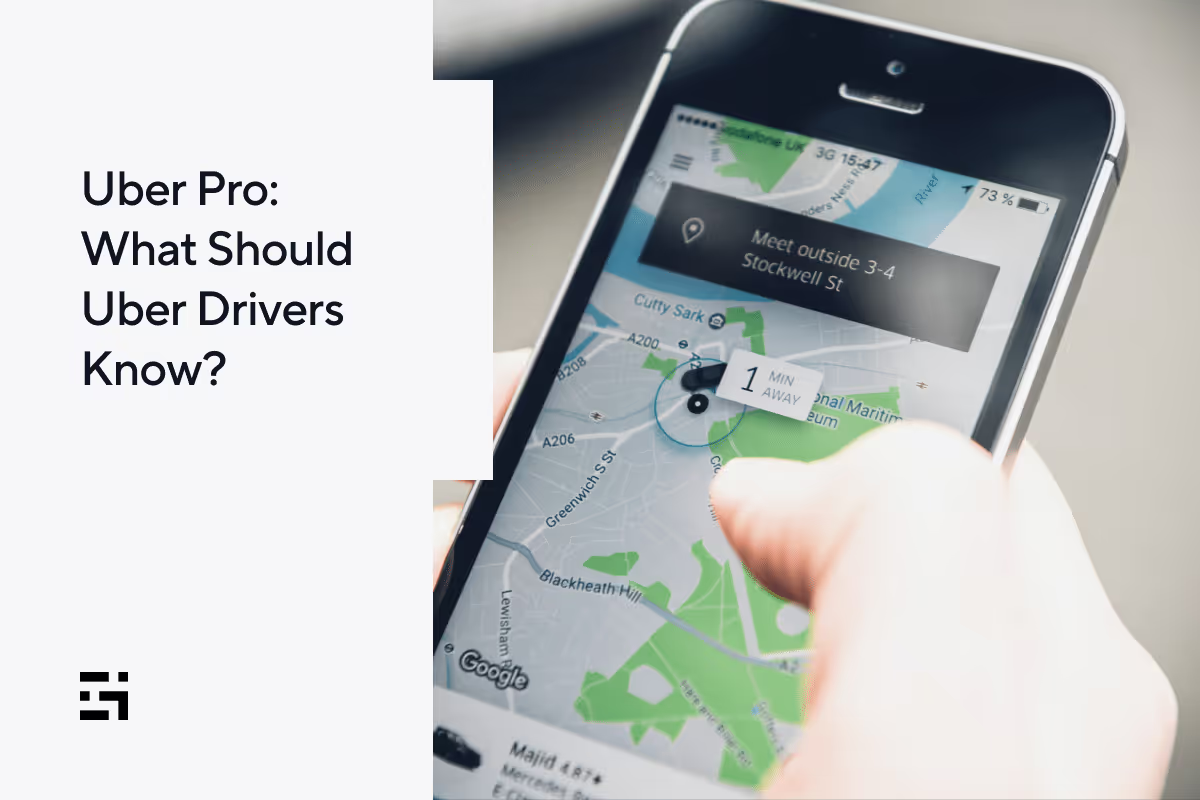
Uber Pro 2025: What Should Uber Drivers Know?
What does it take to keep you driving for one rideshare or delivery app, or the other? That’s the question Uber had in mind when Uber Pro was created. What is Uber Pro, and what is the benefit of Uber Pro? In this post, we’ll tell you what you need to know and whether it’s worth the hype that surrounds it.
What is Uber Pro for drivers?
Uber Pro is Uber’s way of getting drivers to be loyal and consistent to the platform. There’s a big push to offer incentives like this to drivers in 2025, and Uber has a long list of benefits for drivers to enjoy. They include
- exclusive offers at 7-Eleven
- cash back on gas and EV charging (using the Uber Pro card)
- up to 25¢ off per gallon of gas (through Uber’s partnership with Upside)
- up to 7¢ off per gallon with the Fuel Rewards® Program at Shell
- up to 7¢ off per gallon at BP and Amoco gas stations
- up to 35% off car maintenance
- free 24/7 roadside assistance, including rescues
- $1,000 from TrueCar when you go electric
- savings on health insurance
- discounts on fast charging
- $30 savings with Starship’s investment plan
- TurboTax self-employed discounts
- discount on QuickBooks self-employed
- 15% savings on select maintenance services from Jiffy Lube
- consecutive trips promotions
- $1 extra per EV ride
That’s quite a collection of benefits! Now, you might ask, “How do I get to be an Uber Pro driver and earn all those extras?” It’s pretty easy. All Uber drivers are welcomed into the Uber Pro program simply by driving for Uber. Everyone starts at entry level, which is Uber Pro Blue. From there you need to keep your status, and possibly achieve higher levels by making a set number of trips and maintaining high acceptance rates and top-notch customer ratings.
So what is Uber Pro doing as such a big part of the Uber driver experience? It’s pretty easy to see that this program is put in place to give drivers the incentive to take more rides, stay loyal to Uber, and work hard to satisfy Uber customers. The Uber Pro Blue level offers all the incentives listed above. Drivers have 90 days to prove they can sustain their level, or qualify for a higher one.
Even more rewards await drivers that attain the higher levels of Gold, Platinum, and Diamond. All tiers require a certain number of points, which are accrued by giving rides. Rides given at any time are one point. Rides given at certain peak hours can be worth three points.
All Uber Pro drivers must also attain these “great service” metrics:
- star rating of 4.85 or above
- acceptance rate of 85% or above
- cancellation rate of 4% or lower
Here are the point requirements and extra benefits for each of the higher tiers.
Uber Pro Gold (300 points)
- 100% tuition coverage at ASU Online for the driver or an eligible family member. (This benefit requires drivers to complete at least 2,000 lifetime trips as well as Gold status or above.)
- free language lessons with Rosetta Stone
- recognition in your rider’s app, meaning the rider sees your status before choosing you
- ability to see trip duration
Uber Pro Platinum (600 points)
- one-year Costco Gold Star membership
- access to area preferences (choose the areas where you wish trips to begin and end on the map)
- extra destination (an additional option to set a destination when you’re stuck in a slow zone after a long trip)
- dedicated customer support (service from highly trained agents)
Uber Pro Diamond (1,200 points)
- Uber Pro cash reward for being a Diamond driver (one time only, in any Uber Pro period before October 31, 2023. Amounts vary and can be seen through your Uber app.)
- Diamond VIP support (priority service from the support team)
What is the Uber Pro card, and how does it work?
The Uber Pro card comes as part of the Uber Pro program. It’s a new generation of the Uber debit card. It is, in essence, a checking account powered by Branch. With the card, Uber drivers can have their earnings direct deposited, and the funds can be accessed through the card.
There are perks that come with the Uber Pro debit card, and some of these tie into the driver’s Uber Pro status. Uber Pro card benefits include guaranteed cash back on gas and EV charging. Depending on the driver’s Uber Pro tier, it’s possible to get between 2%–6% cash back on gas or 4%–12% on EV charging. If drivers select the Mastercard Easy Savings benefit as part of their Uber Pro card package, they can receive 1% cash back on gas at some locations, and also get savings on dining and travel.
With the Uber Pro card, drivers can save on Instant Pay fees by getting free automatic cashouts. Earnings will be added to their Uber Pro Card after each trip. Drivers who activate automatic cash-outs can benefit from the Backup Balance feature, should they overdraw. There are additional terms and conditions, of course, and it’s always a good idea to read each and every word of any financial agreement.
Here’s how to get the Uber Pro Card:
Step 1: Go to your Uber driver app and tap on
- wallet
- payment methods
- banner for Uber Pro Card
Step 2:
- submit your application
- download the Uber Pro Card app
- finish setting up your account
Once Branch approves your application, you’ll be in business. Wait for your card to come in the mail, and activate it by scanning the QR code that comes with the card.
How easy is it to keep or improve your Uber Pro status?
There are two things you’ll need to do in order to keep or improve your Uber Pro status. One is to drive a lot, and the other is to provide excellent service. With Upfront Fares in place, it’s easy to see what rides will be worth taking. However, if you let your acceptance rate slip, you could harm your Uber Pro status.
You’ll have to decide if the benefits offered by Uber Pro are worth taking almost every ride that comes your way. The only way to do this is to see how difficult it is to maintain that high acceptance rate and limit the number of low-yielding trips you take.
Uber is taking an aggressive stance with their Uber Pro program in 2024. You can see videos on the app that talk about the new benefits and features. Uber has gone to great lengths to partner with various corporations to offer discounts to Uber drivers as well. The cash incentive for Diamond drivers is attractive, to be sure—and Uber is even offering drivers who have not been active for some time the opportunity to restore their status and requalify for it.
Uber wants to keep drivers loyal to the brand and raise their standards with regard to the quality of service they offer customers. The Uber Pro program we’ve described thus far is for rideshare drivers. But what about Uber Eats delivery drivers?
Is there such a thing as Uber Eats Pro?
Yes! So what is Uber Eats Pro? Uber is rolling out a new rewards program for delivery drivers in select cities. If the program offering Uber Eats Pro benefits is available in your area, you will be invited. The program has four tiers, which are
- Green (the basic level)
- Gold
- Platinum
- Diamond
Like Uber Pro, each level features additional benefits and discounts.
Is the $500 Diamond status cash reward still available?
The answer to this question is no. The Uber Pro Diamond cash reward has been paused as of November 1, 2024, and is no longer available to drivers in 20251. This one-time incentive, which was previously offered to drivers who achieved or re-qualified for Diamond status during an Uber Pro program cycle, has been discontinued.
While this specific cash reward is no longer available, Uber Pro continues to offer other benefits for Diamond tier drivers, including increased cash back on gas and EV charging, priority queue access at specific airports, and premium support
The points system is different from Uber Pro. Here’s how it breaks down:
- Lunch deliveries (11 AM–2 PM) are worth three points.
- Dinner deliveries (5 PM–9PM) are worth six points.
- Deliveries at all other times are worth one point.
To unlock Gold, Platinum, and Diamond levels, drivers must have at least a 95% satisfaction rate from restaurants and customers. You can read more about Uber Eats Pro on the Uber website, and keep watching for Uber to develop it further as 2023 continues to unfold.
Uber doesn't seem to have a separate Uber Eats Pro card, but Uber Eats drivers are eligible to apply for the regular Uber Pro card. Uber Eats Pro rewards will also be similar to those offered to Uber rideshare drivers.
As we mentioned, you’ll need to decide whether the benefits of Uber Pro are worth working so hard for, to maintain the numbers you need to get all those goodies. And, if you decide you’d rather be more selective about your rides than the Uber Pro program’s requirements allow, there is a great alternative.
An alternative to Uber Pro?
Gridwise offers most of the same benefits listed in the Uber Pro program, and more. Gridwise tracks your mileage from the time you begin your shift until you’re done and seamlessly records your earnings from Uber and any other app you work with.
Take a look at Gridwise Benefits to discover the many ways Gridwise can make your life easier. And, if you want to see all the deals and discounts Gridwise offers, from gas and car maintenance to financial tools.
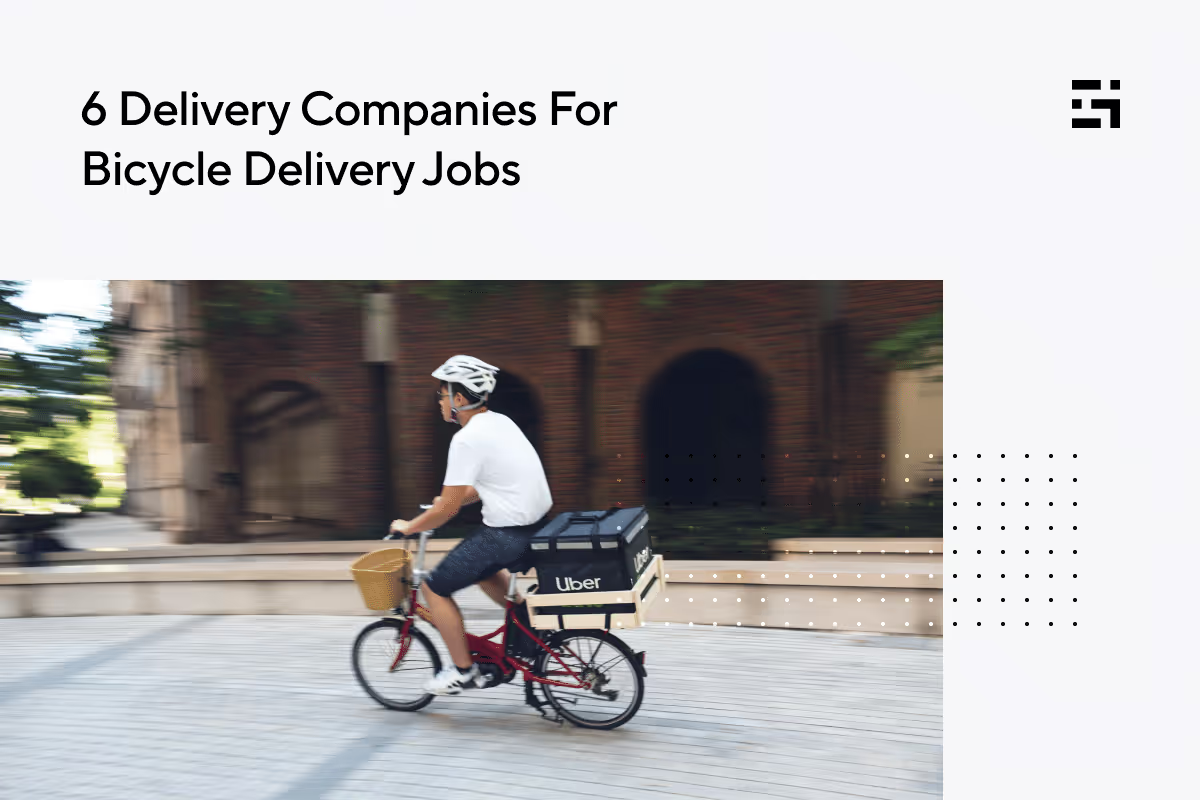
6 Delivery Companies For Bicycle Delivery Jobs
Food delivery can be a convenient, easy, and profitable way to earn money—but what if you don’t have a car? You can still stay in the game. Tons of delivery workers are mounting delivery bicycles and e-bikes to reap the rewards of these savory gigs! Bicycle delivery jobs have a lot to offer. They give you an environmentally friendly way to maneuver through densely populated cities, allow you to park in a snap, and exercise—while you make money. You avoid the responsibilities and expenses that come with owning and insuring a car, and best of all, you’ll never have to worry about the price of gas!
If you live in a place where bicycle delivery is practical, as it is in most major cities, you can work with a wide variety of apps.
Uber Eats
Big-city customers love Uber Eats. With a 23% share of the delivery market, this service has plenty of work for bicycle riders. Download the Uber Driver app or use the website to apply, and. indicate that you will be delivering by bicycle.
If you’re at least 18 years old, can produce a government ID, and pass a background check, you’ll be able to start delivering just a few days after submitting your application. Are you already an Uber driver? Be sure to note that you’ll be using your bicycle for food delivery. Orders for car drivers could involve more distance than anyone would want to cover on a bike!
One big advantage of working with a huge company like Uber is the quality of the driver app. It’s flexible and easy to use. You can choose to accept shop and pay orders as well as deliver food, simply by selecting your preferences in the app.

Source: Uber Driver App
DoorDash
As the most popular food delivery service by far, DoorDash commands 67% of the food delivery market. Because the app is so widely used, DoorDash often has more delivery people than they need in certain areas. Some cities can have a waitlist, but it usually isn’t all that long. Most delivery people agree that DoorDash’s popularity makes it easy to earn with the app.
The company refers to its delivery people as Dashers, and it’s fairly simple to qualify to become one. Prove that you’re at least 18, upload a photo of a government-issued ID, and submit to a background screening. You can start delivering as soon as DoorDash notifies you that your application has been approved.
Bicycle food delivery is an option in most large cities. Check the map on the Dasher app to make sure it’s possible to deliver by bicycle where you live. Be selective about the orders you accept, though! DoorDash makes an effort to issue only those orders that can be easily transported by bicycle delivery people, but mistakes can be made. Without the proper gear, carrying a huge pizza or hot beverages could present a problem.
DoorDash offers discounts on e-bikes in some locations. You can receive price breaks to rent or buy one of your own. Riding an e-bike could increase your delivery range, allow you to dash for longer time periods, and boost your earnings. You and DoorDash win when you deliver on an e-bike.
Instacart
Shopping for groceries and delivering them can be rewarding, but with a bike, there are limitations. Specialized equipment is needed that would allow your bike to transport large and heavy items, which is likely to be more costly than it’s worth.
Instacart’s requirements for shoppers clearly state that you will need a car, and they do not officially allow delivery by non-motorized bike. If you were to try, you’d have to stick to smaller orders that can be handled on a pedal bike, and that can’t be easy! In 2022, Instacart stated they were open to allowing people to shop and deliver on e-bikes, but to this date, Instacart requirements stipulate the need for a car. The one exception is in New York City, where it is possible to deliver for Instacart on foot.
Another way for people without a car to create an Instacart side hustle is to work as an in-store shopper. Go to a partner store, receive orders on your phone, and choose the items needed to complete the orders, preparing them for delivery by a driver.
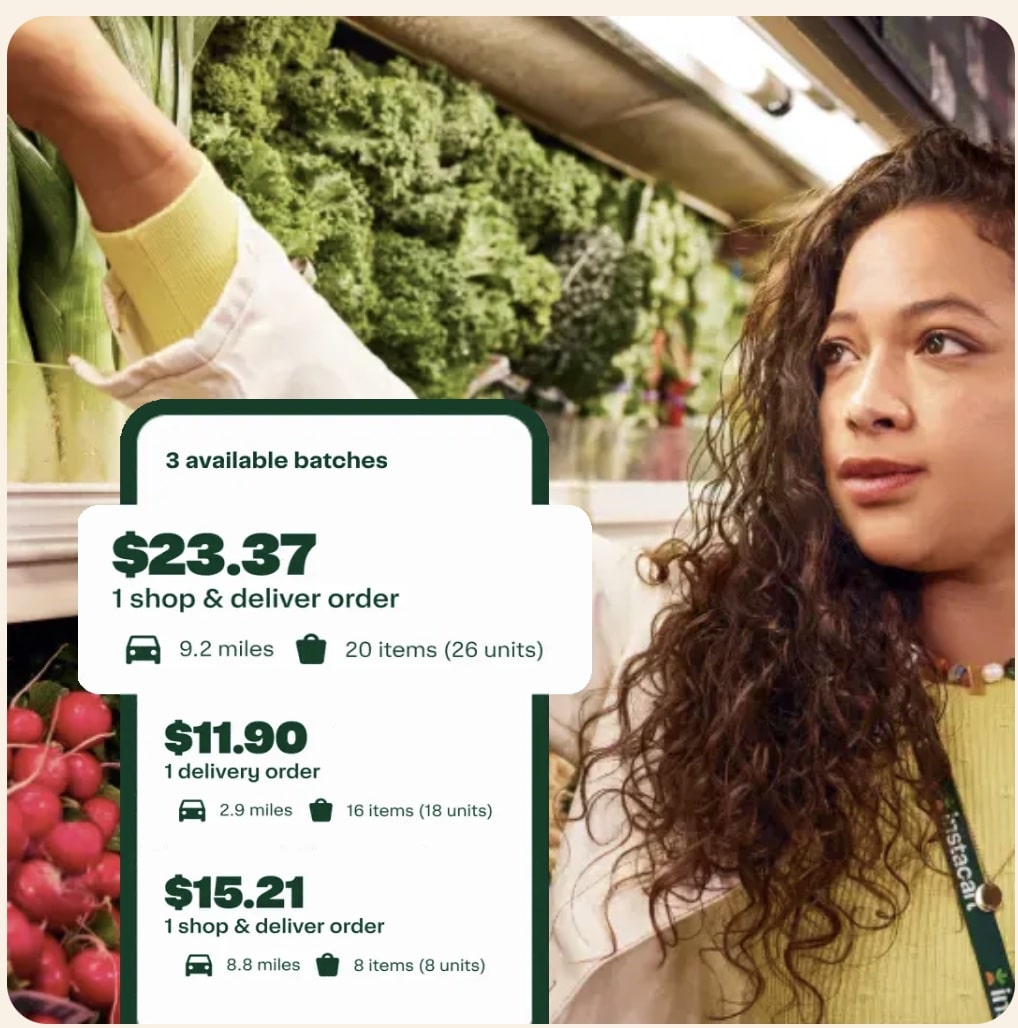
Source: shoppers.instacart.com
Grubhub
Bicycle delivery is a way of life for Grubhub gig workers in large urban areas. Prepared food is Grubhub’s specialty, and although the company only holds an 8% share of the delivery market these days, it’s still hanging in there. Cities such as Chicago and New York are Grubhub’s biggest fans, and let’s face it, they are really big markets.
The Grubhub bicycle delivery gig is a good bet in those two cities and is available in other select areas, as well. If your city’s market allows bicycle delivery, it will pop up in the app when you sign up. Grubhub is more likely to be looking for drivers than other prepared food delivery platforms, most notably, DoorDash.
Meet Grubhub requirements by being 18 or older, except in Las Vegas, where you must be 21. Provide your social security number, have a checking account available for direct deposit, and own a current model smartphone. Grubhub might not be the biggest player in the food delivery game, but if you live in the right area, it could be one of the best bicycle delivery jobs.
Source: driver-support.grubhub.com
Gopuff
You don’t need a car to drive for Gopuff. This company operates by procuring convenience items for customers in their hub stores. Delivery people pick up the orders and deliver them, often without a car. Many Gopuff delivery people use electric or gas-motorized bikes, and, in some densely populated areas, you can use a regular bicycle.
Gopuff is a very popular service for people who want to have snack foods, drinks, and alcohol delivered to them. You must be at least 21 to deliver for Gopuff, and in many areas, pass an alcohol delivery course, which is prepaid by the company. You’ll also need to present a driver’s license or state issued ID and clear their background check.
Popularity is a good thing for a delivery company, but it also might cause delays in your application. Gopuff limits the number of delivery people they use in a given area so there will be enough work to go around—also a good policy for a company to have. If you live in an urban area, and don’t mind a possible wait to be onboarded, Gopuff could be a very good fit for you.
Source: App Store
Getir
You’ve got to love a grocery delivery company that provides you with an e-bike and a smartphone to use for your gig. Getir is committed to making this job into more than a simple side hustle. Getir requires delivery people to commit 20–28 hours per week for part-time work, and 36–40 for full-time employment.
In addition to use of an e-bike and a company phone, riders receive a guaranteed wage per hour and some benefits. Team spirit is so big with Getir, it’s listed as a requirement as well as being 18 or older, able to work in the US, experienced riding an e-bike, and willing to represent the company’s values in the community.
Fast deliveries—completed in as few as ten minutes—separate Getir from most other grocery delivery platforms. While this is a desirable feature for customers, it can be stressful, and even dangerous, for delivery people. Know before you sign up with Getir that you’ll have to move fast!
If riding around town and against the clock isn’t for you, you could work in a Getir store, selecting and packing goods to fill customers’ orders. The only traveling you’d need to do is to the store and back home. You’ll have to be speedy at picking and packing those items since the company is known for its efficiency, which will set you up for success.
Source: App store
Make any side hustle easier with Gridwise
Being your own boss has its perks, but there are responsibilities, too! Running a business can be daunting when you don’t know how to manage deductible expenses or how to report your earnings.
Benefits are another issue you’ll have to deal with as an independent contractor. Not many gig companies offer insurance or healthcare plans. Discounts and deals become more important when you’re running your own business, and you’ll want to use them to the max.
Where can you find a way to manage your earnings and expenses, get useful information to do better at your gig, and find affordable benefits and helpful deals that cut your bills? Gridwise does all these things and more.
Gridwise helps you
- track your earnings
- record expenses
- get connected with tax, financial, and legal advisors
- obtain no-cost and low-cost insurance and benefits
- grab up deals and discounts you need
You’ll also get updates on traffic, weather, and events that help you manage your time so you make the most money possible. When to Drive and Where to Drive features show you where the most activity is in your area at different times of the day.

Download Gridwise for free, or get Gridwise Plus to receive the full suite of features designed for gig workers, by gig workers!
More about great delivery gigs:
Work smarter. Earn more.
Whether you drive, deliver, or pick up shifts — Gridwise helps you track earnings, mileage, and performance so you stay in control of your work. Download the app and take charge today.
